Help us make the Firewalla AP

Order Firewalla AP7 here: https://firewalla.com/products/firewalla-ap7

-
We have started to ship some orders on 1/13/2025. The process is automated and will last around 30 days. (Please be patient and please don't ask us when your order will be shipped. Our support team will not know the shipping details)
When your order is shipped, you will receive a tracking number (via email) and another email reminding you to sign up for beta mode on your Firewalla Gold/Purple before you receive the unit.
Please be patient as we ship your units. In the meantime, please check out the AP7 guides:
-

I was looking to pick up 3 of these, but my reminder got messed up and I missed out unfortunately. Will there be an email going out to announce the next presale? (Hopefully next month?) or what’s the best way to stay up to date for the next chance to purchase?
Really excited to try these and do away with my current poorly performing mesh solution.
-
There are lots of posts here https://help.firewalla.com/hc/en-us/community/topics/36636938904595-Firewalla-Access-Point-AP7
and If you follow reddit: https://reddit.com/r/firewalla, there are daily posts on AP7
-
If you are interested in the ceiling version, please follow this https://help.firewalla.com/hc/en-us/community/posts/37792568274067
The unit is almost ready, the only thing we need to do is make a special mounting adapter to replace the existing T-bar mount. (The unit we are using was designed for enterprises, so they did not consider mounting at home). The T-bar mount will still be available with a small cost.
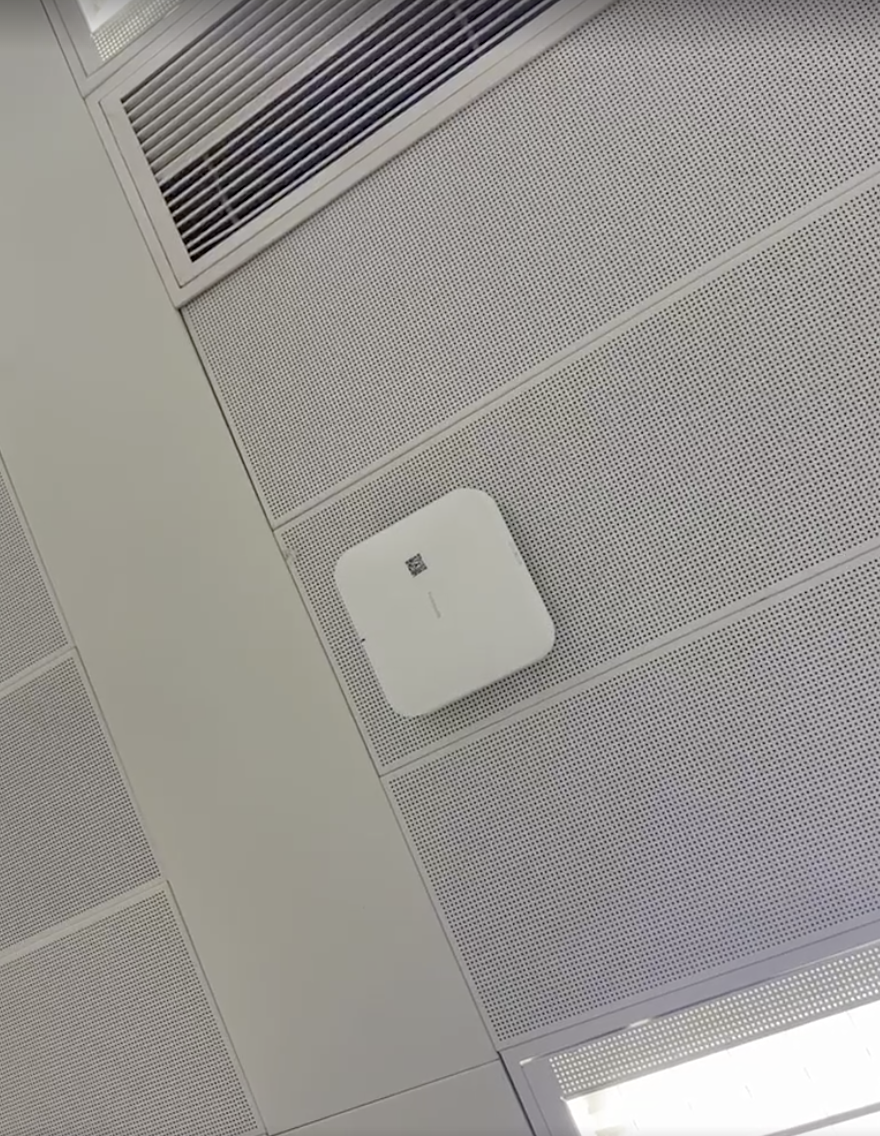
-
@Andy, please follow this thread for shipping https://help.firewalla.com/hc/en-us/community/posts/37363172164243-Firewalla-AP7-Early-access-beta-Shipping-Status
The last shipment will happen on 2/3 or 2/4
If you need more units, we will have more coming in late February to early March. The price at the moment will be>330 and may be higher if there are additional tariffs before these land in California. Quantity is still limited, but for sure more than the first round. Order for these will happen late Feb to early March
-
Just posted the AP7 Ceiling version survey https://forms.gle/w3w3VcBszX6BwJYH7
Please complete this if you are interested in ordering either the AP7 Desktop or AP7 Ceiling in March 2025
-
The problem with using 4x4x4 is the size of the unit; those units (even desktops) can be huge, hot, and expensive. There may be some benefit with more spatial streams, but the cost/value may not benefit the majority, hence the price is going to be much higher.
The same goes for a ceiling mount. The upcoming version (AP7C) is roughly 7.5x7.5" inch square, it is not small (and hot). If we go with a 4x4x4, the size will be much BIGGER, and for typical homes with 8ft/9ft ceiling, it will look huge ... (plus the price is higher...)
Will we ever build a huge version of both, it depends on the success of the simpler/cheaper/cooler units success.
-

@Firewalla: For the ceiling mounted AP7, agree that 2x2 is generally the way to go, though I would like to see either the 5GHz or 6GHz get bumped up to 4x4; whichever the primary band will be for mesh connections between APs.
There's a good write up from a wifi/radio engineer out on TP-Link's community forum that explains why, generally, 4x4 is market hype (except for when two APs are connected via mesh):
https://community.tp-link.com/en/business/forum/topic/714926
If all of your ceiling mounted AP7s will have wired backhaul, then 2x2x2 appears to be the way to go.
-
So far, from our AP7C survey, the majority will be doing wired backhaul with the ceiling version. If you are not (and want to purchase AP7C), please complete the survey https://forms.gle/w3w3VcBszX6BwJYH7
-

@Mark9: 4x4 MIMO does not reach farther than a 2x2 MIMO. The 4x4 is usually faster data send and receive transfer. The key that everyone needs to realize is that overall a 4x4 on 2.4, 5, and or 6 will generally allow for faster transfer of the data. And in order for a device to take full advantage of that, the client needs to support 4x4.
As an example, the flagship device from Apple iPhone 16 Pro Max only supports Wi-Fi 7 (802.11be) with 2x2 MIMO.
There are a few whitepapers on the benefit of a 4x4 on a particular band in highly saturated environments with a large number of clients and or neighboring SSIDs with overlapping, however, as Firewalla has stated their initial strategy is not to chase the fastest download and upload speeds and being at a price point of around $300, we can just add additional access points if your saturating becomes an issue.Also in regards to wireless backhaul, I would recommend using the desktop model which is a 4x4 MIMO, where the ceiling mount is only 2x2 MIMO. Realistically where at all possible wired backhaul is an ideal choice (even if that means having to run a cat6 cable)
-
@Mark9: While 4x4 improves mesh connectivity between APs, as far as client support goes, 4x4 doesn't look to provide any improved capabilities unless all of your clients are 4x4 capable; and there are very few, if any, 4x4 capable clients out there. As soon as you begin introducing non-4x4 capable devices into your network, then 4x4 AP performance degrades (and you are no longer 4x4)...you are right back to 2x2 APs.
-

@Steven, @Eibensl, @DummyKid: Thanks for your input! Below are extracts on the benefits of 4x4 using Beamforming and Diversity from a great article that goes into depth on Understanding Wi-Fi 4/5/6/6E/7. @Firewalla, it would be great if you can comment on antennas and Beamforming in the AP7.
“a 2×2 MIMO tablet connecting to an 8×8 MIMO router will only use 2×2 MIMO. But as a very significant bonus, the 'extra' antennas if there is a mismatch in MIMO levels between the client and router do not go unused, but are used for 'diversity' and 'beamforming', which extends range, and improves speed at range.”“Diversity: If there are more antennas than streams eg: 2×2 client to 4×4 router, the 'extra' antennas can then be used to improve link quality, and increase range. With multiple antennas receiving the same transmitted signal, the receiver can recombine all of the received signals into a better estimate of the true transmitted signal. FCC documents discuss that the 'maximum' gain when doubling antennas is 10×log(NANT/NSS) dBi, which for a 2×2 client to a 4×4 access point, would result in a diversity gain of 'around' 3 dBi. OR a 4×4 access point to a 1×1 client means a diversity gain 'around' 6 dBi. This explain why you really do want a 4×4 MIMO router, even though there may only be 1×1 and 2×2 client devices connecting to it!”
“Beamforming: This Wi-Fi technology uses multiple antennas to 'focus' the transmitted RF signals more towards a device instead of just broadcasting the signal equally in all directions. The end result is a slightly stronger signal in the direction of the device, which typically causes a slightly higher modulation to be used, which in turn increases Mbps speed by a little bit.”
“KEY Wi-Fi concept: It is easy to overlook and miss, but beamforming and diversity are the key reasons why you want a 4×4 MIMO router even though most clients are still only 2×2 MIMO. The extra antennas are actually used and offer significant value (a stronger signal, which translate to better connect speeds for far-away users)!”
“5 GHz uses a much wider channel width 80MHz vs 20MHz and with a "wave 2" 4×4 MIMO access point with beamforming, you will see actual useable bandwidth greatly increased.”
“Another big thing is beamforming / more antennas: After playing around with a new 4×4 "wave 2" router as compared to a 2×2 "wave 1" router, wow! A very noticeable increase in speeds at range. 802.11ac beamforming really works. Your mileage will vary depending upon construction materials. In one home single level; sheetrock with aluminum studs, I saw a dramatic increase in speeds at range. But at an older second home with very thick brick walls, range improved just a little.”
-
We added a "world version" AP7 survey, this will help us prioritize and talk to our ODM on how many units to build. (This survey is for people outside of the USA)
-

Any consideration for an outdoor model in the future? I am currently using TP-Link Omada and use their outdoor model at a lake house to get coverage at a dock.
It would be nice to collapse all my APs and management into a single setup. I have one house with 3 ceiling APs and another with 2 outdoor APs all managed from a single software controller (sites linked via Firewalla WG VPN).


Please sign in to leave a comment.
Comments
651 comments