Firewalla AP7 Ceiling Version (Status and Updates)

The Firewalla AP7 Ceiling Version
Sale begins 4/15/2025, 9 AM PDT via https://firewalla.com/products/firewalla-ap7-ceiling
Guides:
Shipping:
- Everything shipped as of 5/2/2025
If you are not in the USA, please see this survey https://forms.gle/FeVYUSQXJksSEuUCA
Shipping Update 5/5
- All AP7C units shipped
- All new orders will be shipped 24 hours from payment
- All units should be shipped today. (including the t-bar brackets)
- On 5/5, we will be going to our standard shipping cycle. (shipping one day after order)
- We will be able to send out all AP7C orders on May 2nd
- 25% more units will be send out today
- next batch likely next week ... (hopefully)
Shipping Update 4/18
- Around 20% units will be send out 4/18 or 4/21 (pacific time)
- next batch time is unknown.
(shipping is not deterministic at the moment, so please be patient, we will do our best to update everyone as we have something)
FAQ:
What is the main difference between this ceiling unit and the desktop unit?
The ceiling unit antenna is optimized in one direction (downwards from the ceiling), while the desktop version has an antenna radiating in all directions. By having the AP mounted on the ceiling, you are going to get less interference and more focused power.
The ceiling unit is also powered by PoE+ via the 10Gbit interface, so you do not need to run another power line.
- Ceiling-mounted APs often avoid furniture and human body absorption, leading to cleaner signal propagation.
- Desktop APs may be affected by desks, walls, and objects, leading to signal obstructions and multipath interference.
- There is no power adapter included in the AP7C
Can I use the ceiling unit on the desktop?
It is fully possible, but we do not recommend it. You may get blind spots behind the unit.
Can I use the ceiling unit on the wall?
Yes, but behind the wall, signals may not be that good.
Can this unit be mounted over a 1 gang power box?
Yes, you have two screw holes that line up just for that. It also works nicely with a 2 gang power box with 4 holes.
Can I use these with WiFi backhaul?
Yes. You can power the unit either with a injector (with no ethernet) or a 12V barrel power cord. You can configure it work with WiFi backhaul from another AP7 ceiling or desktop unit.
Can I use this with the AP7 Desktop?
Yes.
What PoE Injector should I get?
PoE+ Injectors that can perform the speed you want. (2.5Gbit or 10Gbit)
Why is the AP7 Ceiling hot?
Wi-Fi 7 has many radios and it is very hot to operate. The AP7C is compact and the back side is a heatsink. A temperature of about 140F is normal for this unit.

-

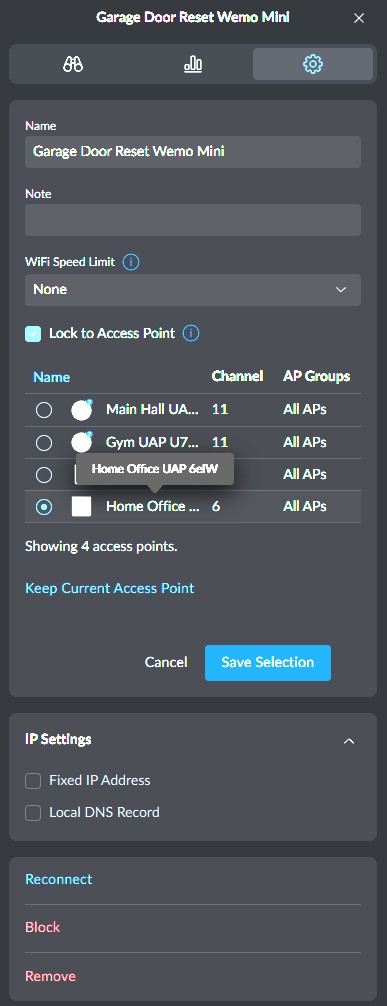
@Firewalla, some network controllers (like UniFi Network) allow you to "lock a client" to an AP. There are times, especially for IoT devices, when a client may associate with a further away AP either because of load balancing or temporary conditions like an AP that needs to reboot. Even if the situation is temporary, because the RSSI between the client and the AP is above a threshold, the client will not re-associate with the nearby access point and have a less strong connection. I just installed two AP7s yesterday and actually have a few IoT devices that are in this condition (sub-optimally connected to the further away access point).
This isn't a problem for mobile clients because they will roam between APs.
Here's what the feature looks like in the UniFi controller web UI:
-

@firewalla FWIW Device locking would make this an instant buy for me. I have eeros that are *fine* but not great. One thing they really lack is device locking and it’s such a pain. If firewalla ends up adding Device locking that would be enough for me to pull the trigger. Hope it comes someday!
-

@Firewalla...as long as the team is taking a look at allowing for locking clients to a specific AP, would like to toss back out there the ability to manually select the upstream AP that an AP will use when connecting via mesh. This is a standard feature with TP Link Omada and, I believe Ubiquiti, that has been useful.
-

Additionally if we are looking for feature requests @firewalla - take a look at the Homekit request for templates. This goes beyond just Apple devices and the concept will help with vlan configurations.
https://help.firewalla.com/hc/en-us/community/posts/37715472458387-HomeKit-not-working-after-installAnd really this is not only to help when using vlans and segregation of devices, this will absolutely help with the constant issues where Firewalla blocks certain communications outbound (wan), requiring to place the device into emergency access (essentially) spending hours to figure how which rules are blocking the device from functioning properly.
-
Hi Ryan
Can you please take a look at the product description or getting started guide, https://help.firewalla.com/hc/en-us/articles/37151746345491-Getting-Started-with-Firewalla-Access-Point-7
Things like changing channels, frequency, creating SSIDs, and local flows are all there. However, not everything can be changed in the 1.64 version, so you will have to wait for things like channel band.
We never considered including turning off 802.11be or ax ... but if enough people ask, we can put it in.
Some of the more detailed requirements like Perfered Channel Selection and DFS should be there already.
DFS Zero wait, don't have it, it requires another radio.
If Client Balancing is part of the MLO you are talking about, we are unlikely to turn on MLO until there are more clients supporting it.
-
@Mo Ali, the firewalla AP's are locally managed by a controller running inside your firewalla. So all the roaming controls etc ... are local already. This controller will work, even if your wan is down. Same as the app.
As of App control, can't change that. MSP interface may be enhanced, that's for the future.
-
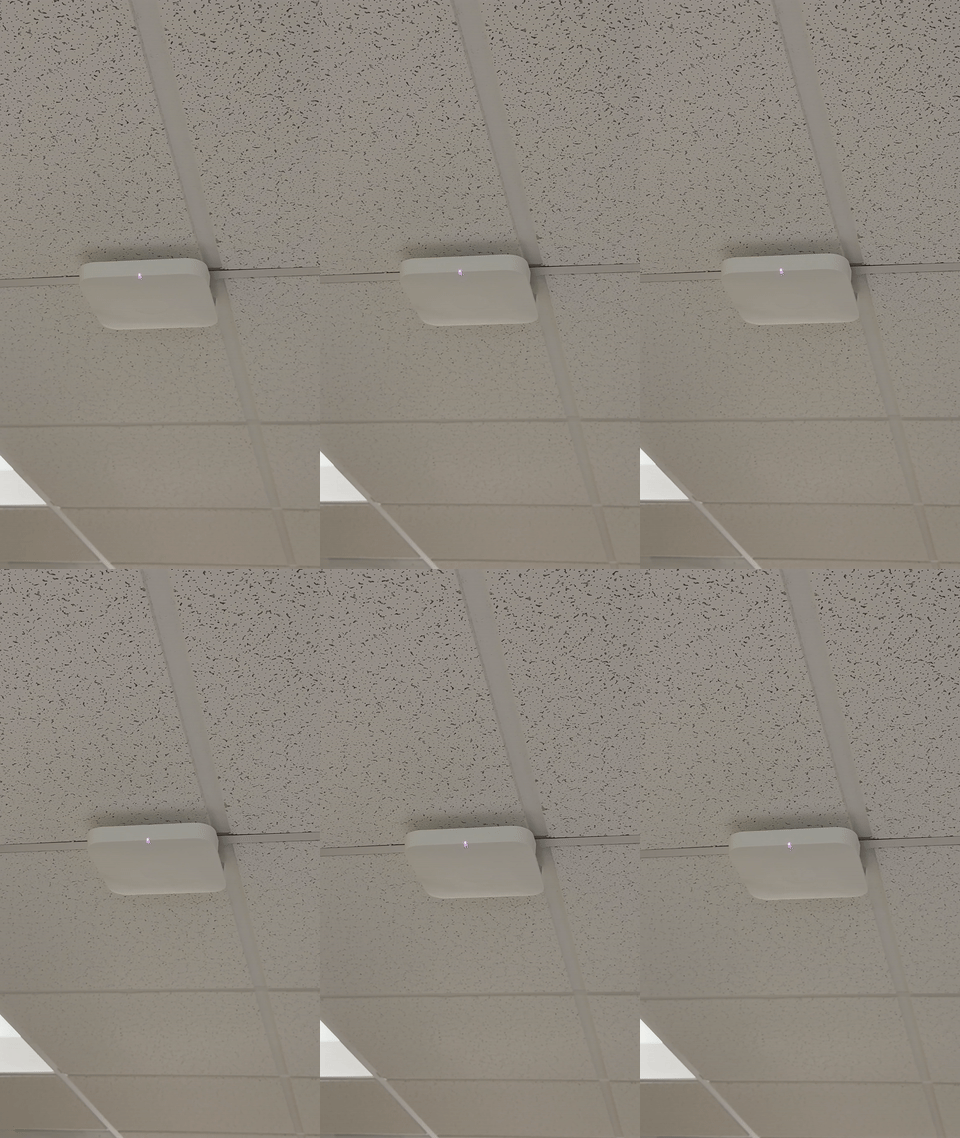
Here is the drilling template , in case you want to know how big the unit is
-
Just posted the AP7 Ceiling version survey https://forms.gle/w3w3VcBszX6BwJYH7
Please complete this if you are interested in ordering either the AP7 Desktop or AP7 Ceiling in March 2025
-
@N Wilis, see this article https://help.firewalla.com/hc/en-us/community/posts/36934249691539-Firewalla-AP7-Coverage
-
@Firewalla, I have been emailing Firewalla Support about the current decision to only allow 6GHz for mesh connectivity between AP7s, was informed that, if enough customers want it, that you could enable the ability for customers to choose between using either the 5GHz or 6GHz for mesh.
Please allow customers to make this decision, though you could have it default to 6GHz.
5GHz signal travels a lot better than 6GHz. For my use case, I will need to connect an AP7 in the garage to another in my office (I already have this with my current APs). But, I have had to use 5GHz since 6GHz connection between the two locations is poor.



Please sign in to leave a comment.
Comments
259 comments