Purple Upload very slow problem

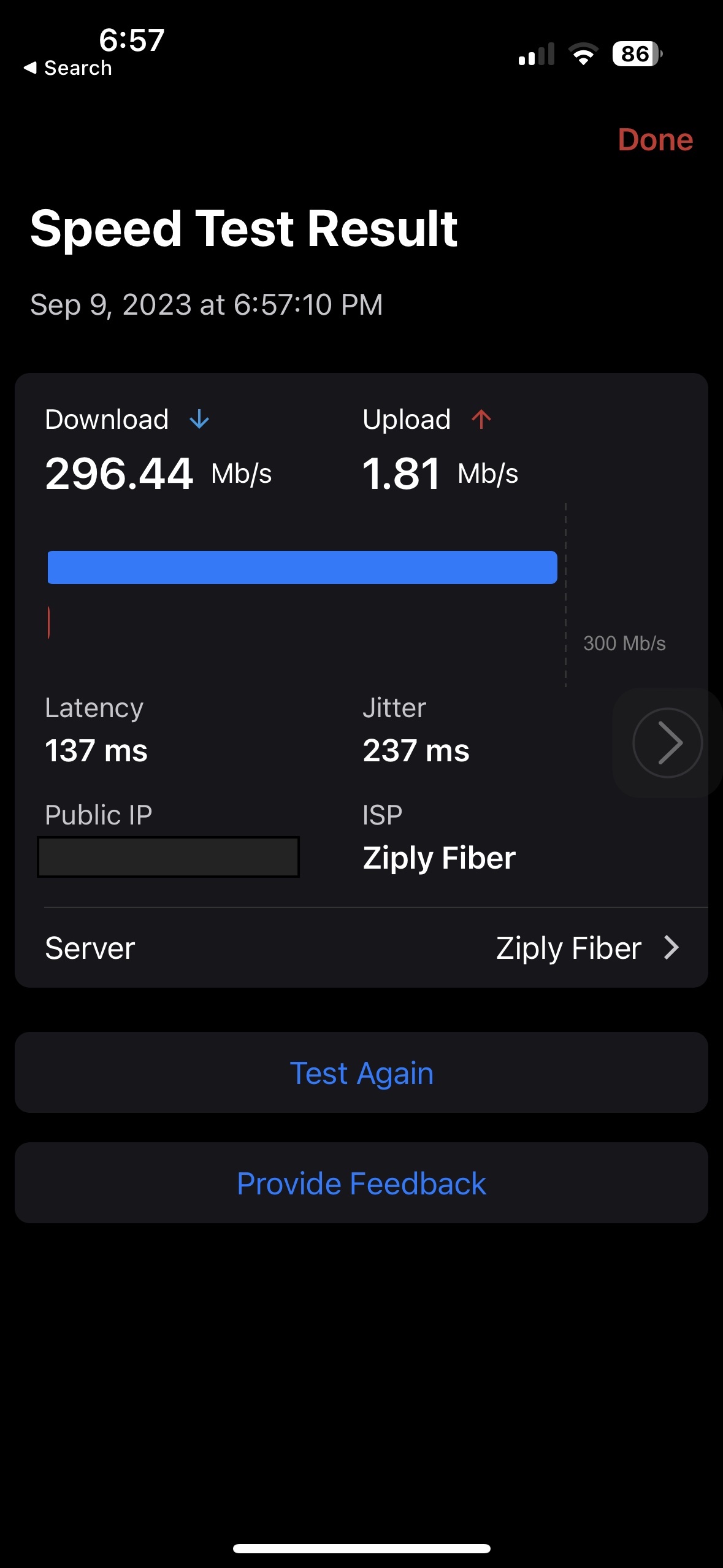
There are quite a numbers of report on Purple Upload slow (I have this problem since last fri), is there any resolution to it ?
https://www.reddit.com/r/firewalla/comments/whal9x/how_many_of_you_experienced_the_slow_upload_speed/
https://www.reddit.com/r/firewalla/comments/vakep2/odd_upload_behaviour/
https://www.reddit.com/r/firewalla/comments/wlovrj/purple_speed_test_something_isnt_right/
- notebook direct to ISP modem speedtest.net 200M dl and 20M up
- Notebook connect to firewalla purple, 200M dl and upload is below 1M
- Reboot, upload slow problem persisted
- switch to beta program 1.50.115 (1118), right after changed to beta, upload still slow below 1mbps
https://www.speedtest.net/result/13570157543
- internal speed test http://192.168.xx.xx:8833/ss/ around 900M-1000Mbpps (lan connection)
- Internet browsing response very slow/not responsing, WFH video call not working / very bad quality
I am WFH, need to fix this asap as it is impacting my work
-

Adding to the list with this issue using Purple in router mode. Looking at daily network speed trends, the upload speed deteriorated over about 4 days from 560 Mbit down to 40 Mbit, 20 Mbit, and finally 0.01 Mbit. Most times now I can't connect at all. Removing Purple and using ISP router gets me back to 560 Mbit up/down. Trying the "sudo ethtool -s eth0 speed 100 duplex full autoneg off" and at least for now, can get out, thought speeds at 9 Mbit down and 86 Mbit up. Ticket #67594.
Update: Firewalla was able to remote to the box and confirm the issue. They RMA'd the box, which I received and installed this weekend, and I'm back in business! Firewalla customer service has been great with both non standard configuration questions and now hardware replacements. Thank you!
-

Add me to the list - my Purple has done this twice now: throttled my upload speeds to the point where Internet is entirely borked. Connecting directly to ISP and through WiFi router (taken out of bridge mode) works fine. Currently not connected at all, so it's essentially a paperweight on my desk...
Ticket #69184 -

I'll add mine to the list with this problem. I have a 60meg DSL line with 20Meg Upload and noticed abysmally slow upload speeds. Plugged directly into my router I get the advertised speeds but on the Firerwalla it's like sub 1meg. Joining the beta program or forcing the port to 100mb didn't really seem to fix the issue for me. I'll be submitting a ticket shortly.
-

I have a "me too" post also - Support Ticket #72655. I have great download speeds, and virtually no upload speeds. I use my cellphones hotspot as a backup ISP using the Firewalla Purples integrated Wi-Fi card, and that seems to bring everything online and works very fast. The second I bring the WAN port back online the entire network stalls and the lost packet errors hit close to 90%.
What are the steps for limiting the WAN to 100mbps? it seems like several people have used this trick as a temporary workaround, and I'd like to try it temporarily.
-

@Aznsensation Firewalla app keeps a backup of all settings and data. I did not realize that and ended up losing it.
I experienced the same issue starting of this month. spent 4 days testing everything. So what worked for me and what did not. mentioned below
Started facing this issue and did some troubleshooting. Spoke with my ISP and everything was fine from their end.
Realized Firewalla was the problem. Opened a Zendesk support ticket and they asked for Remote Support to be turned on. Remote support realized it is not fixable so they initiated a RMA.
Did some more troubleshooting and changed my WAN port. Made my LAN a WAN and did some testing.. Voila!! Speed is back to Gbps..
everything works great except the labeled WAN port. connected my Google router to Labeled WAN port as LAN connection and speed is back to 2 Mbps upload. works well on labeled LAN port working as WAN but does not solve my problem.
So, it appears after reading all these comments, Firewalla purple has issue with faulty WAN port. It may be for the units manufactured in 2022 as this is when I bought mine.
Yet to test my replacement as I am out of town for a month and new device is not set yet.
-

And now this is happening to me. Same Firewalla Purple issue, bought sometime in April 2022 (since it has been 2+ years since, I can't find the order number anymore).
I re-flashed, and still did not work. Filed support ticket and waiting for their feedback.
Now am relying on my Asus router to protect my network - lost all safeguards - I feel so naked and vulnerable. :)






Please sign in to leave a comment.
Comments
147 comments