CONTEST: Show us your Firewalla setup! (2025)
Featured
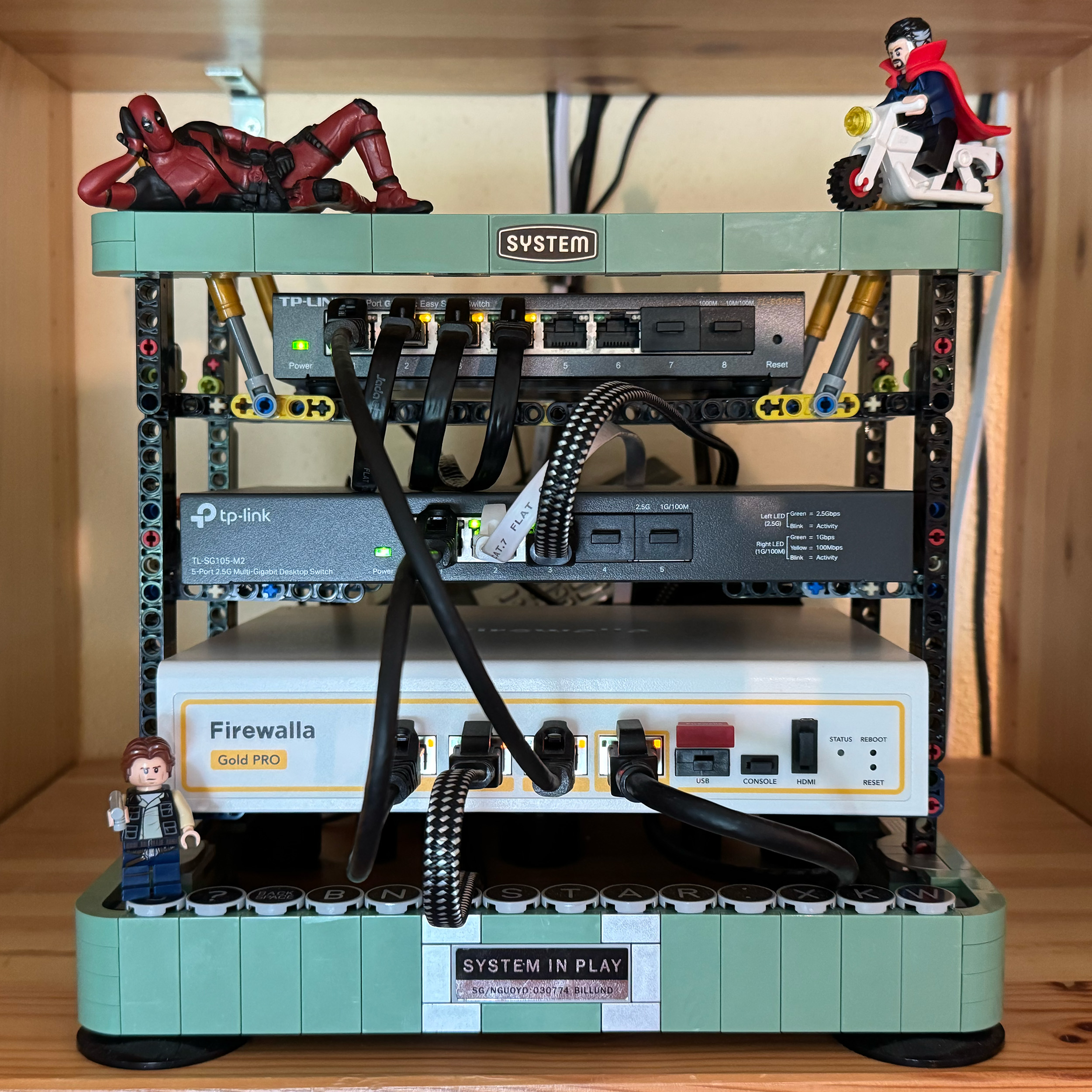
UPDATE 8/11/2025: Contest closed! Thank you to everyone who participated and shared your unique setups! The Firewalla team is happy to announce the top submissions for the Firewalla Setup Contest 2025!
1st Place:
- Andy Camara https://help.firewalla.com/hc/en-us/community/posts/42589603312659-CONTEST-Show-us-your-Firewalla-setup-2025?page=3#community_comment_42710256813843
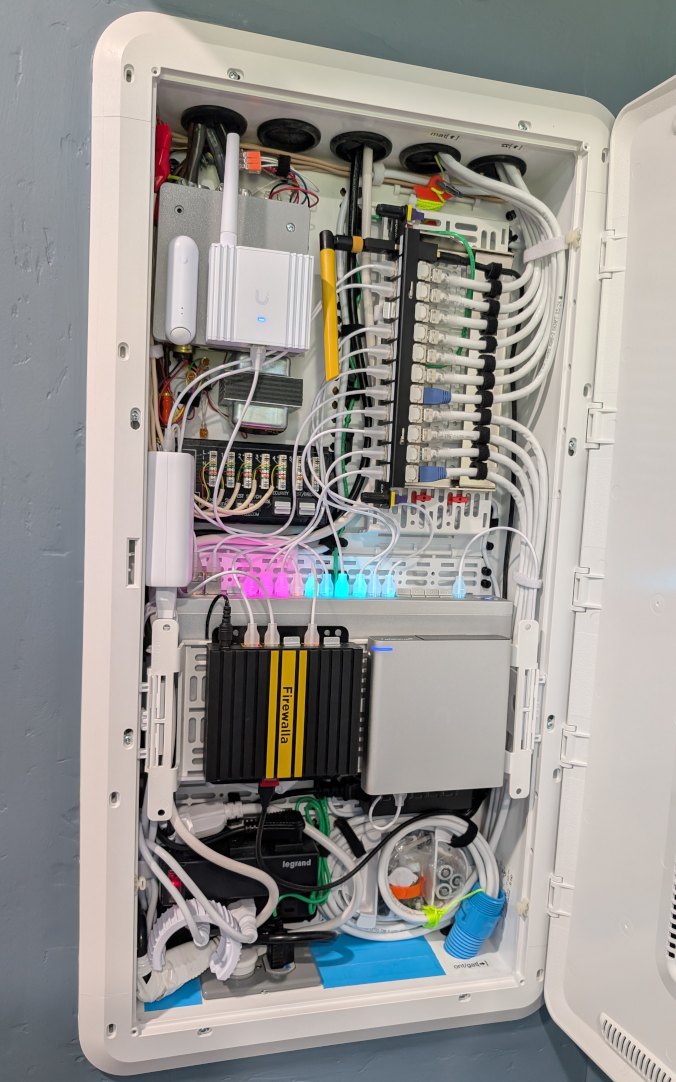
2nd Place:
- twiny2 https://help.firewalla.com/hc/en-us/community/posts/42589603312659-CONTEST-Show-us-your-Firewalla-setup-2025?page=3#community_comment_42677270637203
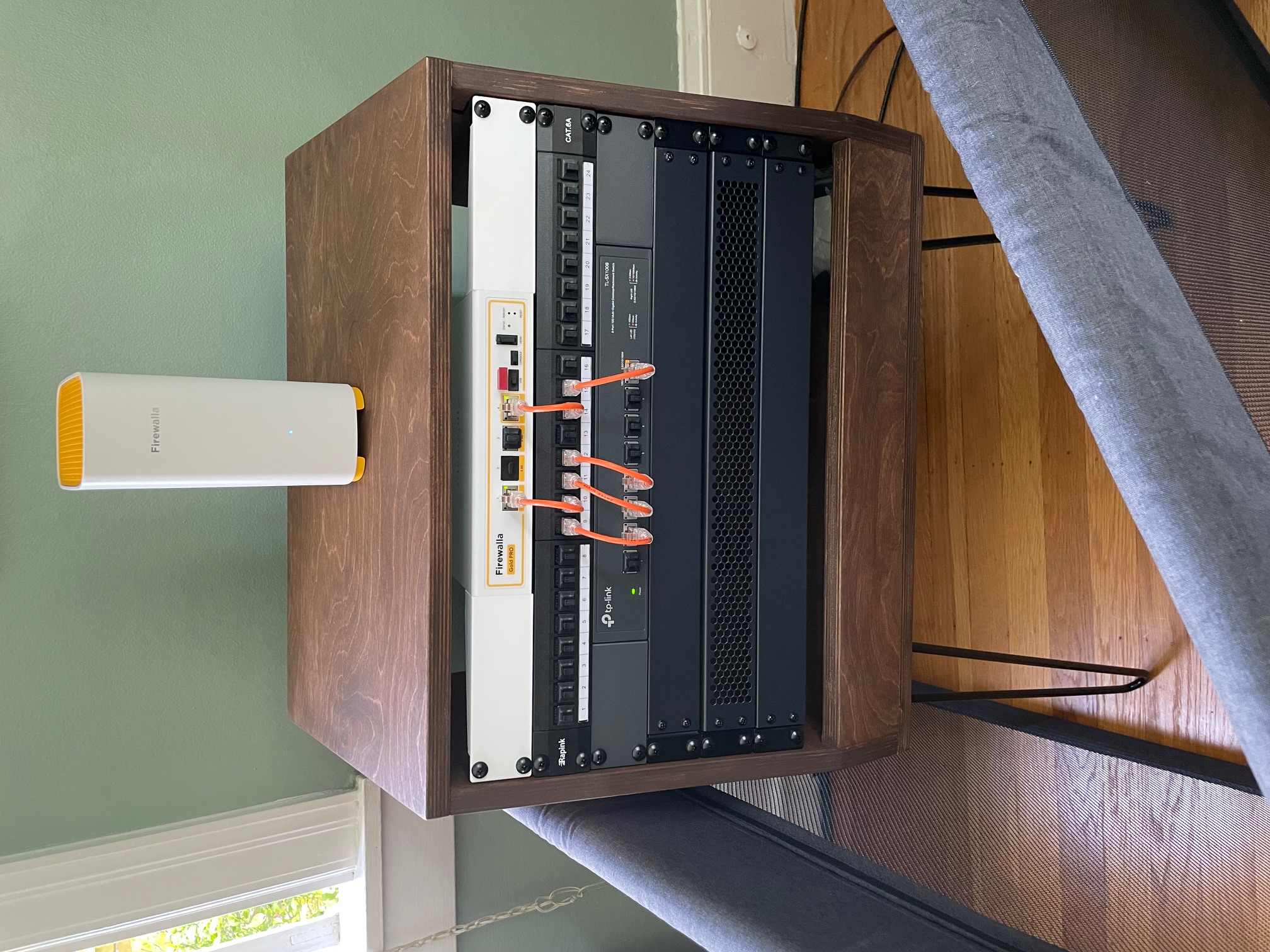
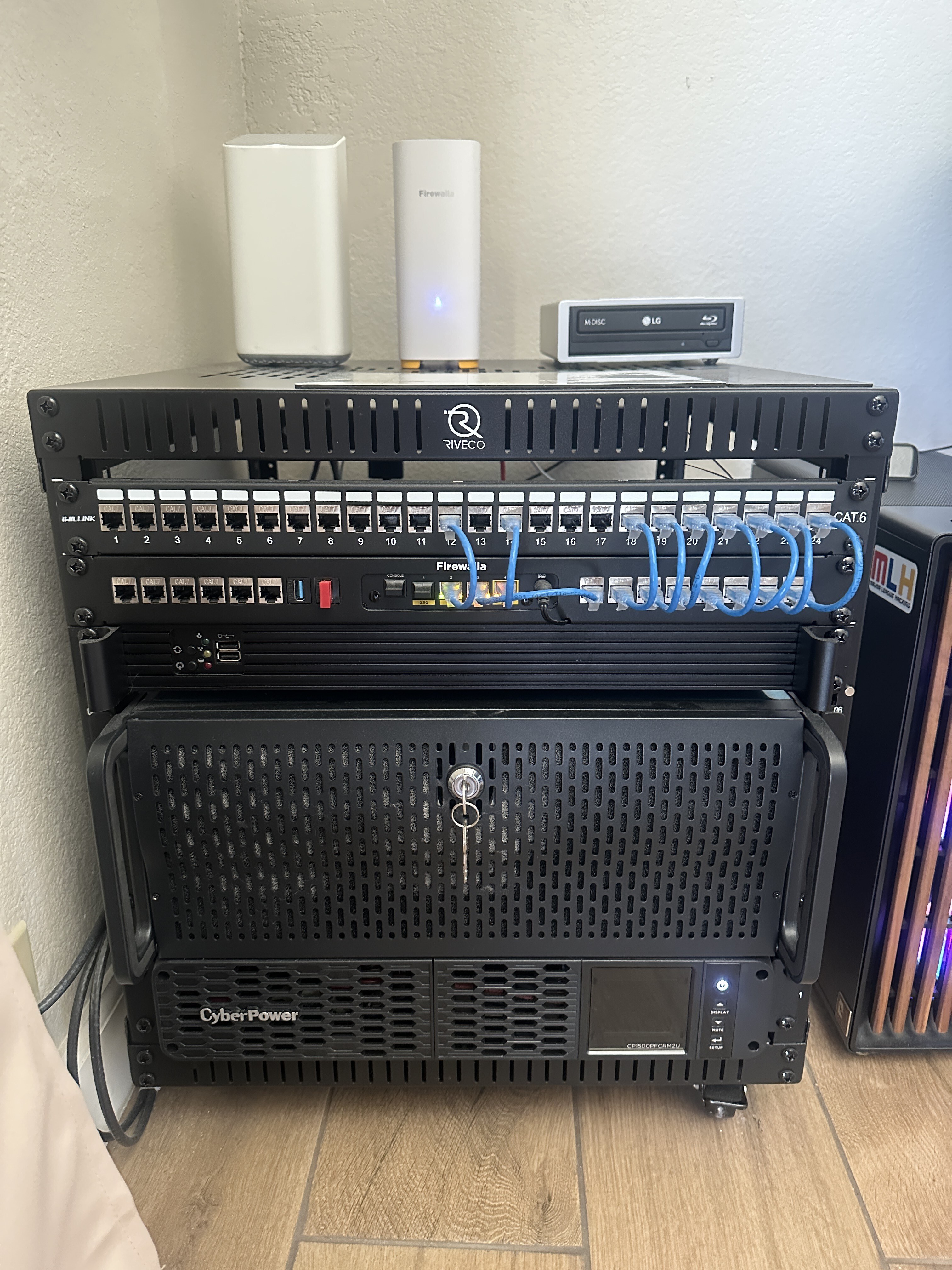
3rd Place:
- Gociu Mihai https://help.firewalla.com/hc/en-us/community/posts/42589603312659-CONTEST-Show-us-your-Firewalla-setup-2025?page=1#community_comment_42613941675795
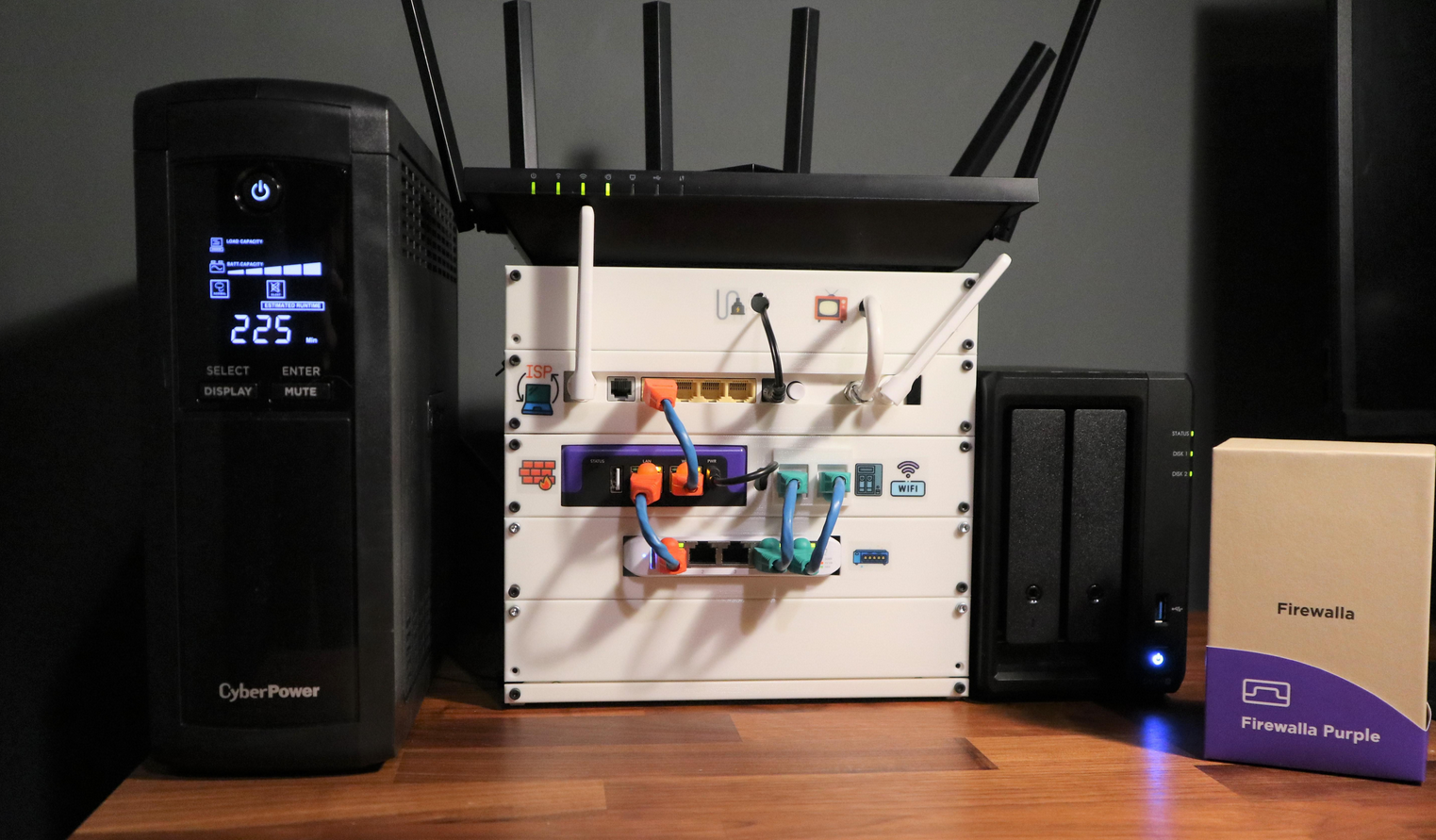
Winners have been contacted individually about their prizes.
---
We want to see how you’re using your Firewalla products! Whether you’ve placed them in a clever spot, built custom fittings, or just have an artistically messy setup…
Prizes:
- Grand Prize (1 winner): Firewalla Gold Plus + Gold Rack Mount + Wi-Fi SD
- Or 2 Firewalla AP7s instead (if based in the USA)
- Second Prize (2 winners): Firewalla Gold SE
- Or 1 Firewalla AP7 instead (if based in the USA)
- Third Prize (2 winners): Purple SE
Winners can choose alternate products of equal or lesser value. Top entries may be featured on our website and in Firewalla marketing materials!
How to Vote:
- Scroll down (there are multiple pages).
- Vote for your favorites by clicking the up arrow next to the comment (login required)

How to enter:
- Post a photo of your setup as a comment below (login required)
- Must include at least one Firewalla box.
- If you’ve entered a past Firewalla contest, please submit a new, original photo.
- If you're entering from a mobile device, you may need to request the desktop version of this site to see the option to add an image to your comment.
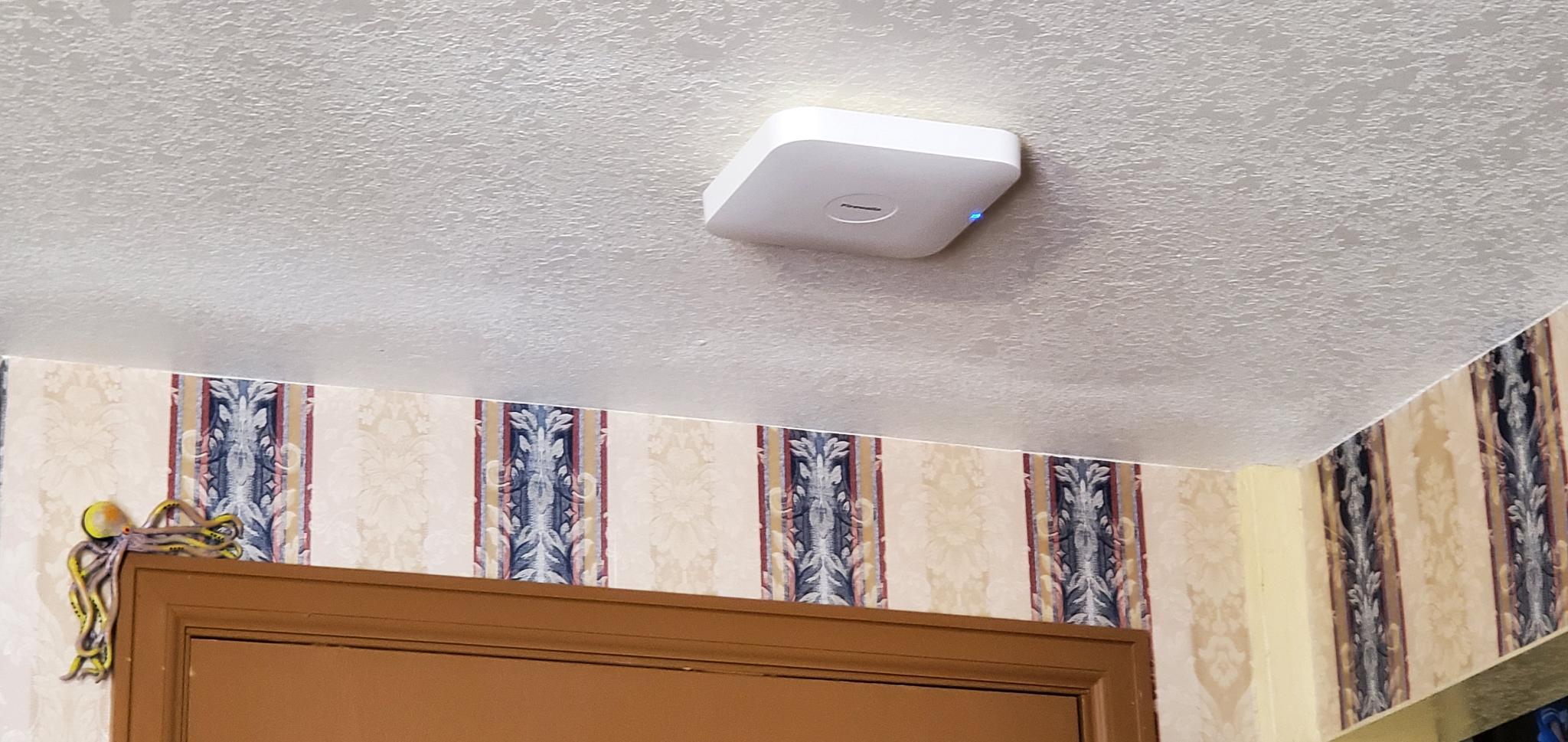
- We’ll also accept photos of a standalone AP7 Desktop or Ceiling if they are interesting!
- (Optional) Include a short paragraph describing your setup and one or two software features that made a difference.
Winner Selection:
- 10 finalists: 5 based on submission votes, and 5 chosen by the Firewalla team.
- Finalists will enter a final voting round through our communities.
- The top 5 submissions with the most votes will determine our winners.
- We have the right to remove submissions that don't meet the requirements or appear to have fraudulent votes.
Timing:
- Submissions & preliminary voting: June 30–July 15th, 2025
- Final voting round: July 21–July 31, 2025
- Winners will be announced and contacted via email starting on August 1, 2025.
Important:
- Please do not post any sensitive information. We reserve the right to remove unoriginal or offensive content.
- By entering, you agree to allow Firewalla to use your photos in future marketing materials (emails, articles, product pages, etc.)
- By posting or voting, you will automatically sign up for the Firewalla weekly newsletter; this is to notify you of voting times and winners.
- To keep contest entries clean, we will delete non-submission posts occasionally.
Check out our previous Firewalla contests for some inspiration!
- 2024: Show us your “lifestyle” Firewalla Contest https://help.firewalla.com/hc/en-us/community/posts/24294588856083-Show-us-your-lifestyle-Firewalla-Contest
- 2023: Show us your Network Rack and Win Big https://help.firewalla.com/hc/en-us/community/posts/18333572629267-Show-Us-Your-Network-Rack-and-Win-Big
-

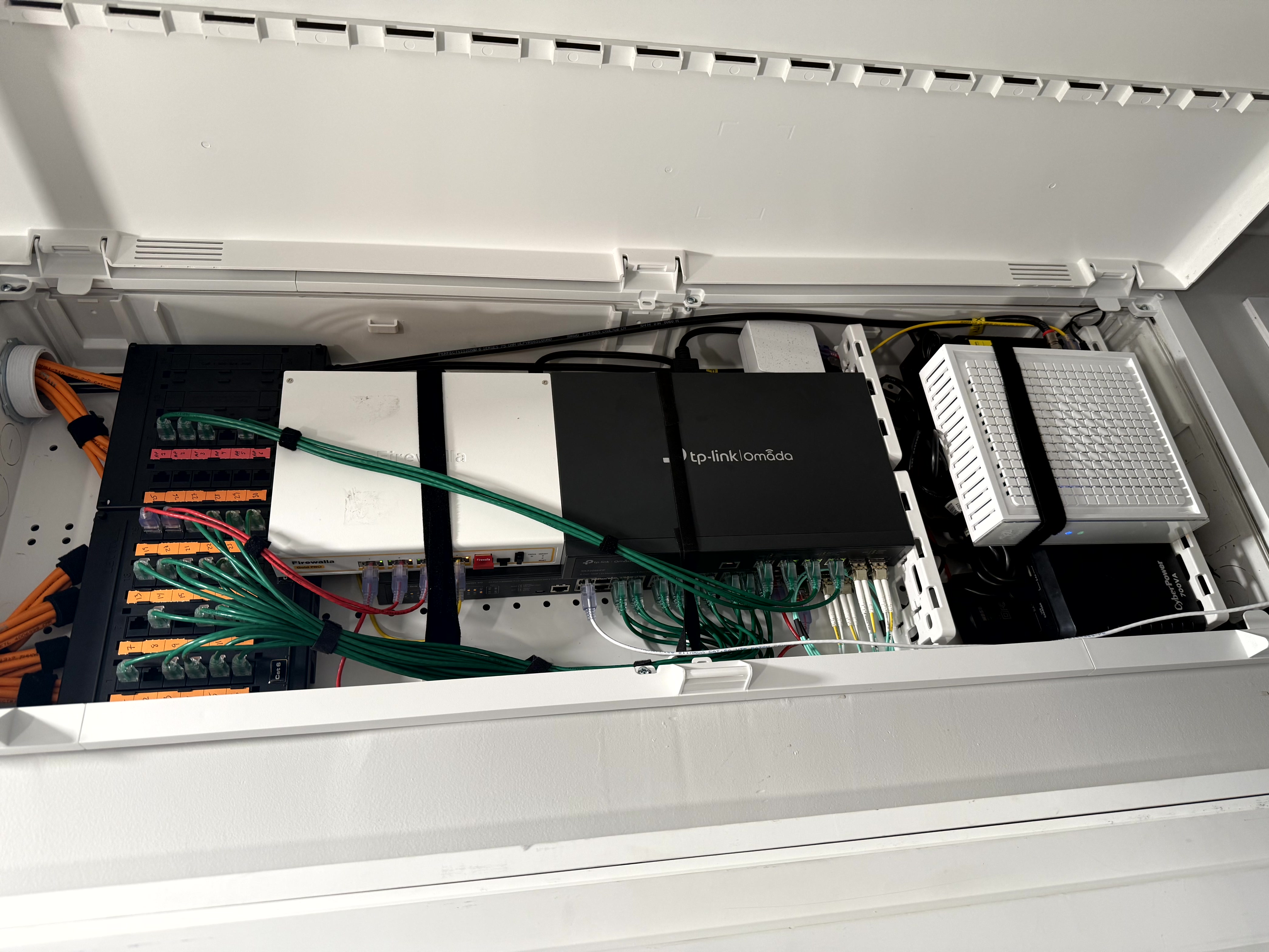
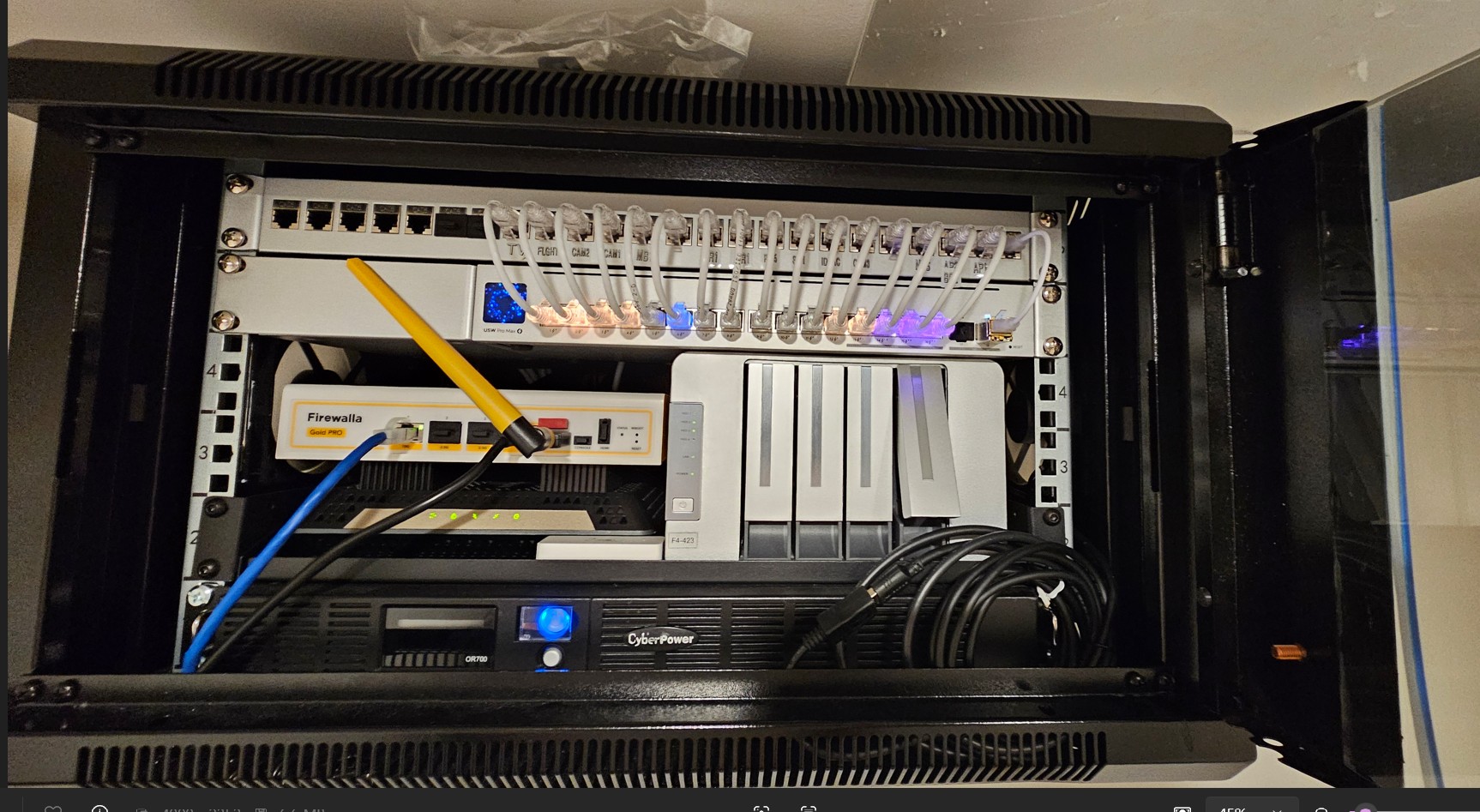
My wall closet has taken many iterations over the years to where it's at now.
Starting from the top:
-Hitron Cable Modem w 2.5GB ethernet
-T-Mobile 5G home internet as a backup connection
-Firewalla Gold Pro | 10G Cybersecurity Firewall & Router
-TP-Link TL-SG3428X-M2 | 24 Port Multi-Gigabit L2+ Managed Switch | 24 x 2.5 Gig Ethernet Ports, 4 x 10 Gig SFP+ Ports
-TP-Link TL-SX3206HPP | 6 Port 10G L2+ Managed PoE Switch | 4 PoE++ Port @200W, 2 x 10G SFP+ Slots
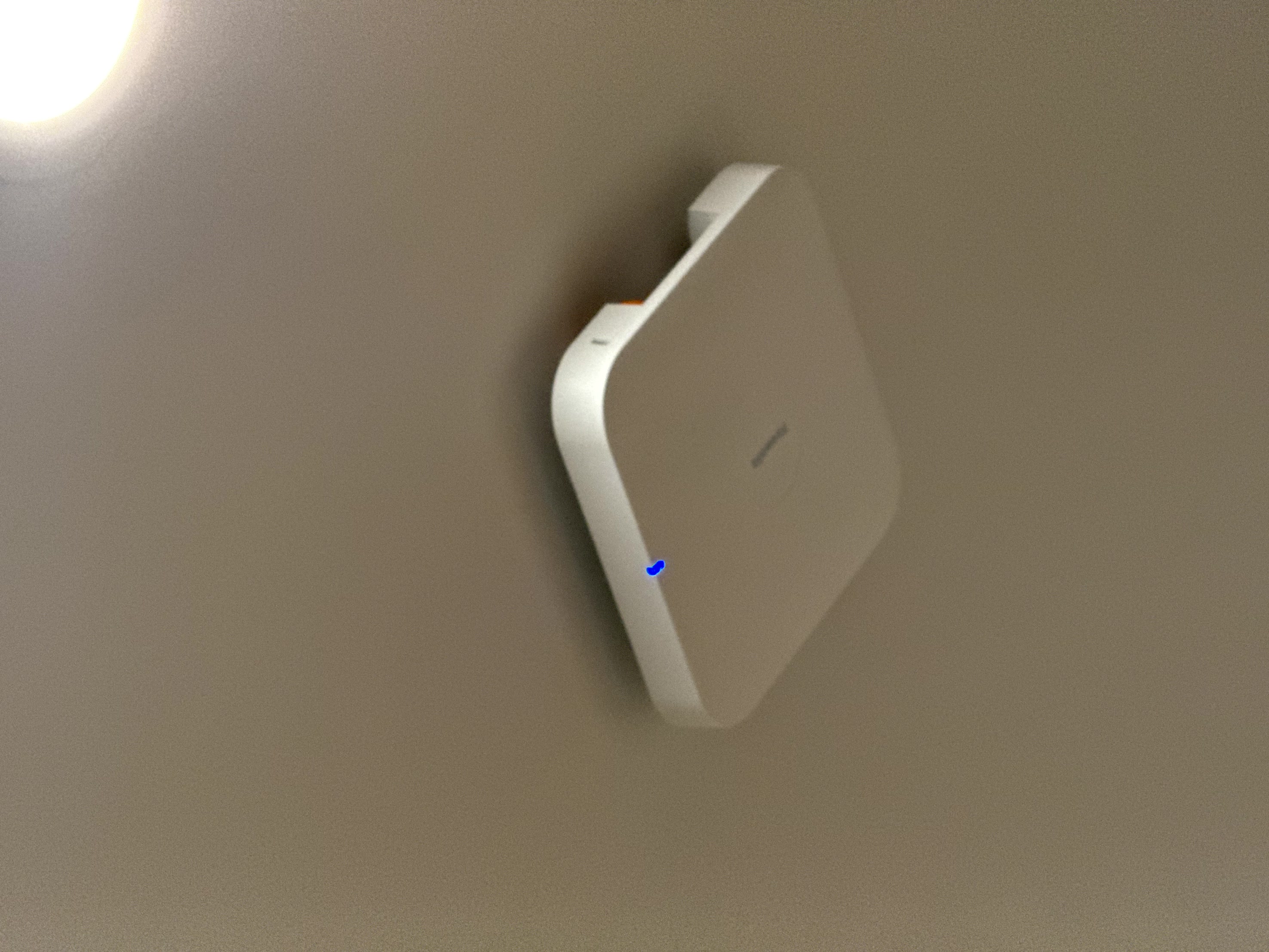
-4x Firewalla AP7C 10G POE units mounted throughout my house
Everything is battery backed up by a CyberPower 700VA
Switches are connected via 10G SFP+ with LC-LC multimode fiber. All house cabling is CAT6 using EMT tubing in the walls to Leviton Jacks and Plates for a total of 40 drops in 2100sq/ft.
-

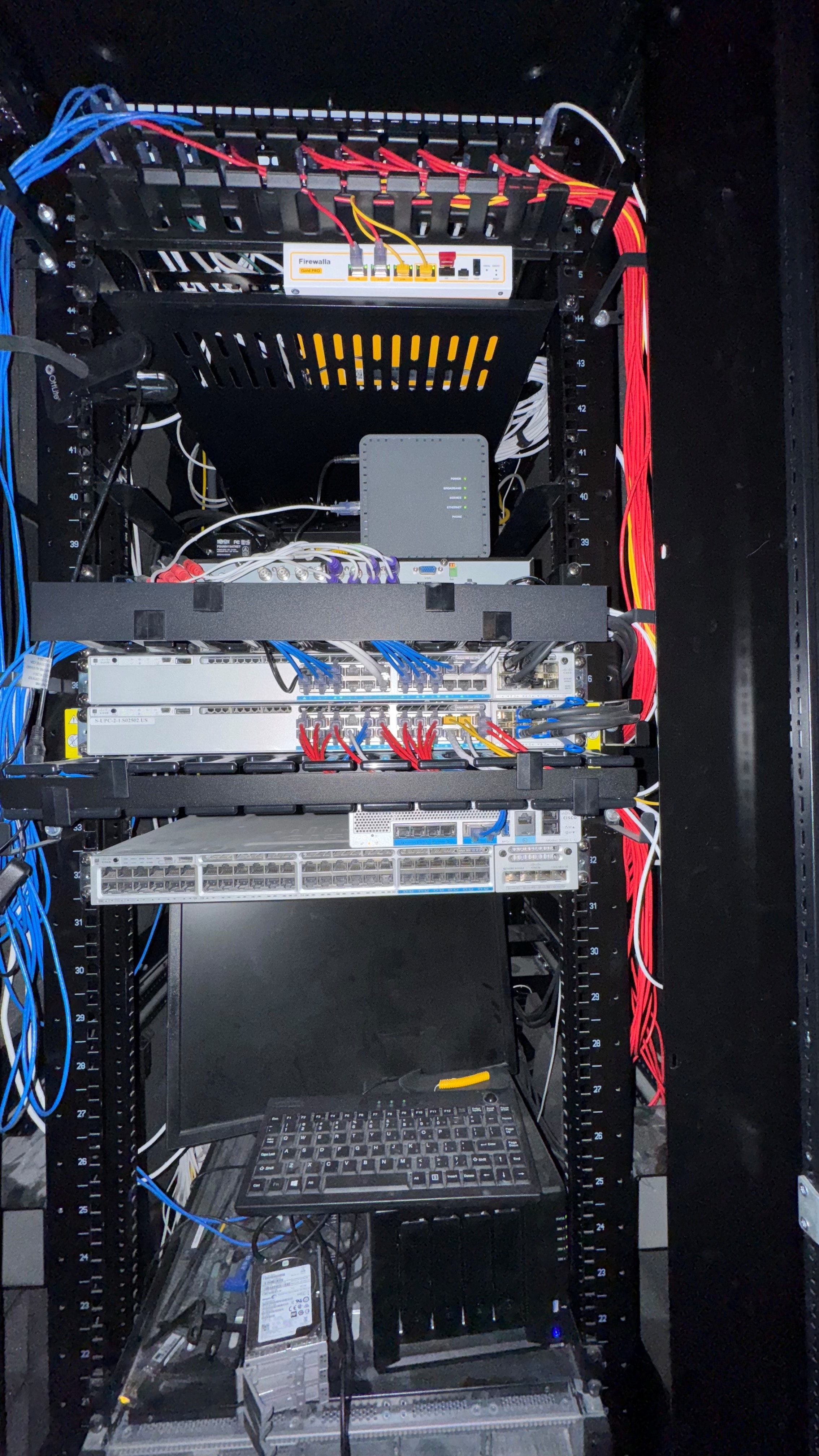
My over engineered, under-utilized, home network in an HP 48U rack:
2x 24-port Patch panels
Firewalla Gold Pro -
dual internet; 2.3 Gig synchronous local Fiber Carrier and T-Mobile Home internet
connected through L2 switchports to monitor bandwidth and flows on the outside
10Gig Lan with a 1Gig BackupFiber ONT directly connected to the Firewalla via L2 switch ports.
Hardwired Swann 4K Ultra HD DVR security system
2x Cisco C9300-24-UX-E stacked core switch
1x Cisco C3850-12x48U server switch
5x Cisco C3560CX Various flavors of Desktop switches
1x Eero/Ring Alarm Pro
1x Cisco 9800L Wireless LAN Controller
5x Cisco C9130AXI Wireless AP
1x Cisco C9124AXI Outdoor APSynology DS923+ NAS
2x Cisco UCS C220 M4 Intel XEON E5-2699C v4 running Cisco CUCM, CUC, UCCX, EXP, and Microsoft Windows Servers
3x APC Smart back UPS
-

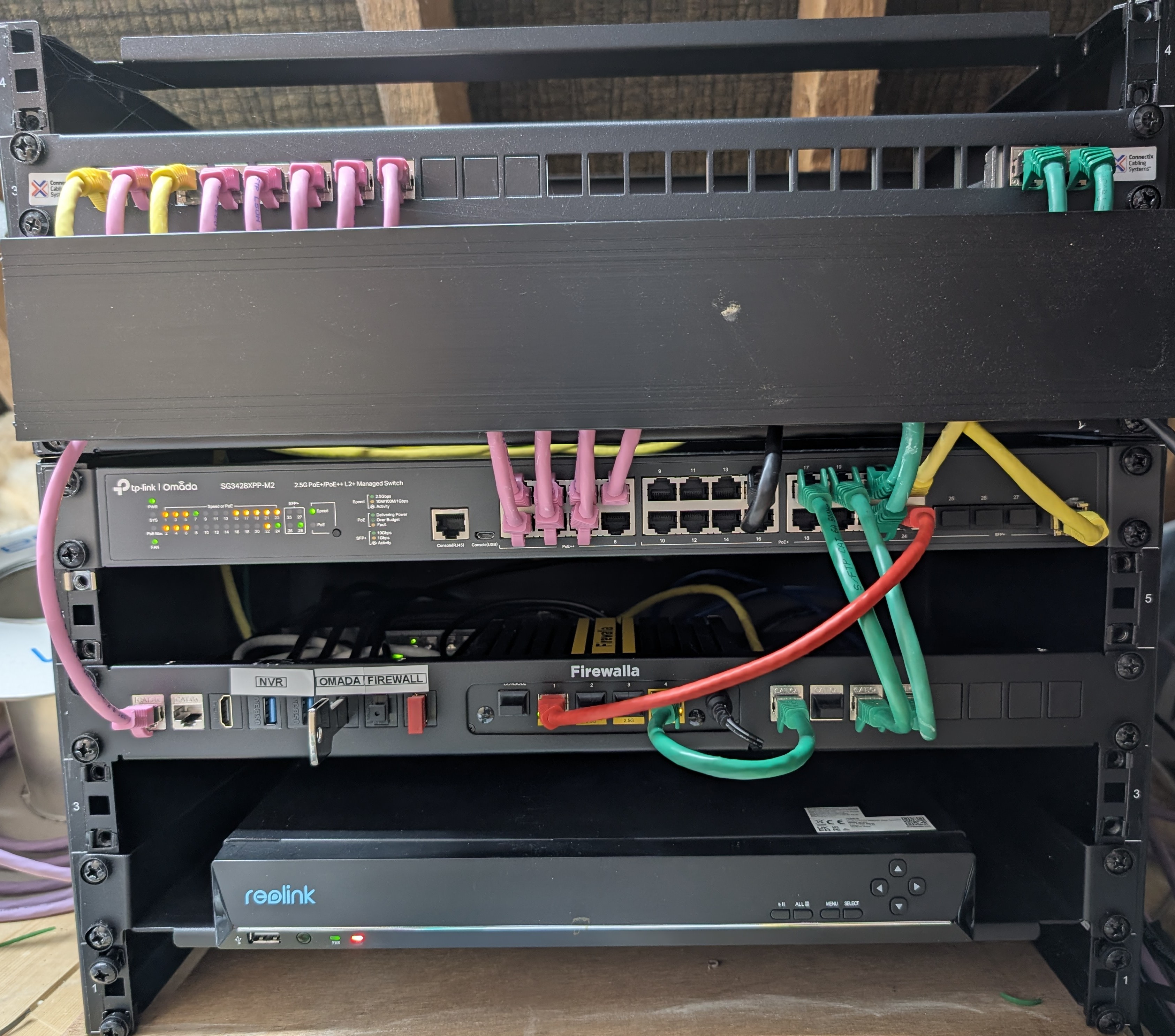 This is the core of my home network.
Firewalla gold with VLANs for IOT, LAB and NVR traffic. It's directly connected to my fibre to the home media converter.
I went overkill on the structured cabling and used cat 7. I won't have to touch it for a long time :-)
The switch is a 2.5GbE TP-Link, Omada controlled, with a mix of WiFi 6 and 7 AP's. I can't wait for the EU Firewalla ones!
There are two further switches, one in the garage for cameras and one iny office for the home lab and NAS.
At the bottom is a Reolink NVR.
-

Firewalla Gold Plus with Multi-WAN wired/wifi in to 802.11.be network with 10gbps POE++ network that has VRRP for internal application hosting, media streaming. DDNS from FW along with VPN site-to-site and VPN client tunnels (best fw on a market with migration from device to device via mobile device in less then 3 minutes)
-

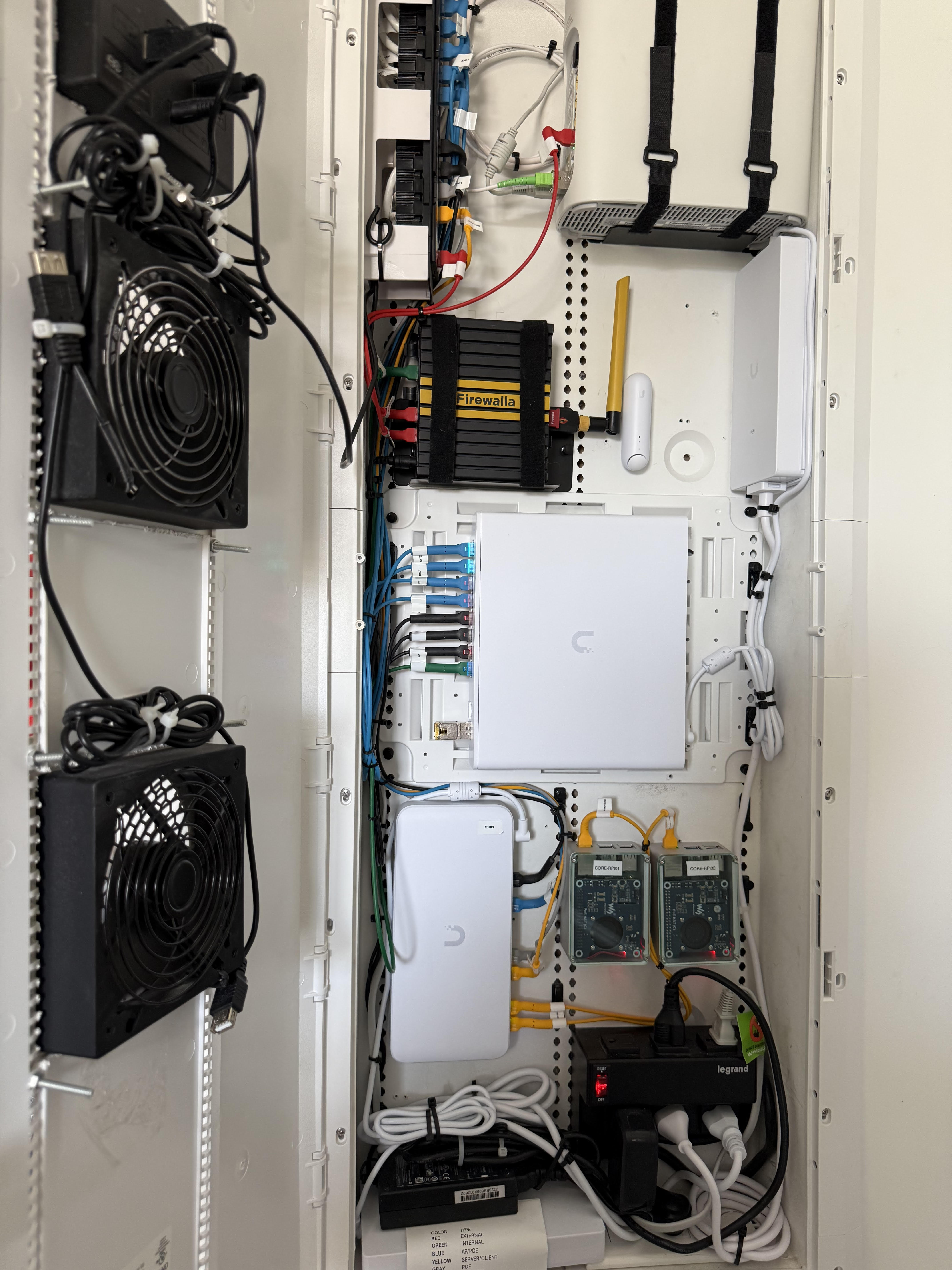
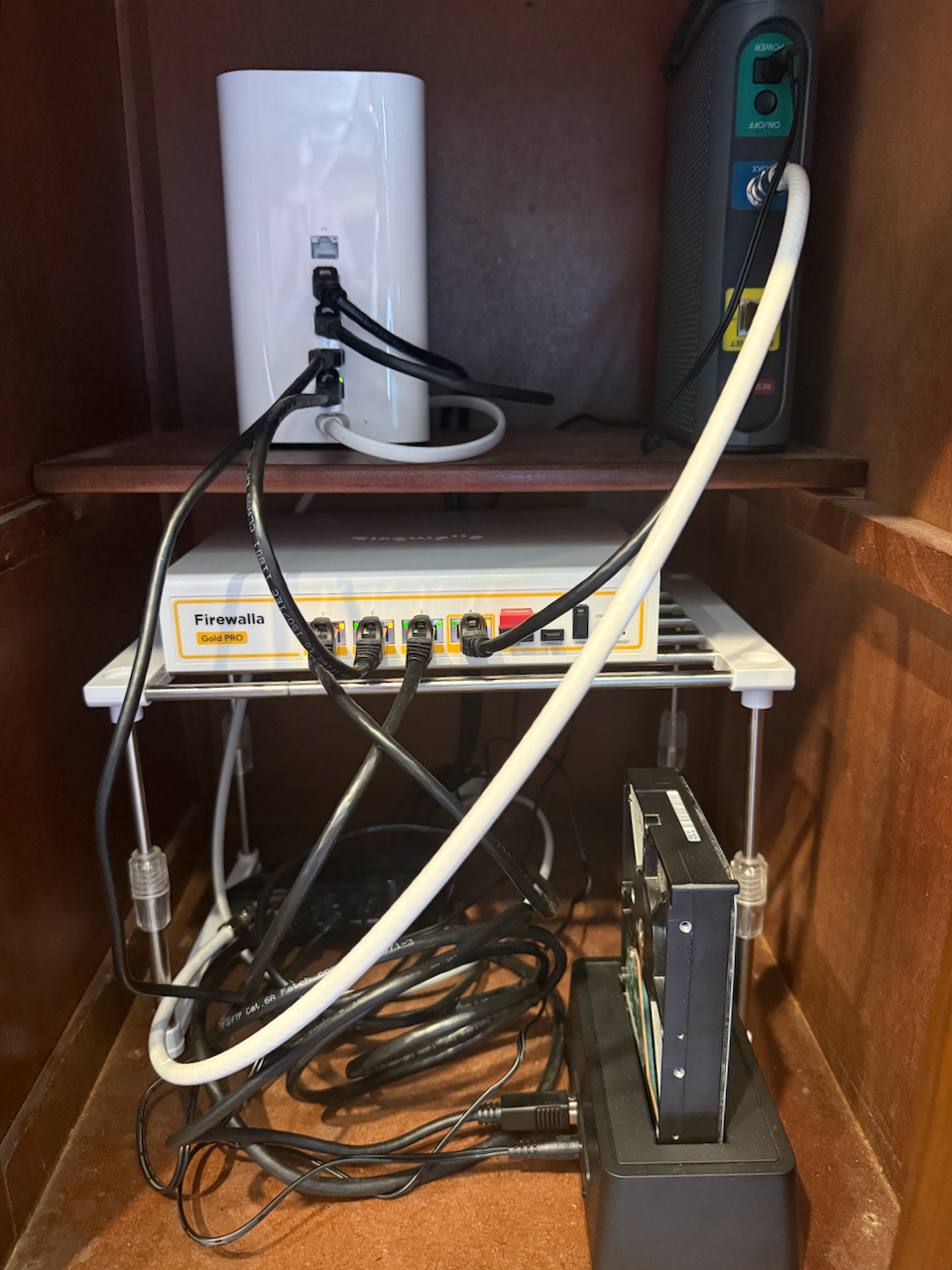
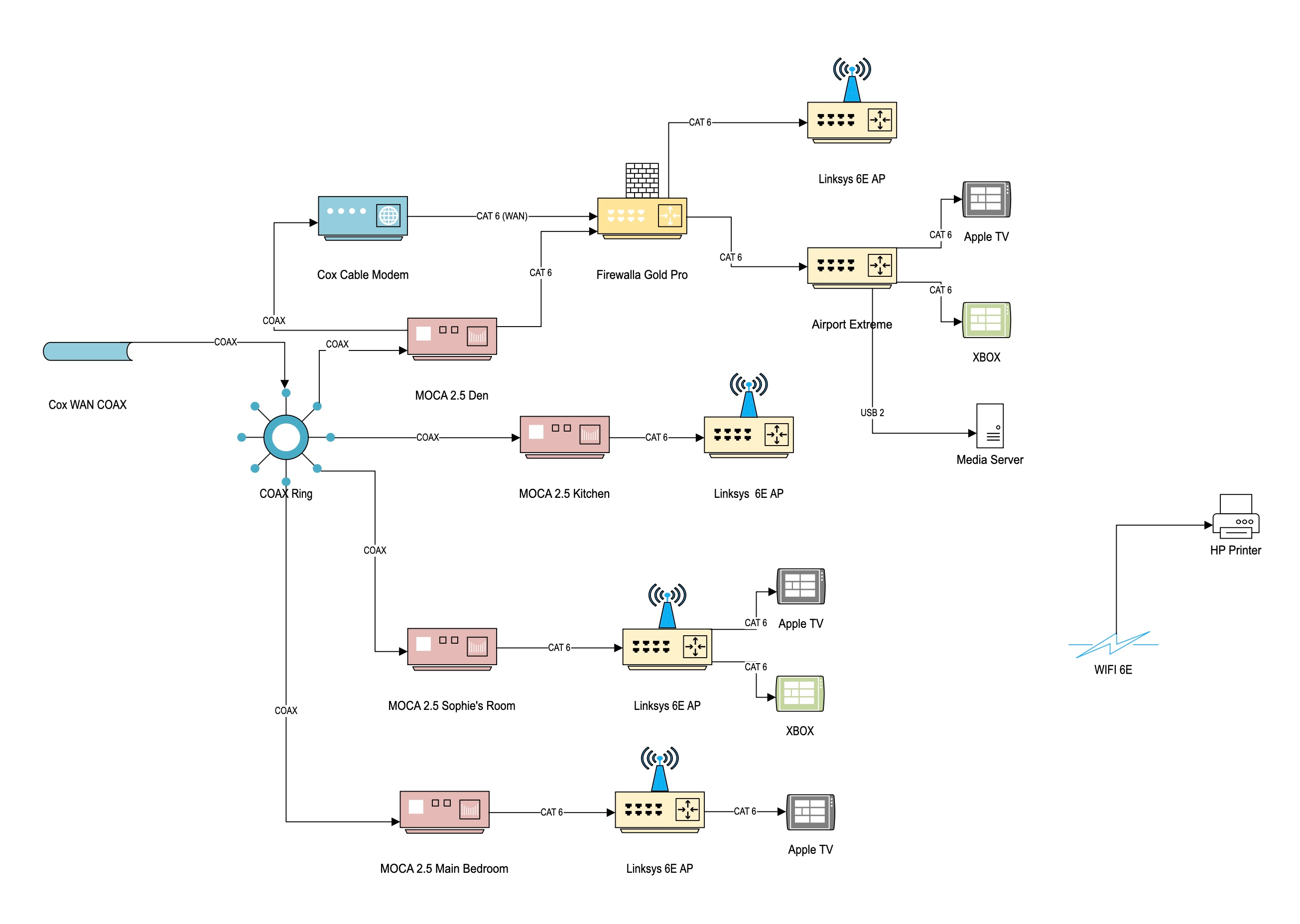
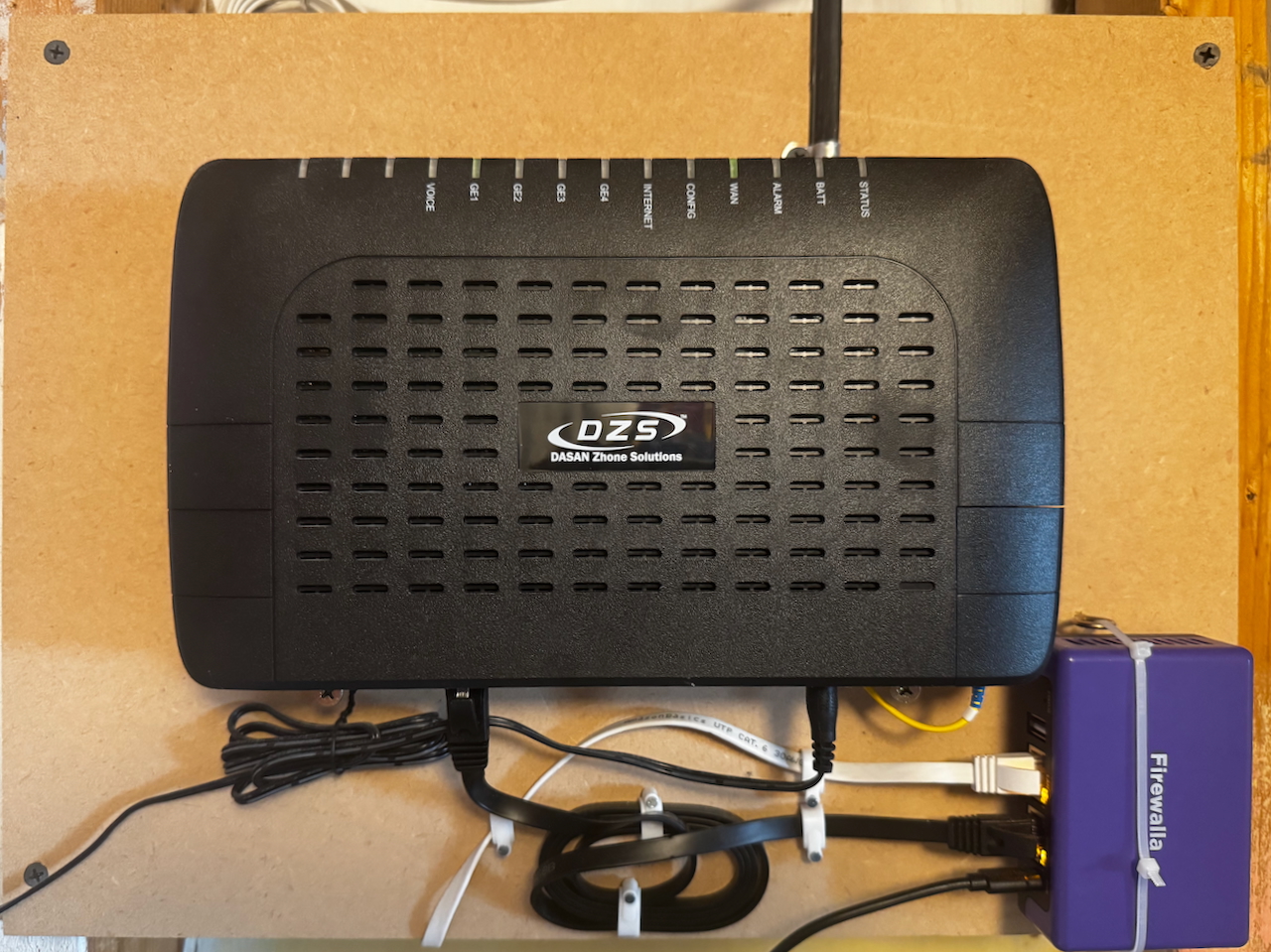
Nothing special here, Firewalla Gold Pro with MOCA 2.5 utilizing my home's COAX ring. Also have a super cheap external HD connected as a media server for the my DVD's that were ripped a decade ago. She may not look like much, but she's got it where it counts! See attached network map for particulars.
-

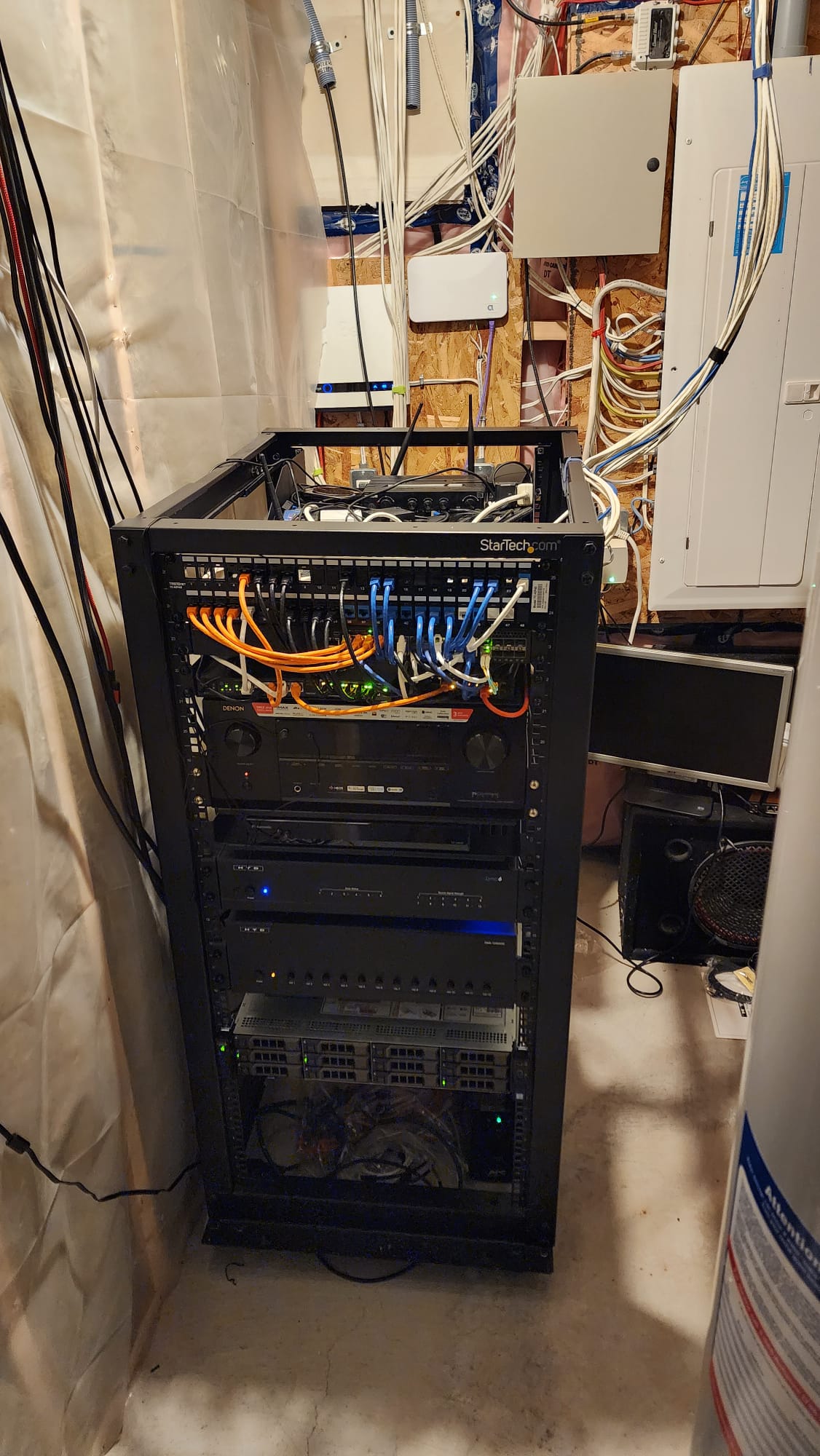
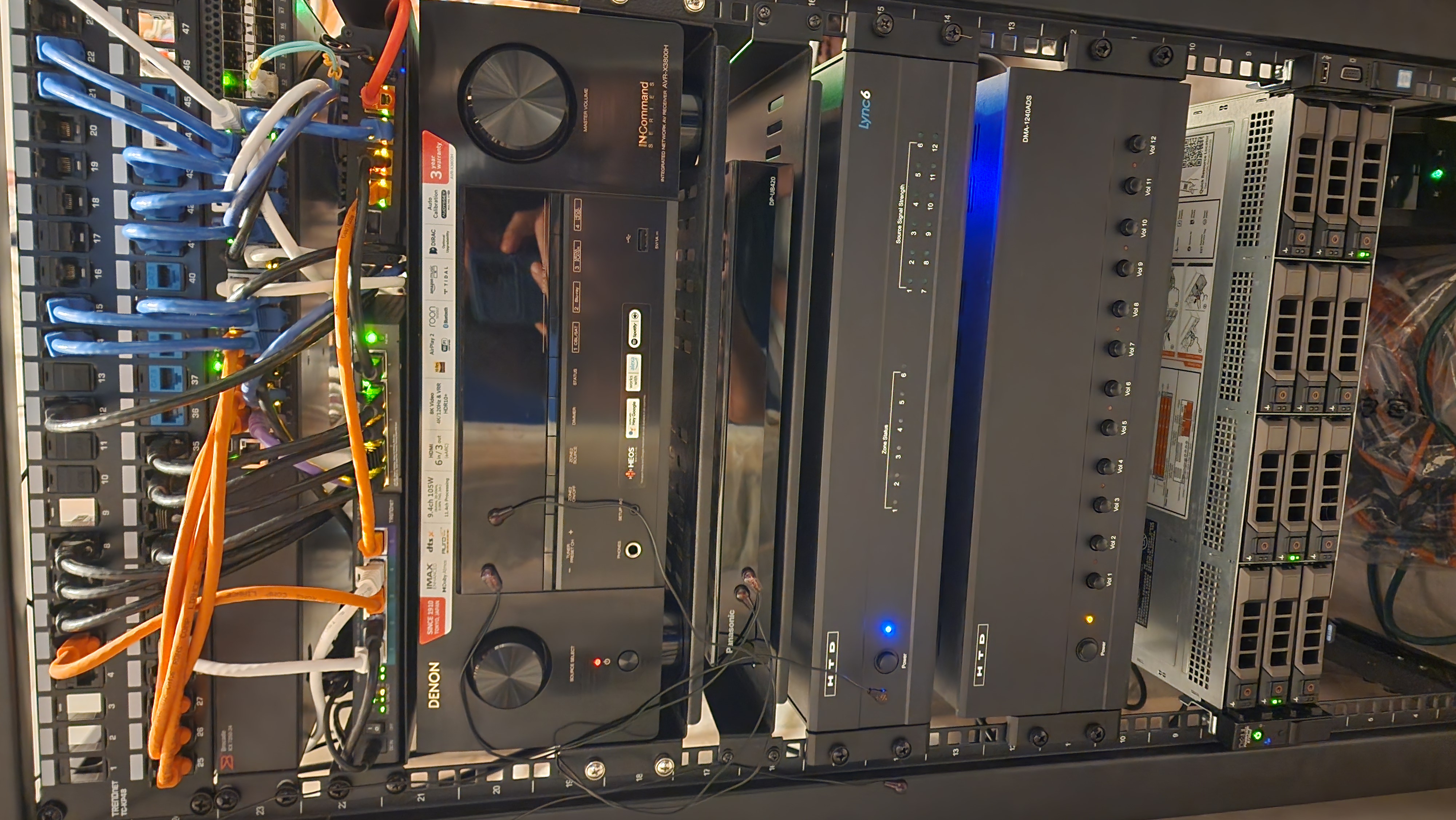
Hello all!
Half rack which has:
1.5 Gbps fiber modem plugs in to my firewalla Gold Plus. From there it feeds into two PoE switches, one of which powers 4 cameras and the other 2 TPLink access points. It also sets into a 24 port switch that will distribute wired Internet to a number of other devices throughout the house including what you see in the rack. The rest of the rack contains:
-UPS
- Receiver for the home theater
- Whole home audio system
- bluray player
- nvidia shield
- Lutron bridge for lights
- receiver for wireless karaoke mics
- Server that can fit up to 16 HDDs (only 3 slots filled so far) and runs a bunch of apps like jeyllyfin arr*, NAS, VMs, lxc containers
- raspberry pi running volumio for the whole home audio
- receiver for Sofabaton X1s to control home theater
- receiver for HTD whole home audio
-

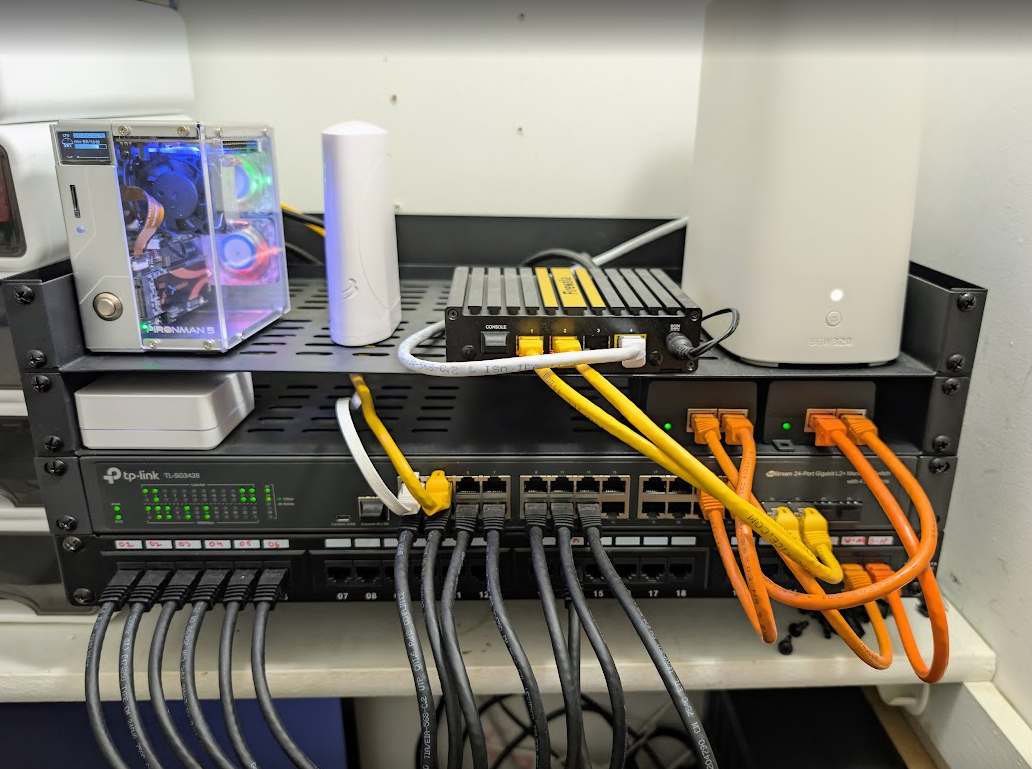
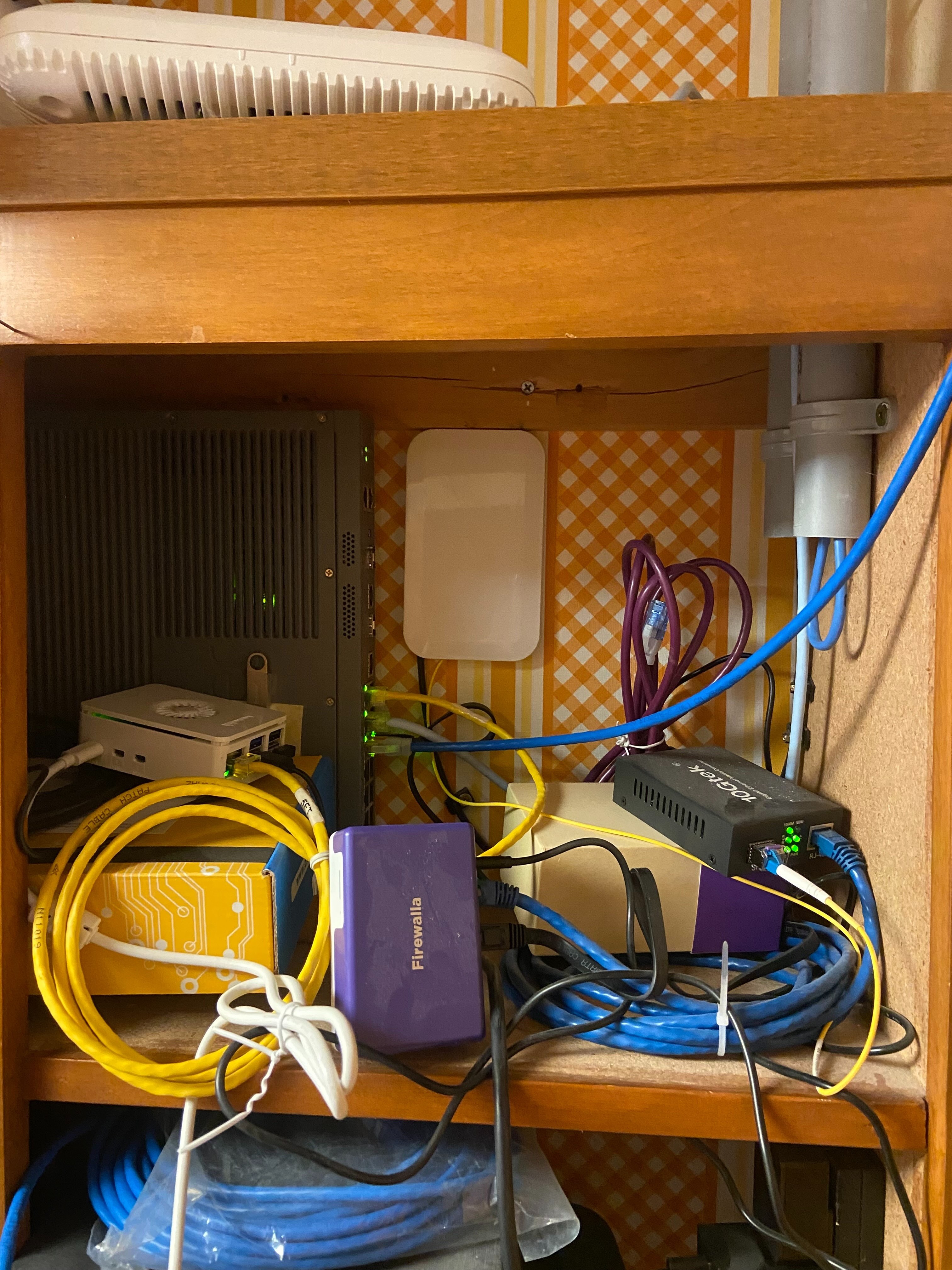
My little homelab. Running multiple VLANs, an Omada Controller, and Home Assistant
Top Row
- Raspberry Pi 5 in a Pironman 5 NVMe Mini PC case running Home Assistant
- Weatherflow Tempest Weather System Hub
- Firewalla Gold Peer linked into my switch.
Second Row
- Lutron Hub
- 2x PoE Adaptors to run my TP-Link EAP660 HDs
Third Row
- TP-Link TL-SG3428 24 Port Managed Switch
Fourth Row
- 24 Port Patch Panel
-

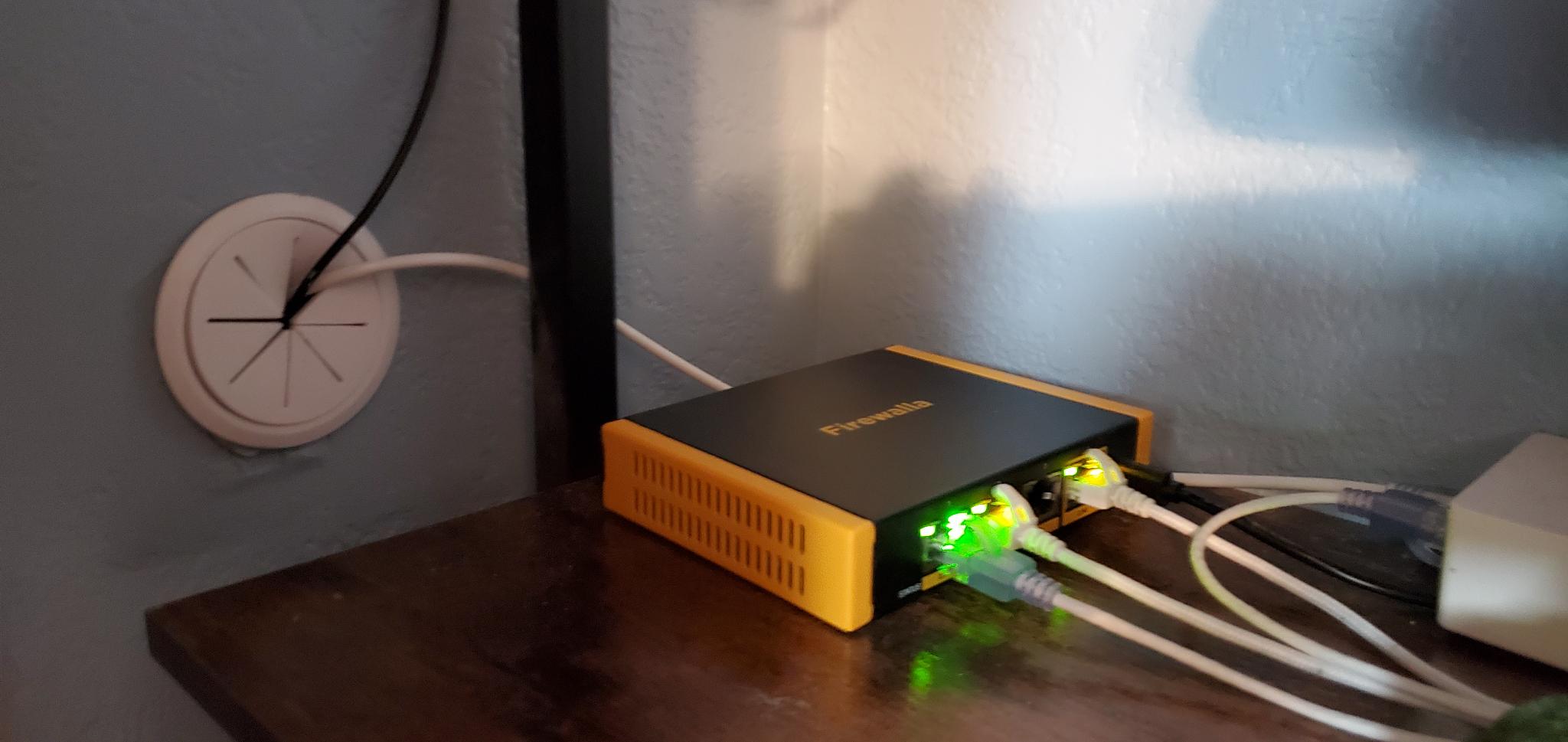
Firewalla has been fantastic, I've been able to control my own unhealthy internet habits (too much doom scrolling, timers, etc), simplify issues I had before with wifi, media servers, etc, (I have an AP7 Desktop that sits just outside my home office for the whole house)
The segmentation has been really fun to use and learn about as well, and the AP7 multiple SSID's plus VLAN tagging has been great.
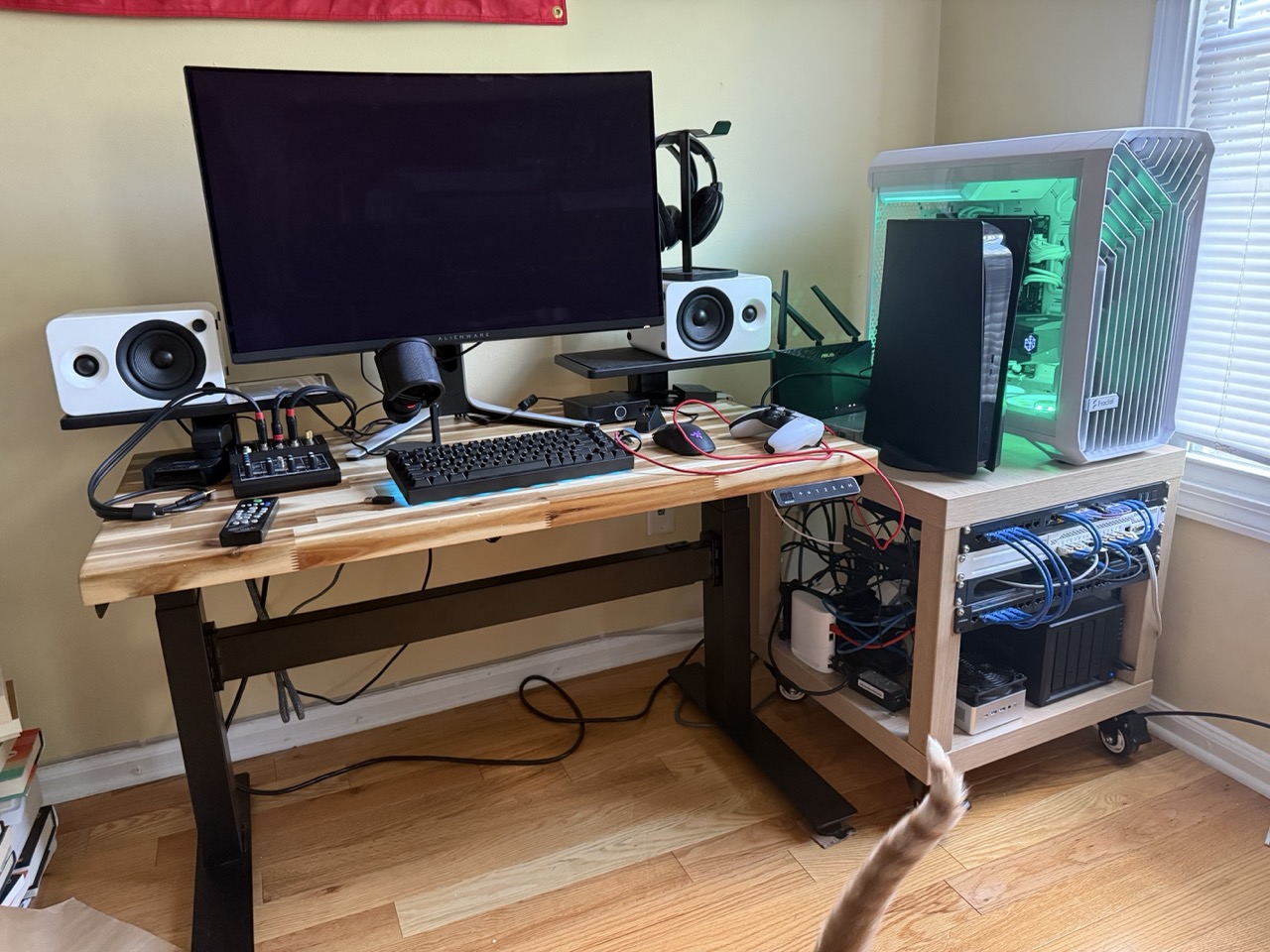
Here I have a Gold box, LAG'd to a 10gbe Mikrotik switch, which acts as the main switch and connects to my NAS, the mac mini media server, my little mini PC for proxmox and toying with virtual machines, another 10gbe 4port switch on top for my desktop PC and PS5, and so on. All housed in two (put-together) IKEA LACK coffee tables, where I actually dug out the insides and stuck 2x4's in for more stability. Everyday I thank myself for the foresight of putting wheels on this damn thing.
There's an old asus router back there for just office wifi, another AP7 would absolutely complete this, as the one I have now is for the whole house (three story town-house condo set up, wifi was really bad before!)
(Edit: better quality versions of the photos)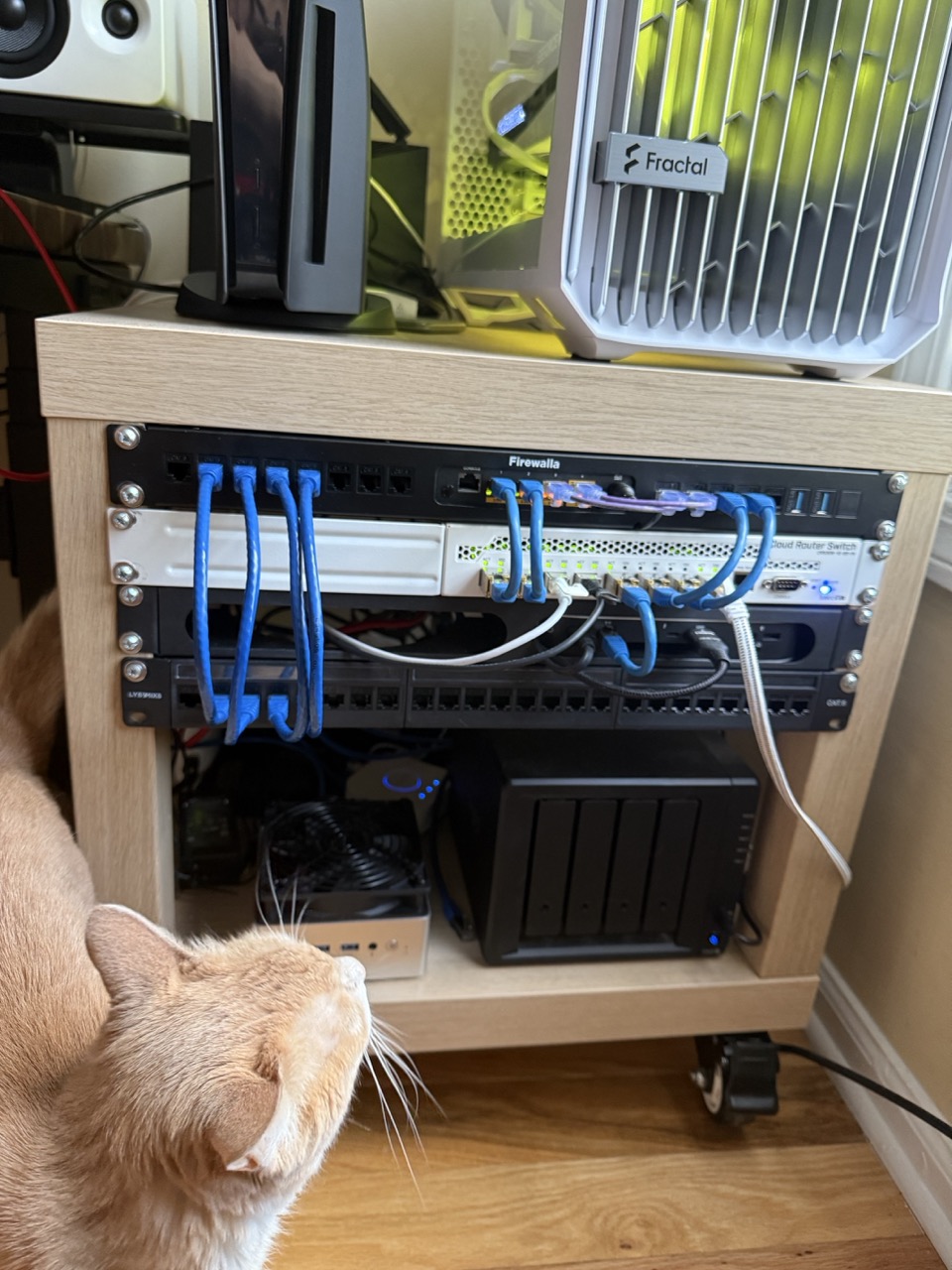
-

This small rack sits on top of a bookcase where everyone can see the Firewalla Gold Plus in all its blinking glory. This setup is SILENT. The only fans in this rack are the Raspberry Pi POE HATs.
Firewalla manages the following aspects of our network:
- Fiber/Cable Dual WAN (Blue cables)
- One LAG (Infrastructure - Black cables)
- Three VLANs
- Three SSIDs
- Multiple Wireguard connections
- Just under 100 wired and wireless devices (Green cables) managed by Firewalla and six switches.
Our children love it for the reduction in ads they see and hate it for the restrictions it places on their devices. It has been rock stable since being placed in service. Firewalla tracks the latency for my gamers, the WiFi speeds are fast for internet scrolling and the home residents are happy.
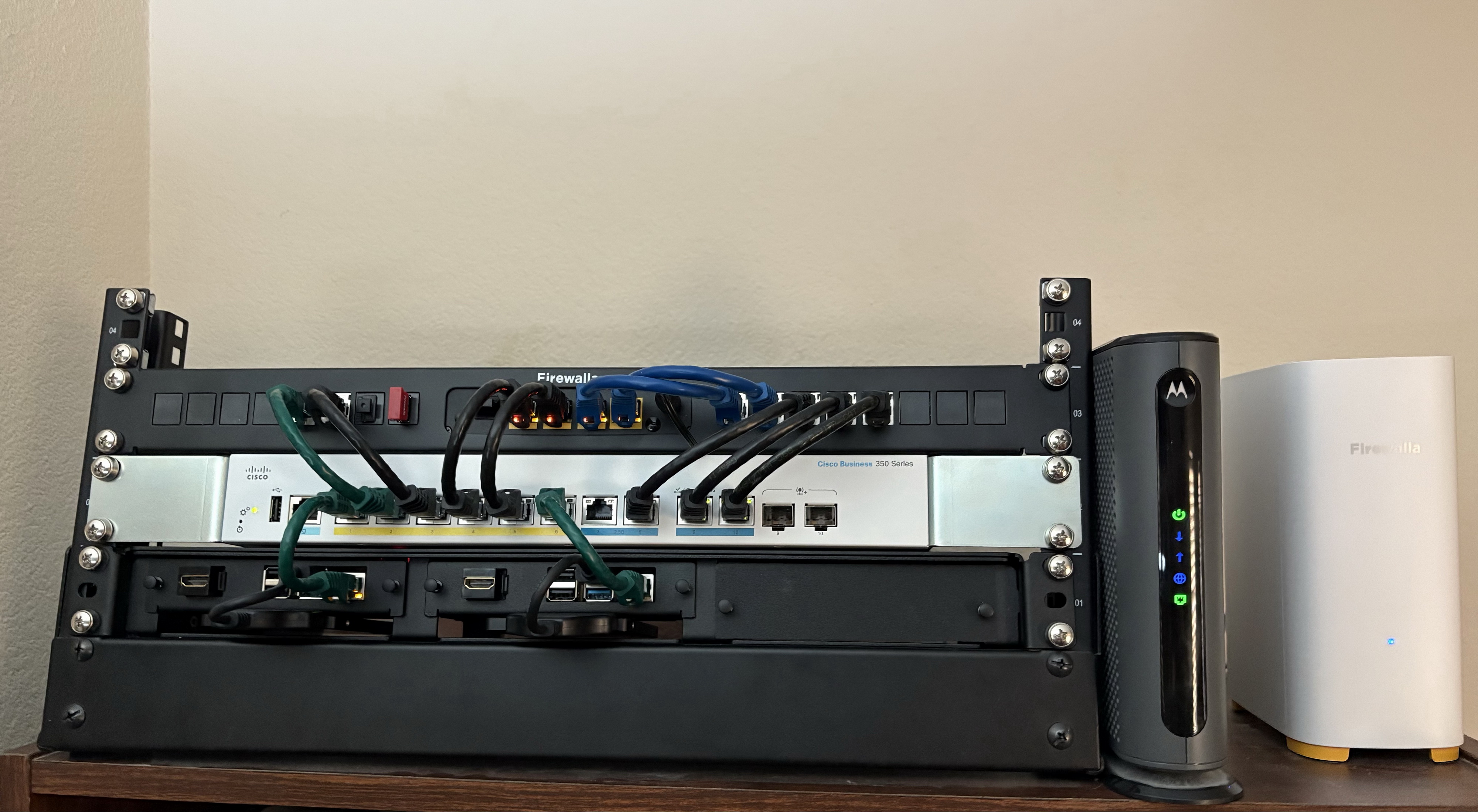
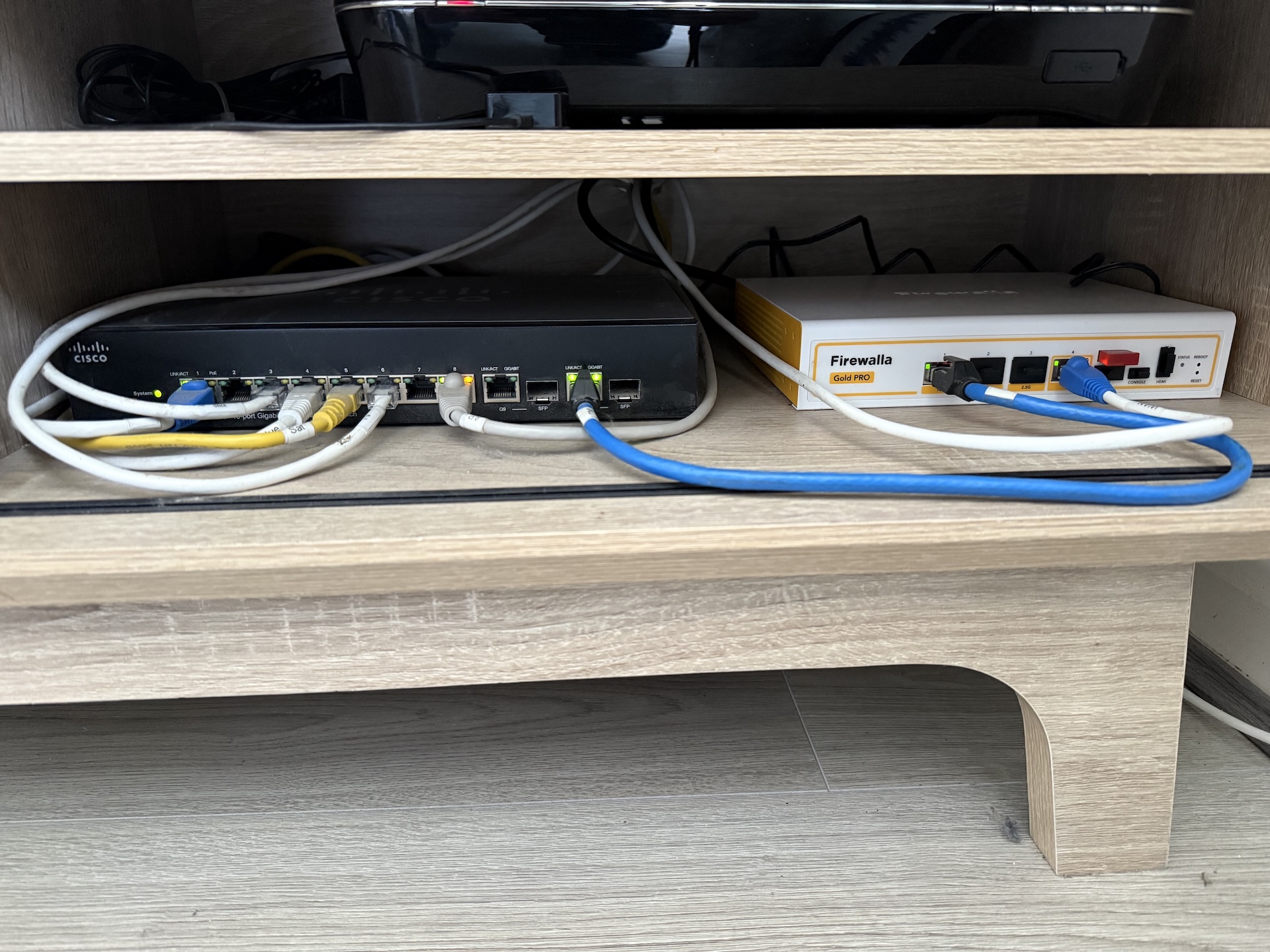
Our primary rack contains this Firewalla Gold Plus, which works in conjunction with the Cisco CBS350-8MGP Multi-gig switch to distribute the internet connection to the various rooms of our house via MOCA 2.5. If the MOCA is offline, our two Firewalla AP7s bridge the wireless gap to keep critical devices online and the admin happy. The Firewalla Rackmount's patch panel does an excellent job of cable management in the rack, which makes the whole setup come together nice, neat and compact.
-

Not the prettiest to look at (yet) as just moved into this (now smarter) house ill buy a rack / cupboard and a Firewalla Gold at some stage soon (British folks: can you recommend cabinet providers?)
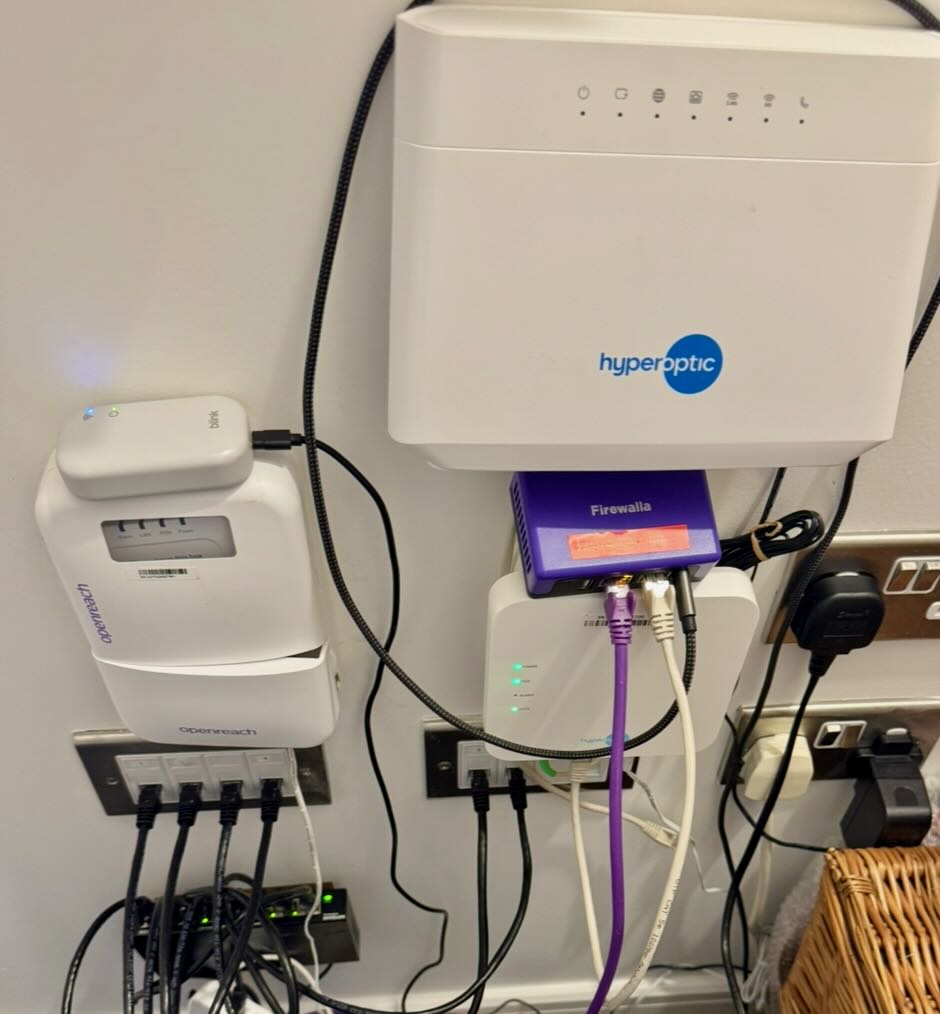
* Firewalla Purple - Ethernet to main Hyperoptic connection (faster speeds using their kit plus phone provision) and Wireless WAN access to 5G back up connection.
* Hyperoptic router and PON
* Managed switch
* Cat 6 Ethernet to most rooms.
* Blink camera sync box.
* British 'OpenReach' PON redundant (apart for acting as a temp shelf) due to preferred providers connection.
Out of view: WiFi access point and UPS -

Bookcase Home Network
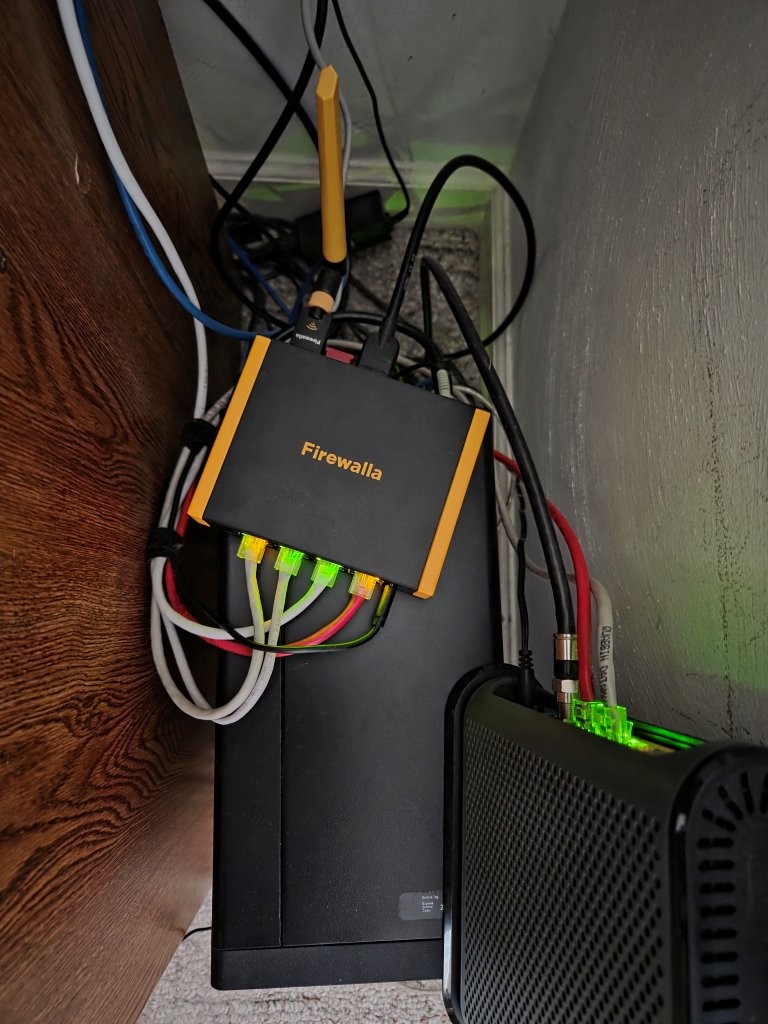
I have my Firewalla Gold Plus and Desktop AP7 powering my 2.5GB home network from the top of a centrally located bookcase in the living room. I have the Gold Plus sitting on top of my home NAS with connections to the ISP modem, the NAS, the Desktop AP7, and a 2.5GB switch that runs networking to the rest of the house. There is a UPS out of frame sitting behind the TV protecting all the equipment.
Consistent network connection is important to me because I have multiple computers donating compute resources 24/7 365 to BOINC (Berkeley Open Infrastructure for Network Computing) supporting different scientific research projects. (Similar to Folding@Home if you are familiar with that.)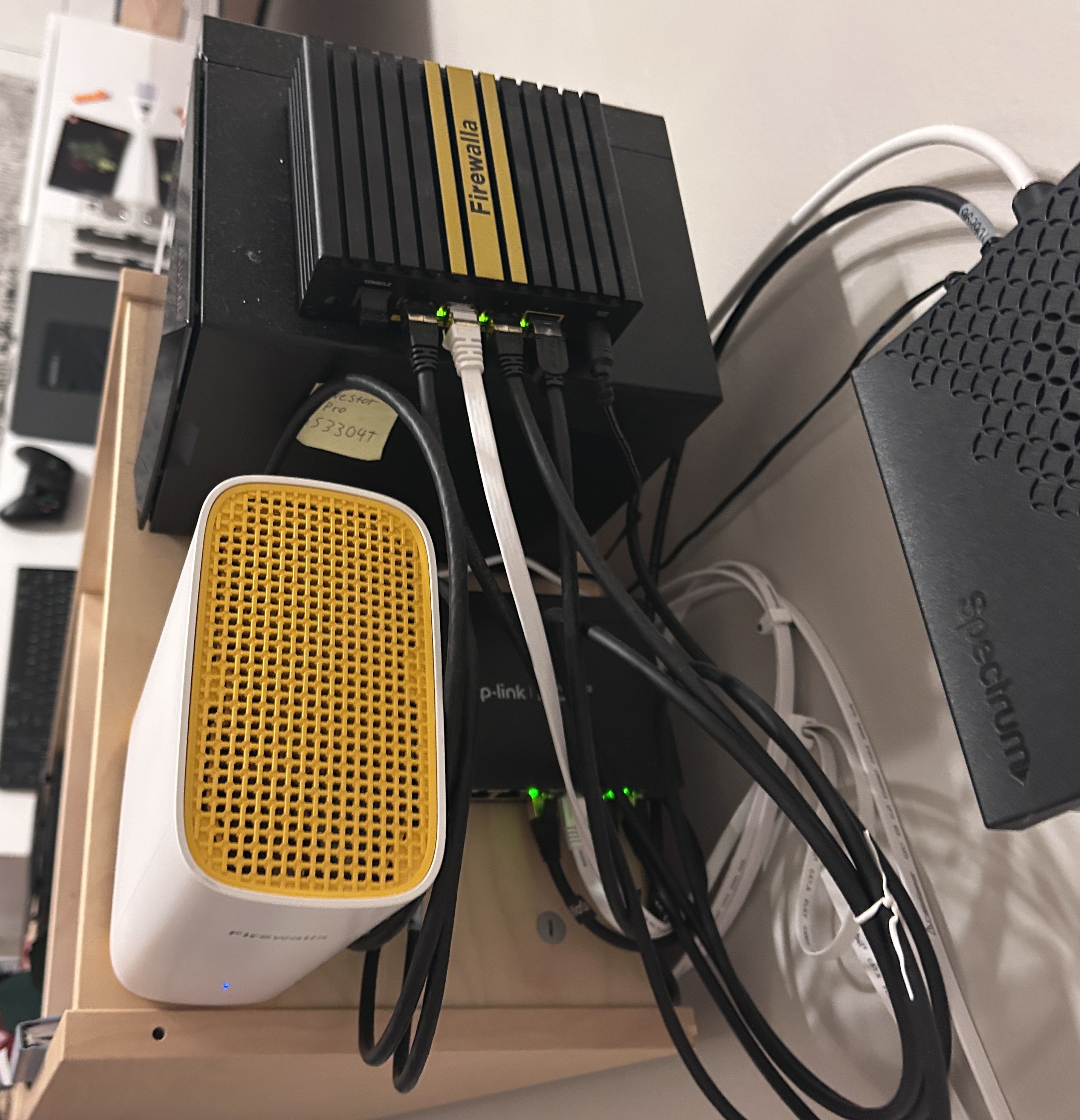
-

Here's my 'reclaim' rack. The only vacant place in the house is the top of an IKEA book shelf that is in full view of all visitors and so I wanted to try to disguise it. My original idea was to make a faux trunk, which didn't quite work out but I like the result all the same. The box is made from reclaimed pallet wood (from eBay) and the shelves are bits of an old kitchen cabinet. Inside there's a Gold SE, a 2.5G tp-link switch, and a tp-link Omada controller.
The box's fan is powered via tp-link Tapo smart plug, and there's a Tapo temperature sensor in the box. A Tapo event is set such that the fan only runs when the box's temperature goes above 27C. This keeps noise to a minimum, and my wife happy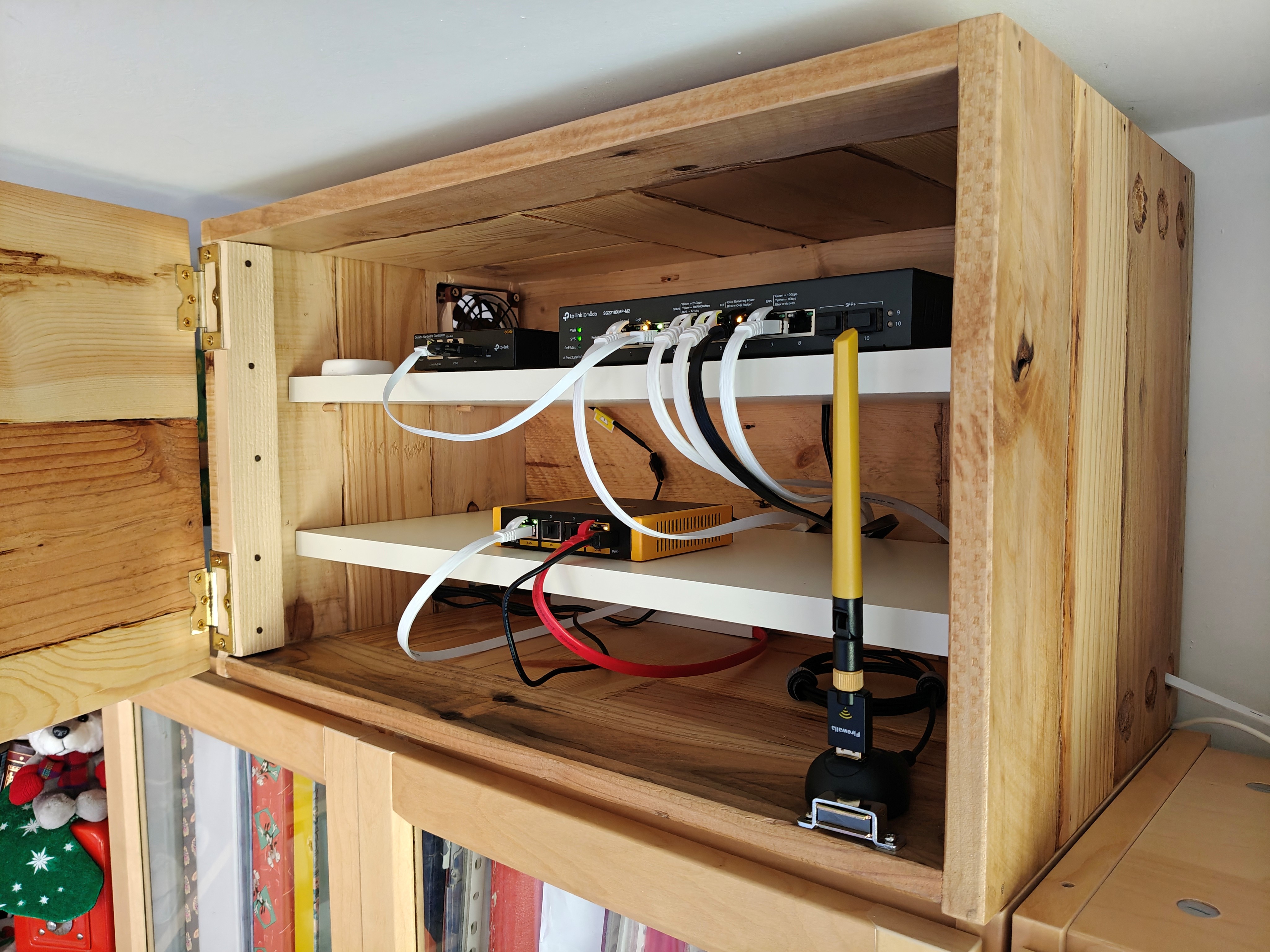
-

Hello, world!
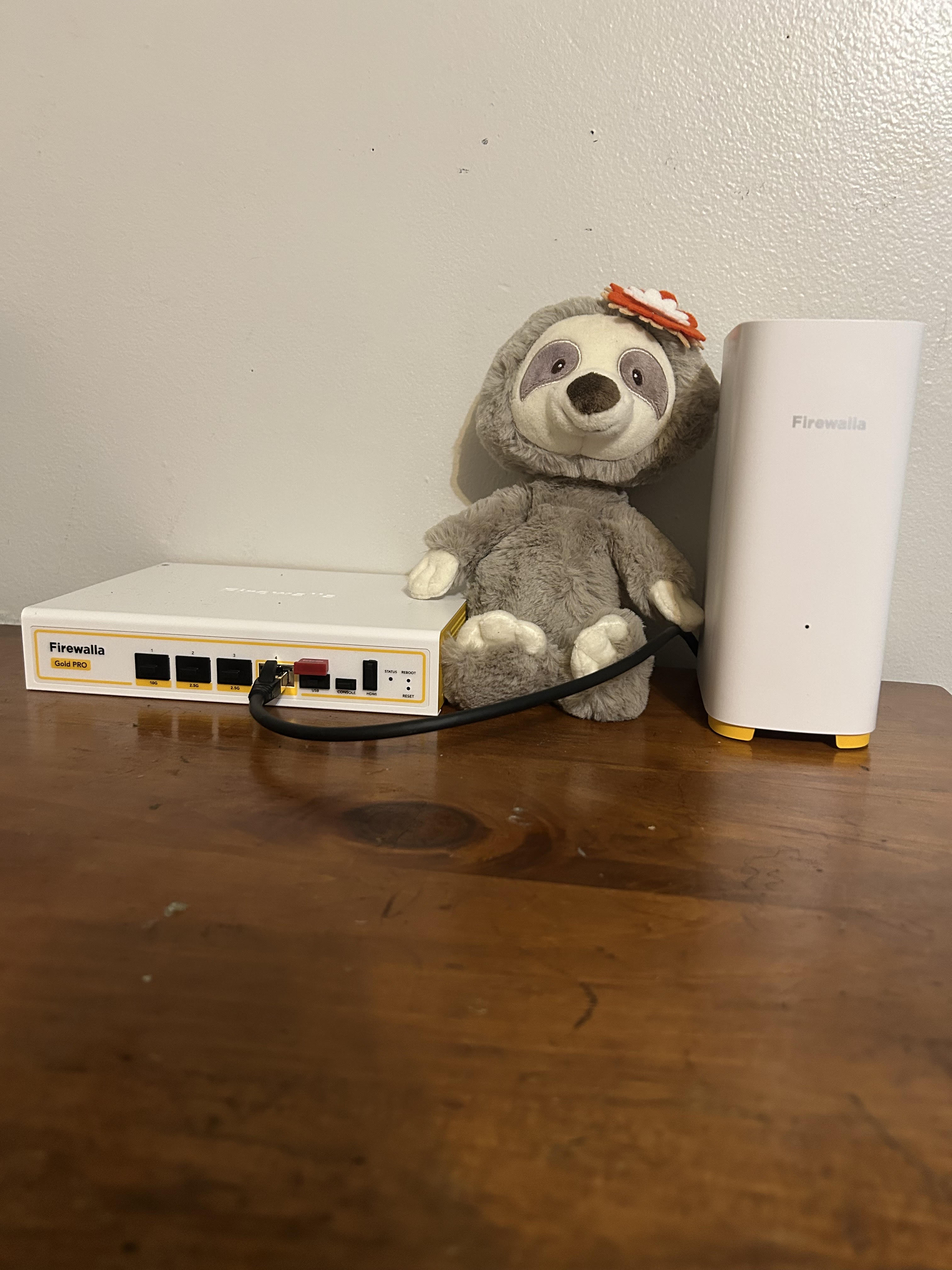
I'm a newbie to cybersecurity and IT, so my setup is pretty basic with a AP7 and Gold. I will admit I shed a tear when looking at the cart total since it was two months rent for me. I choose these products mostly for network segmentation. My roommates are fun, but I would not describe their concern about cybersecurity as continuous or robust. I also made the choice to buy a modem since one roommate had our old ISP modem in the open window - sun, rain, and pollen, you name it - and would then complain about internet stability and strength. These two pieces of equipment are going to be protected and babied in my room. :)
-

re: Show us your Firewalla setup! (2025)
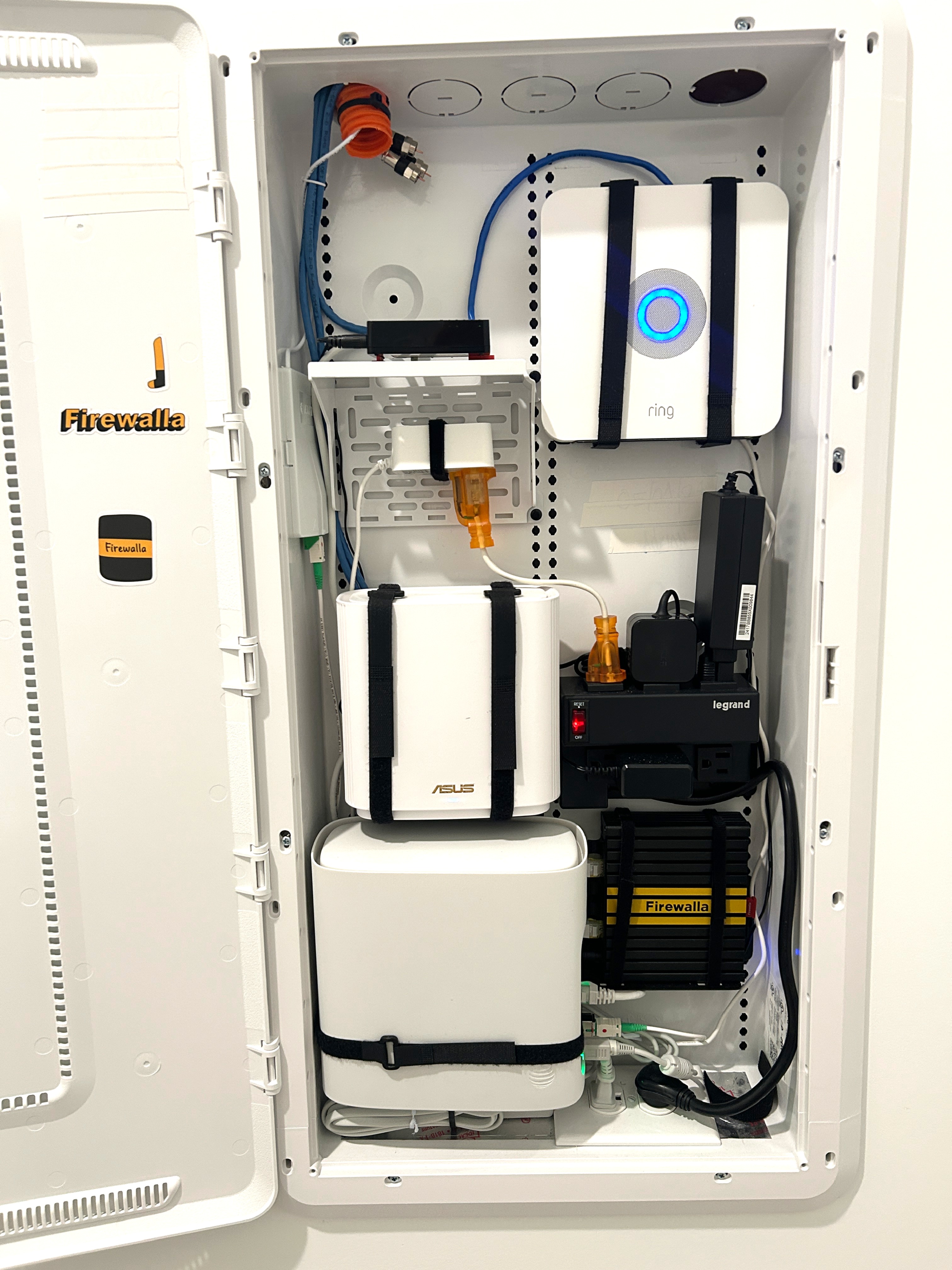
Needed to fit majority of everything into media wall center provided by new home builder.
-FWG+
-ASUS XT8 as wired primary AP (4 APs total). 2 additional XT8s across house as mesh APs hardwired for ethernet backhaul. Plus one more in garage as wireless backhaul.
-AT&T gateway
-Legrand power distribution module
-Legrand brackets to secure components
-Ring system
-Small generic network gigabit switch
Surge protector at main panel (not shown)
Highly stable & plenty of speed / capacity with over 40 active devices.
Almost forget its there close to a year in the new home.
Long time customer and lost count of all the great FW products I've deployed
across the extended family through the years.
-

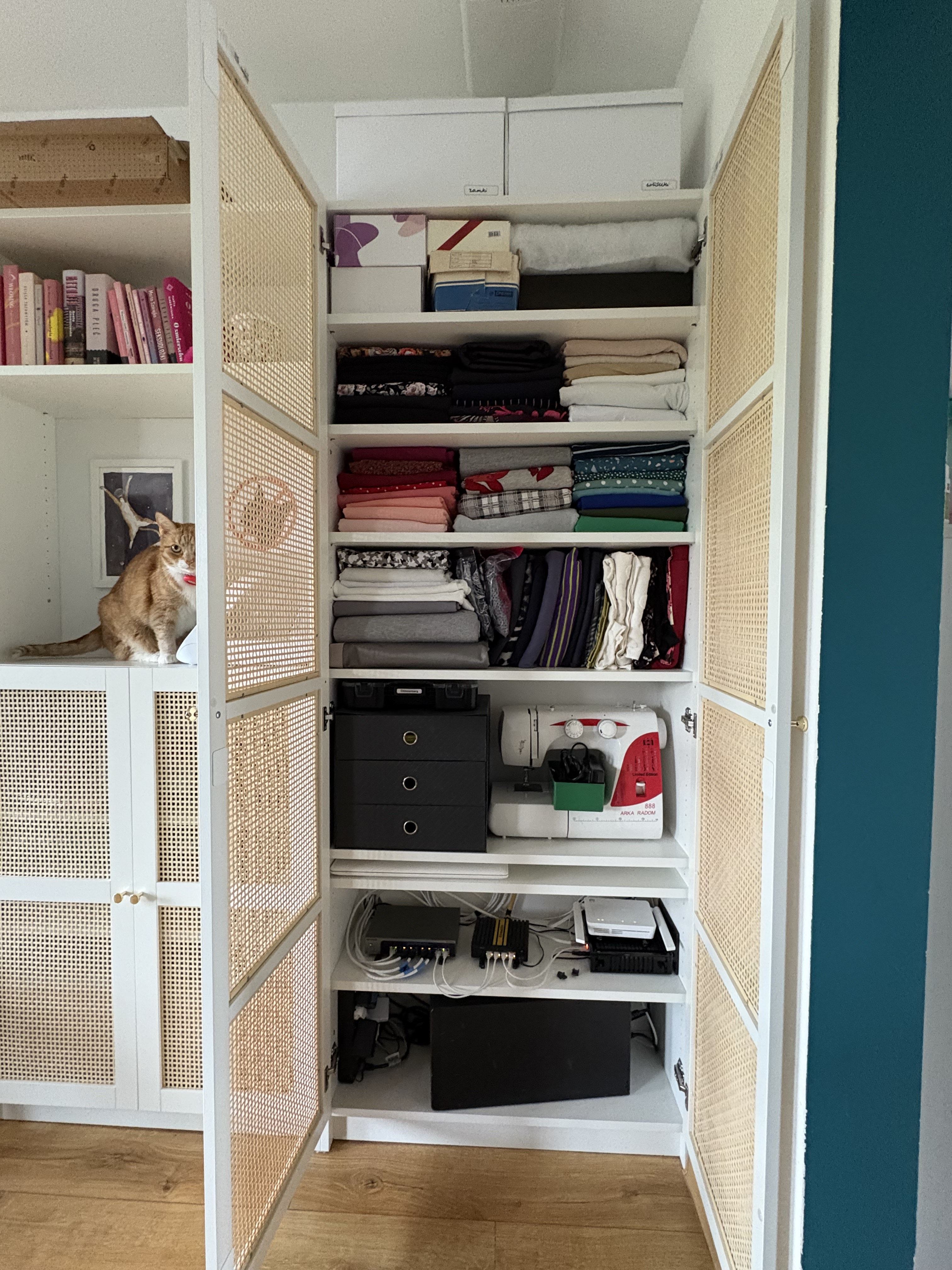
Hi! 😊Compared to some of your setups, mine feels a bit modest. My initial plan to install a rack didn’t win my wife’s approval, so she proposed mounting everything on a cabinet. It wasn’t ideal — things started sticking out — so after some gentle negotiations, she let me repurpose the two bottom shelves in her closet, originally meant for sewing supplies like fabrics, a sewing machine, and other bits and pieces.
In the photos, you’ll spot:
- Firewalla Gold Plus which is a game changer for me. Since I work from home, I need things to just work - and they do. Dual ISP with seamless failover? Check. Remote VPN server so I can pop in even when I’m not home? Yep. Deep traffic analysis and VLANs that helped me trim down access to minimum for most devices? Absolutely 😊
- Coaxial ONT
- Fiber ONT
- Netgear MS108EUP switch
- Ruckus R650
- Eaton 5p 1550 UPS
Fun fact: my wife insisted the blinking LEDs stay — she associates them with Christmas. 🎄😄
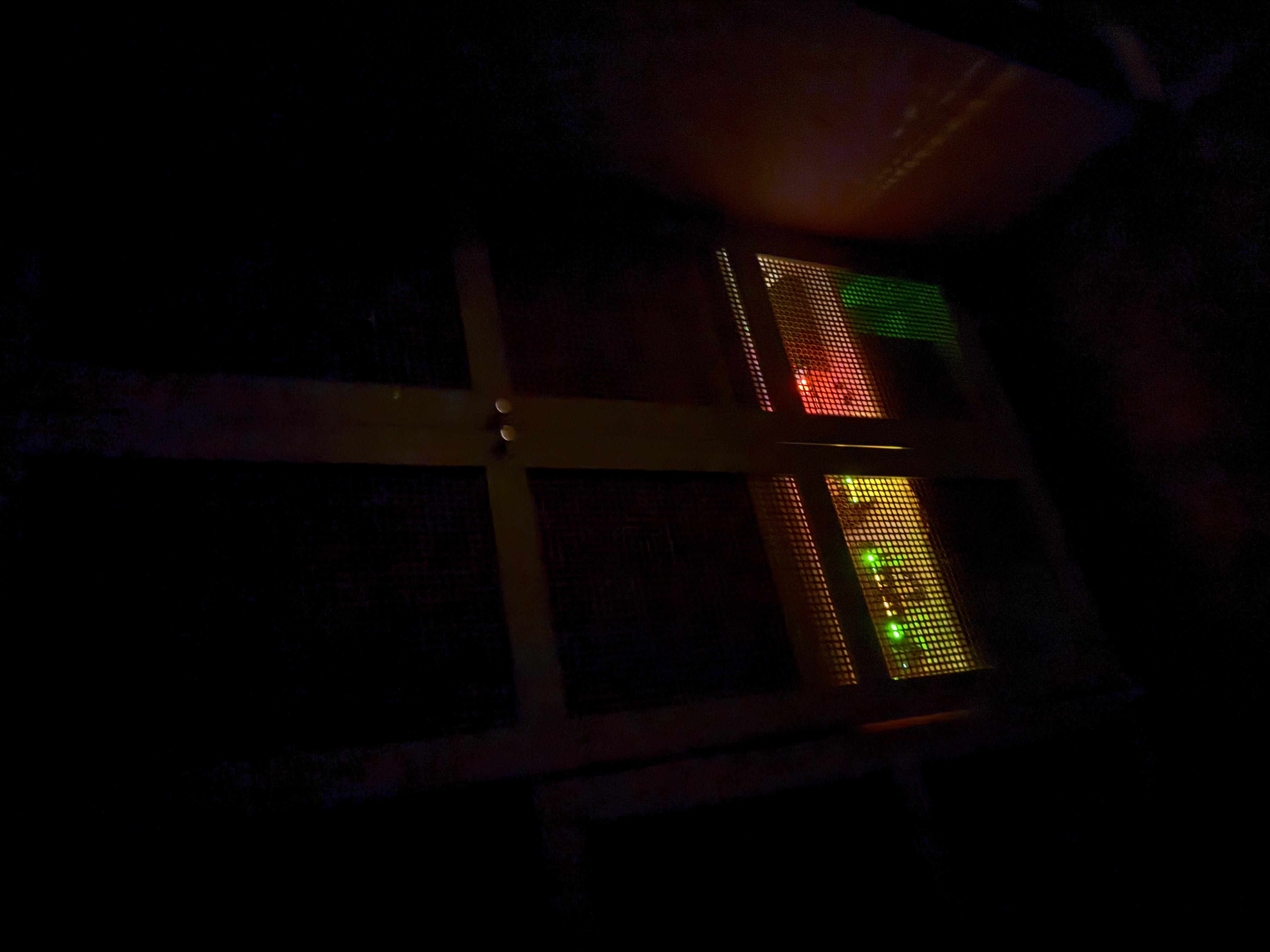
-

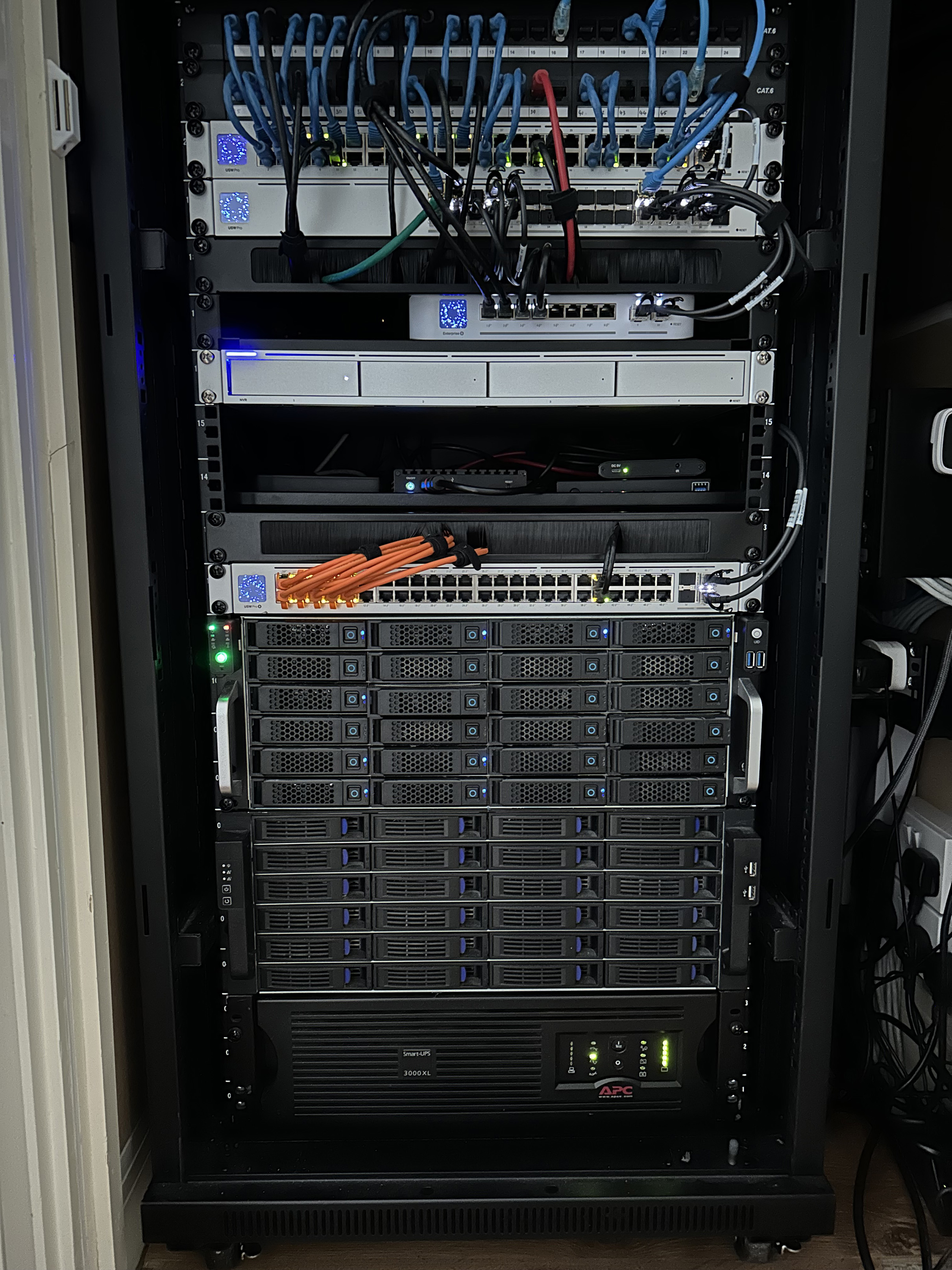
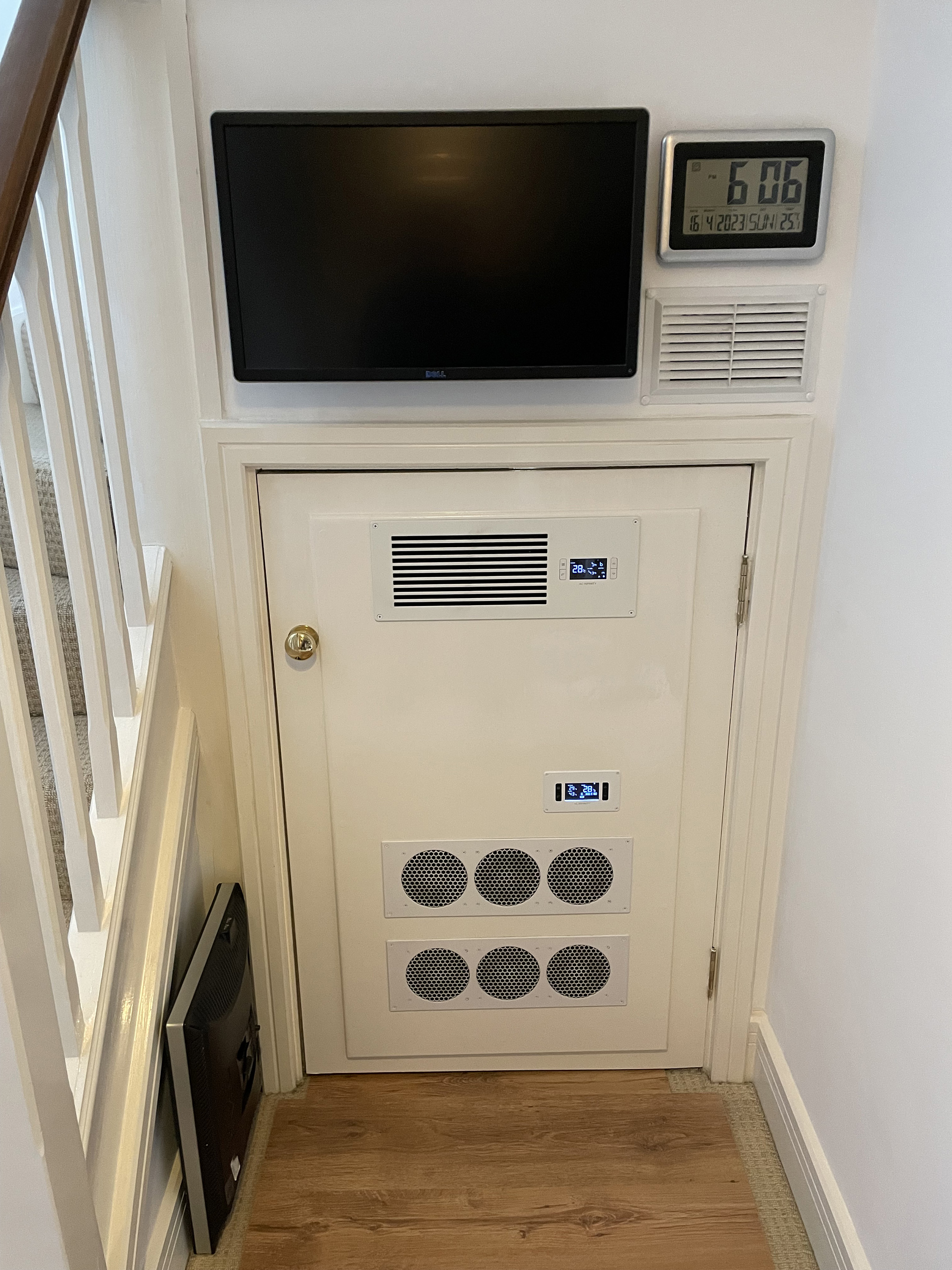
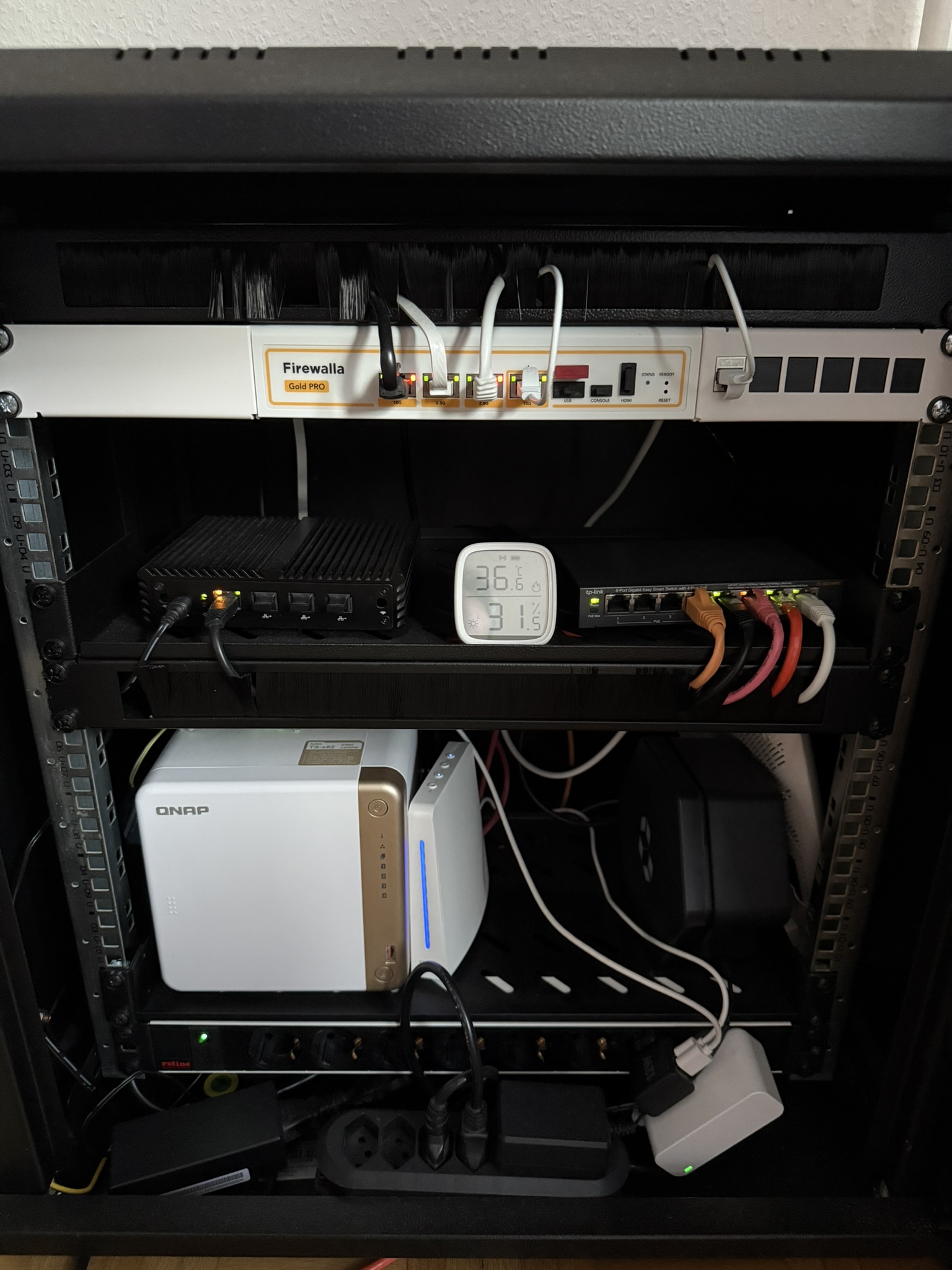
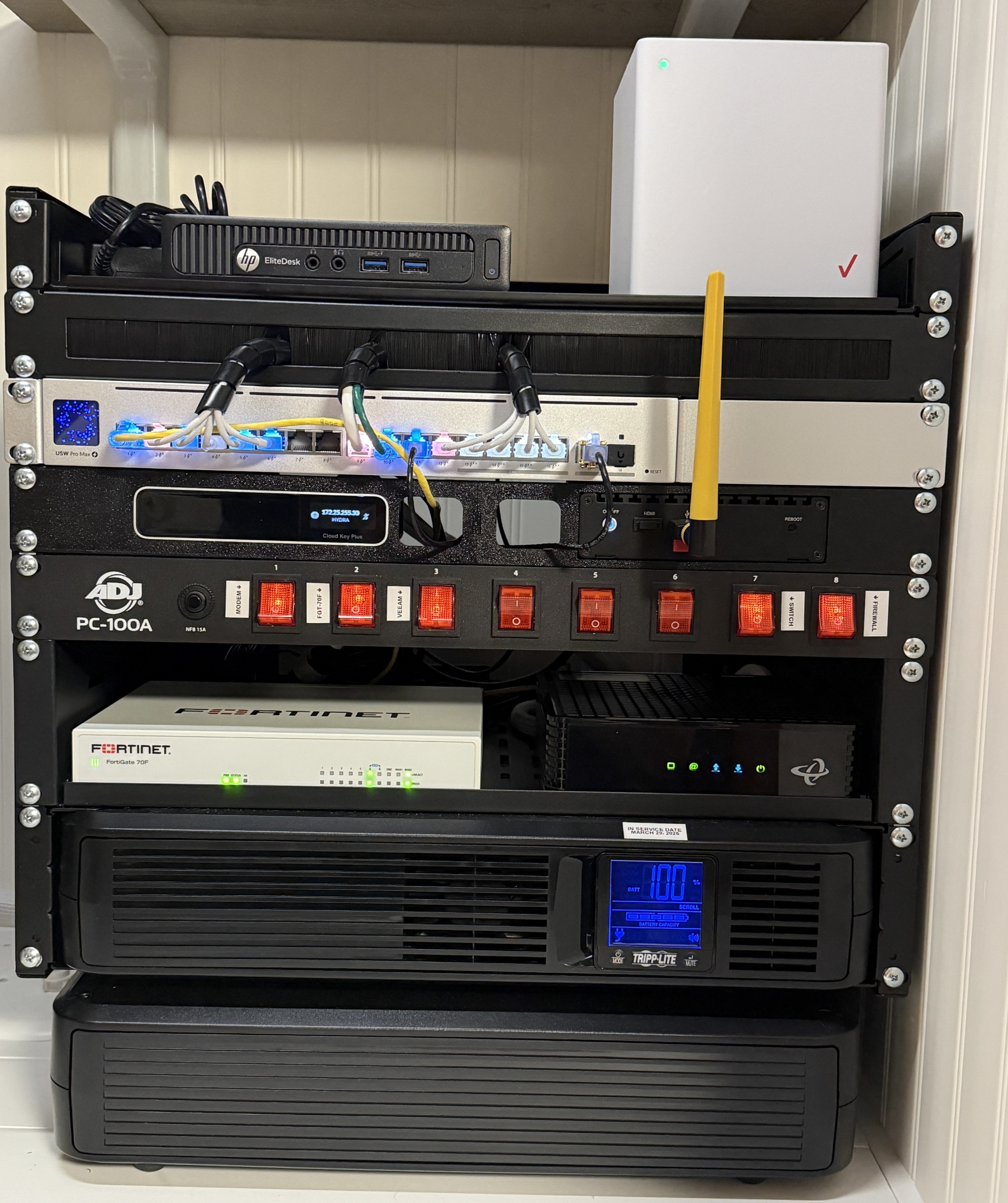
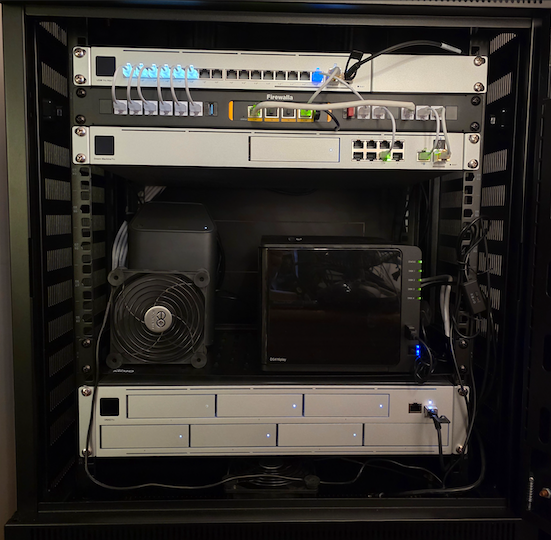
My main rack at home (lab is in a separate location), includes (but not limited to) two CCTV solutions, unraid server and backup server.
Really pleased with the Firewalla Gold SE which has been providing a solid and stable service since first installed 4 years ago. Will need a bigger rack soon!
Enclosure door is an older photo, but not much has changed there.
-

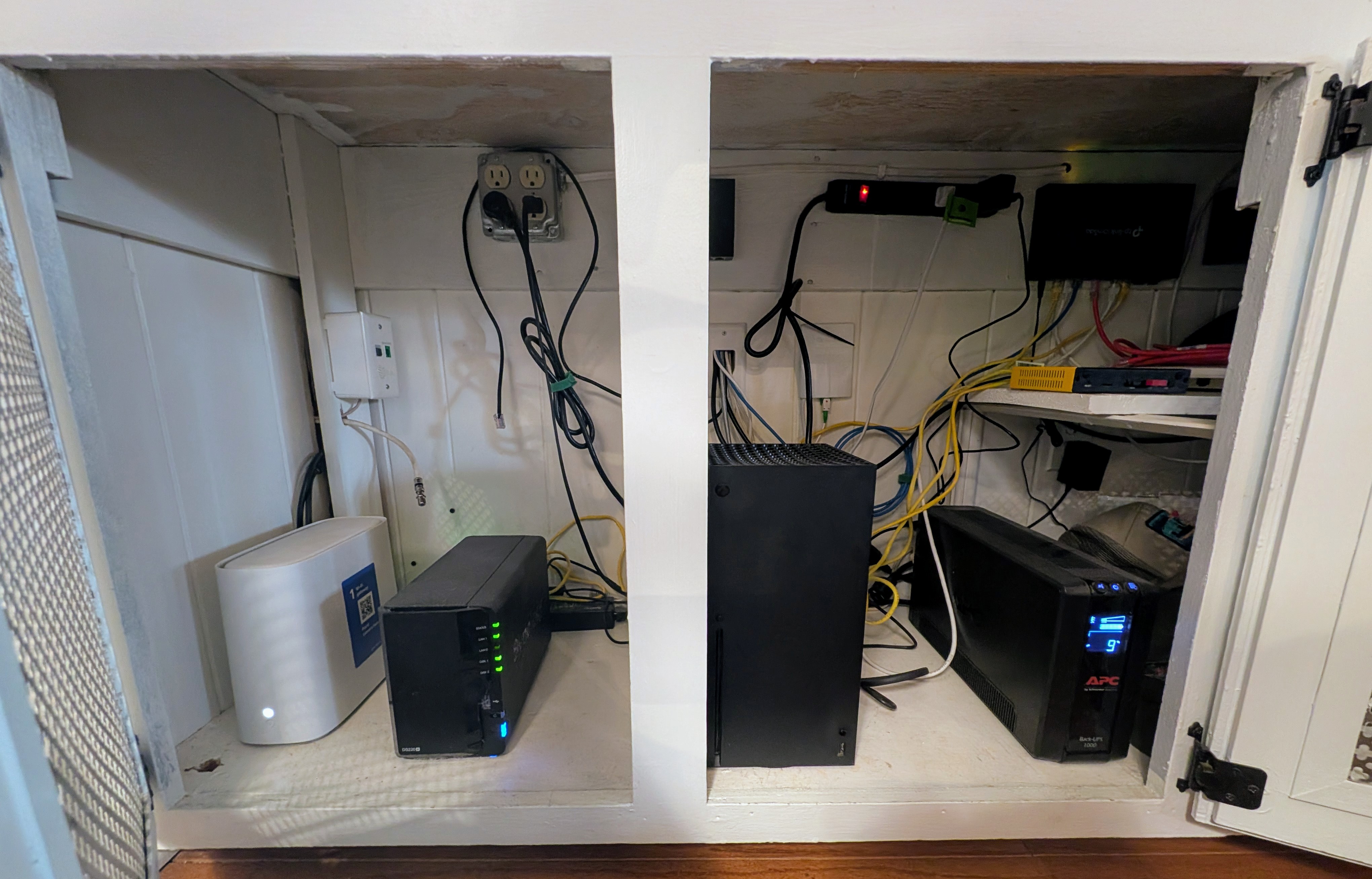
Running Firewalla Gold SE with a Managed switch with 3 Vlans. Also Running Unifi Network on a Ugreen Nas with 2 Unifi AP's. All on a battery Backup.
Also Housed is Receiver for the Living room along with Hdmi Fiber optic cable from the receiver to the TV.
Not seen in the Picture that is also housed in the closet is, Aqara hub, Apple TV, Philips Hue, Lutron Caseta,
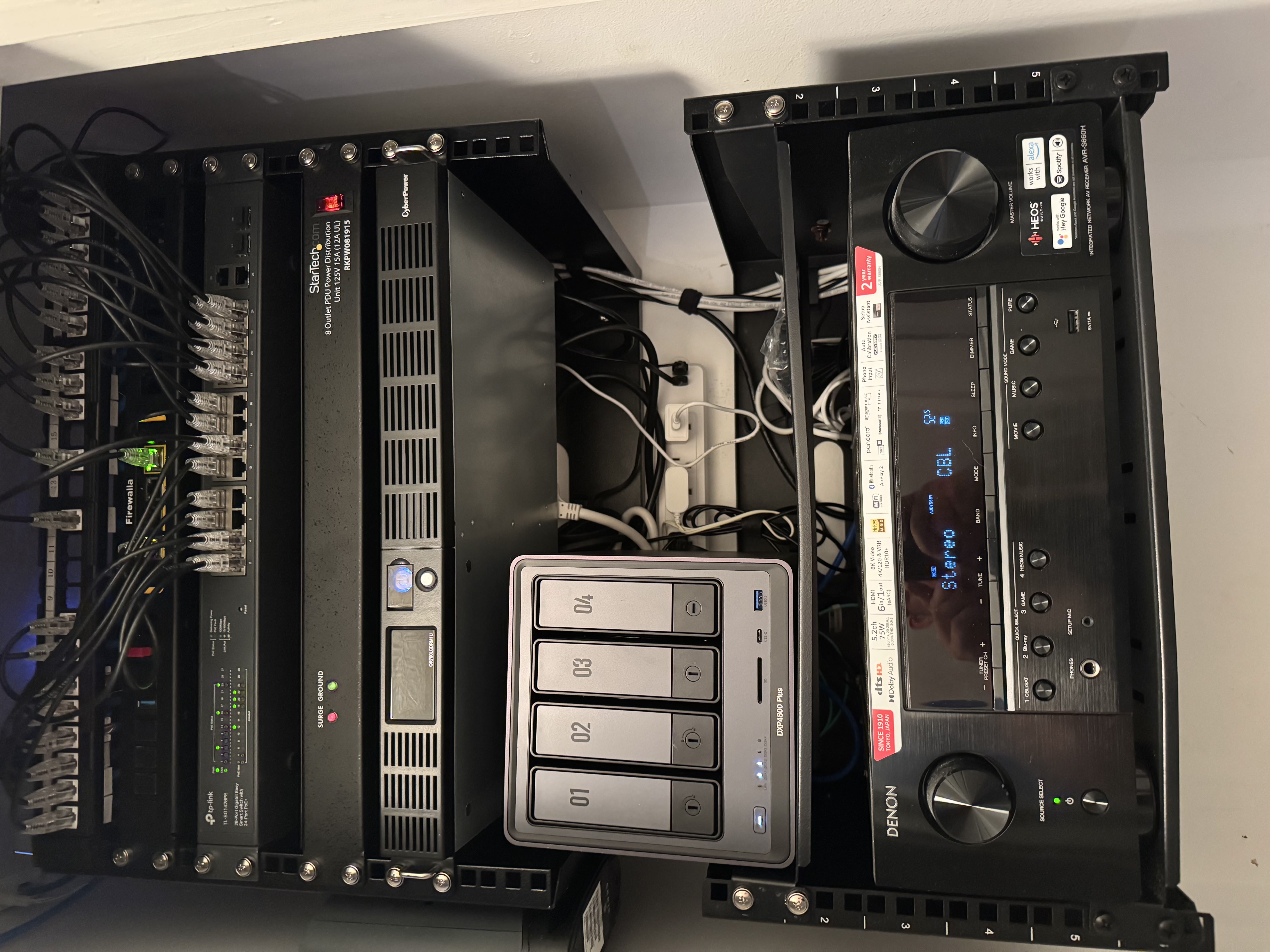
-

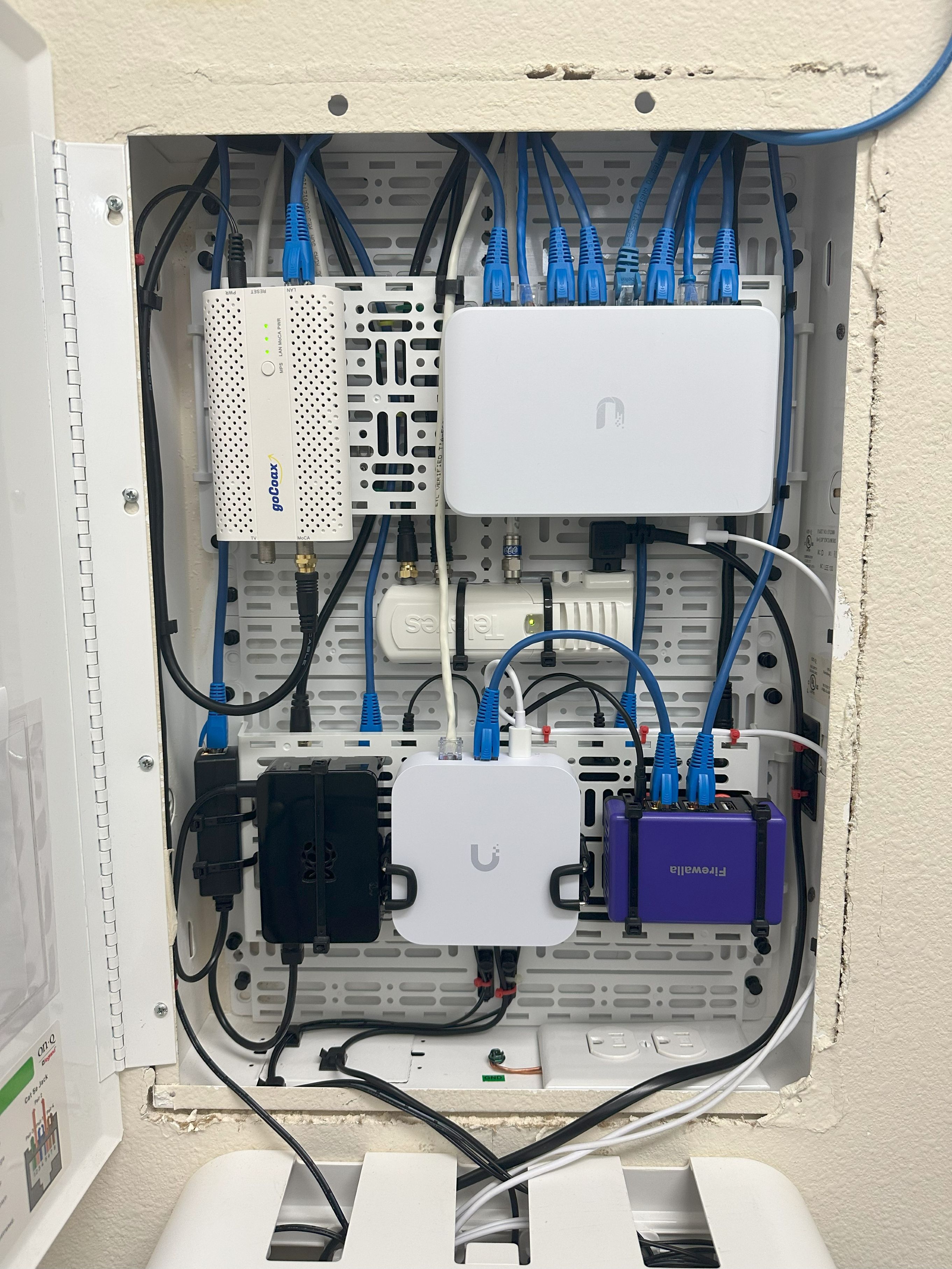
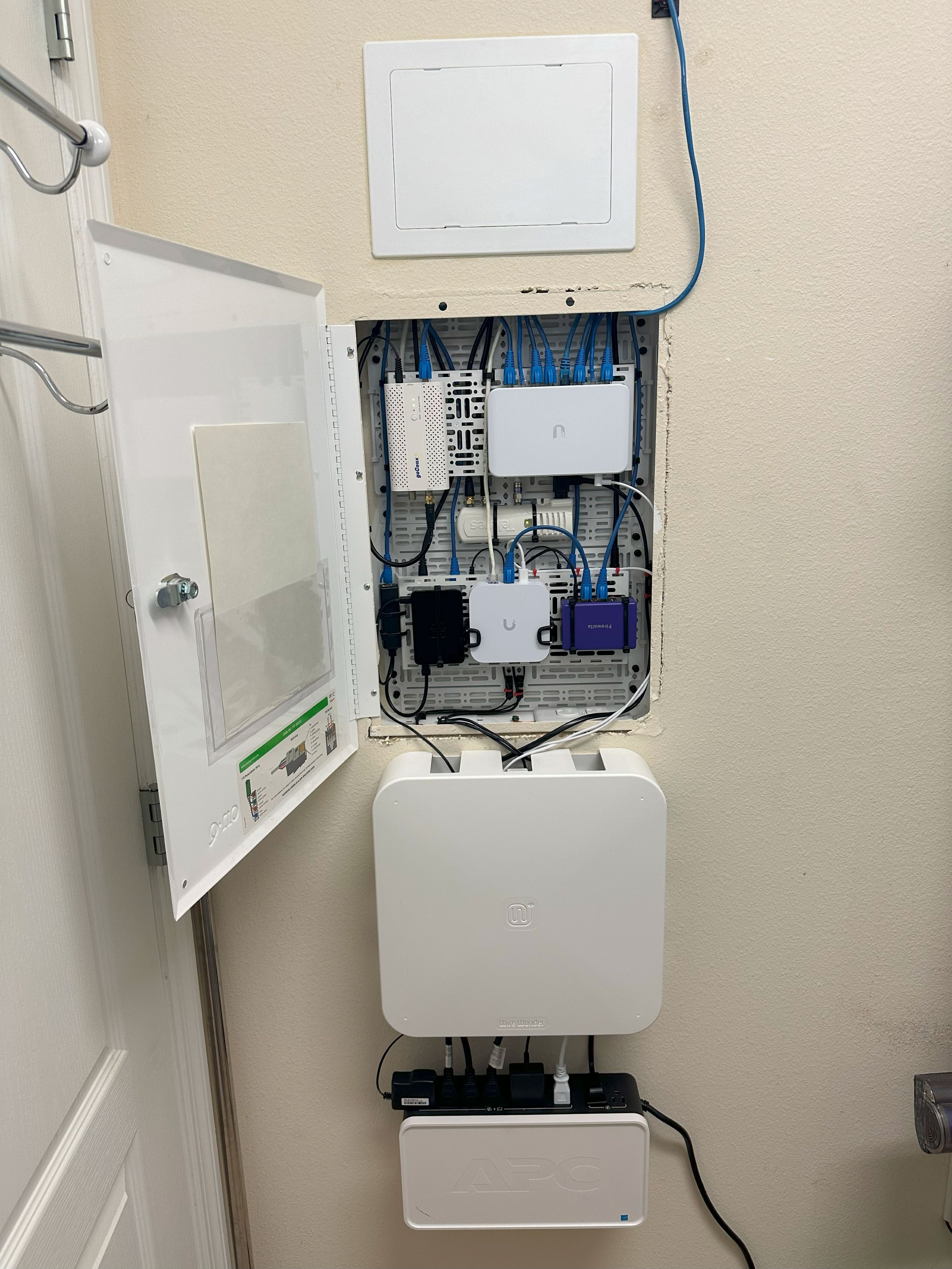
Here's my current setup:
Base setup
- 20" OnQ structured enclosure
- 2 x 10" mount plates (I drilled a few extra holes so the pins would fit cleanly)
- 2 x 5" mount plates to fit on the 10" mount plates
- Added an access panel above the enclosure to keep wiring tucked away, tidy, but still accessible
- Wall mounted Wire Wonder for keeping power cables tidy below the OnQ box
- Wall mounted APC battery backup for keeping everything powered
- Everything fits out of sight in my laundry room.
Top row (left to right)
- GoCoax MoCA for connecting rooms around the house that have coax but no ethernet drops
- Ubiquiti 8 port PoE switch
- On the bottom mount plate there's a coax splitter for connecting the MoCA adapters
Middle
- Televes F amplifier for powering the outdoor OTA antenna and distributing the signal indoors
Bottom (left to right)
- Raspberry Pi 2B running Diet-Pi and Pi-hole for DNS, powered via a PoE adapter
- Ubiquiti UXG Lite for managing VLANs, SSIDs, etc.
- Firewalla Purple running in transparent bridge mode for traffic monitoring and management, network protection, and advanced rules where Firewalla handles things better than Unifi.
- 2x HDHomeRun tuners on the bottom mount plate for distributing OTA TV signals over IP
The purple wire coming from down from the ceiling is from a Unifi AC HD. I've got a couple more Unifi switches and APs spread throughout my house (which is why I use Unifi + Firewalla in tandem).
Would love to stick a Firewalla Gold in there for added capabilities, but there will be one problem - how do I make it fit? I'm up to the challenge...












Post is closed for comments.
Comments
152 comments