CONTEST: Show us your Firewalla setup! (2025)
Featured
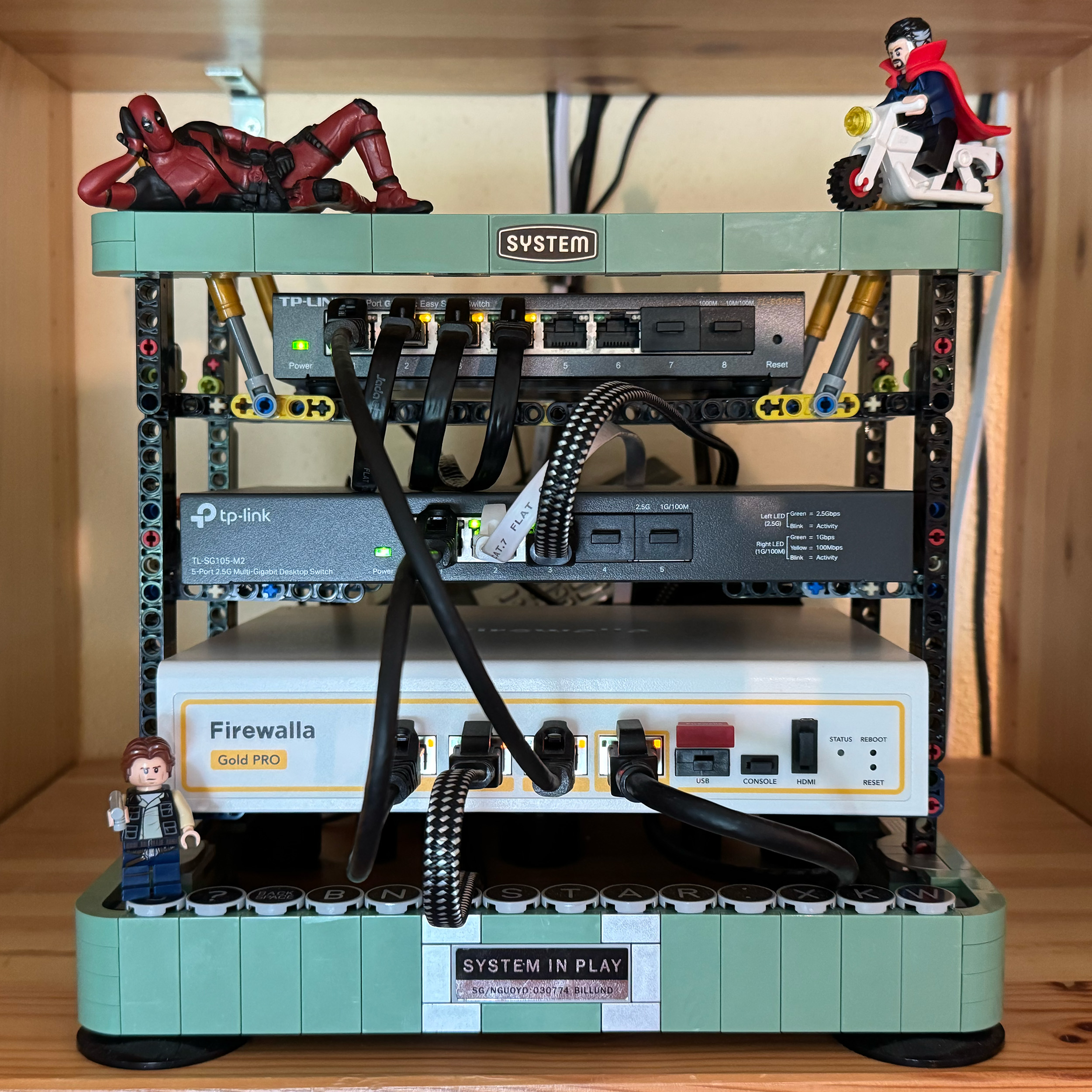
UPDATE 8/11/2025: Contest closed! Thank you to everyone who participated and shared your unique setups! The Firewalla team is happy to announce the top submissions for the Firewalla Setup Contest 2025!
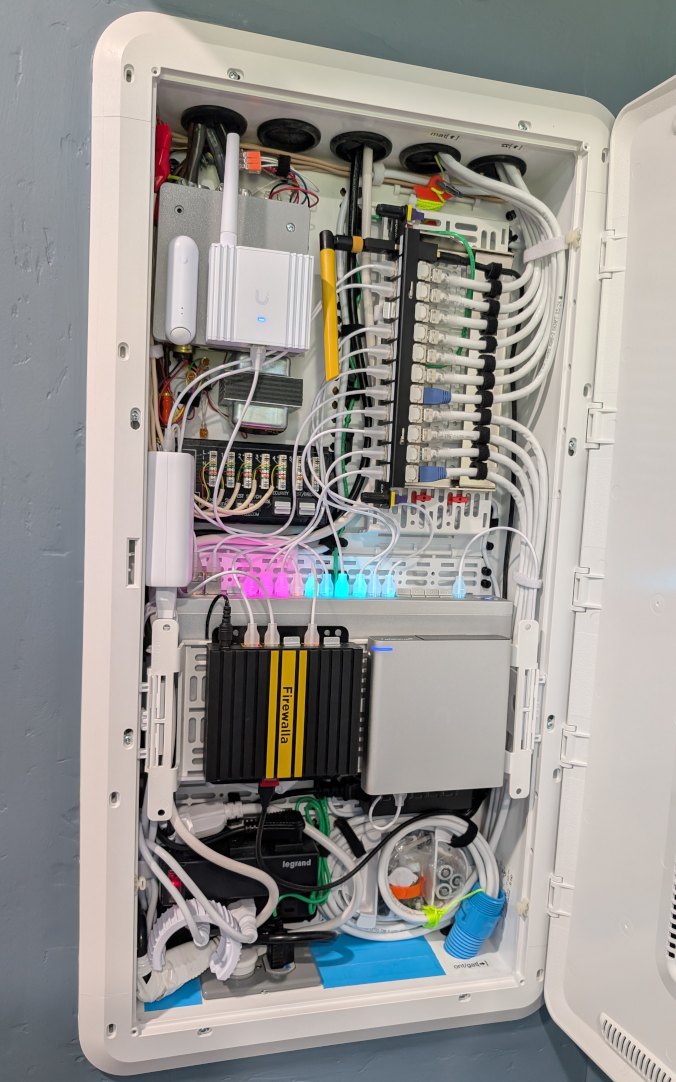
1st Place:
- Andy Camara https://help.firewalla.com/hc/en-us/community/posts/42589603312659-CONTEST-Show-us-your-Firewalla-setup-2025?page=3#community_comment_42710256813843
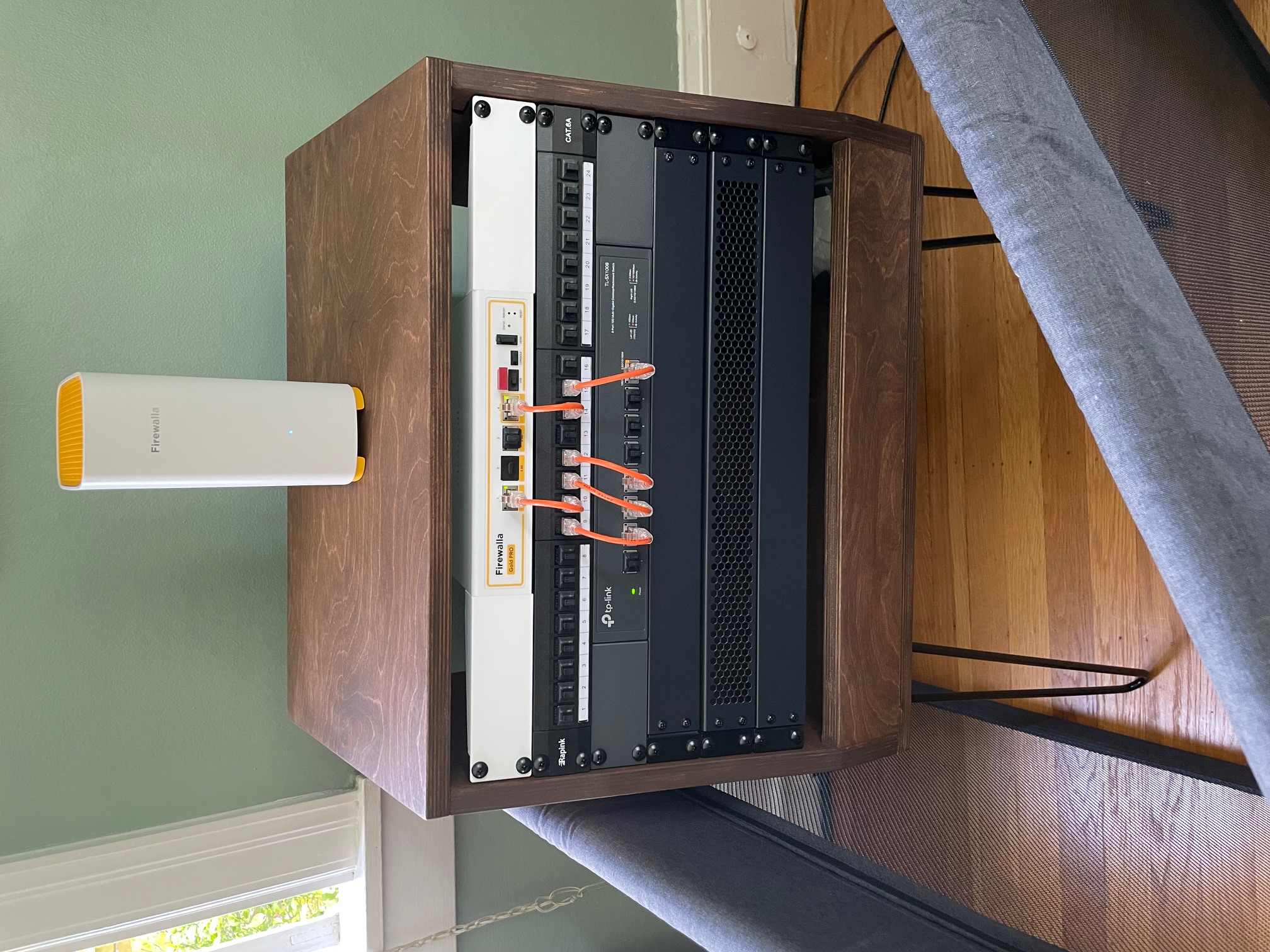
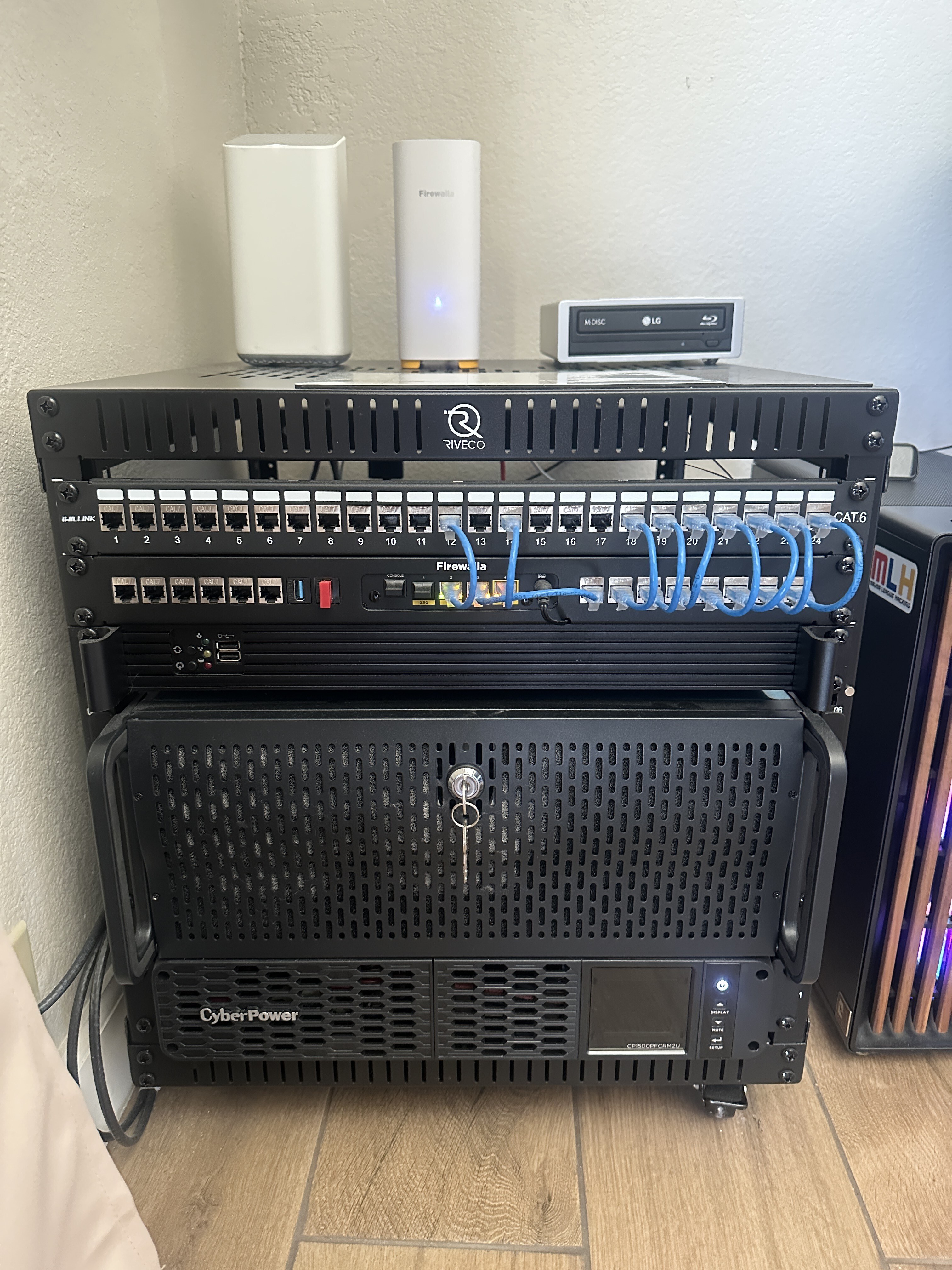
2nd Place:
- twiny2 https://help.firewalla.com/hc/en-us/community/posts/42589603312659-CONTEST-Show-us-your-Firewalla-setup-2025?page=3#community_comment_42677270637203
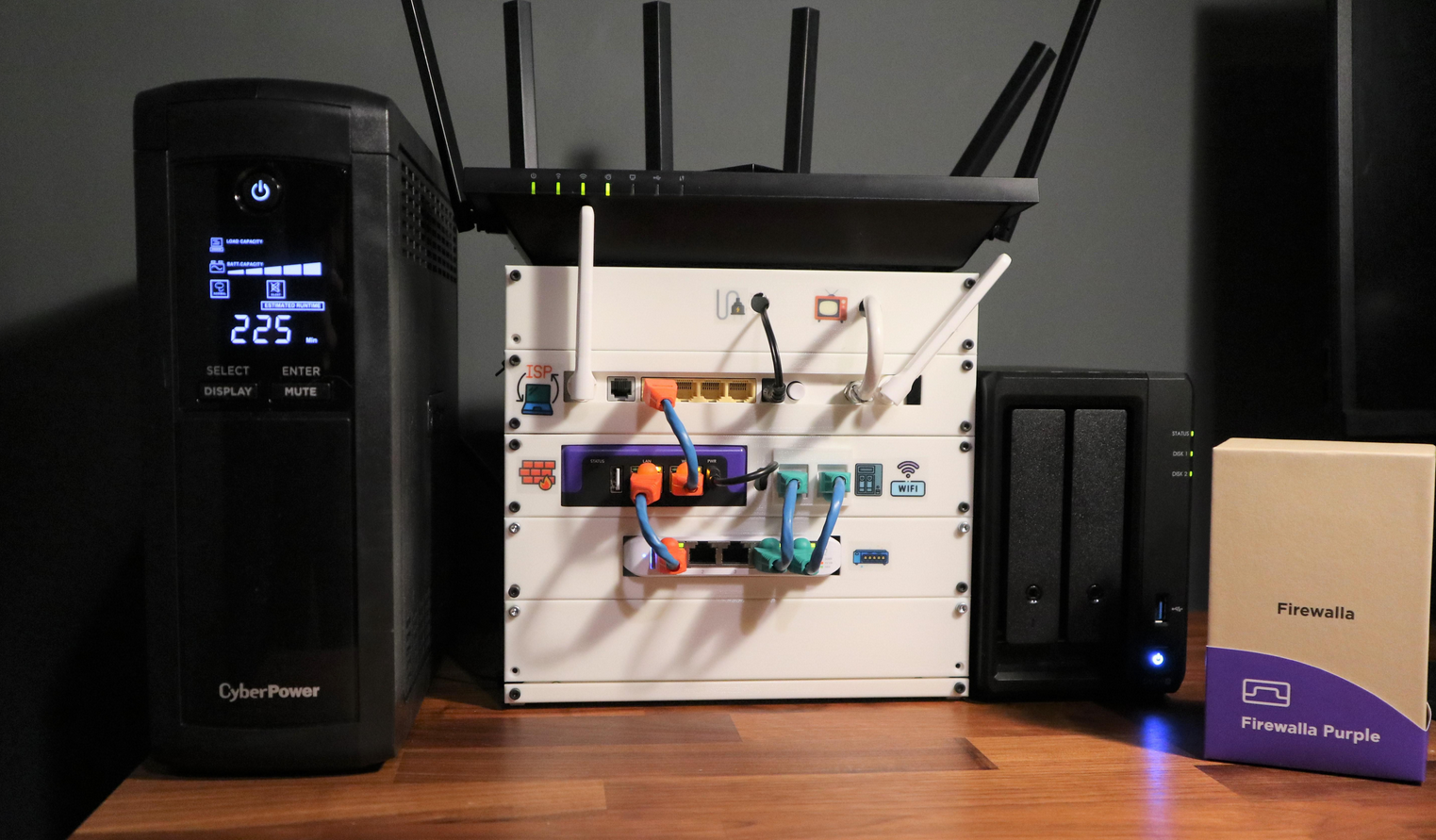
3rd Place:
- Gociu Mihai https://help.firewalla.com/hc/en-us/community/posts/42589603312659-CONTEST-Show-us-your-Firewalla-setup-2025?page=1#community_comment_42613941675795
Winners have been contacted individually about their prizes.
---
We want to see how you’re using your Firewalla products! Whether you’ve placed them in a clever spot, built custom fittings, or just have an artistically messy setup…
Prizes:
- Grand Prize (1 winner): Firewalla Gold Plus + Gold Rack Mount + Wi-Fi SD
- Or 2 Firewalla AP7s instead (if based in the USA)
- Second Prize (2 winners): Firewalla Gold SE
- Or 1 Firewalla AP7 instead (if based in the USA)
- Third Prize (2 winners): Purple SE
Winners can choose alternate products of equal or lesser value. Top entries may be featured on our website and in Firewalla marketing materials!
How to Vote:
- Scroll down (there are multiple pages).
- Vote for your favorites by clicking the up arrow next to the comment (login required)

How to enter:
- Post a photo of your setup as a comment below (login required)
- Must include at least one Firewalla box.
- If you’ve entered a past Firewalla contest, please submit a new, original photo.
- If you're entering from a mobile device, you may need to request the desktop version of this site to see the option to add an image to your comment.
- We’ll also accept photos of a standalone AP7 Desktop or Ceiling if they are interesting!
- (Optional) Include a short paragraph describing your setup and one or two software features that made a difference.
Winner Selection:
- 10 finalists: 5 based on submission votes, and 5 chosen by the Firewalla team.
- Finalists will enter a final voting round through our communities.
- The top 5 submissions with the most votes will determine our winners.
- We have the right to remove submissions that don't meet the requirements or appear to have fraudulent votes.
Timing:
- Submissions & preliminary voting: June 30–July 15th, 2025
- Final voting round: July 21–July 31, 2025
- Winners will be announced and contacted via email starting on August 1, 2025.
Important:
- Please do not post any sensitive information. We reserve the right to remove unoriginal or offensive content.
- By entering, you agree to allow Firewalla to use your photos in future marketing materials (emails, articles, product pages, etc.)
- By posting or voting, you will automatically sign up for the Firewalla weekly newsletter; this is to notify you of voting times and winners.
- To keep contest entries clean, we will delete non-submission posts occasionally.
Check out our previous Firewalla contests for some inspiration!
- 2024: Show us your “lifestyle” Firewalla Contest https://help.firewalla.com/hc/en-us/community/posts/24294588856083-Show-us-your-lifestyle-Firewalla-Contest
- 2023: Show us your Network Rack and Win Big https://help.firewalla.com/hc/en-us/community/posts/18333572629267-Show-Us-Your-Network-Rack-and-Win-Big
-

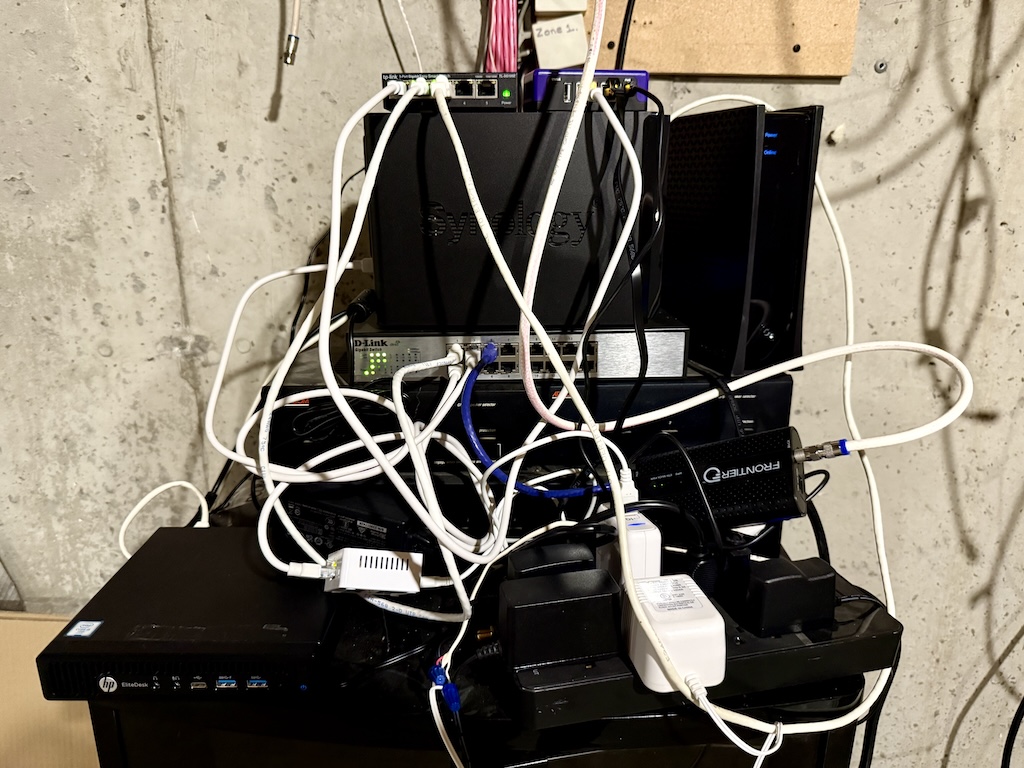
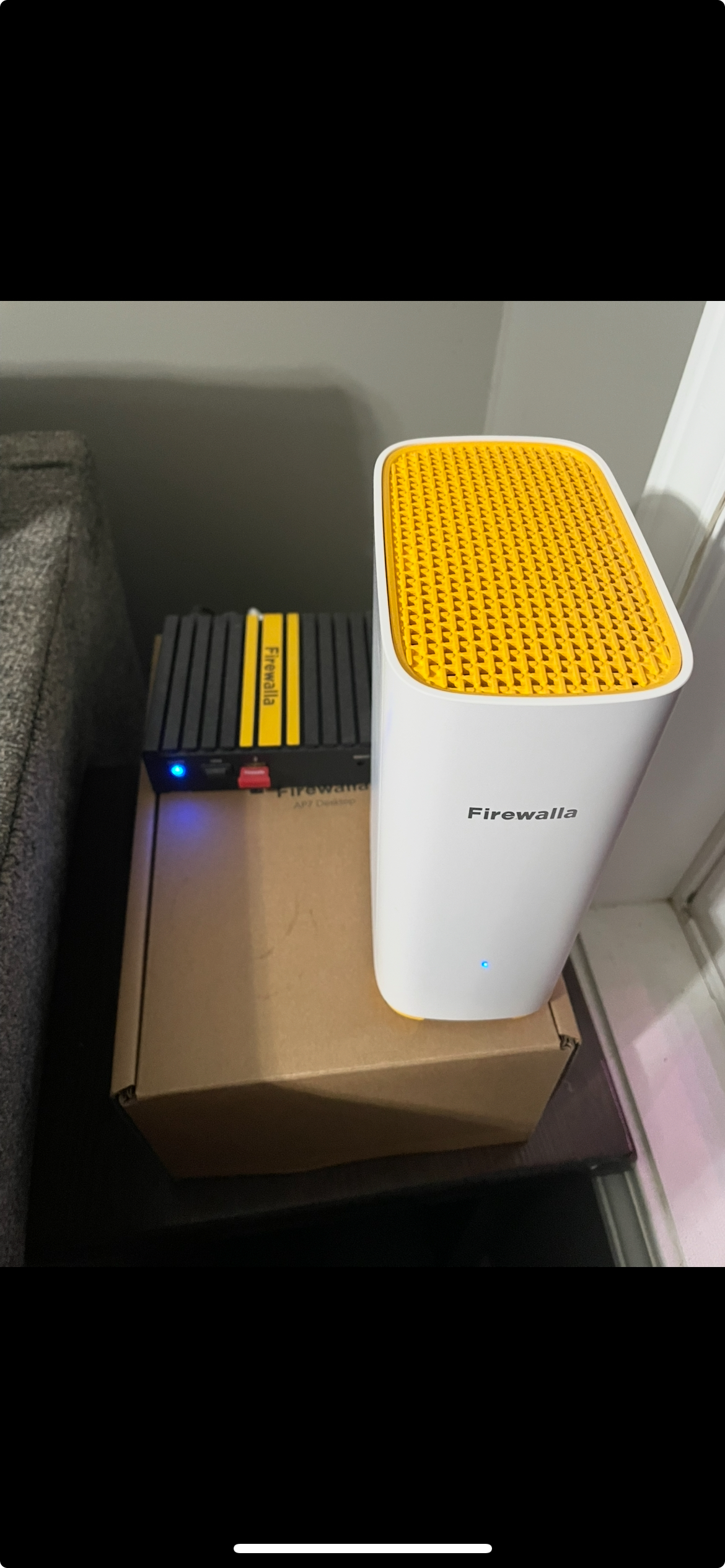
Here is my hilariously unorganized setup; it works, and works well! I'll clean it up in the future, probably during the cold months when there isn't so much to do outside.
From top to bottom, right to left:
- TP-Link TL-SG105 managed switch. Connected to the Firewalla, main switch, and the HP elitedesk below. Keeps the HP separated from my main network.
- Firewalla Purple!
- Both sitting on top of a Synology DS224+ with 2x12tb hard drives. Handles backing up the house computers and runs a Plex server.
- D-Link 16-port gigabit switch. Got it off Marketplace for cheap, and works fine.
- Spectrum cable modem running 500mbit symmetrical.
- HP EliteDesk running Ubuntu Server. Handles a couple HLDS servers, a Minecraft server, and other random nonsense.
- Starling Home Hub. We have a mixed Android/iOS household, so it helps things mix
- MOCA 2.5gbit adapter. The house wifi is running x3 Eero 6s in bridge mode, connected via this MOCA adapter. It's a temporary situation until I pull ethernet cable.
Finally, everything is sitting on top of our whole-house stereo/intercom system. It's not hooked up, but all the gear is there if I ever decide to use it.
-

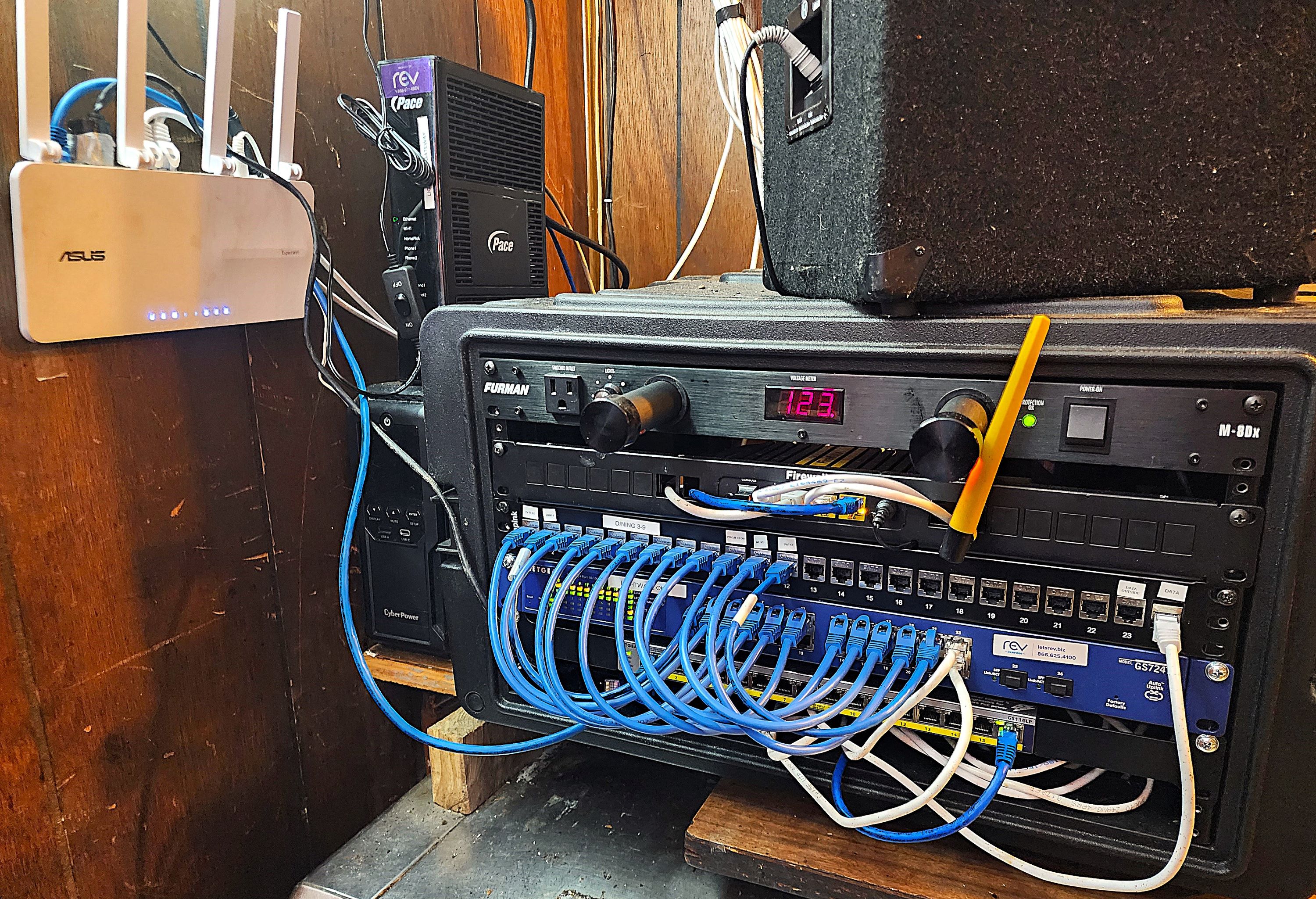
Simple home network setup. ISP ONT in to Firewalla Purple, WAN out to unmanaged switch serving the eero AP and other ethernet drops.
Network is on this ultra slim CyberPower SL700U UPS which surprisingly gives a good 3-4 hours of uptime during an outage.
Also pictured is the Arlo camera Smart Hub. All IoT devices are on separate VLANs.

-

Hello Everyone,
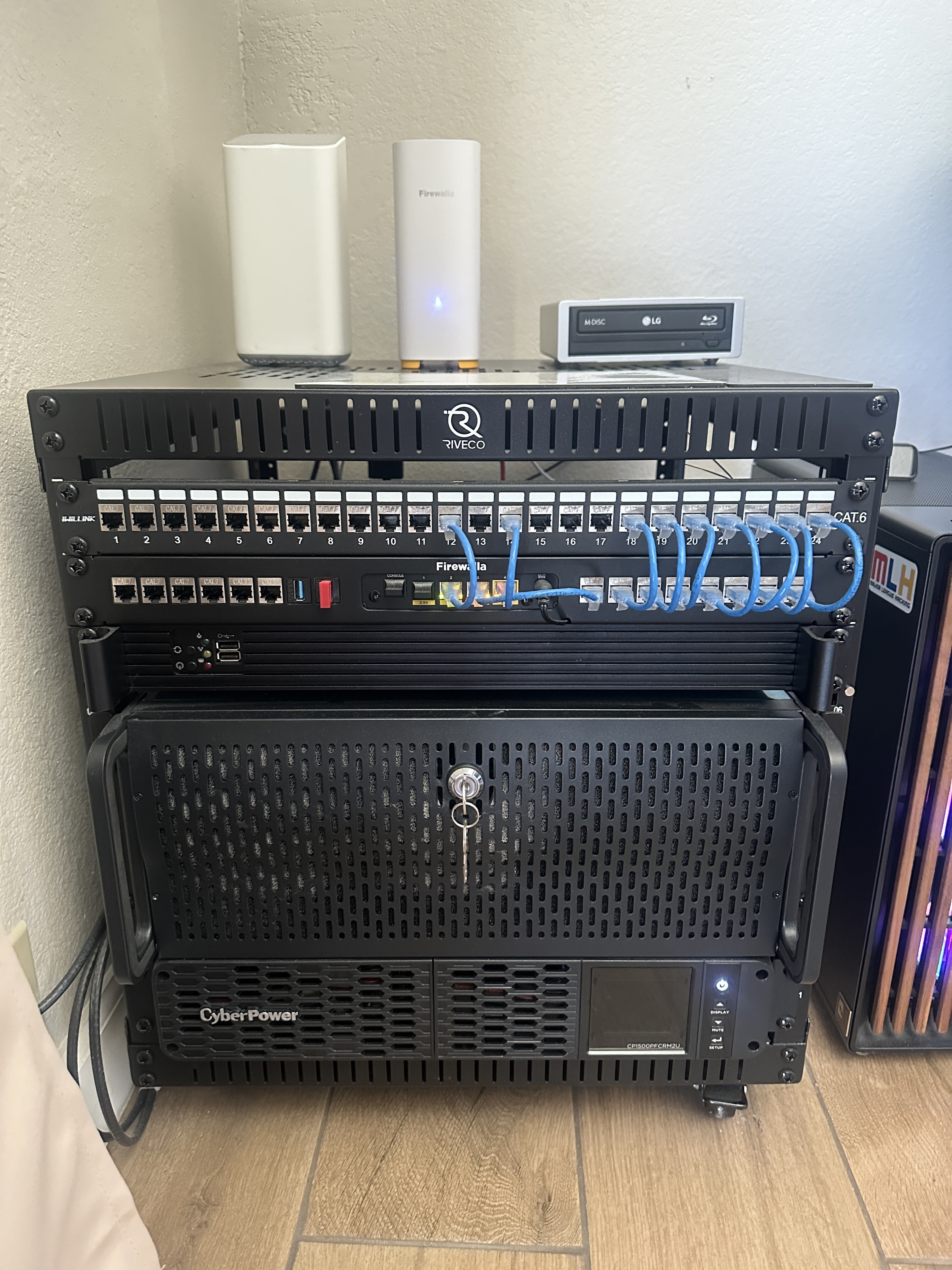
Here’s a quick look at my growing home lab setup, powered by the Firewalla Gold Plus:
-
Firewalla Gold Plus
-
Firewalla Gold rack mount
-
TP-Link TL-SG108 8-port switch
-
Homelab server running Unraid
-
Test server running VMware ESXi
-
CyberPower UPS
My goal with this setup is to keep learning and exploring—one project at a time. Firewalla has been central to that journey. I’ve been using the Gold Plus alongside the Firewalla AP7 to segment my network into distinct zones:
-
A main network shared with my roommates
-
A dedicated IoT network for things like Ring cameras and smart plugs
-
A guest network for when friends come over
It’s been both fun and rewarding to slowly build a more organized, secure, and functional network environment at home. I really appreciate how Firewalla makes these powerful features accessible and intuitive—even for hobbyists like me.
Thanks for inspiring the community to keep tinkering!
-
-

Hello folks, and Happy Independence Day. My network is a combination of Unifi and Firewalla equipment with a Firewalla Gold Pro running in bridged mode. The small rack fits nicely on some wire shelves in a utility room along with a NAS device and some home automation equipment. Nothing too fancy, but it works well for me.

-

Home setup in the front Closet
- Firewalla purple with 2 site to site VPNs to Firerwalla purple in out of state condos.
- 2 Raspberry Pi's running as Time Capsules for alternating daily backups for 3 Apple Laptops
- 1 Raspberry Pi running Homebridge to integrate Control4 lighting and Homekit and storage for daily uploaded Dashcams from TeslaUSB
- Ubiquti video storage appliance for 5 Unifi PoE surveillance Cameras
- CyberPower UPS
- Zyxel 24 port managed PoE switch
- TP-link AP for the front go the house.

-

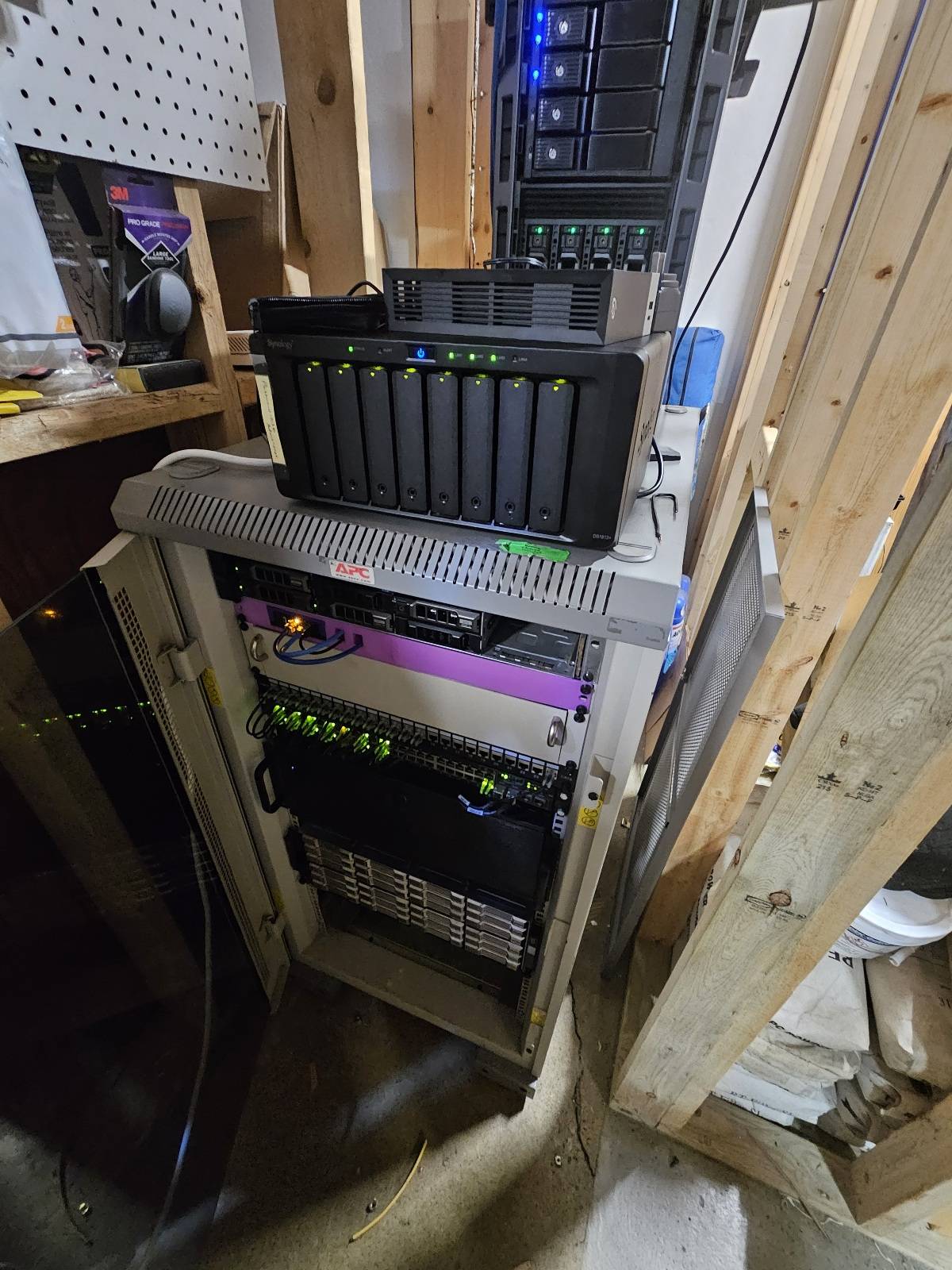
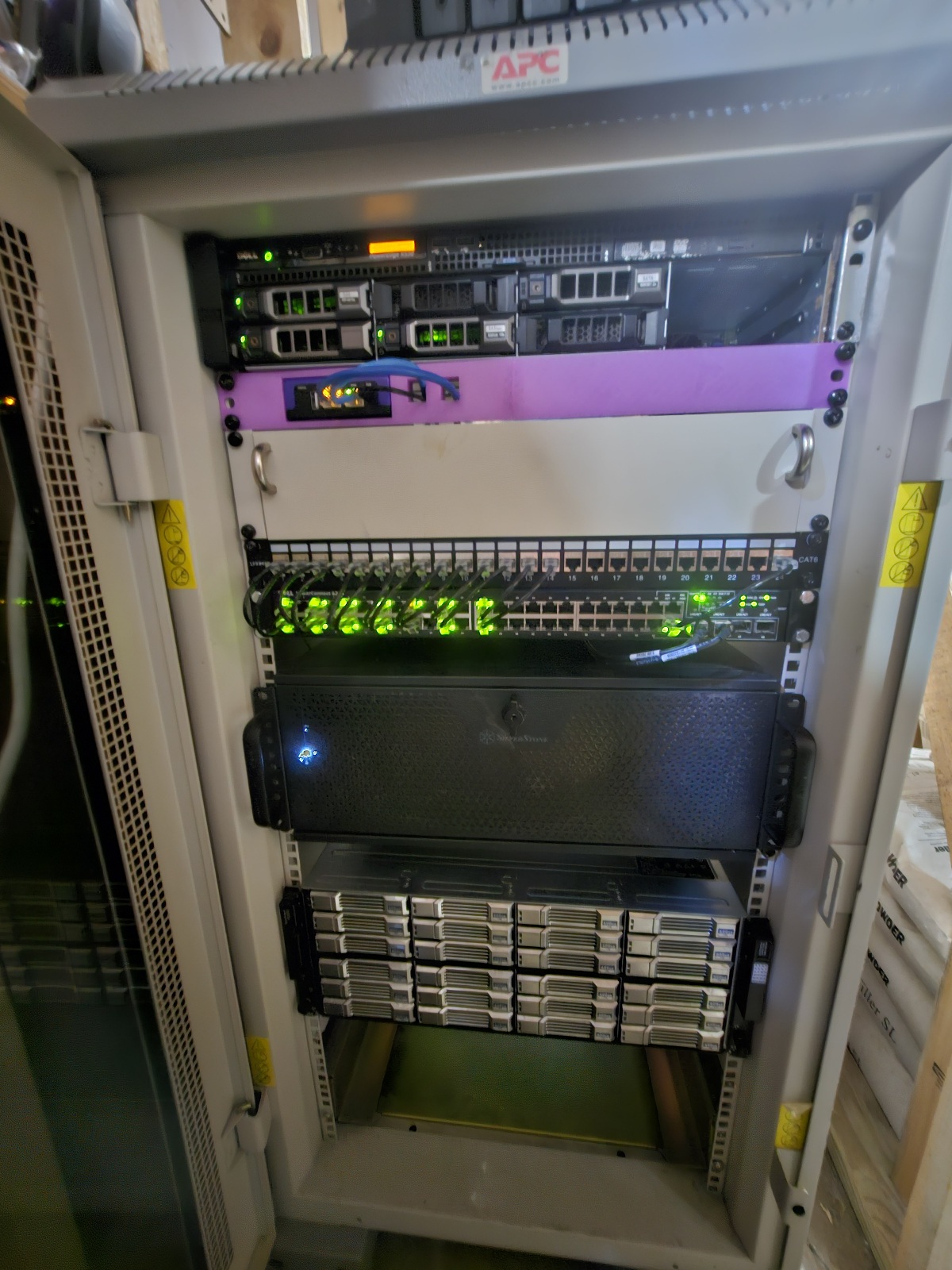
Home Lab of Holding: Where Packets Flow and Dreams Boot
Behold the humble yet heroic homelab! Guarded by a vigilant Firewalla Purple, perched proudly in its custom 3D-printed throne (because style and security matter).
The beating heart? A PowerEdge R430, flexing 139GB RAM and dual Xeons, running TrueNAS, VMs, and doubling as Synology's guardian angel.
Down in the dungeon: a DAS array conjuring up two RAID 10 volumes across 24 screaming 10K RPM 600GB drives. That’s a whole lot of spin class. Connected via 10Gb SFP+ copper because glass is classy but copper kicks it old school.
The silver tower (aka “Quicksilver”) hides a Windows box with RTX 5060 Ti OC, generating AI art and wrangling LLMs. It's the stable diffusion station and a GPU wizard's lab.
And let’s pour one out for the retiring Dell T330, still loyally backing up Synology like a forgotten Paladin, soon to fade as DAS takes the stage.
In the center of this LAN party for one? Firewalla. Watching. Logging. Defending. Because even a mad scientist needs a good firewall. 🧪🔥🧱
-

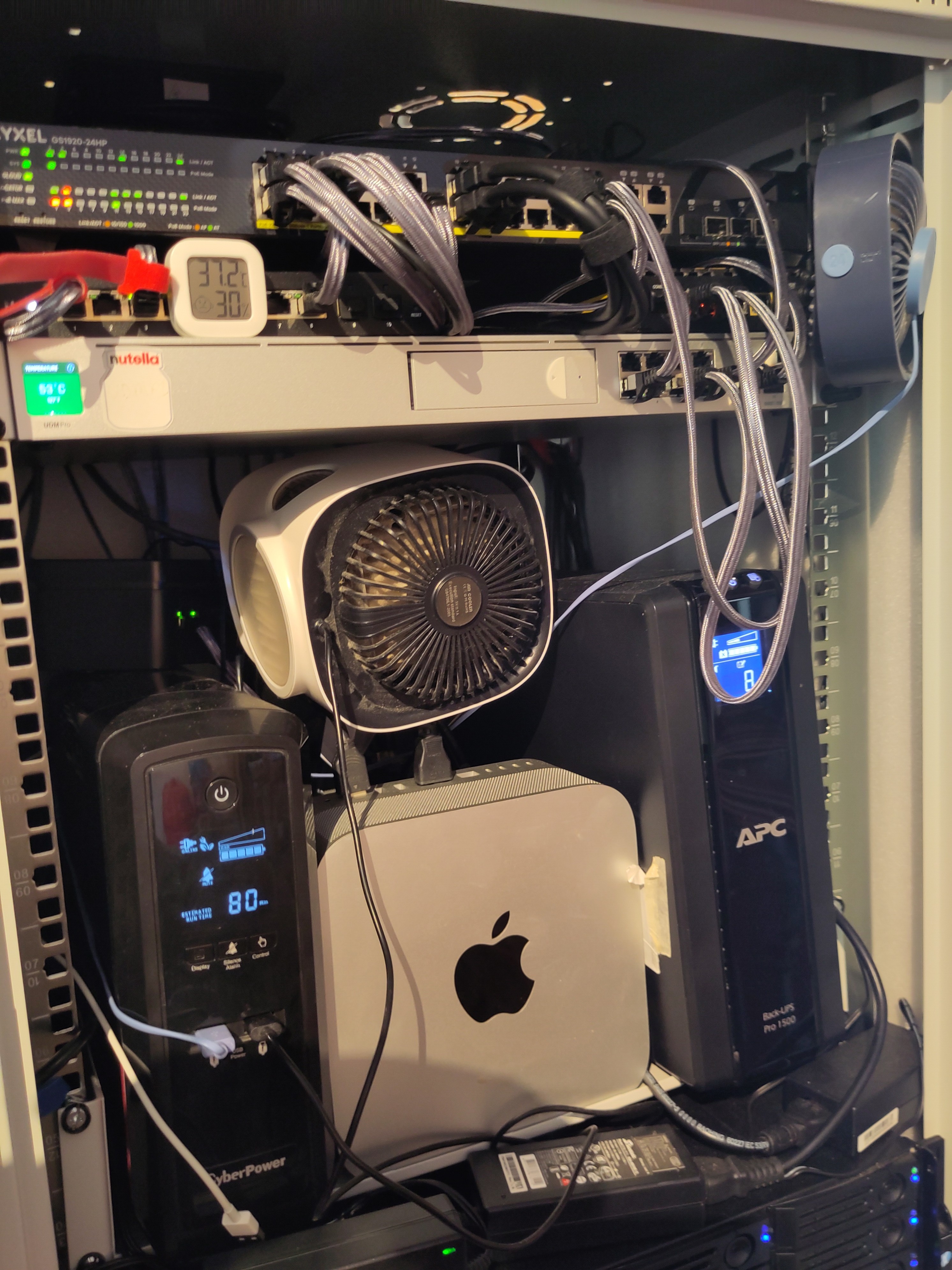
As messy as this is, it is a darn sight better than it was - equipment, cables, fans and UPS strewn atop a poor unsuspecting cupboard (in England we would call it a sideboard).
Still a WIP, having issues with airflow/temp, especially as here in sunny Spain at the moment we regularly hit 35C ambient.
;-}
P
-

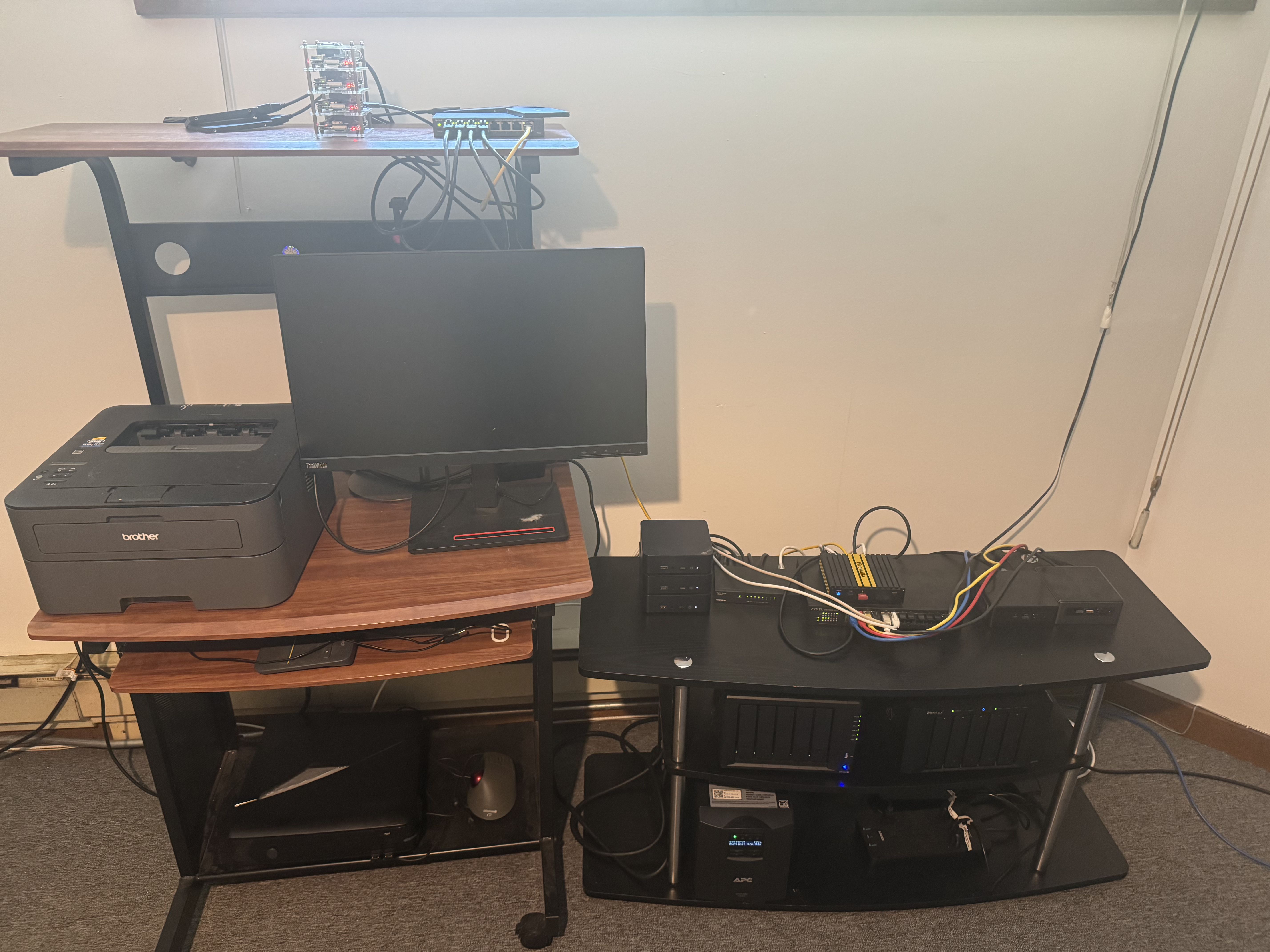
FWG with a FiOS 1GB fiber connection. It connects 3 networks.
- Personal devices & AP7 connected to a Zyxel GS1900-24E switch.
- 5 node Kubernetes Talos linux cluster on Beelink and NUC miniPC's connected to a TrendNet TEG-S83 switch
- 4 node Kubernetes K3s cluster running on RaspberryPI 4B's connected to a TP-Link TL-SG108PE switch.
Synology 1513+ & 1522+ are used for NAS and I have an APC SMT1500C for the UPS.
-

Greetings from Mexico!!!
Hey everyone! Thought I'd share my home network setup. As a family of four tech enthusiasts (which means we have over 50 devices connected!), havinga robust and secure network is super important.
At the heart of it all is my Firewalla Gold Plus, acting as my main router and controller. It's connected directly to the internet modem (Wi-Fi disabled on the modem, so the Firewalla handles everything).
From there, my setup branches out:
-
Port 2 goes straight to a 24-port switch for all our wired devices.
-
Port 3 is dedicated to managing our mesh Wi-Fi network, ensuring good coverage throughout the house.
-
And for a bit of fun (and security!), Port 4 is connected to a spare Wi-Fi 6 modem that I've configured as a honeypot – always interesting to see what tries to poke around! 😉
It's been a great experience using the Firewalla Gold Plus for all our network administration. It really gives us the control and visibility we need with so many devices.
Here's a pic of the rack. Let me know what you think!
Cheers!

-
-

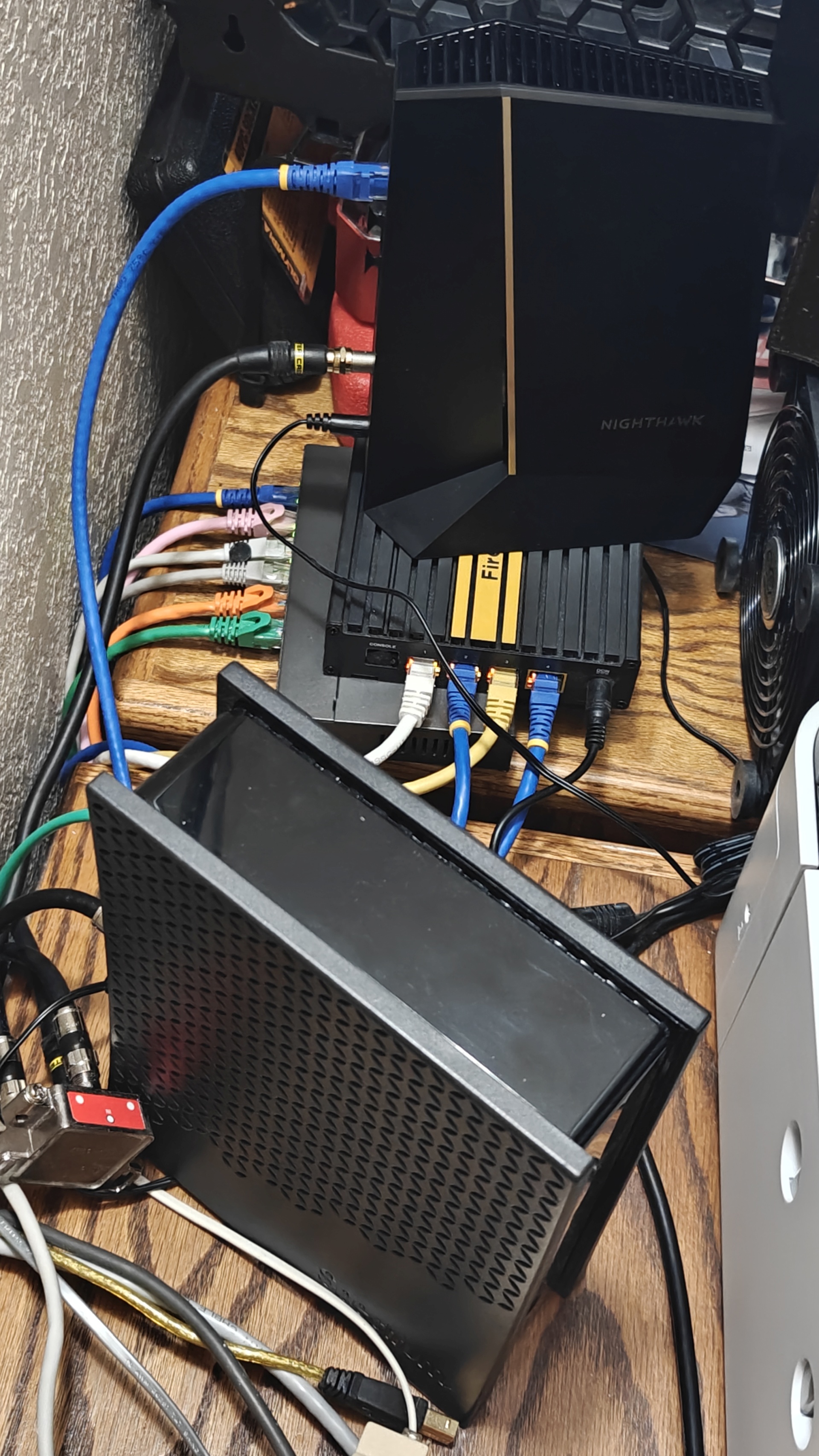
This is the simple home network of 23 devices all totally protected by my Firewalla Gold firewall. This is a simple setup that requires very little of my time monitoring (but I do enjoy seeing all the sites it prevents getting into my network - usually about 80% rejection rate). All is fed by the Spectrum ISP 1 gb cable now feeding a phone modem and Nighthawk 2.5 gps modem. I feed an Orbi mesh WIFI with 2 remotes from the 2.5 gb port and a Netgear 8-port router + the main tower CPU from the 1 gbs ports. All is protected by a UPS + a fan to keep everything comfortable. The best part of having Firewalla protection is not just the best hardware available but the awesome support that I have used several times. I found out that the Spectrum Hitron Tech EN2251 and my Firewalla Gold did not like each other and started creating many outages a day which the Firewalla support team let me know in less than 12 hours of my notification of them! This support is worth as much or more than the hardware cost and should be more widely publicized in their sales literature as any time your network is down your site is dead! This was quickly remedied by adding my own cable modem with Amazon over-night delivery of a Netgear Nighthawk CM3000. I cannot say enough about how much the addition of my own firewall has simplified my life from worries about an external thief or virus getting into my network. Thank you Firewalla for producing such beneficial hardware for all of us.
-

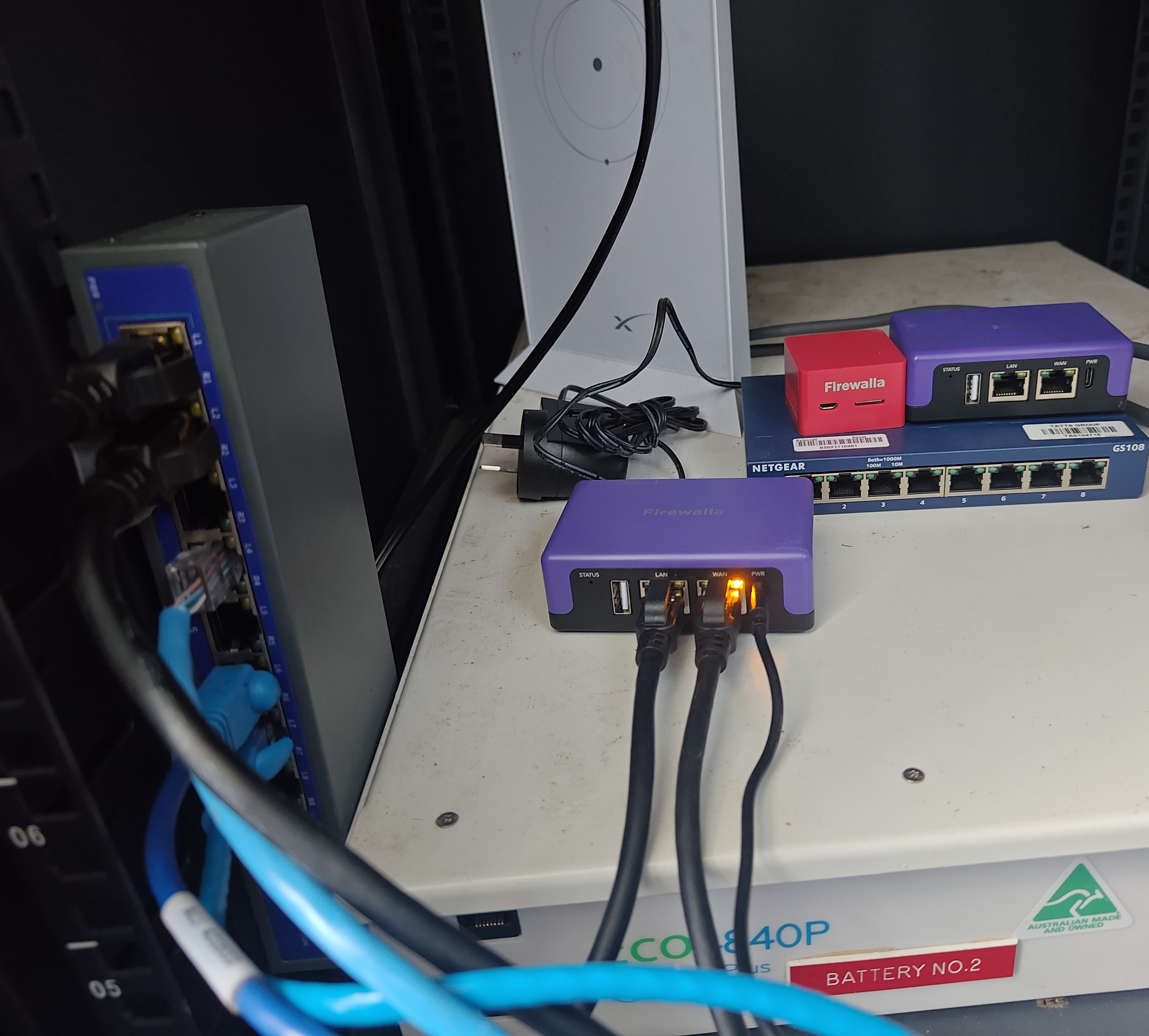 started with red and thought windows firewall was a joke
switched to purple and it was a whole new level
encouraged dad to keep him self isolated so he bought too.
performance is beyond great. purple for australia is all thats needed
oneday ill go gold for for multiwan. keeps our devices from damaging infrastructure -

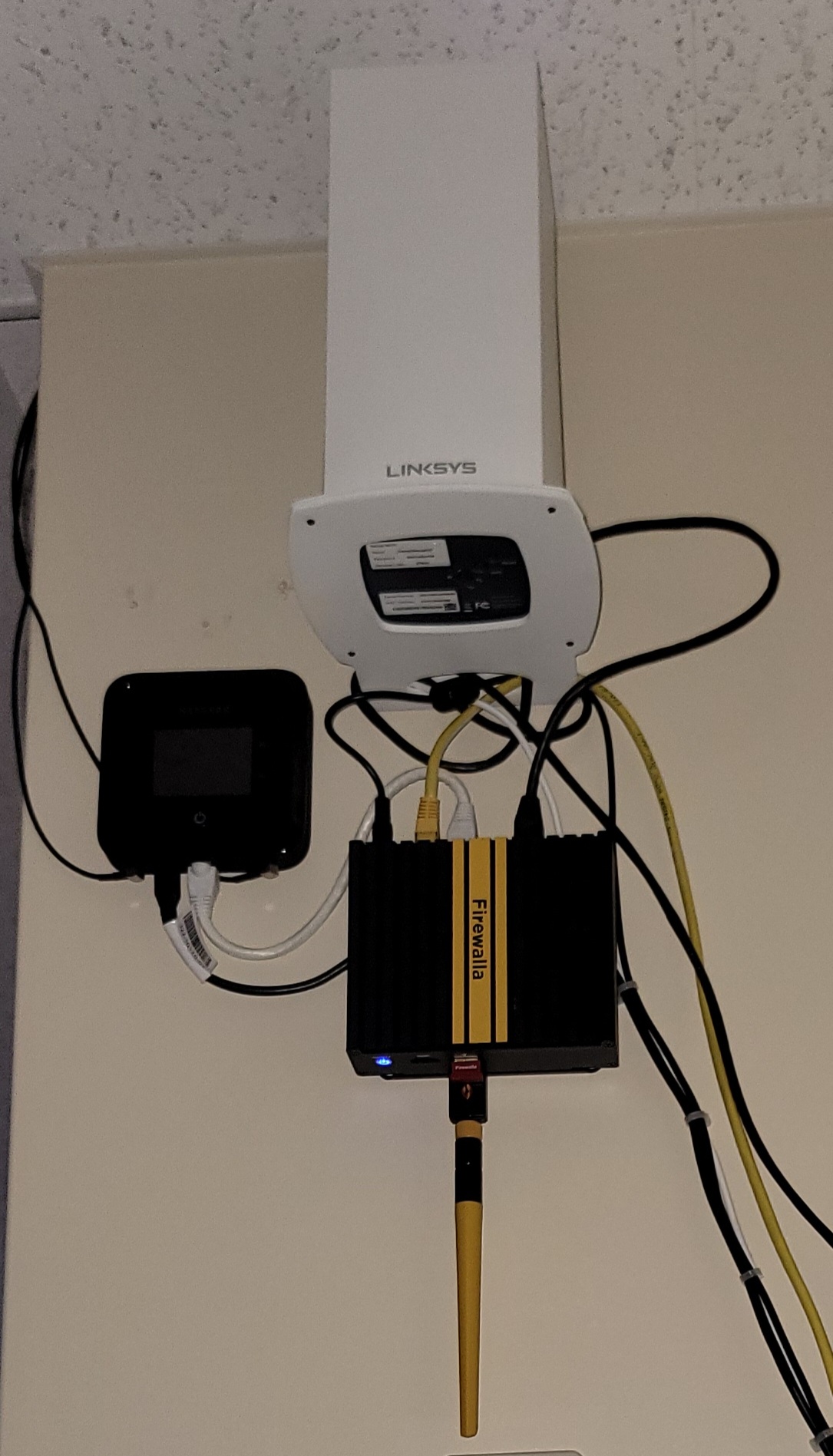
My first draft setup. Already pulling in two different ISPs. You can't see that it goes to a switch, located much closer now. That connects to a multi port NAS, telephony, and separates IoT hubs. Firewalla is what really makes everything work. I've upgraded to multiple mesh systems over the years and this Gold unit just keeps everything running smoothly. I also ordered a purple a couple of years ago and it really allows me to be home away from home.
Thanks Firewalla team for making my home able to go with me and my family easy and secure.
-

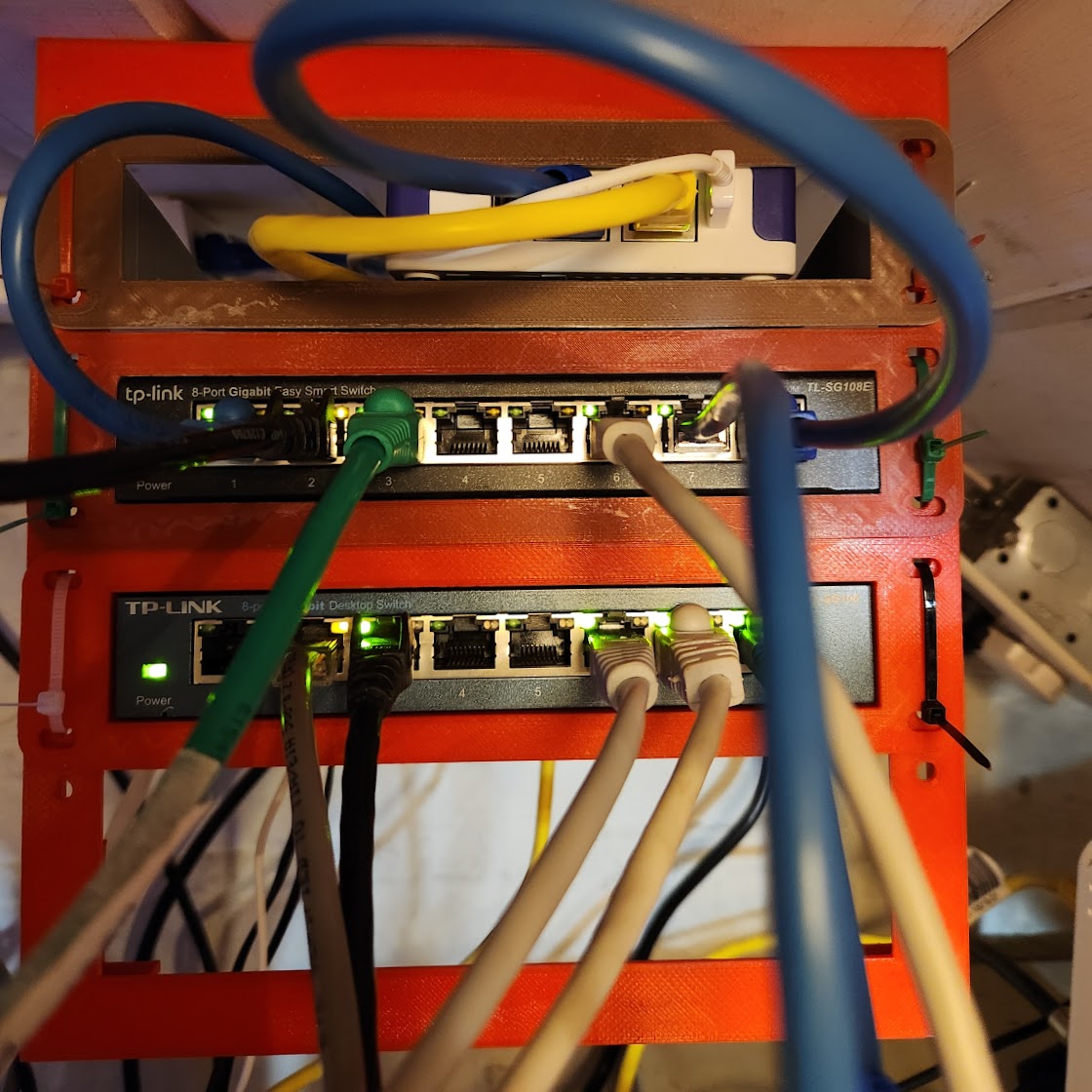
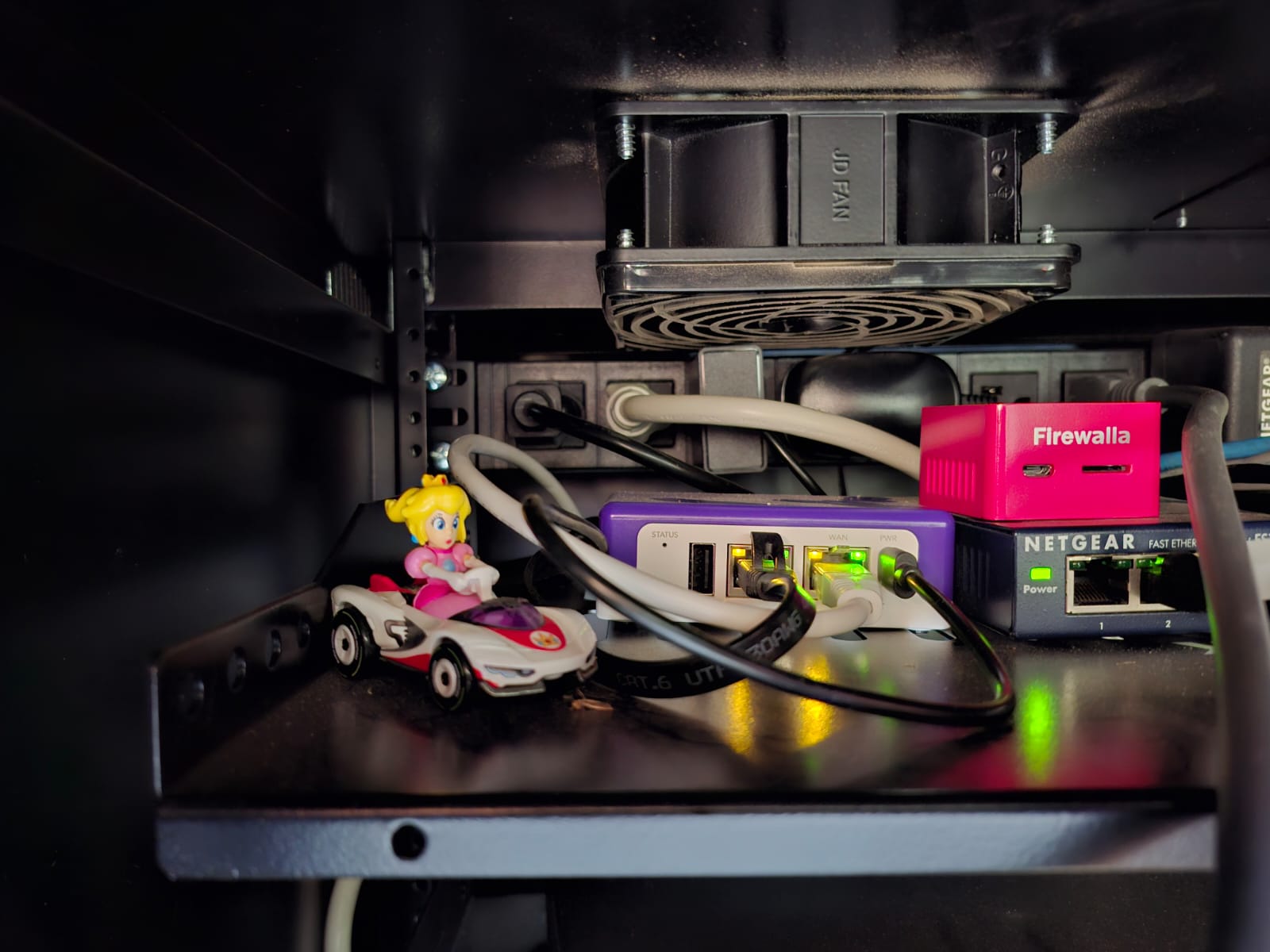
My Firewalla Purple SE hiding at the top of my printed mini rack along with two TP Link Switches for the hard wired backbone of my network. My favorite thing about the firewalla is being able to see what the IOT gear is phoning out too and what my teenage boys are getting into (or not thanks to blocking).
-

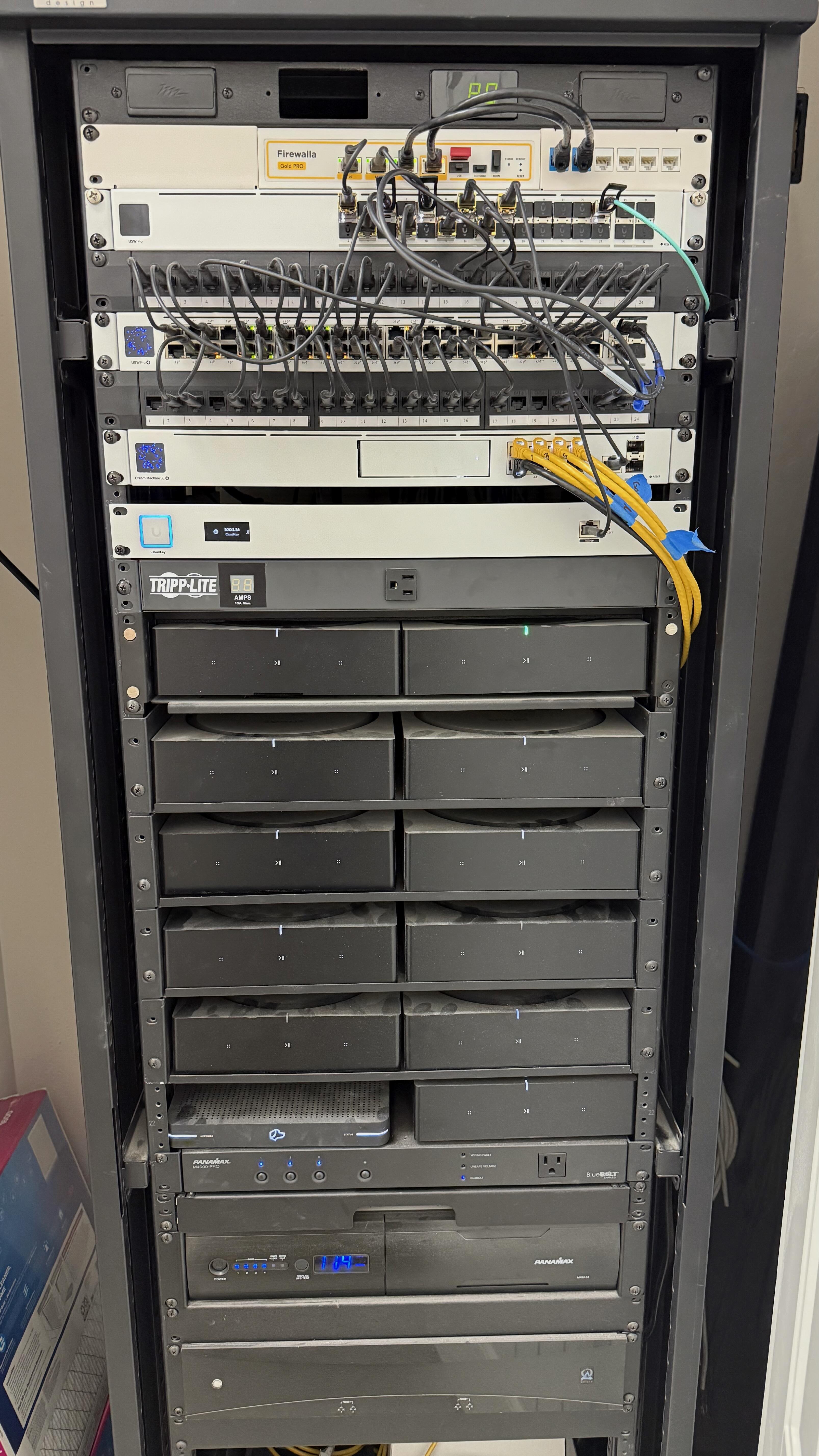
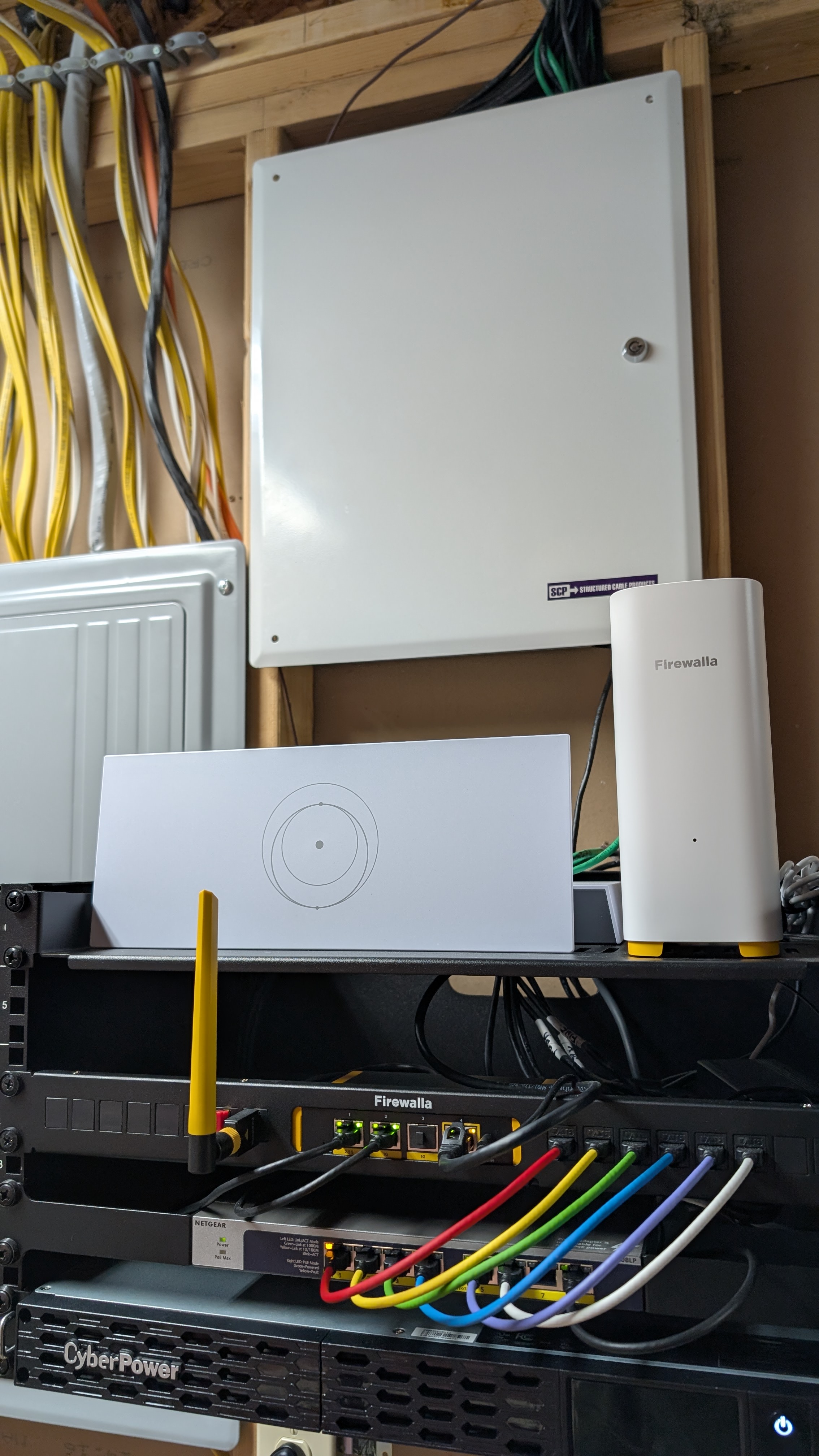
Firewalla Gold Pro with redundant WAN connections (Cox & Verizon) feeding 2 physically isolated networks.
Network 1 runs the house with a Unifi Cloud Key G2+ and a Unifi 32-port 10Gb fiber aggregation switch feeding a 48-port Unifi Pro PoE switch, a 24-port Unifi Pro PoE switch (in the theater), and an 8-port Unifi Pro PoE switch in a network closet with Unifi Flex 2.5 PoE switches at each TV, and 4 AP7's and 1 AP7C (connected via 10GbE SFP+) serving up wifi across the whole home.
Network 2 is a dedicated Surveillance network running off a Unifi Dream Machine SE
-

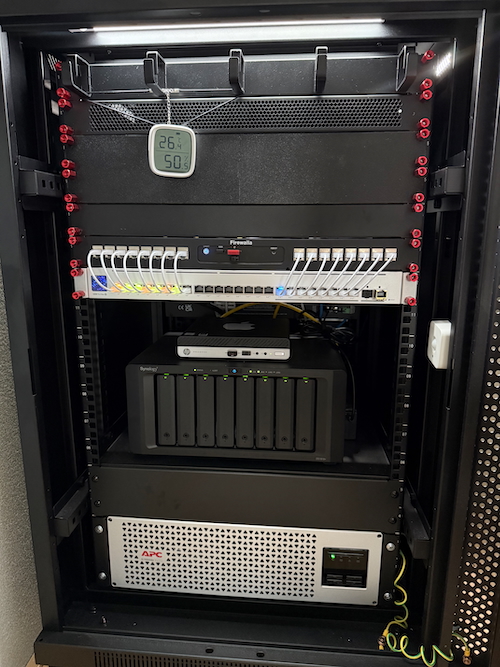
My Firewalla Gold Pro is mounted in my server rack with the original rack mount and acts as the router. Connected to the Ubiquiti switch, it has several IoT components secured in 3D-printed mounts that makes it the ideal home automation setup for us! From the very first introduction of Firewalla, I'm a huge fan. Even translated the app to the Dutch language.
-

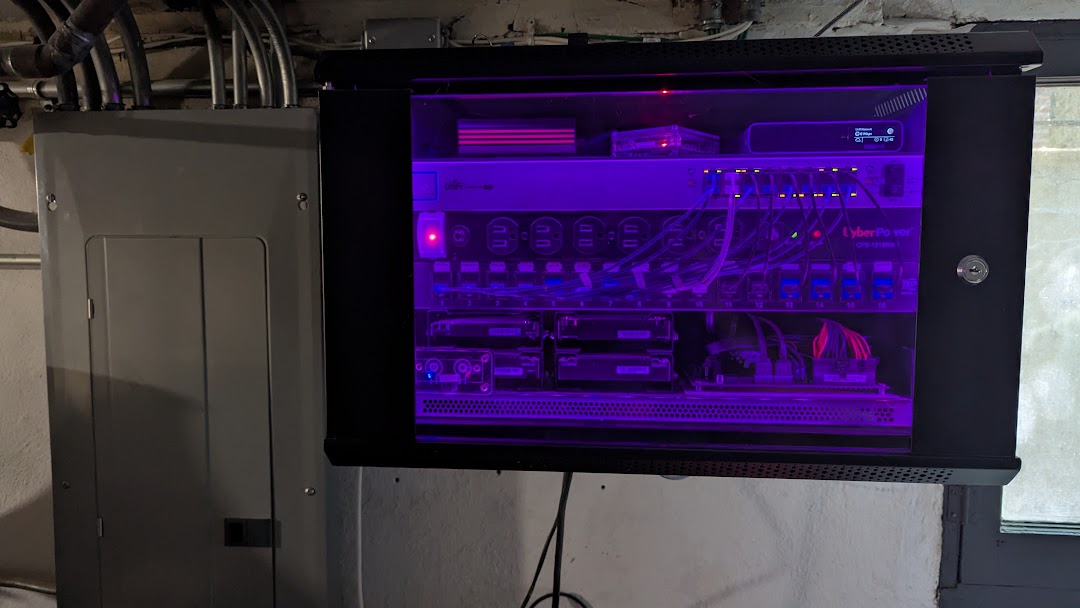
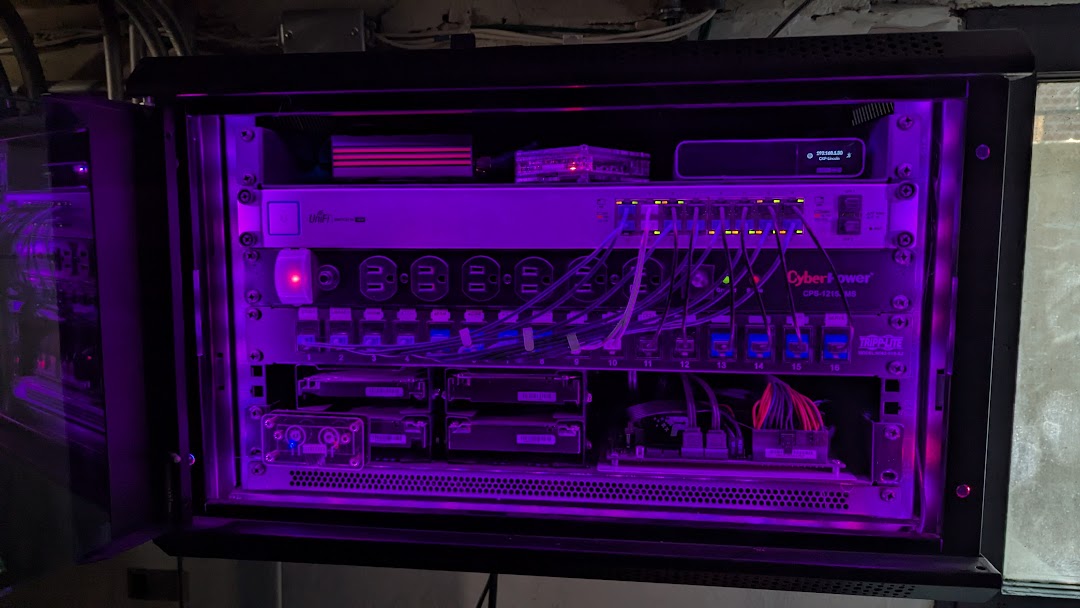
Top to bottom:
- Firewalla Gold at the heart of it all
- raspberry pi 4 w/HAOS
- Unifi Cloudkey NVR
- Unifi 16port managed switch, dual port LAN link aggregation
- Power Strip
- 16port patch panel
- naked 4-bay unraid NAS and media server
Purple LED status if network up, turns red if server unable to connect to internet or speeds drastically reduced (highly recommend for wife/kid factor questions to allow them to quickly diagnose base issues, and chose purple because it just looked cooler than green after testing ;)
-

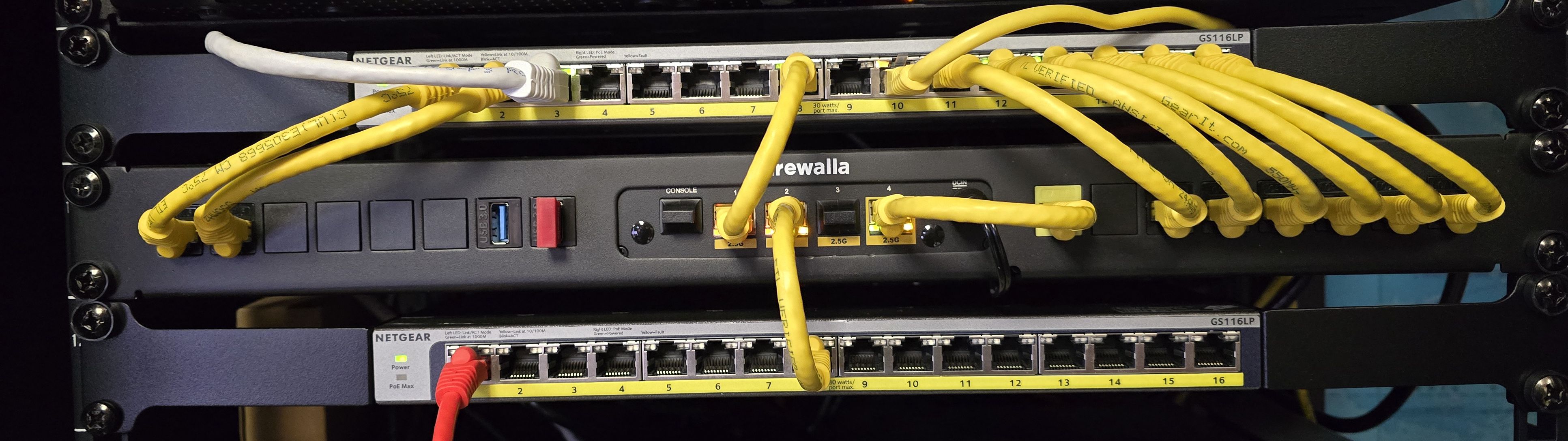
Here is my rig for testing telephone systems and pre-configuring WiFi Access points and other network equipment. Love everything Firewalla. Firewalla Gold in Firewalla rackmount with two Netgear 16port POE Switches. Ports one and two are independently segregated LANs with different IP schemes so I can test various setups at the same time. One of the great pluses of the Firewalla is being able to see (and manage) every device on the network and to see the segmented networks independently of each other.
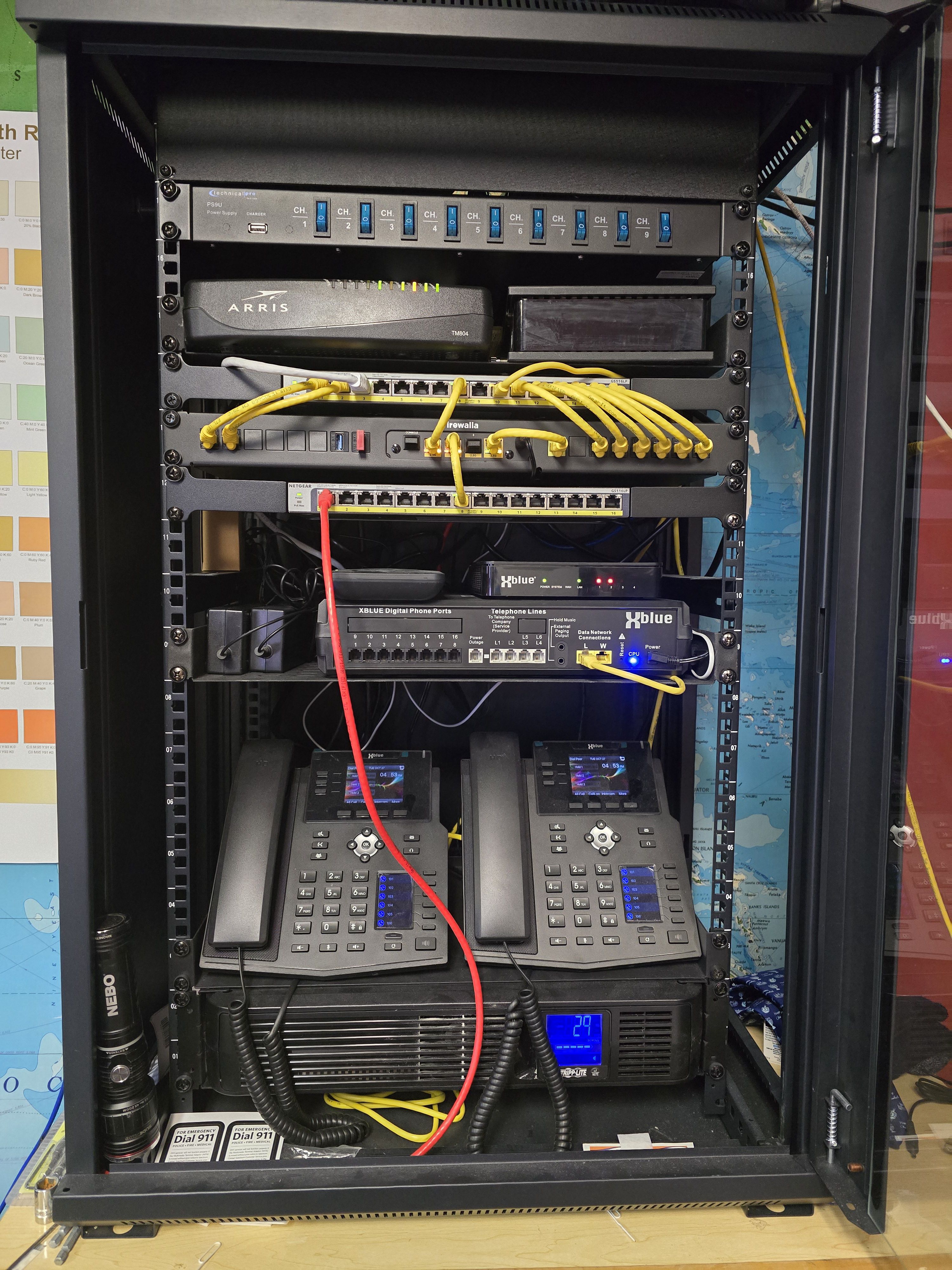
-

Firewalla Gold is a game changer! Love the network visibility and security Firewalla provides. The incoming AT&T Fiber runs through the Gold. Branching off into a couple of Aruba Instant On switches (PoE for future cameras). I currently run Eero Pro 6 for Wifi throughout the house all hard wired. Additional hard wired devices are TV's throughout the house, Apple TVs, printer, HDMI over ethernet, hubs galore (Lutron, Hue, Raspberry Pi5 for Home Assistant, Eufy, etc). Also hardwired my Xbox for consistency. Lastly two backup NAS for all those important memories. With all my IoT devices, looking into properly segmenting for increased security
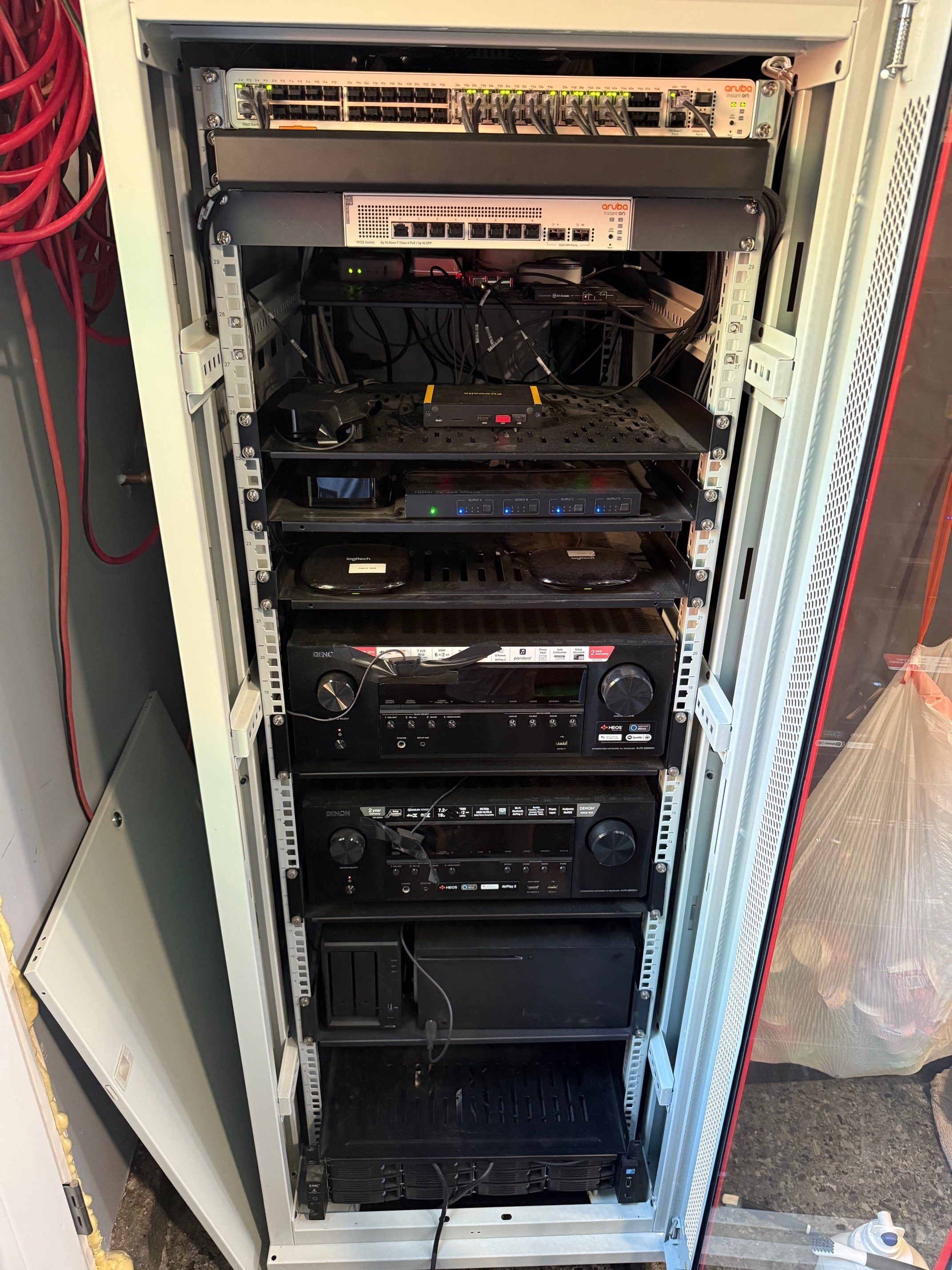
-

Here's my humble setup, years in the making. With the exception of one of the Raspberry Pi boards, I believe the Firewalla Gold is the newest piece of hardware here.
The Gold is connected to an eero mesh WiFi network across our house. There's also an Unraid server (bottom) that runs our local JellyFin; above that is the UPS; above that is the NAS which backs up pretty much everything; finally, the small transparent "rack" holds 7 Raspberry Pi boards that run our local Fediverse instances: currently only Mastodon, but PeerTube and PixelFed are coming soon.
(didn't even notice until now that my Magic the Gathering Cat deck box is visible on top, lol)
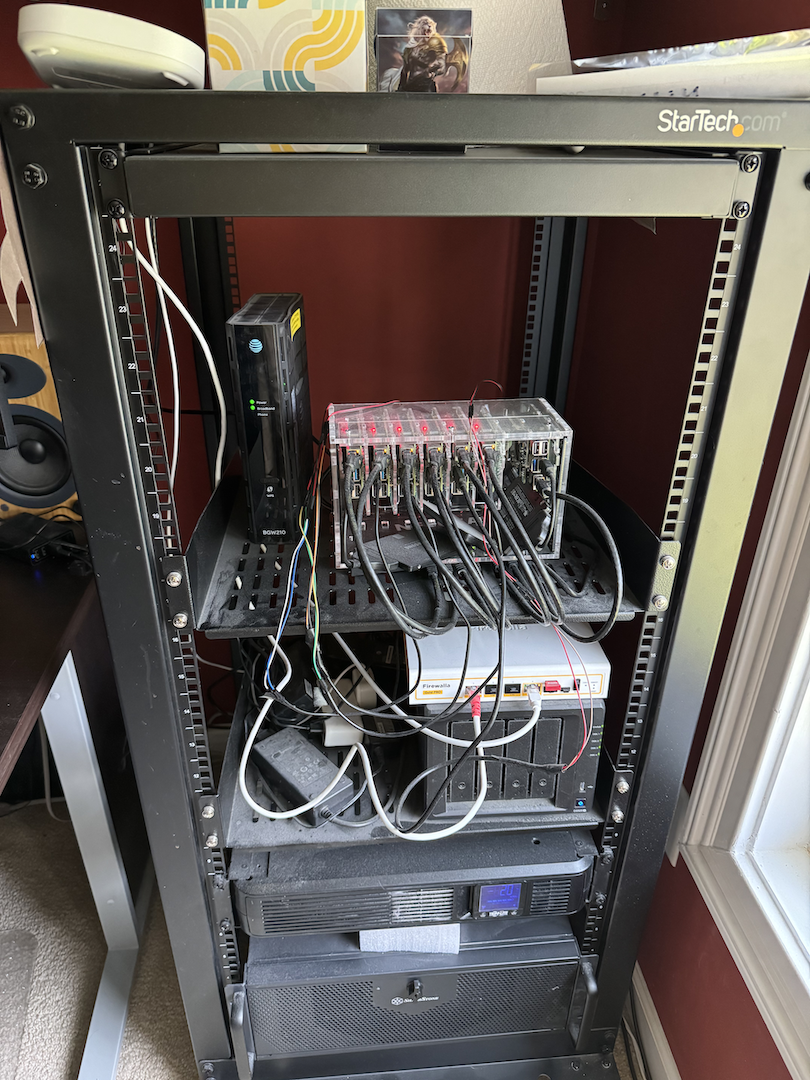
-

I have a sophisticated, under-the-stairs setup. This house came with tons of wires and no labels, so I have them braided and knotted up, sort of out of the way.
My Firewalla Gold SE sits in the middle, between the modem and my Wyze Wi-Fi 6E Mesh Router Pro. Yes, the modem is sitting on a baby cushion which is on a grocery bag of baby bottles which is on an empty TV box. The cable going to it just didn't quite reach the modem on the TV box alone. The Wyze Wi-Fi also sits on the TV box.
The Firewalla is in router mode and I have 4 of those Wyze Mesh units. They are awesome, though not all of their features are compatible with the Firewalla (like their guest network, somehow that got devices past Firewalla's quarantine, so I don't use it). I got all 4 of those in a deal for less than one AP7 (this certainly fuels part of my regard for them)! It was also before the AP7 was released, or I might have done a different setup. That said, my setup is very nice using Wyze Wi-Fi without any smarts, and Firewalla with all the smarts. Great house coverage and connectivity (over 70 clients) and great security, network visibility, and control.

-

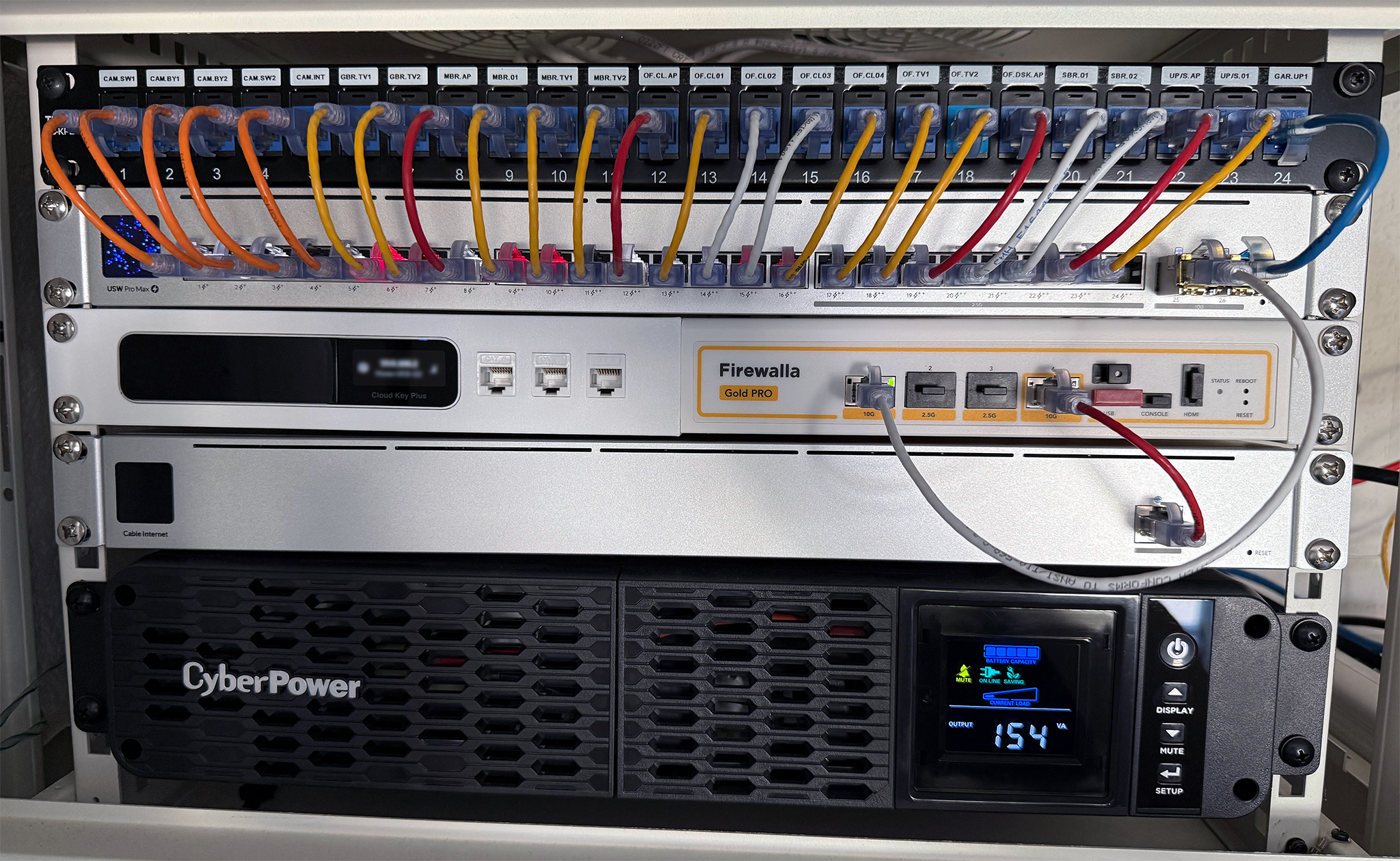
Took me a while to redo my home network rack to get it where I wanted, but I'm pretty happy with the outcome. My wire management could use a bit more cleanup, but it does the job for now!
Pictured Equipment:
- Firewalla Gold Pro
- UniFi CloudKey Gen2 Plus
- USW Pro Max 24 PoE Network Switch
- UniFi Cable Modem (UCI)
- CyberPower CP1500PFCRM2U Battery Backup
I commissioned a custom 3D printed rack mount to house both the Firewalla Gold Pro and the CloudKey side by side, along with a few keystone jacks that I will eventually wire up for a cleaner network setup.
The network cables are color-coded based on role/function:
- Orange: Video Surveillance
- Yellow: IoT Network (VLAN)
- Red: Wireless Access Points (PoE)
- White: General Use / Admin VLAN
Not Pictured:
- Synology NAS
- Intel NUC with Proxmox for containers like: Home Assistant, Scrypted, Node-RED, etc.
Enjoying seeing everyone's setups!
-

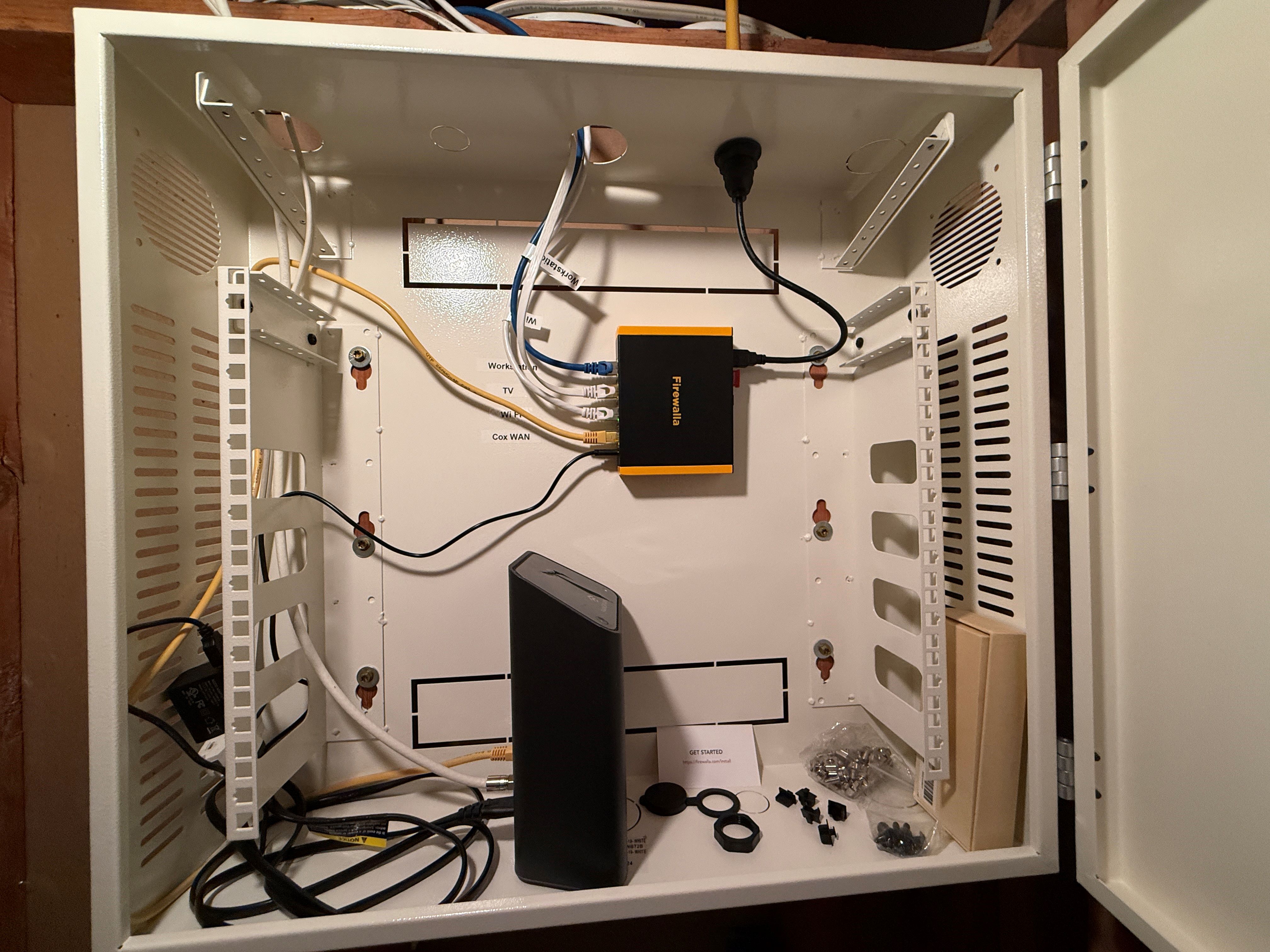
Here is my Firewalla Gold SE with Wi-Fi SD. Mine is a simple set up but it has been great at protecting our home network and helping to ensure our kids’ internet experience is safe. Tech savvy kids are the reason the Firewalla is secured in a locked cabinet. I would love to expand our Firewalla usage with a couple of AP7s!
-

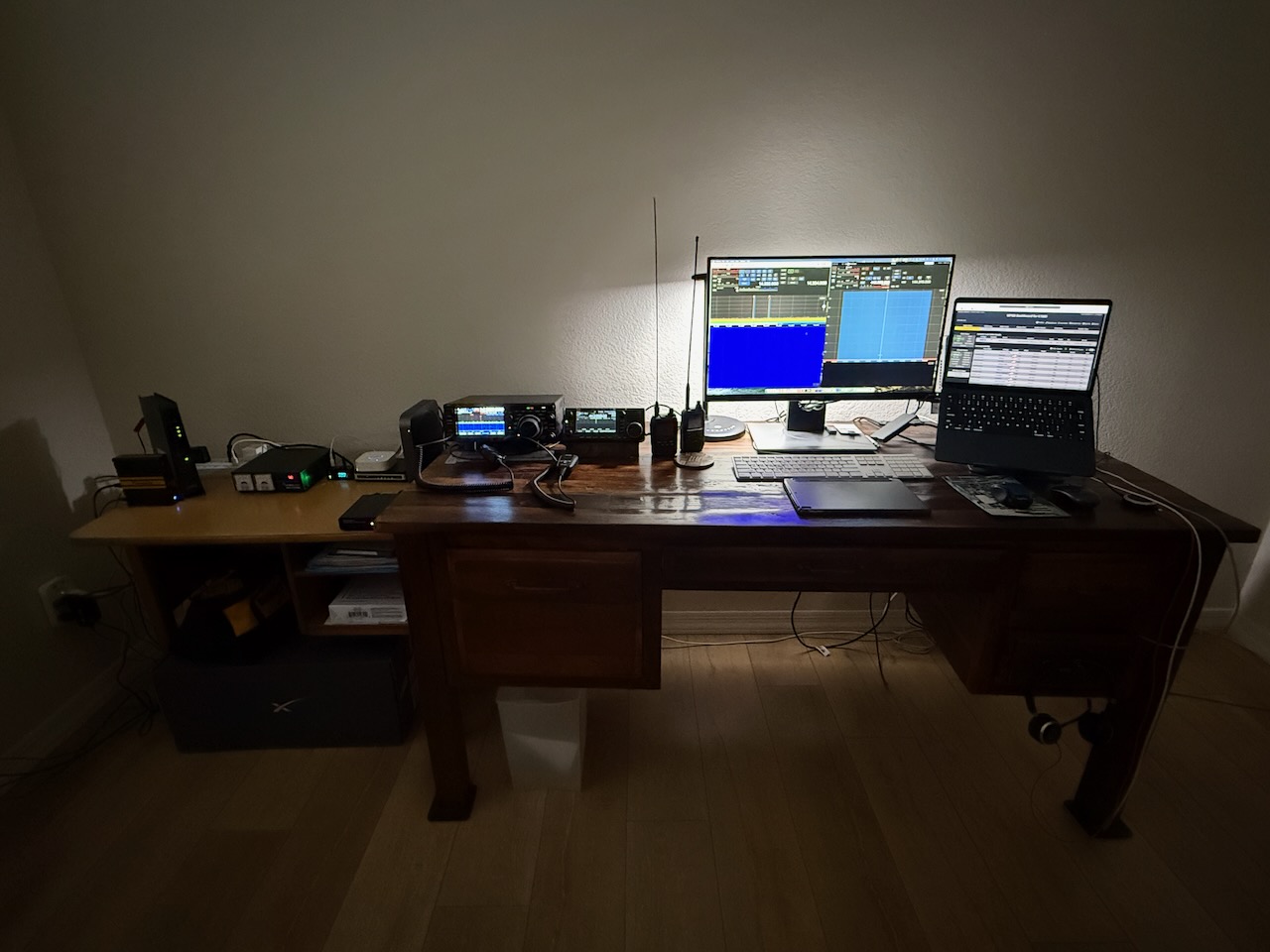
So, a few months ago my granddaughter wants to go "thrifting." We end up at a local Goodwill and in the bin with all of the network gear I see this device called a Firewalla. Looking it up with Google, I was definitely intrigued. It appeared to be a Firewall Gold and I saw that the USB dongle was present, but did it work? Plugging it in and using the app, everything seemed to be working. After forking of a grand total of $10.00 for the device and the power brick, I get the device home, plug it in and after about an hour, I have everything hooked up and running with the Firewalla in router mode and using Eero 6 for the wifi mesh. Amazing device. I am a ham radio operator and to do remote operation with my radios, I would have had to open ports on the firewall. I was never willing to do that. Now with the WireGuard VPN, I can connect to my home network and run the radios remotely whenever I am on the road (following FCC remote station rules of course).
My setup is very simple compared to some of the posts I have seen. But with the Firewalla device, I am able to achieve a very secure setup that I can tune with rules, monitor all network activity and perform remote radio operation without compromising security. Best $10 I ever spent.
First picture is the whole setup with remote radio software running. While this is from home, it would be the same from anywhere I have an internet connection.
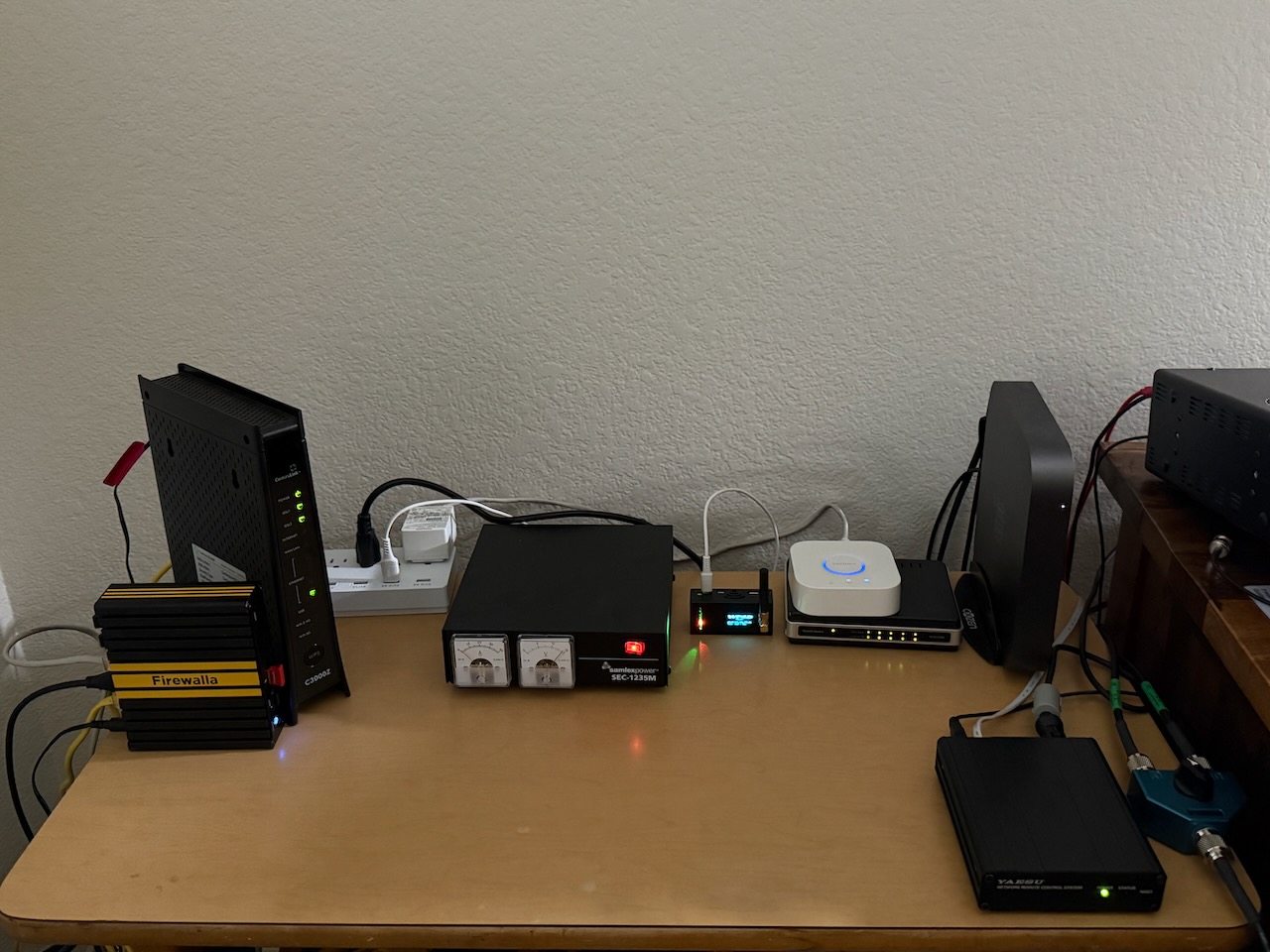
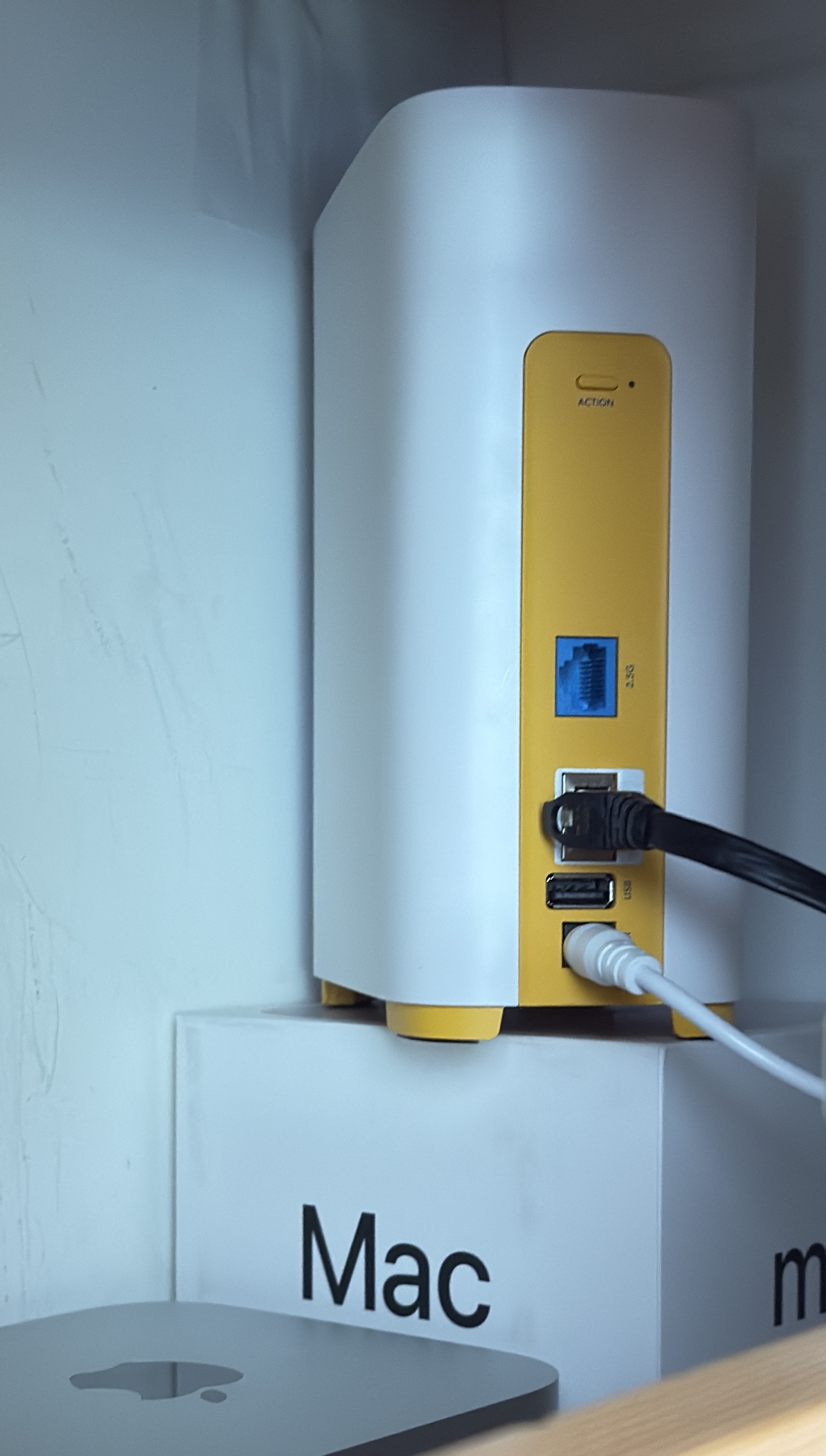
Second picture is the rather simple setup I have with the Firewalla Gold sitting on edge to maximize the cooling without a fan. The Mac Mini is a media server that I can also access from wherever I have internet.









Post is closed for comments.
Comments
152 comments