CONTEST: Show us your Firewalla setup! (2025)
Featured
UPDATE 8/11/2025: Contest closed! Thank you to everyone who participated and shared your unique setups! The Firewalla team is happy to announce the top submissions for the Firewalla Setup Contest 2025!
1st Place:
- Andy Camara https://help.firewalla.com/hc/en-us/community/posts/42589603312659-CONTEST-Show-us-your-Firewalla-setup-2025?page=3#community_comment_42710256813843
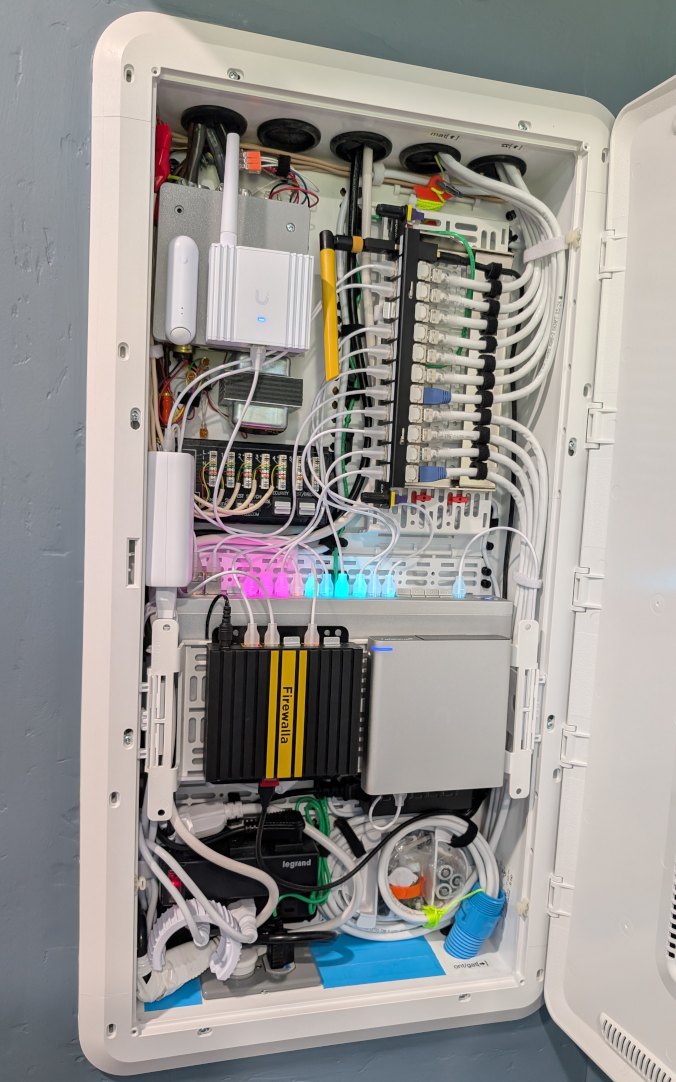
2nd Place:
- twiny2 https://help.firewalla.com/hc/en-us/community/posts/42589603312659-CONTEST-Show-us-your-Firewalla-setup-2025?page=3#community_comment_42677270637203
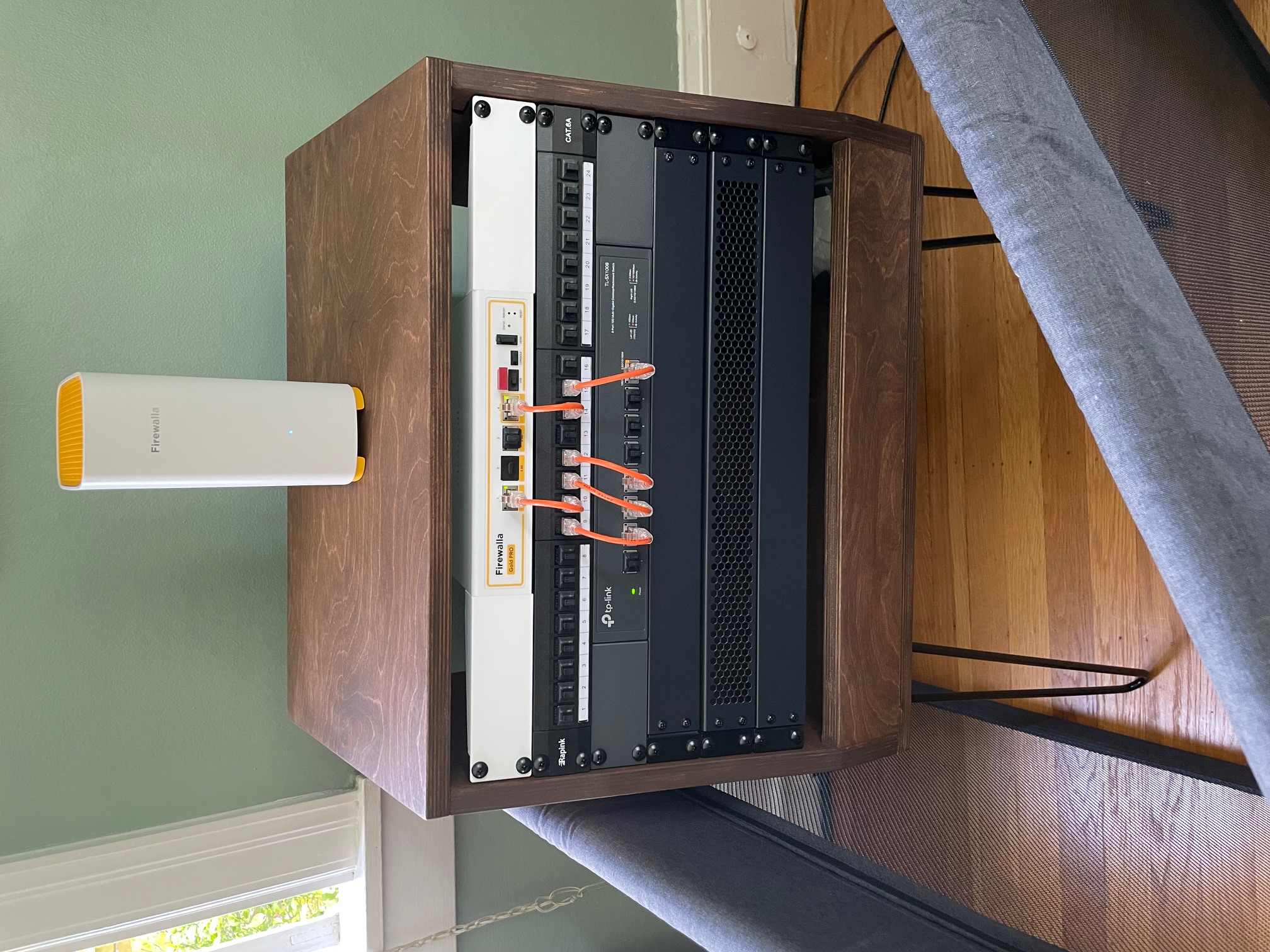
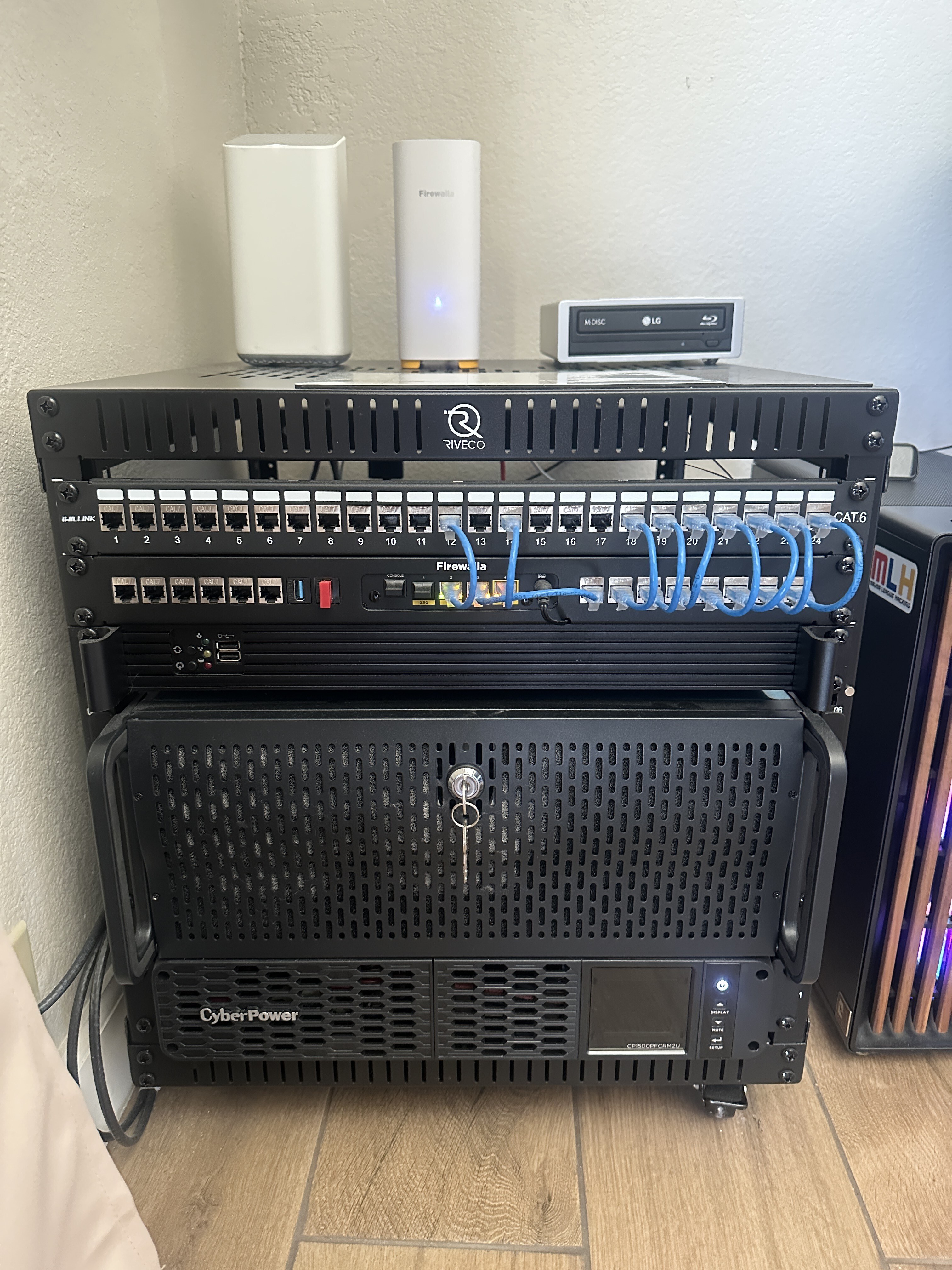
3rd Place:
- Gociu Mihai https://help.firewalla.com/hc/en-us/community/posts/42589603312659-CONTEST-Show-us-your-Firewalla-setup-2025?page=1#community_comment_42613941675795
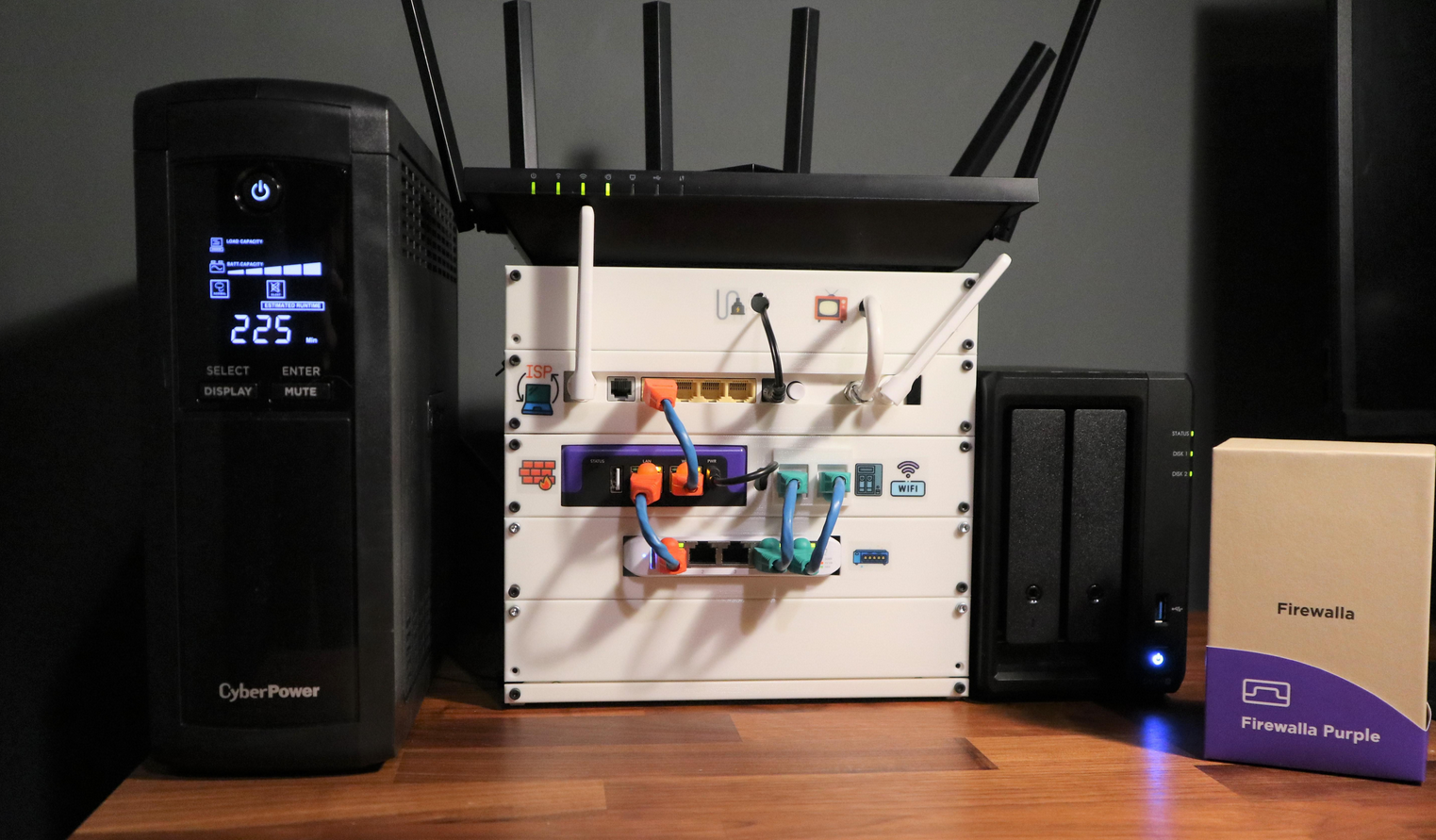
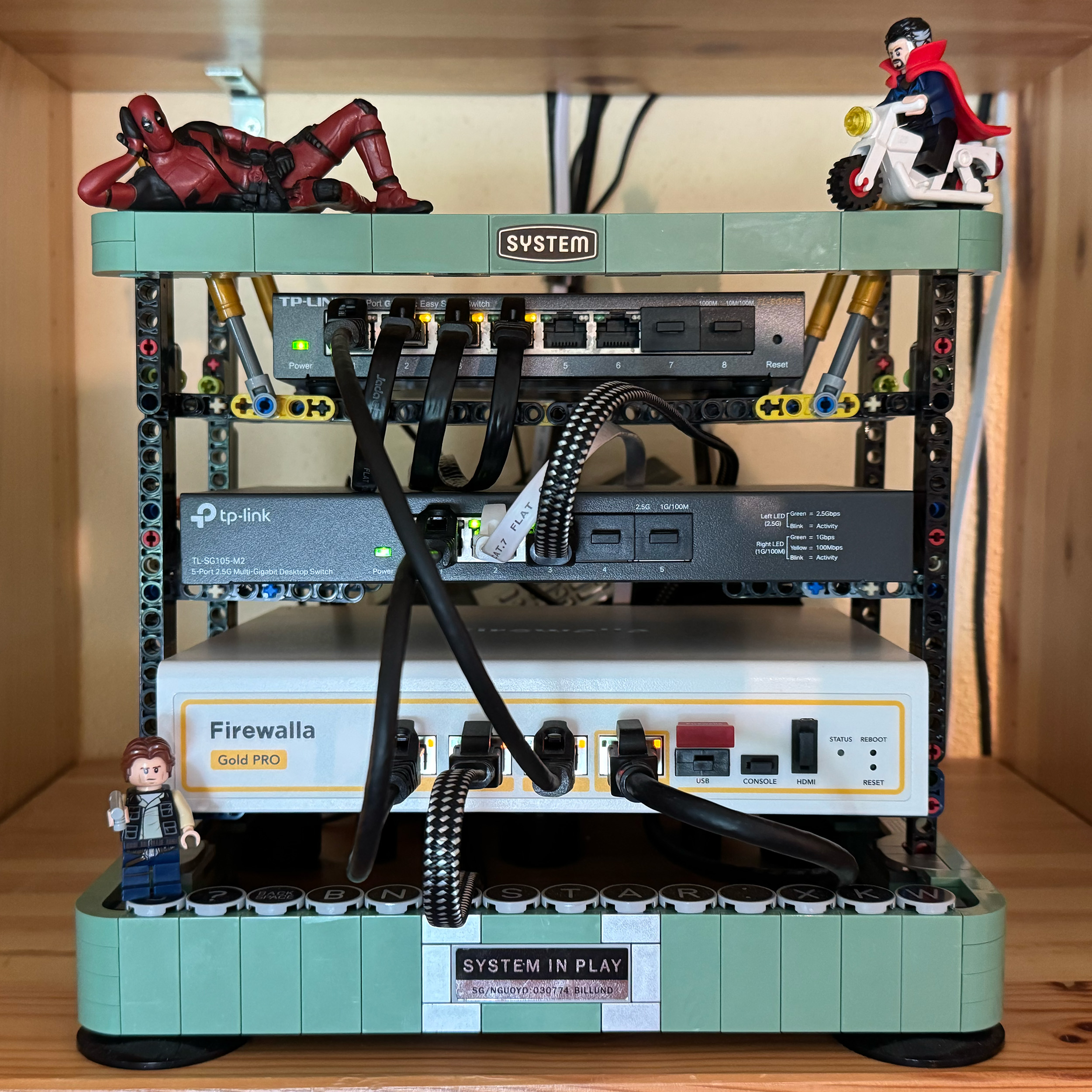
Winners have been contacted individually about their prizes.
---
We want to see how you’re using your Firewalla products! Whether you’ve placed them in a clever spot, built custom fittings, or just have an artistically messy setup…
Prizes:
- Grand Prize (1 winner): Firewalla Gold Plus + Gold Rack Mount + Wi-Fi SD
- Or 2 Firewalla AP7s instead (if based in the USA)
- Second Prize (2 winners): Firewalla Gold SE
- Or 1 Firewalla AP7 instead (if based in the USA)
- Third Prize (2 winners): Purple SE
Winners can choose alternate products of equal or lesser value. Top entries may be featured on our website and in Firewalla marketing materials!
How to Vote:
- Scroll down (there are multiple pages).
- Vote for your favorites by clicking the up arrow next to the comment (login required)

How to enter:
- Post a photo of your setup as a comment below (login required)
- Must include at least one Firewalla box.
- If you’ve entered a past Firewalla contest, please submit a new, original photo.
- If you're entering from a mobile device, you may need to request the desktop version of this site to see the option to add an image to your comment.
- We’ll also accept photos of a standalone AP7 Desktop or Ceiling if they are interesting!
- (Optional) Include a short paragraph describing your setup and one or two software features that made a difference.
Winner Selection:
- 10 finalists: 5 based on submission votes, and 5 chosen by the Firewalla team.
- Finalists will enter a final voting round through our communities.
- The top 5 submissions with the most votes will determine our winners.
- We have the right to remove submissions that don't meet the requirements or appear to have fraudulent votes.
Timing:
- Submissions & preliminary voting: June 30–July 15th, 2025
- Final voting round: July 21–July 31, 2025
- Winners will be announced and contacted via email starting on August 1, 2025.
Important:
- Please do not post any sensitive information. We reserve the right to remove unoriginal or offensive content.
- By entering, you agree to allow Firewalla to use your photos in future marketing materials (emails, articles, product pages, etc.)
- By posting or voting, you will automatically sign up for the Firewalla weekly newsletter; this is to notify you of voting times and winners.
- To keep contest entries clean, we will delete non-submission posts occasionally.
Check out our previous Firewalla contests for some inspiration!
- 2024: Show us your “lifestyle” Firewalla Contest https://help.firewalla.com/hc/en-us/community/posts/24294588856083-Show-us-your-lifestyle-Firewalla-Contest
- 2023: Show us your Network Rack and Win Big https://help.firewalla.com/hc/en-us/community/posts/18333572629267-Show-Us-Your-Network-Rack-and-Win-Big
-

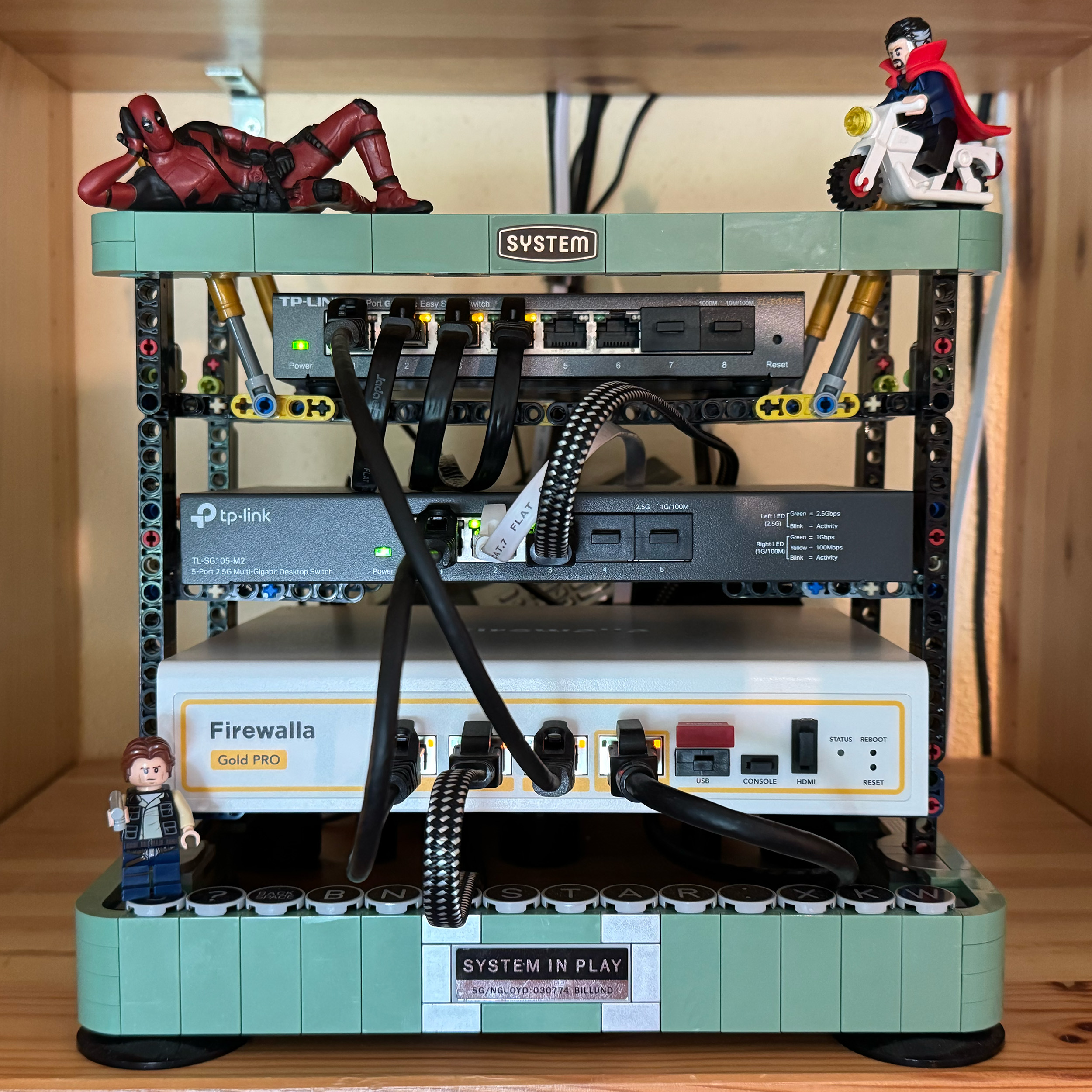
My setup is relatively simple:
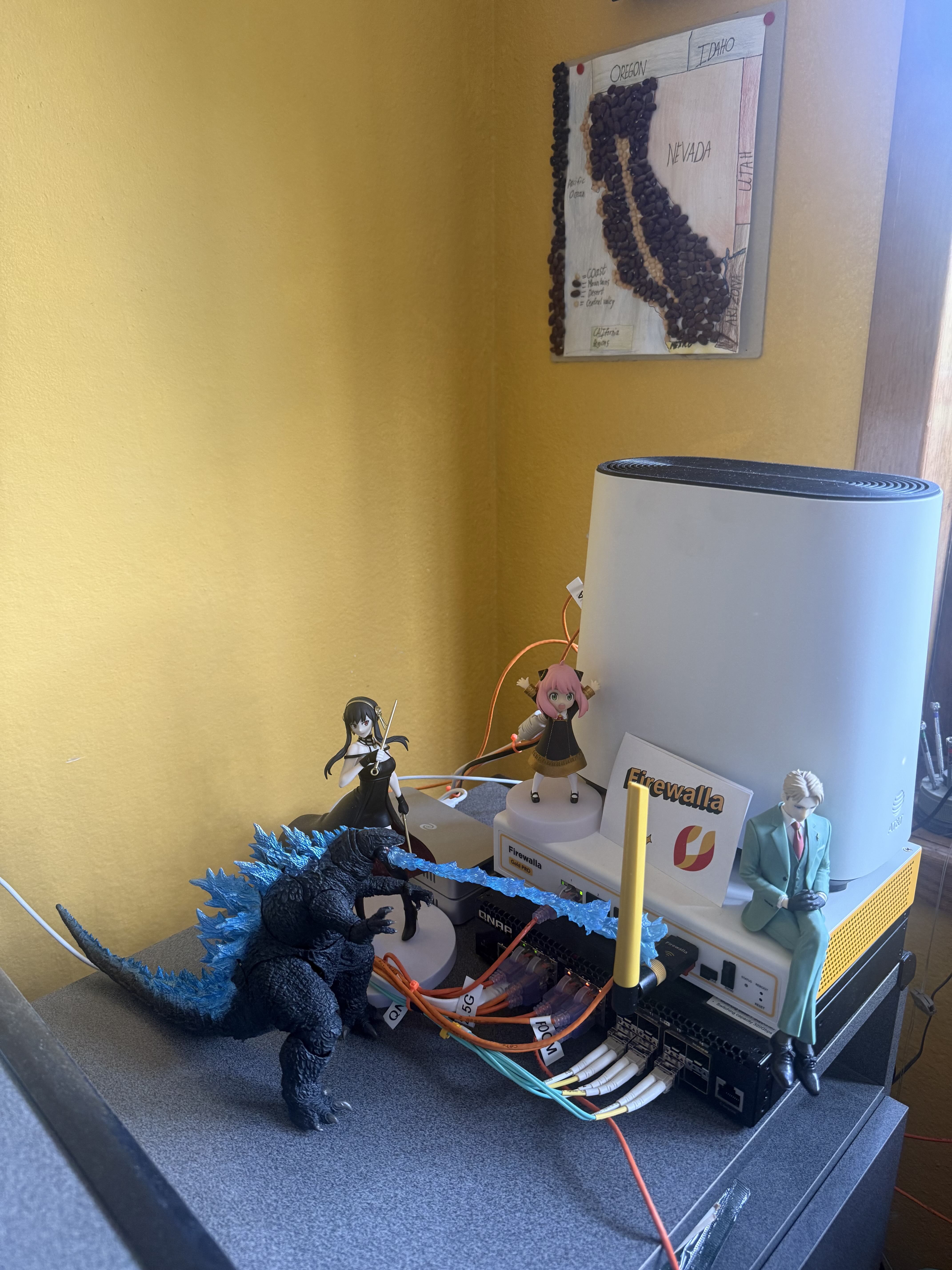
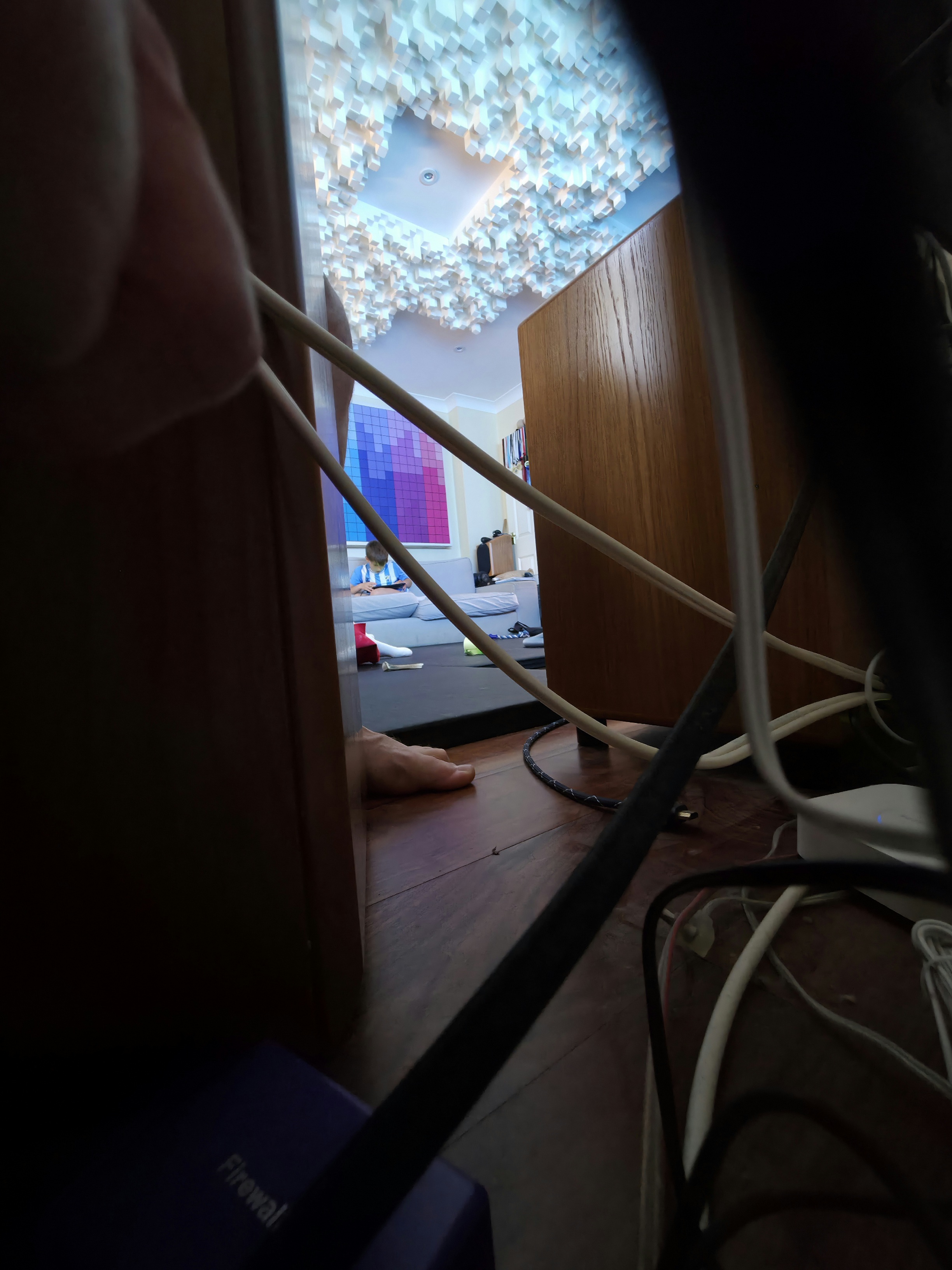
I have Godzilla breathe even more fire into my Firewalla.
I have Spy x Family make sure my family is ... well, not spied upon, but secured :)
And, I painted my walls the preferred color of the Firewalla team!
My AP7 is on the other end of my office.
AT&T BGW620-700 / 5Gbpe -> Gold Pro -> QNAP QSW-M3216R-8S8T-US Switch -> AP7
-

Small but mighty, Firewalla is the hub, the focal point, that everything else relies on and brings enterprise type features into your home. Love network segmentation, VPN, DNS over HTTPS, and parental control and much more.
Setup:
Firewalla Purple Router Mode
2 Netgear 16 port PoE+ managed switches
Unifi Cloud Key Gen2 Plus w/ 4TB WD Red SSD
4 PoE Unifi APs
4 PoE Unifi Cameras
2 PoE 5volt/gigabit splitters to convert IoT devices to PoE
Lutron Smart Hub Pro
MyQ Hub
Leviton Structured Media Cabinet
Leviton Patch Panel
Leviton Premium Amplified Coax Module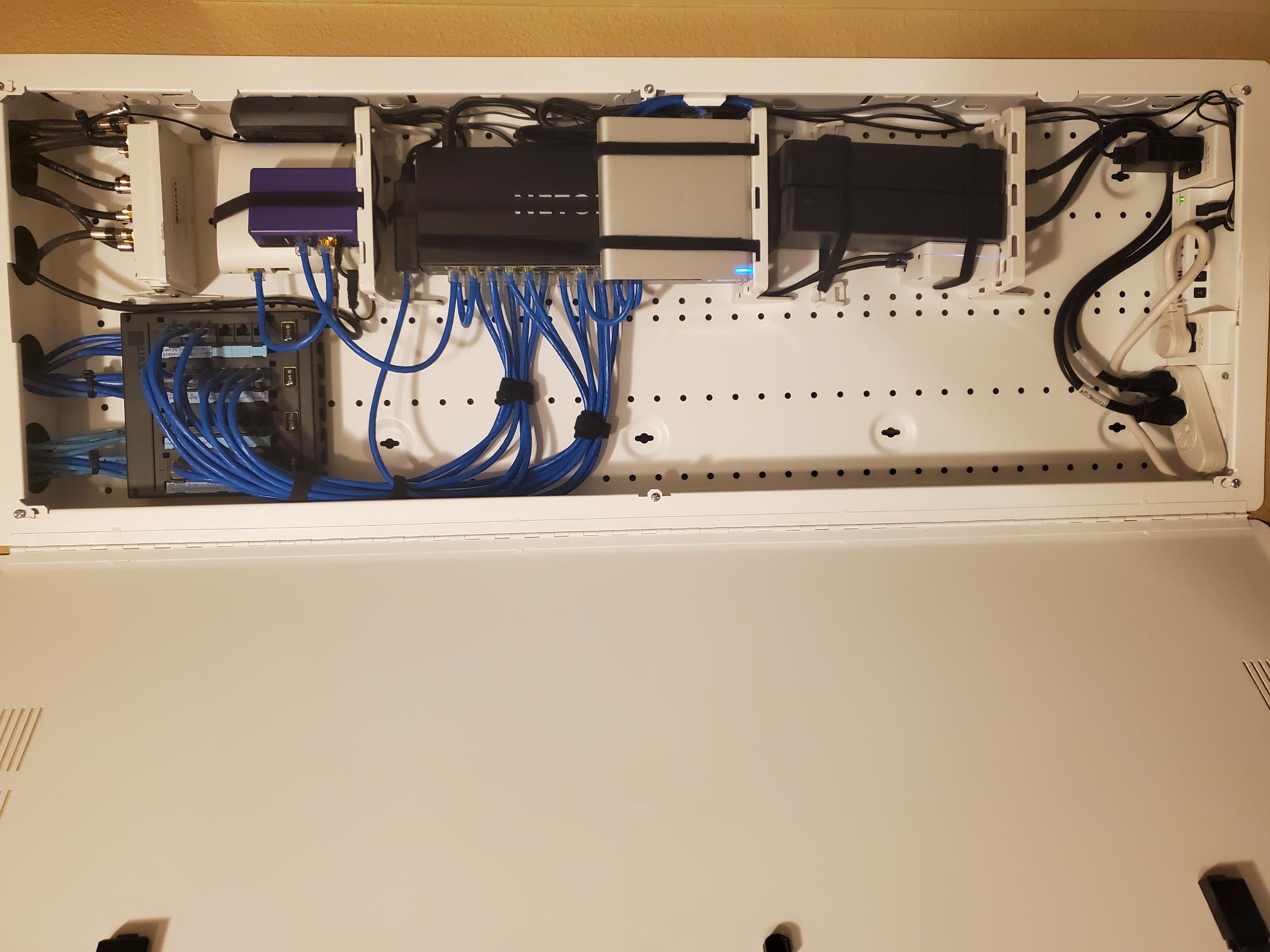
-

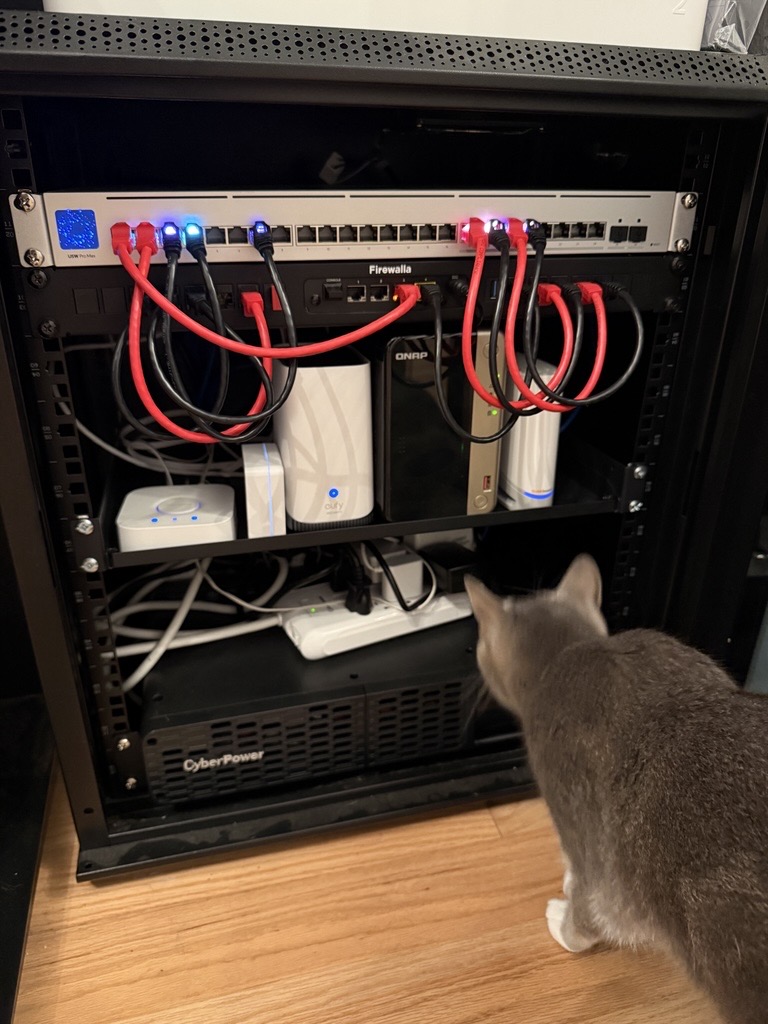
Here is my ever-changing setup being inspected by the local network engineer. I have a Firewalla Gold running to my Unifi Pro Max 24 PoE, a QNAP TS-264 and a handful of smart home hubs. I'm currently running both and Orbi and a Unifi U6 Enterprise that I would love to replace with an AP7. It's a pretty simple setup but I love it and it gets the job done!
-

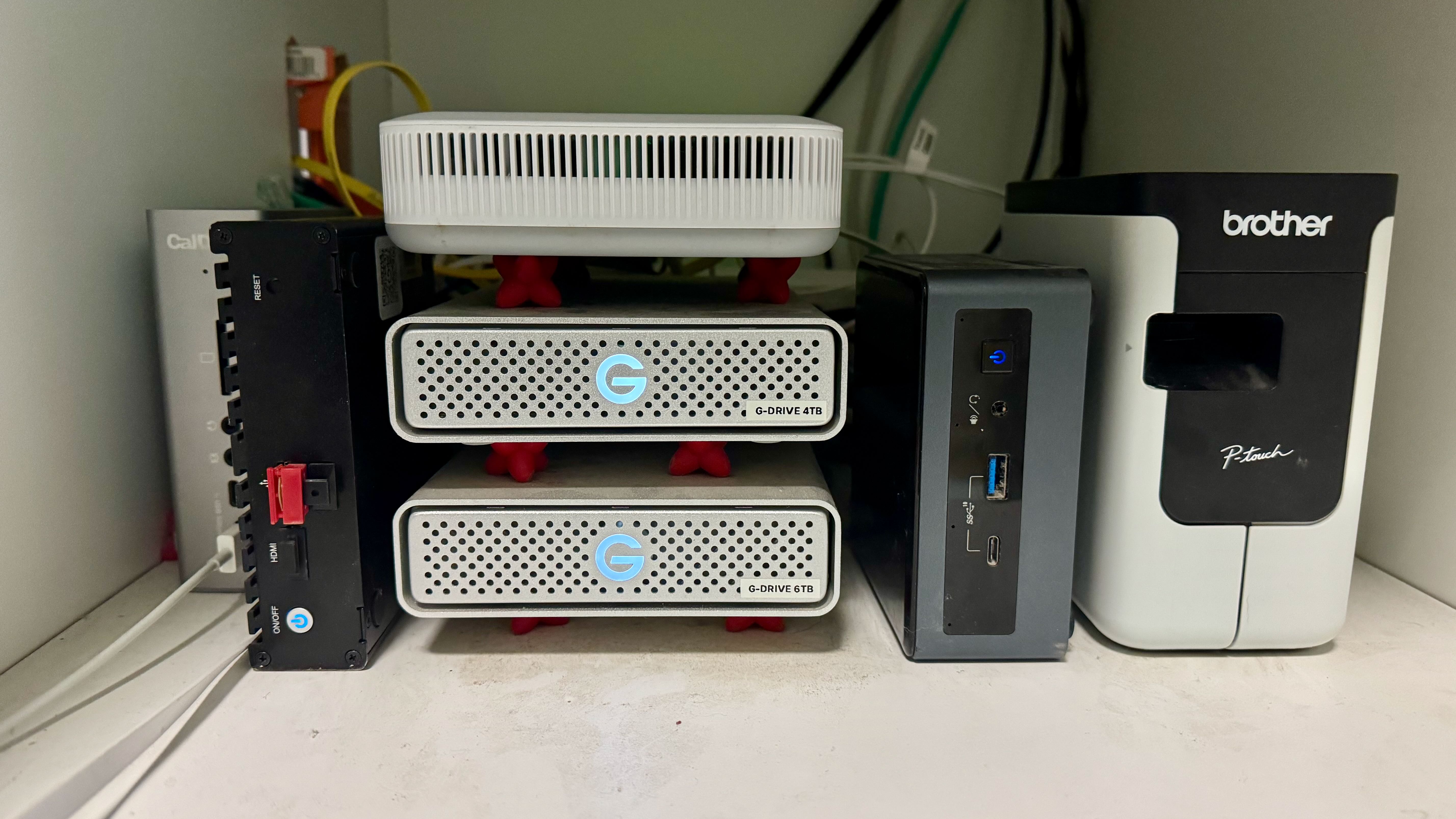
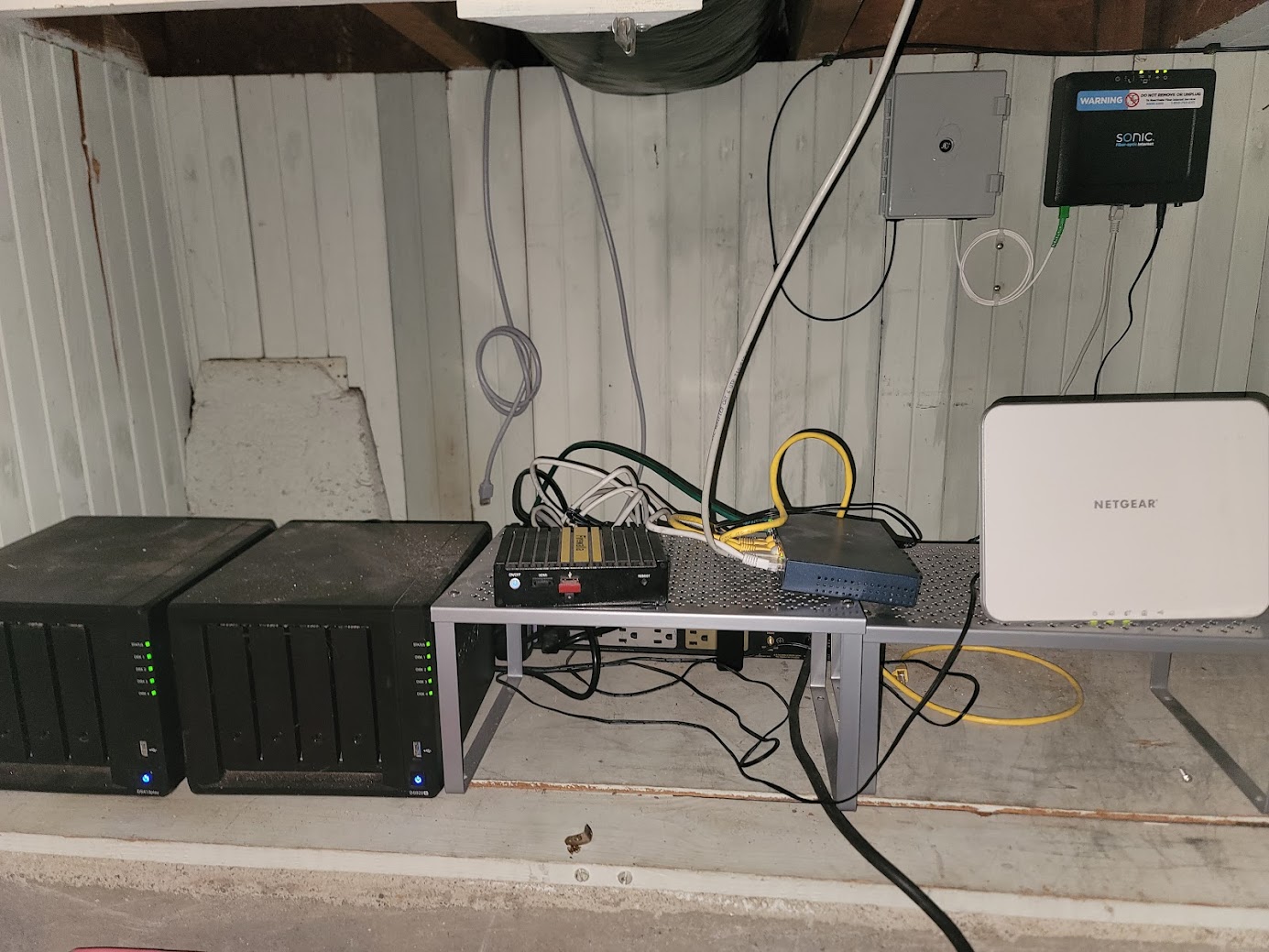
Firewalla Gold with (from left) CalDigit hub, stack consisting of GB Fiber Modem and two back up drives, ROON music server (Intel NUC10i3F running Linux), and Brother labeler. In addition to Fiber Modem, Firewalla ports include the ROON music server, EERO WiFi puck and Apple Studio computer.
-

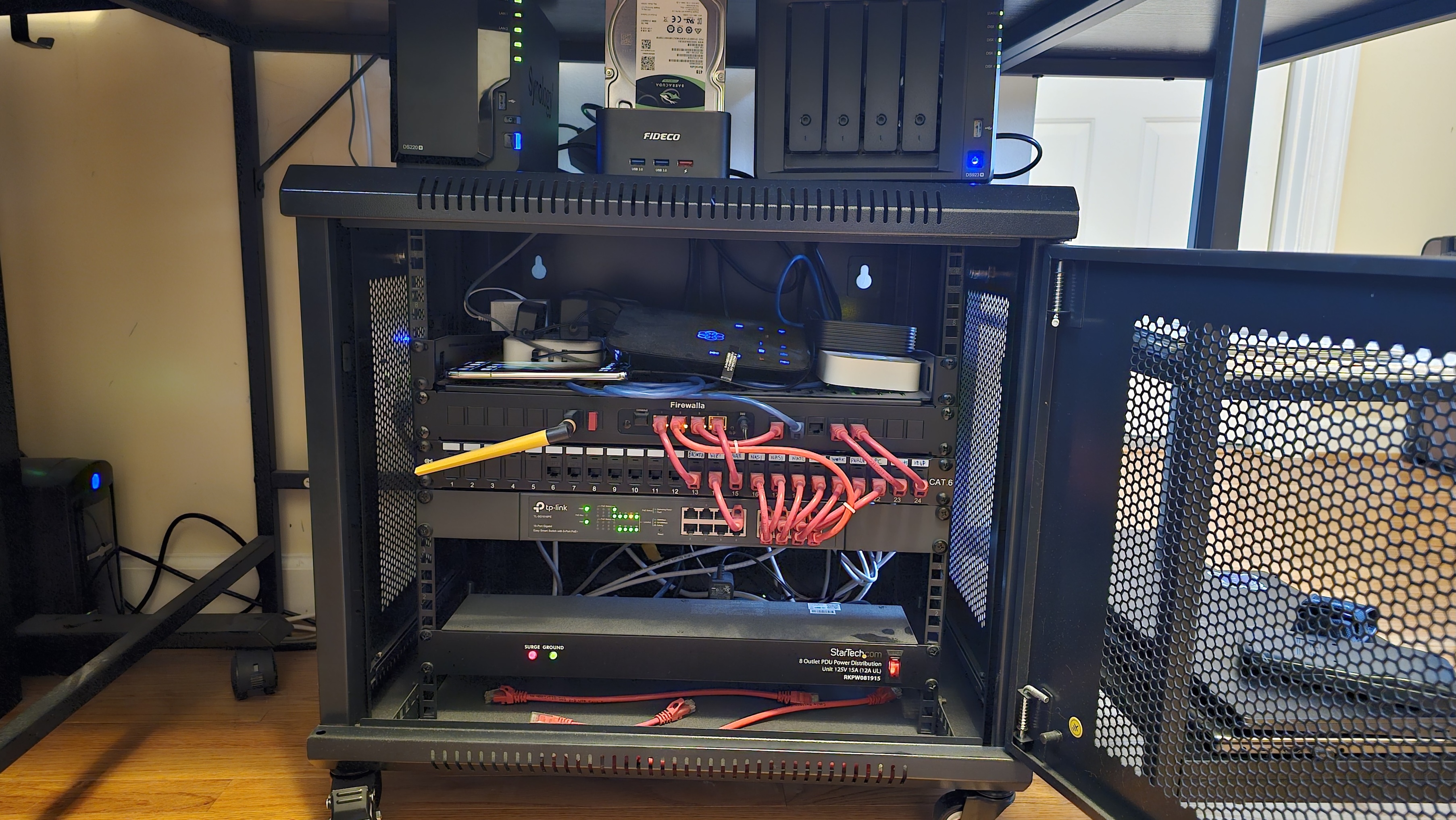
Already 35 posts that are a million times better! But what I like about my setup is that it is compact, all fits under my desk and out of my wife's visual field (big bonus points here) and has Dual WAN failover.
Features:
- Rack mounted OG Firewalla Gold as Router (Google Fiber as Primary ISP).
- Dual WAN Failover; see the S21 Ultra cell phone in my rack? That's my secondary ISP (Google Fi AKA TMobile 5G Hotspot). Has been battle tested and works great; streaming video in HD to TV's in the house while I work from home on Teams calls without a hiccup!
- WiFi 6 is TP Link Omada EAP's mesh running off the TPLink Managed PoE switch below, controller is all docker containers running in Synology Container Manager (the 2x NAS just above the network rack case). Great signal / coverage around the entire house and out in the yard / street, no deadzones here!
- Not seen in the pic unless you look really hard: Home Assistant automation platform (Docker), Vaultwarden (Docker / Rust flavor of Bitwarden) and the OC200 controller (Docker as noted above).
- Leasing out space in my colo if interested! :)
-

Having moved before and leaving behind a messy hole in the wall with cables coming out of it, I wanted a setup that was clear with the "stays with the house" and "stays with me" demarcation. While making it visually easy to read.
Setup features dual WAN AT&T DSL and Starlink (and an inactive ONT while waiting on service to be deployed in the area), fed into a Firewalla Gold and from there into an Ubiquiti US8-150W connecting a couple dated Ruckus APs and a few PoE-powered Ubiquiti switches.
Below this is another, smaller cab containing power-supplies and a battery-backup.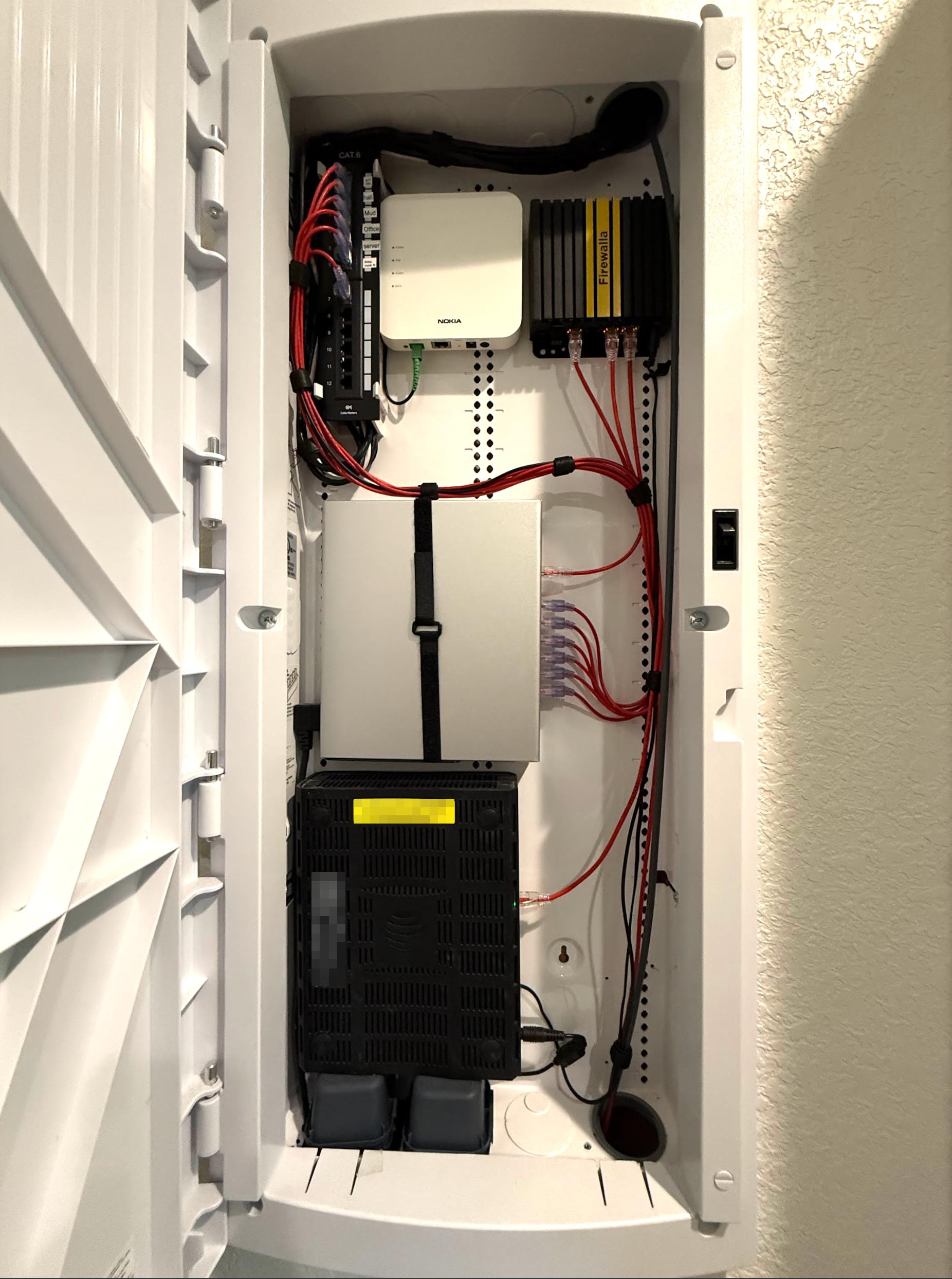
-

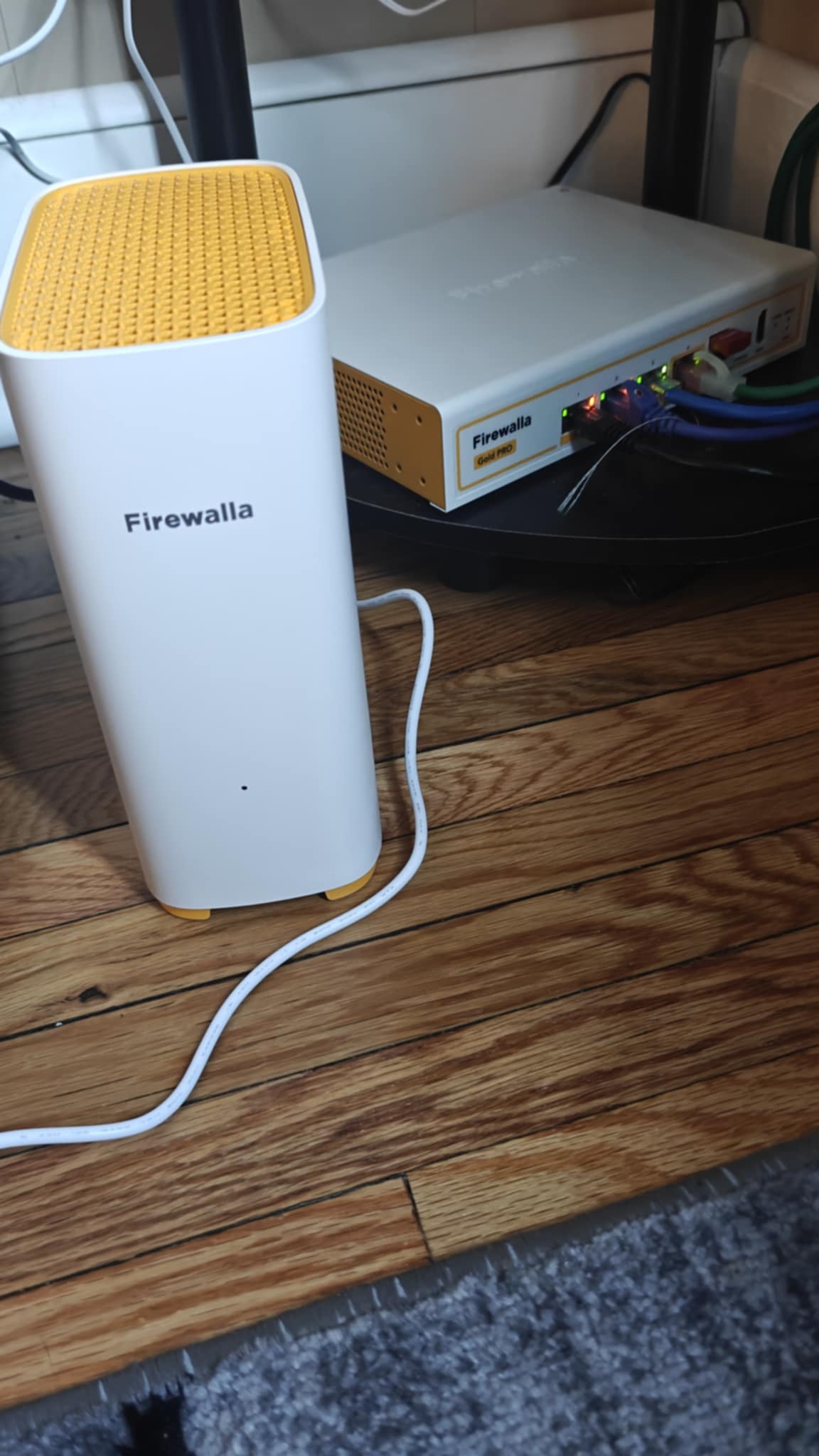
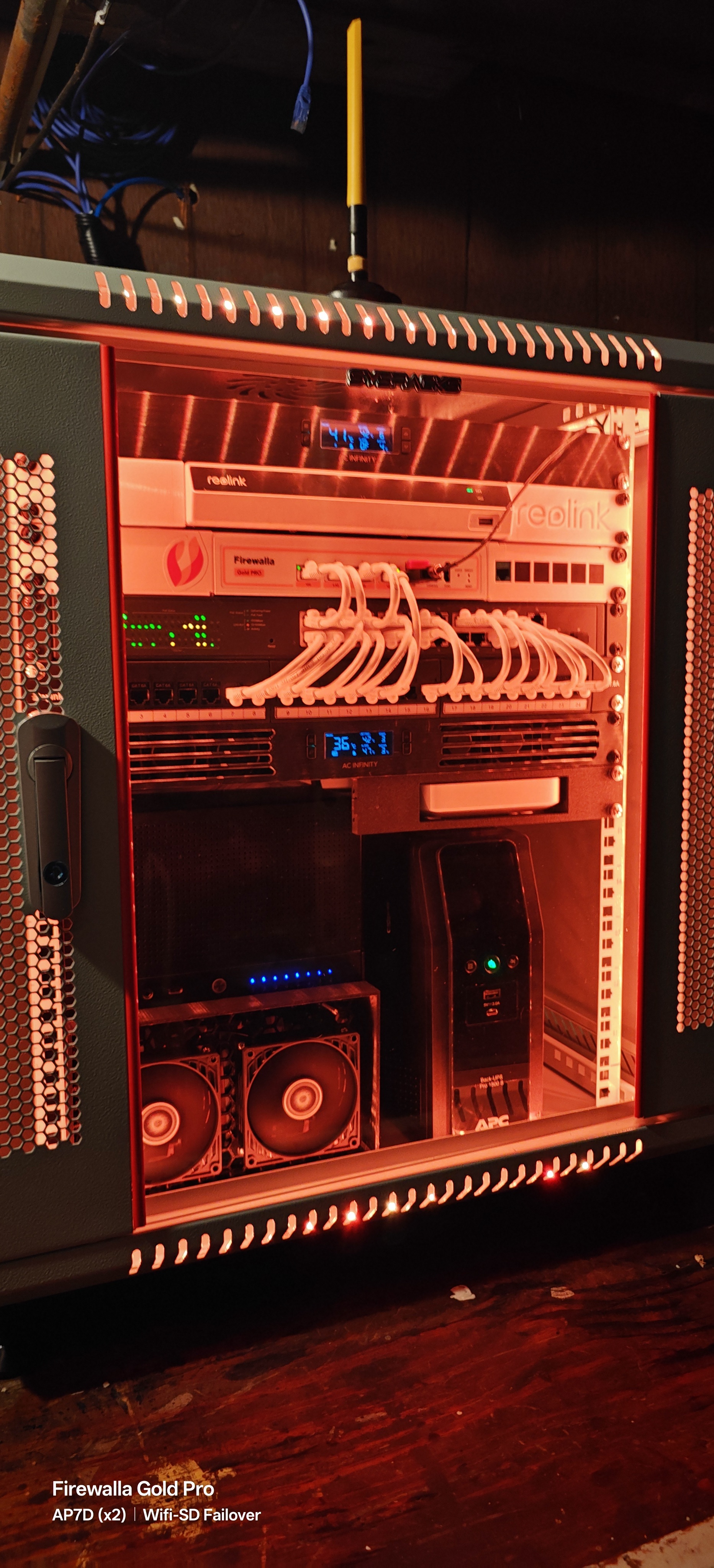
Discovered Firewalla in Dec2024 after starting a small homelab as a hobby and while researching ways to manage the internet for all the kids in the house. You will see where I started this journey and what it has currently become. This is both a symbol and a reminder that you can start with nothing and turn it into something. All you need is enough time, dedication, and drive, oh and uhhh ... Lots of overtime hours to pay for it. In regards to features, love having the ability to checkup on the kids internet traffic and all the other parental controls. They have already tried circumventing this with VPNS and so the block VPN feature has been absolutely paramount. Ive also implemented the individual password feature that places devices within a specific VLAN based upon the password. This has got to be, by far, one of the best features of Firewalla and I use it for absolutely everything. Running Firewalla Gold Pro with wifi-sd for failover. Use x2 AP7d over ethernet backhaul for wifi. Still have some dead spots with wifi and so it will continue expanding in the future! Including an imgur link if you want to see a couple vids of the lighting effects inside the rack. https://imgur.com/a/XrvRn9H
**Edited for grammar**
-

Went for a clean look on my last redesign of my home rack. Solved an overheating problem as well as hid all of the wire runs while setting up the Gold for 2 ISPs. Its is a bit of an overkill honestly, but boy am I happy with the performance and the look of it. Even if it is hidden in my utility room.
Front:
AC Infinity Cooling Fan
Home Theater Direct (HTD) Whole Home Audio Controller
HTD Amplifier
Firewalla Gold
2x 48 Port Patch Panels (Home to Rack connections)
Synology RS820+
Synology RS814
Shelf for Omada Controller & 2x Phillips Hue Controllers
2x UPS
AC Infinity Cooling Fan IntakeBack:
2x Power Strips
2x Omada 24-Port POE Managed Switches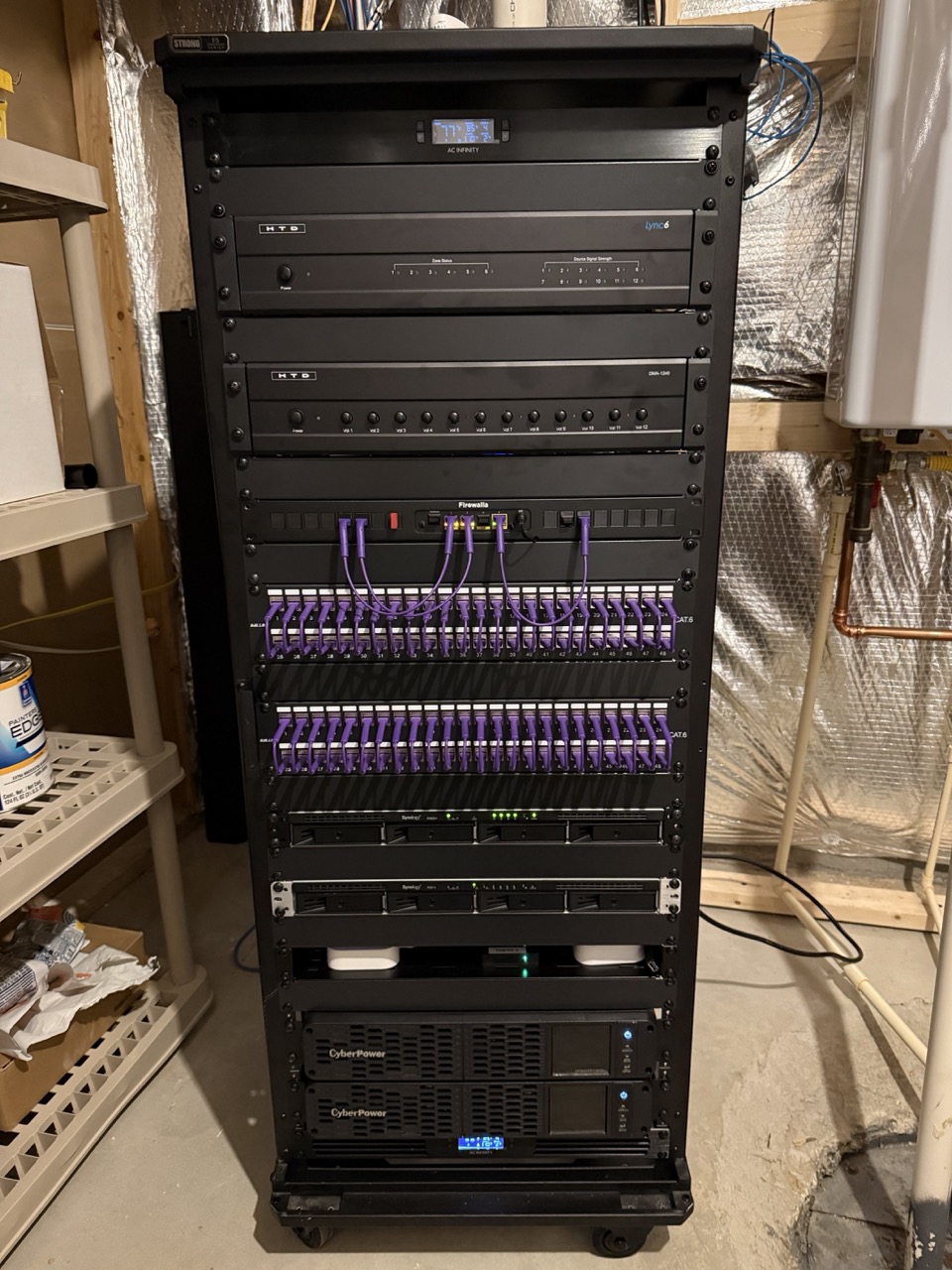
-

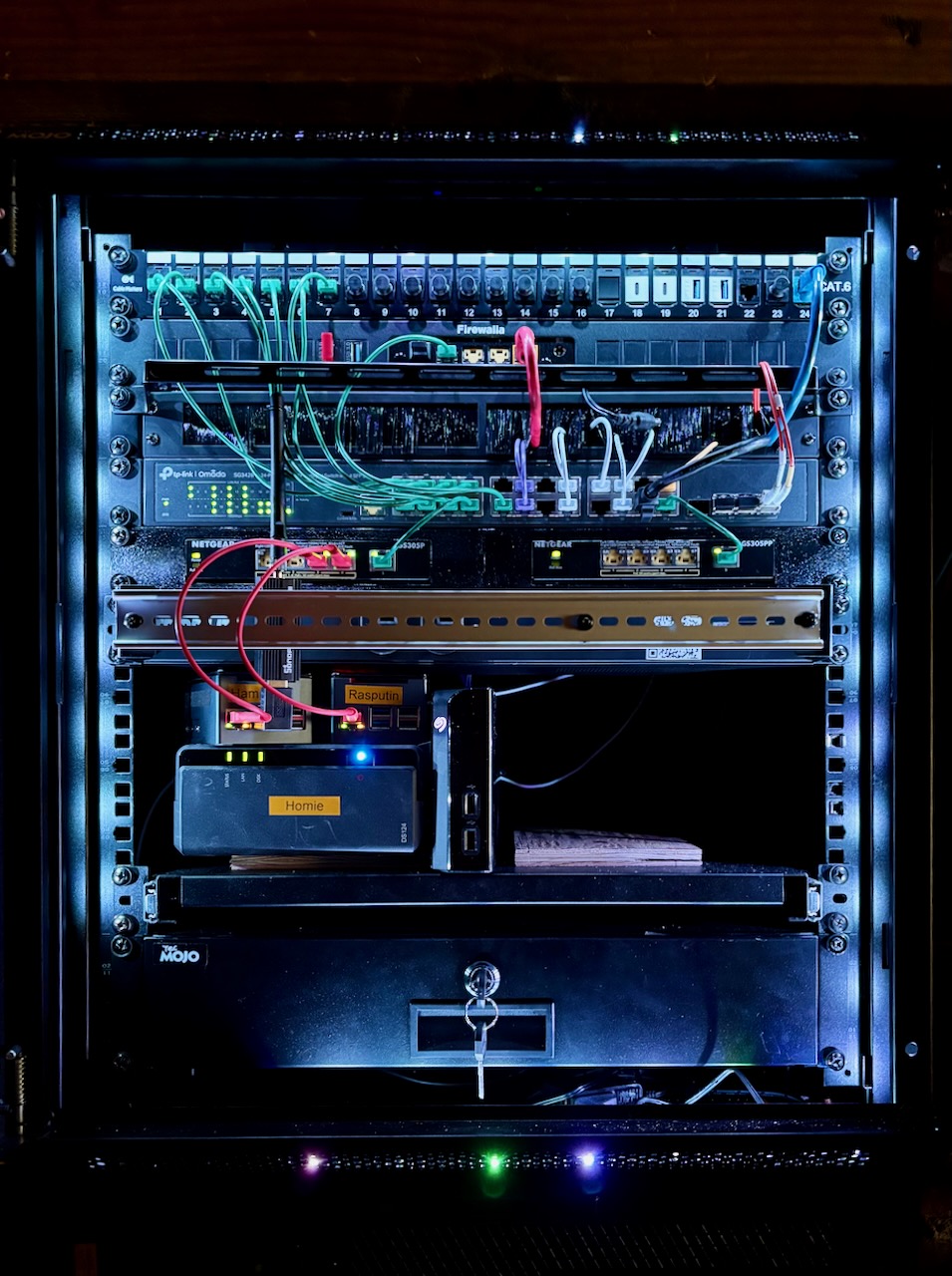
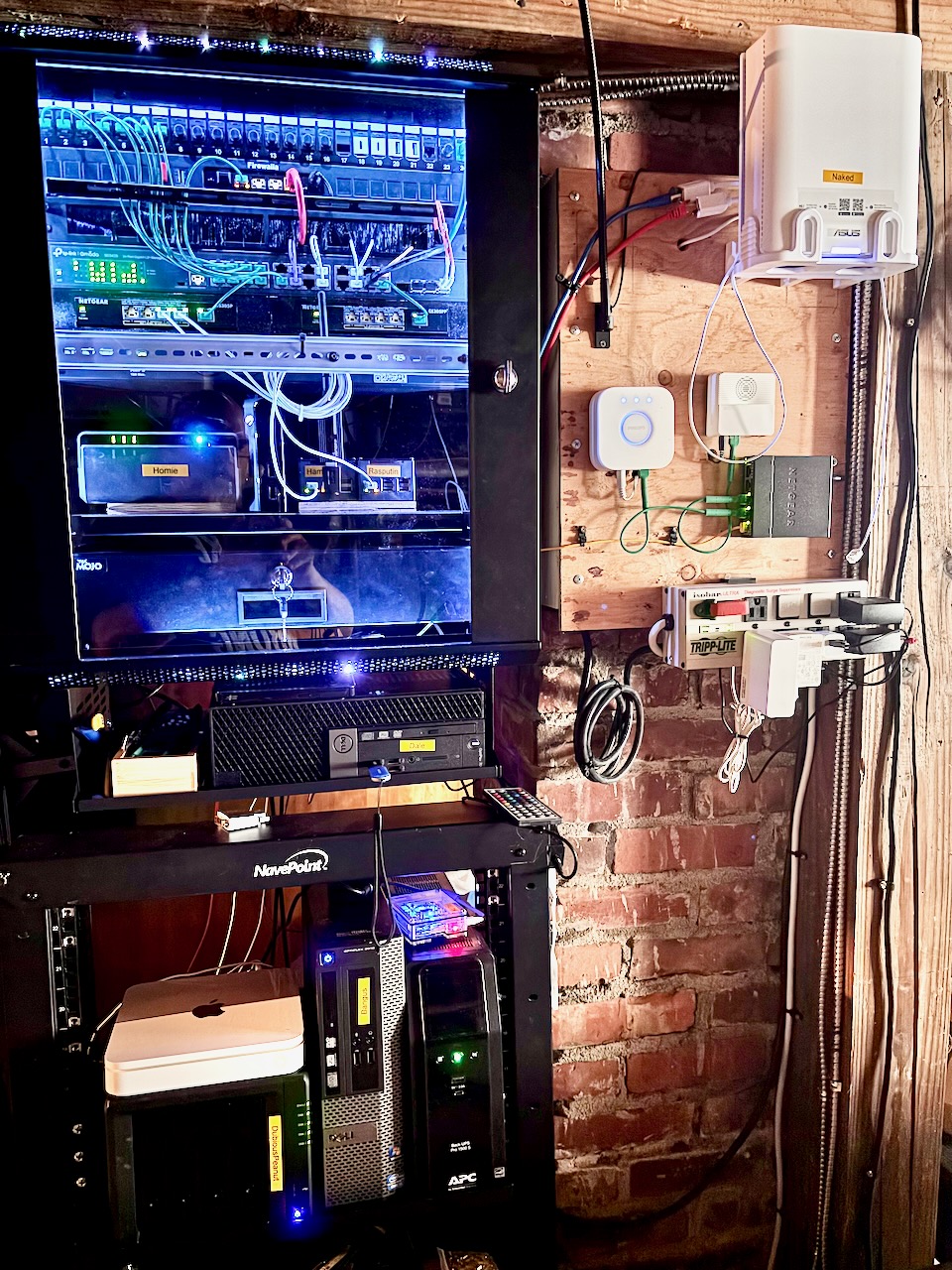
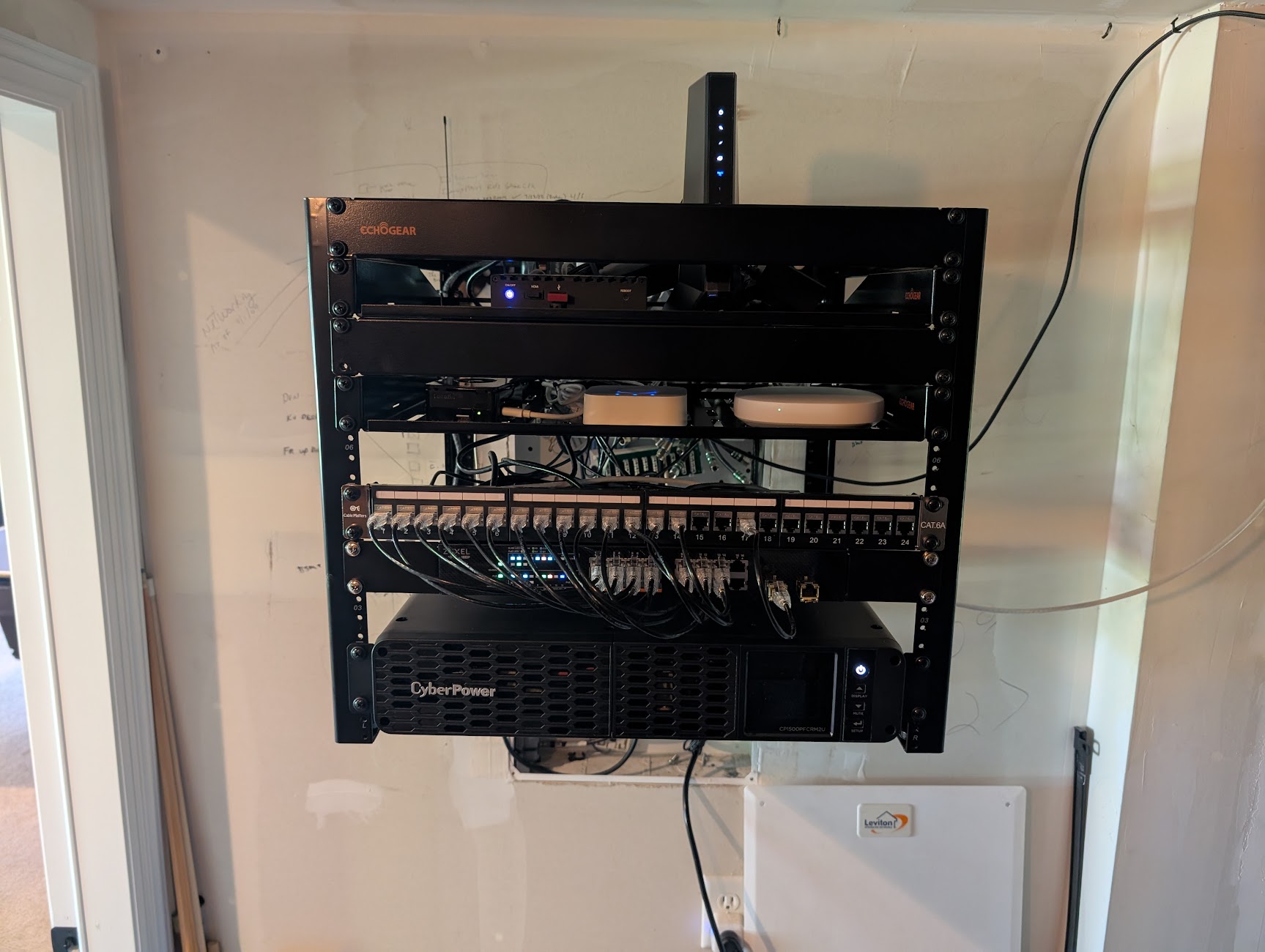
Still a work in progress but almost everything is up and running on my home network! Of course my Firewalla is the centre piece! Firewalla Gold Plus with rack mount.
Edit: a rundown (from top to bottom):
- Cable Matters patch panel
- Firewalla Gold Plus in Firewalla rack currently in DHCP mode but will be configured for router mode as soon as my wife gets off her computer!
- TP-Link TL-SG3428 managed switch
- Netgear GS305P 63w PoE
- 2 Raspberry Pies running homeassistant and Pihole off of PoE
- Netgear GS305PP 83w PoE (will run PoE cameras in the future)
- Synology DS124 w/8tb WD red for home backup with Seagate external HD
- Generic rack drawer for rack doo-dads
- Dell Optiplex 7060 download server with Windows 11 running Servarr clients
- RPi running N.U.T. managing (on top of) APC 1500VA Sine Wave battery backup
- Dell Optiplex (something something) running Windows 10 for shits and giggles
- Synology DS 923+ 64tb Plex server (yea, way over kill) with a Time Capsule because I don't have the heart to toss this big beautiful marshmallow!
Back to the top (right):
- Asus ZenWifi BE30000 plus 2 nodes (2gb up/down)
- Phillips Hue Hub
- TP-Link Tapo Home Hub/door bell chime. I run wifi 6 cameras (5 are battery powered with solar charging),
- Netgear GS305 switch.
- There are a lot of other IoT around the house too exhaustive to list here. But both my wife and I have home offices. She runs a Windows work computer while I run a Macbook Pro. I also have a laptop running Ubuntu for testing. I'm a school bus driver and this is all hobby!
-

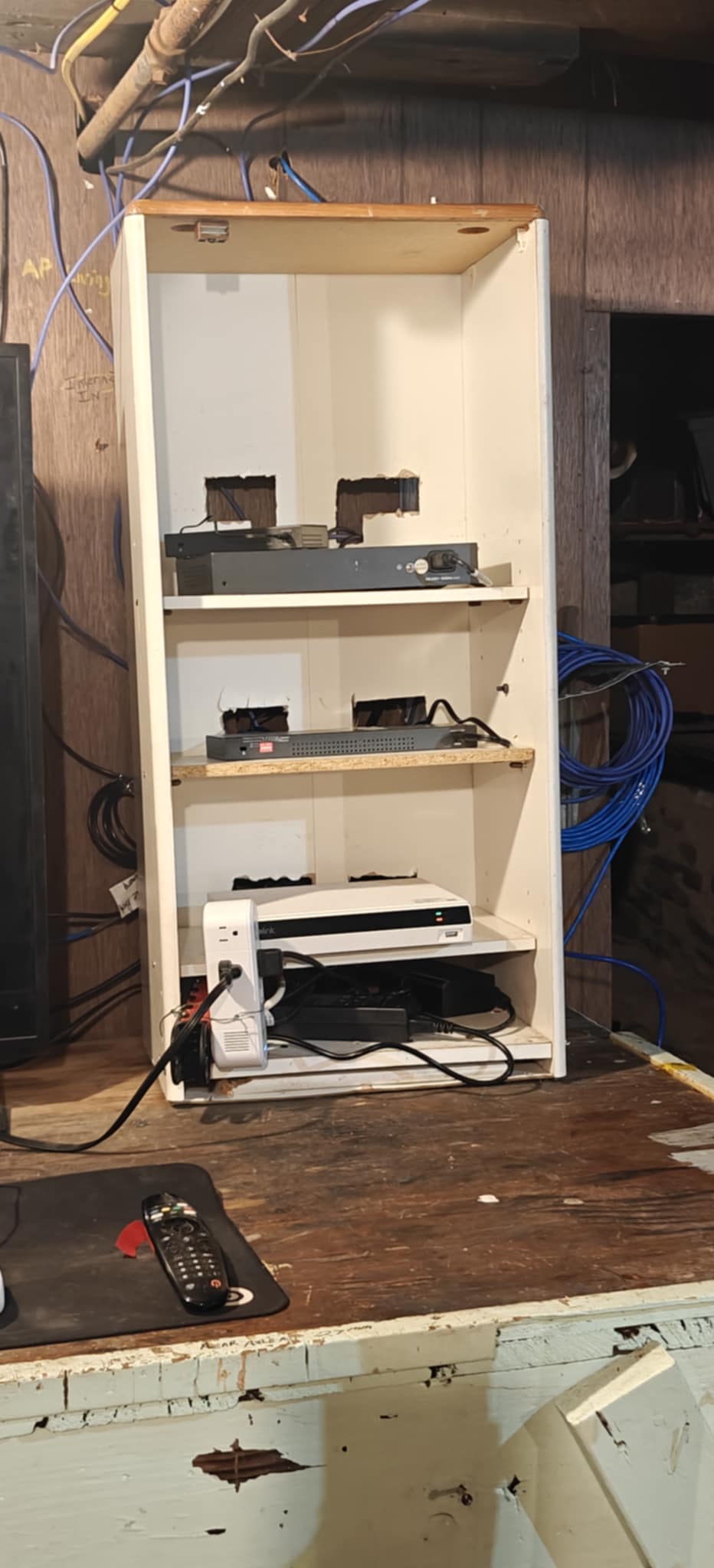
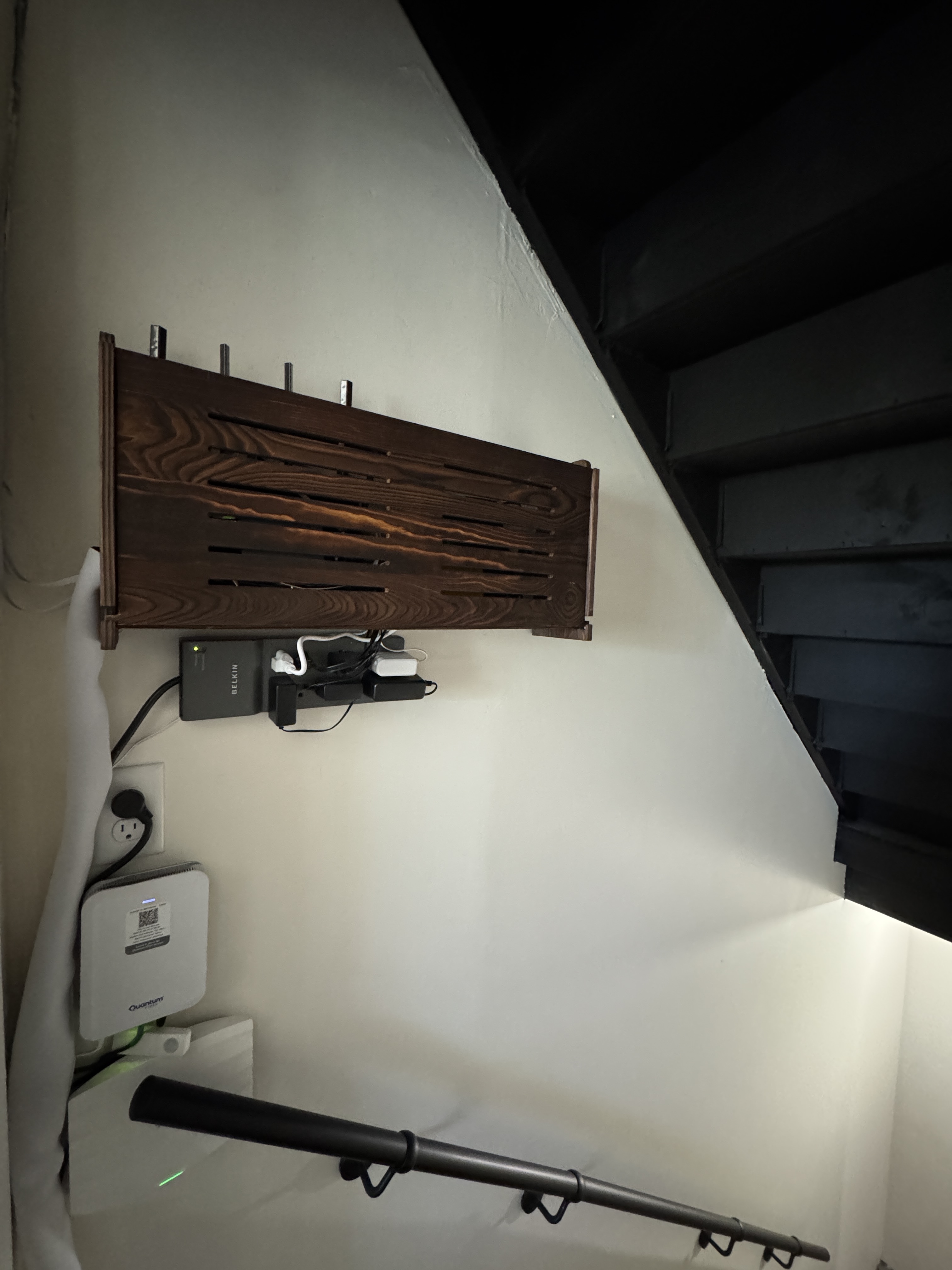
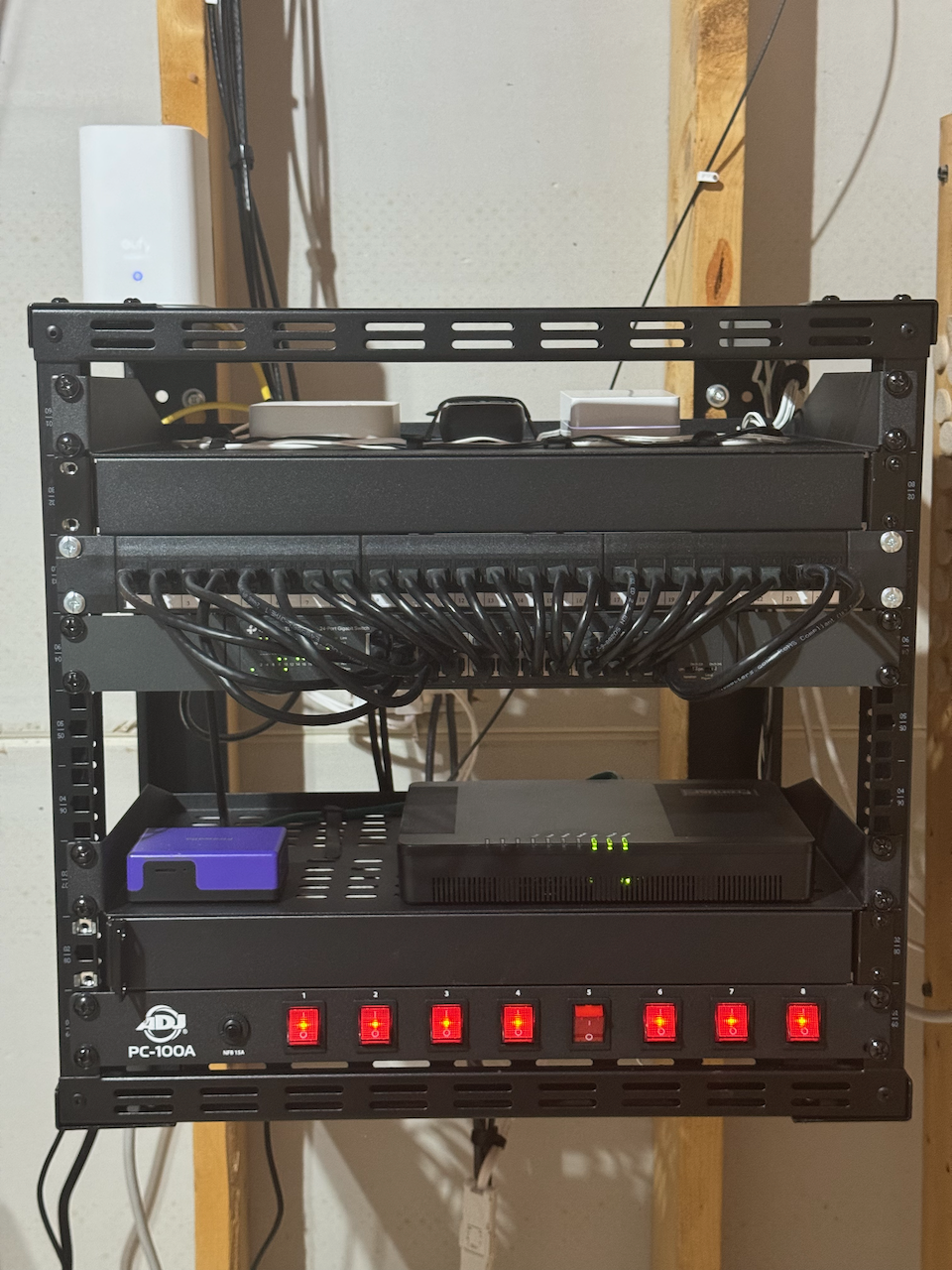
Here's my attempt to keep it simple stupid. I wanted to keep it accessible but also out of the way with a small footprint, and I think I accomplished just that. This is central to my home, and houses everything network related in one place.
The wall shelf was harder to find than expected, I ended up with this one.
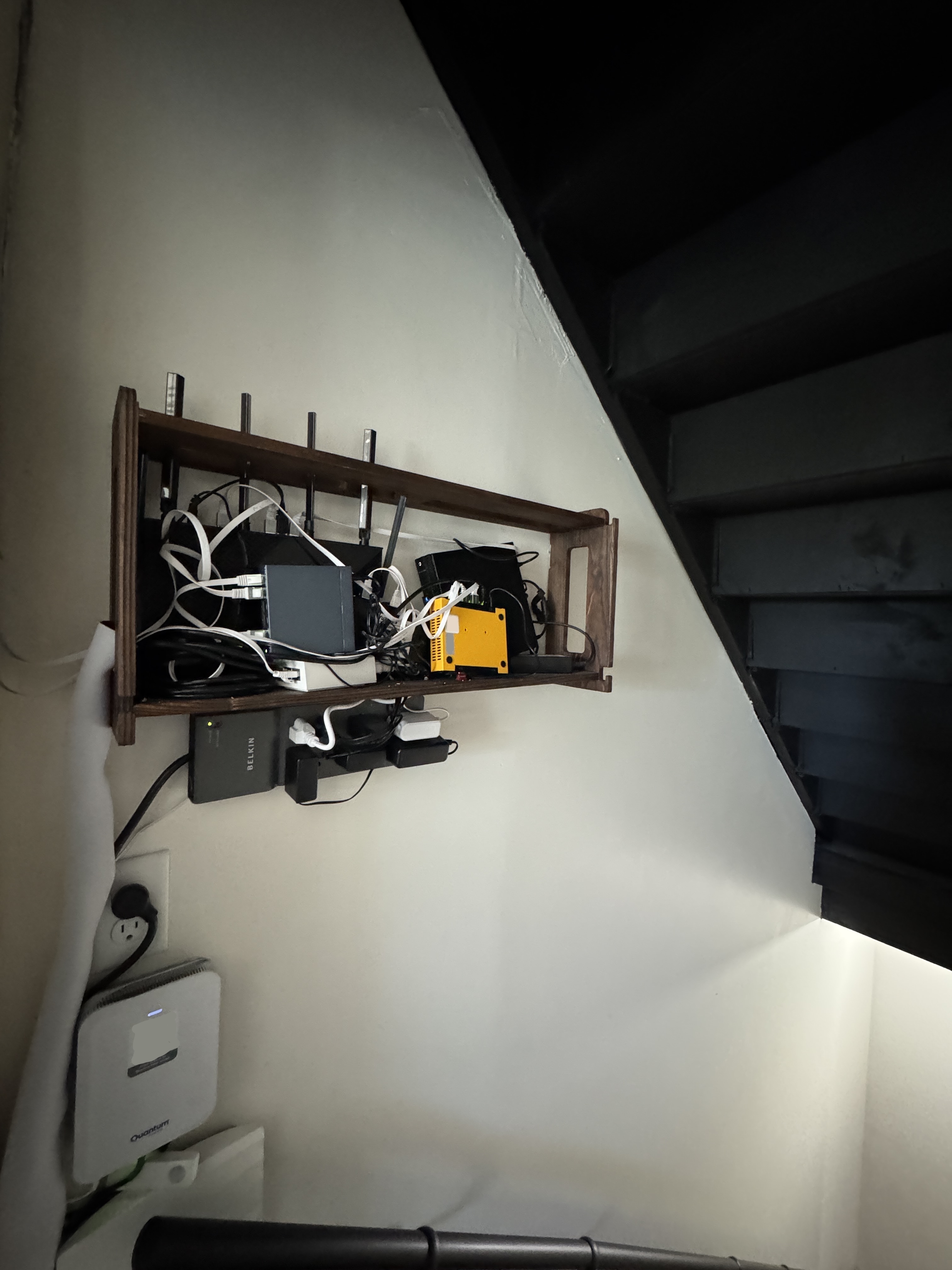
Everything else was just thrown in there to preserve my sanity, and it hides the mess well. Inside there is a TP-Link AX5400 running as my personal network's AP
A small 5 port switch for my IoT vlan
A little POE injector that powers my below IoT AP
My Firewalla Gold SE
And a Dell micro PC running my home assistant server OS, which is also running some extras like Scrypted.
Lastly, the cable modem between my shelf and my AP is there because my fiber company graciously gave me a free 50ft cable when I asked, so I ran it from my outer wall to my central basement staircase.I love the easy region blocking firewalla offers. I know it's not gonna cover everything, but it's already done plenty on my year of ownership.
All in all I'm really happy with my step and Firewalla, and only have a little bit better cable management to do when I've got time, which will probably be never. Cheers everyone!
-

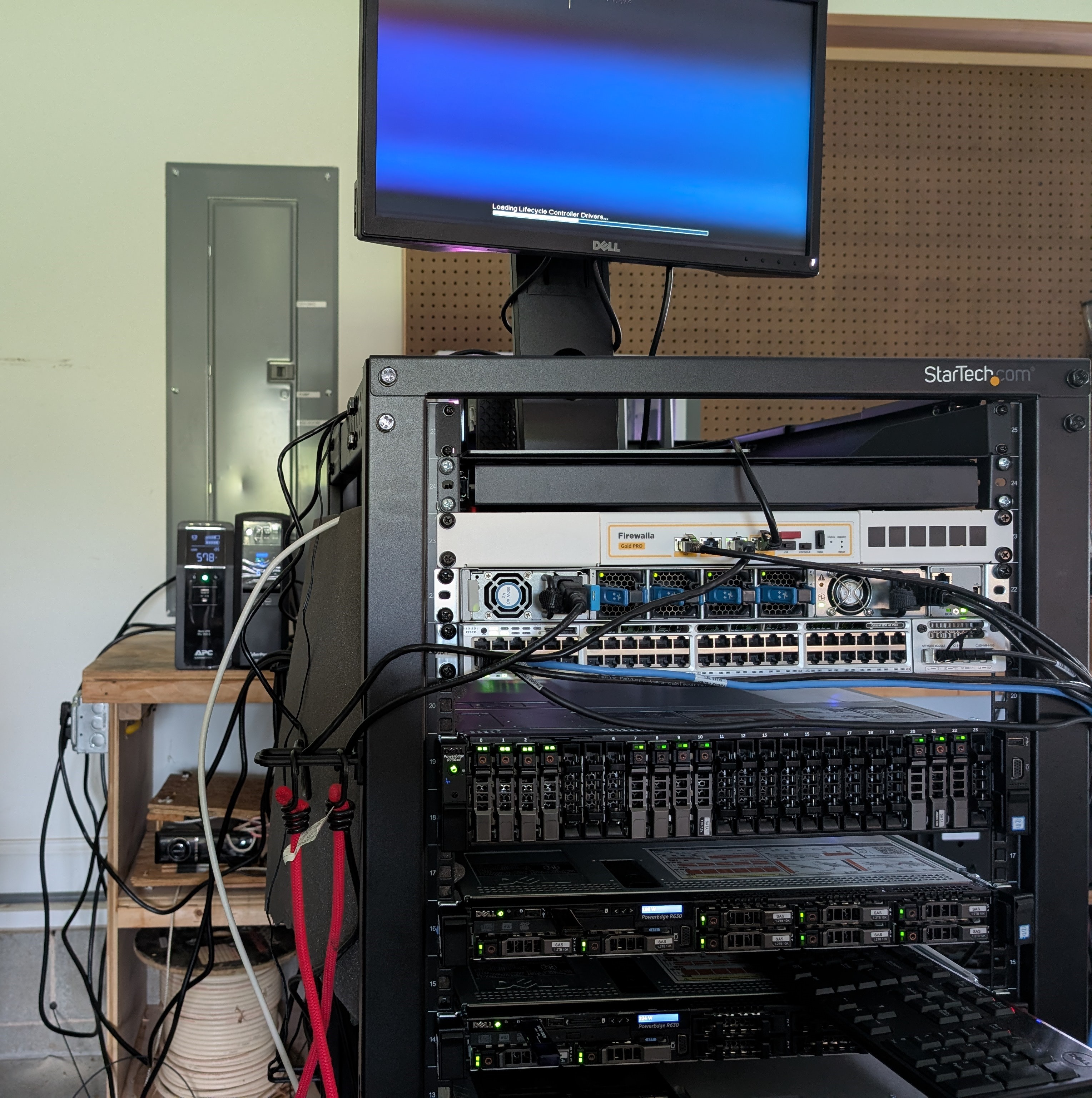
My humble home networking setup (work in progress I'm sorry for the anarchy of cables.)
BOM would read something like:
Firewalla Gold ProDual ISPs for redundancy
Cisco N9K as core switch with 4 VLANs
Cisco Catalyst 3850 with NM-4-10G expansion card
R730XD as new master node/network storage pool host
R630 as webserver/processing node
R630 as Proxmox host
Two HEDT, one for personal use and one for hosting local LLMs/photogrammetry
Synology NAS for backups
Flint2 acting as AP
Meraki and EA7300 as sometimes APs depending on work scope
Redundant PDUs, UPSs, and circuits
25G backbone, 25G to the servers, 10G to the HEDTs, and aggregate 1G to the Synology
Currently used to learn many things, including volunteering services for disaster recovery work using drone imagery, and training local models for cybersecurity use cases.
Just out of frame right is 1000' of CAT6A so I can build a custom home security system and clean up the rats nest of cables, soon TM.
-

Firewalla Gold+ with dual-WAN in failover mode, 5 AP7 + 2 AP7 Ceiling units all hardwired on 2.5g connections covering 7000+ sqft. 10g connection to my office where my media server and dual 8 bay Synology NAS units sit. Raspberry Pi running Home Assistant along with Hue and SmartThings hubs in the middle.
-

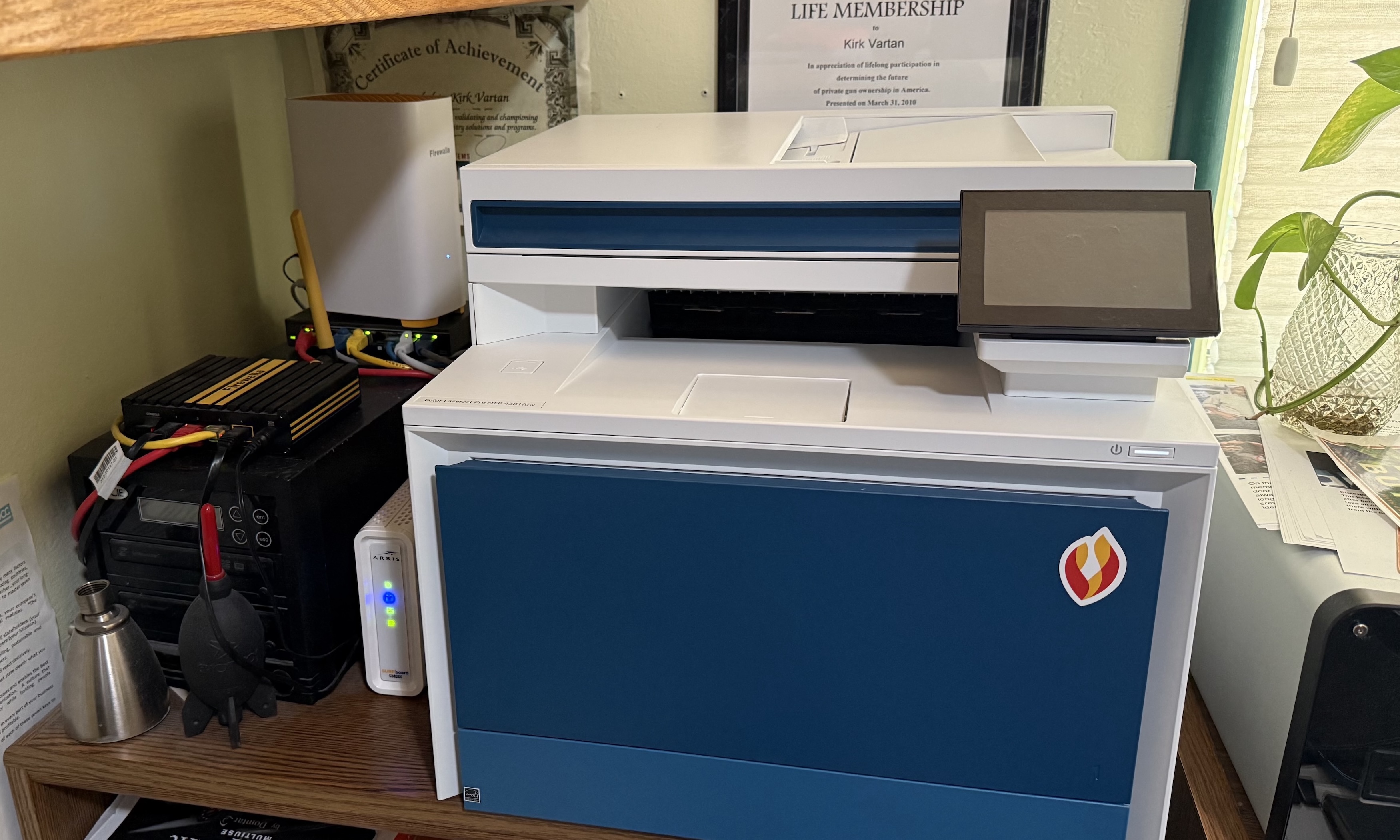
I've had my Gold Firewalla FW since you launched on Kickstarter! It has been great. I had the Orbi 960 3-unit mesh WiFi 6 solution. I sold it on eBay for like $500 (cost me almost $2K) so I could get three AP7s. I think they are great. It is a perfect way to manage wifi coverage and devices. I do wish there was a way to enable auto SSID groupings with auto-quarantine. I put everything on VqLAN where I can, but I would also like to have new devices automatically thrown into quarantine. Sounds like that is not possible and that is a bummer. Seems like an easy thing to do. Any ideas?
-

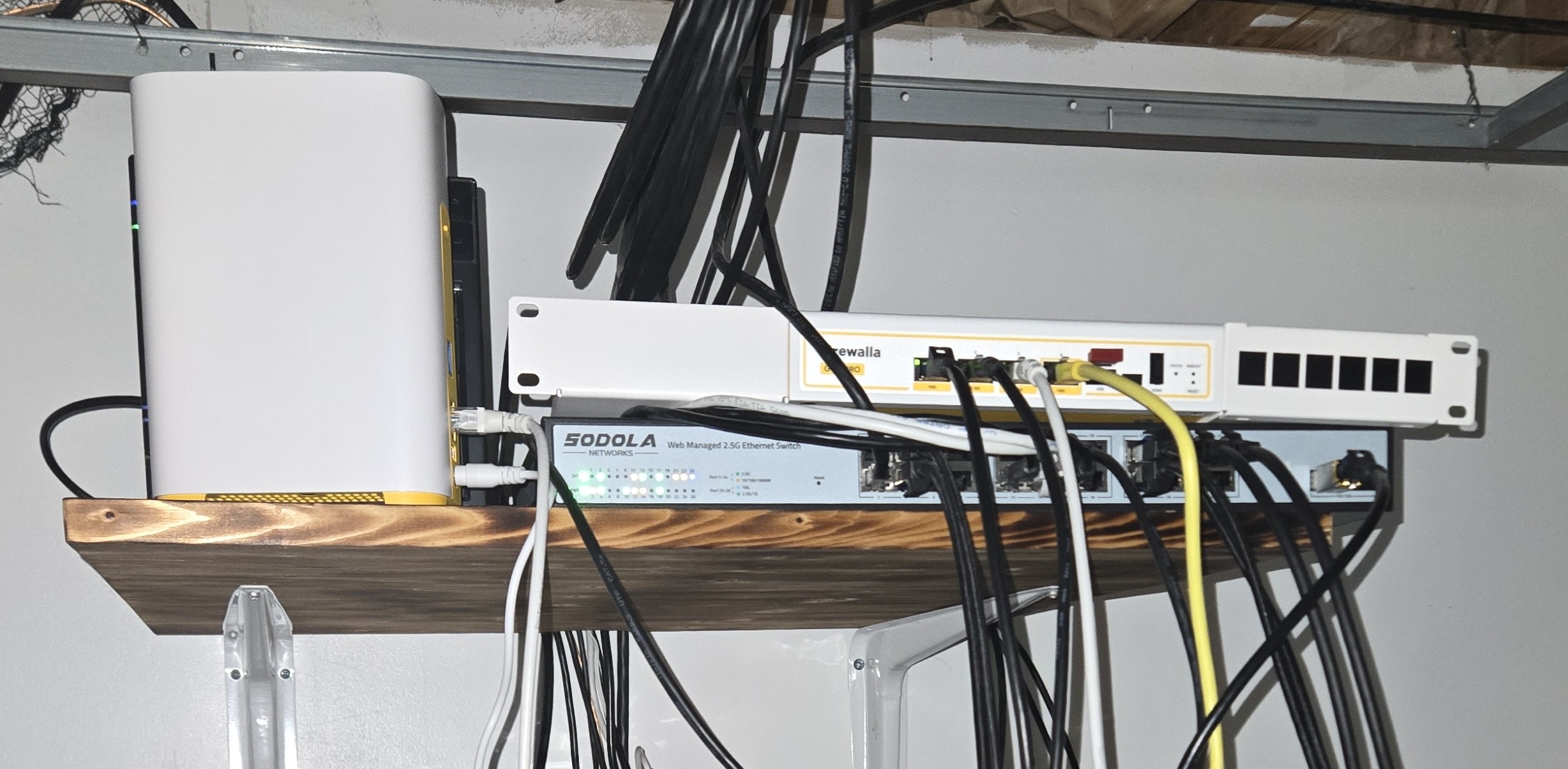
My work in progress:
Firewalla Gold Pro
Firewalla AP7 Desktop
2 x Firewalla AP7 Ceiling
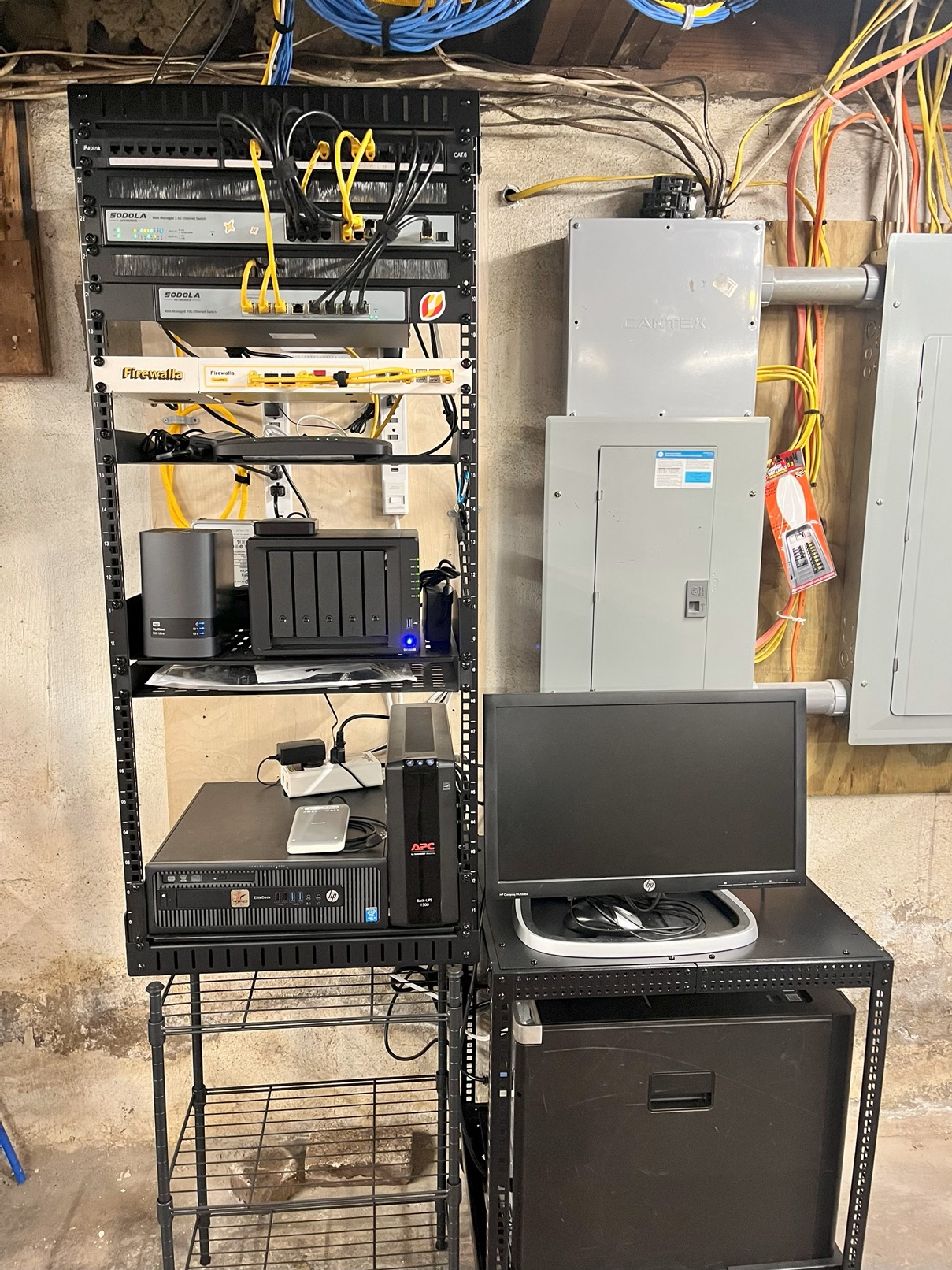
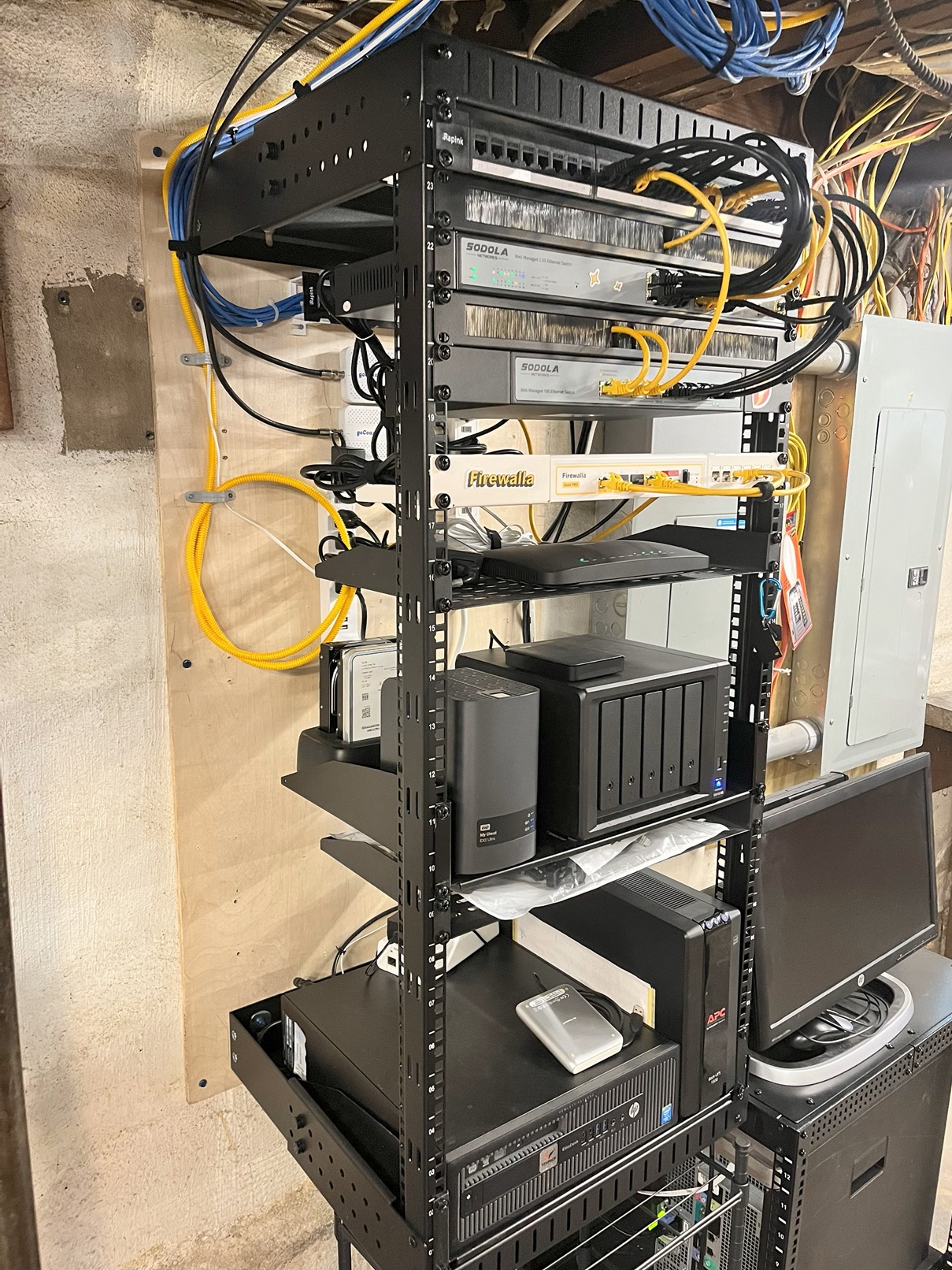
Sodola 24 port 2.5g swith with 10 gig uplink
Multiple NAS including the newish Asustor FS6706T (My fav toy)
I have Gigabit fiber at the house and with the old Gold Firewall I was getting 900 up/down. once I replaced it with the new Pro I am showing 1.2g up/down. I also love the new local traffic and Ai pieces. I had a rogue wireless device on the network that I didn't know about till switching and the new firewall picked it up.
-

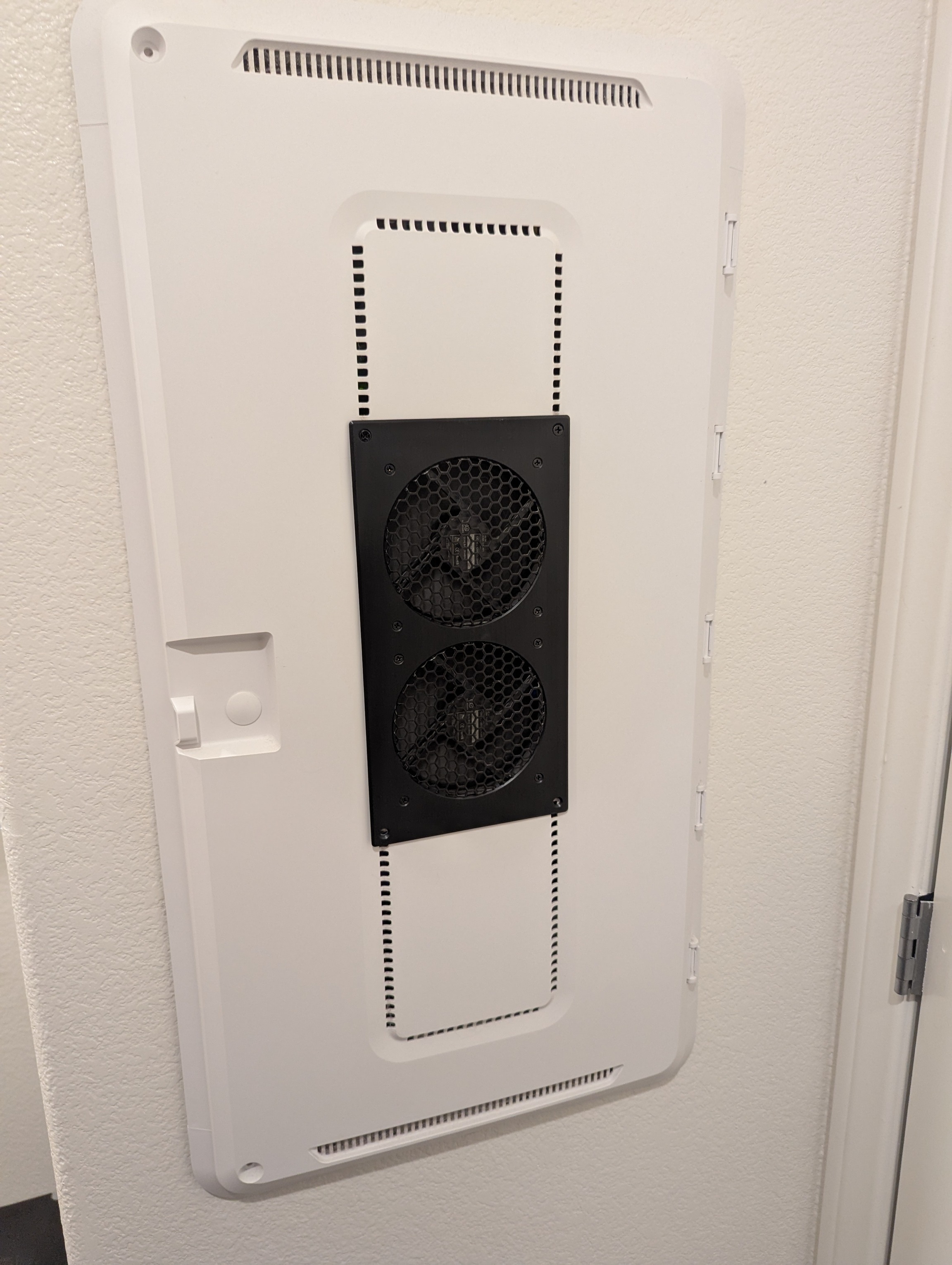
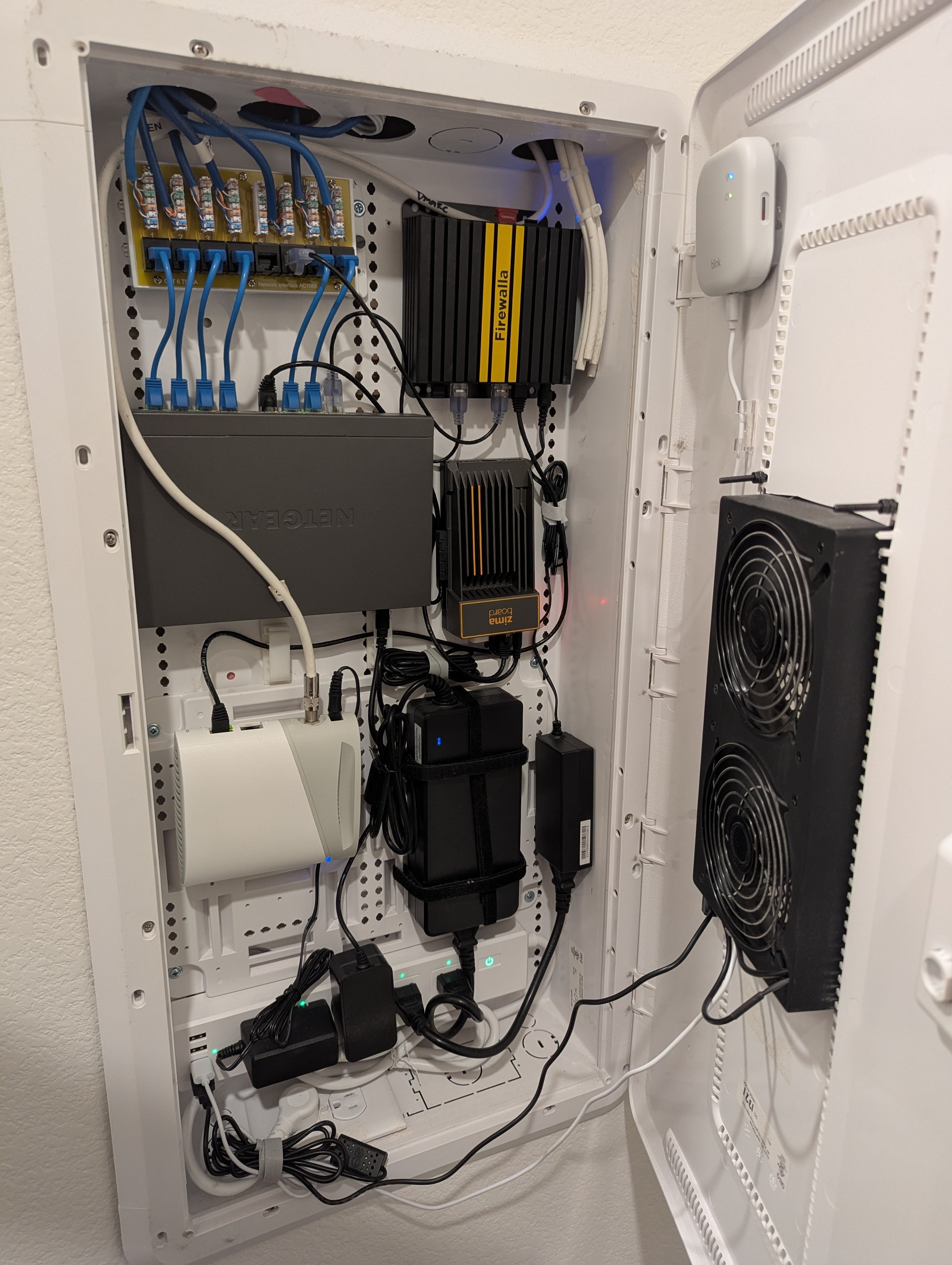
Perfect size pair of fans keep the "Smart Closet" cool. This setup supports a 2Gbs Cable WAN Connection, a 5G cellular backup WAN, approximately 75 IOT devices, 10 cameras, multiple Apple TVs and more across 5 VLANs (IoT, Guest, LAN, Management, Old Management VLAN parked in a hole). Also seen here is the Zima Board supporting the Full Home Assistant build. I am seeing true 2.5 Gbs across all network connections including wireless uplinks (it took these old eyes a couple tries to punch down correctly). Yes, those coax cables have been "chopped". I have had my Firewalla Gold Plus for about 3 years and love it. I have a Purple at Mom and Dad's for VPN connectivity (Plex server and occasional remote support).
-

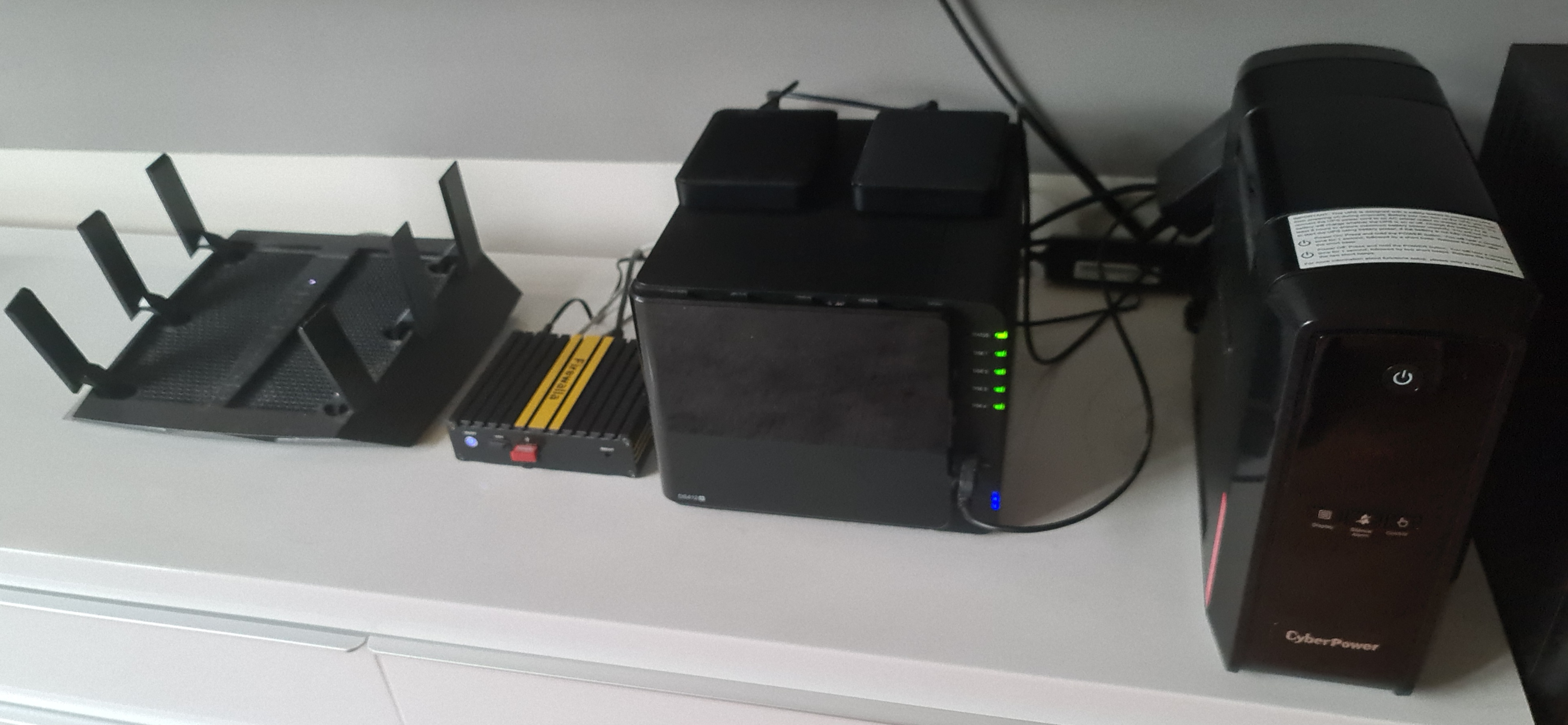
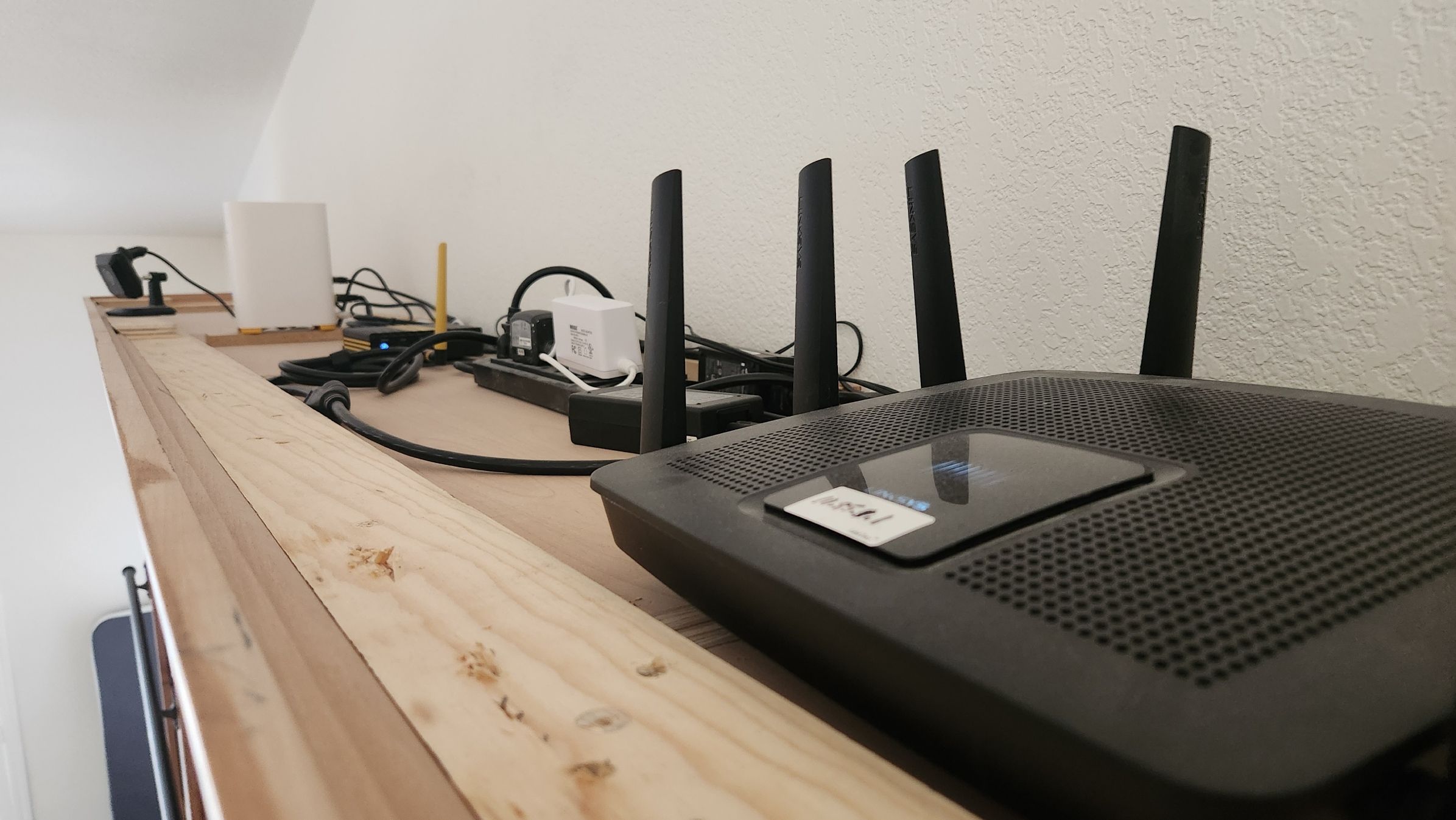
Well, This is my humble setup. A Netgear R8000 functioning as a wireless AP. Firewalla Gold.
Not visible, there is a ZyxelGS1900-8HP Switch. and the last one my trusty synology ds412+.(I know its an old one, but through Firewalla it is blocked from the internet. Furthermore I like the Local Flows.
-

ok yea... this is ugly. I know.
don’t judge me, it works. mostly.at the top:
3 AP7s (not in the pic — they’re on the ceiling like APs are supposed to be. if you’re still using netgear orbi, I’m sorry for your loss.)
each one has its own 10Gbe POE injector bc apparently I like pain.
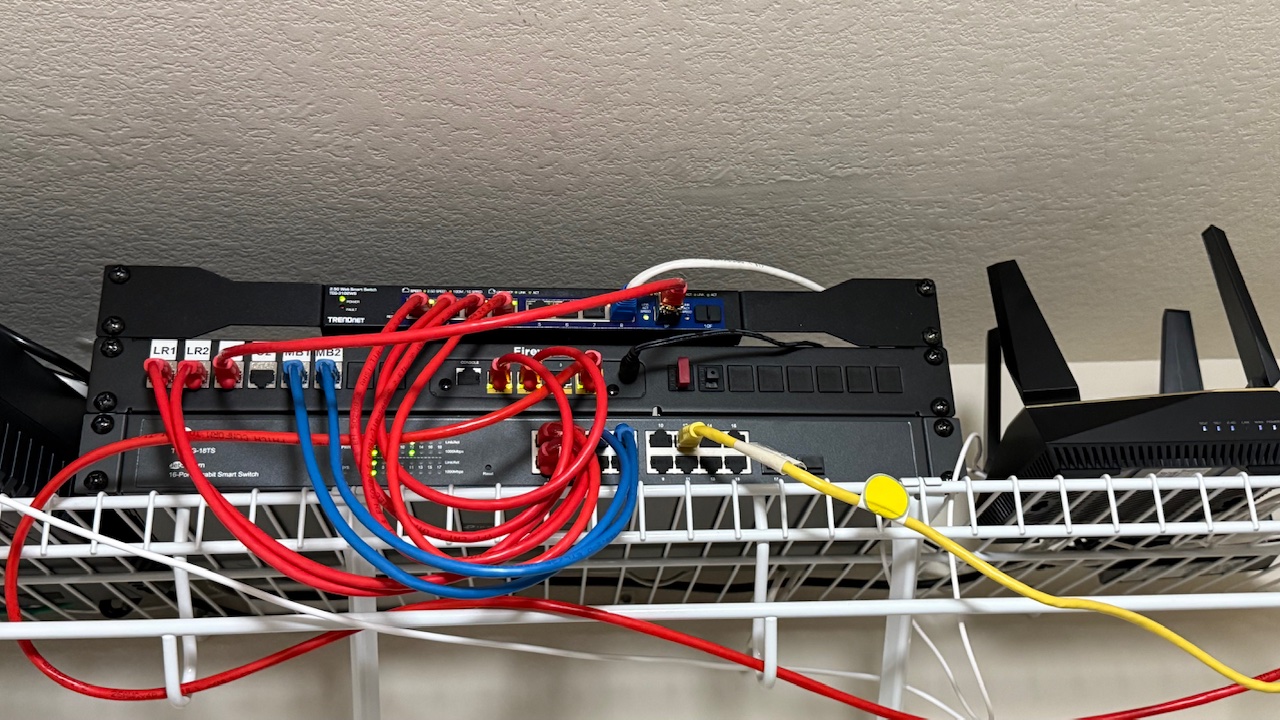
starlink mini backup is up there too, running off another injector because why not.firewalla gold is up there, under the switch that’s pretending to be important with its proper yellow labeling
then above we got the 10G switch. then patch panel. then a 48-port 1G POE beast that’s feeding cams, random stuff, and some cables that I’m pretty sure go nowhere but still blink so I leave them alone.under that:
SMS Eagle, because sometimes my rack needs to text me things like “help”
RasPi4 w/Home Assistant, holding the smart home together with duct tape and yaml
Helium Hotspot that makes $0.02/month but glows like it’s mining gold
next shelf:
hp laptop screen i bolted to the rack like a savage
plugged into a controller board hanging loose like a science project
runs the mac mini for plex + nvr stuff. yea. both. fight me.under that:
AMD box running ESX cause apple said no more intel and my mac died.
had to move all my dev stuff here. the fans sound like a jet turbine on boot.then:
a pile of drives i can’t afford to replace
and some UPS batteries that maybe, maybe give me 10 minutes of uptime
but hey — i split off the core network stuff onto its own UPS so the family can keep scrolling thru memes while the rest of the house dies in slow beeping agony.& bonus points for the can of Great Stuff foam sitting nearby
because sealing up HVAC leaks is now part of the network stack
gotta get that sweet sweet airflow optimization for the man cave or I’ll melt during summer patching.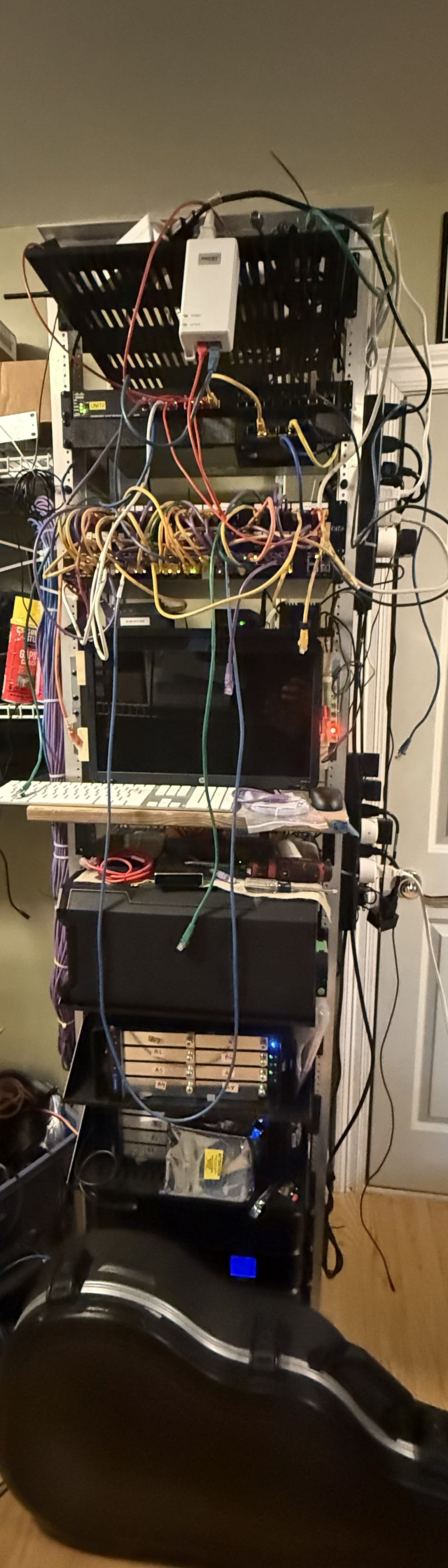
-

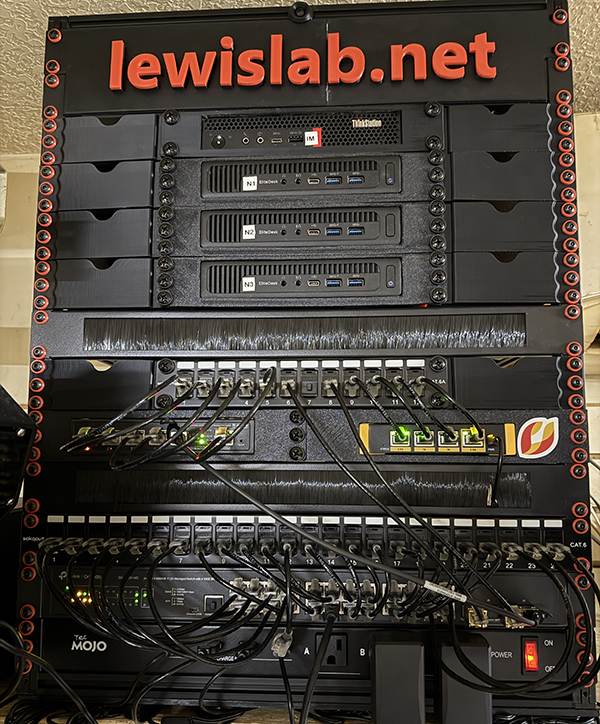
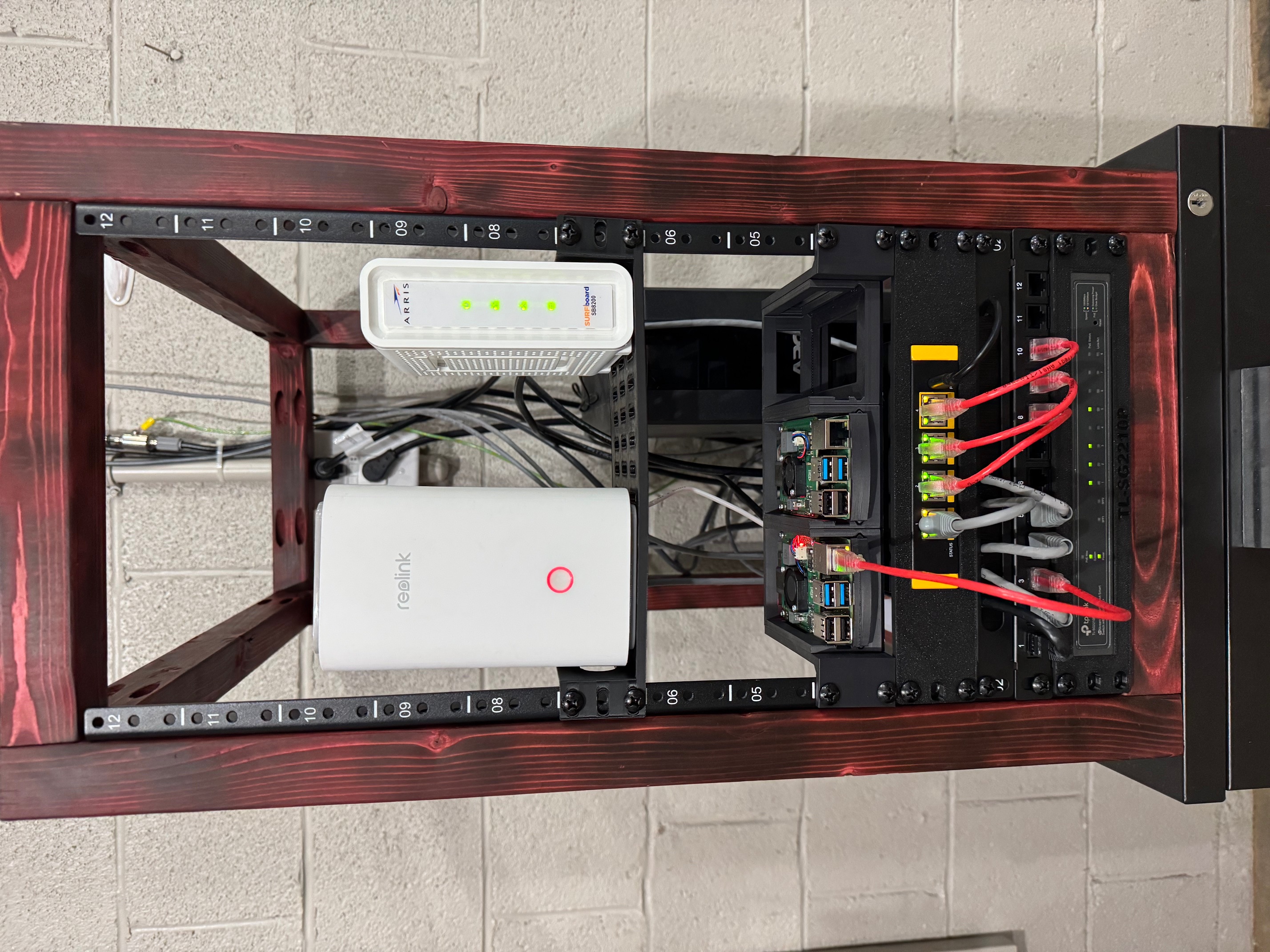
My DIY homelab.
Firewalla Gold SE
Custom rack I made with 20x20 aluminum extrusion and 3d printed supports.
From bottom to top.
Tec Mojo 16 port power distribution.
TPLink 24 port 2.5Gb switch with 4 sfp ports.
24 port patch panel.
4 Port POE - 1 Port 10G SFP - 1 Port 10G Ethernet Switch / Firewalla Gold SE
12 port patch panel
3 Node Proxmox Cluster using HP Elitedesk 800 mini PC's
1 Immich server using Lenovo Thinkstation Mini
Firewalla has been eye opening in how many flows get blocked from all over the world. I also have another Firewalla at my shop and use site to site VPN to send my camera feeds to my home NAS/NVR. Using custom DNS rules for local SSL. Wireguard for VPN access to local only servers, NVR, Vaultwarden, Immich, Home Assistant, ect. IoT Vlan for all the devices that don't need access to my personal network.
I also have 2 AP7's for my Wifi networks.
Now I just need Firewalla to make a Nice Switch.
Thanks and keep up the good work.
-

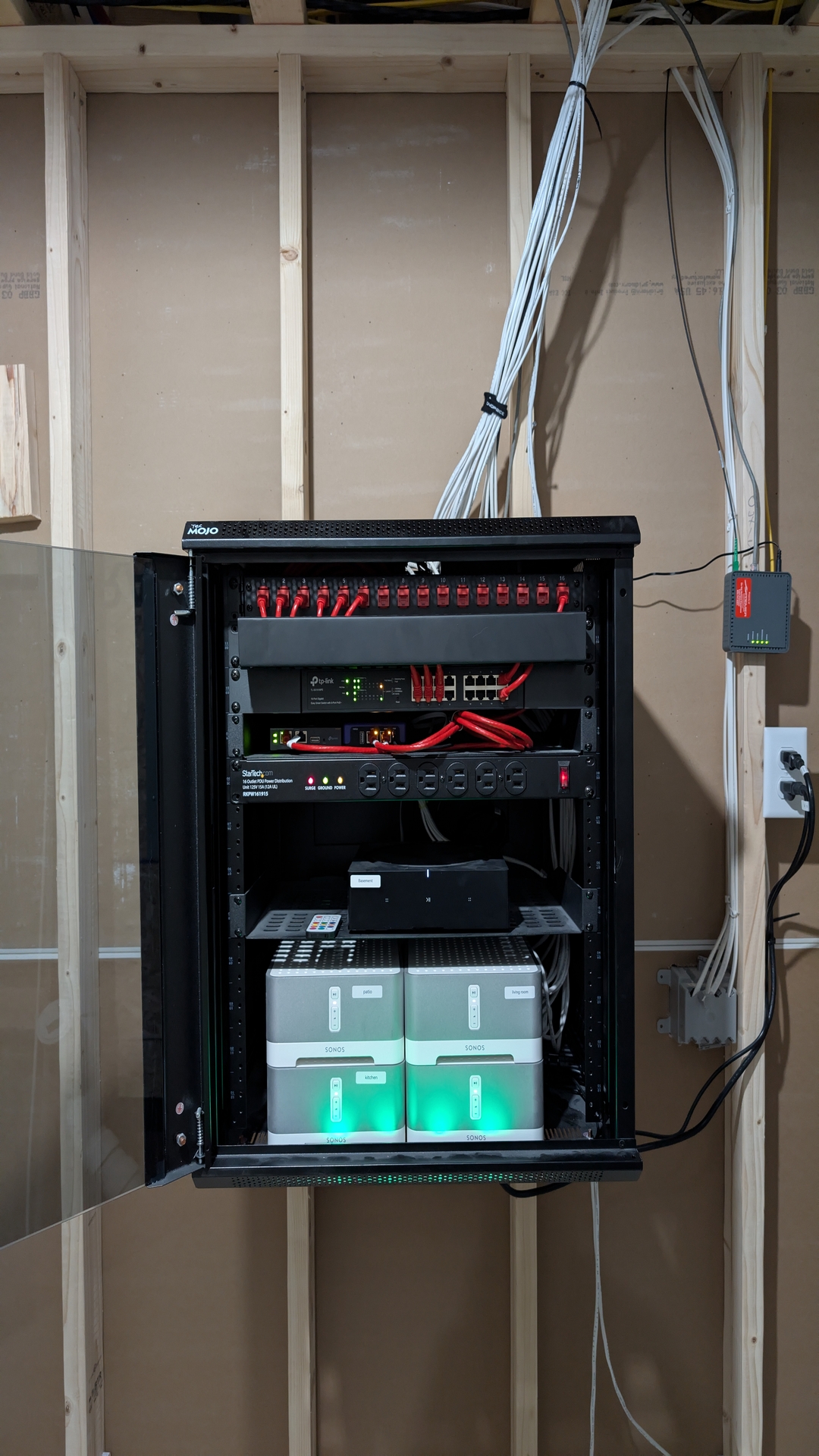
Firewalla Purple, TP-Link Wireless Controller, TP-Link Managed Switch that powers multiple PoE APs across my home. 5 Sonos amp for sound in Great room, Kitchen, Porch, Garage, Basement Bar. Segmenting my network for device management, work, IoT, home users. Behind the amps is a UPS. Recently but this from scratch in our new home build in the utility room.
-

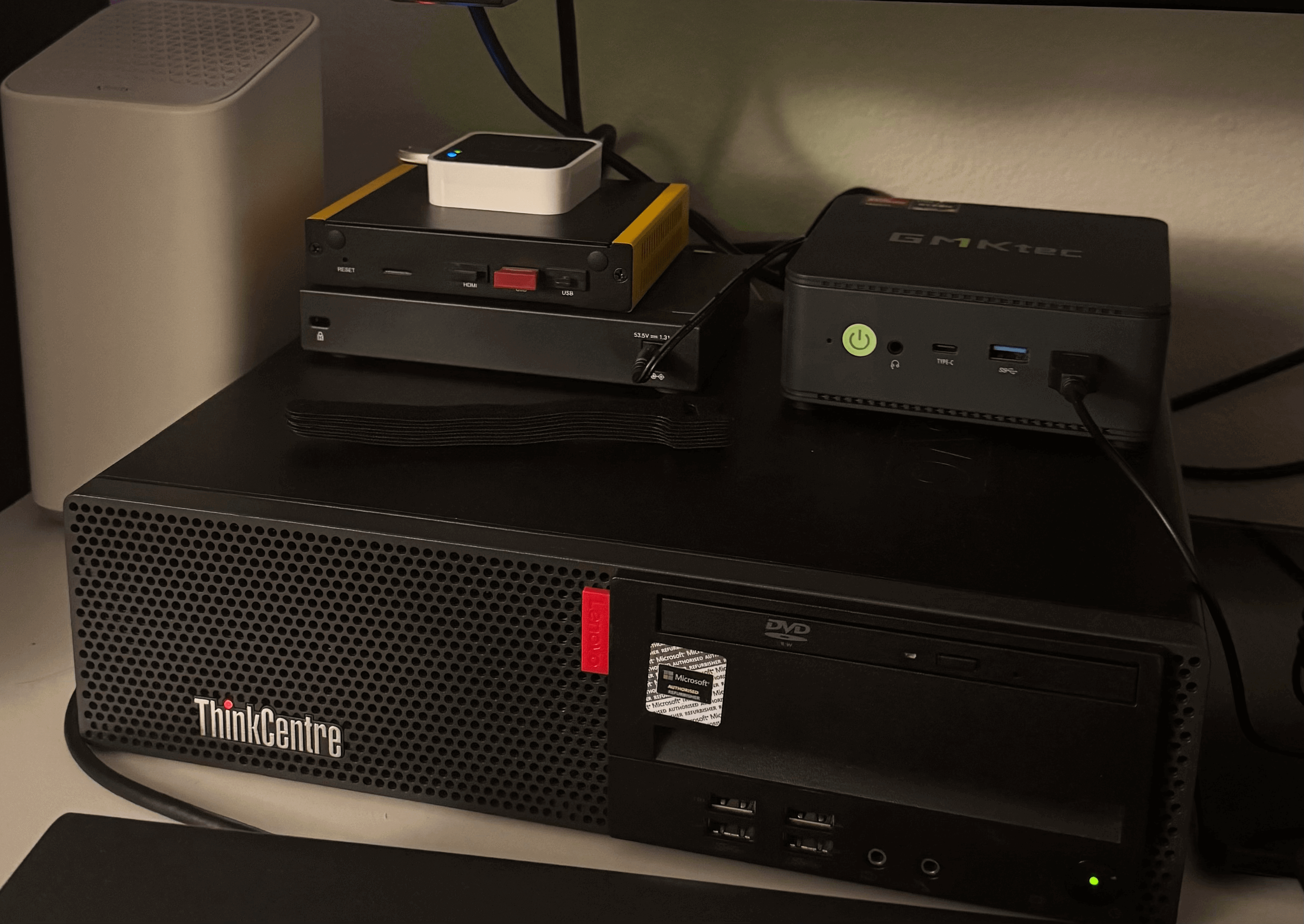
Here we've got my Firewalla Gold SE with the blink module on top. Then my Firewalla is on top of my TP-Link Switch, then that is on top of my Lenovo Computer which I am using as a gaming server. And off to the right we've got my newest mini pc which I'll be using to setup Security Onion. I've got a small network with about 30 devices between 2 Omada Access Points (WOULD LOVE TO REPLACE THEM WITH AN AP7!!), but everything works great. I know it ain't much compared to some of these sick setups, but it gets the job done for now lol.










Post is closed for comments.
Comments
152 comments