Firewalla App Android Cannot access Settings

I am not sure who else is affected or is just me but I just realize that none of the taps when you click on the gear on the top right is working I have try uninstalling the app rebooting Firewalla itself but nothing seems to work so I am stuck with the settings I set and cannot change them
When I said I rebooted Firewalla I did it by unplug it it since is impossible to do it by the application
I dont have access to about like I said none of the taps works just in case you ask me what version is it on
-
Yes it seems it connects but after that it will not even display the chart data (or anything by that matter) and will try and load it with no avail and now I cant even edit (or see) rules,device or anything as of now I have to unplug it entirely as for some reason WiFi was failing while connected but that is the lease of my worry right now
Any ideas as to why this is happening?
I am not really sure when this stared since at first I hardly went to the settings since It works after I set it up
-
pretty much the only thing I can think of is that a update may have corrupt the settings or a file meaning the update may have gone wrong or was incomplete corrupted something or even if it was not a update a file is damage to cause thats what I can diagnose with the info I have this is my theory
-
After a few hours of trying (or leaving it a few hours unplugged) it finally loaded the chart data for now but I still have the issue of that no settings at least most of them specially in the top right (the gear) is unresponsive and as a side note the internet is unresponsive maybe a setting in motoring or rule but I cannot modify them if I try next time the app load it will be to what it was before it was modify or downright cannot even click it
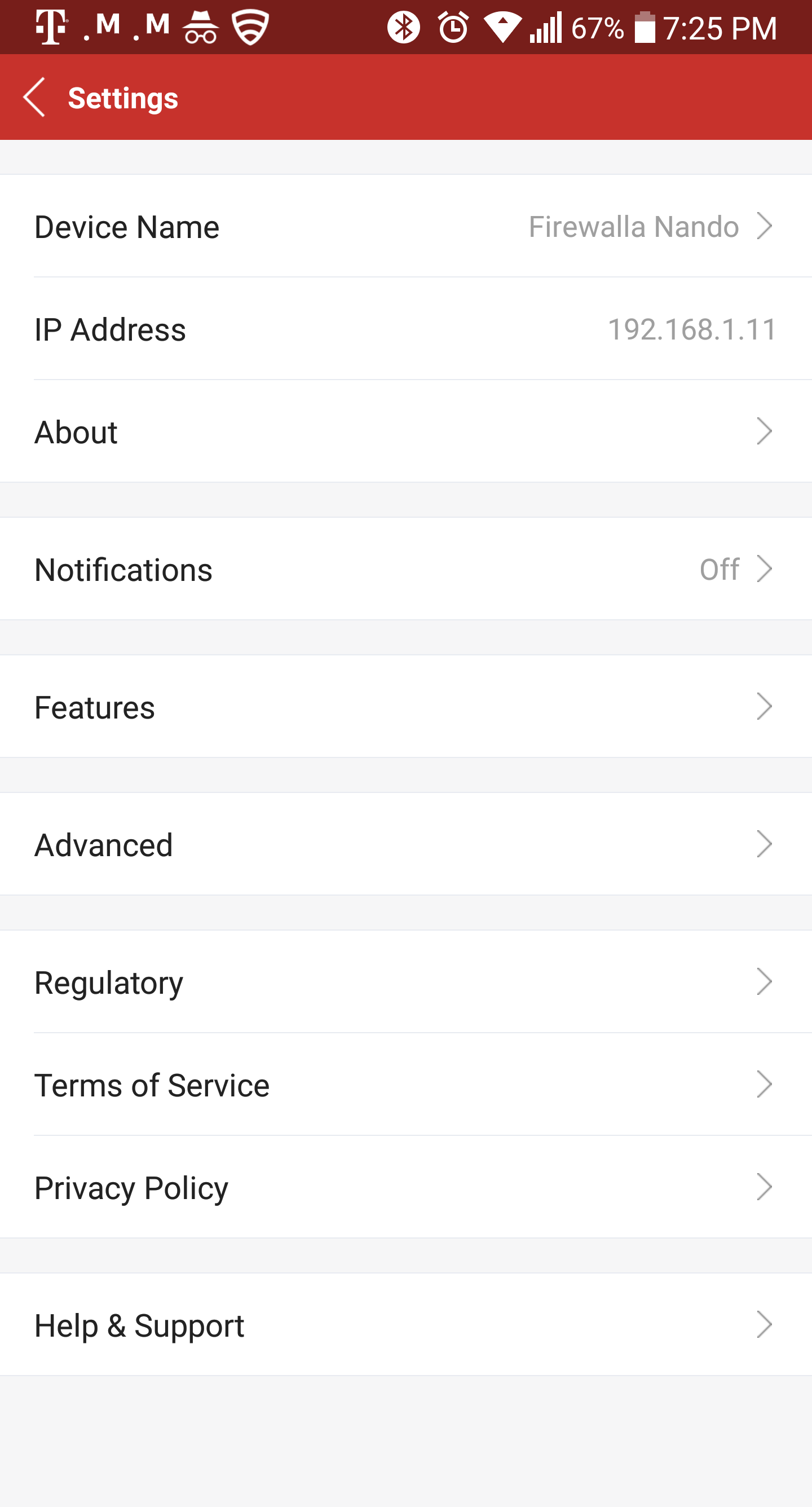
I will add a picture of the settings in top right that I cannot click
-

Hi!
I have kind of the exact same problem as Fernando with my Android app, i cannot do anything in the settings view (Gear icon). I do have chartdata and data on all devices thu, for apps, download, upload etc. Just as Fernando, i have rarley used the settings becuse i haven't really had anything to setup but today and yesterday i have tried to setup VPN, i get to the point that i am able to enable VPN but cannot get to the settings page.
I have not tried it on my IOS app yet thu.
Best regards
Jonas
-

Hi Fernando and Jonas, by 'no response', do you mean when you click something for example 'About' in the ‘Settings' page, you will not be directed to the 'About' page? Just nothing happened? Also, could you please give us your mobile phone type and android version so that we can try to reproduce your issues.
-
Hi, Jonas here...:-)
Well, yes, that is exactly it, there is no response pressing any of the choices above, in Fernandos screendump :-(
I am running a Samsung Galaxy S8 (Model no: SM-G950F) with Android version 8.0.0 and Samsung Experience-version 9.0.
Thank you for your fast reply!
Very best regards
// Jonas

Please sign in to leave a comment.
Comments
15 comments