Help us make the Firewalla Switch
Pinned Featured
Please see installation guide https://help.firewalla.com/hc/en-us/articles/52393670198675-Firewalla-Switch-Installation-Guide
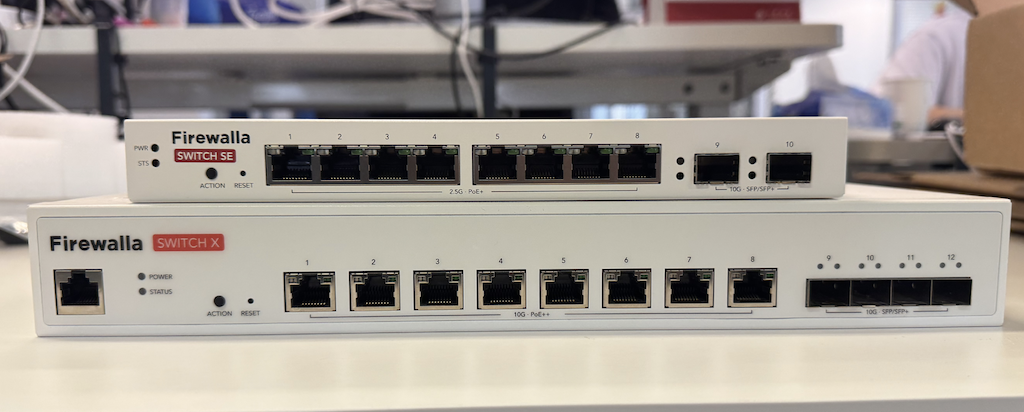
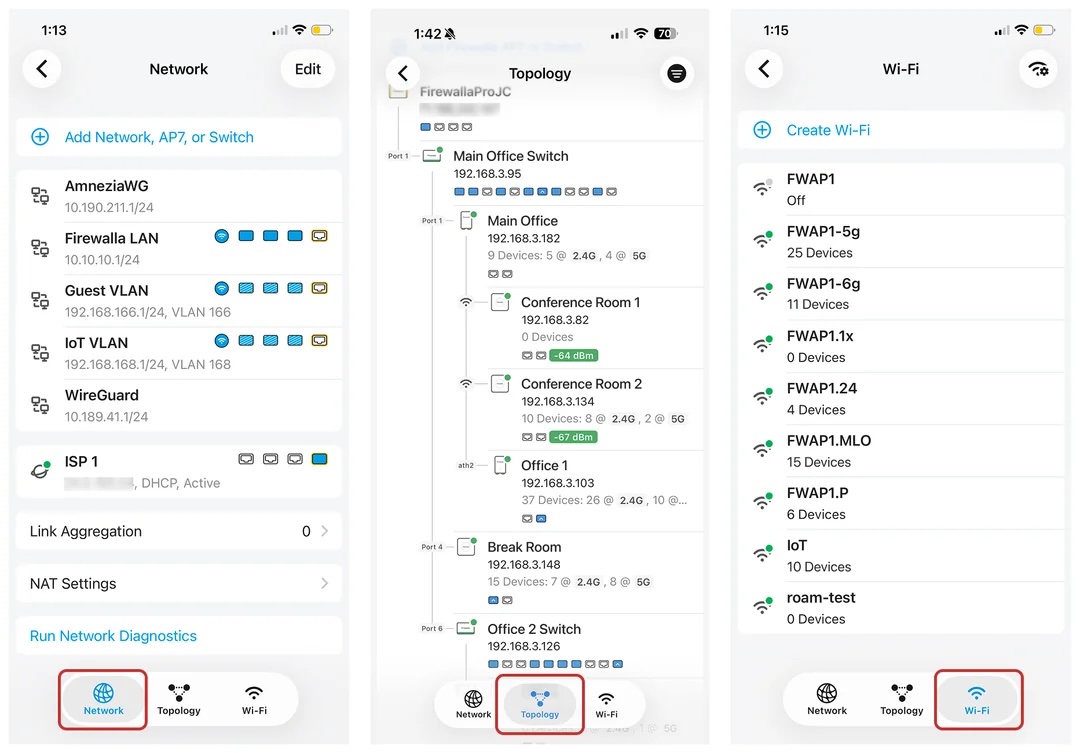
Firewalla App 1.69.1 Will Support Both Switches
-

No, PoE not required on a high density switch for me.
Two 10Gb ports for uplinks (either RJ45 or SFP) would be nice, though. That would allow me to have Switch X as my main switch, which can handle all the PoE and high speed things, but then feed into the high density, lower speed switch for most other things in my network. Not sure how much $$ that would add to the overall cost...
-
The good thing is, once we have the Switch X and Switch SE running, it is not that hard (except building better UI to handle 24 ports) to get newer unit online.
So if you are lucky enough to get the early access (those unit sold out in less than 2 min), please give it a try and give us feedback!
-

A question about the port speed limitation of the new switches. It seems the connect speed has the following restrictions: "* Does not support 10M full-duplex, 10M half-duplex, and 100M half-duplex modes. Speeds depend on the Ethernet cabling used."
What does cause these limitations, is it the hardware or software/firmware used in the new switches? Or will these speeds be available later in a new firmware release?
-

Just got my Switch X delivered.
Packaging - A+ and adoption was a cake walk.
Ended up setting it all up after I got home from work. I still didn't plug in all my POE camera's but so far the experience has been awesome. I just ordered another X to eliminate my 2 smaller switches and plan to move a 48 port patch panel in their place. Last night my wife asked "Is this necessary?" HAHA, Yes!!!
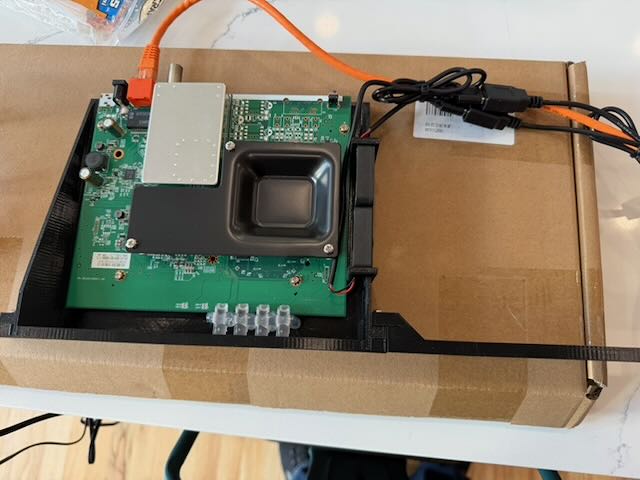
I also 3D printed a rack mount for my cable modem and moved it's guts over. Completely nerve wrecking but it worked out better than I thought.
-

Got my SE yesterday, and the setup was very smooth! Absolutely no problems. I had to remember to change the ports from trunk to access, but it's easy to do (trunk back to the gold plus, access to the devices). Packaging was excellent, and USPS actually delivered it early (for once - I was shocked).
I looked at the power brick and thought "I hope that gets smaller in the production models", and then thought about "114W POE Power Budget" and it made sense. It's certainly not a show stopper. The adoption process was quick.
Bravo!
Now I'm just going to be impatiently waiting for my pre-sale switch to get here so I can compleletly remove the other switch from my system, at which point it will be entirely firewalla rather than hybrid.
-

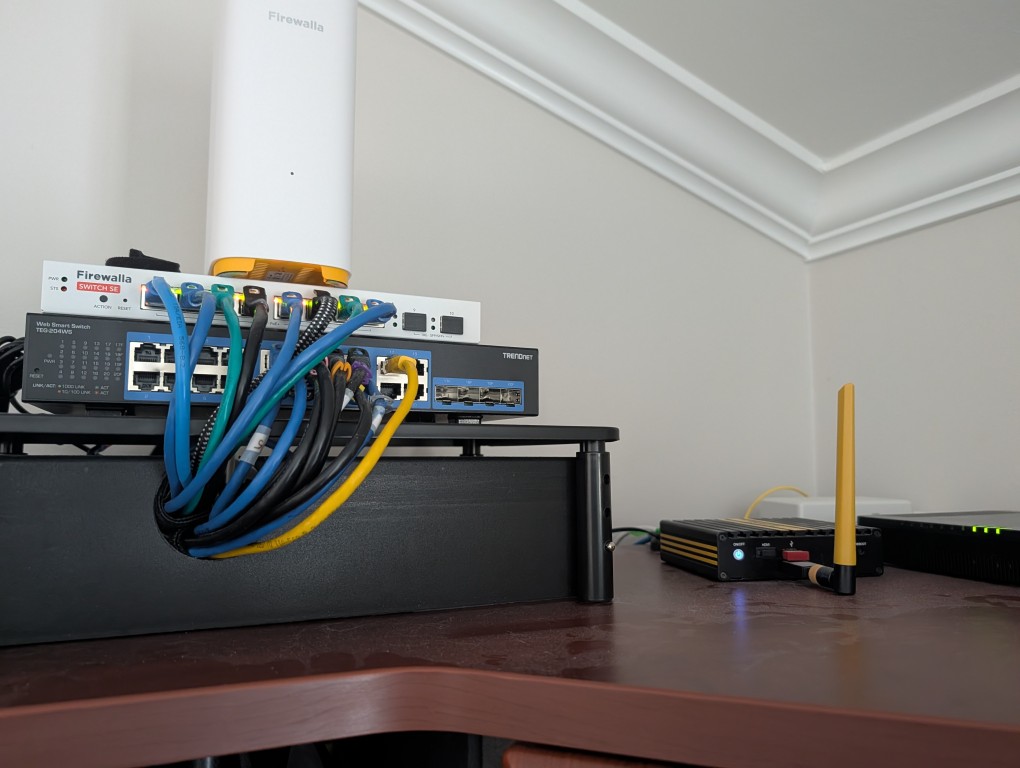
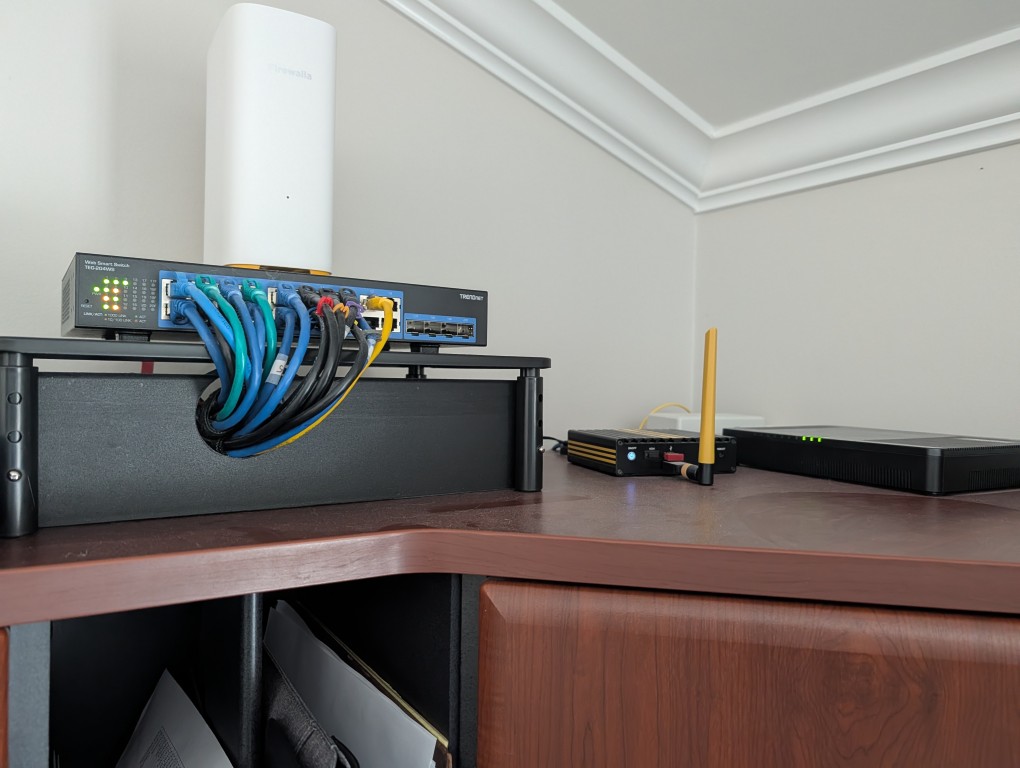
Also received my SE yesterday and it was a breeze to install. The instructions are clear and easy to follow. I already had a TrendNet managed switch, and I just installed the SE on top for the time being, powered it, and set it up from the app. After that, just moved the ethernet cables one by one from the old switch to the SE and set each SE port with the correct VLAN. Took less than 30 minutes to get everything up and running.
Everything works flawlessly so far and the only comment I have is that the SE seems to be running a bit "hot". Especially the top right, back corner. But nothing concerning so far. And it is great to have end to end visibility and control from the app.
I have ordered a second SE to fully replace my TrendNet but this will have to wait September delivery.
Another great product delivery by Firewalla. Well done.
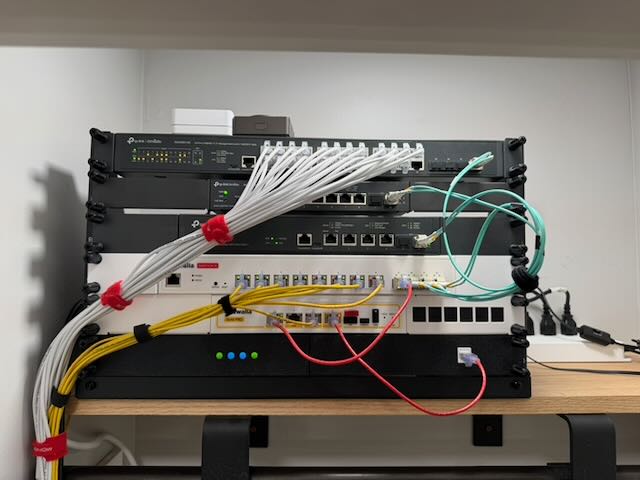
Pictures before and after:
-
Makes sense. I need anyway to move the AP7 to a better location. Looks like this is the right time. Thanks for the advice.
As I mentioned, I will be installing a second SE in September. It will need to be in close proximity to the current one. Do you recommend putting them side by side with a space of around 2" between them to allow enough passive cooling through the side openings or any other suggestion?
-
Firewalla:
What's the best way to connect with someone to discuss enriching the export function in the MSP interface? I'm trying to work on a topology generator using python3 and graphviz (leaning heavily on the Proton Lumo AI since I'm not a python guy), and I think that we could generate a decent topology graph with the addition of the switches -- but the wired connectivity isn't currently exposed. There's also no column for device type, nor a column indicating which port number a device is connected to.
I realize that this is likely going to be very low priority, and I can manually enhance the CSV to get what I want, but I'm hoping that there's a way to iterate through improvements to the output over time. You guys are doing a FANTASTIC job of iterating through the important things, which is one of the reasons I've been so excited that the switches are becoming available (and I was sitting on my computer frantically refreshing to make sure I could get one of the first!).
My current iteration is trying to do this (note that in step 3, I'm going to have to manually populate the switch name(s) in the access_point field).Topology reconstruction from the CSV:
- Every device has an
access_pointvalue — that's its parent in the tree - If
connected_wi_fi(SSID) is populated → wireless device connected to an AP - If
connected_wi_fiis empty butaccess_pointis populated → wired device connected to that switch/AP - If
access_pointis empty → connected directly to Firewalla - Status = 'Offline' → separate "Offline Devices" bucket, grayed out
Hub nodes: Each unique
access_pointbecomes an intermediate node. Firewalla connects to hubs, hubs connect to devices. This gives you the real tree structure. - Every device has an
-
I'll second the hope for something similar to the 5 port PoE powered small switch, like ejfahs mentioned. Mine are the 1G versions (I'd like 2.5G, but I'm not upgrading the Unifi stuff until I can replace it with a Firewalla equivalent). From my perspective, the small switch could be PoE powered but wouldn't need to deliver PoE to the connected devices.
One weird caveat I have in my network is that I'm currently using MoCA adapters to deliver the bandwidth between the floors. My house was built in 2012, and the builder put coax all over (with direct runs out to the external cable box) but didn't put ANY ethernet in (I'm still annoyed by that). So the MoCA segment acts as a 2.5GB hub from a networking standpoint, with three connections.
So I have the Gold Plus plugged directly into the MoCA downstairs, and there are two MoCAs upstairs. One of them has the upstairs AP7 plugged into it (and then the 5 port switch plugged into the AP7 with a power injector providing power). The other one upstairs is plugged into the Unifi 8 port PoE switch (destined to be replaced with my 2nd SE in September), which has a 5 port switch connected to it in a run to my office.
The current SE and the downstairs AP7 are both plugged directly into the Gold Plus.
It's not really worth spending the money to have someone come in and run ethernet between the floors (although I keep toying with it). The NEXT house will have ethernet (or possibly fiber) even if I need to have someone come in and run it for me. -
Scott Kuntzelman We will provide the topology function to MSP in version 2.11.1. That part is already working, so please be patient. We need to get the basics working first before making the API's
As for other switch types, we will look at them (likely in another survey) after we get switch X and switch SE production out. Firewalla switches do require a lot more than a simple managed switch, especially ACL entries, so we may not be able to provide all the port configuration types.
-
I'm happy to be patient - it's been more of a "fun Sunday project that had nothing to do with work" thing. I'd never used graphviz before, so I'm playing around to see what I can do with it. I realize that we're at the very leading edge of the support for wired infrastructure in the software, and I have every confidence that your team will continue iterating.
Understood about the switch types - the SE handles about 95+% of my use case. I may end up with three rather than two - I'll look at that once the pre-sale switch gets here and I reconfigure things further.
-

I'd highly recommend trying to run a few cables up to the second floor if possible. In my condo I ran some cables along the baseboard then into a sanded PVC pipe that mounted on the wall and poked the cables up into a closet through a couple of small holes. Patching the quarter sized hole was easy when I left.
-
If you need a SFP+ firewalla, here is the firewalla gold max https://help.firewalla.com/hc/en-us/community/posts/53534768809235-Introducing-the-Firewalla-Gold-Max
We have had this unit since the beginning of 2026, some of us hope the memory price will go down, and we only see Micron, Samsung, and now SK stock going up ... May be we can still build it ... signup and help out!
-
Michael Stachowiak
The Switch SE doesn't come with rack mounting ears. (yet) We are currently talking to our vendor and see if they can make them. The only thing we worry is, since Switch SE is fanless, it can get hot; if you place it between two other very hot units, without good ventilaton, it may get even hotter. (on the other hand, these units are industrial units :) )
Upvote3DownvoteReply Share -

Any idea of a switch w/ more ports? I ordered a Switch X and SE, but after adding a few more ethernet runs, I'll be a few port shorts w/ the X and SE combo.
I would like to use Vqlan but I am guessing I would not be able to if I use another switch like the Ubiquiti 16 lite switch along with with Switch X.
-

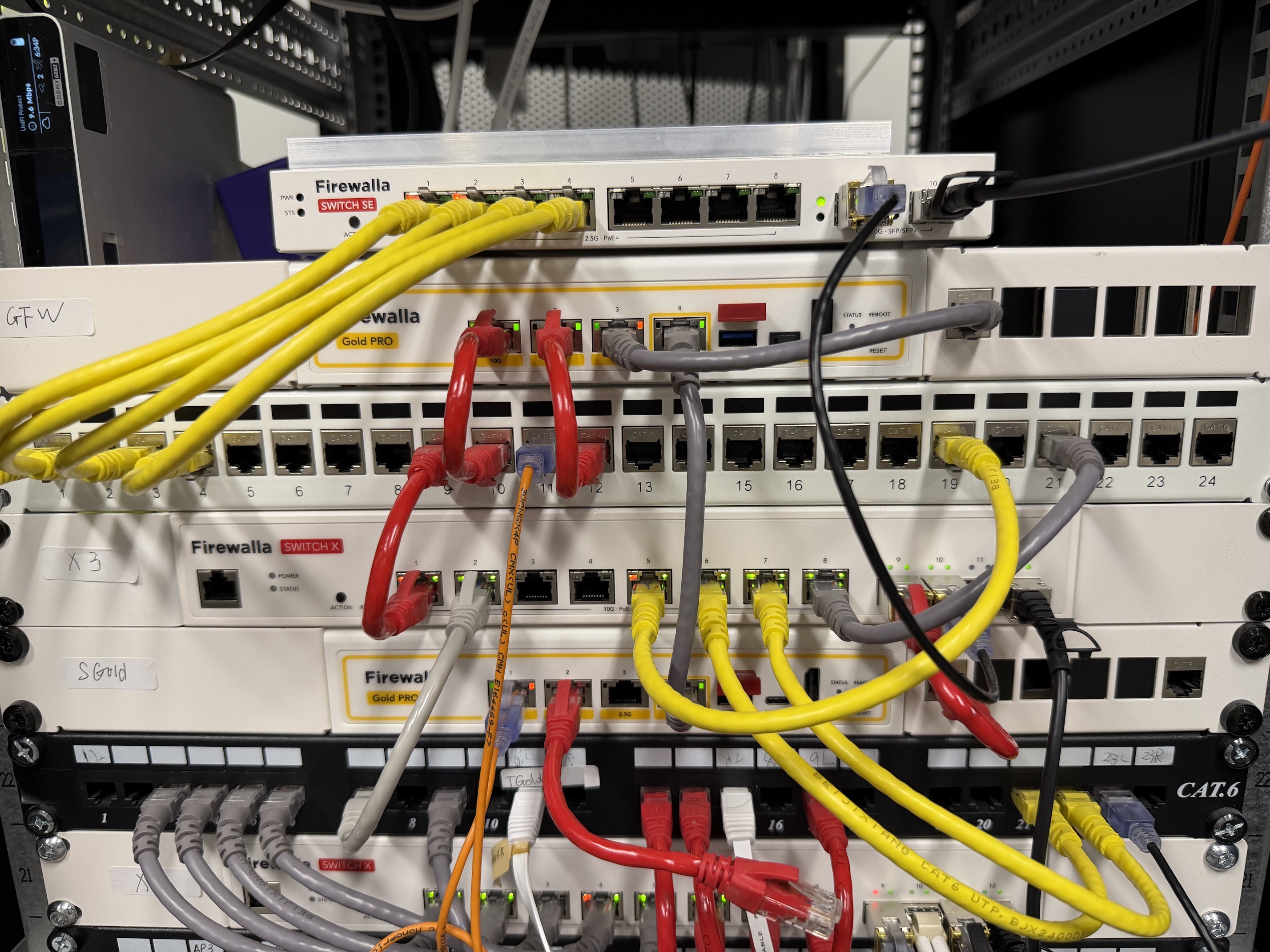
Inside the Firewalla Lab: testing Switch X and SE with Gold Pro
P.S. Firewalla Switch is still available for pre-order! https://firewalla.com/collections/firewalla-switch
-
Pre-Order Shipping Update
Switch-X:
- Likely to start shipping at the end of September in phases (FIFO order)
- Last shipment, middle to end of October
Switch-SE:
- Likely to start shipping at the beginning of October
- Last shipment, end of October
- There is a shortage of switch CPU. Likely, the batch after pre-sale may get delayed until Q1 2027


Please sign in to leave a comment.
Comments
544 comments