Help us make the Firewalla Switch
Pinned Featured
Please see installation guide https://help.firewalla.com/hc/en-us/articles/52393670198675-Firewalla-Switch-Installation-Guide
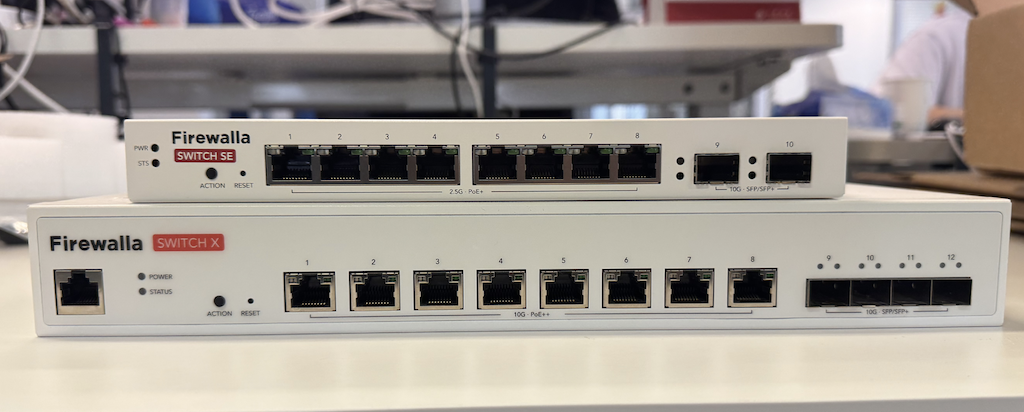
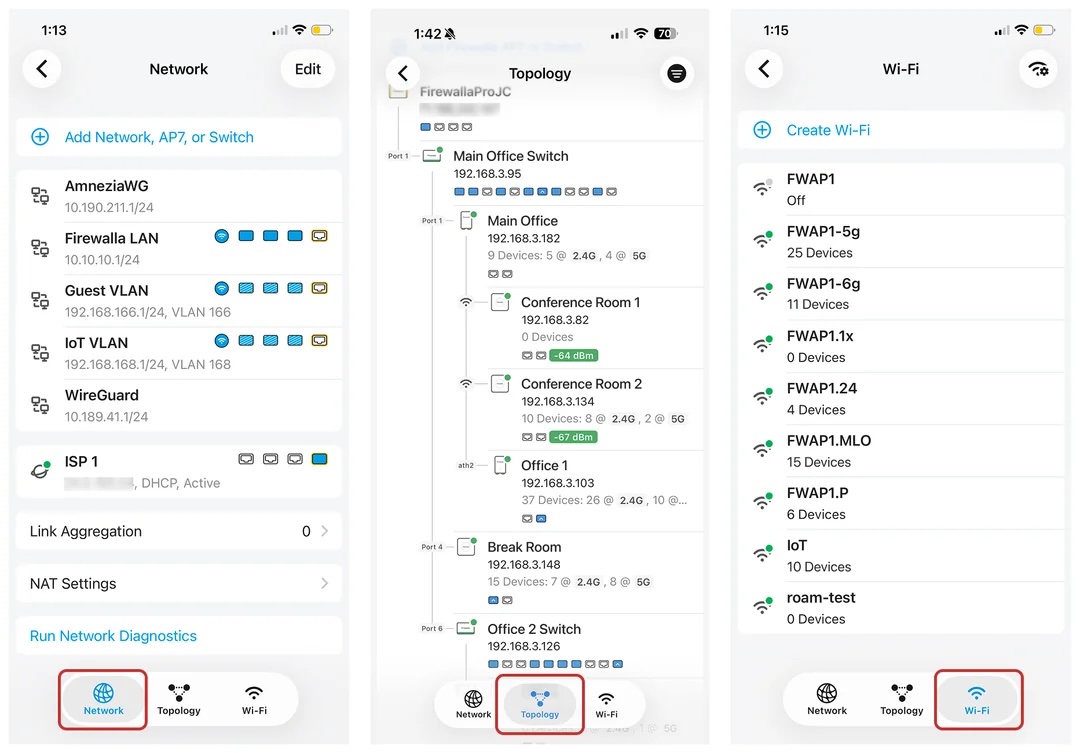
Firewalla App 1.69.1 Will Support Both Switches
-

"Ethernet over Thunderbolt is an established technology, mostly involving a dongle. It would be logical to have a switch with some TB ports."
Lol.
No. No it would not be. You do realize that even with active cables the max length of Thunderbolt is still only 10ft? Most of them only 3-6ft? The only way to go higher is with optical thunderbolt which is crazy expensive. Plus then you have to deal with the fact the thunderbolt ports dont support most thunderbolt or USB functions and yet people would plug all sorts of devices into them. And the use cable would be wiring in only a subset of laptops, which people 99% of the time want wifi on. Its a terrible idea.
-

Are there any switches that have a mix of Ethernet and ethernet over TB ports?
What would be the use case for this since almost all, if not all, TB docks come with an ethernet port, TB equipped desktops come with an ethernet port, and TB<->ethernet adapters exist for laptops that don't use/want a dock and don't want to use wifi?
I can't see how this could ever pass the juice:squeeze/ROI to develop based on what would be a vanishingly small number of users. And every single one of those users would be in the same state everywhere this specialized switch didn't exist?
-

Larry
Speed is one of benefits.
Increasingly, serious workstations are connected to ancillary devices via a TB dock, this forms a PAN, the link between the PAN and the LAN benefits from relatively high bandwidth. Apple has adopted TB4/TB5 ports on its M4 based devices. Thunderbolt ports are normal. My Windows Laptop connects through a Thunderbolt port. Thunderbolt is mainstream.
-
TB4 has a bandwidth around 40Gbps and TB5 at least 80Gbps, but wouldn't you still end up constrained by even a 10Gbps SFP+ linking two switches together and thus gaining nothing vs using the dock/dongle?
Or is the case two co-located computers wanting a TB4/5<->TB4/5 link without connecting them directly?
Not trying to argue, just trying to understand.
-
Past of it is convenience, My laptop only has a single connection that links to monitors, internet, printer, phone, power, etc. My travel router has a 5 Gbps USB-C port (as well as a 2.5 GbE RJ45). The fewer conversions the smoother everything works. If everything connects via TB/USB-C life is much simpler. When I did mammoth CFD modelling I needed bandwidth (SFP38 etc), fortunately I only look at the models these days. I do, however, asynchronously replicate data offsite continuously.
-

@Larry and @Robin St.Clair,
I'm not aware of any network switches that have both thunderbolt and RJ45/SFP+ ports. My understanding is that network switches have a chip that handles the switching of the packets and PHY chips that handle the port interfaces (e.g. RJ45 10gbe, RJ45 1gbe, SFP, SFP+, etc) and I don't think there are PHY Thunderbolt chips that work with the switch chips. Even if there were there's the driver issue as Windows, MacOS, Linux, etc would need a driver to handle that interface and they'd probably just be a Thunderbolt ethernet adapter built into the switch. Currently those Thunderbolt 10gbe adapters are > $100 (typically $200).
Alternatively one could probably start with a Thunderbolt hub (to get above 10gb) and add an ethernet switch and PHYs to it, but the cost of Thunderbolt hubs is quite expensive and I'm not sure if they support Thunderbolt networking.
My guess is that there might be such a device for video editors but it'd be pretty pricey.
-
Spinj
I get your point.
However, look at what Apple is doing with their M4 Macs, even the Mac Mini has 3 TB 5 ports, even the non-techie iMac has 4 TB 4 ports, MacBook Pro 3 TB 5. TB ports are now commonplace on Windows machines. We are talking about commonplace tech. Why has this happened? I surmise it simplifies life for the manufacturers.
-

16 port is the sweet spot for home networks, half should be poe+ with 120 to 150w total power budget. Probably 2.5gb ports. Most home users and even small businesses won't be using anything more. So basically I agree with the 1st post. One thing I would mention about the Poe+ side of things is lifespan and repairability. I've personally not had this issue with my poe switches but I've heard from others that poe switches compared to regular seem to have a shorter lifespan due to the power delivery and/or poor design + cheap power delivery components. That being said, maybe you want to go with a non-poe version for lifespan, and/or the Poe version should have good quality and efficient power delivery for long lifespan and minimal warranty claims for blown ports or power delivery completely failing.
-

It would be nice to see something like 8 ports half rack size= 4x10g rj45, 2xsfp+, 2xPOE+ 2.5g/10g, 1g management port. And fan less would be nice if possible.
Ie. Should maybe be able to compete with mikrotik CRS304-4XG-IN and CRS305-1G-4S+IN. Both <$200 each. For specs suggested above, $500 is feasible maybe? Or split them into 2 smaller switches of 4 ports for $200-$250 each.
Please don't do Tb or at least many of those. Tb4 is going to go away as Tb5 is coming out but I didn't think TB standard is sustainable nor for long distance, plus latency issues....and standard itself changes to fast. Also why not use qsfp+...
-

I disagree with everyone stating that 2.5gb should be the max. There are already tons of affordable switches on the market that accomplish this. What we don't have is, a market for multi-gig switches, at least from any trusted brands. The latest Firewalla Gold Pro firewall has 10gb ports. Why would you want a switch that is slower than your firewalla firewall? Now your switch is your bottleneck and can't fully utilize the firewall. If anything, the switch should be 8 or 16 port with multi-gig ports across the board. Whether they are half POE or not is a bonus. Also for the thunderbolt issue. Copper already has the ability to go 40gb, so why is this needed? There would need to be massive infrastructure changes by businesses and homeowners to support this. This seems like a very niche bunch that wouldn't make money for firewalla but cause a loss. What's the proposed method to connect the switch to the firewalla or any other router? Seems like you'd likely introduce a bottleneck to make that happen.
-
RMiles
I suggest you spend a couple of years living with Thunderbolt before you opine so strongly on the topic, look at the range of Apple products that have TB ports, Windows products have also had TB ports for the last couple of years.
You are quite correct about the switches not being slower than the gateway. -
Robin St. Clair,
I’ve been working in data centers and building network infrastructure for over 20 years, and honestly, Thunderbolt in a switch just doesn’t make sense for most real-world environments. The biggest issue? Most homes and businesses already have Ethernet cables run through their walls. Are we really suggesting that people rip out their existing infrastructure just to switch to a completely different platform—one that doesn’t even exist in any real capacity?
On top of that, Thunderbolt is designed for short-distance, high-speed connections. The maximum length for passive Thunderbolt cables is 0.8m (2.6ft) for full 40Gbps speeds, and while active cables can reach 2m (6.5ft), they’re already expensive. Optical Thunderbolt cables can go up to 50m (164ft), but they cost hundreds to over a thousand dollars per cable, making them completely impractical for networking.
And even if someone did create a Thunderbolt-based switch, the cost of using Thunderbolt over copper would be sky-high. 10GbE networking is already affordable and widely available, so why would anyone opt for a more expensive, unproven alternative?
At the end of the day, unless you're doing something like high-end video editing with direct-attached storage, there's no real-world use case for a Thunderbolt-based home network. It’s just not a practical or affordable solution.
-

As a network engineer at an MSP that works on everything from SMB to Enterprise Manufacturing. I think an 8 - 12 port device running at least all Ports at 1Gbps would be great. This would be even better with an optional rack mount similar to the Gold Pro which I am running. I would love to have all of my gear in a single manufacturer stack.
At home I am very partial to my Ruckus 7150-c12p. I would need something that can pull off similar levels of bandwidth below:- · 12× 10/100/1000 Mbps POE+ RJ-45 ports
- · 124 W PoE budget. Fanless
- · 2× 10/100/1000 Mbps uplink RJ-45 ports
- Switching capacity - (data rate, full duplex) 68 Gbps
- Forwarding capacity - (data rate, full duplex) 51 Mpps
- Packet buffer size: 2 MB
- Energy Efficient Ethernet (802.3az)
-

I personally don't require PoE ports. Usually, we have various types of endpoints that need different power capabilities, such as PoE, PoE+, PoE++, etc. I'd prefer using a PoE injector that matches the specific power requirement I need, rather than relying on built-in PoE ports in a switch.
Just my two cents.
-

I concur. That being said if I were to use PoE (any type) it wouldn't be on the 10 gb ports. I just need 2 10 gb ports. The rest (speed and PoE, I'm flexible, but would prefer at least 2.5 gb, and if there is no PoE, I'll just use my own injector). I have no use for more than 8 ports in any one location, so some beast with dozens of ports I wouldn't use.



Please sign in to leave a comment.
Comments
537 comments