Can't access my NAS from outside but works with VPN

Comments

15 comments

  • Avatar
    Sebmegag

    Forget to precise that Firewalla is in DCHP mode

    0
    Comment actions Permalink
  • Avatar
    Firewalla

    When you VPN, ping the NAS, does it respond? 

    If it does respond, or other devices respond and just not the NAS, you need to check the NAS configuration, make sure it is not configured to block none LAN networks. 

    0
    Comment actions Permalink
  • Avatar
    Sebmegag

    When I am connected in VPN everything works. I just ping my NAS and it answer perfectly and all my URLs are correctly redirected to it and his services.

    As soon as I am disconnected nothing work anymore.

    0
    Comment actions Permalink
  • Avatar
    Sebmegag

    I did some research. I put my box in bridge and still have the same issue so it come from a setting of the Firewalla.

    I tried to activate the emergency access on the NAS but it didn't change anything!

    0
    Comment actions Permalink
  • Avatar
    Firewalla

    If accessing your NAS via VPN works, you need to make sure to do the right port forwarding from outside to your NAS. Each NAS is different, so you may need to dig into this.

    As of secure access, VPN is a much better way to access the NAS than directly port forward. VPN has authentication and encryption, both are needed for a secure channel

    0
    Comment actions Permalink
  • Avatar
    Sebmegag

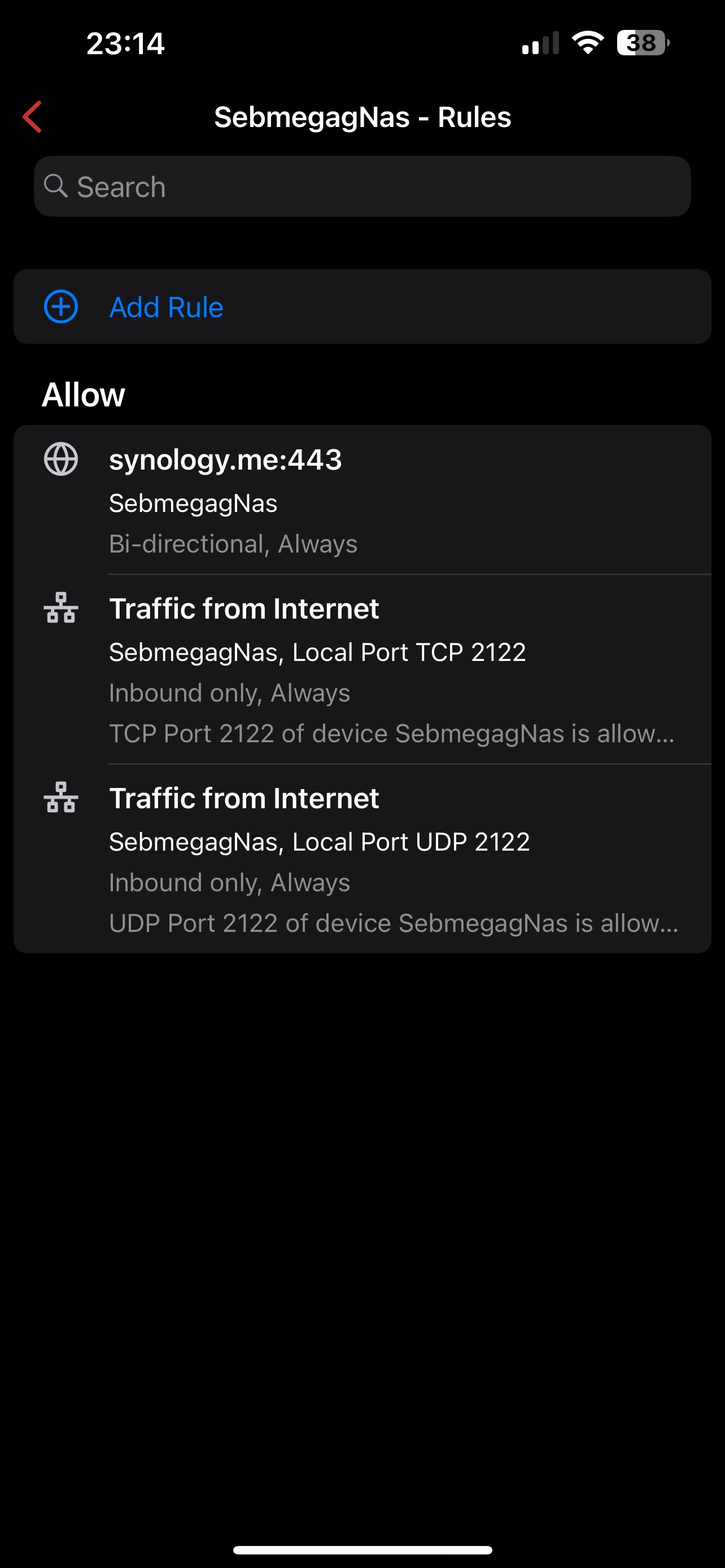
    I am sure of my port forwarding because when I am on site I use all the external URLs and no IP adress.

    I know that VPN is Safer but I really need to access bitwarden so I need at least one forwarding and as on the NAS it is manage by a reverse proxy is still quite safe.

    I can't figure where the setup is wrong
    0
    Comment actions Permalink
  • Avatar
    Sebmegag

    Also I tried to put the NAS on DMZ just to see if I can reach it and it doesn't work.

    0
    Comment actions Permalink
  • Avatar
    Sebmegag

    It is like my 443 port is block even with the rules I made

    0
    Comment actions Permalink
  • Avatar
    Sebmegag

    Even when I put my public IP with :443 I can't reach anything

    0
    Comment actions Permalink
  • Avatar
    Firewalla

    check synology logs and see if it rejecting the connection. I assume you forwarding 443 to synology 443?

    0
    Comment actions Permalink
  • Avatar
    Sebmegag

    no I have no firewall on my nas.

    And when i go in the rule that I made in the firewalla the hiting counter stays at 0

    0
    Comment actions Permalink
  • Avatar
    Sebmegag

    and the problem is still the same when I am on my network it works

    0
    Comment actions Permalink
  • Avatar
    Sebmegag

    I found a solution.

    The best is don't use the 443 as access port. I did the same setup with port 500 and everything is working great.

    0
    Comment actions Permalink
  • Avatar
    Sebmegag

    Finally still doesn't work

    0
    Comment actions Permalink
  • Avatar
    Firewalla

    Did you check your NAS and make sure it can accept connections from a remote server? or check port forwarding if you are using it?

    0
    Comment actions Permalink

Please sign in to leave a comment.