Can't access my NAS from outside but works with VPN

Hello everbody,
Here is my setup.
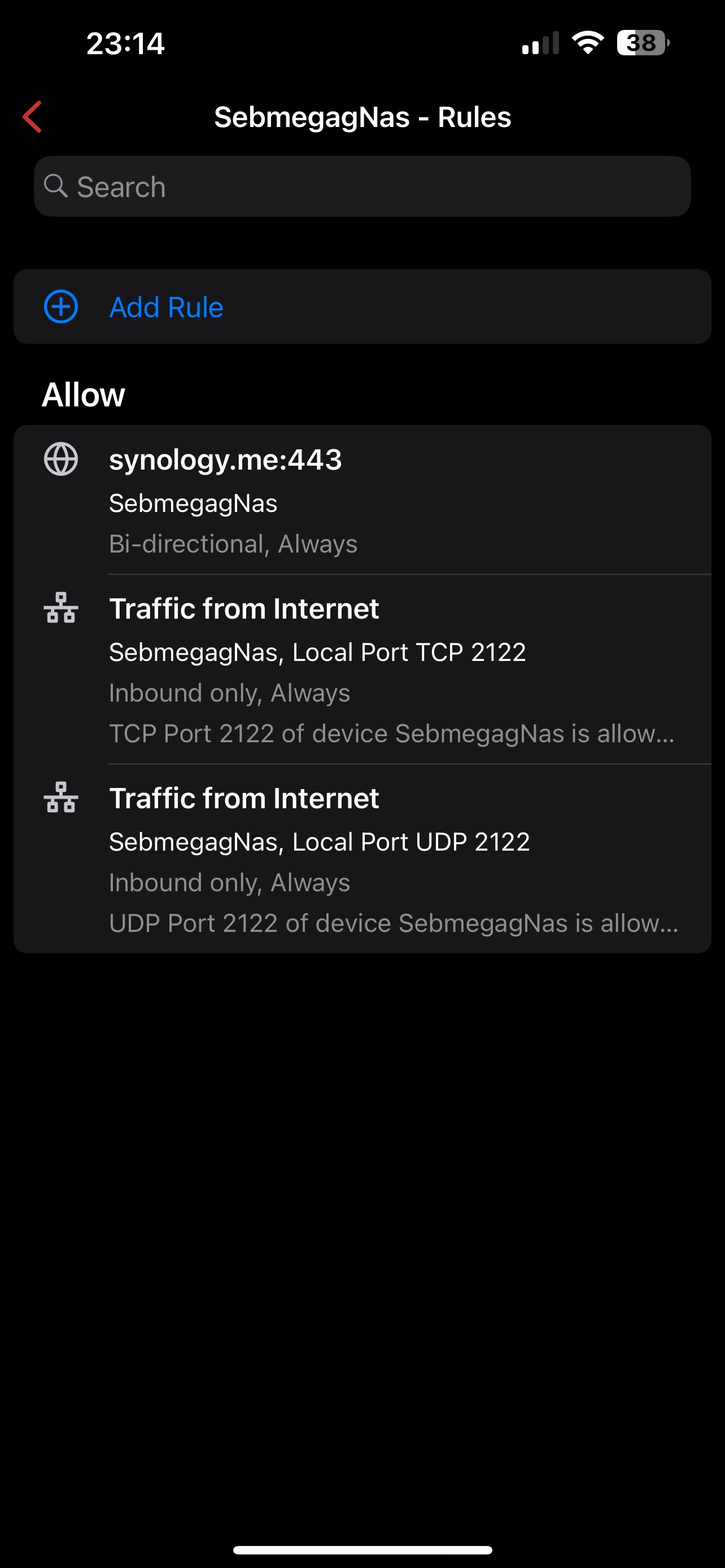
Firewalla is connected to the provider box in DMZ. Behind the firewalla all my network with a Synology NAS. I routed the port needed and setup the right DDNS on my NAS.
As long as I am connected at home, all the redirections works. I can access to the NAS through the synology DDNS like xxxx.synology.me and I can acces to bitwarden on the NAS.
If I am somewhere else everything is down. No links are working and can't sync with bitwarden.
I also setup a wireguard VPN which is working great. If I connect through it then I can access to everything. So that means that my firewalla is correctly reach. But it seams that external connection are filtered.
When I did my port forwarding rules, I authorized all sources from Internet so it should block me !
Does someone have an idea where I messed up ?
Thank you all.
-

If accessing your NAS via VPN works, you need to make sure to do the right port forwarding from outside to your NAS. Each NAS is different, so you may need to dig into this.
As of secure access, VPN is a much better way to access the NAS than directly port forward. VPN has authentication and encryption, both are needed for a secure channel
-
I am sure of my port forwarding because when I am on site I use all the external URLs and no IP adress.
I know that VPN is Safer but I really need to access bitwarden so I need at least one forwarding and as on the NAS it is manage by a reverse proxy is still quite safe.
I can't figure where the setup is wrong
Please sign in to leave a comment.
Comments
15 comments