How to route /29 subnet to new sperate network interface in routing mode rather then NAT.

Dear Team,
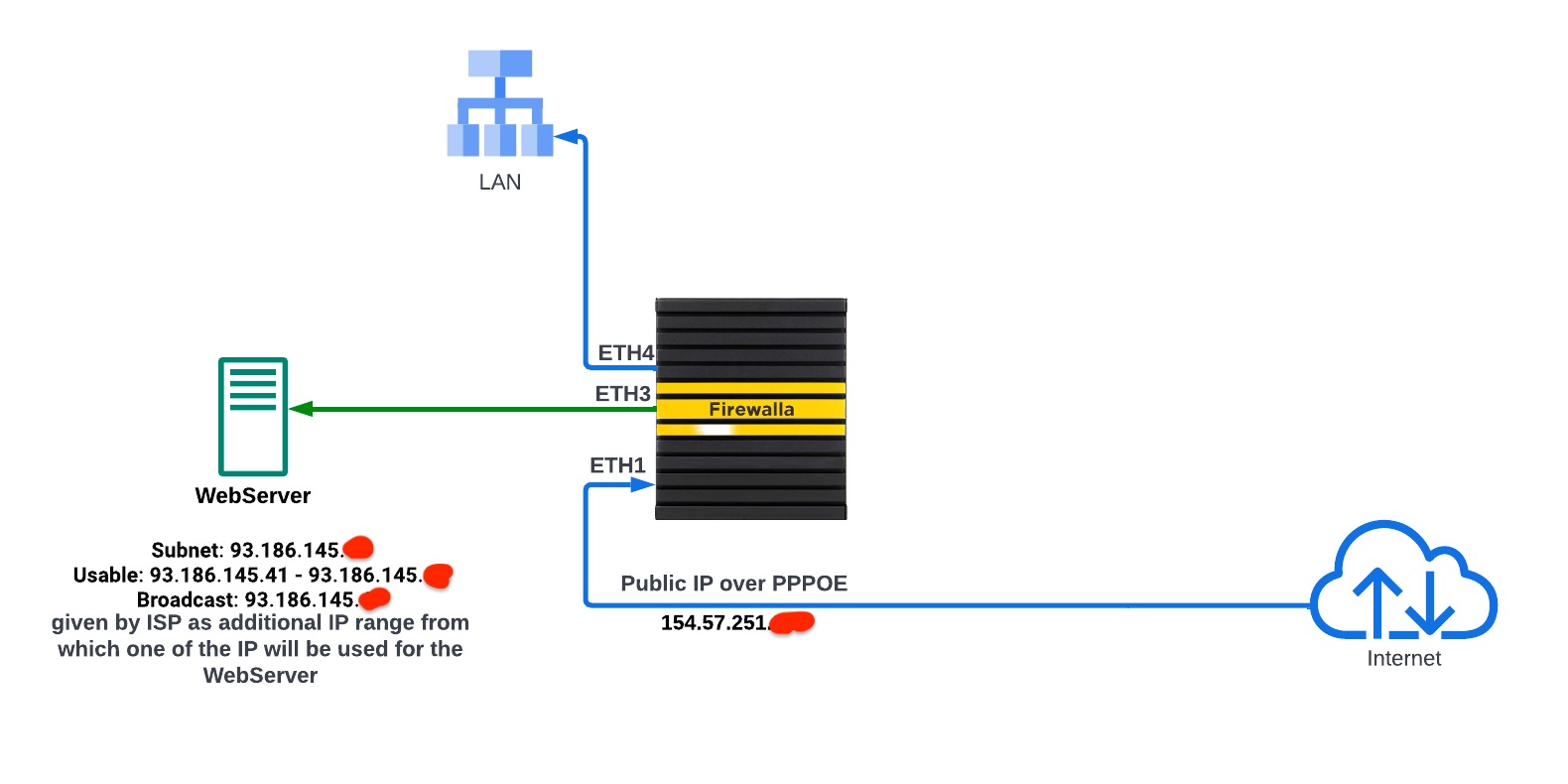
Please find enclosed the network diagram. I am currently using Firewalla for my home network, and everything is functioning perfectly.
Now, I would like to extend its usage to both my home and office, with a specific feature I intend to utilize: network segmentation.
I have been issued a /29 subnet by my ISP, which is routed to my public static IP address. My intention is to employ this /29 subnet alongside the additional network I created in Firewalla. This way, I can route inbound traffic to my web server (as depicted in the attached diagram) and subsequently filter the incoming traffic targeting the web server.
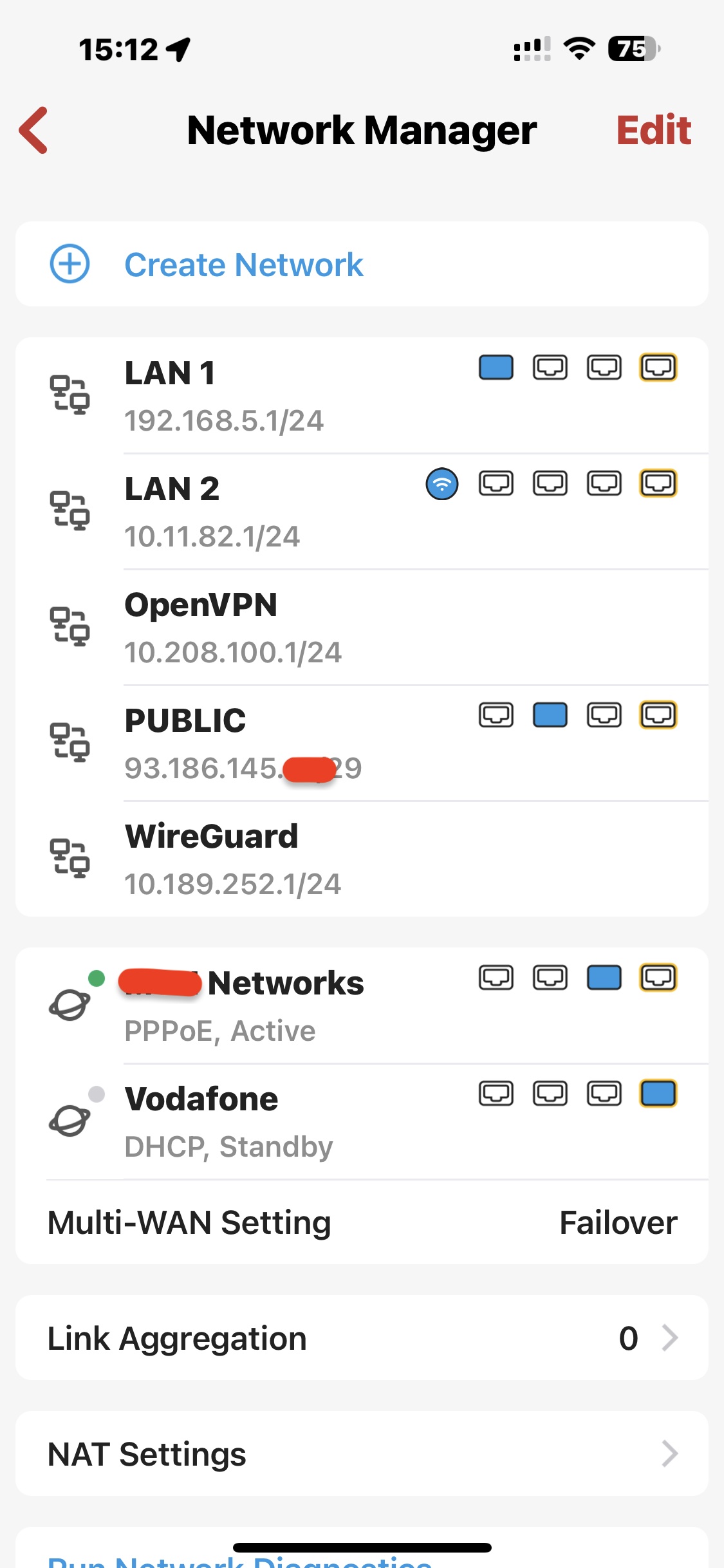
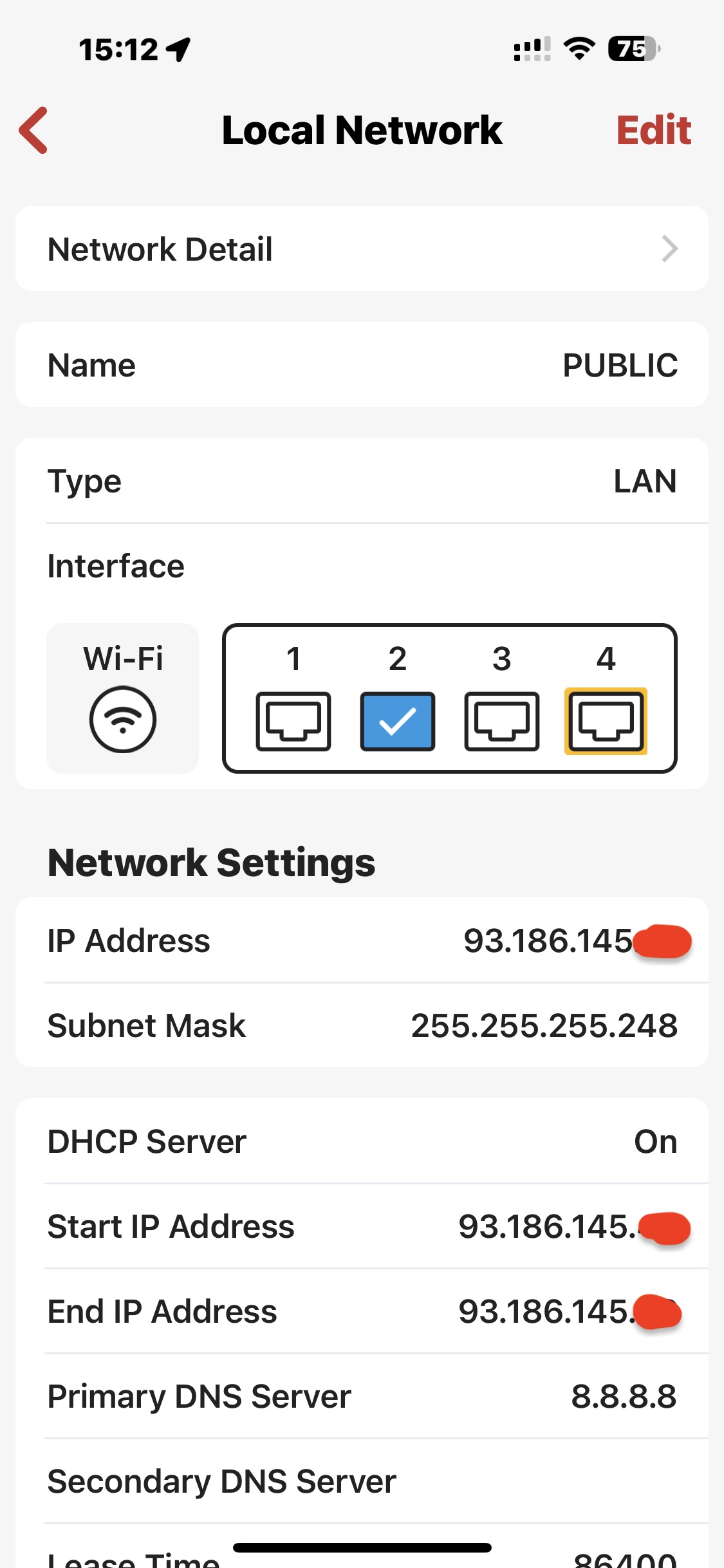
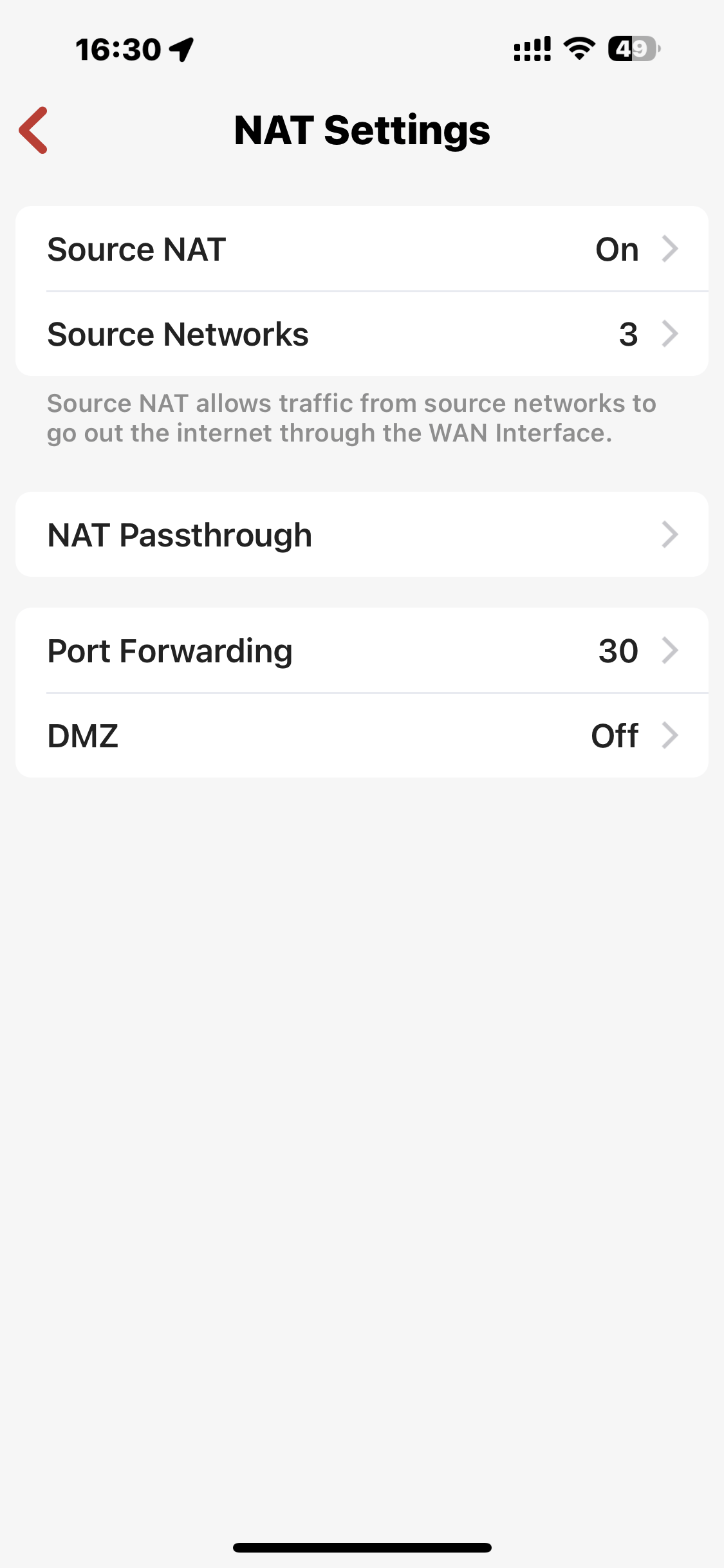
Upon reviewing the provided screenshots, you can observe that I have successfully established a network and assigned the subnet to it. however even though i have given public subnet in DHCP for PUBLIC network all internet traffic is still going via the WAN IP address and my public /29 subnet is automatically associated as NAT source subnet.
I would greatly appreciate it if you could provide a configuration example to guide me through this process.
-

Are you trying to use something mapping multiple IP on the WAN side and use them internally? If you are, see this https://help.firewalla.com/hc/en-us/articles/360046703673-Firewalla-Feature-Guide-Network-Manager#h_01FP7A35WFMTAJK8VHKD3BQJW5
If you intend to have public IP on the LAN side directly, you may need to disable source NAT for that network. see https://help.firewalla.com/hc/en-us/articles/360046703673-Firewalla-Feature-Guide-Network-Manager
-
Do you want to route or forward traffic from your static IP to a internal device? you can find how to do that in https://help.firewalla.com/hc/en-us/articles/360046703673-Firewalla-Feature-Guide-Network-Manager#h_01FP7A35WFMTAJK8VHKD3BQJW5
If you want your inside traffic to map to a specific IP, that feature is in 1.55, see https://help.firewalla.com/hc/en-us/articles/16882844316691-Firewalla-App-Release-1-55 we call it 1:1 NAT
-
You need to update to the latest app to be 1.55 as well. see the release notes on how to join https://help.firewalla.com/hc/en-us/articles/16882844316691-Firewalla-App-Release-1-55
-
Hello team,
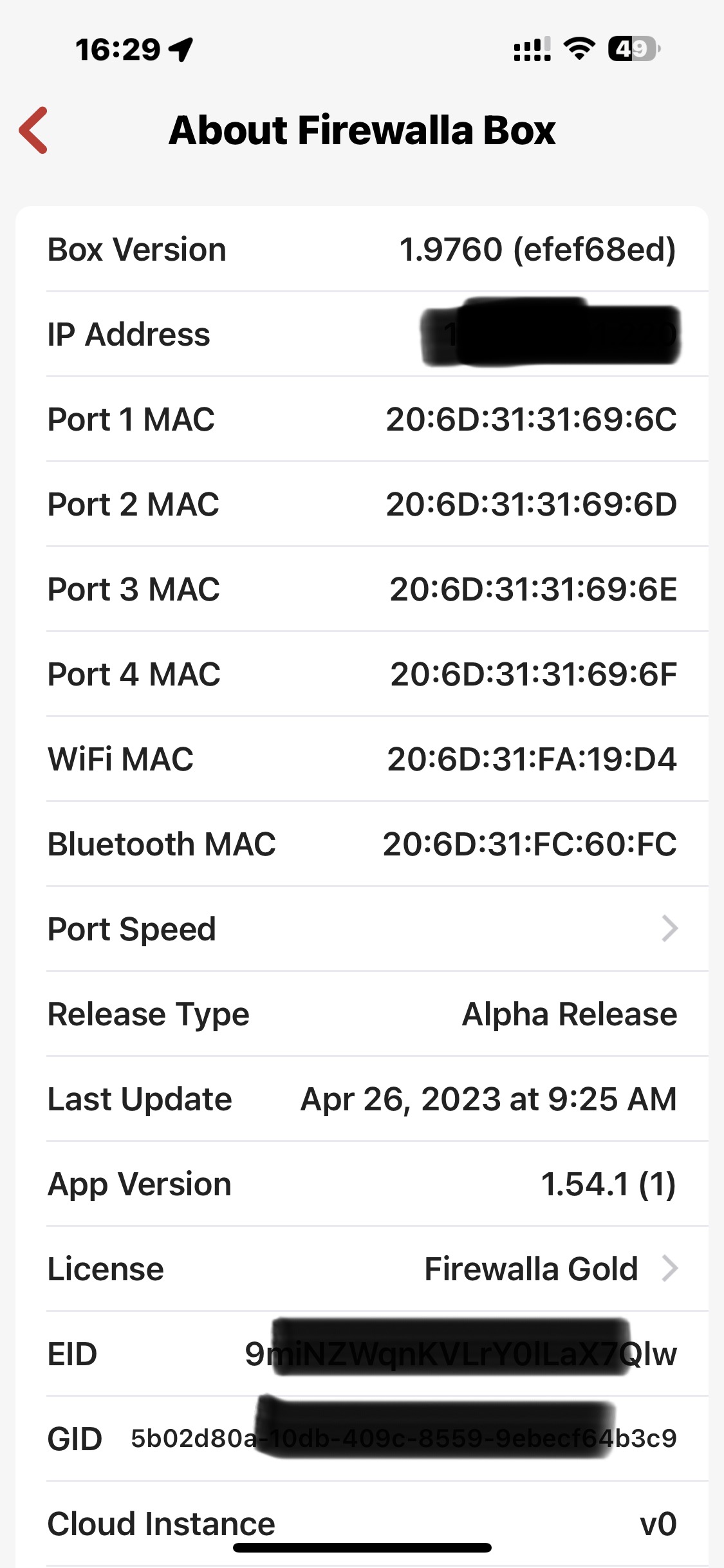
I have updated the app to version 1.55 and have also installed the alpha release of the firewall. However, I am still unable to view the Source NAT Rules. Could you please assist me with this issue? I have attached the relevant screenshots below for your reference.
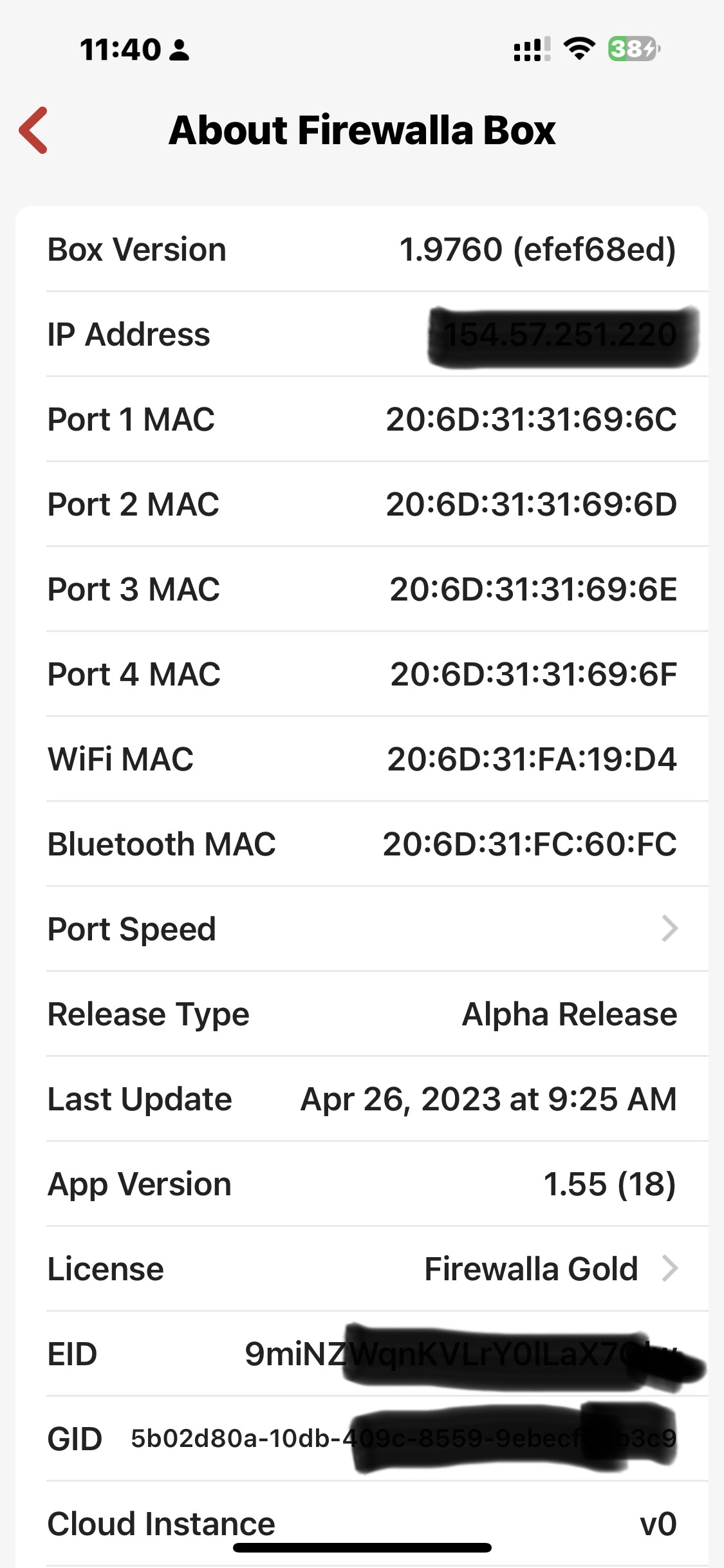
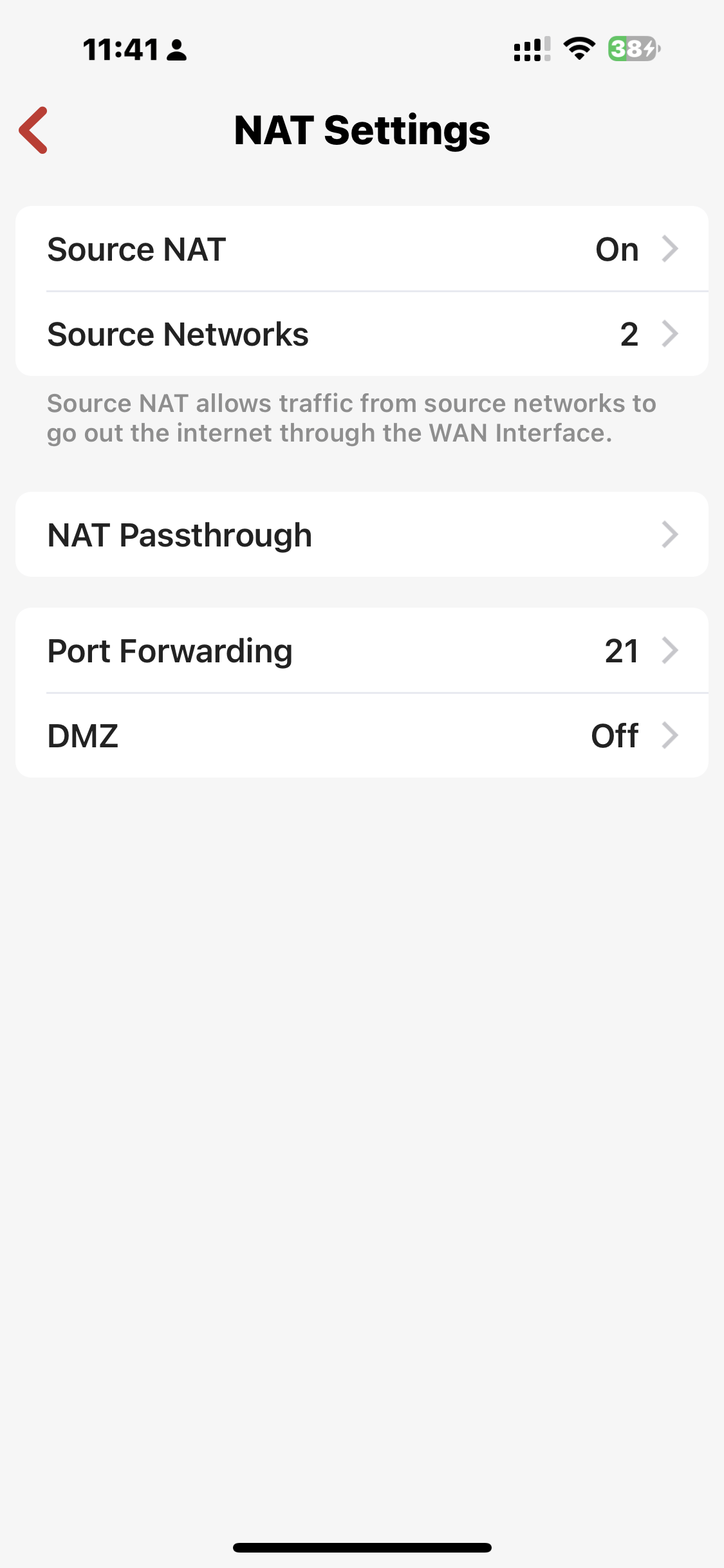
Thank you.
Please sign in to leave a comment.
Comments
14 comments