Smart Queueing with gigabit connection, worth adding rules?

If one has a symmetric gigabit connection, is it still worth putting "high priority" for things like video/conference calls, VOIP, etc under Smart Queueing?
Or just turn it on and leave it alone?
-

If you are not saturating the links, then no, you do not need Smart Queue. (this is one school of thought).
Of course, the other theory is that it is always good to regulate network traffic.
So, what you can do is just turn on the smart queue and have it make decisions to make your streams 'fair'. Until you experience issues ... then start to prioritize and limit traffic as in https://help.firewalla.com/hc/en-us/articles/360056976594-Firewalla-Feature-Smart-Queue
-
so you're suggesting we change the upload rate limit to "high" priority if we know we will occasionally hit the limit? (in one of my cases, the upload max is only 20Mbps, so I've set a upload rate limit of 17Mbps).
Also, if we add app filter (for google meet for instance) and set it to high priority, should we also repeat the upload rate limit in that rule as well? Or will smart queueing understand to high prioritize google meet traffic and then the upload rate rule will curb upload to 17Mbps?
-

I'd suggest you set one smart queue rule that limits all upload traffic to 17 Mbps, with priority set to default. And then, if you want your Google Meet traffic to have a higher prioirty, create another rule and set Google Meet with high priority, and repeat the rate limit (upload: 17 Mbps or lower) on that rule as well, so your Google Meet traffic will get higher priority than other traffics and it will not throttle your network.
-
I assume if we have multiple other video conferencing services (webex, zoom, etc) listed that we should also put the same upload rate limit across all of them too?
Conversely, if there's an overall download limit (like 300 Mbps) that's listed on the 'default' rate limit (and 17Mbps upload rate limit) .... should we also replicate limiting the download rate in each of the video services rules too?
-

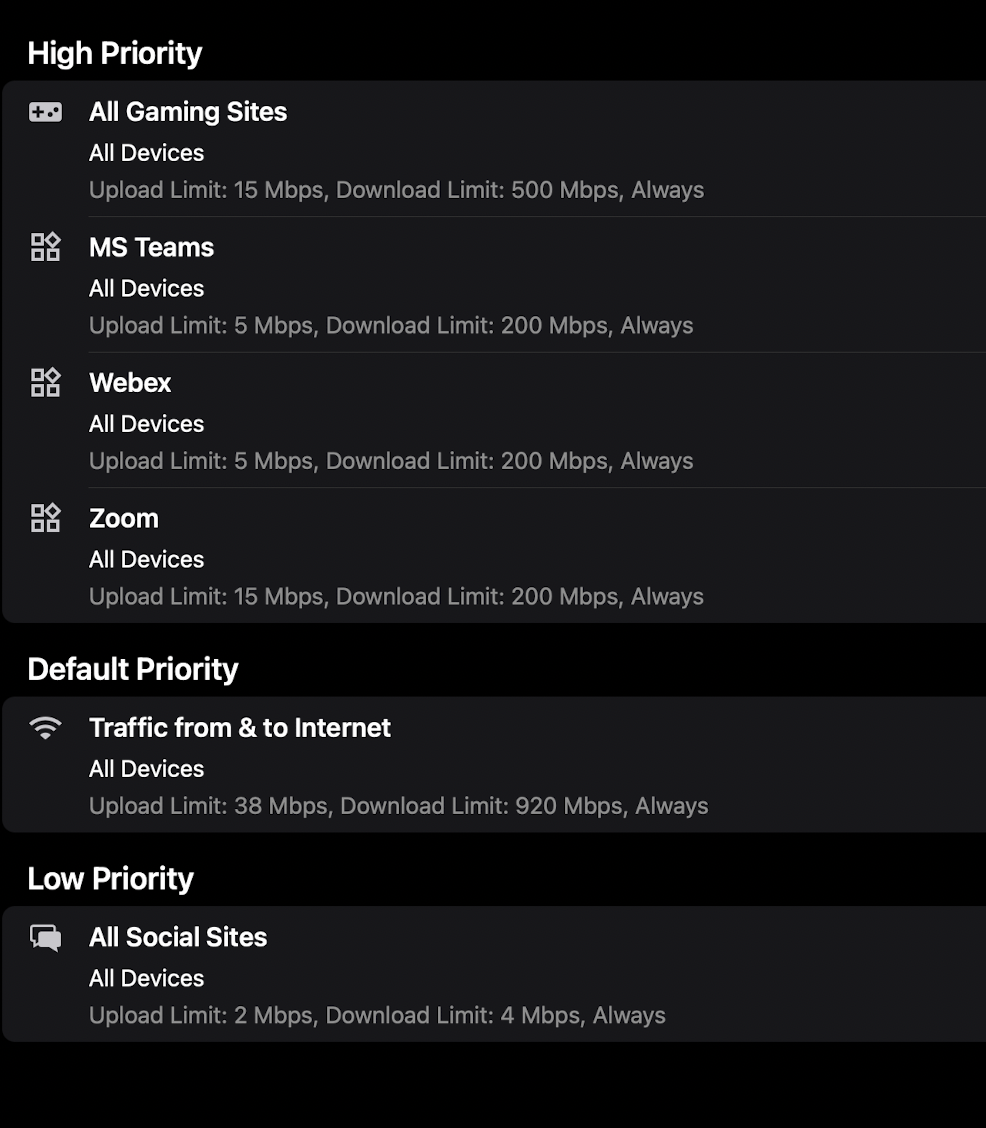
I only have at most 2 people using zoom/webex/teams at a time. The numbers for download are really just thrown in there for completeness, no way they will ever hit those caps. In fact I really don't have an issue with running out of bandwidth on download. I DO however have an issue with hitting the upload so this is more for that and to help reduce the HUGE buffer bloat I get on the wonderful cable provider than anything else. The biggest thing to remember when you start doing traffic prioritization and rate limits (especially in a network with "real" users doing work) is that it is NOT a set it and forget it kind of setting. You will need to monitor it and make adjustments.
Please sign in to leave a comment.
Comments
8 comments