Network issues when connected to firewalla

Hi all, looking for some assistance running down some network issues I was seeing in the app.
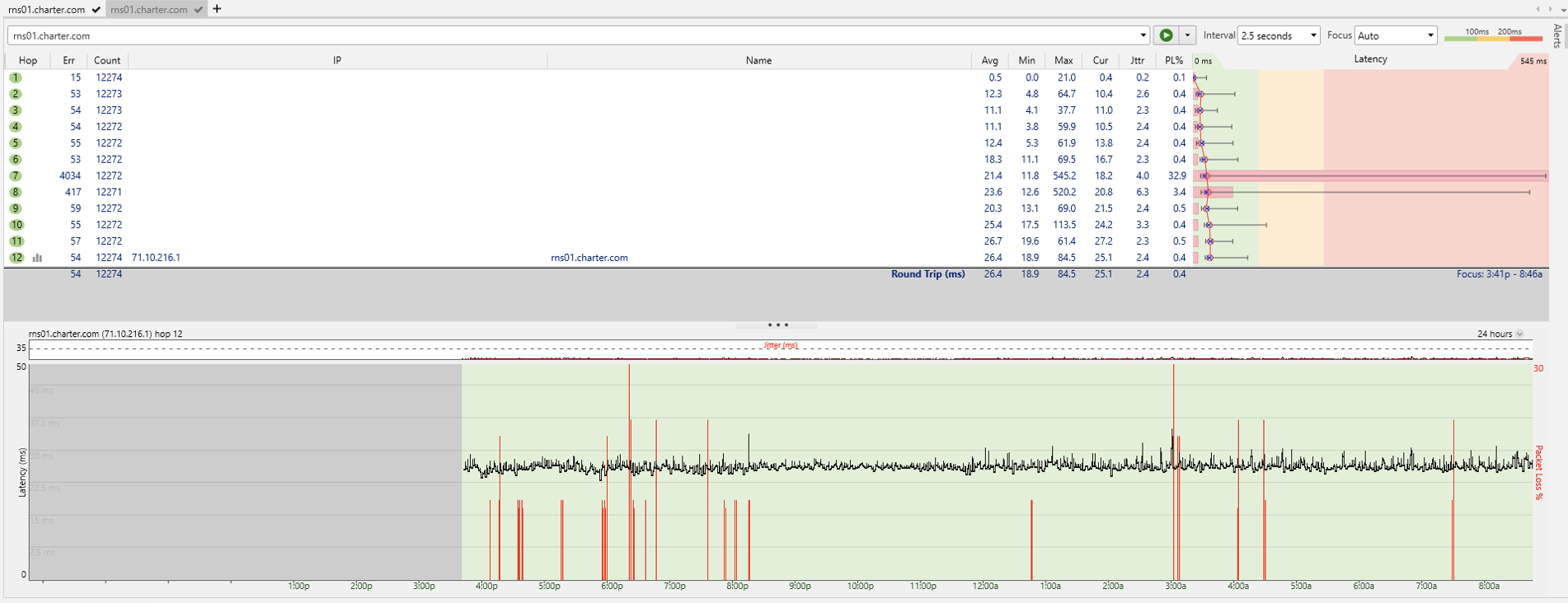
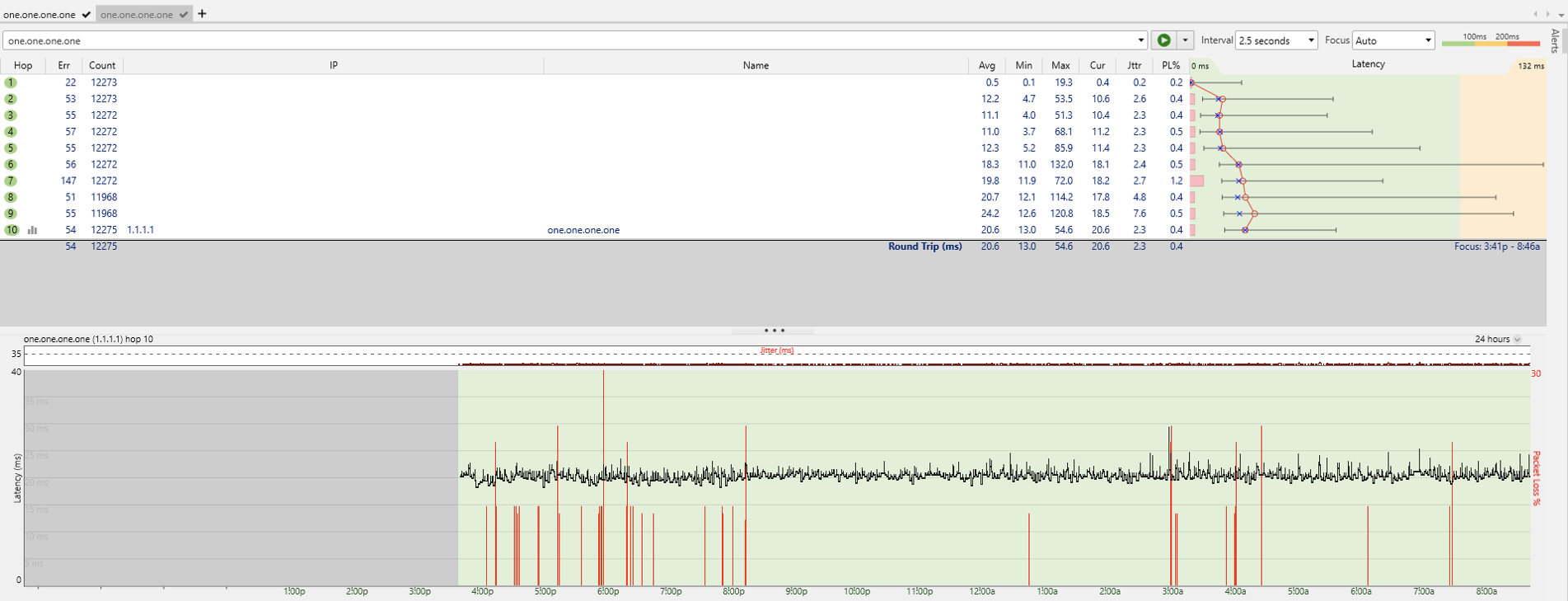
As a test I ran ping tests to quad9, cloudflare, a charter dns, and google dns while leaving videos running on my pc.
Edit: Not sure how to upload larger images. Let me know if some better images or data is helpful.
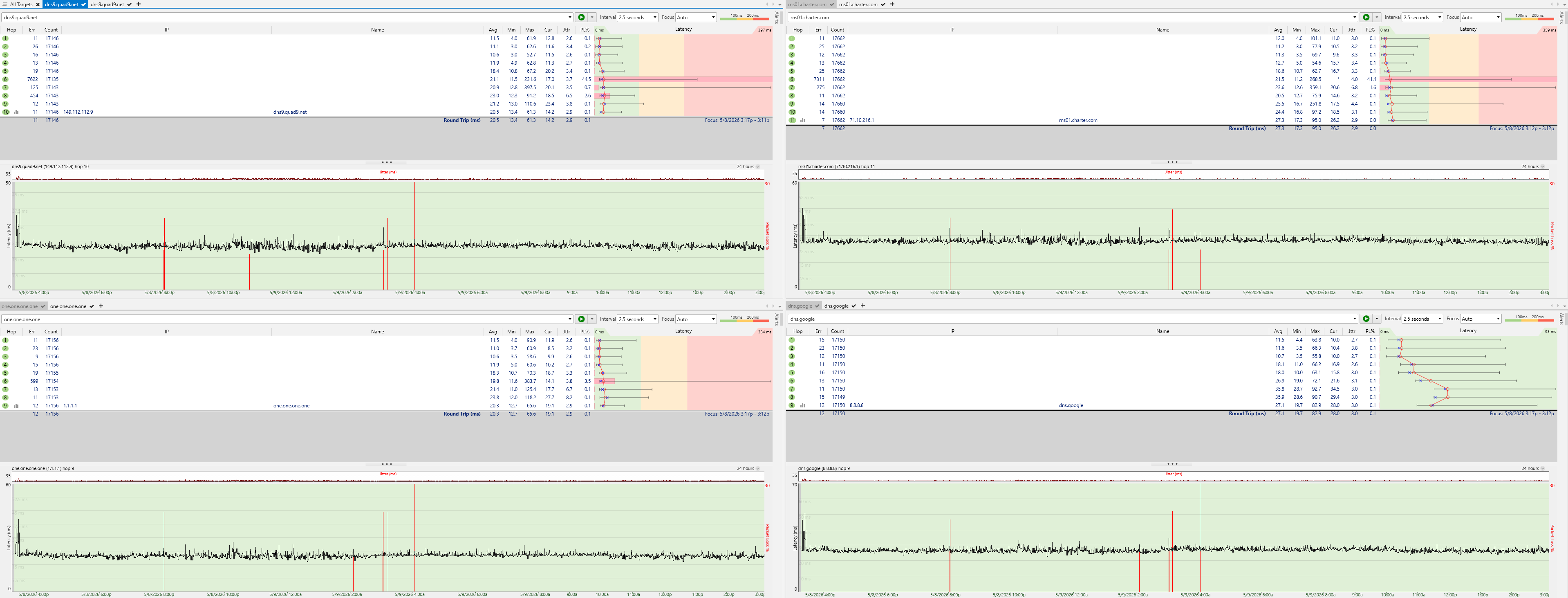
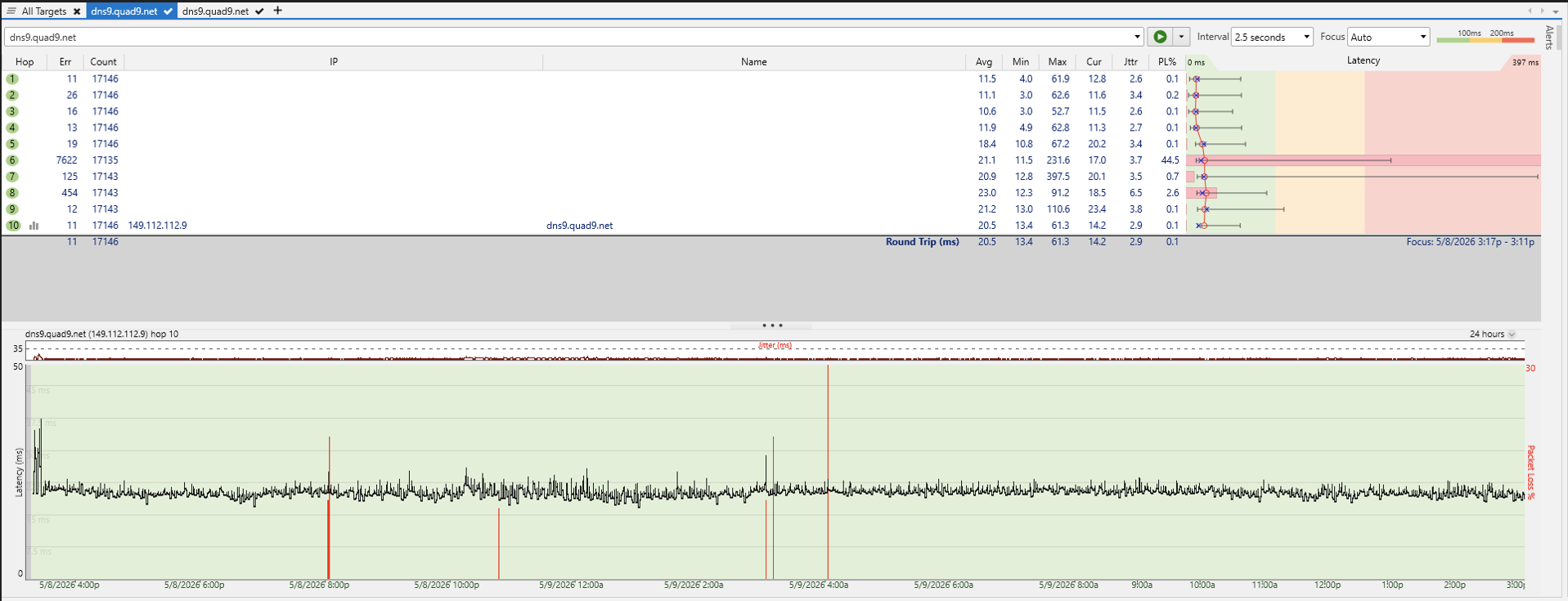
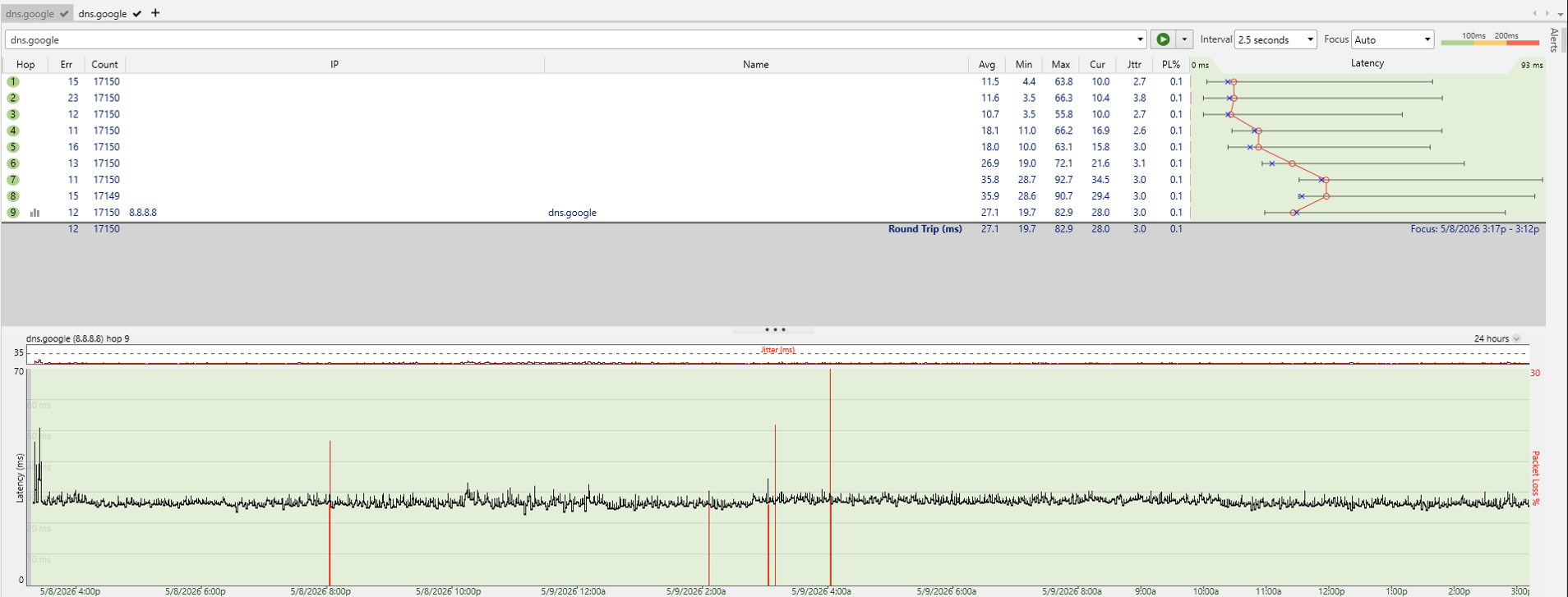
Ran a 24 hour directly wired test with modem -> pc and saw very few issues.
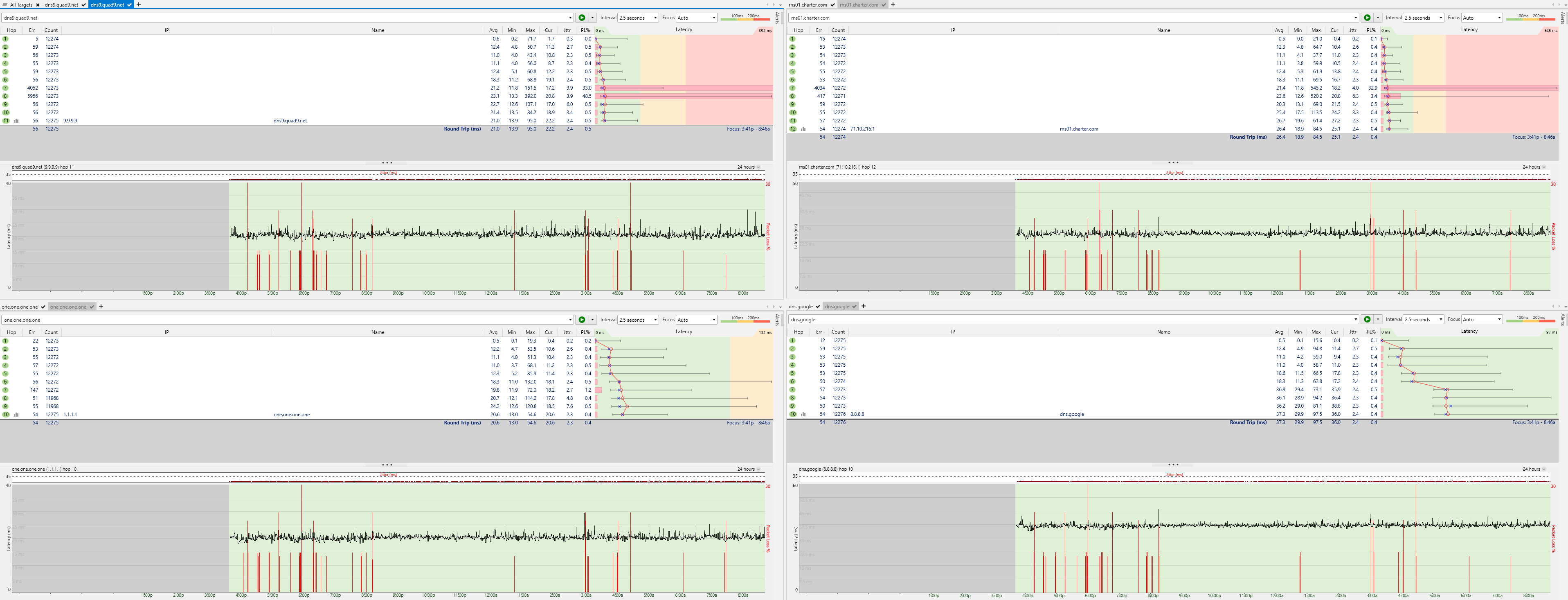
Ran a 17 hour directly wired test with modem -> firewalla -> pc and saw significantly more issues.
I reviewed the network events and network performance help pages but didnt find anything to help me.
https://help.firewalla.com/hc/en-us/articles/13136269666835-Firewalla-Network-Events
https://help.firewalla.com/hc/en-us/articles/4413511352083-Network-Performance-and-Quality-Monitoring
Other test notes
- All connecting cables were tested with a Fluke MT-8200-60 toner
- All cables are Cat6
- Modem has been swapped and is brand new
Connectivity setup
modem -> firewall -> pc
- Unplugged all devices and PC off
- Powered modem and waited for connectivity lights
- Powered Firewalla
- Connected Firewalla to modem and waited for app to say it restarted and did a speed test in app
- Connected PC to Firewalla
Speed test results
modem -> pc
- speedtest.net - 1150 Mbps down, 42 Mbps up
- fast.com - 1.3 Gbps down
modem -> firewalla -> pc
- speedtest.net - 750-800 Mbps down, 42 Mbps up
- fast.com - 760 Mbps down
Network Event Logs
Looking at the network event log I see these disconnects, all coming back a few minutes later.
What I dont understand is why there isnt a 1-1 relationship between events and the connection history.
Events
ISP Disconnect        416p
ISP Disconnect        516p
ISP Disconnect        555p
ISP Disconnect        557p
Port 4 Disconnected   559p
ISP Disconnect        620p
ISP Disconnect        621p
ISP Disconnect        624p
ISP Disconnect        646p
Port 4 Disconnected   646p
ISP Disconnect        1245a
ISP Disconnect        354a
ISP Disconnect        428a
Port 4 Disconnected   428a
Connectivity Test History
Ping Failure 1.1.1.1        4:16:13p
Ping Failure 9.9.9.9        4:16:13p
Ping Failure 8.8.8.8        4:16:13p
Ping Passed  9.9.9.9        4:16:32p
Ping Passed  1.1.1.1        4:17:32p
Ping Passed  8.8.8.8        4:17:32p

Ping Failure 8.8.8.8        4:17:34p
Ping Failure 9.9.9.9        4:17:34p
Ping Passed  9.9.9.9        4:37:53p
Ping Passed  8.8.8.8        4:37:53p

DNS Failed   209.18.47.63   5:59:04p
DNS Passed   209.18.47.63   5:59:58p
DNS Passed   209.18.47.61   5:59:58p

Ping Failure 1.1.1.1        7:52:44p
Ping Failure 8.8.8.8        7:52:44p
Ping Passed  1.1.1.1        7:53:03p
Ping Passed  8.8.8.8        7:53:03p

Ping Failure 1.1.1.1        8:15:24p
Ping Failure 8.8.8.8        8:15:25p
Ping Failure 9.9.9.9        8:15:25p
Ping Passed  1.1.1.1        8:15:43p
Ping Passed  9.9.9.9        8:15:43p
Ping Passed  8.8.8.8        8:15:43p

Ping Failure 1.1.1.1        4:04:06a
Ping Failure 8.8.8.8        4:04:06a
Ping Failure 9.9.9.9        4:04:06a
Ping Passed  9.9.9.9        4:04:25a
Ping Passed  1.1.1.1        4:04:25a
Ping Passed  8.8.8.8        4:04:25a
-

You mean, your ping tests (I can't clearly see the images, since they got optimized / small) from a PC worked fine and at the same period that firewalla is claiming some internal pings failed?
Port 4 Disconnected 559p
If above event is from the firewalla, check your ethernet cable (swap to a new one) or change to a different port on the modem (if you have one).
-
your ping tests (I can't clearly see the images, since they got optimized / small) from a PC worked fine and at the same period that firewalla is claiming some internal pings failed?
Not exactly, the tests are at different times, not the same time. I ran a 24 hour test from modem -> PC which looked clean. Subsequently I ran a 18 hour ping tests from modem -> router -> pc and was seeing issues.
Regarding the port 4 disconnect. I did swap cables and am still seeing port 4 disconnects since then. 2 more exactly over 6 hours so far.
Yes, the above events and connectivity test history are all from the firewalla app. Also I was going to try another port but port 4 is the default wan port in router mode. Can I plug the modem into any of the other ports and it will still work properly or is there other configuration I need to do.
I broke the image into smaller images if that helps.
24 hour modem -> pc ping test
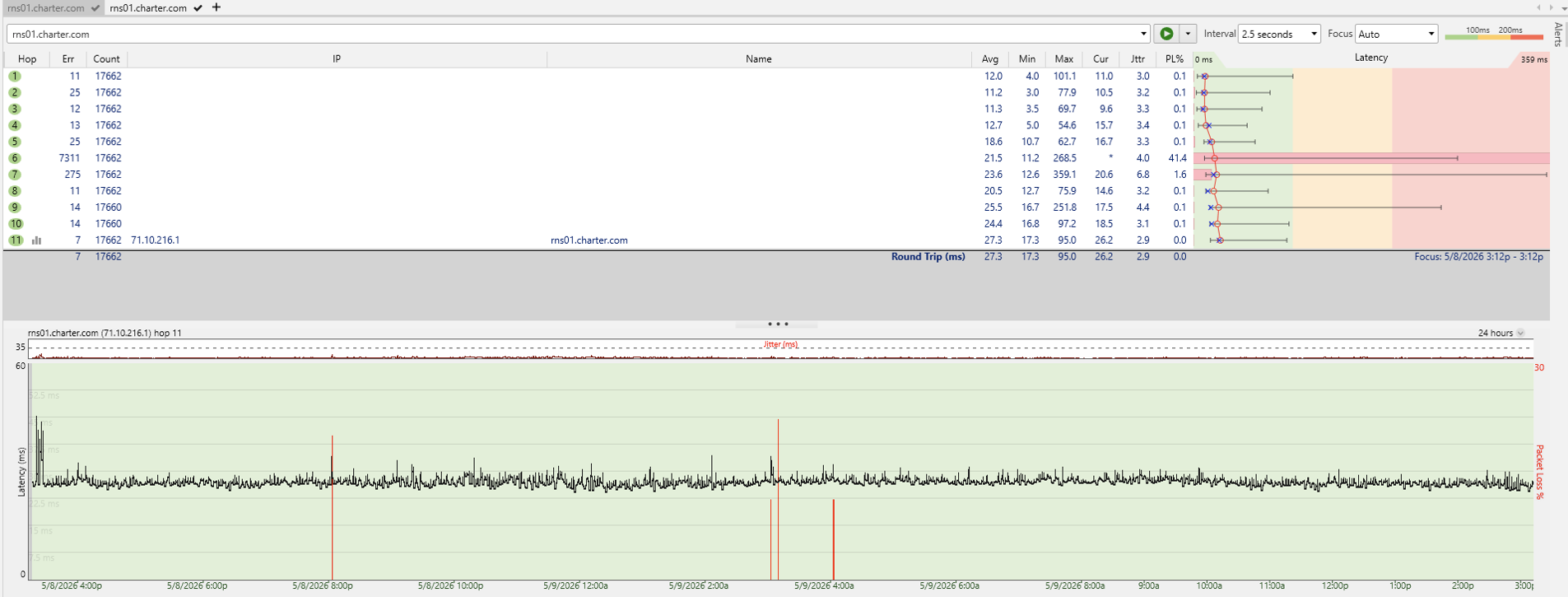
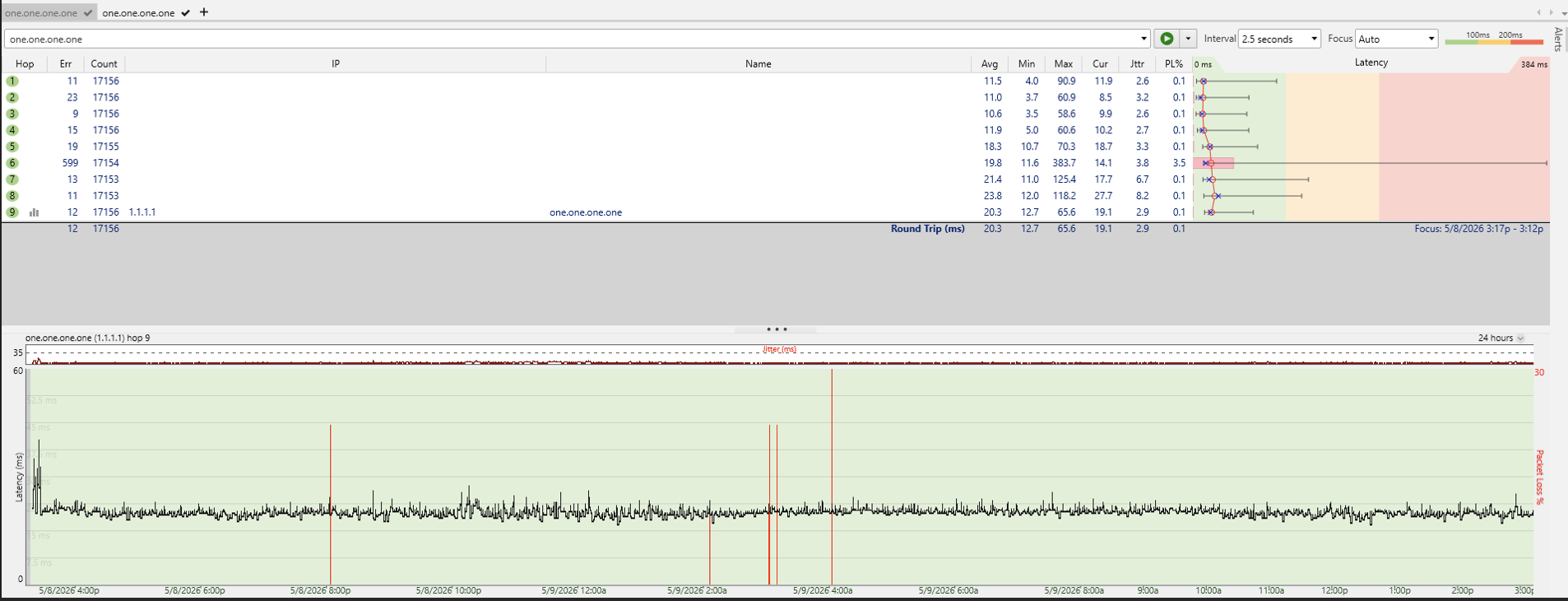
18 hour modem -> firewalla -> pc ping test
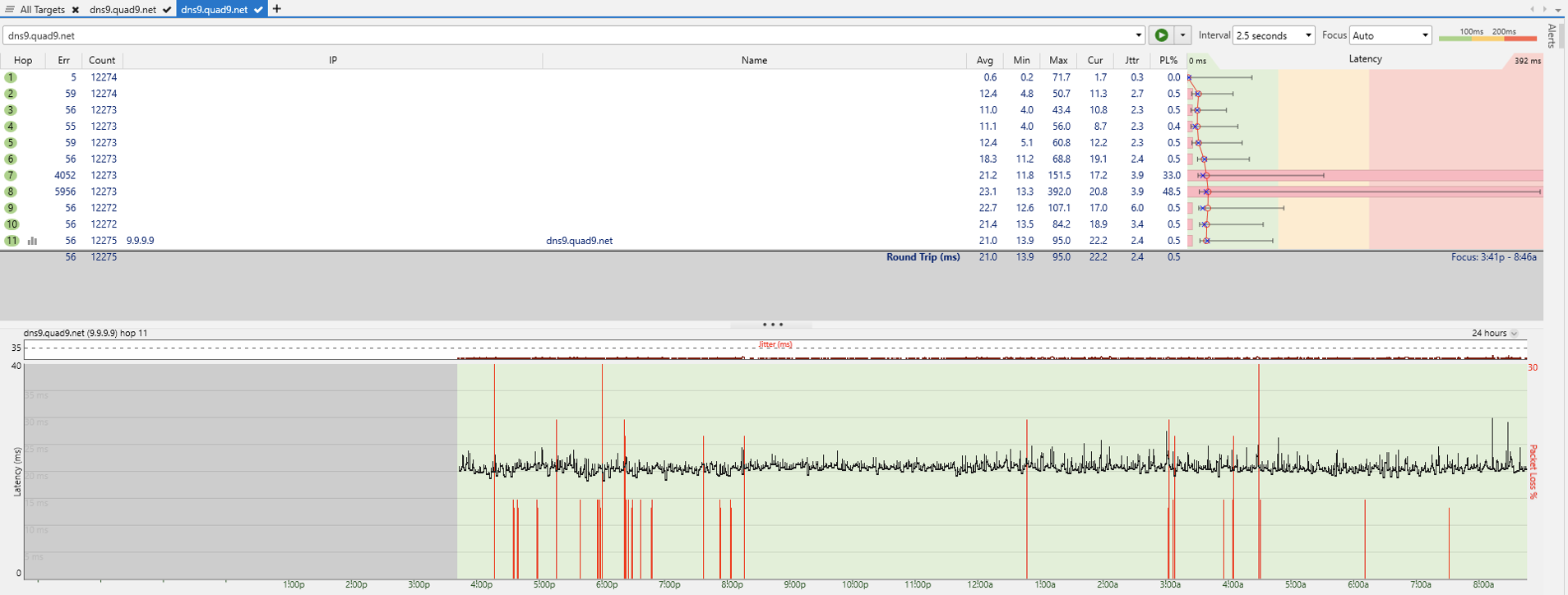
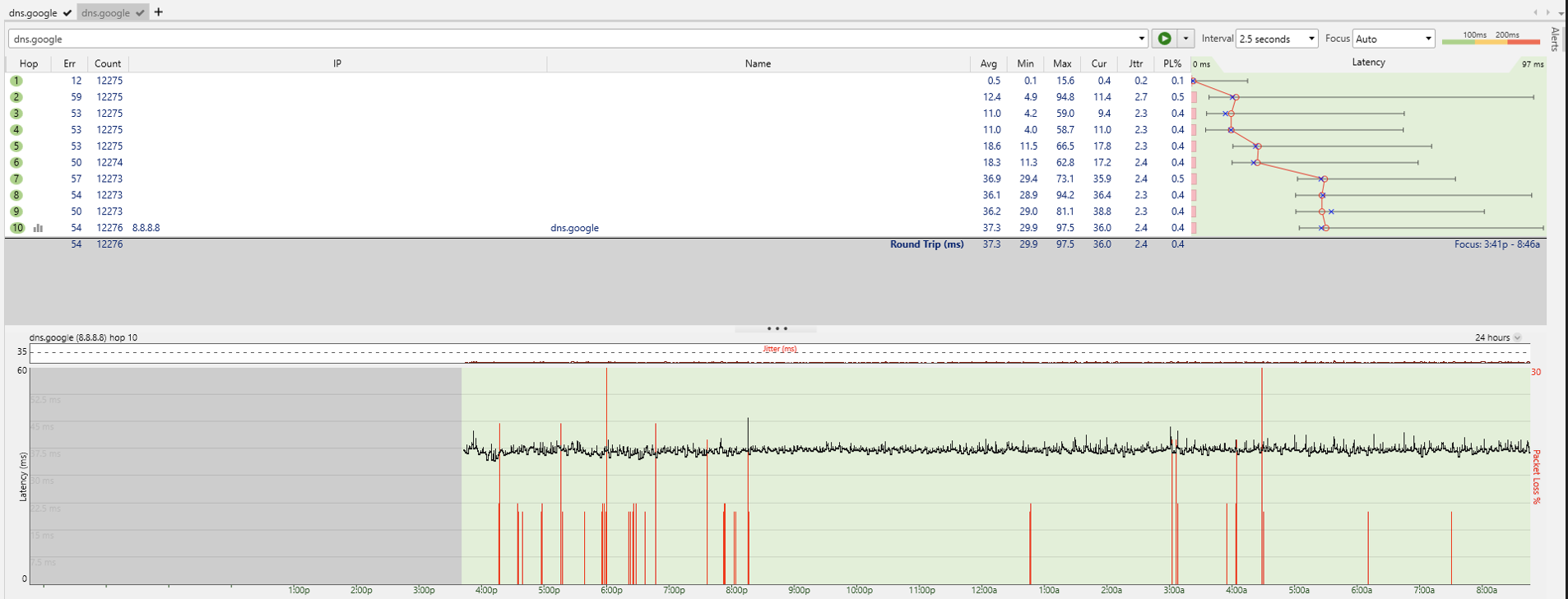
-

You can simply swap and use a different port as WAN port. How to change the default Ethernet Port used for WAN connection into other port?
Check if port disconnection still appears after swapping Firewalla port. If it still does, check if you can use a different modem port to rule out modem port as well.
Please sign in to leave a comment.
Comments
3 comments