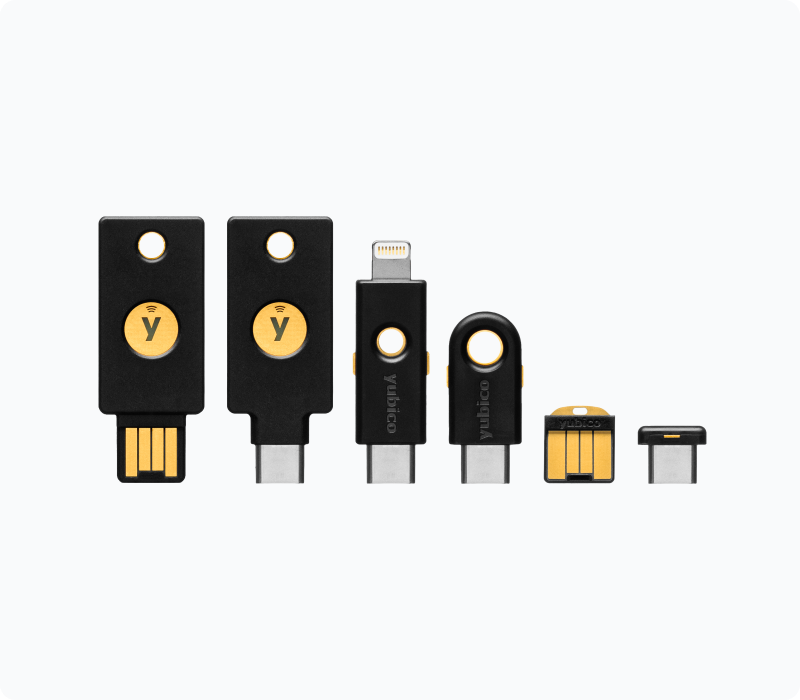
Add YubiKey Support for Two-Factor Authentication on Firewalla

Comments

12 comments

  • Avatar
    Firewalla

    The app access itself is already protected by your phone. 

    Do you mean MSP support?

    0
    Comment actions Permalink
  • Avatar
    kiw33r

    I actually meant regular app or account access, not MSP.
    Even though access is protected by the phone, adding hardware-based two-factor authentication (like a YubiKey with FIDO2/U2F) would provide a significant extra security layer.

    If a phone gets compromised, intercepted, or a password manager is breached, a physical security key ensures that access still requires something only the legitimate user possesses.
    That’s the real value — it makes remote compromise practically impossible without physical access to the YubiKey.

    0
    Comment actions Permalink
  • Avatar
    matthew hoeper

    I also second this idea, also why not implement Face ID passkey support ? Both are useful in case someone gets phone and knows phone pin code

    1
    Comment actions Permalink
  • Avatar
    matthew hoeper

    Relying solely on phone pin code security is not reliable enough . Scratch what I said early about Face ID support, you can already force Face ID support by holding on apps and locking behind Face ID on iPhones

    2
    Comment actions Permalink
  • Avatar
    Andy brown

    Some form of two factor authentication for those who want it. Yubikey would get my vote.

    2
    Comment actions Permalink
  • Avatar
    matthew hoeper

    Only issue is YubiKey is when you lose them, you’re really screwed after that but I always have 3 at all times to make sure I always have access. For anyone reading this, please get more than 1

    2
    Comment actions Permalink
  • Avatar
    kiw33r

    When you use a yubikey you have also backupcodes. Correct me if I’m wrong.

    0
    Comment actions Permalink
  • Avatar
    matthew hoeper

    Or at the minimum standard 2FA that can get locked behind the YubiKey authentication app within the key. I use that whenever something doesn’t natively support the key itself. They’re super easy to use so I see a lot of people benefiting especially businesses.

    1
    Comment actions Permalink
  • Avatar
    Andy brown

    I have one I carry, my backup locked away in my fire proof box and another I just bought which I haven’t sorted out yet. I had one break, which is unusual, they replaced it immediately.

    1
    Comment actions Permalink
  • Avatar
    Brendan Harvey

    Would love to see hardware key locking/access. Firewalla is like fort knox...except the app....which can swiftly take the whole thing down from the inside :\ :\ :\

    0
    Comment actions Permalink
  • Avatar
    Michael Reeves

    Solution here for now is to use 2fa behind a FIDO2 usb key, like Google Authenticator or similar. These are only needed for Authenticator accounts.

    0
    Comment actions Permalink
  • Avatar
    cloudstrife72

    For an attacker to gain access to your firewalla app, wouldn't that require the attacker to have physical access to your phone on which the firewalla is already installed?
    If I ever lose my phone, the first thing I'm doing is removing it's firewalla access privileges from my backup phone with the firewalla app.
    I can see the utility of a yubikey for MSP access.
    For the firewalla phone app, I think a strong phone lock password is more reasonable because if someone is able to steal and break into my phone, they not only have access to my firewalla app but also my email accounts, banking apps etc.

    A case can be made that an attacker can remove your other phone's access to the firewalla app and change all your wifi passwords. I still dont see myself using the Yubikey as I access the app about 50 times a day but a fingerprint lock, pincode etc seems reasonable ; with Yubikey protection for MSP

    0
    Comment actions Permalink

Please sign in to leave a comment.