iCloud Private Relay Issue

I have a device in my home network that I need remote access to. I use the very helpful Firewalla DDNS functionality with CNAME mapping to access this device at remote.xxx.com:8500. I have rules set for this device to block all internet access with three exceptions:

This works perfectly...until I turn iCloud Private Relay on.
Curiously, I have another device, similarly configured, that stills works when iCloud Private Relay is on. The only distinctions I can see are that the second device's "Allow" rules are "Inbound only".
I guess I just don't understand why this rule setup isn't allowing bi-directional traffic over Port 8500 regardless of iCloud Private Relay usage.
Any advice/help would be most appreciated. Thanks.
-

iCloud private relay is a VPN service, so when you turn it on, it will likely mess with the source IP of your devices. Not sure if your service will reject if the source IP changes. Also, the blocking may be in the iCloud private relay. Check https://help.firewalla.com/hc/en-us/articles/1500007220942-Firewalla-Blocked-Flows and see if anything is blocking
-
Thank you for your reply.
Weirdly, the OpenSprinkler device that is failing I can see getting blocked on Port 8500 and IP 104.28.116.102, while the iMac is not getting blocked on Port 8176 and IP 104.28.48.181. This is what the blocked flow says:
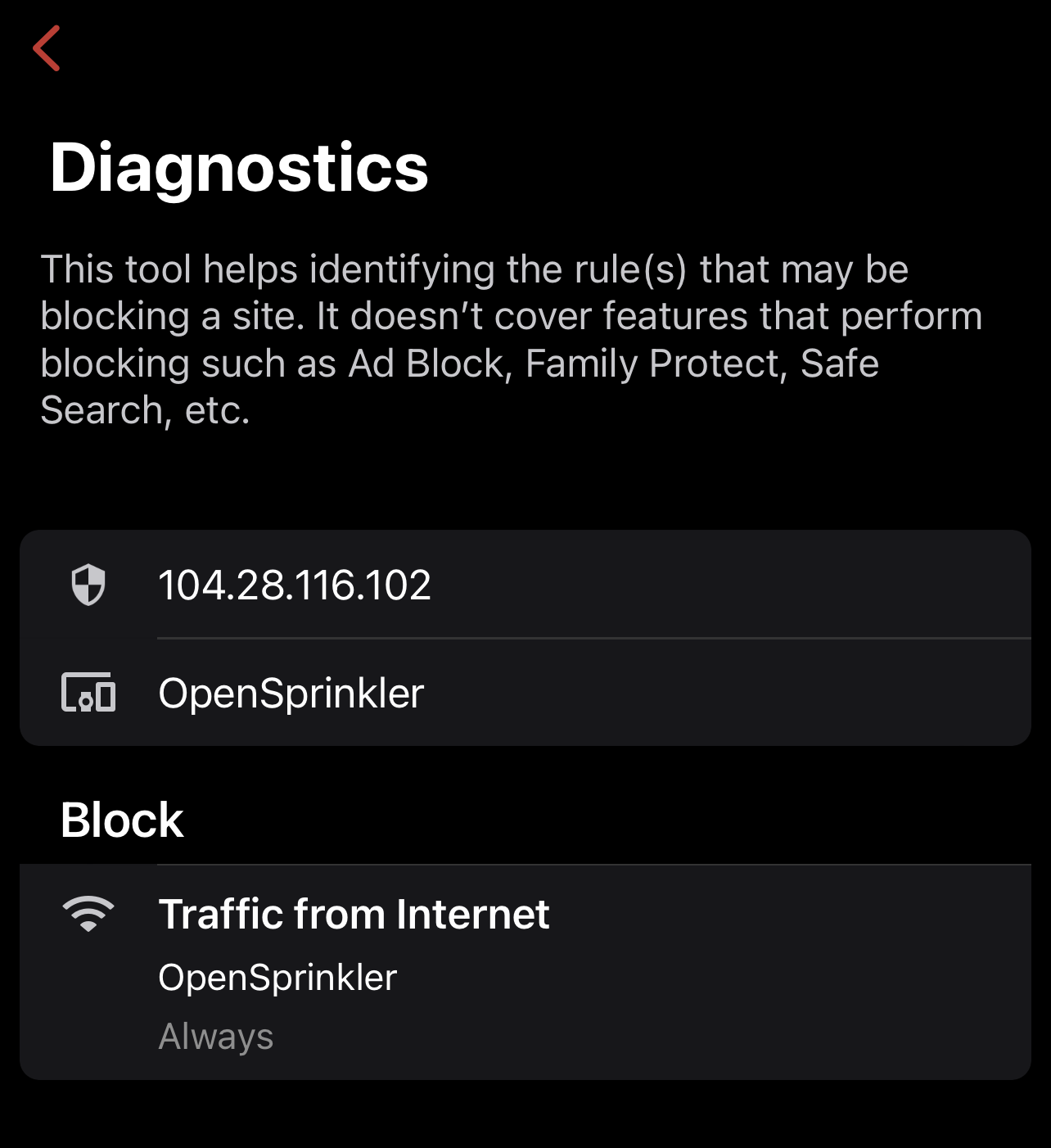
There is nothing I can identify to distinguish the blocked from the non-blocked flows - other than, as I said, the non-blocked flows are all "Inbound only".
-
can you paste the port forwarding rules? we can take a look. For port forwarding rules to work, there has to be a port forwarding entry (redirection), and a firewall rule to open it. Something like this https://help.firewalla.com/hc/en-us/articles/1500009502622-How-to-limit-access-to-open-port-or-port-forwarded-
Please sign in to leave a comment.
Comments
4 comments