Curious what suspicious incoming connections might mean...

Today I noticed a lot of incoming connections like this: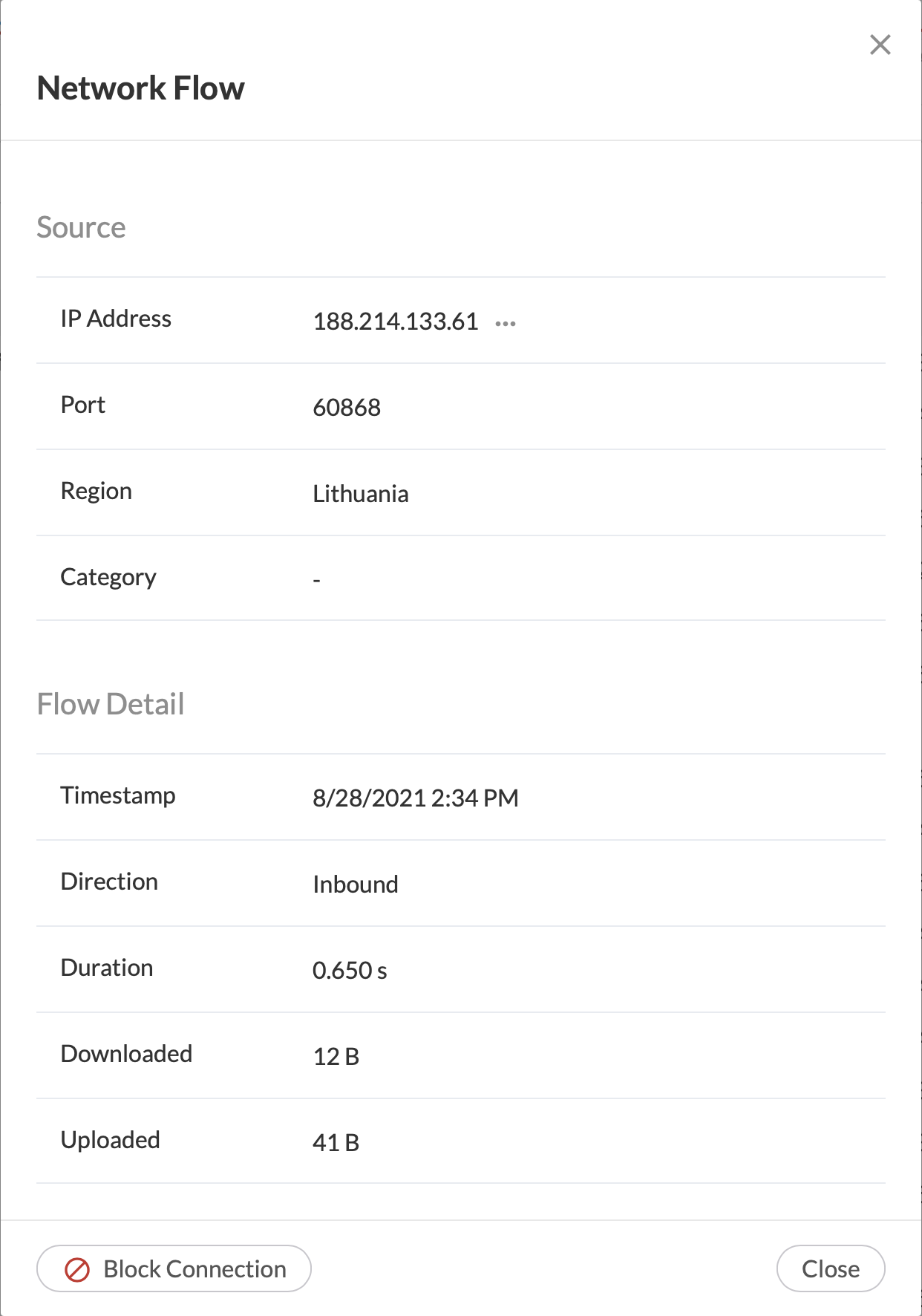
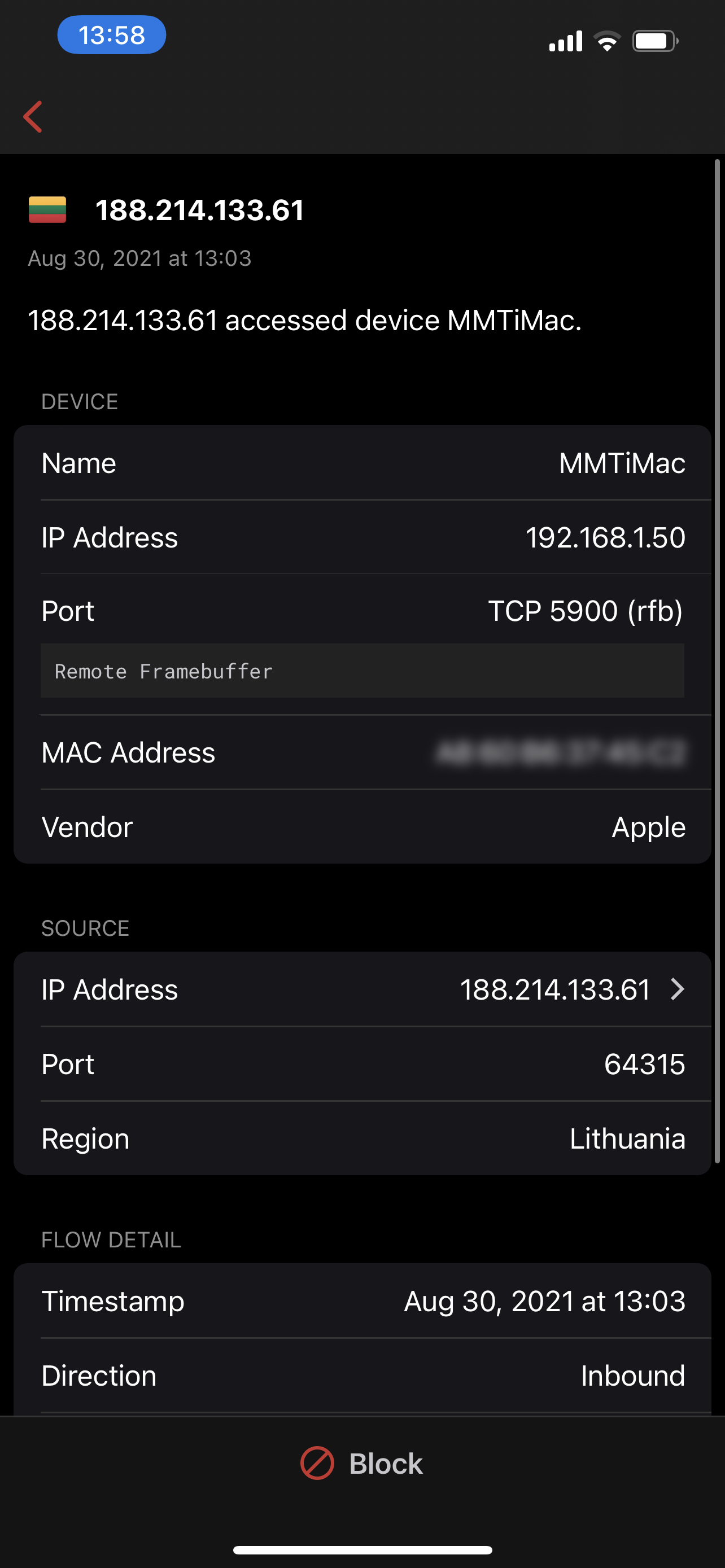
I'm curious as to what these might be. Note that no one is actually using this device when these connections occur.
-
Thank you for your reply.
If it says "Inbound" in the screenshot I posted above, doesn't that mean it's an inbound connection?
And, also in the screenshot above, next to "Port", there is a number - isn't that the port?
Yes, I am using a Gold box, running 1.973 (sorry, should have noted that). And no, I most definitely did not (intentionally) open that port.
-

Yes, when it says inbound the probability of it is really inbound is very high. And in case the stream is UDP, there is a slight chance the direction may be wrong. To determine this, we can look at the dst port, you can scroll up and look at the destination and see what that port is
-
Well, now I'm in trouble. I paused the rule allowing port 5900 and now I can't access that computer, of course. So I then re-enabled the rule, but I still cannot access that computer over VNC. The Open Ports button reports tcp port 5900 is "Unmanaged" now. Do I need to reboot the Gold?
-
Okay - multiple issues occurring...
1) I had to force-quit, then re-launch the iOS app in order to get Open Ports to re-scan external ports. There was no way to force a re-scan otherwise - not that I could find.
2) Upon forcing the Open Ports re-scan, port 5900 is no longer found, even though I have it opened via a specific rule for one of my devices.
3) Earlier, I had paused that specific rule, then resumed it - but I cannot access my remote computer through that port any more - since it is apparently no longer open.
iOS app 1.47 (52)
Gold 1.973 (2a0bb42d)
-
The port scan's are intentionally limited, this is because the scan's are external and if done too frequently, the server can be black listed by the ISP.
Check if you have done a port forward of 5900 to one of the boxes, if no port forward, the scanner won't find anything.
You do need a secure port forward, see this article https://help.firewalla.com/hc/en-us/articles/1500009502622
Please sign in to leave a comment.
Comments
10 comments