slow internet after week - need reboot - reboot is slow

everything internet start slowing down after a week and usually have reboot are 2 weeks or at the point to speed it backup
ping does not seem to affected by this.
affect both wired and wireless, wireless more
some device disconnect then reconnect a lot (ECOFLOW UPS beep every time it happens and its not all them at same time lol)
if i move my phone to 4g/5g its snappy and back in network its not snappy anymore- reboot the Firewall fixes
also the FW reboot now take a very line time almost 4 minutes vs the 1 ish minute it used to take before AP7 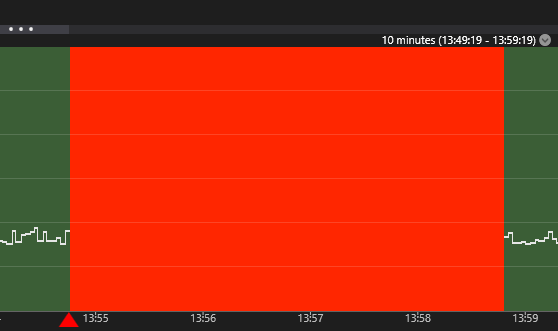
i turned off the QOS but it hasn't changed anything. (wirde from desktop speedtest below after reboot)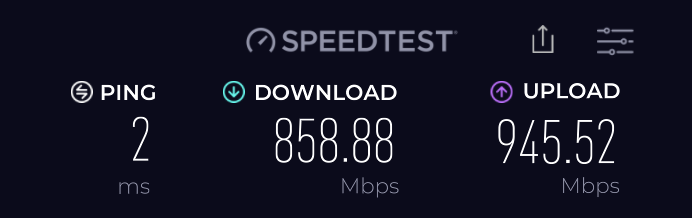
On FIREWALLA WIFI the app speed test show ~1700-2000 to the router but when i run speed test on the same phone i get 500x500 only - it like there is bottle neck to the internet if on WIFI (all 2.5g wired connections 6ghz -50 signal)
-

See if this guide can help you, https://help.firewalla.com/hc/en-us/articles/360056875493-Speed-Tests-and-Speed-Optimization-with-Firewalla
-
I'm not seeing anything lan side (other than slow upload test above) the slower wifi test on 6ghz is weird but 500x500 should be super fast - don't really need full gig - and I'm assuming other Wifi devices are slowing that down
my main issue the internet website and phone apps coming to a crawl even stream service will load slow or start a low quality. a reboot via the app or pulling the power from firewallla clear it up for a while, then it starts going slow again like a memory leak.
Is there anyway to check the CPU/memory on the Firewalla ? seem to be hitting something - it really feels like an enterprise firewall with inspection on and it need more resources.
firewalla is there a diagnostic or support file i can get that might help the next time its happening ? I had to reboot today because my Teams calls were getting weird and it wasn't my wan it was fine. Firewalla -
I assume you tested WAN and LAN, and if both are good, then check these
1. What are your DNS settings?
2. Are you using VPN?
3. Was the problem random? when it happens, if you run speedtest.com, does it slow down?
4. Do you have a lot of blocking rules?
Even this article say can't access websites, it may also work if you accidentally blocking CDN type of sites. https://help.firewalla.com/hc/en-us/articles/360050255274-What-to-do-when-you-can-t-access-certain-websites (see if emergency mode will make things faster)
-
1. cloud flair first and google second (i'm closer to CF)
2. no
3. no after FW reboot it seems fine for few day then start slowing down, apps on phone are slow, and webpage in desktops, downloads and stream work fine but they take a while to "ramp up" i haven't done speed test during yet ill try this next time it usually seems to get unusable when I'm working so i have to reboot fast.
4. i have 67 block rules have not changed any in a while, this started in the last ~2months -
Since some rules are "learning" based, if they are not used correctly can gradually add more blocking to your network.
What you can do is, follow the speed test article and run speed test on WAN/LAN, this is to make sure we know the problem is related to DNS or general network traffic.
If speedtests on WAN and LAN turn out to be good, then follow below (if not good, you can follow that article to try to fix the issue)
- Tap on rules
- Tap on top right button
- Turn on emergency access
If above resolves the issue, then you have a rule problem.
If both tests are good, very likely the issue may be the client itself, you can also create a case by sending email to help@firewalla.com
-
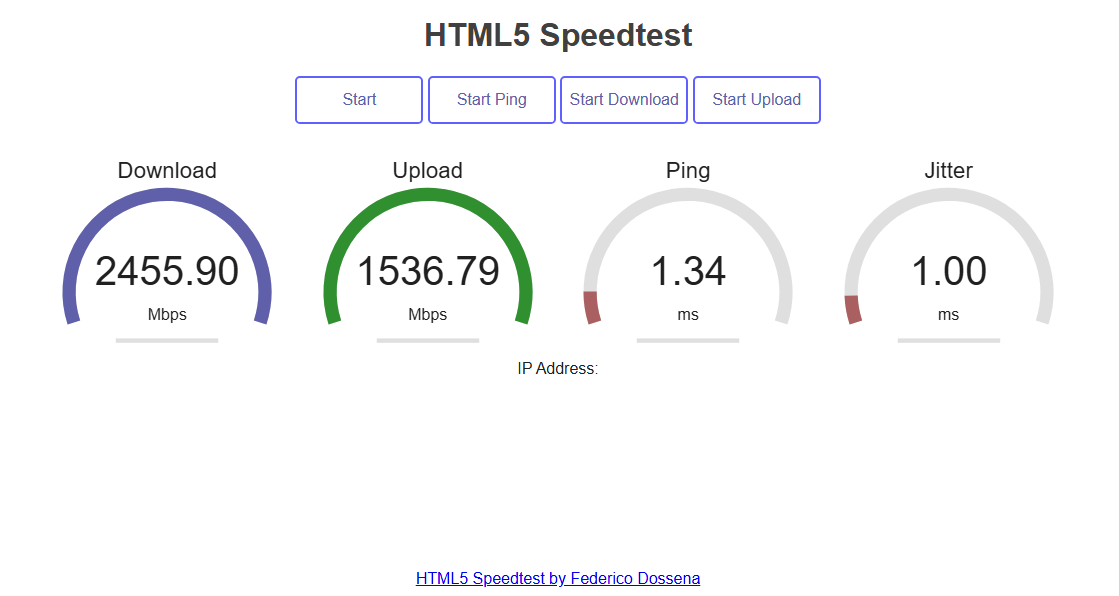
I tested WAN and LAN above many times - do you see an issue? is there test I'm missing ? the only thing i see wired is the upload test is low - i assume this firewall performance? its all CAT6 and 2.5 link from FW > Desktop
FW > 2.5g > switch > 20g fiber > switch > 2.5g > desktop
each switch has 2x AP7 all 2.5G linked hard wired
to be CLEAR, web sites are working they are just VERY slow. when this happens. All devices experience this in the house, phones tablets, WIFI PC, hard wired PC, everything
Again rebooting my Firewalla corrects this issue - if it were my WAN that would not, and I would not be reaching out for help here. -

Hi Andrew,
Thanks for the WAN and LAN tests. One thing to try next is Emergency Access. This disables most filtering and rules to help identify if something inside Firewalla is causing a slowdown.
- From the box main screen, tap on rules
- Tap the three dots (...) in the top right corner
- Turn on emergency access
If this fixes your issue, then it may be a Firewalla Rule or Feature running on your box that is causing issues.
You can read more about this here: https://help.firewalla.com/hc/en-us/articles/360050255274-What-to-do-when-you-can-t-access-certain-websites#h_01JZK4DNNC5PMS6AWX4A99NHA0
Also, feel free to email us at help@firewalla.com, and our support team can take a look at the logs to see what's going on.
Please sign in to leave a comment.
Comments
12 comments