Can I use a controller/switch/AP's behind an AP 7 and still utilize microsegmentation?

I have searched but couldn't find a similar question. Apologies if redundant or already answered.
I'm currently running an Omada based network behind a Firewalla Gold Pro. If I connect this infrastructure behind an AP7 (FWGP > AP7 > ETH>OC200/Switch > Omada AP's), can devices routed in thru the Omada AP's take advantage of the microsegmentation as routed thru an AP7? Today VLAN's start within the FW Gold Pro router and then get finally configured within the Omada ecosystem, curious if this can work.
Thank you
-
Follow-up question ...
One of my plans or thoughts was to install two AP7's via a home run to my core switch (2.5Gb). The same switch is home to my current AP's and controller (Omada). Will the existing setup be compatible with the AP7 network running thru same switch and back to same FW Gold Pro port? Compatible means coexist, not be managed by AP7 and special FW Router software.
Thank you
-
A few follow-up questions:
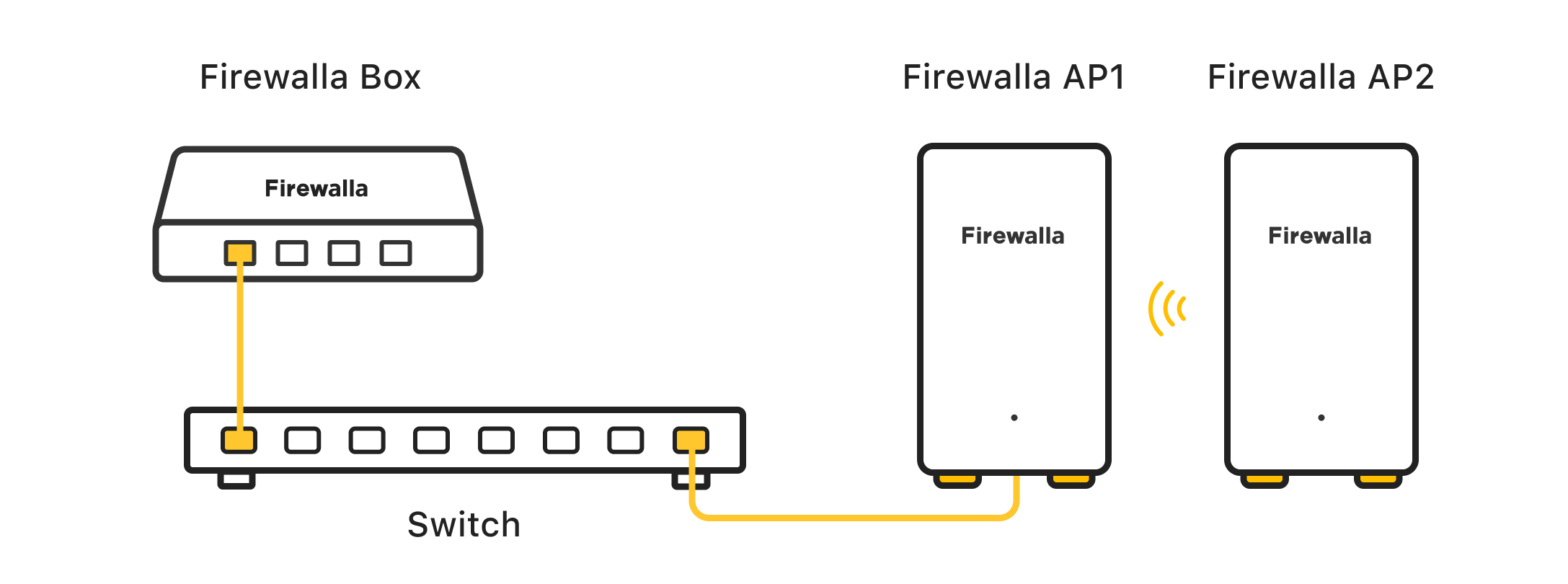
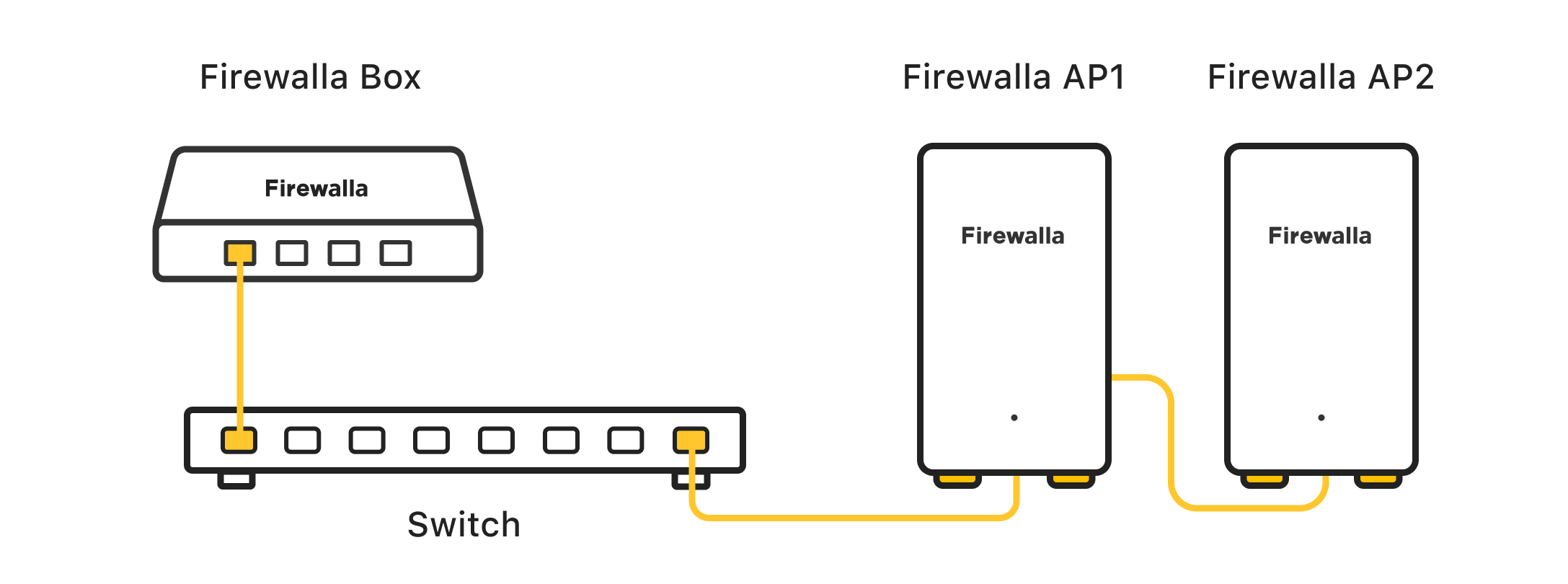
Thank you for the diagrams. I am targeting best performance and stability/reliability.
My plan is that each AP7 would use a different port of same switch, two individual home runs. Unless you suggest AP7_2 > AP7_1 > Core SW per your diagram.
My thoughts were:
- WAN performance runs 1600 Mb/s to 1800 Mb/s based on FWGP results. Don't see my ISP providing anything above current speed locally.
- 1st AP7_1 > Core SW Port 1
- 2nd AP7_2 > Core SW Port 2
- Current Network OC200 > Core SW Port 3
- Current Network Omada AP's(7) > Core SW Port 4 thru Core SW Port 10. Using more AP's than required. Moved older/slower AP's to fringe areas.
- Core SW Port 24 > FW Gold Pro
Based on your initial response, I would experiment running without the Omada Controller and configure Omada AP's individually. But would hope controller can be utilized for ease of configuring existing AP's. I've relied heavily on the Omada optimization process. Looks to be similar to the FW AP7 Auto setting. Some functionality is lost without the OC200 but not a huge issue for myself.
Option B
My alternate configuration was to connect each AP7 to the separate FWGP 10Gb ports. This isn't sustainable long term as I expand my AP7 system over time removing existing Omada AP's. But I could start with this format and leave current Omada infrastructure on its own switch and FWGP port. With time, all AP7's would be connected to individual core switch ports.
Please comment on the options above.
Please comment on anticipated system performance if AP7's are connected to each other. Equal to or better than AP7s running with home runs to a core switch? If equal or better, future runs would probably have an endpoint switch between individual AP7's as I route thru my home.
I'm a bit gun shy running an AP behind another because of terrible reliability experiences with Orbi Pro APs in same configuration. Believe that is really another ecosystem issue.
Very excited for my pending shipment. Thank you for Firewalla's continued active end user collaboration. This makes your team and company very different from the competition.
-

1. The best design is connecting the AP7 to your core switch. (one port each AP7)
2. If you want to chain them together, yes they will perform, you just have one layer of switch in between, which is just a bit latency than (1)
3. connecting directly to the FWGP will work, but that often will eat up your FWGP CPU, if you already have a switch ready, using that is will be more efficient. If you don't have another switch, you can use FWGP ports, and make sure the ports all belong to the same network
Please sign in to leave a comment.
Comments
8 comments