How to find what rule is blocking a flow?

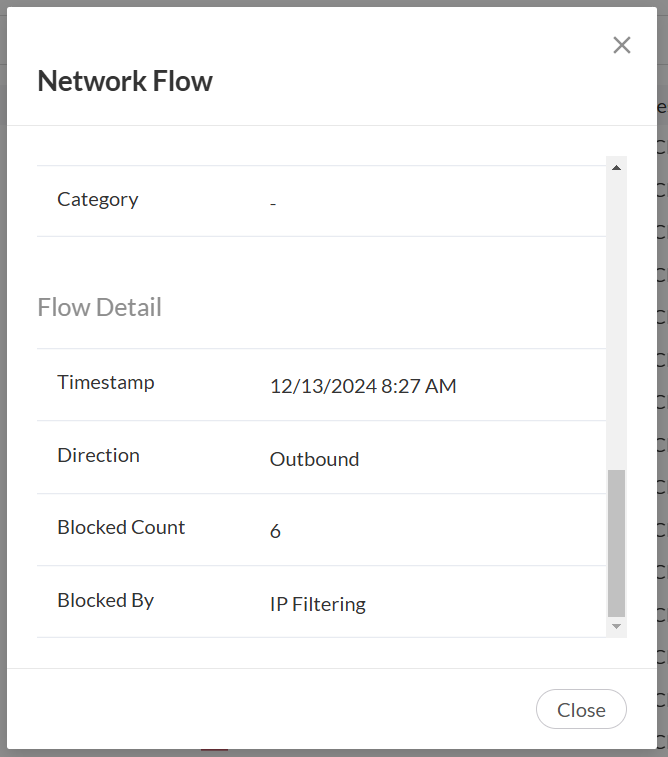
Firewalla site help shows you can use "Firewalla Blocked Flows" to identify the blocking rule, but that functionality does not seem to be there. It says "When you tap on a blocked flow, you'll see the feature that caused the block at the bottom of the flow detail page". It only shows it was blocked by "IP filtering" though - it doesn't show what rule blocked it. Then it says "Otherwise, you'll find a Diagnose button at the bottom of the page" - but there is no such Diagnose button!
I tried adding the domain to the "Things to allow" target list, and added a rule to allow things from that list for all devices, but that did not help, even after rebooting the firewalla.
My box version is 1.979, if that helps any.
Thanks for any help.
-
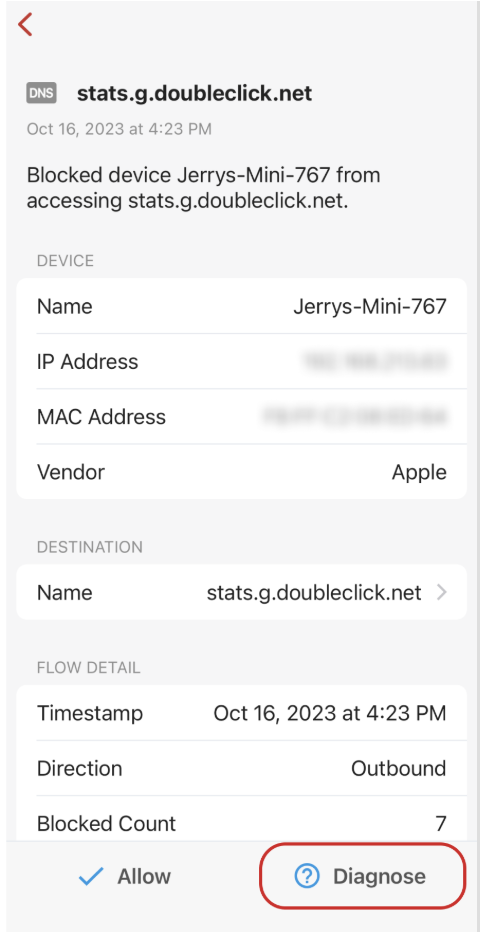
It's for the my.firewalla.com dashboard - web browser on PC. I see now that the interface is different there than on the phone; the phone app does shown the "Diagnose" function. There it shows that it's being blocked by a domain rule. However the domain name in the rule is completely different than the domain I'm trying to access.
I see that there's an option to either use domain name, or have it block based on known IP addresses for that range. However I can't seem to see what is the list of IP's for that rule. Is there a way to show that?


Please sign in to leave a comment.
Comments
4 comments