Two WAN's One Firewalla

Hey.
So I have two starlink maritime connected to one firewalla gold.
Is there a way to have these two ISP's be two completely seperate networks? No load-balancing, no failovers.
I want the crew on the ship to have their own WAN, and the bridge to have their own WAN.
Without having to resort to VLANS, is my only option to get another Firewalla or router?
-

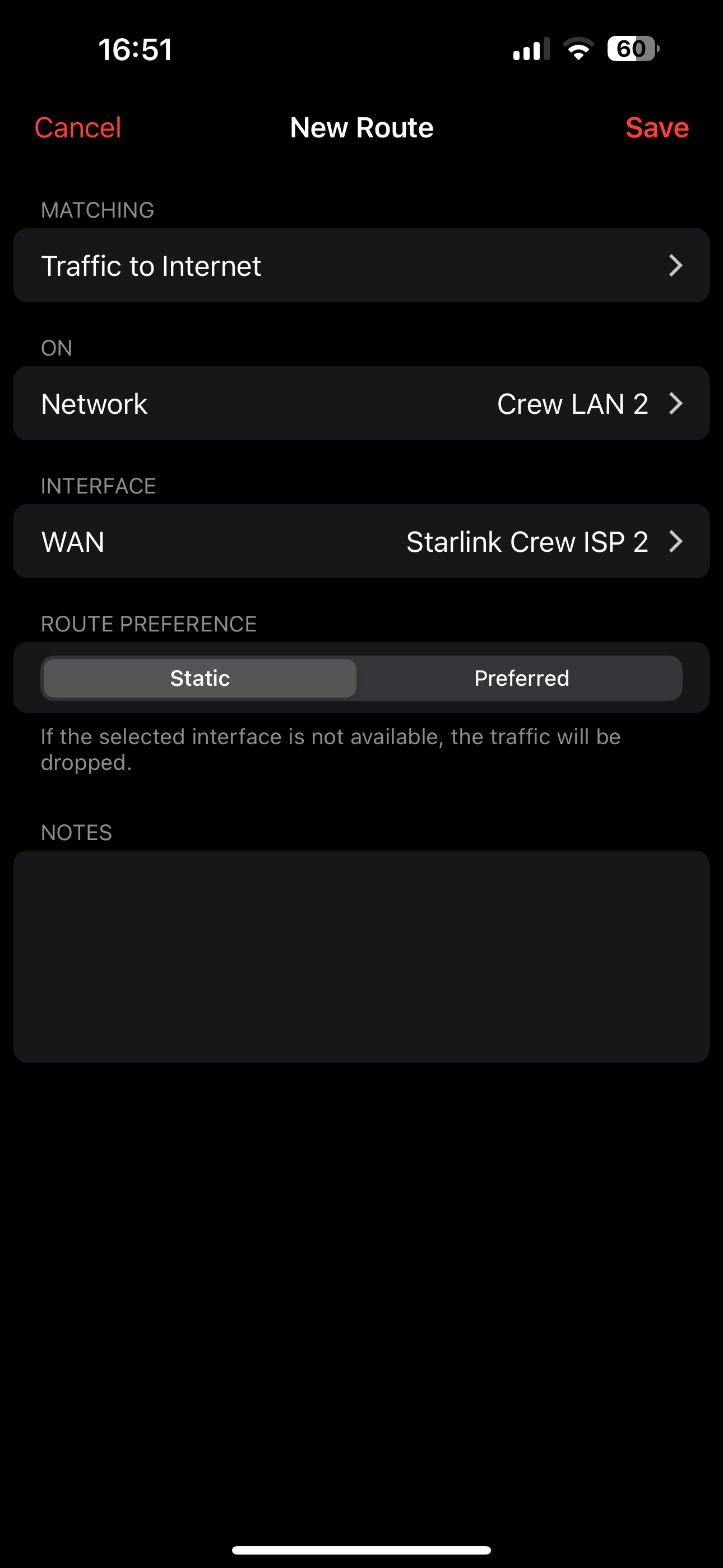
You can use Routes to specify traffic you want to go over either WAN. E.g. send streaming traffic over WAN 2, everything else over WAN 1.
Routes can be either static (always use that interface) or Preferred which will go over the other interface if the WAN is down.
Routes can be applied to any device, Group/User, Network, or All Devices.
-
HI BT,
That's correct. There are only two options:
- Fail-over
- Load-balancing. this can be from 10-90% for each WAN.
The rule mentioned previously will override, As mentioned
Routes can be either static (always use that interface) or Preferred which will go over the other interface if the WAN is down.
Please sign in to leave a comment.
Comments
6 comments