iRobot Roomba S9+ "Cloud cannot connect to [my Roomba's name]" message

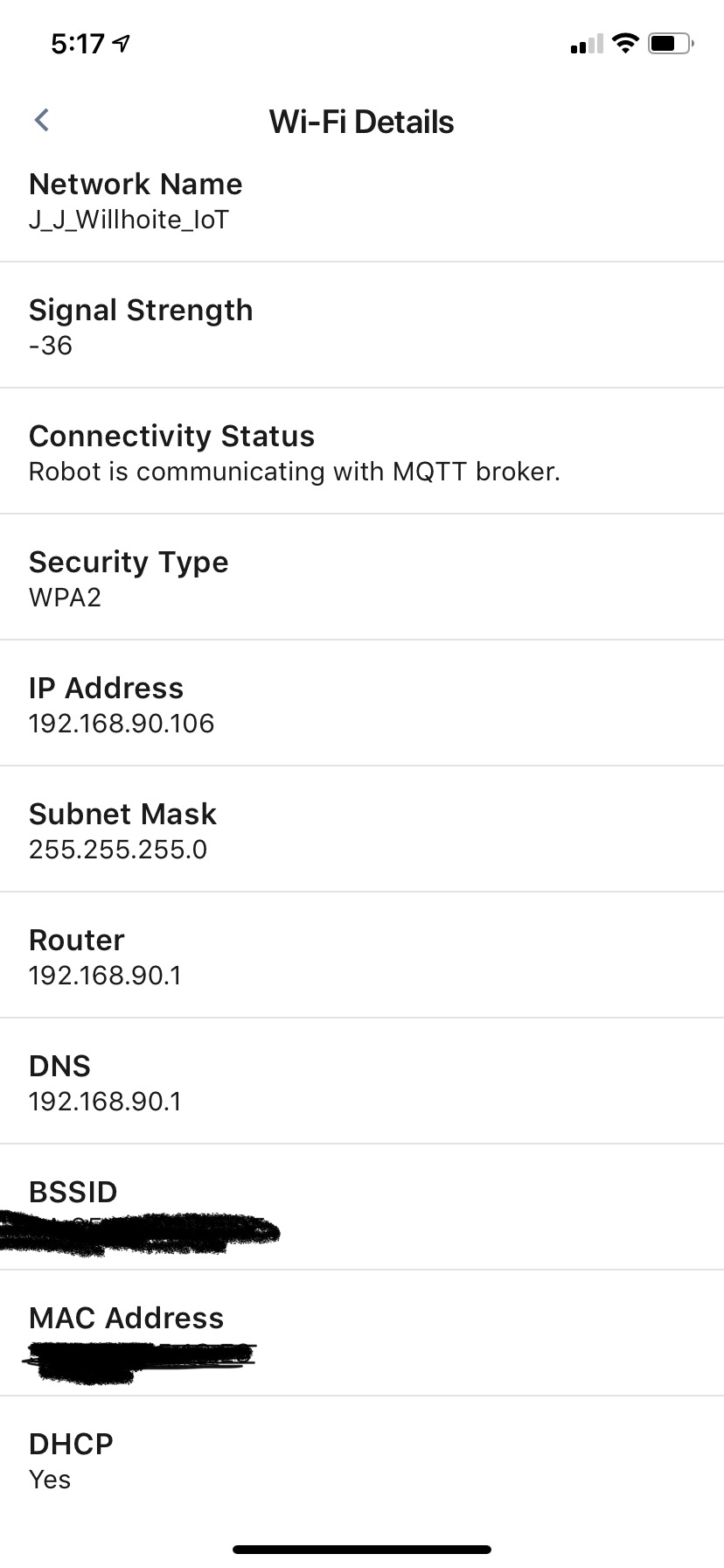
I have troubleshot the crap out of this on my own and have gotten nowhere. When Firewalla Gold is not in place, the Roomba connects just fine to my existing network (Orbi Mesh); when I add FWG and turn my Orbi router into an access point, the Roomba throws the error message in the title. What's odd is I see zero traffic from the device in question. What's ALSO odd is I have an older Roomba that has zero issues. I assume that means the newer devices use a different way to communicate to the cloud services, but again, I'm seeing zero traffic from the Roomba S9+ itself.
Following iRobot's recommendations for punching a hole through the firewall does not resolve the issue: https://homesupport.irobot.com/app/answers/detail/a_id/9025 (I also created an Allow rule to allow all internal traffic)
Turning on Emergency Access does not resolve the issue.
Has anyone else successfully configured their FWG to get communication working with a Roomba S9+?
-
I think he means if the robot is on the 4G network via hotspot.
VERY interesting. I have a case opened with Firewalla, and the support tech did a tcpdump on my FWG; he found that the S9 was sending ARP requests about once a minute, but that's it. I suspect you'll find the same thing on your FWG too. The question is: why can't the S9 understand the reply it's getting from the FWG? Or is it even receiving it? I have no idea how we can even determine this.
Edit: at this point, I think we can rule out the mesh as the culprit (meaning it's NOT the root cause) since we all have different setups. -

If my phone is on 4g, I can access the S9+ connected to my Spectrum circuit behind the FWG.
If my phone is on the same Wifi network as the S9+ on Spectrum circuit behind the FWG, I cannot access the S9+, it says "Localization Problem". The minute you turn the PHONE off Wifi, the S9+ shows Connected and works manually fine.
While connected to the Spectrum network behind the FWG, the S9+ will not run schedules. If you replace the FWG with a standard router (Asus or Edgerouter 4 in my tests) it will respond normally to the phone on the same Wifi network, and run Schedules.
Really good catch Michael!
The S9+ does respond in my wiresharks to the ARP responses from the Edgerouter 4 but NOT the FWG! Can't explain that though.
-
Wait, so if your phone is on 4G, but the S9 is on your internal network, it works? Interesting. Mine still says "Cloud cannot connect to Downstairs" (my robot's name) when I tried that. I suspect it's all related to the same thing, but it's weird that we're seeing slightly different behavior.
-
Yes, if my phone is on 4g but the S9+ is on my internal network behind the FWG the S9+ will respond to manual commands but not any scheduled events.
If you replace the FWG with the ER4 or the Asus router (Same wifi topology), it will respond to the phone app regardless of whether you're on 4g or wifi with the phone.
I really suspect there is some packet or undocumented communication occurring that the FWG blocks.
-
I posted this on the Reddit posting Firewalla did on this topic:
I want to provide an update on this from iRobot. I've been in communication with their "technical support" and I use that term loosely. This is the last update I got:
Hi evil_mike,
This is XXXXXXX a Specialist with iRobot.
We would like to inform you that your incident is still under review regarding your Roomba S9+ connectivity using the Firewalla device. We do not have an estimated timeframe when this process will complete. However, once an update becomes available we will contact you directly. Thank you for your patience and understanding.
If you would like to call and speak to a representative, we can be reached at 1 (877) 855-8593. We are available Monday through Friday from 9am to 9pm, and then Saturday & Sunday from 9am to 6pm (EST).
Best Regards.
iRobot Customer Care
This is after they've asked me to do things like "turn off ad block and Family settings" (I had already told them I put the device in the DMZ and saw no change in behavior.
They also told me, and this is a quote, "We would like you to know the Roomba 900 Series and S9 has similar requirements the only difference is their software." I was like, "yeah, exactly. That's the problem - a bug in the software."
I have zero confidence that this issue is ever going to be resolved on iRobot's end.
TLDR: iRobot has no f**king idea what's going on, and they have little interest in troubleshooting it. I have not been contact by anyone other than some go-between guy in front line support. -
Here's the latest from iRobot's "support"
Hi Michael,This is XXX a Specialist with iRobot.We have attempted to resume contact to follow up with you regarding your Roomba S9 connectivity issue, but have been unable to do so.The Firewalla has "Intrusion Detection" which detects foreign objects and automatically blocks them. This could probably be the cause of the connection issue. Since, the robot is working when the Firewalla is eliminated from the equation. We do not believe the S9 is compatible with this Router.
Please respond to this email or call us again at (877) 855-8593 if we can be of further assistance to you. We are available Monday-Friday 9am - 9pm, and then Saturday & Sunday 9am - 6pm (EST).Have a great day and thank you for choosing our robots to help you do more.Best Regards.
iRobot Customer CareTLDR: "we don't know and we don't care." I was...less pleasant than usual in my reply:That really sounds like, "we don't know why it's happening and you aren't important enough for us to figure it out."
IDS has literally nothing to do with the problem. The problem, as I have explained on more than one occasion, is the fact that the S9, which is your top-of-the-line consumer product, is not responding to ARP replies from the firewall for some reason. That isn't an IDS issue. As I have ALSO mentioned, the issue persists when I put the S9 in my DMZ, meaning there are zero rules or traffic filters applied to it.
Keep in mind that literally every other wifi-connected device (roughly 30 of them) works fine with my setup, INCLUDING MY ROOMBA 980. I will ask again: what is the difference between the 980 and the S9 that could be causing this? Yes, I know it's "the software." What specifically about the software is the issue? What are the technical differences in the software? Tell your engineering team to look at the changes they made to the network stack and see if there are changes between the two.
Listen man, I get that you can only do so much, but the fact that I have to play telephone between you and some nebulous 2nd tier support or engineering team is crazy. You have multiple customers who are experiencing this issue and iRobot seems pretty uninterested in 1) listening to the customer; and 2) actually figuring out what the root cause is.
Firewalla was able to connect to my firewall and determine what was happening on their end within 24 hours of me contacting them. iRobot has spent weeks feeding me one troubleshooting step after another that I've either already tried or is completely irrelevant.
If you and iRobot are washing your hands of this issue, fine. Just know that I am extremely frustrated by the "support" I received.I HIGHLY doubt we are ever going to see a true resolution to this, so I'm going to start looking for an alternative solution, which is annoying as hell, but whatever... -

We did a bit of research on the Roomba before, here is something that's interesting
"
Note: The following specific robots will connect to either a 2.4 or 5GHz network: Roomba® s9 and i7 Robot Vacuums, and the Braava jet® m6 Robot Mop.
Note: All other Wi-Fi connected robot models will connect to a 2.4GHz network only.
"
I think from our discussions here and on reddit, most users have problems with the s9 and i7. And from the look of it, these two models use a different wireless LAN chip. And ... I am wondering, for those who own these, if possible to force your network to 2.4Ghz / or 5ghz and see if the s9 or i7 can connect.
If you read through the doc, it does look like the unit connected to wifi is not that automatic, especially from setting the unit up ...
-
@firewalla - No luck on either band.
@James - do you have a mesh network? I think the issue is the combination of the mesh (which the S9 works with without the FWG) AND the FWG is what's causing the issue. The Orbi is set to AP mode, so it's getting all network setting directly from FWG. -

My setup allows for a mesh network, but I only have one AP as my house is not big enough to justify more than one AP.
That being said, are you able to disconnect the other APs and only have one to connect to? For testing purposes? If that works, then add one back into the mix, and so on and so forth.


Please sign in to leave a comment.
Comments
67 comments