Problems with Firewalla Blue, pairing and having to restart several times a day.

Hello, I have the Firewalla Blue box, connected to the router in simple mode.
It has worked correctly until a few days ago, which I had to restart several times a day because it left my computers without an Internet connection, it was reboot or disconnect it from the network, and everything was normal.
It happens randomly, I have several computers connected by ethernet directly to the router, and other devices connected by wifi, and when it happens, all are left without internet.
On the other hand, by default the firewall is assigned an IP by DHCP, but I have changed the IP by a fixed one, I changed it from the App, after the change on the web https://diag.firewalla.com appears as Pairing expired with the fixed IP, if I leave it by DHCP it appears as Pairing Complete.
I have enabled it:
- VPN Server
- Monitoring
- Ad Block for all devices
- DNS over HTTPS for all devices
IP for DHCP, everything ok. 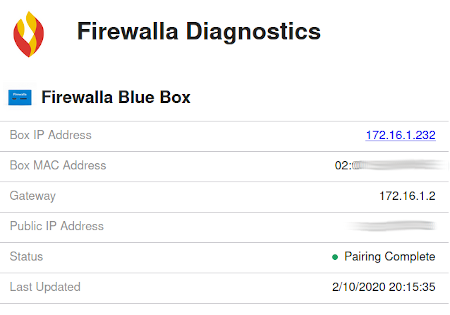
To changed IP static: 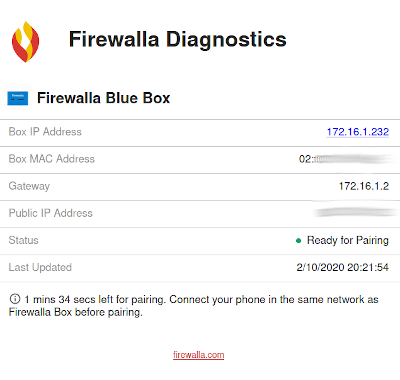
After rebooting from the App firewalla blue box: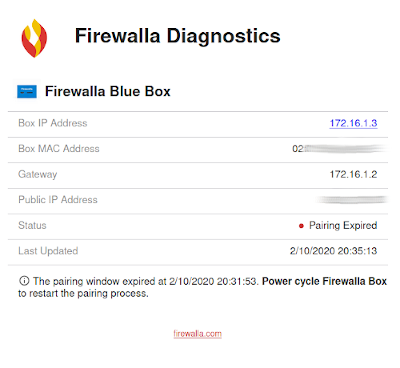
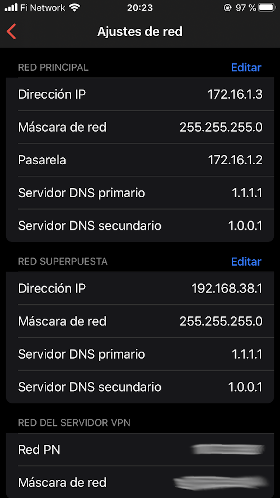
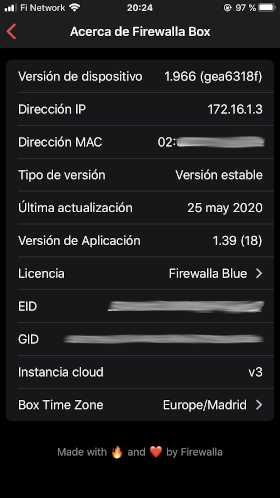
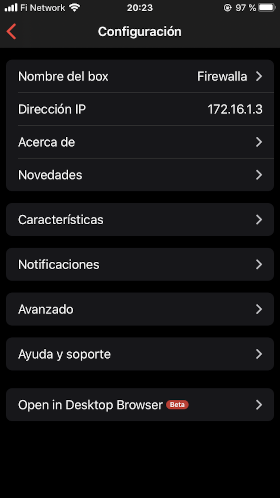
Router: Asus RT-AX58U
Firmware: 3.0.0.4.384.9505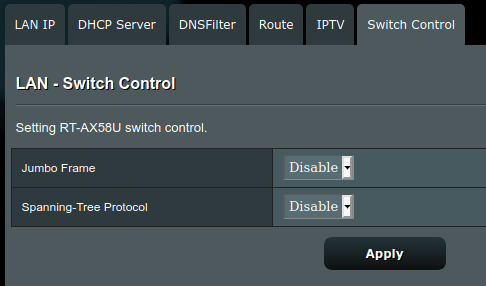
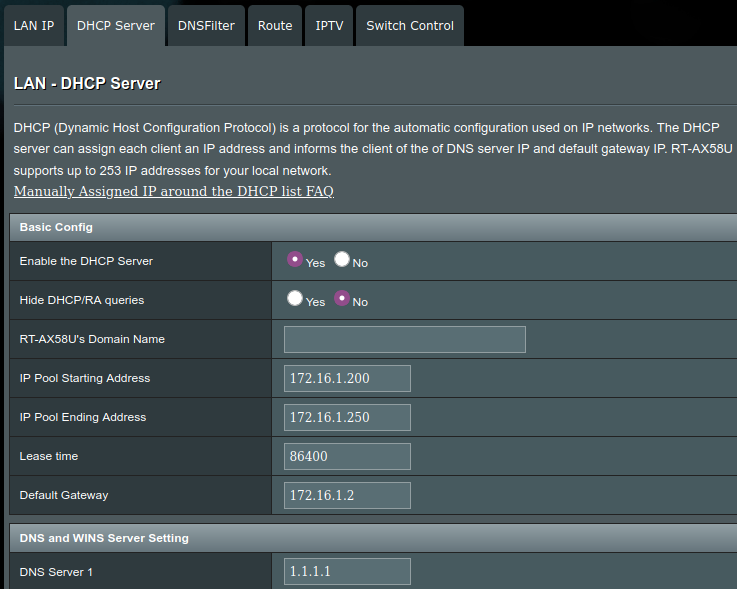
## Ping to DNS
$ ping 1.1.1.1
PING 1.1.1.1 (1.1.1.1) 56(84) bytes of data.
64 bytes from 1.1.1.1: icmp_seq=1 ttl=56 time=6.95 ms
64 bytes from 1.1.1.1: icmp_seq=2 ttl=56 time=4.40 ms
64 bytes from 1.1.1.1: icmp_seq=3 ttl=56 time=5.09 ms
64 bytes from 1.1.1.1: icmp_seq=4 ttl=56 time=5.96 ms
^C
--- 1.1.1.1 ping statistics ---
4 packets transmitted, 4 received, 0% packet loss, time 3005ms
rtt min/avg/max/mdev = 4.404/5.598/6.946/0.953 ms
## Ping to gateway
$ ping 172.16.1.2
PING 172.16.1.2 (172.16.1.2) 56(84) bytes of data.
64 bytes from 172.16.1.2: icmp_seq=1 ttl=63 time=0.658 ms
64 bytes from 172.16.1.2: icmp_seq=2 ttl=63 time=1.07 ms
64 bytes from 172.16.1.2: icmp_seq=3 ttl=63 time=0.948 ms
64 bytes from 172.16.1.2: icmp_seq=4 ttl=63 time=1.06 ms
^C
--- 172.16.1.2 ping statistics ---
4 packets transmitted, 4 received, 0% packet loss, time 3037ms
rtt min/avg/max/mdev = 0.658/0.934/1.070/0.166 ms
## Ping to firewalla.com
$ ping firewalla.com
PING firewalla.com (23.227.38.32) 56(84) bytes of data.
64 bytes from myshopify.com (23.227.38.32): icmp_seq=1 ttl=56 time=5.83 ms
64 bytes from myshopify.com (23.227.38.32): icmp_seq=2 ttl=56 time=6.23 ms
64 bytes from myshopify.com (23.227.38.32): icmp_seq=3 ttl=56 time=7.21 ms
64 bytes from myshopify.com (23.227.38.32): icmp_seq=4 ttl=56 time=5.69 ms
^C
--- firewalla.com ping statistics ---
4 packets transmitted, 4 received, 0% packet loss, time 3004ms
rtt min/avg/max/mdev = 5.685/6.239/7.208/0.594 ms
-

Than you for reaching out, the best way for restarts is to look at the logs. And from our experience, the restarts are caused by
0. Always check the power cable, make sure it snuggle on both ends. Same for the networking cable.
1. Power issue. Some of you use the router USB to power the firewalla, and not all USB's are equal, and that causes reboots when there isn't enough current. Try to change to the adapter that came with your unit.
2. Reboot due to the primary network is down: (For Red/Blue) if the primary network is out for an extended amount of time, the box will reboot and try to clear the problem. Here you should check the network cable and also if possible change ports on the router.
3. Reboot due to memory protection. (For Firewalla Red/Blue only) Your firewalla does track all the connections. In case you are using P2P, the number of connections can eat up memory very quickly. The system will always try to self protect, and in case the number of connections is too much to handle, it will also reboot. To solve this problem, please reduce the number of p2p connections to be less than 1000.
If none of this is your case, send an email to help@firewalla.com we may need to access your unit.
Please sign in to leave a comment.
Comments
1 comment