Heat Dissipation for Firewalla Gold

I wonder if people at Firewalla ever consider to make an accessory of fan to Gold? I could imagine put the box in a well ventilated area is often not an option for aesthetic or management reason. Adding an option for active cooling could be very handy.
If there is no plan at Firewalla doing this, I am planning to improvise one. Initially I was tempted to open the enclosure. But given the temperature I felt on the case I suspect the CPU has been attached to the case through heat paste or some sort. It feels risky to open it.
Then I am thinking to use T-slot nut to anchor fans to the top of the box. But I am not sure what kind of nut to use to fit into these T-slot.
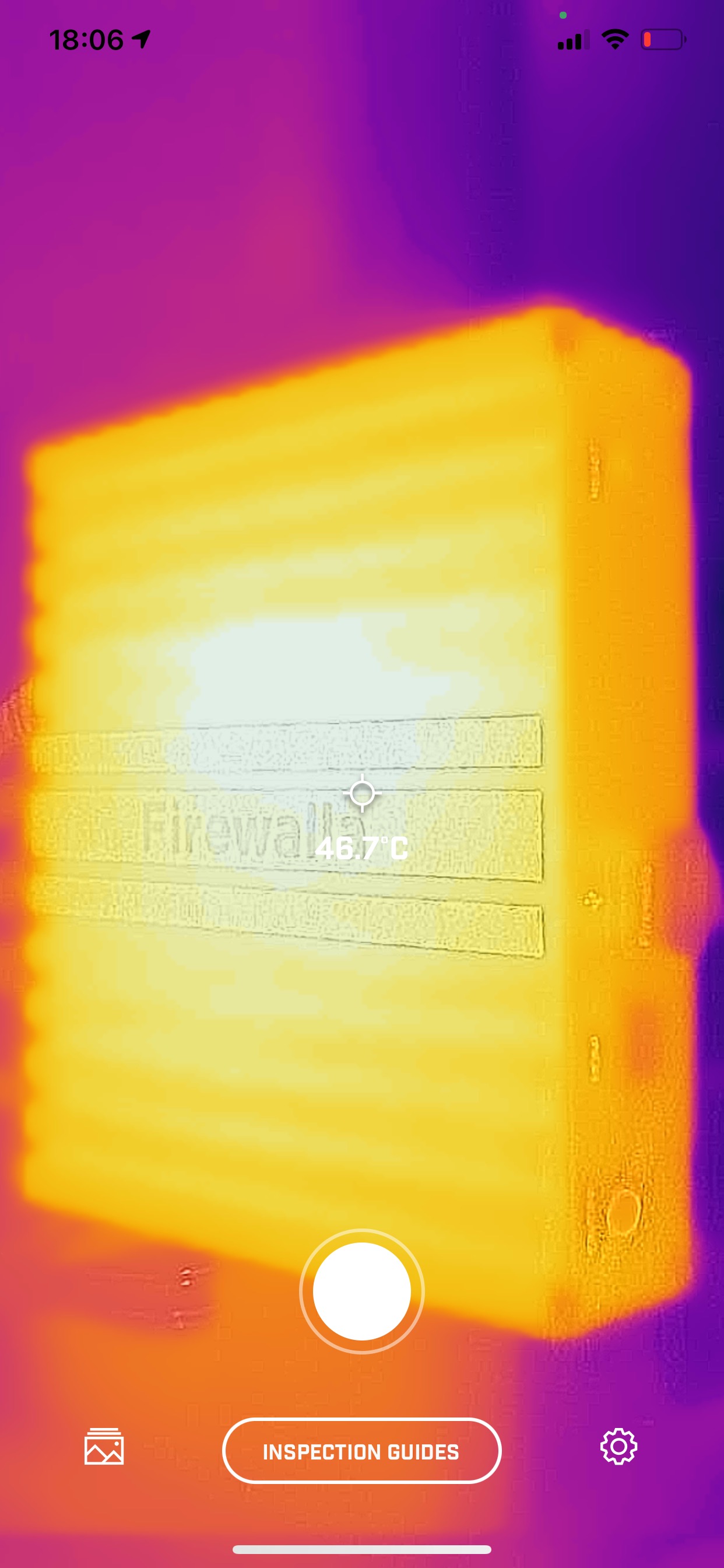
Wondering if there is any input you can provide. FYI I am attaching a photo from my thermal camera at room temperature of 81F. Outside the case it show 46~50C (115~120F), I can only imagine on the CPU it would be significantly higher.
-

It really depends on where you are placing the unit. The "mom" board of this board was made for industrial usage, so it is used to room temperatures from 0 to 50C with some types of airflow; you should not worry too much about the temperature unless you see performance issues. (or the case temperature goes beyond 60C
Your thermal imaging is really cool, the white spot is where the CPU is touching the case. If you open the board, you won't disturb the thermal paste, unless you unscrew the motherboard.
(What is the device you are using to do this?)
-
Thanks for suggestion. I actually occasionally see the machine stutter (lack of response... etc) when I SSH into it, frequent connection dropped or no SSH connection issue are also spotted, which is why I start to triage these issue. Also app commands sent to the box often experience failure as well. Although it is too early to conclude the issue to thermal.
I am trying to install some packages for real-time monitoring of the connection issue. When I try to apt-get install additional package like iftop or lm-sensors, I saw the warning message not to touch the out-of-box installation. Other threads suggest the user volume mount is just tmpfs so no harm will do to the machine. Can you confirm that?
The image taken was using the low end FLIR camera (FLIR One / PRO) connecting to my smart phone. They are quite handy for case like this.
-
The problem you see is highly unlikely due to heat. The J3160 has a maximum core temperature of 90C, so before that, it will run at maximum speed. And when 90C (or around that temperature) is reached, the operating system will do thermal throttling to slow down the processor and reduce the temperature.
Now for your particular problem, do check the following
1. The cable connecting to firewalla. Make sure it is a high-quality CAT5E or better. This happened to a few units before.
2. If possible swap a port on the client box or if you have a switch, swap that. We have seen faulty ports on switches causing problems.
3. If you have a managed switch, double check's configuration. (automatic is best)
4. if you are on wifi, make sure you stay close to wifi
5. if the above doesn't solve the problem, feel free to send an email to help@firewalla.com
To install packages, you will need to do
sudo su
apt install <something>
-

Hi Marinna, if you're picky like me, check out this discussion about the "Cooling for FW Gold": https://help.firewalla.com/hc/en-us/community/posts/360049537333-Cooling-for-FW-Gold?page=1#community_comment_360012922693
-
Martins,
Yes I saw your thread so I end up getting a similar USB fan (80mm). It is small but you can barely feel any vibration or noises and even in the cabinet it can cool the temperature down about 10C.
I did compare the temperature to my MBP 2015. Even with active cooling I still get 140F/60C on my laptop, so I guess Firewalla's claim is quite reasonable.
Now like my original post, I could only wish Firewalla made a cooling accessory that can get to mount on these T-slot beautifully. But I would rather them spend their precious resource on fixing other quality issues.
-
Marinna,
Glad to help ! If you have a 3D printer or know some one that have one, you may be able to print a kind fan support for the firewalla !
If you don't want to go so "fancy", you may can do the same thing I was thinking to do to mine...
I have some plastic screws hanging some where here, and I was thinking to kind of use the Firewalla surface (yes those gaps on the top surface heatsink) to "adapt" the screws kind of "inverted", so you can fix a fan on top of it !
Btw I have a friend who have a 3D printer... I'm just waiting all this pandemic to go away, so I can pay him a visit, and bring some beers ... and ask him a favor ! lol
-

I have an 8 port Unifi POE switch which runs hotter than the Firewalla Gold along with a Raspberry Pi 4 with a POE hat that can get quite hot. These temperatures are all within the recommended ranges however I'm still interested in improving things! :)
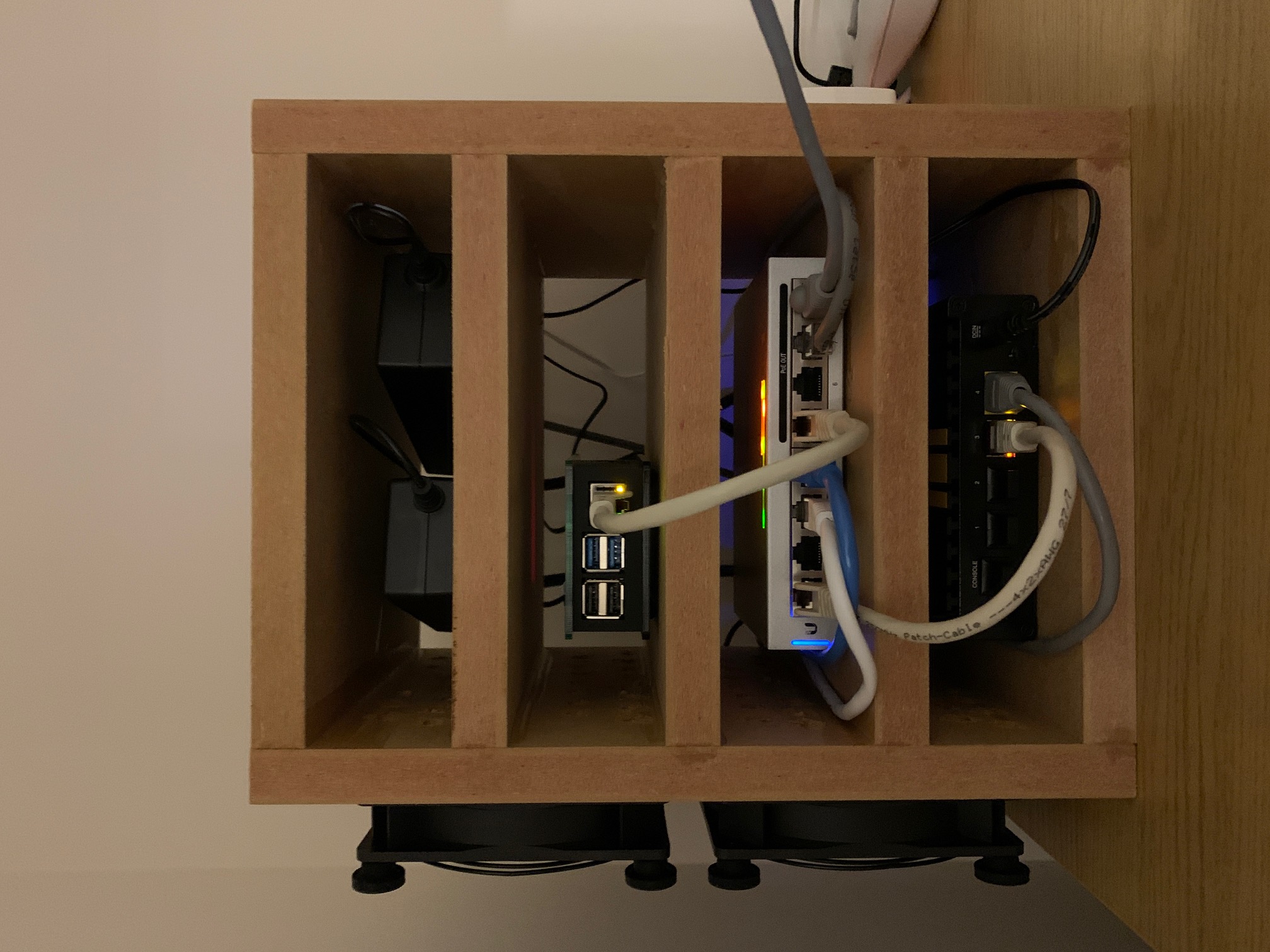
I got some MDF panels cut to size to build a small rack and drilled holes down one side. I then attached two amazingly quiet fans to the side to increase air flow around the devices and found it made quite a difference.
I know it's not the neatest of racks but this is hidden in a cupboard so it works for me.
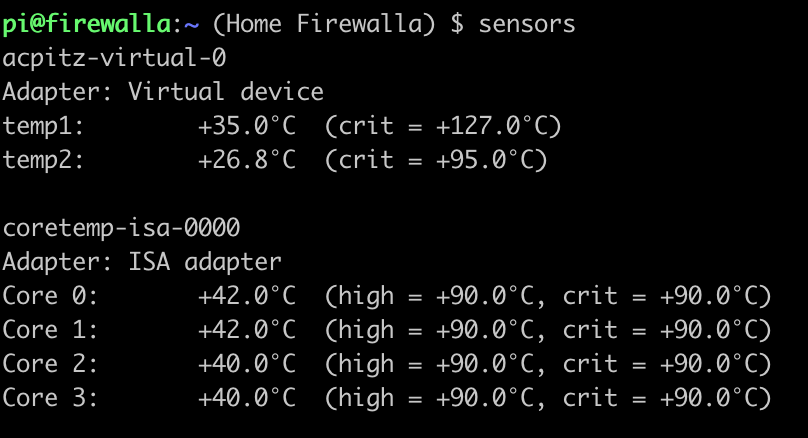
The ambient room temperature is around 20 degrees C. With a load average of 1.40-ish I'm seeing the temps below. This is an improvement by 8-10 degrees C compared to before.
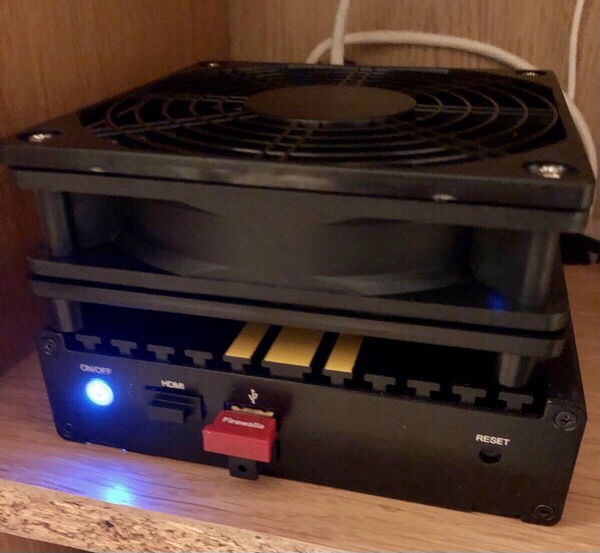
If anyone is interested, these are the fans I used;
https://www.amazon.co.uk/gp/product/B00JLV4BWC/ref=ppx_yo_dt_b_asin_title_o04_s00?ie=UTF8&psc=1

Please sign in to leave a comment.
Comments
9 comments