How to disable SIP ALG?

Hi,
I've ordered a Firewalla Gold and while it's on the way, I'm reading the documentation and can't see if there's an option to disable SIP ALG. I use a VoIP service and need to disable this to prevent issues with dropouts and call quality. I've found another post https://help.firewalla.com/hc/en-us/community/posts/360050112134-Regular-Dropouts-Over-VoIP-Device and it worries me that there is no solution.
I can't seem to find the option in the documentation. I'm coming from an Edgerouter X, which has it in the GUI. If it's not there, can I SSH into the FWG and turn it off manually with:
modprobe -r nf_nat_sip
? Will that setting stay on reboot?
-

Sorry, let me clarify. The nf_nat_sip and nf_conntrack_sip modules are used for NAT passthrough for SIP traffic. If you somehow want to unload the nf_nat_sip module on Gold, you may need to manually create port forwarding for your VoIP phone.
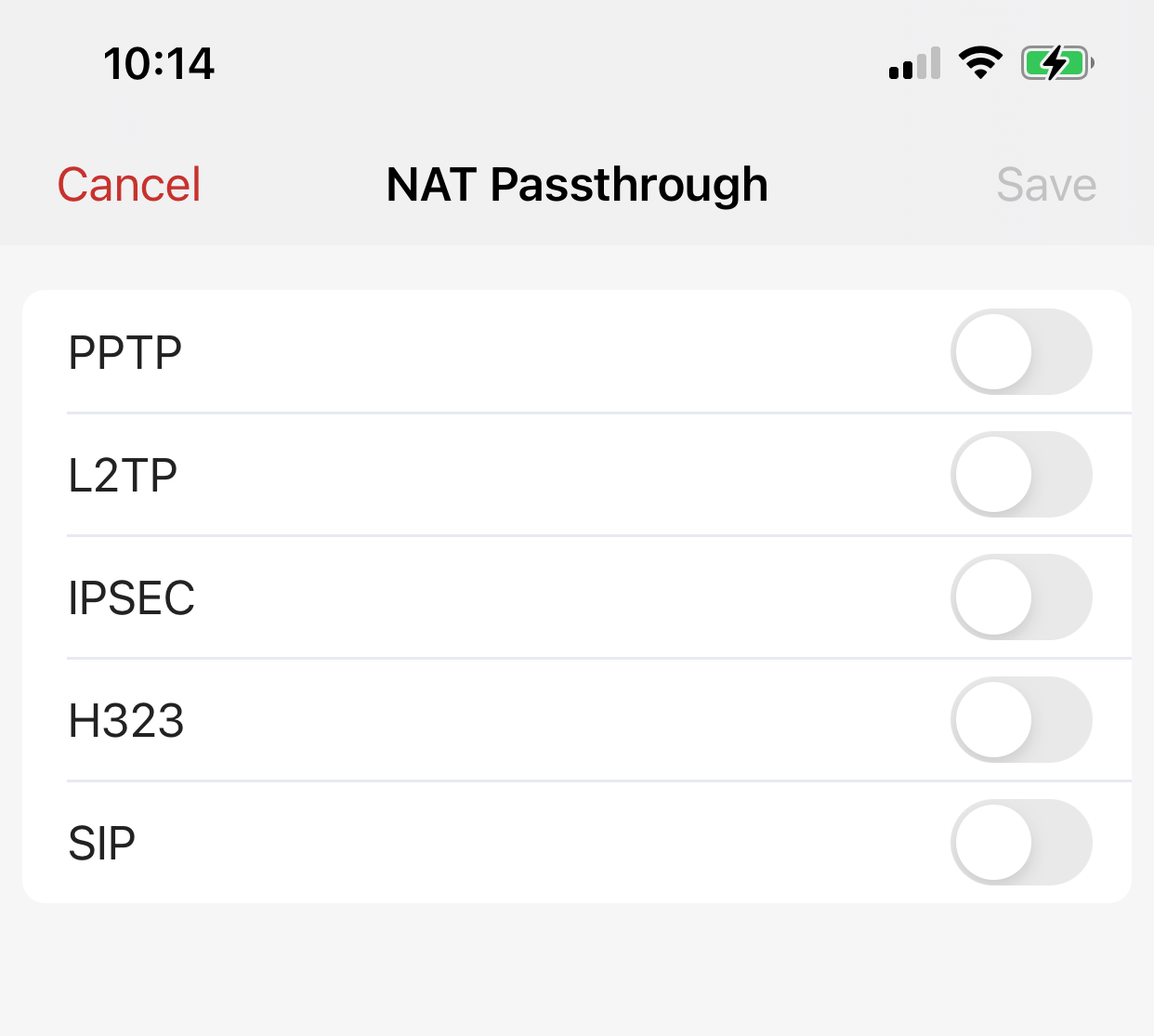
You don't need to run raw commands on Gold to unload the module. Just to disable SIP NAT passthrough in the app in "Advanced" -> "Configurations" -> "NAT Passthrough"
-
Will disabling NAT Passthrough disable SIP ALG? I am using a VoIP phone adapter (Obihai 202) with a local provider, if that matters. The issue that I want to avoid is having one-way audio, incoming call problems, and/or lack of voicemail notifications. See https://www.obitalk.com/info/faq/sip-alg/calling-out. To avoid this I'd like to pre-emptively disable SIP ALG so that I can rule that out as a problem if I encounter issues with VoIP call quality.
-
Just to close the loop on this, I got my Firewalla Gold and configured it in Router mode. I did some testing with my Obihai 202 VoIP ATA and it does not seem to be negatively affected by the change. I left SIP NAT Passthrough as disabled (default settings as you mentioned). All is good so far but I will keep monitoring.
Thanks!

Please sign in to leave a comment.
Comments
6 comments