Sanity Check with DHCP configuration

Hi all,
I'm looking for a sanity check on my Firewalla DHCP configuration. I recently moved, and am now stuck with a Actiontec T3200 router from my ISP. Since it's not compatible with the simple mode, I've set up DHCP. However once or twice a week my devices loose internet connection. When this happens:
1. My devices are still connected to the router via wifi
2. They are able to ping the Firewalla, and able access other resources on the LAN.
3. My phone gets a notification that my Firewalla is offline
3. Traceroute suggests that the routing on my Firewalla is messed up - but I'm not an expert so...
Here's the configuration I have:
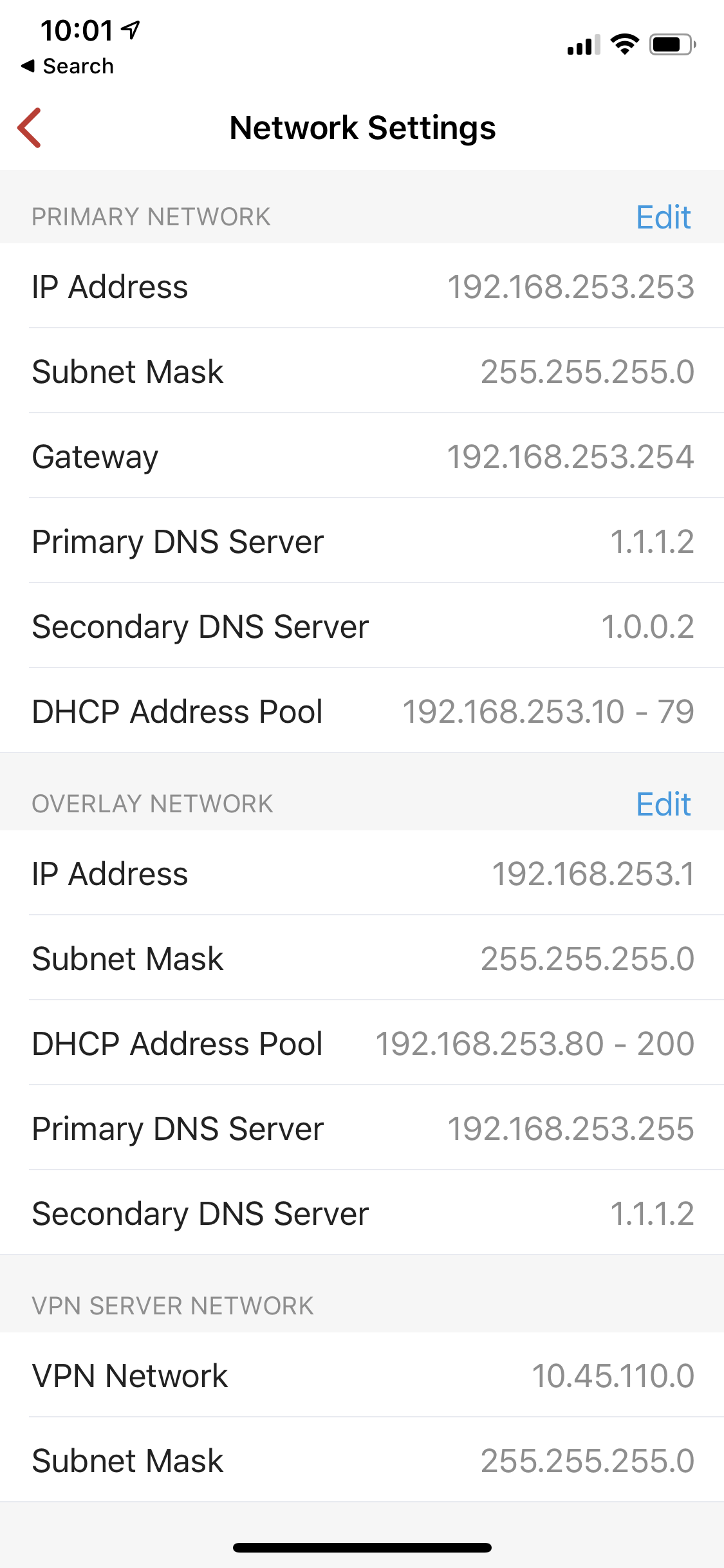
My Router is at 192.168.253.254. The Firewalla creates its own subnet in the same space, with the address 192.168.253.1. All devices (50+) have reserved IPs on Firewalla (from .80 - .200).
When my devices loose internet, here's what a Traceroute looks like:
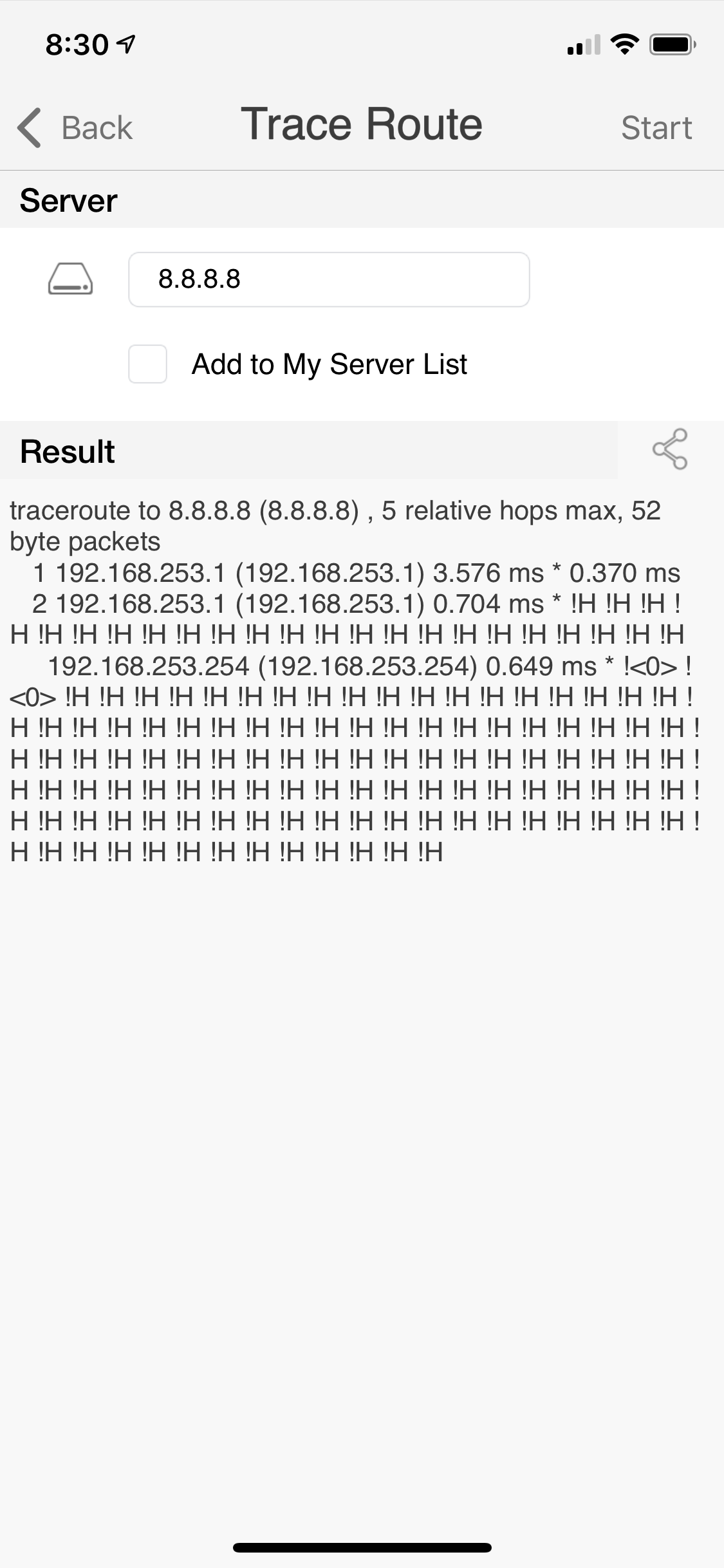
I don't understand why the 2nd hop is from 192.168.253.1 to 192.168.253.1. When everything is working (most of the time) the second hop is to 192.168.253.254 (the router). As the router provides wifi, I assume it's at least partially working?!
DHCP on the router is turned off. My internet provider says there are no issues, and if I reboot my router (yes, the router, not the Firewalla) everything works again.
If I remove the Firewalla from my network everything is stable.
Thanks for any help!
-
My router's IP is 192.168.253.254 (what I set as the gateway). My setup works fine for a few days, then seems to collapse.
If I've configured the gateway to "192.168.253.254", do you have any idea why my traceroute above would possibly hop from "192.168.253.1" to ""192.168.253.1"? Does that indicate that Firewalla reconfigured the gateway, or has messed up routing tables?
-
Interesting. I'm not quite sure how to test that - I believe I have a full list of all my devices (ug, too many) and have them in DHCP with reserved addresses. Perhaps I'll change the Firewalla's 192.168.253.1 and router's 192.168.253.254 IPs to something different to see if that helps.
As all of my devices are using DHCP though, if there's a clash it would suggest either there's a second DHCP server running (I couldn't find one) or the Firewalla created the clash on it's own.

Please sign in to leave a comment.
Comments
4 comments