IP Address Block routing to

We have a block of 5 IP addresses. We run multiple servers and wanting to make sure we are routing the traffic correctly.
Ethernet Port 4, have the address block defined,
72.42.102.242 255.255.255.248 give us usable 72.42.102.243-246
Rule setup is
Allow
72.42.102.243
10.10.10.10, local port 25
Inbound only, Always
Allow
72.42.102.244
10.10.10.11, local port 443
Inbound only, Always
I've tried it with adding the port to the external IP 72.42.102.244:443 as well, but for some reason this just doesn't seem to be working.
-

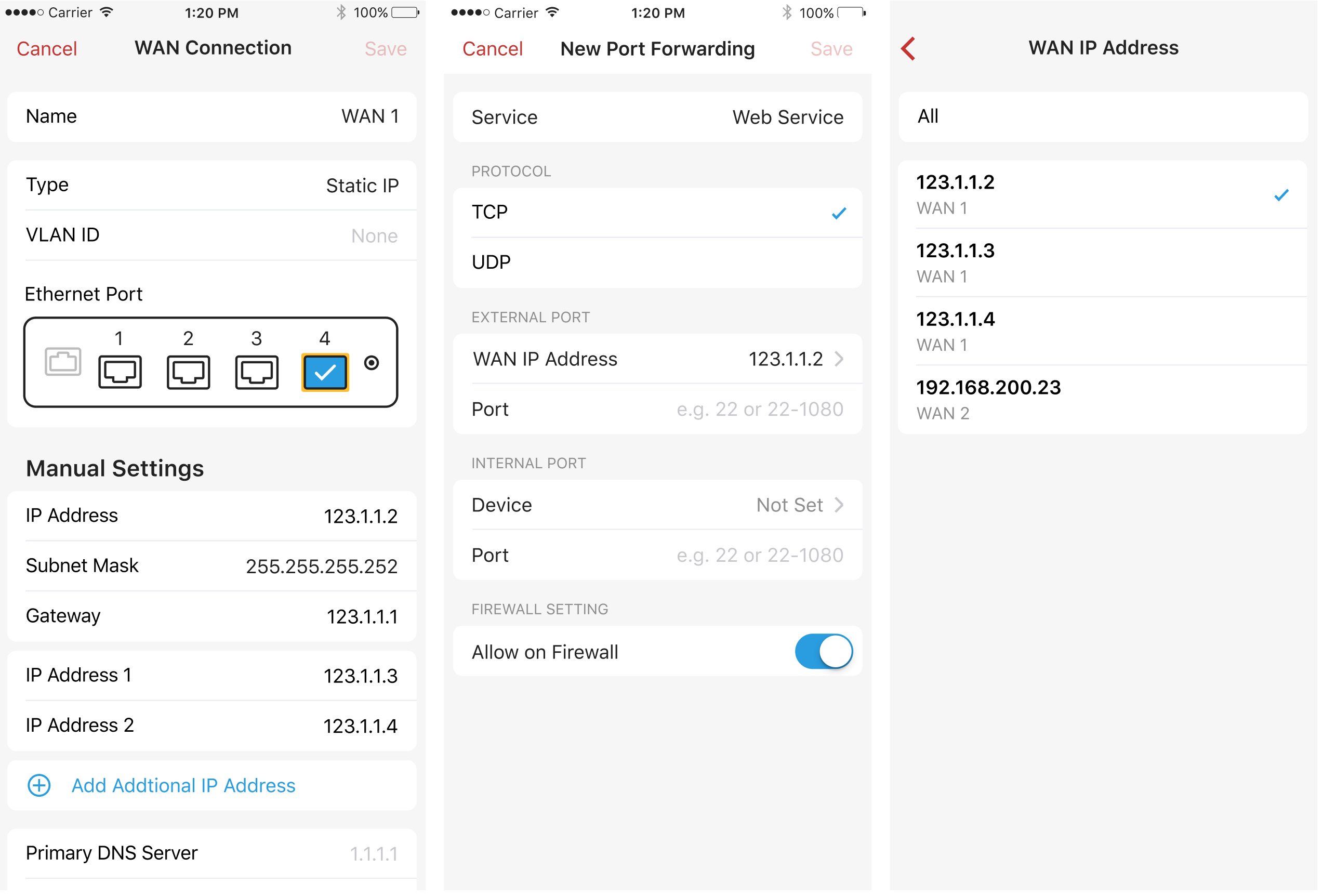
Did you configure multiple IP via the WAN configuration? See
Firewalla supports configuring additional IP addresses to your WAN connection if your ISP has given you more than one IP. If you assign multiple IPs to a single WAN, you can forward different ports to different IPs and set the DMZ host on any specific IP address.
Up to 5 additional IPs are supported on one WAN interface.
-

Yes, we have 5 assigned, and setup. I think I figured it out why it wasn’t working. I was just setting up a rule vs doing a port forward. It wasn’t clear at first, but had to dig out the old Cisco hat and just think through what I was doing. This seems very much like PAT on the Cisco boxes.
I’m impressed with how versatile this box is. I think I’m going to start SSHing in and poking around a bit to see what the config looks like. I’m sure things will start making more sense doing that. Would be nice if the App had a mechanism to do that.
-
The app can get you access to the box, see https://help.firewalla.com/hc/en-us/articles/115004397274-How-to-access-Firewalla-using-SSH
Please sign in to leave a comment.
Comments
3 comments