Help us make the Firewalla Gold 10Gbit Unit


-
Update:
- Wave 2 should be mostly delivered, and some later ones should be in transit.
- Wave 3 should be mostly in transit, with some delivered.
- Rackmount tray tooling is getting this in a couple of weeks.
We are working with our vendor on the final production units. Will publish the rough schedule once we have them.
-


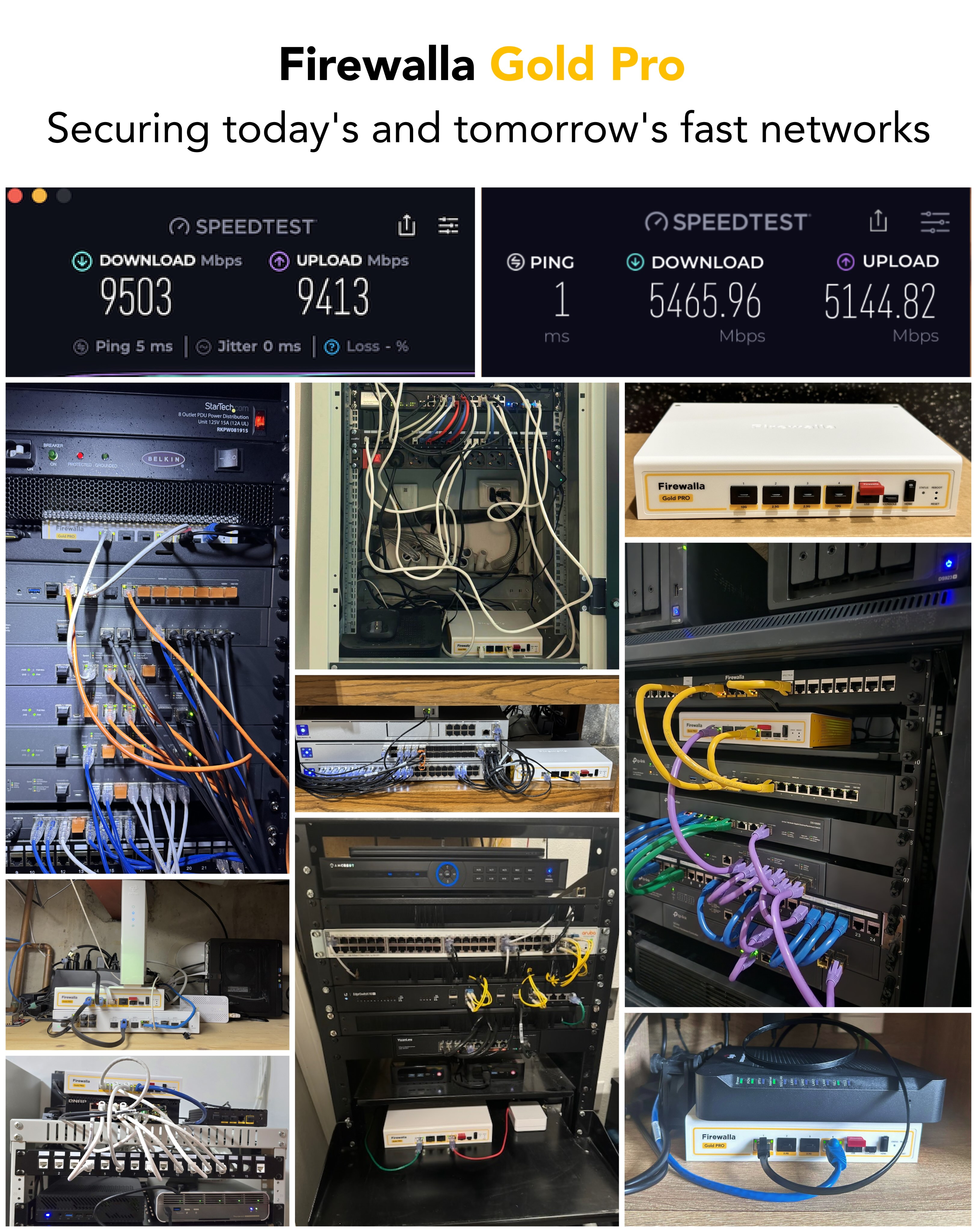
@Firewalla, here's my preliminary speed test results using Google Fiber 8 Gig plan: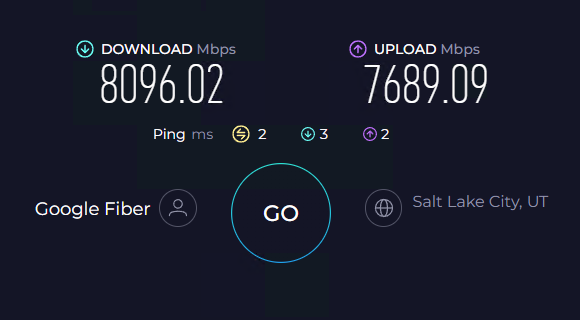 https://www.speedtest.net/result/c/639ed436-d640-4f69-964f-60aa145f1a47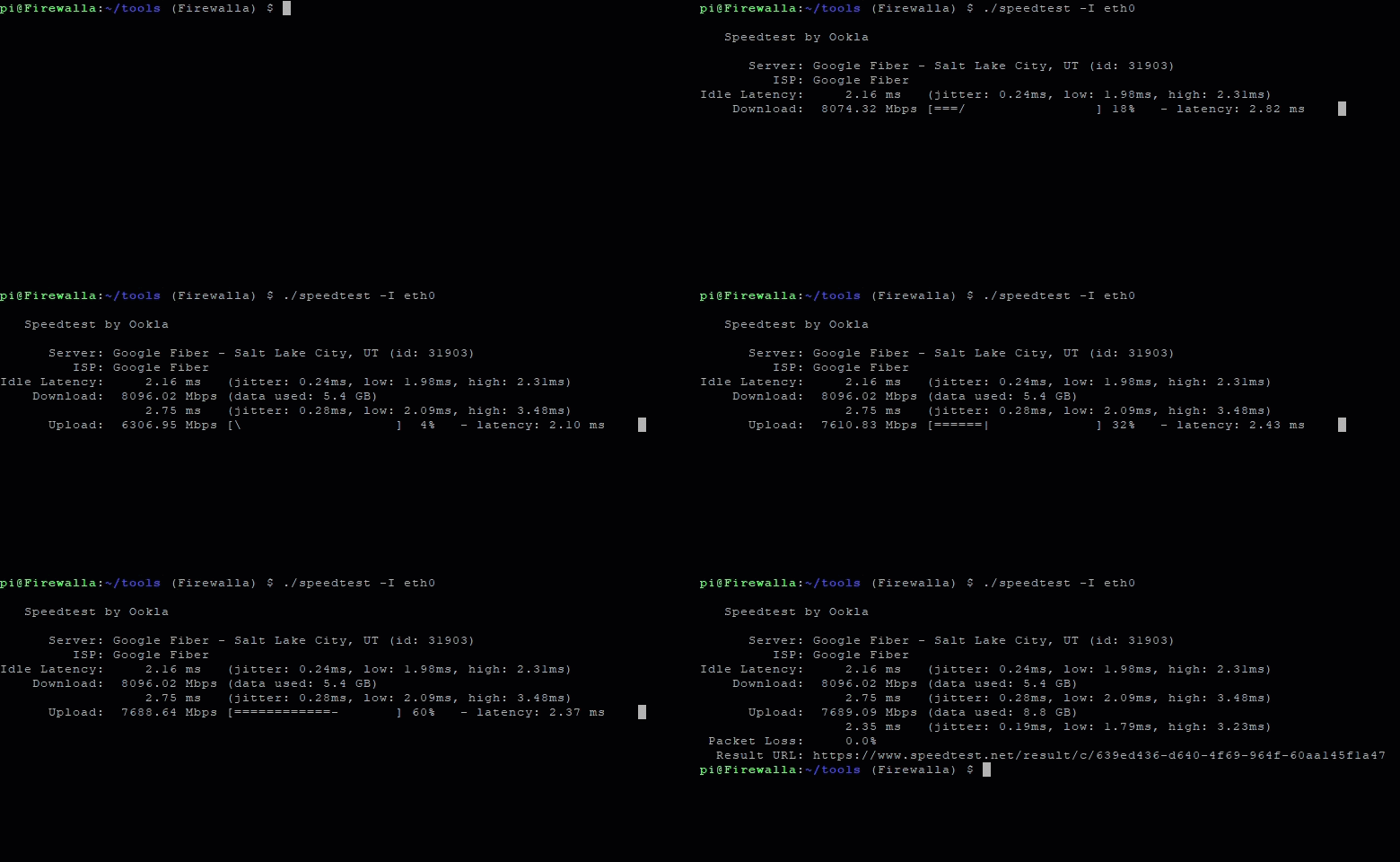
Feel free to use these images however you'd like!
Here's another testing both primary and secondary redundant failover connections: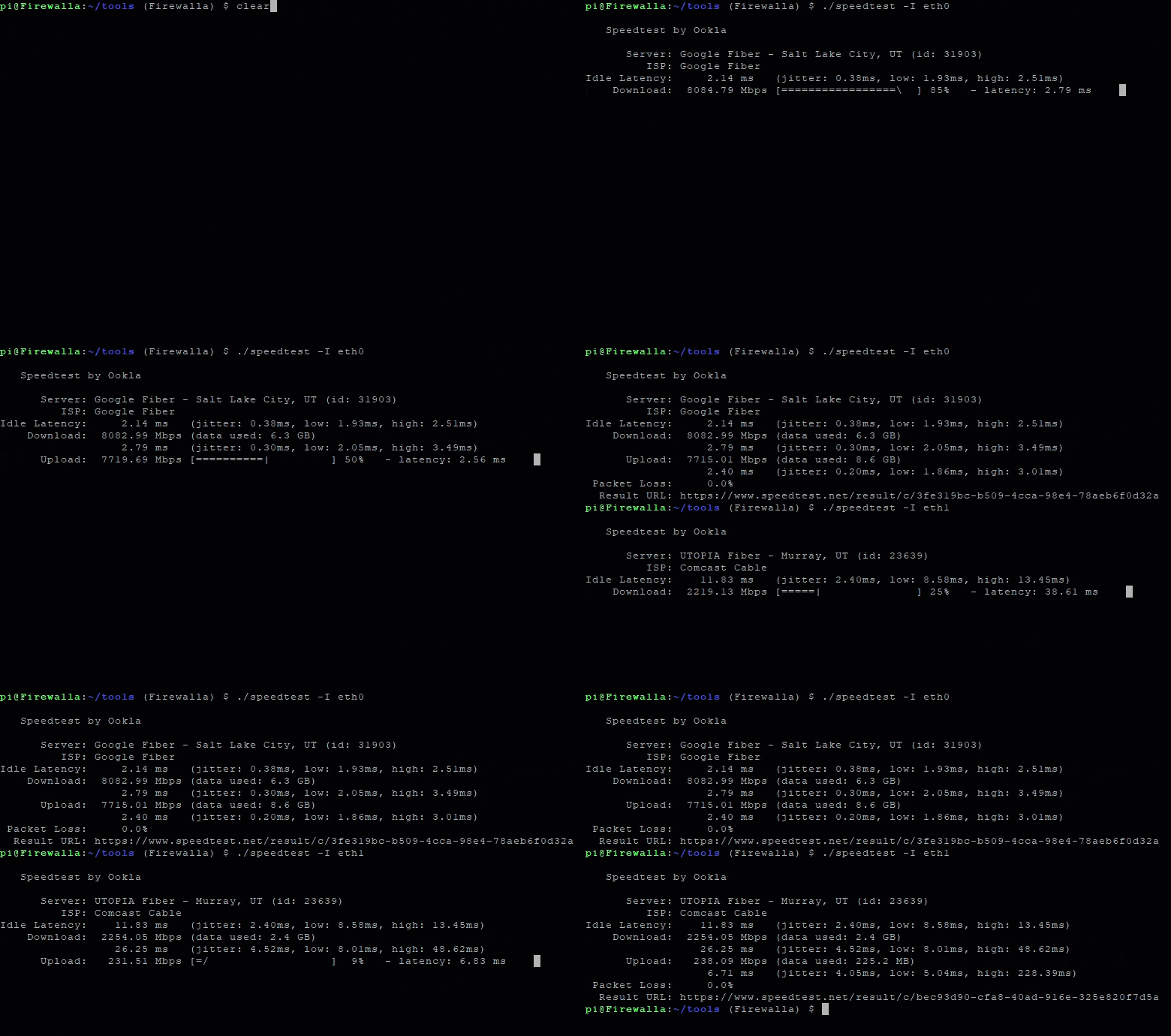
Primary: Google Fiber 8 Gig, Secondary: Xfinity 2 Gig Cable (Download: 2000 Mbps / Upload: 200 Mbps) -

I received the Pro, and has shown some hit on the upload as expected over "PPPOe"
Package is 8/8 Symmetrical.I updated the Pro to the Alpha release just incase to get the updates first hand.
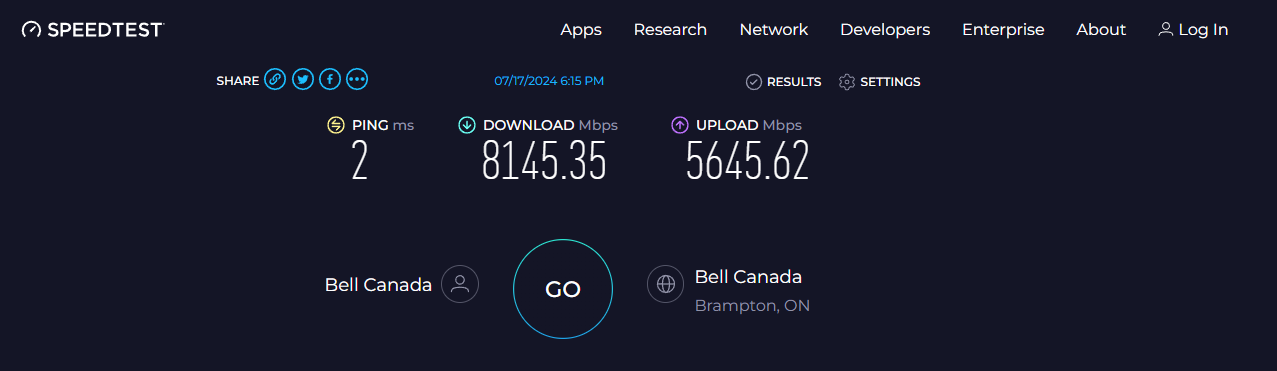
https://www.speedtest.net/my-result/d/46749cc5-b55d-406c-a595-1610f448f2a8
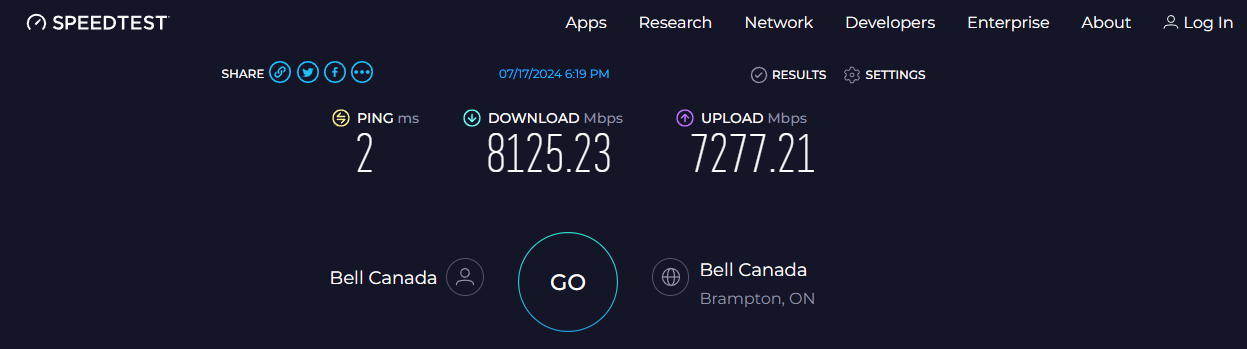
https://www.speedtest.net/my-result/d/94843d92-7c17-4a26-b468-fc51ddcf4084
CLI:
pi@Firewalla:/firewalla (🔥Firewalla Gold Pro🔥) $ ./speedtest
Speedtest by Ookla
Server: Bell Canada - Brampton, ON (id: 53395)
ISP: Bell Canada
Idle Latency: 2.01 ms (jitter: 0.17ms, low: 1.85ms, high: 2.19ms)
Download: 8075.33 Mbps (data used: 3.6 GB)
9.43 ms (jitter: 0.60ms, low: 1.58ms, high: 10.72ms)
Upload: 7495.35 Mbps (data used: 8.4 GB)
2.60 ms (jitter: 1.56ms, low: 1.31ms, high: 10.84ms)
Packet Loss: Not available. -

Okay, color me impressed. With my old router (custom MiniPC) I had my Netgear Orbi system in access point mode with the 2 Orbis connected directly. Worked great. This was a WiFi 5 system.
It was time to upgrade so I went with a TP-Link Deco WiFi 7 BE75 - 2 pack. Why? They have a 10 gig port. My thought with the Gold Pro was I would connect Decos directly to the Pro's 10 gig ports and hence have 10 gig backhaul between the access points. Still on my old router (only gig ports), I hooked them up and I put them in access point mode, no joy. The "main" Deco would always connect, but the secondary would show connected (green light), but then eventually drop out (red light). The Deco app also never showed the second Deco as connected. If I connected the two Decos directly together, that worked, but then I lost the 10 gig backhaul; mind you, they were connected via 2.5 gig ports which is still nothing to scoff at. There are several threads about the Decos and being picky about switches, spanning tree settings, bla bla bla.
I decided to take advantage of the recent Amazon sales and I scooped up a 3 pack of the BE85. Why? The BE85 has two 10 gig ports. If the Gold Pro also failed with direct connections to the Deco access points, then worse case I could go 10 gig from the Gold Pro to one of the 10 gig ports on the first Deco and then from that Deco's second 10 gig to the one of the 10 gig ports on second Deco. The BE75 is getting returned.
Enter Gold Pro. Hooked up the two Decos directly to the Pro's 10 gig ports. Yellow (starting), flashed red (no connection), waiting, waiting some more, then green. I look then in my Deco app, it shows both connected! (I also did not mess with any of the settings in Gold Pro.) HUGE props to Firewalla here. I was disappointed that the Decos were giving me grief especially considering that my older Orbi setup had no issues with direct connections to the router. Firewalla, don't break this! :)
I only have 1 gig fiber ISP; however, I do seem to be getting faster speeds in some areas of my home. I am not sure if that is due to the Gold Pro, or the 10 gig backhaul between my access points (versus 2.5 gig with my old setup). For example, I used to get 800'ish down, 930'ish up in one location fairly consistently (with the new Deco). At the same location now I get 940/930. In the areas that count, I essentially max out my ISP connection now. (My Orbi system did their best, but at WiFi 5, I would get 1/3 to 1/2 my ISP connection via wifi.)
I'm sold! The Gold Pro is a keeper! The Gold Pro also pairs well with TP-Link's Deco 75.I also played with WireGuard. Blows my prior OpenVPN out of the water. On my cell phone with 800 down via speed tests, with WireGuard I'm getting 500. With OpenVPN, I'm at 150.
-

Thank you @Firewalla - Received my beta testing Gold Pro yesterday. Unable to setup and test till the weekend. Will definitely provide how testing went. So far from what I have been reading, I expect no issues cutting over from my Untangle UTM to Firewalla.
I have a fairly granular network at home - 16 VLans that have an internal router/firewall which communicate to the external firewall (Currently Untangle/Soon to be Firewalla) via a private transit vlan between the internal firewall and the external firewall.
Will provide best I can.
Thank you @Firewalla team for getting me the beta test unit. Very much appreciated.
-
Update:
- We are working with our manufacturing partner to see if we can pull the November date to October.
- Since we pre-purchased extra materials, the price of the final unit is likely to be under $900 until Christmas. (the next batch, near Christmas, likely get hit with RAM and STORAGE price increases in the past 6 months)
- We have increased the Gold Pro price to $838 to reflect we are entering the manufacturing phase.
-
@andre, did you follow the directions in the email to get the early access app access? (This is not the beta). If you are having issues please contact help@firewalla.com with your iTunes or Android email id
-

None my Apple TV’s have their own wired vlan, do reboot the TV it is finicky. Had my gold pro and running for a week very solid. Only changes I made was to drop an interface from gold to gold pro and add a new vlan. Very solid product 6 gig symetrical internet ordered is why I need to move an interface. Hoping for future delivery firewalla switch and AP. Running Aruba 24 gig Poe switch and a pair of Aruba instant on 25 AP’s.
-

I migrated from my Gold to the Gold Pro a few hours ago. Recognizing the new box and start of migration was seamless. It took about 40 minutes to complete the full migration. Reference as to maybe why the migration could have taken longer than other posts and the 15 minute period flagged in the instructions, Devices 133, Groups 20, Rules 393, Alarm stages 114. Operation appears to be a bit quirky so far, can't run a wi-fi test (fails to find the FWGP box), live throughput is not recording yet, maybe I will encounter a few more gaps. Network speed is faster on my 940 GB WAN, typically achieved 860 Mb/s and now measuring 1056 Mb/s without any changes. My home wi-fi speed measured using FAST exceeds prior results at 970 Mbps vs typically 770 Mbps. I plan to upgrade my WAN to 1500 GB capability this week.
I had forgotten how to adopt my box into MSP, had to do some quick research as my new box didn't show up in the dashboard and my Gold was indicated as having activity although disconnected. Appeares the box names initially got confused during transition. Also had to remember how to add the new box into my MSP Group. I only bring up this information for others who may need to refresh how to manage these simple transactions and not encounter the same issues when launching.
I connected my network port for port to the FWGP. I should have asked/researched if I could have changed ports before migration so that the 10GB ports could be used for my AP's. Would appreciate any feedback on changing ports, essentially move the WAN from P4 to P2 or P3 and my Primary network from P1 to the alternate P2 or P3. I haven't spent time researching reassignment of ports or networks. Not a crucial change at this time.
I rebooted my modem and am holding off rebooting my new Gold Pro until possibly some feedback is available concerning the initial quirks. Will hold off unless personal performance is impacted significantly.
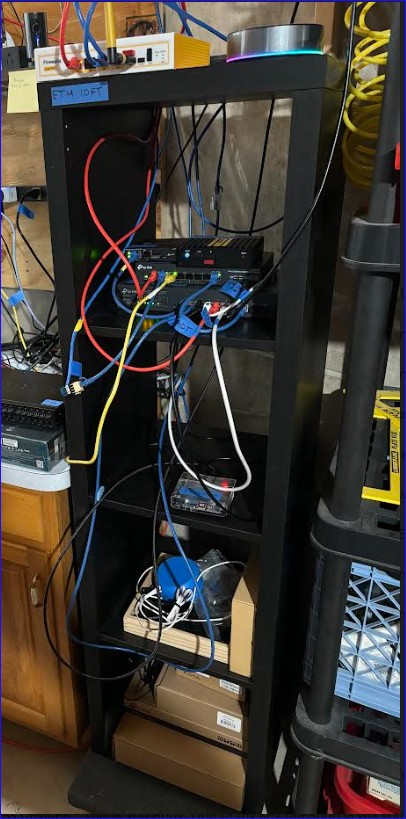
As others are pasting pictures of their beautiful networks, I decided to paste a picture of my basement Ikea based rack with labeled transition cables. Embarrassing. But a work in progress. :)
I have loved using my Firewalla Gold for two years and really looking forward to improving my network capability with the Gold Pro. Also just transitioned from an Orbi 853 setup to a TP-Link Omada network using Home Assistant and a Homey Pro 23.
Edit: The migration corrupted my device list with some device names truncated or changed, did not transfer offline devices, does not have a Network column selection (not included in attribute selection list as well)
Will be reaching out to Firewalla for support. Possibly using my prior box until resolved.



Please sign in to leave a comment.
Comments
876 comments