Gold Plus - Reboot was needed

When I bought my Gold Plus I queried the community about how often the Firewalla needed to be restarted and many of you said pretty much never.
Well my Gold Plus, running in dual WAN fail over mode, needed a complete pull the power plug yesterday. It had been running I think about 30 days.
My wife complained the internet was down. So I started to poke around and realized the iOS app would not connect to Firewalla even sitting right next to it.
So I power cycled everything using my power control switch. I think I gave the Firewalla like 5 seconds off. It was not enough. When power was reapplied it never came back up.
So I pulled the power plug and waited 30 second, then repowered it. This time after a pretty long boot it came back up and began to function normally.
This makes me think that I DO actually want my automated restart utility to power cycle the Firewalla.
I know it is not a heat situation. I have a nice fan providing air to my switches and the firewall. I felt it and it was cool to the touch.
It has long been my experience with all of these devices that periodically a restart is just a requirement. I am hoping that this is not an indication of some pending worse problem.
-

Mark, next time it happens, please follow the suggestions here https://help.firewalla.com/hc/en-us/articles/360053534593-How-do-I-debug-network-connectivity-issues-
You may also want to check your network health and see if it has events pointing to WAN is down or not (as from above article)
-
@Firewalla,
I did many of the things pointed to in the KB article. But the main thing is that the iOS app would not connect to the Firewalla, even sitting just a few feet away. IE the Firewalla was in some bad state, crashed, who knows.
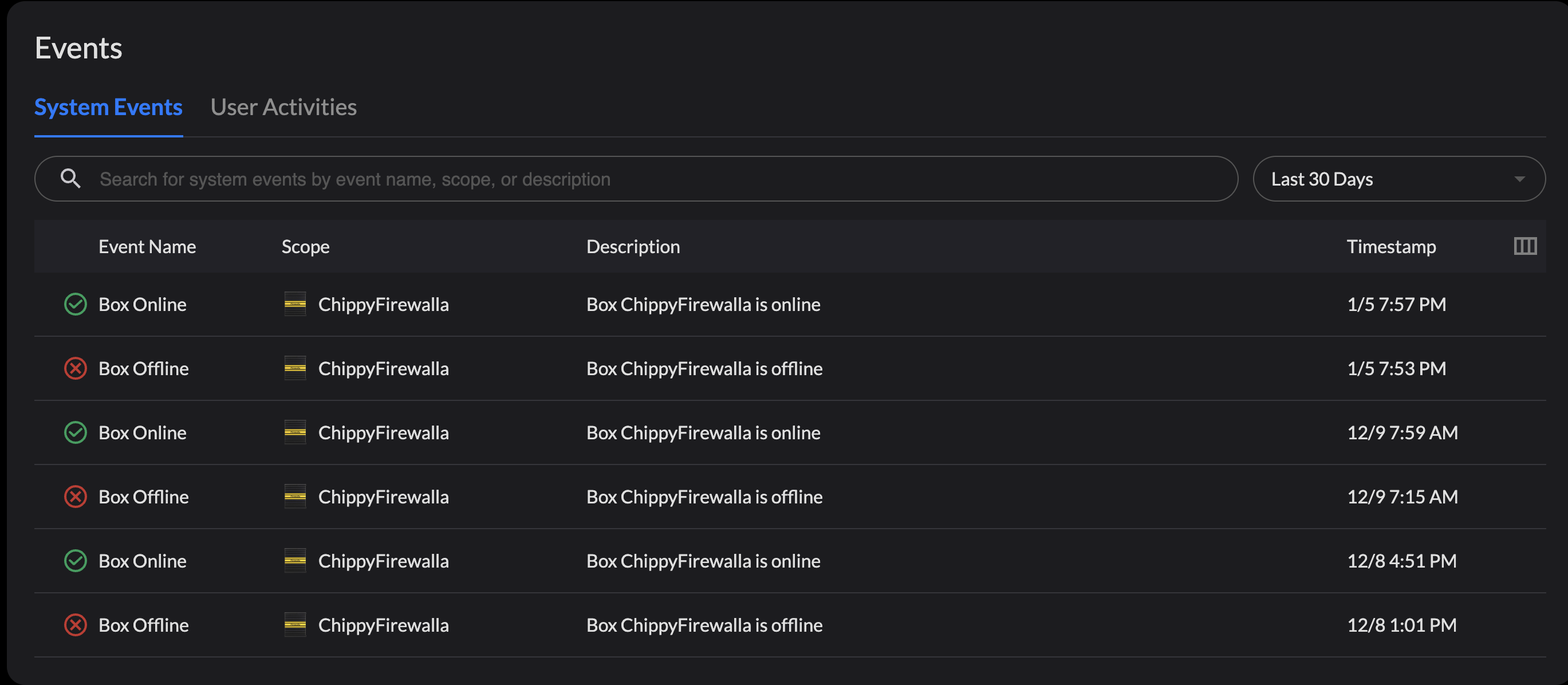
When I look on MSP for my box there are several events that just say Error. No description of the error.
Keep in mind that my network generally functions flawlessly. IE for over 30+ days not a signal glitch. I do nightly reset a cable modem because it is just a POS that dies about every 2-3 days. But my fiber modem and switches have been rock solid.
When this all happened, I brought my laptop down to the network room and took the cable from the fiber modem and plugged my laptop directly in. After a few seconds I had internet via that link. So I know that the fiber modem was ok.
I know that my switches were ok because both WiFi and wired link into the network switches I could get to several control devices I have.
But with both the cable modem and fiber modem plugged into Firewalla, no internet. And like mentioned above could not connect to Firewalla via iOS app sitting right next to it.
Admittedly I did not try ALL steps in the KB article. It was late and I wanted to crash for the night. So I power cycled Firewalla and waited a few mins and it came up.
I would be nice to know what the "Error" entries on MSP mean.
Here is what MSP shows. Clicking on the offline ones just show error.
-
The MSP side can only detect online or offline. What you can do is use the app to look at the box directly https://help.firewalla.com/hc/en-us/articles/4413511352083-Network-Performance-and-Quality-Monitoring
It should tell you exactly what's going on if the ISP is down or not.
Also, some cable modem (I believe it is arris) when rebooted, sometimes will accidentally issue a 192.168.100.x address to firewalla and not take it back after it is up. We do have code to handle this, but if you reboot the cable modem often, not sure if the modem can get out from this.
I have created a ticket for you, I think there is still time to have someone look at the old logs.

Please sign in to leave a comment.
Comments
5 comments