Can't seem to block 80/443

I host an internet facing webmail server. I have port forwarding set up for the mail server on 25/465 etc and mail delivers OK. Open port check from external matches sees these ports open.
I want to enable access to 80/443 from external from the UK only. Webmail sits on those ports and I only access it while travelling in the UK. I see a lot of hits on the webmail log from Russia/Kazakhstan etc even though I thought I'd set this up. Can you see where I'm going wrong please ?
I have a default rule to block all ingress traffic.
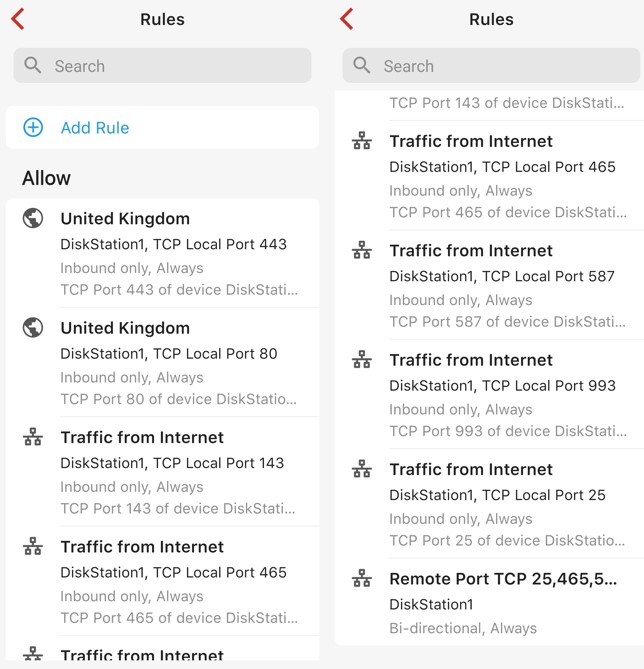
I have port forwarding set for 80 and 443 to the web(mail) server. They have restrictions to only allow traffic from Region United Kingdom. I can access it from external in the UK.
When I run the open port check it does not show 80/443 open and I presumed this is because the scan comes from outside the UK - if so - good.
I look at the webmail server logs and login attempts are still coming in from all over.
What am I doing wrong please ?
-

Did you follow this to setup the forward: https://help.firewalla.com/hc/en-us/articles/1500009502622-Create-Port-Forwarding-on-Gold-Purple-Series#h_01G6WRKH0DA4QVD0JGKG34GBQ5
Also, do you have any other allow rules? May be applied at the device level?
-
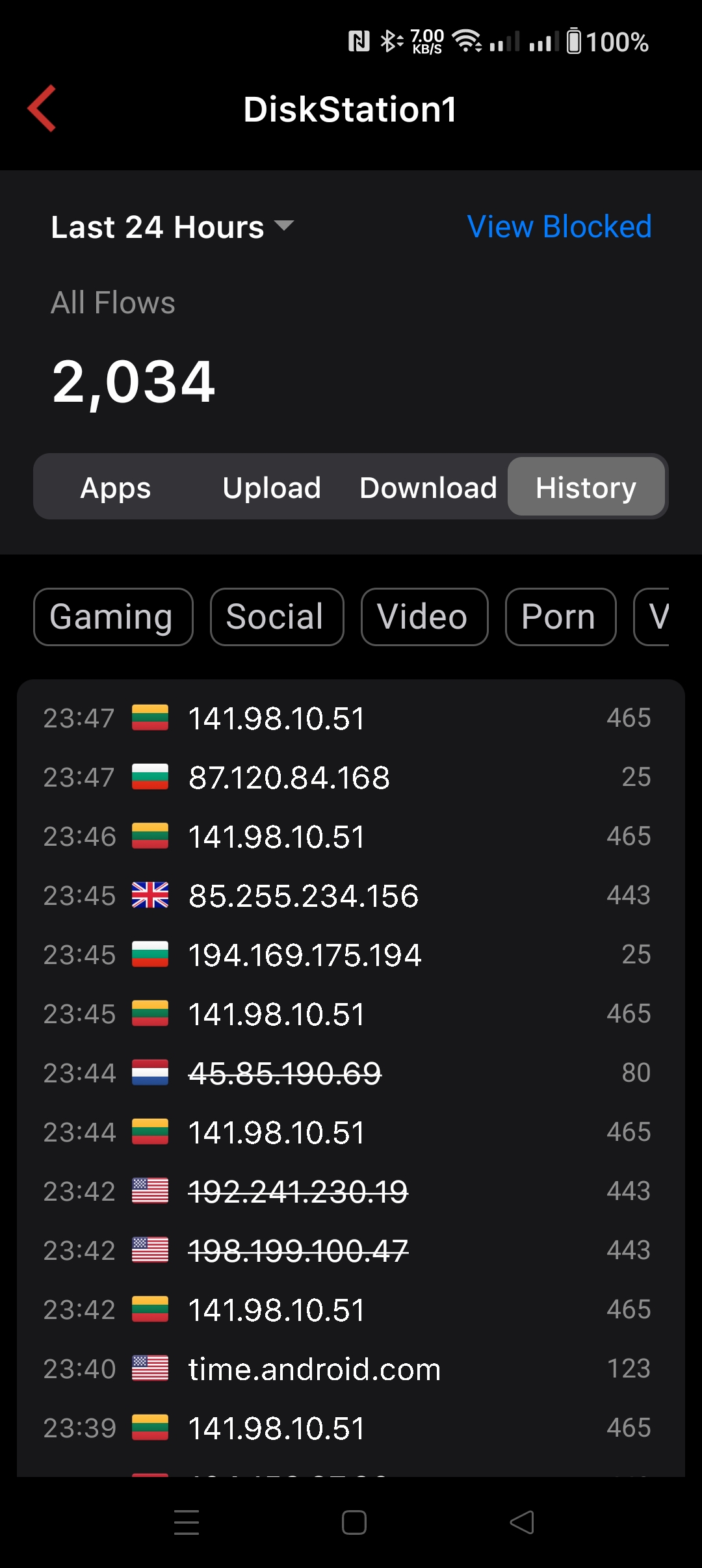
Actually it may be working. Looking at the Firewalla logs for the webmail machine it seems to be blocking 80/443 for all sources. I tried connecting to it from the UK on 443 and it allowed it. Shows in the log too.
Will have to find out how someone is getting to webmail as it's not via this route. Thanks for the quick reply.
-
Don't know what happened to my last post so summarising here.
By correlating the Firewalla logs with the mail server logs, the actual probing connections are coming in on port 587, not 80/443. Possibly someone trying to guess credentials through SMTP auth.
I don't see a way to deny access to a few regions in the port forward section. Like blocking Bulgaria/Russia/Kazakhstan etc. I did look through the docs but didn't see something on this yet. I only see Allow options. Can anyone enlighten me please?
Please sign in to leave a comment.
Comments
6 comments