Allow inbound RDP from Internet to Device on LAN - Firewalla Gold

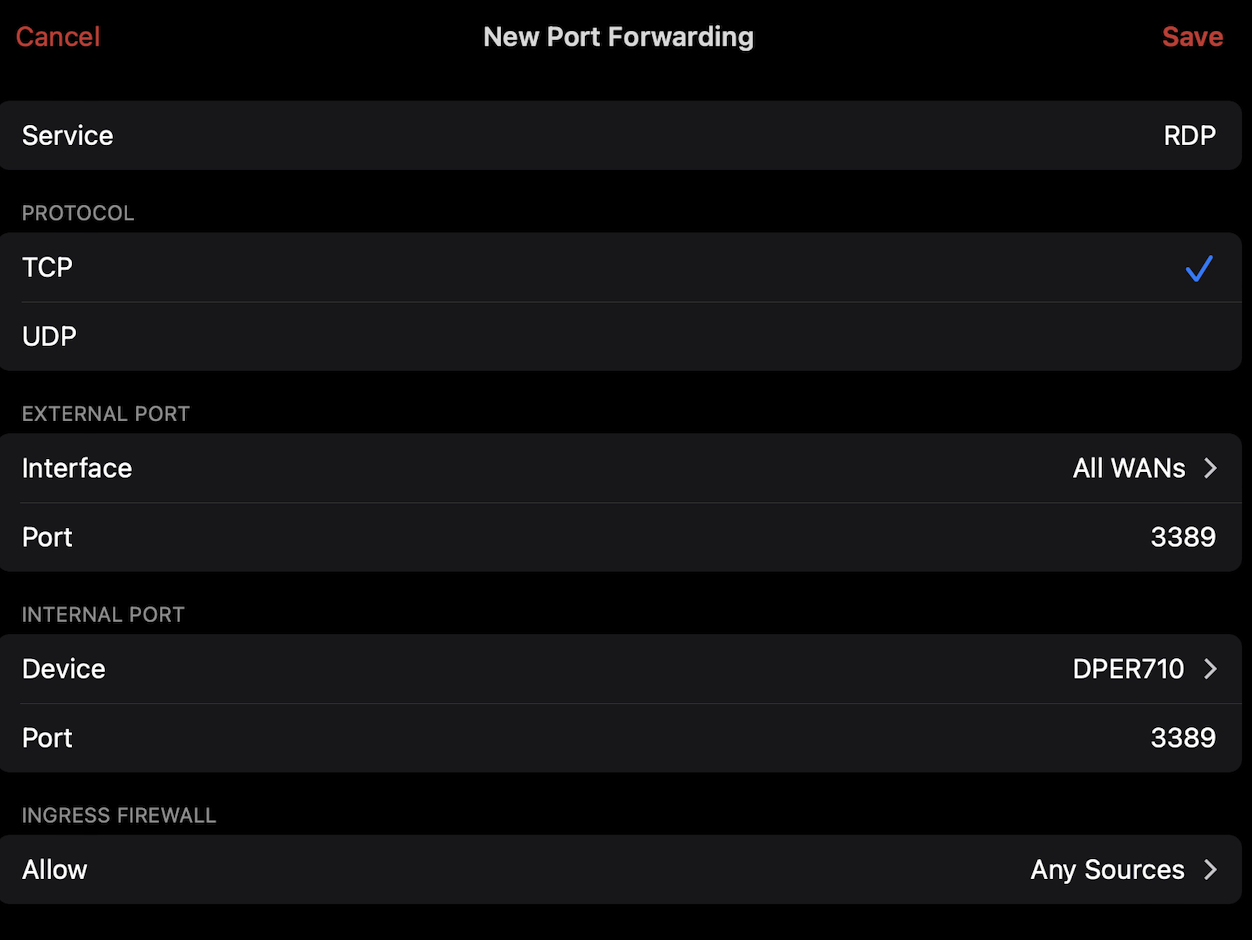
Hi, I have tried to Allow inbound RDP from "internet" to a Device on the LAN side of my FWG, but fail to get it working. The connection using RDP (using Microsoft Remote Connection software) is working flawless from devices on the LAN.
What is the required settings / rules that I need to configure to make this happen? Port Forwarding needed? Appreciate any help on this.
FWG box version 1.976, Android app 1.55.14
-

You would need to make sure you port forward to the device that is running the RDP. I would not advise this though, it would be better to spin up a VPN. That would be more secure to do, than open ports to the whole world. The more "Holes" you have open in your firewall, the more to be attacked by. I use RDP a lot, and I just connect to my WireGuard VPN whenever I'm outside my house.
-
Thanks James for you helpful reply. I tried port forwarding from "all" and didn't think of trying "specific devices". Will give it a try! (Noticed that a Target List can not work as a "Source List" - would have been useful for my purpose (more than 10 devices involved)).
And I agree with your view of being more secure in using VPN for this purpose - may try this if we still face problems. We use Zscaler zero trust as core access control layer in the network - so not really worried about opening ports right now.
Please sign in to leave a comment.
Comments
3 comments