Pi-hole Administration from the Internet

We have quite a few Firewalla boxes running Pi-hole in docker containers. The challenge has been how to access all the PiHole instances without having to be directly attached to the local Firewalla or local network or VPN in. We get “Not Responding” when we try to access any Pi-hole that is not in a Docker Container on the local network.

We asked the kind support team here at Firewalla (sorry folks), StackOverflow, and even the Pi-hole Discourse page (they were a gumpy lot) and unfortunately no one had a recommendation or answer for us.
Well after lots of trial and error here is how you can access your Pi-hole admin page and access your all your Pi-hHoles at the same time from RocketScience’s Pi-hole app (https://apps.apple.com/in/app/pi-hole-remote/id1515445551).
Pi-hole Remote Administration Solution Network Diagram

Firewalla Configuration Changes
Port forward WAN interface traffic to the Firewalla (most likely 192.168.1.1 or something similar but with the third octet different or a class A IP address). In this example we are using port 4444 on the Internet and NATting it to port 81 on the Firewalla. We also only allowed traffic from the United States region during testing. Now we only allow access from specific IP addresses and address ranges.
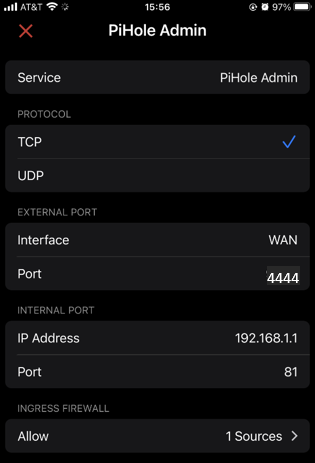
Configure Port Forwarding on Docker Compose
Edit the docker-compose.yaml file in /home/pi/.firewalla/run/docker/pi-hole. You will need to add the lines:
ports:
  - "81:80/tcp" # Port forward from host port 81 to container port 80
Be careful! Indentation is critical and “ports” must be nested under the “pihole” service definition. Who knew?! We don’t have a lot of Docker experience.
This is our docker-compose.yaml file (which also includes the use of unbound).
version: "3"

services:
  pihole:
    container_name: pihole
    image: pihole/pihole:latest
    networks:
      default:
        ipv4_address: 172.16.0.2
    environment:
      TZ: 'America/New_York'
      DNS1: '172.16.0.4'
      DNS2: 'no'
      WEBPASSWORD: 'firewalla'
    volumes:
      - '/data/pi-hole/etc-pihole:/etc/pihole'
      - './etc-dnsmasq:/etc/dnsmasq.d'
      - '/etc/localtime:/etc/localtime:ro'
    cap_add:
      - NET_ADMIN
    restart: unless-stopped
    links:
      - unbound
    ports:
      - "81:80/tcp" # Port forward from host port 81 to container port 80

  unbound:
    image: klutchell/unbound
    networks:
      default:
        ipv4_address: 172.16.0.4
    ports:
      - 5335:5335/tcp
      - 5335:5335/udp
    restart: unless-stopped

networks:
  default:
    driver: bridge
    ipam:
      config:
      - subnet: 172.16.0.0/24
Restart Docker (and Pi-hole) and Clean Up Docker Environment
Restart the Pi-hole Docker image. We have a script that runs these commands:
cd /home/pi/.firewalla/run/docker/pi-hole
sudo docker-compose pull
sudo docker-compose down
sudo docker-compose up --detach
sudo systemctl start docker-compose@pi-hole
sudo yes y | sudo docker system prune -a
Pi-hole Browser Access
Now you should be able to access your (Pi-hole) admin page from anywhere. You should be able to use your Firewalla WAN IP address or the Firewalla DDNS URL (if you have set it up).

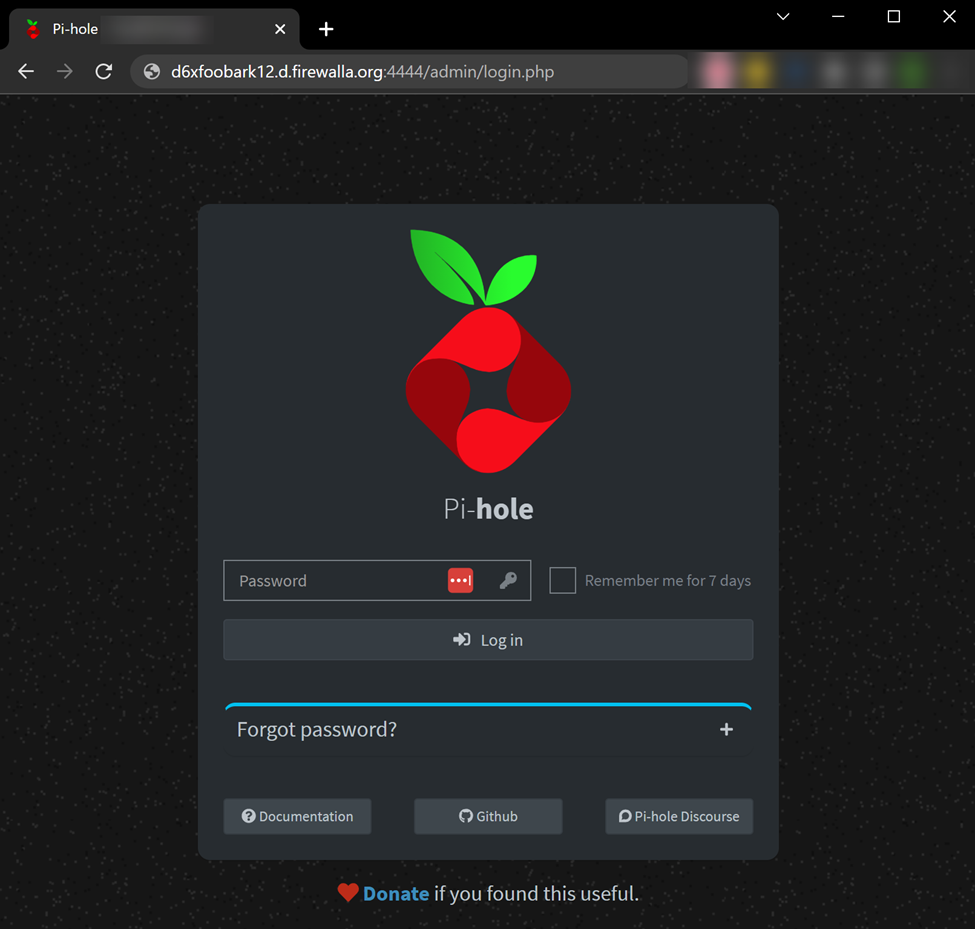
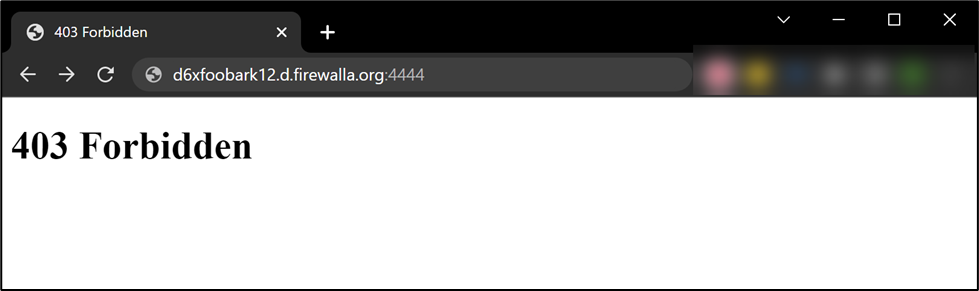
You have to specify the admin page or you will get a 403 Forbidden.
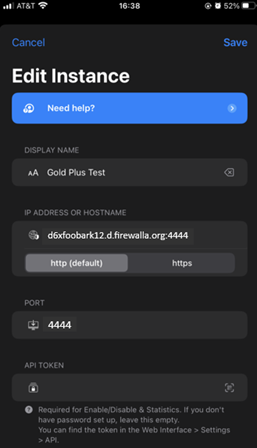
App Configuration
Setting up the RocketScience iPhone Pi-hole app.
- Start the app and select settings in the lower right.
- Either Add Pi-hole or edit an existing one.
- Make the name the WAN IP address of your Firewalla or enter the DDNS URL for the box.
- Change the Port to the external port that you forwarded to port 81 above (4444 in our example).
- Add your API Token (out of scope of this post).
- Save your changes by clicking Save in the upper right.
- Click Home in the lower left.
Accessible From Anywhere
Now your remove Pi-hole should have a green check next to its name and you can access it from anywhere – not just the network protected by the Firewalla.
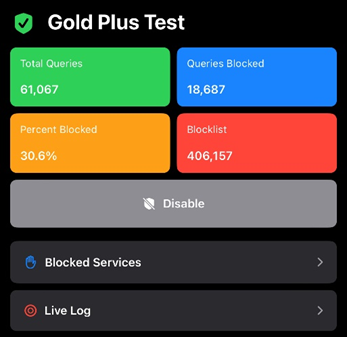
For some reason, we haven’t been able to figure out yet, the configuration test fails (bottom of the app Edit Instance screen) even though the Pi-hole can (obviously) accessed. We will leave that to someone else to sweat over (suspect it’s trying another, unforwarded / unNATted port).

-
Because I have MANY Pi-holes to manage and I want to be able to check on them all from one app and at the same time.
Not risky at all. I only forward traffic from my phone and laptop and only when at home or the office. When I am away from home I always VPN to my home Gold so my IP address is always known.
With so many rules when I have an issue I want to replicate it to all my instances.
-

Great post.
Interesting how many docker containers are you running on each FWG?
I bumped my FWG to 8GB Ram - best thing I have done.
Did you set a single docker bridge or are they generated on the fly - looks to be the later?docker network create -d bridge --subnet=192.168.3.0/24 --gateway=192.168.3.1 -o parent=eth0 firewalla-gold
Example docker-compose file
-------------------------------------------------------------------------------------------------------------
version: "3.8"
# change the default container as its broken
# found this container as its commits ahead of the main brancch
# bookmarked the container in githubservices:
nginx-proxy-manager:
container_name: nginx
image: zoeyvid/nginx-proxy-manager
restart: always
volumes:
- ./data:/data
- ./data/letsencrypt:/etc/letsencrypt
- ./data/www:/var/www
environment:
- "TZ=Australia/Perth"
#connect this container to the firewalla-gold docker network and set an permanent ip address
networks:
firewalla-gold:
ipv4_address: 192.168.3.6networks:
firewalla-gold:
external: true-------------------------------------------------------------------------------------------------------------
As you can see, I have dropped the data in the local FWG docker run directory.
Are you using the persistence code after restart - shell commands in:
~/.firewalla/config/dnsmasq_local/[containername]/home/pi/.firewalla/config/post_main.d/Have you created a separate shell script if running multiple containers in addition to container scripts?For example-------------------------------------------------------------------------------------------------------------#!/bin/bash
# Start-docker-net.sh# Reinitialise the docker system# This code needs to be placed in the following location ~/home/pi/.firewalla/config/post_main.d/
sudo systemctl start docker
# Do I need to rebuild the bridge network - this needs testing - code errors out if it already exists - acceptablesudo docker network create -d bridge --subnet=192.168.3.0/24 --gateway=192.168.3.1 -o parent=eth0 firewalla-gold
# Reset the ipset routes for the containerssudo ipset create -! docker_lan_routable_net_set hash:netsudo ipset add -! docker_lan_routable_net_set 192.168.3.0/24sudo ipset create -! docker_wan_routable_net_set hash:netsudo ipset add -! docker_wan_routable_net_set 192.168.3.0/24
# Add routing rule for docker network
sudo ip route add 192.168.3.0/24 dev br-$(sudo docker network ls | awk '$2 == "firewalla-gold" {print $1}') table lan_routablesudo ip route add 192.168.3.0/24 dev br-$(sudo docker network ls | awk '$2 == "firewalla-gold" {print $1}') table wan_routable
# The remaining code needs to be configured in each containers script# They are to include the mapping the IP address of the container in dnsmaq and restarting the service-------------------------------------------------------------------------------------------------------------Had any issues on FWG restart??Maybe I better reboot my FWG and check to see what breaks myself.Thanks for replying by the way.


Please sign in to leave a comment.
Comments
5 comments