Confused about blocks

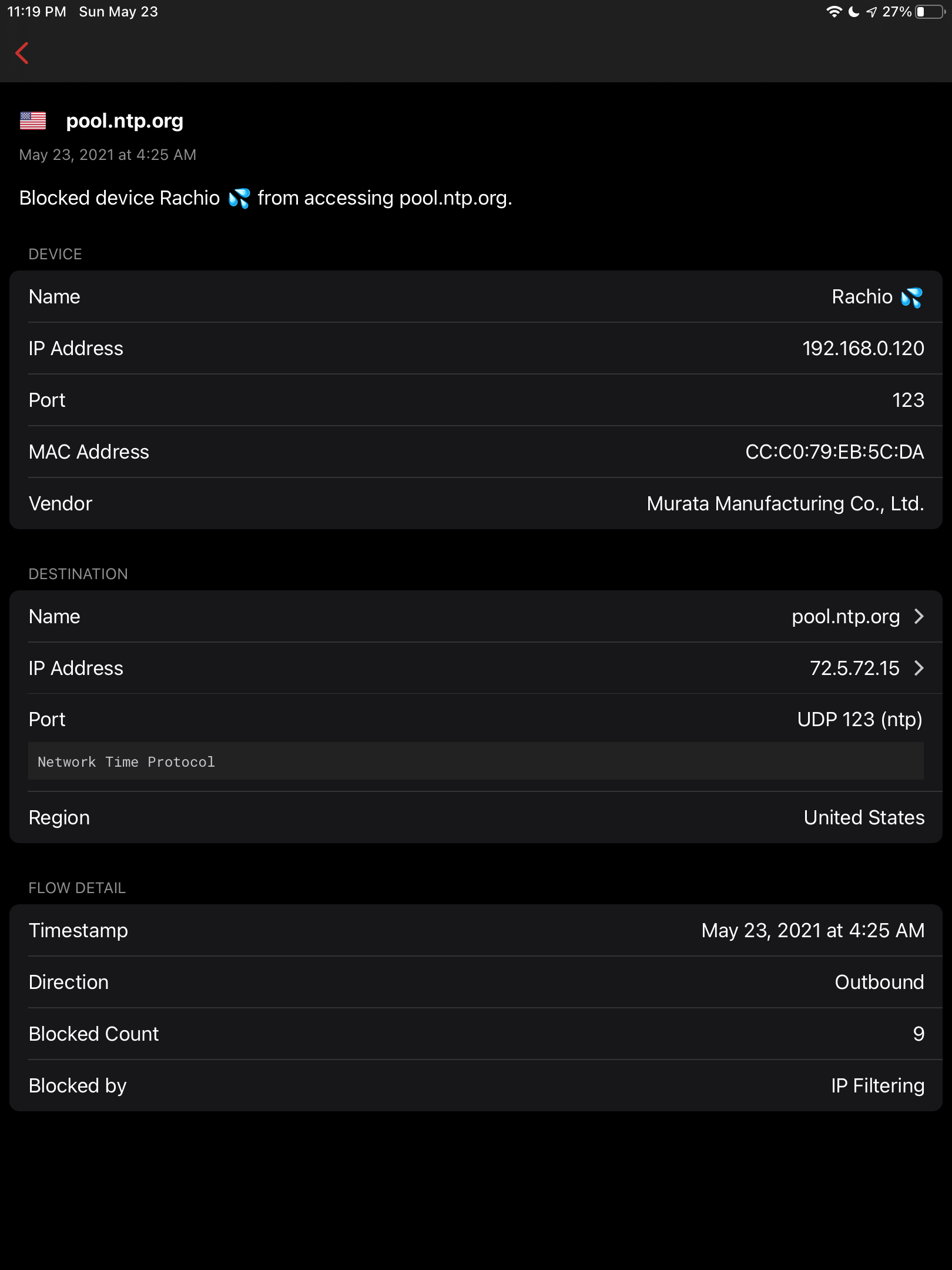
I don’t understand why items that are on an allow list (via a list) are being blocked. 

-

Depends on what is on your allowed list ... and if you have regional blocks
pool.ntp.org is usually a very large and dynamic set of servers (up to 4000+ servers to that pool). For example, if you only allow a few NTP servers, then it is highly likely you will get this kind of block for things not related to the allowed list.
-

They process block rules before allow rules which pretty much makes it impossible to block all except for….. I wish the rules worked more like traditional firewall rules where they are read in order but I’m guessing they’re doing this to keep down confusion for non technical users and keep support calls down for them. As much as I like the device I feel as if it’s being held back because of non technical users. I asked for an advanced mode to provide additional functionality for advanced users but that got shot down. I’d really like more granularity on the firewall rules to create rules with source/destination port/ip address instead of what’s given now.
-
The domain pool.ntp[.]org is pretty standard, the issue is the IP. the NTP pool is a system where pretty much anyone can join, and the domain to IP mapping will change very often (that pool has >4000 servers). When this happens, the system will likely have a hard time mapping IP to domain's. Hence you will get some blocks; Since NTP pool is so special, unless you see it NOT working, we do not recommend you manage it yourself.
If you do see NTP is failing, then please send an email to help@firewalla.com
-
I guess I never thought about the security problems with ntp.
Reading a few articles, it seems like there is a way to authenticate ntp. NTS is one way. I wonder if FWG could intercept all ntp requests and provide responses to all LAN devices. In turn, it could make authenticated NTP requests which would be more secure and maybe even better performance? Maybe:
Devices > FWG (NTP) > NTS
but back to my earlier question, if I make an allow rule, shouldn’t that take precedence?
-
Looks like Cloudflare has a proposed solution. https://blog.cloudflare.com/nts-is-now-rfc/


Please sign in to leave a comment.
Comments
10 comments