Screen share over VPN not working on Mac

I have a firewalla gold, and a mac on my network I want to access via screen share. I'm using TunnelBlick on the computer that's connecting to the VPN.
When both computers are on the same network, screen share works perfectly. When I try to connect over VPN, I either get connection refused, or the connection is immediately closed.
The firewalls on both macs are off. I have no trouble with DNS - I can ping the computer I want to remote control without issue.
Any ideas?
-
The only rules I have is to block gaming at certain times on my sons’ computers and phones.
Yes, using vnc://hostname/ which works fine when the source computer is on the local network, but fails when it’s remote and through VPN.I’ve also tried routing all traffic through the VPN instead of just the remote network range - doesn’t help. -

Hi,
I tried in lab, with VPN connected via TunnelBlick, by typing vnc://hostname.lan I can access the VNC server.
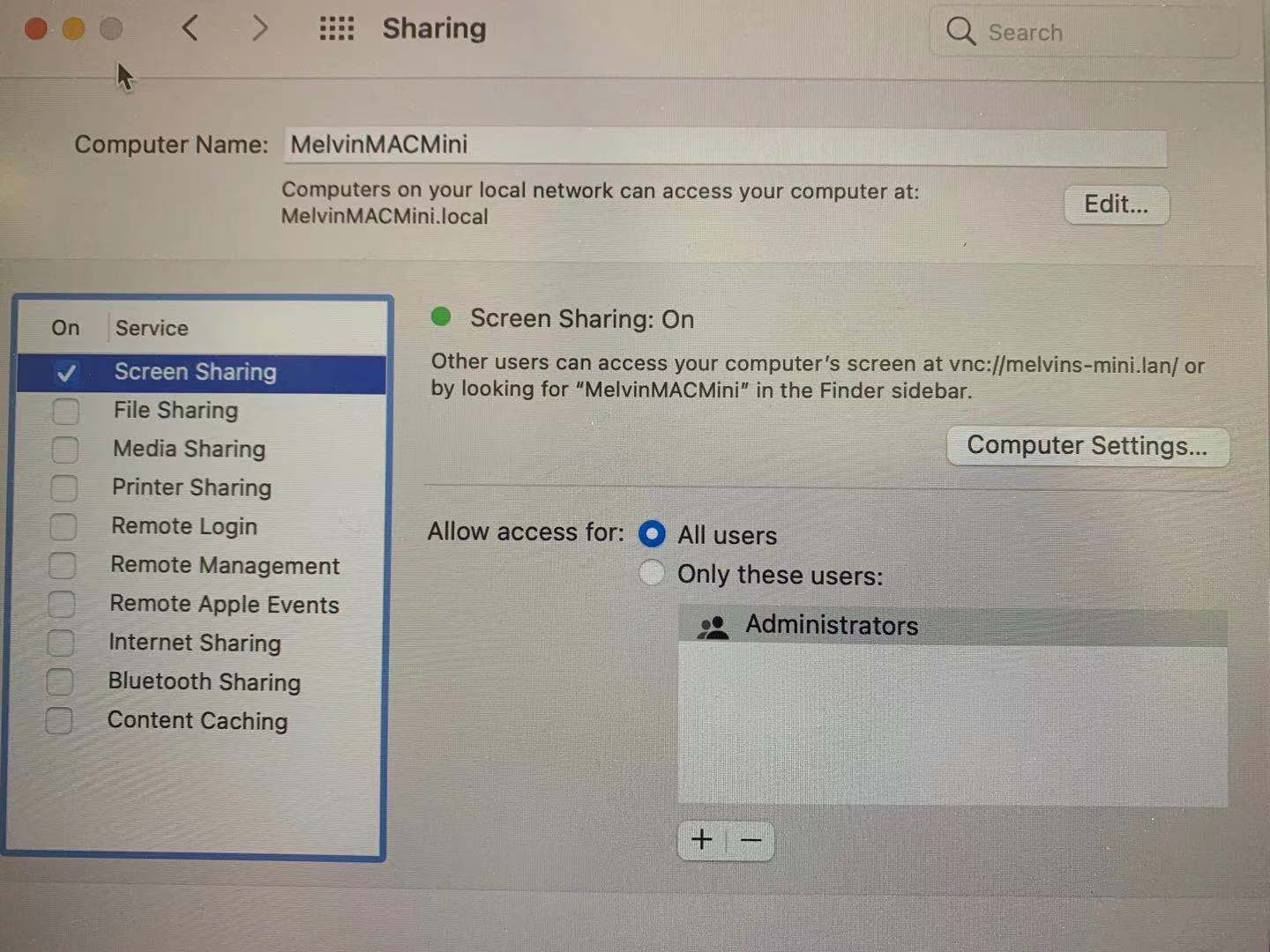
How do you set up the VNC server ? if you set up the VNC server on MAC via "system preference" > "screen sharing" ? you need to follow the instruction in the screen sharing to set the vnc://hostname.
Pls see picture below.
-
This is exactly what I'm doing, using the hostname displayed on this panel.
To be clear, it works perfectly well when both macs are on the same network with the Firewalla. No issues. Then I take the VPN mac off the network, connect to my phone hotspot, and connect via TunnelBlick.
At this point, I can ping the name of the target machine as shown in the sharing panel, and I can also SSH to that machine. However, when I try to connect via screen share, I get an error that the connection is refused.
I have tried both with all traffic going over the VPN, and with the typical configuration of just sending the VPN IP range.
Again, screen share and SSH work when on the network, but when VPN'd, SSH works, screen share does not.

Please sign in to leave a comment.
Comments
14 comments