SOLVED: Network segmentation failure

Hi,
I am trying to set up VLANs on my Firewalla Gold, but it doesn't seem to be working.
I have port 4 connected to the ISP, Port 2 is wired to a TP-Link Omada switch. The AP is connected to the switch, as are some wired devices. I have multiple SSIDs on the AP, the goal is to set up a different VLAN for IOT devices and a different one for home computers. But I cannot get any devices to connect if I turn on VLAN to SSID mapping on the AP.
Best I can tell is the devices authenticate to the AP but then cannot obtain an IP address. If I remove the VLAN mapping from the SSID, then devices are able to connect and function normally.
My firewalla configuration is below: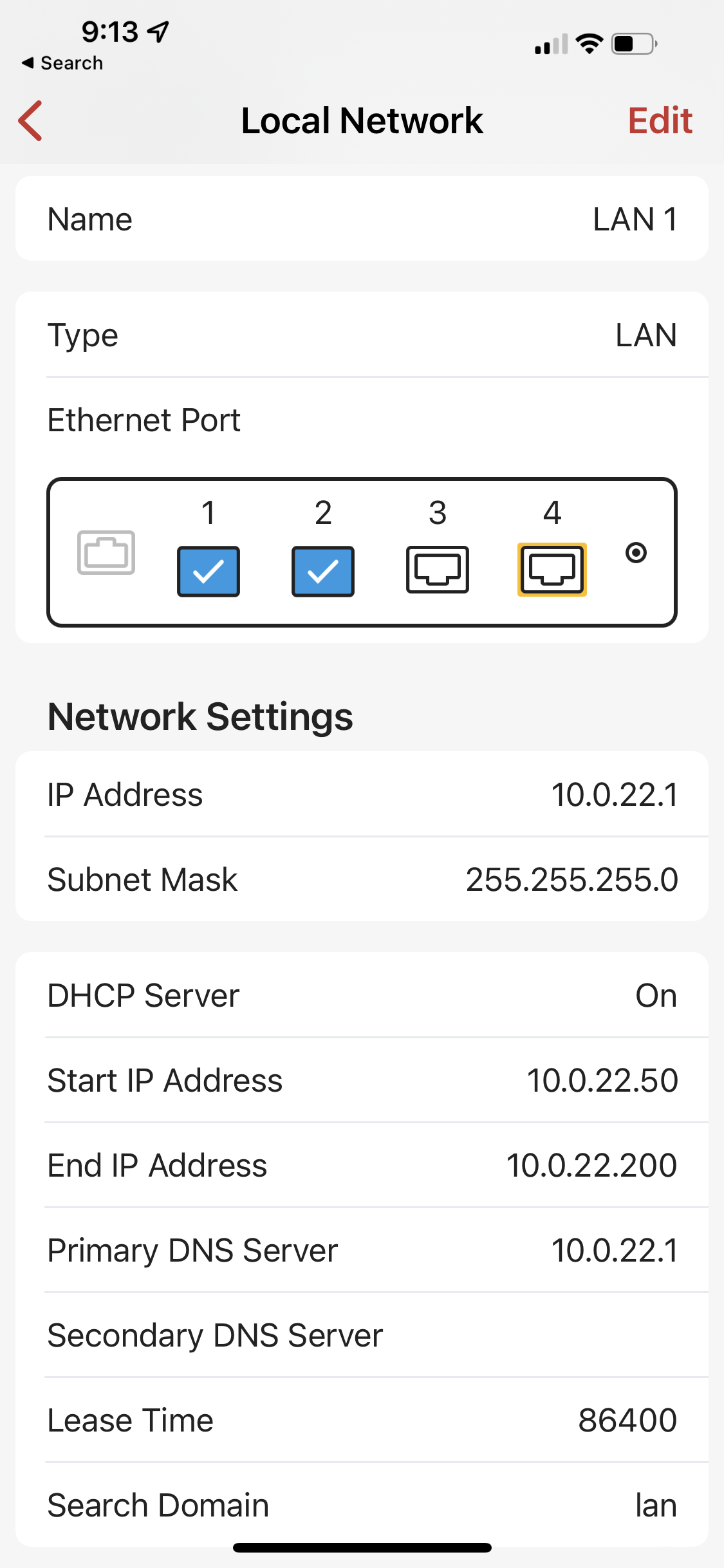
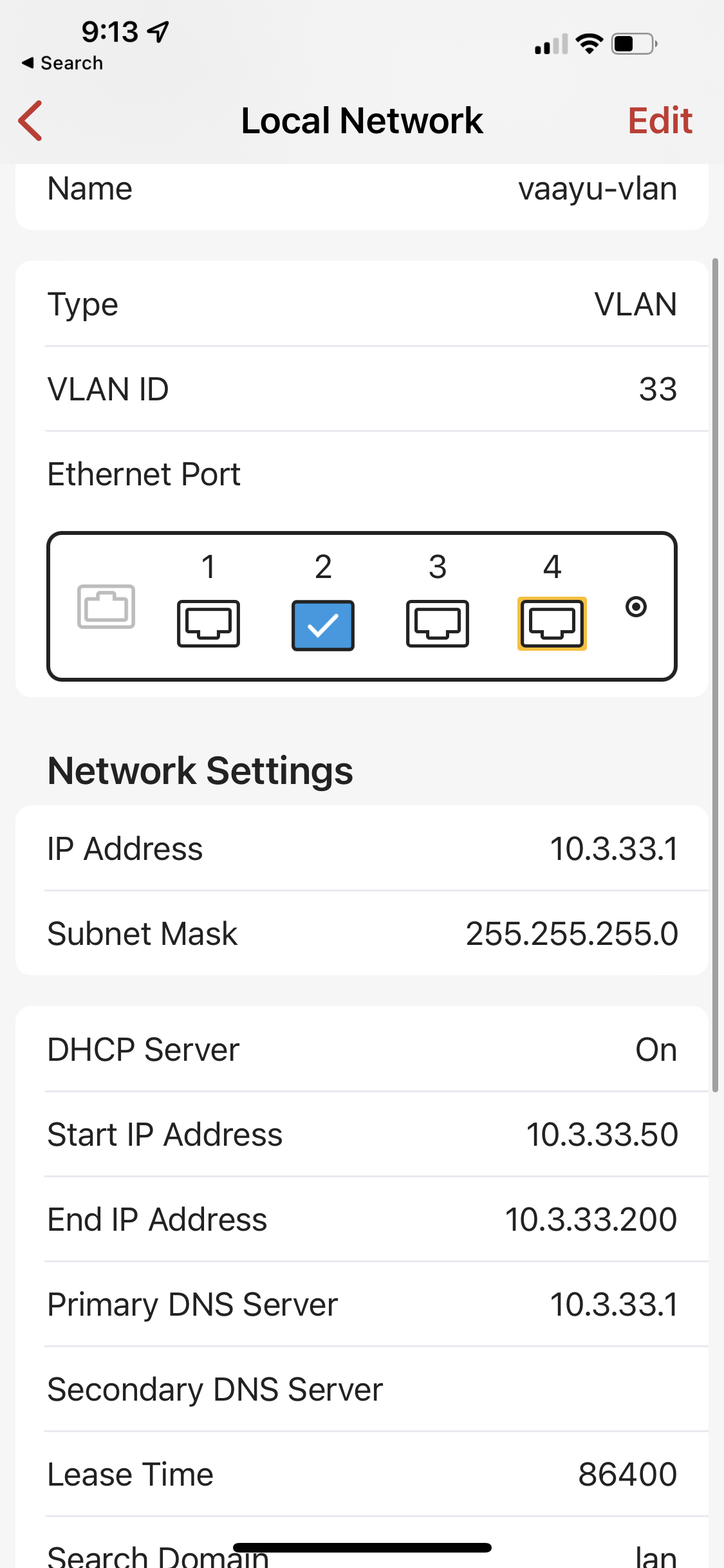
And the SSID configuration is: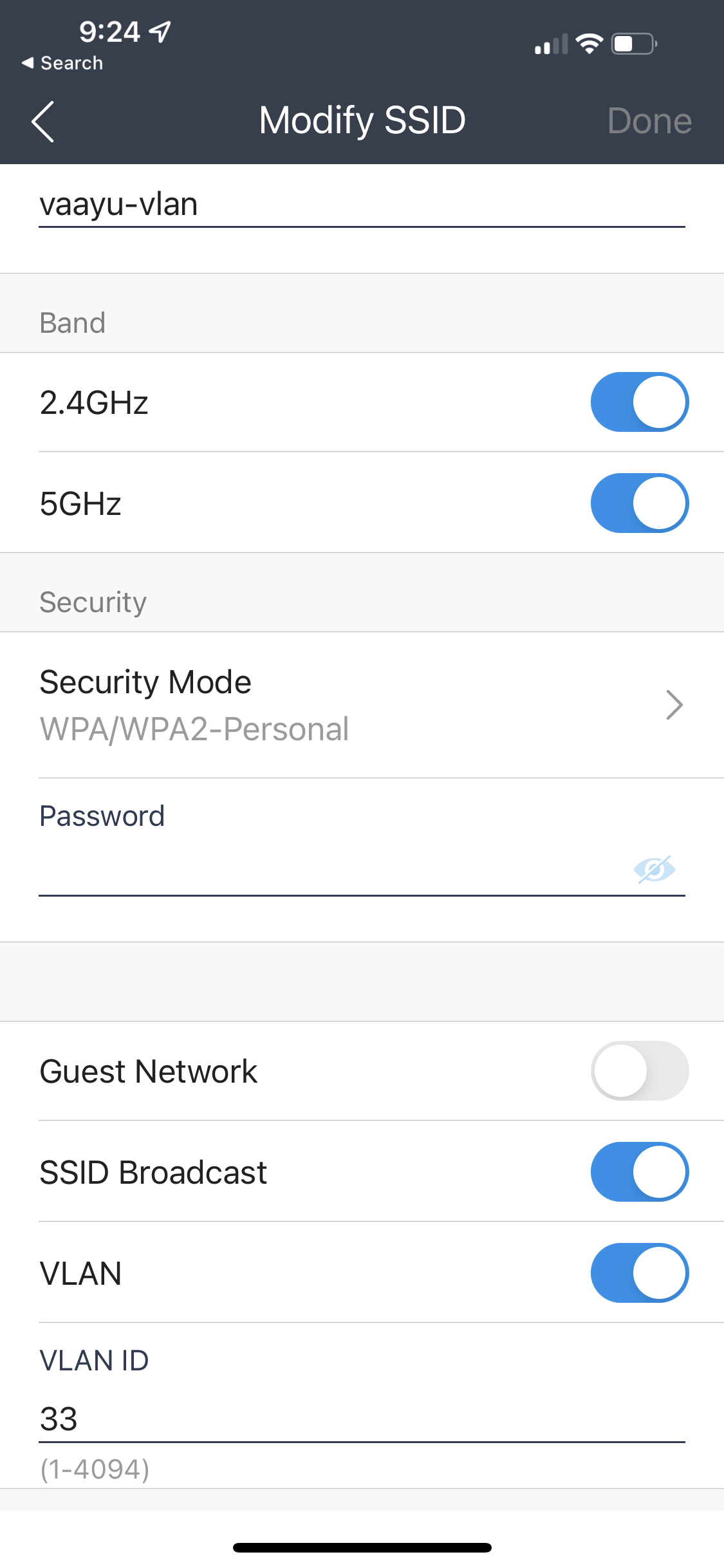
-

TAGGED means the port will carry all VLAN traffic. (it is also called trunk mode).
The reason for you to try one AP is to ensure the configuration is correct. Meaning
1. Your switch port connecting to firewalla gold need to be in TAGGED or TRUNK
2. I think your switch AP connecting to should be in TAGGED or TRUNK
3. Your port on the AP connecting to the switch need to be in TAGGED or TRUNK
-
I think I figured it out, and it was indeed the switch configuration - your last comment made me look to see if I needed additional configuration on the switch. It turns out that I also needed to create the same VLAN ID in the switch configuration (i.e. it was not enough to just add it as a mapping on the AP), which was only obvious when I logged into the web UI for Omada rather than the app. Thank you for your help!
Please sign in to leave a comment.
Comments
5 comments