Setting up a client VPN on an orbi meash network

Could Someone Please Help ME?
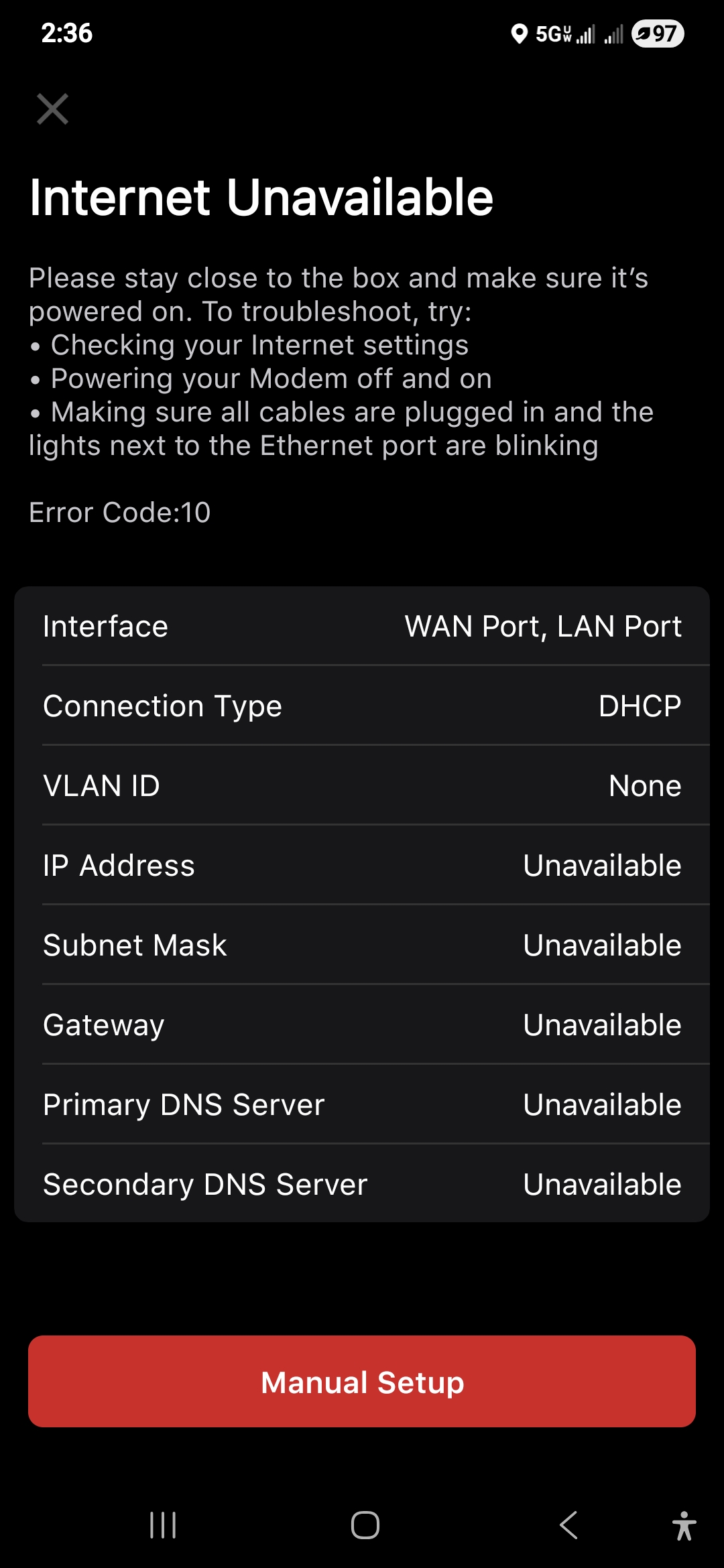
I just bought a Firewalla purple SE. I have tried to install the box many times without it working. I have looked at your forum, but could not find what I am looking for. I have a modem, an Orbi mesh router, and I want to set it up to do a client VPN. Does the Firewalla go before the modem or after, and should it be set up for static or DHCP IP? After that, I don’t know what I should do because I can’t get any further.
PS, I am new to the forum, please don't get upset if I did something wrong.
Ray
-

It should be
Modem <--> Purple SE WAN port ----> LAN port --> Orbi in bridge mode (or your switch)
Most of the time, purple SE should be in router mode and DHCP to your modem.
here is the guide for router mode: https://help.firewalla.com/hc/en-us/articles/4411167832851-Firewalla-Router-Mode-Configuration-Guides
-
If there is no status light and you have LAN/WAN connected, it means you do have internet connection via the firewalla. What you can do is go near the Firewalla, tap on network button, tap on the "diagnose" button on the bottom and see what it says.
edit: I assume you finished pairing?
-
I would like to thank you for all your help getting me through the install process. now that I have the app installed and working, I would like to set up a client VPN to hide my information.
Can I setup FireWalla to hide my location and computers without using a 3rd- party VPN? If so, can someone please help me or point me to where I can?
Please sign in to leave a comment.
Comments
18 comments