Purple Firewalla: Wifi Drops, Speed Test issues, and Latency Issues

Hello,
I just got my Firewalla purple today and I've got three major issues in the last 5 hours of hooking it up. I have a mediocore understanding of networks (I work for a local ISP), but not pro level so I haven't set up any specials rules nor have I heavily modified the settings.
Network overview:
netgear cable modem > firewalla > netgear managed POE switch
Issue#1:
The firewall device is set up to be a Router and ethernet is plugged from Modem into WAN. Switch is plugged into LAN.
The Firewalla has a LAN network and a Wifi Network.
The Firewalla keeps dropping the 5ghz Wifi so all wireless devices loose connectivity but the LAN port does not. I have to powercycle the Firewalla to get the WiFi to broadcast again and then my devices can find the network and reconnect.
Why does the router stop broadcasting the wifi? (wifi network is not set to be hidden).
Issue Two:
Anytime I run a speed test either from the Firewalla app (Android) or run a speed test from a browser on a device - it causes the entire wireless network to go down and lose connectivity at which point I need to powercycle the Firewalla device to fix.
For now we wont run speedtests, but seems like something is broken with this.
Issue Three:
Latency spikes on Wifi network:
When pinging 8.8.8.8 I occasionally get latency spikes between 2,000 - 3,000ms which causes video based apps (ie Zoom) to freeze.
When pinging 1.1.1.1 I occasionally get latency spikes between 100ms to 2,000ms.
When pinging fire.walla I occasionally get latency spikes between 5ms to 30ms.
What is causing the latency spikes? I find it odd that the fire.walla is having latency issues.
----------------------
Overall, pretty excited to get my Purple Firewalla device but would really love to get these issues fixed as I work from home.
Thank you in advance for your help/suggestions!
-
Update:
1. Further troubleshooting revealed the ethernet cord sent with the Purple Firewalla device was bad, so I replaced that. This was an ethernet cord between my modem and the WAN port of the Firewalla device. The Firewalla has not dropped internet services with the "new" cable.
2. I believe the wifi hardware in the Purple Firewalla device is not adequate enough to handle a whole smart home network of 20+ devices (smart light switches, smart tvs, gaming stations, multiple laptops, multiple smart phones, desktops, etc) as soon I plugged my old Linksys router in to the Netgear managed POE switch and set it to Bridge mode - my wifi has been super stable and internet connection has been stable.
-

What do you mean by
" I believe the wifi hardware in the Purple Firewalla device is not adequate enough to handle a whole smart home network of 20+ devices (smart light switches, smart tvs, gaming stations, multiple laptops, multiple smart phones, desktops, etc)"
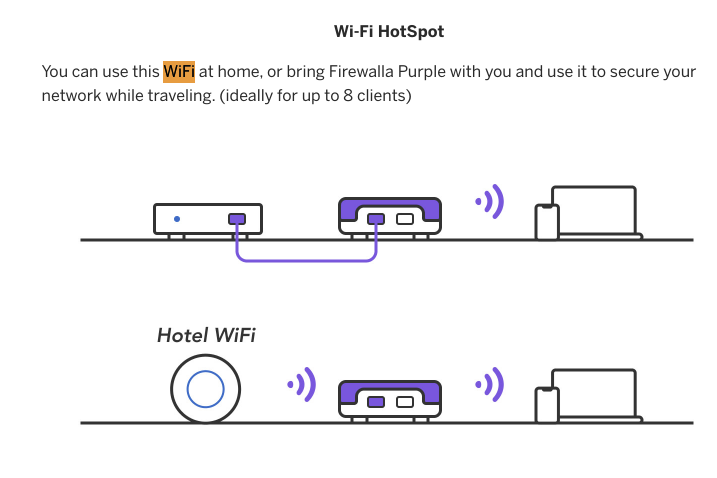
Is this the wifi that came with the Firewalla Purple? if it is, yes, that wifi was never designed to be your primary wifi for the home. It is good for a few devices in a short distance.
-
Thank you for confirming my suspicion.
Correct, the wifi advertised on the Purple Firewalla device is not adequate to be the primary wifi access point from my personal experience - which was not disclosed at time of purchase on the fundraising page, so a bit disappointed.
So rather than being able to consolidate my network to have a router, firewall, and wifi in one device (which is what I thought I was getting) - I still have to purchase a new wifi access point.
Please sign in to leave a comment.
Comments
4 comments