Omada Controller Docker

Is there a guide similar to:
For installing the Omada controller?
https://hub.docker.com/r/mbentley/omada-controller
=====================================================
I was able to make some progress on this on my Purple FW, but not fully test it.
Here are are the steps I went through:
In addition to the above links the homebridge docker guide was also helpful:
https://help.firewalla.com/hc/en-us/articles/360053184374
Here's what I did:
SSH into the unit:
1. Login to Firewalla via SSH. You will find the credential on your Firewalla app, Settings > Advanced > Configurations > SSH Console. The username is always, "pi"
Install Nano(Sorry, I've never gotten used to vi):
$unalias apt-get
$sudo apt-get install nano
Create data directories:
cd /data
sudo mkdir omada-controller
cd omada-controller
sudo mkdir work
sudo mkdir data
sudo mkdir logs
#change owner of dirs, per recommendation
sudo chown 508:508 *
Create docker-compose.yaml file. This is for a Firewall Purple, If you have a Gold, remove the arch. from the image tag.:
$cd /home/pi/.firewalla/run/docker
$mkdir  omada-controller ; cd omada_controller
$nano docker-compose.yaml
(Change TZ to your locale)
version: "3.1"


services:

  omada-controller:

    container_name: omada-controller

    image: mbentley/omada-controller:4.4-arm64

    environment:

      - TZ=America/Los_Angeles

      - MANAGE_HTTP_PORT=8088

      - MANAGE_HTTPS_PORT=8043

      - PORTAL_HTTP_PORT=8088

      - PORTAL_HTTPS_PORT=8043

      - SHOW_SERVER_LOGS=true

      - SHOW_MONGODB_LOGS=false

      - SSL_CERT_NAME="tls.crt"

      - SSL_KEY_NAME="tls.key"

    network_mode: host


    volumes:

      - '/data/omada-controller/data:/opt/tplink/EAPController/data'

      - '/data/omada-controller/work:/opt/tplink/EAPController/work'

      - '/data/omada-controller/logs:/opt/tplink/EAPController/logs'

    restart: unless-stopped
Start Docker:
sudo systemctl start docker
sudo docker-compose up --detach
Access Interface at:
or
http://IP:8088
See if it detects your Omada Devices:
Optional:
Make Omada start after reboot:
mkdir /home/pi/.firewalla/config/post_main.d/
cd /home/pi/.firewalla/config/post_main.d/
nano start_omada-controller.sh
#!/bin/bash

sudo systemctl start docker
sudo systemctl start docker-compose@omada-controller
Move Log/Data/Work locations to sd card.
I'm reluctant to write to the onboard memory. The dB files for omada are around ~400MB so far. I'd rather write them to a cheaply replaceable high-endurance sd card.
Briefly:
- Partition/Format an sd card with ext4(XFS or btrfs might work too but FAT/FAT32/exFAT doesn't allow chown/chgrp)
- Mount the sd card
- create the equivalent omada-controller/work data logs directories with the same 508:508 permissions
- stop docker with sudo docker stop [container]
- rsync all files from /data to your sd card location
- Modify the docker-compose.yaml file to point to the sd_card
    volumes:
      - '/media/sd_card/docker/omada-controller/data:/opt/tplink/EAPController/data'
      - '/media/sd_card/docker/omada-controller/work:/opt/tplink/EAPController/work'
      - '/media/sd_card/docker/omada-controller/logs:/opt/tplink/EAPController/logs'
- Modify the start up script to mount your sd card(ignore the swapon line)
#!/bin/bash

sudo mkdir /media/sd_card
sudo chmod 744 /media/sd_card/
sudo mount /dev/mmcblk1p1 /media/sd_card/
#sudo mkswap /media/sd_card/swapfile
sudo swapon /media/sd_card/swapfile


sudo systemctl start docker
sudo systemctl start docker-compose@omada-controller
sync ; sudo reboot
to reboot the unit.
-

I'm stuck on creating the macvlan. My DHCP range starts at 192.168.1.50. FWP is at 1.1. I want the controller at 192.168.1.2. The docker network create command keeps returning error saying 1.1 is already in use.
This is my command:
sudo docker network create -d macvlan --subnet 192.168.1.0/24 --gateway 192.168.1.1 --ip-range 192.168.1.2/31 --aux-address="firewalla=192.168.1
.1" -o parent=br0 omada_macvlan
"aux-address" option makes no difference. Same error.
Error response from daemon: failed to allocate gateway (192.168.1.1): Address already in useWhen the instructions say on the same subnet and outside DHCP range, it means on same subnet as Firewalla. Correct?
Why is it necessary to create 2ips on macvlan?
-
Also, I plan to move away from using FWP as an omada controller. I'll either use another device with more resources or a dedicated OC-200 hardware controller. I don't think the FWP has enough resources to run the controller as a docker. The controller is not terribly efficient at using either memory or CPU resources and was affecting other functions of FWP. Gold may have been a better platform for it.
-
@GB, That's good to know. I've been mentally playing out a few options and "upgrading" to FWG was one of them.
I've moved the controller over to my Unraid Server for now, but I don't really want to keep it running 24/7.
I think OC-200 is probably the easiest solution, but I've read some unconfirmed rumors of it being phased out. Currently it's still getting the latest firmware updates.
One tip though: Keep multiple backups of the controller files and logs ready to go. It was relatively painless to migrate over to a different controller. (I even went from 4.4.8 to 5.9.31)
-
At least migrating to the hardware controller isn't too bad:
Plug in new OC200(Poe+USB) on the same network.
Do a Basic Setup: (Skip Everything for configuration)Update if prompted: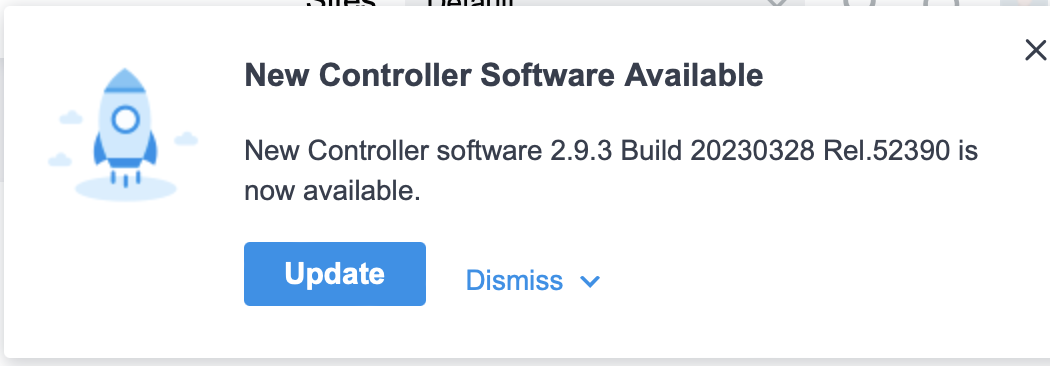 Start software controller:Upgrade Software controller if needed(I'm not sure if this is needed for ver 4.X -> 5.X):Change docker compose file from 4.4 to latest (5.9.31 was the latest as of this post)Restart Docker: FWP spikes in Load and slows way down, APs might lose access for a while.Backup/Export config file with or without logs: Settings->Maintenance->BackupGo to new controller: Restore configuration with Backup .cfg fileGo to devices pages: devices will show disconnected->provisioning->configuring->connectedYou may try to force provisioning if you get impatientInsert USB Drive and setup auto-backup to flash driveStop software controller docker.Pat yourself on the back and stop worrying about dockers affecting your FW.
 -

Thanks for this guide! I was able to successfully get the Omada controller up and running on my Firewalla Gold using these instructions. I found that the new java process took almost 1/3 of the 4G RAM on the FWG and was pushing my memory usage close to the limit. I was able to successfully upgrade to this 8 GB of RAM https://www.amazon.com/dp/B0145WDNI4. This gave me a comfortable free memory margin. To upgrade the RAM, just shut down gracefully, open the box, swap the RAM and restart.
Just for reference, I am running the following 4 docker containers on my FWG. No issues so far.
- cloudflared
- pihole
- toddaustin07/edgebridge
- mbentley/omada-controller
Note: mbentley/omada-controller:5.13 is the latest working version at the time of my comment. Version 5.14 has a bug due to some TP-Link issue and will not start up so don't pull the default latest version. Specify the 5.13 version.


Please sign in to leave a comment.
Comments
40 comments