VPN client Security Bugs Support literlly ignores

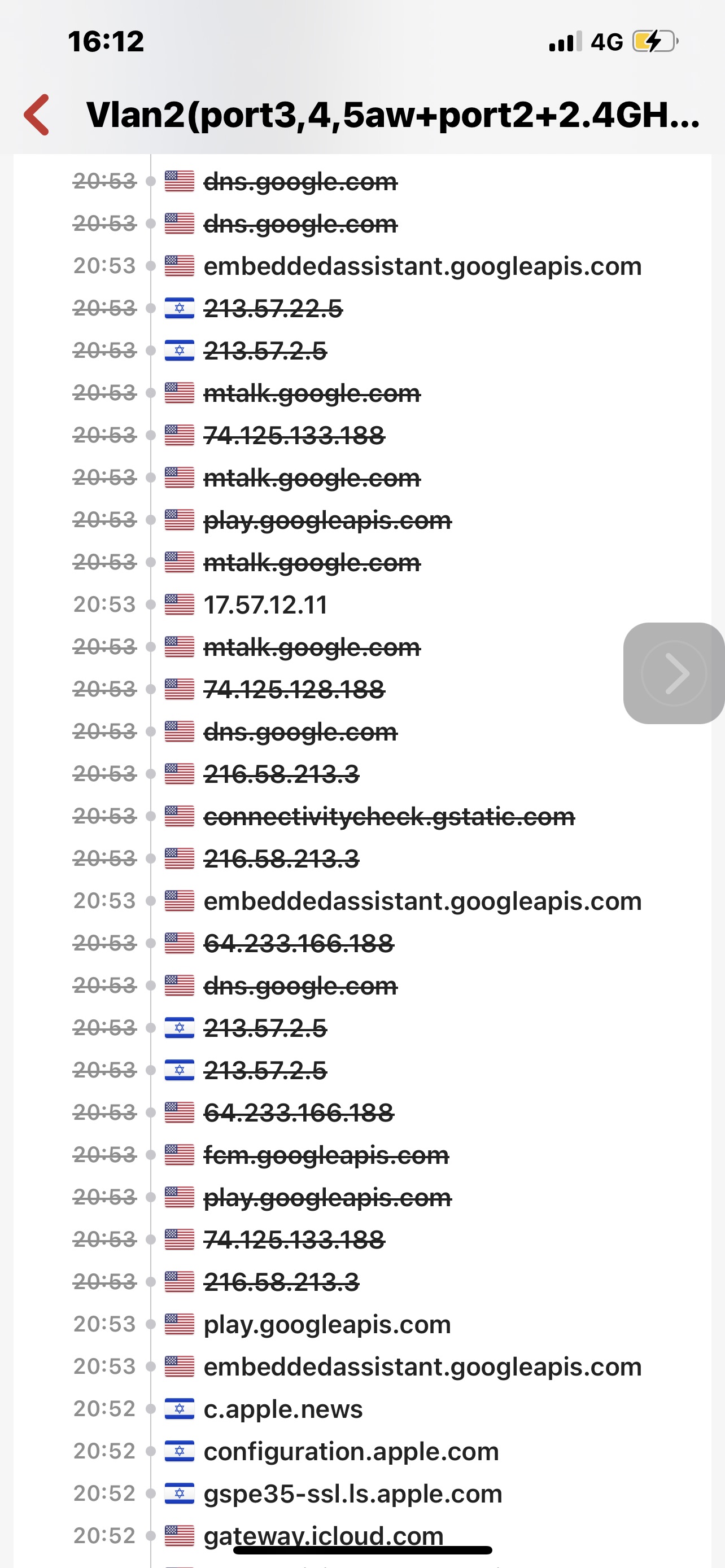 I am feeling quite helpless about this as I’ve had some issues that have exposed underlying problems that far will a Support simply refuses to acknowledge their existence. With VPN client the Killswitch is designed in a flawed manner, and I believe this is a major bug but he’s barely being considered as a future feature.
For starters, if you try to reboot your Firewalla or if it goes down by accident and comes up again, every single VPN client or connection will be exposed to the WAN interface for a Couple of minutes, even with VPN Killswitch on and all the dns forced through the VPN. Incidentally if you look at the above screenshot it was done impact were blocked just because I had A rule limiting traffic only going out to the US otherwise nothing would’ve been blocked. However despite this traffic being blocked outside the firewall, devices were able to get an obtain my wan ip . Support is fixated some on some other video unrelated to this incident and it feels like they will do anything to not acknowledge security issues of which this is not the only one.
The next one I have not been able to get a response for, and that is Killswitch on the traffic not forced through DNS over VPN I , ie that feature turned on, And now it’s enough that your VPN tunnels goes down and you are on WAN. These things happen for a short duration but if you happen to on Google Home and you’re another country, This is a good way of saying goodbye to devices like Google TV 28 days for example and very soon after two all other devices that have to be reset.
There is another relatively trivial issue, if you switch off VPN connection and the client is in that connection it will be exposed to WAN. That with VPN killswitch and force DNS through both turned on.
No I am really non-technical but what I believe is happening is The kill switch is actually just killing traffic to DNS. I’m not exactly sure about that but I’m 100% sure about my statements above And I have the “scars “to show for that. What do you think happens if DNS traffic being stocked is that if your connection to the tunnel goes down and all DNS traffic is force there, You will notice Sudden network blocks two the DNS of your VPN provider in my case that is a Nord VPN proprietary DNS servers, that have a specific IP address. Not sure how it works with other third-party VPN.
What happens in these cases is that when firewalla completely goes down, Even in a plain manner, this i believe this takes a few seconds to start and there is teaffic flowing in the meantime. When DNS traffic is not forced to VPN then actually what happens is that this rule while enabled does not actually prevent any leaks to the WAN when the tunnel falls and that is a serious issue. Of course when you try to refresh the connection then all bets are off.
these are only bugs, but I think that I would want more than just a single connection to an open VPN third-party server. For example I’m having a very serious issues with the company mentioned above because I’m not using obfuscated service and that is impossible with the way this configuration works.
If I was more knowledgeable I would try to create external connections and install the client of Nord with obfuscated VPN, I would necessarily use open VPN protocol otherwise, or be limited to a single connection with a single server. But with the obfuscated not enabled, is very hard to get by and with Google for example I cannot get other than a “temporary”Pass on my IP not showing up, but it Never buys my VPN location which uses a single IP for all devices port etc.
Is there ideas of how to set this connection between say raspberry pi where there is a manual on the VPN website at least for Nord, How do connected back to Firewalla I would be very Grateful with any help on that and even with socks5 profxy setup.
I feel the current configuration is very limited extreme risky” and quite unstable in my case. And I’m not one to take chances that Firewalla seems to be in denial about sorry for the town but I’ve been trying to get the point across with many others with zero success Perhaps someone can check and see what is happening even for a short time.
Please sign in to leave a comment.
Comments
0 comments