Omada Router/Network w/Firewalla in Bridge to Firewalla Gold in Router w/Omada Switches/AP

Very confused on the upgrade. My original network was Omada with based with Omada router, 2 switches, and 2 APs. Bought Firewalla Gold SE and setup in bridge mode. Everything worked great. That setup had the following configured in Omada:
POE - Interface - 192.168.50.1 / 24 - VLAN 50
House - Interface - 192.168.10.1 / 24 - VLAN 10
Secure - Interface - 192.168.100.1 / 24 - VLAN 1
In Omada they all have Interface selected as purpose and LAN interfaces everything checked: WAN/LAN2 WAN/LAN3 LAN4 LAN5.
I am guessing the LAN interface was due to the ports on the Omada router - as port 1 was the internet connection and there are then 4 other ports.
** Now Upgrade **
Turned everything off. Removed the Omada ER605 and Firewalla SE. Replaced with Firewalla Gold Plus. Turned cable modem on. Waited. Then setup Gold Pro in Router more. I put in all the networks to match what Omada had.
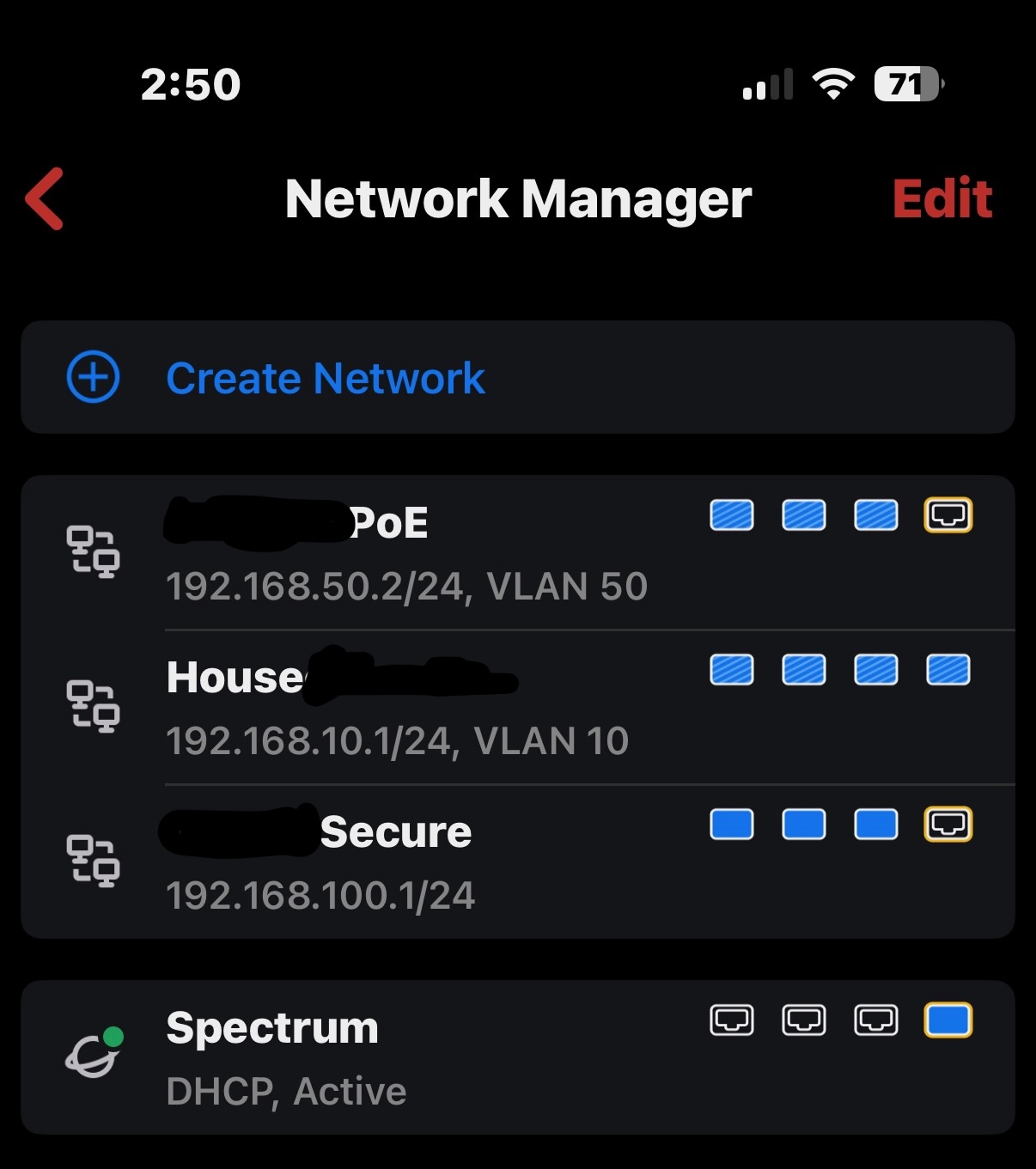
Waited for firewalla to setup. Then turned on routers etc. Everything joined fine. The wireless APs worked fine.
The only thing that does not work are my 3 cameras hooked to one of my POE switches. They all got .50 addresses which is correct. And firewalla shows status as online. But - when in Synology surveillance they show disconnected. I tried creating rules allowing POE to talk to House and Secure. And vice versa. just very confused.
One thing is in the Omada control software it shows the LAN Interfaces as the ports on the Omada Router - but my firewalla is different. I just have the Main Omada switch plugged into Port 1. And internet plugged into Port 4. Everything else on my network goes through the main switch.
Any tips or things to try?
-

By default, Firewalla doesn't block inter-LAN/VLAN connectivity, unless you specifically have block rules.
Here are a few things to check/try:- Check if Synology surveillance has its own firewall blocking the camera traffic.
- Use a device from camera's VLAN to ping Synology and see if Synology responses
Another thing to mention is that better not to include a WAN port for VLAN interface.
Additionally, if Synology serveillance and cameras are under the same VLAN, their local traffic will not be flowing over Firewalla box, but over the managed switch only. If so, double check your switch settings as well.
Please sign in to leave a comment.
Comments
1 comment