Accessing Hitron CODA56 modem through Firewalla

I'm used to having access to the modem's web interface for basic diagnostics. The Hitron CODA56 I just set up supposedly lives at 192.168.100.1. This reddit post suggests that it rejects connections from devices not on the same /24 subnet. There are some additional comments there of people that figured out how to do it via pfSense using some virtual IP stuff that I don't fully understand.
My devices normally live on 10.0.x.x networks. The one thing I tried was to create a LAN on 192.168.100.10/24 so I could assign the PC connected to that ethernet port a 192.168.100.x IP address. I am still unable to connect to the modem. Attempting to ping 192.168.100.1 shows "Destination host unreachable.".
There's probably some massive gaps in my knowledge, but I'm wondering if there's a way for me to accomplish this. Thanks for your attention!
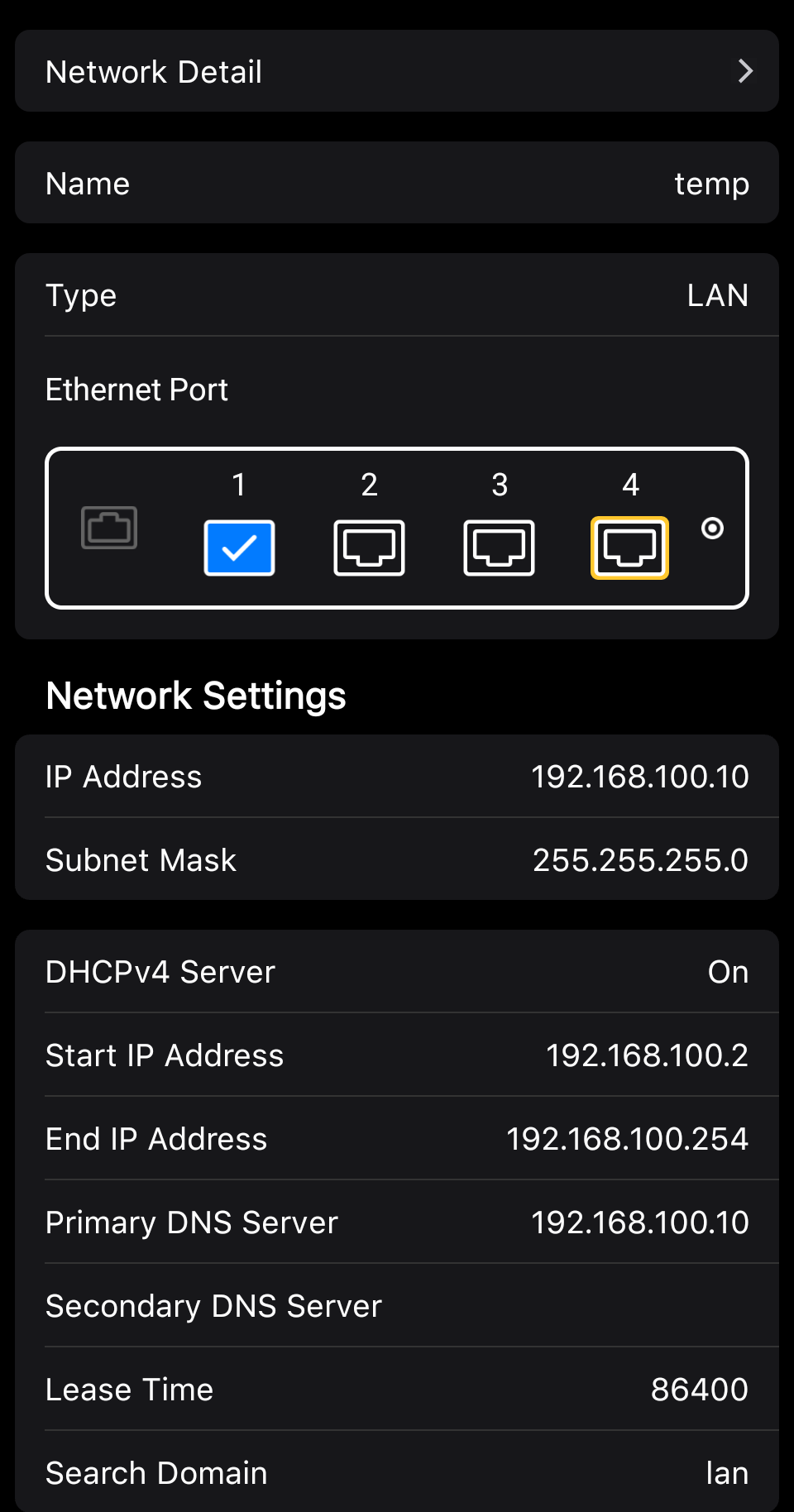
-

A solution is to create another WAN network for Hitron management network 192.168.100.x/24. This probably helps. https://help.firewalla.com/hc/en-us/articles/33802467824659-What-to-do-if-you-can-t-access-modem-from-inside-Firewalla-network
-
I had failed to find this article, thanks! I was able to at least perform the short-term solution and confirm I could reach my modem.
I am trying to see if I can set up a permanent solution. My modem connects to port 4 of my FWG, and I assume it is not VLAN-aware. I see there is "If the primary WAN network is NOT a VLAN [Gold series only]" in the article, which I think only applies if the modem has two ethernet interfaces.
If so, would that mean my only option is to follow the Advanced Users section and add routing rules via the terminal, correct? I'm comfortable in linux, just not with networking, but I think I understand what the commands are doing.

Please sign in to leave a comment.
Comments
6 comments