Host with 2 interfaces arbitrarily appears on one or the other subnet

FIrewalla Purple box version 1.9790 provides all DHCP and DNS servers on my networks.
My host (server.lan) has been on VLAN 11 subnet 192.168.11.0/24 and stable for years. The interface is untagged as eth0. FW's DHCP assigned 192.168.11.141, which I marked as reserved in the FW app.
On this same host (server.lan), I recently added an interfacce on VLAN 13 at 192.168.13.0/24. The interface is tagged as eth0.13. FW's DHCP assigned 192.168.13.141.
The host became intermittently unreachable. In debugging, I queried DNS using dig on other devices on VLAN 11. I receive different answers at various times.
One response shows the expected address on VLAN 11:
% dig server.lan
...
;; ANSWER SECTION:
server4.lan.        0    IN    A    192.168.11.141
Another response shows VLAN 13:
server4.lan. 0 IN A 192.168.13.141
Ideally, I should receive both A records since the device is reachable on both VLANs (subnets).
In the FW app, this host (server.lan) appears with only one address (and on one network/VLAN) at a time! It appears to be bouncing between the two interfaces (eth0 and eth0.13). It does not appear on both networks simultaneously, as it should. So, if I'm trying to connect to 192.168.11.141 when it's only available at 192.168.13.141, the host is unreachable.
The host does believe it is on both interfaces simultaneously (and also a third interface used by docker):
$ hostname -I
192.168.11.141   172.17.0.1   192.168.13.141
How do I correct this behavior?
-
Unfortunately, FW continues to confuse addresses.
- Debian server4-11 is untagged on LAN physical interface eth0 with a unique MAC address reserved as 192.168.11.141
- Debian server4-13 is tagged on a VLAN virtual interface eth0.13 with a different unique MAC address reserved as 192.168.13.141
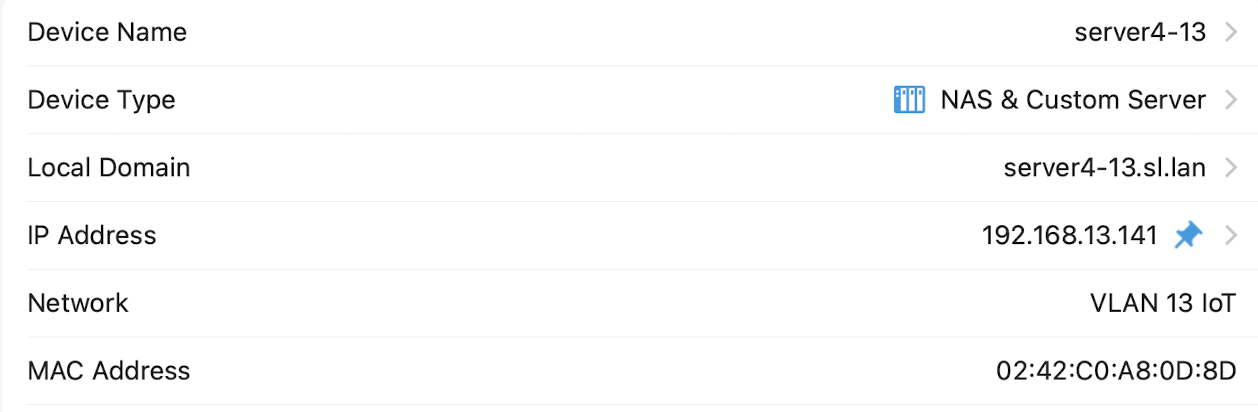
In general, this works fine. However, every so often, FW gets confused about these addresses. As shown below, without provocation, it has improperly associated the eth0.13 VLAN interface with the eth0 LAN interface reserved IP address.
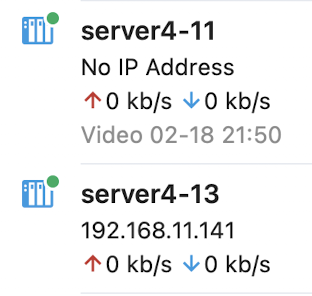
I've seen this intermittent behavior on 2 different Purple devices with similarly configured Debian servers.
Why is FW not obeying the reserved IP addresses for these unique MAC addresses?
-
All interfaces (physical and virtual) have unique MAC addresses.
On the Debian host, which has a single physical Ethernet port:
physical interface eth0
- uses its hardwired MAC address DC:A6:32:ED:D9:84
- uses DHCP to get its IP address from FW (reserved on FW as 192.168.11.141 for the MAC above)
- no VLAN tagging on eth0
- the switch port to which it is connected is untagged on VLAN 11
virtual interface eth0.13
- uses a unique MAC address that I assigned 02:42:C0:A8:0D:8D
- uses DHCP to get its IP address from FW (reserved on FW as 192.168.13.141 for the MAC above)
- VLAN 13 tagging on eth0.13
- the switch port to which it is connected is tagged on VLAN 13
When in this confused state, FW has confused these MAC-IP associations:
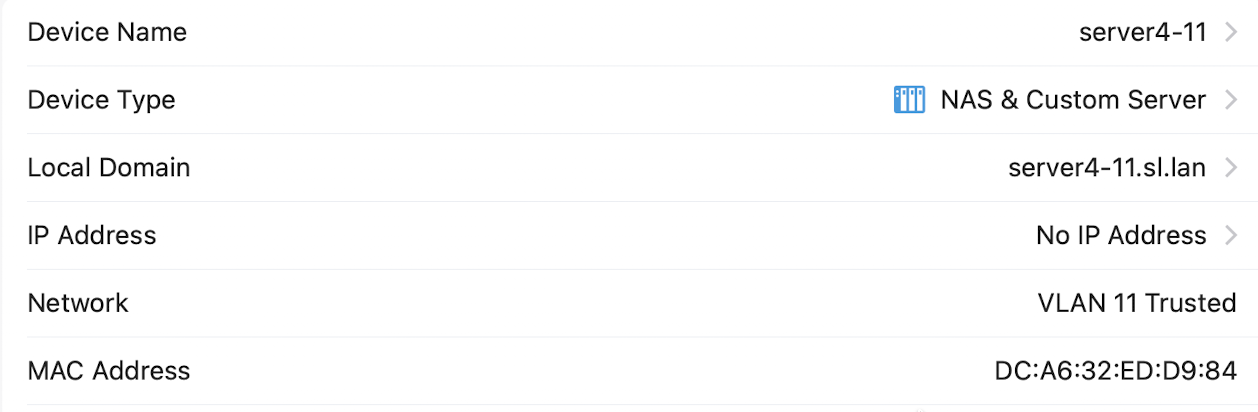
and
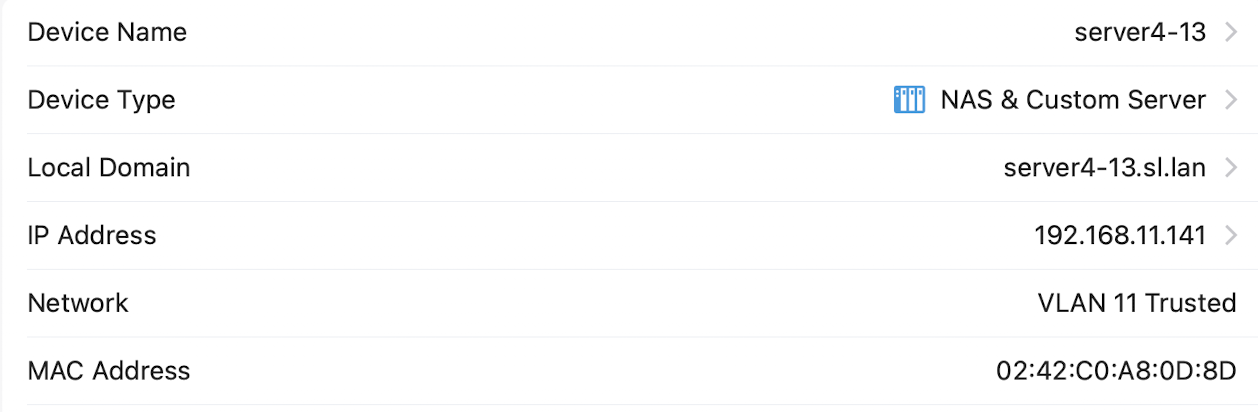


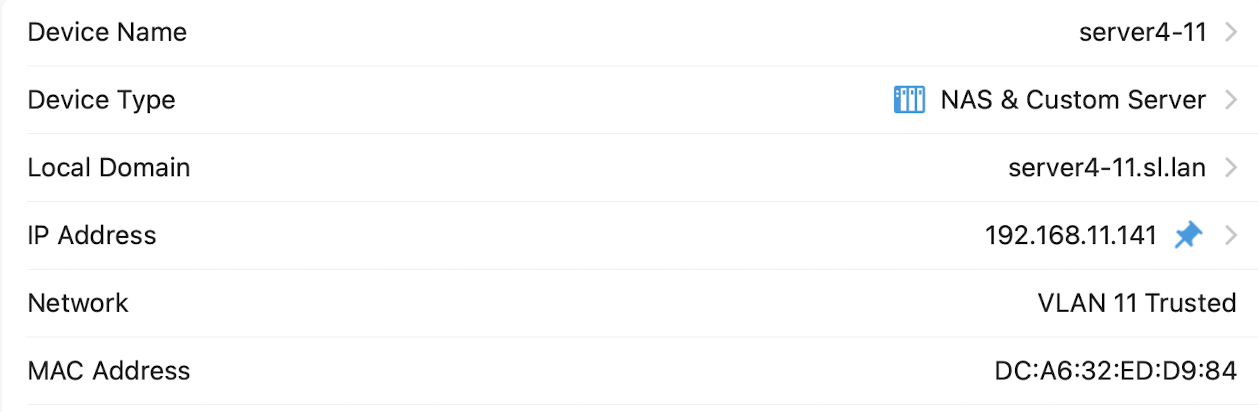
Please sign in to leave a comment.
Comments
6 comments