Internet -> Firewalla Gold -> UniFi USG (Nat Disabled)

I have a setup Firewalla Gold with LAN 1 set to 10.11.10.1/24 and no DHCP on port 1.
I've added 'addroutes.h' to /home/pi/.firewalla/config/post_main.d/ and it contains:
sudo ip route add 10.11.12.0/24 via 10.11.10.254
to add a route back to the USG which has it's wan port (eth2) set to Static IP:
address:10.11.10.254
mask:255.255.255.0
Router: 10.11.10.1
DNS: 10.11.10.1
The USG has it's NAT disabled by including the following in config.gateway.json:
{
  "service": {
    "nat":{
      "rule":{
        "5999":{
          "exclude":"''",
          "outbound-interface":"eth2",
          "type":"masquerade"
        }
      }
    }
  }
}
The USG has a static route to point to the Firewalla:
10.11.10.0/24 NextHop 10.11.10.1 Distance 1
I've added a WAN IN rule to allow all traffic.
In this scenario I am unable to access the internet or ping 8.8.8.8 from a PC on the LAN but can ping the firewalla.
If I SSH into the USG I can ping the internet and firewalla.
If I SSH into the firewalla I can ping servers on the LAN and the internet.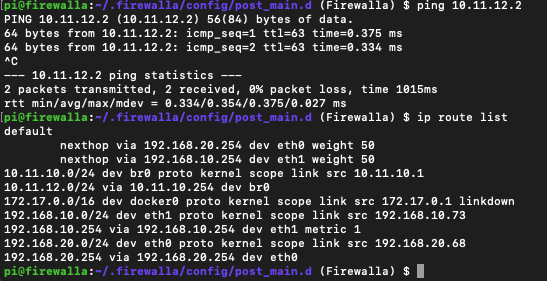
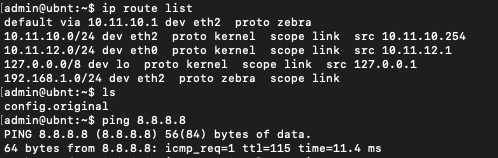
If I reenable the NAT on the USG then I can browse the internet and the USG is shown as a device on firewalla. Note no other devices PC etc from the LAN showed up in firewalla when the NAT is disabled when I would expect them to.
I'm not sure if it's the firewalla blocking forwarded packets from the USG router or the USG router doing the blocking.
Any ideas anyone. I'm hoping if I can get this working then I'll have traffic reporting from both systems as the USG should pass the IP addresses of each device through to the firewalla (as far as I understand it anyway)
The alternative is to swap the USG and Firewalla round but there's another post here saying that Firewalla can not be configured into bridge mode yet.
-

We have networks divided into 2 stacks, aka Sheep and Goats.
The UniFi stack looks after the Goats (Guest WiFi, Multicast IPTV, other "untrusted" devices), whilst the other, Meraki, stack protects the sheep (secure workstations and WiFi), all storage and servers are hosted in Azure, which also handles secure gateway duties, DDNS etc.
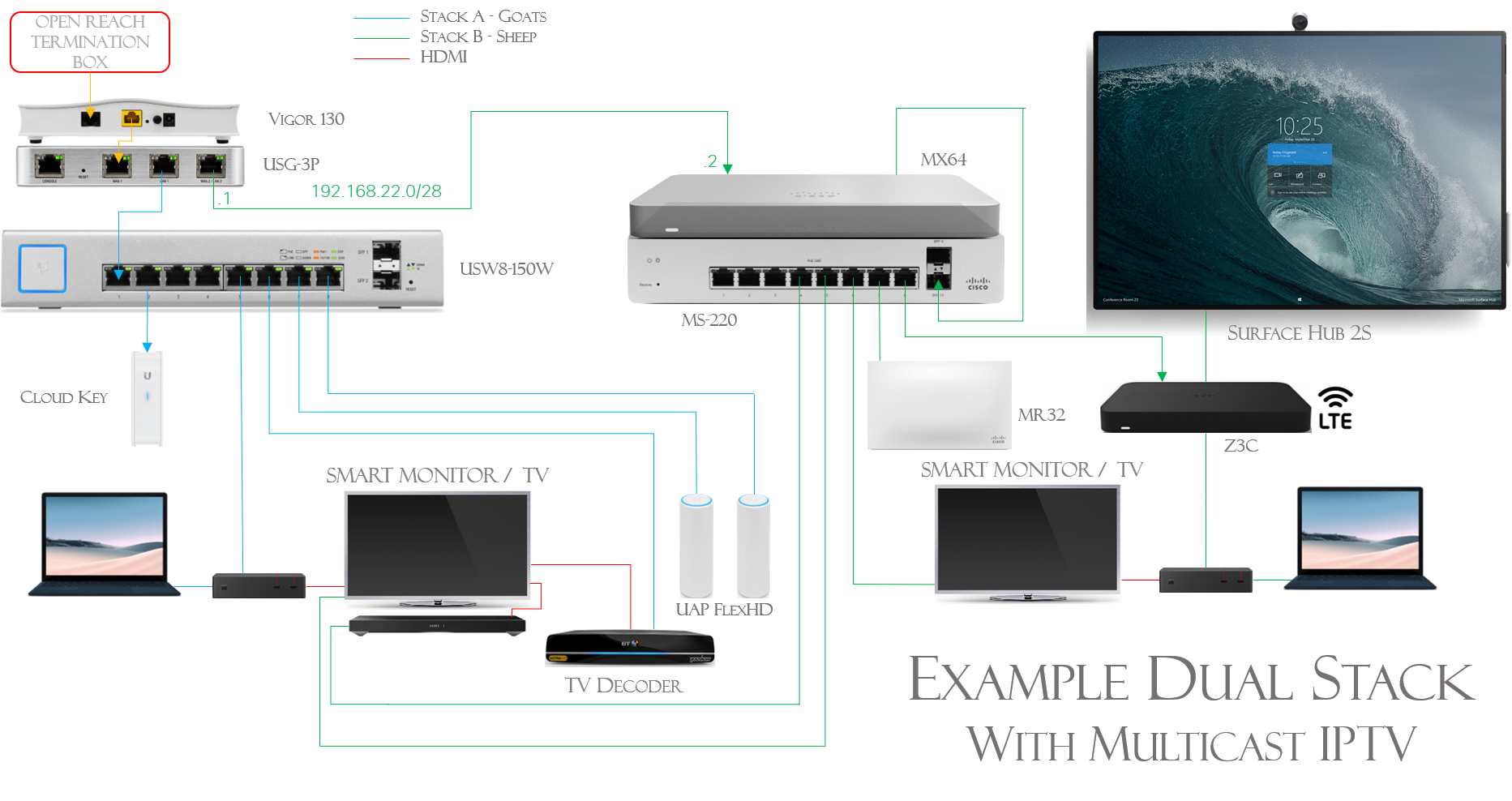
The MX 64's WAN port uplinks to the USG's LAN2 port. This port is configured as the DHCP server for the LAN (not VLAN) network 192.168.22.0/28. Using a LAN, as opposed to a VLAN is important.
The dynamic external IP address is passed through to the MX64 and the Z3C. Surprisingly, we have not needed to disable NAT on the USG's LAN2 port, we use Bria VoIP software on standard Android/iPhone devices, without issue.
On the USG's WAN port (eth0) we have configured a pseudo ethernet port which, along with a masquerade rule allows us to access the modem's GUI (192.168.2.1) from workstations on either of the stacks.
I trust this gives you some pointers.


Please sign in to leave a comment.
Comments
3 comments