Several SSH Problems

Hi,
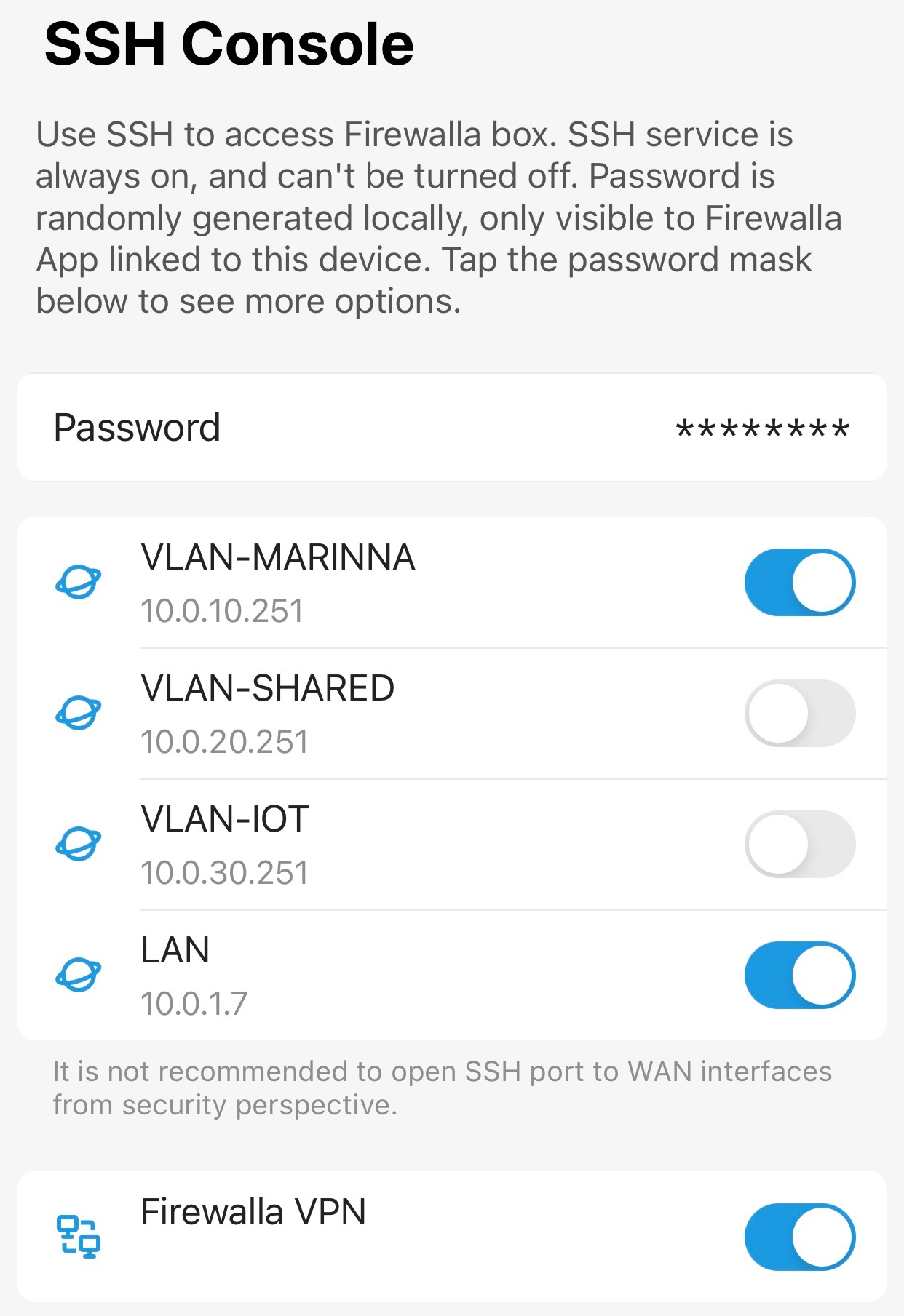
I found it is extremely hard to get access to SSH on my Firewalla Gold. I have three VLANs configured on my Ubiquiti EdgeRouter like this:
LAN (10.0.1.1)
- VLAN10 (10.0.10.0/24)
- VLAN20 (10.0.20.0/24)
- VLAN30 (10.0.30.0/24)
In my Gold connection, I used all four ports like this:
- Port 1 10.0.10.251
- Port 2 10.0.20.251
- Port 3 10.0.30.251
- Port 4 10.0.1.7
I am listing a few issues I have experienced so hopefully you can help me to figure this out:
1. Connectivity Issue
First, I enable SSH both on LAN and VLAN 10. So technically I should be able to access SSH server at both 10.0.1.7 and 10.0.10.251. However, it is very hard to even get Gold to respond to my SSH connection request when I do "$ssh pi@IP_ADDRESS". Occasionally I found switch between VLAN (10~30) might help but it shows me very random behaviour.
Also once I receive the password request, if I quit my connection by "Ctrl-C", I often won't be able to get Gold to respond to my another attempt until I reboot the box.
2. Password Issue
I know checking carefully the password showing up in the app and try to refresh my app connection to ensure the password is the latest. Still I often keep typing slowly one key after another and Gold told me it is a wrong password. After three times attempt I do not only get kicked out from trying but I won't be able to make the connection again even from a different machine on a different IP or VLAN, until I reboot.
I checked ssh_config but it doesn't seem to have any policy from blocking the users from connecting again so I couldn't explain why Gold behave the way it is.
3. Connection Freeze
Once I did managed to login, my SSH connection also often freeze itself, it won't get back alive after 10 ~15 minutes waiting. At this stage the machine will guarantee to suffer from the issues I listed in 1 and 2 above until I reboot.
In summary I have been trying to SSH into the machine for a week and I only made it successful for about 5~6 times. The feature is next to non-exist to me. With several other existing issues on my Gold to be able to access the machine and monitoring the status in real time is a must for me to keep triaging these issues. Please help me to review these issues to see if I missed anything here.
-

There is a bug in 1.970 sort of related how different segments are talking to each other. Possible to give that a try?
Instructions here
-
Thanks for the update. I will wait till this version becomes more stable to test.
I did a quick test by disabling entirely the monitoring on the device and the connectivity issue is gone. and after I made connection and reenable monitoring the connection is hang immediately. Also I found by disabling device monitoring my iPhone app connection to Gold is significantly faster (15~20 seconds to less 1~2 second). So this is definitely a bug on Gold, whether it is fixed or not.
As for the password issue, it still feels this is a hidden issue somewhere. After I disable device monitoring I couldn't login still. So I have to reset it again to make it work. But at the moment I can't definitively describe the step to reproduce this issue.
If you havn't already reproduce this issue, I would recommend you to test VLAN on this SSH issue to see if you can reproduce it. Would be nice to some assurance that this issue is addressed in the coming 1.971.
-

Gold version 1.970
Primary network is 192.168.2.0/24
VLAN 300 is 192.168.58.0/24I have a TP-Link AP that tags the “guest” network as VLAN 300 that then goes to the Firewalla for DHCP and Routing. I can access ssh from either network, but I did turn VLAN 300 ssh off since that is my “guest” network.
ive been ssh in all day long with no issues
-
I log into my Gold trying to find if there is anything fishy in /var/system but I only see a lot of logs of Gold not being able to get DHCPv6 lease, other than that I couldn't find any useful information. I wonder if anyone knows where to find enough log to debug this issue.
It started to leave my comfort zone when I get into these low level logs.
-
I was using untagged ports almost exactly the same as instruction from this page. On the switch side I flag each of the port with matching "U" to specific VLAN.
Switching "Monitoring" off will directly make my Gold box pingable. I can see why I couldn't see the Gold box P4 IP for the bug they mentioned. But it should still allow me to see the P1 IP it was licensed from VLAN DHCP server.
-
My old Linksys went out, so I bought the Firewalla Gold and a TP-Link AP. My setup is as
ISP Modem -> Gold Port 4
Gold Port 3 -> Netgear Managed switch port 24 (tagged 300)
Netgear Port 23 (tagged 300) -> TP-Link APThe AP has 2 SSID, one for internal, one for guest (VLAN 300)
The VLAN network that is on Port 3 of the Gold has a rule that blocks access to my LAN network (this way I can access the devices on the guest network, but they cannot access the LAN network)
I can create a new SSID on the AP with a new VLAN pretty quickly and add a new VLAN on the Gold without having to plug in another network cable.
My Gold is in Router mode since I don’t have anything else between it and the internet. The main reason for buying the Gold.
Please sign in to leave a comment.
Comments
12 comments