Local Network Connectivity Issue

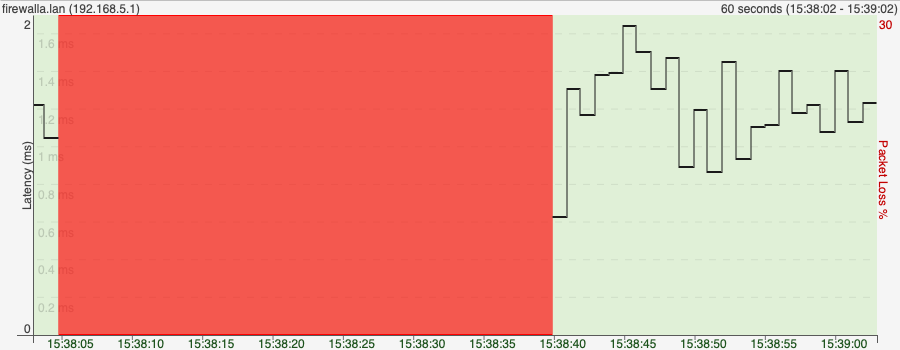
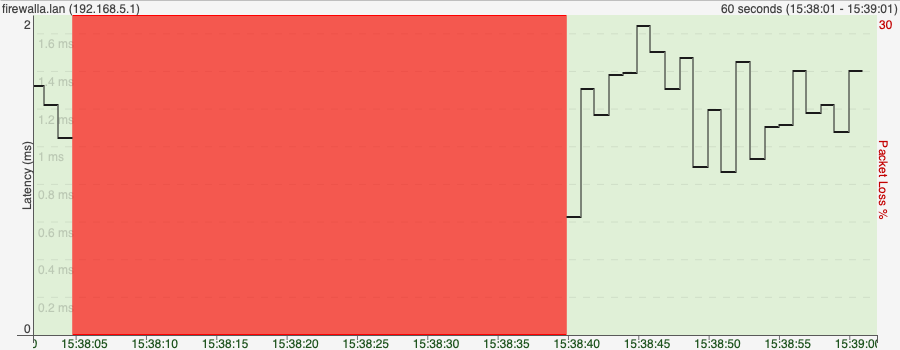
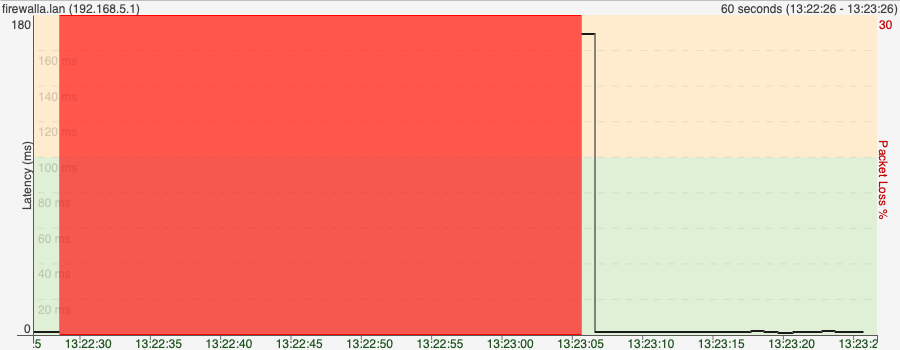
I’m encountering an intermittent connection issue with my Firewalla firewall. Specifically, the LAN port connection drops while the WAN port remains stable. This has been happening over the past few days.
Details:
-
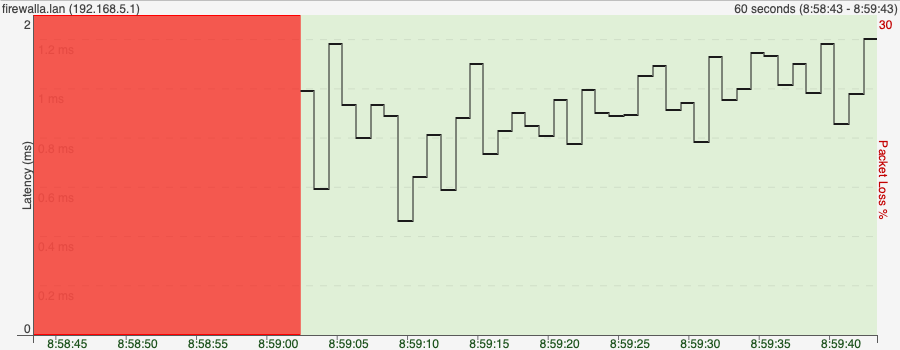
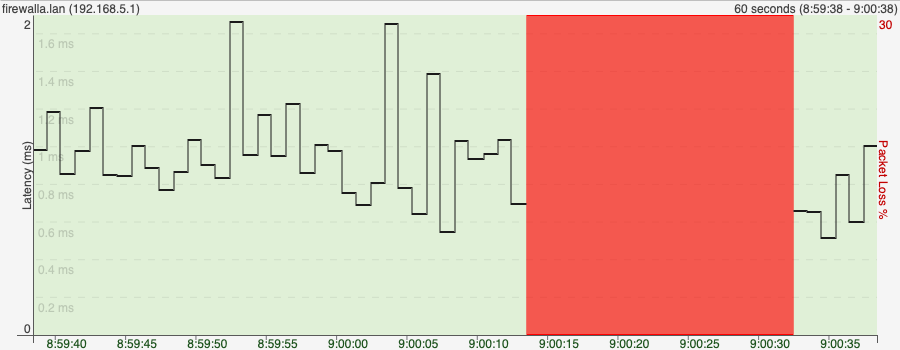
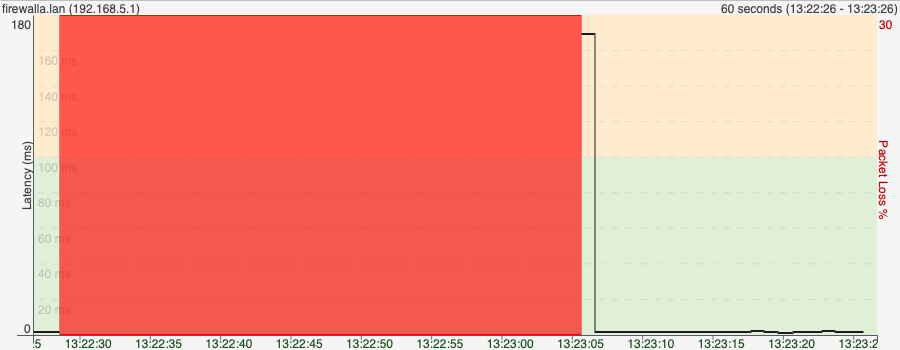
LAN Port Drops: The connection to the LAN port IP address (the default gateway of the firewall) intermittently loses connection for a few seconds. However, the WAN port remains unaffected and stays connected.
-
Network Monitoring Setup:
- I’m using PingPlotter to monitor the network on two computers, one laptop directly connected to the lan interface and one on AWS.
- When the LAN port ping drops, the WAN port continues working without issues
-
Troubleshooting Steps Taken:
- Initially, I was using the alpha version of the firmware, but I’ve since downgraded to the stable release. Unfortunately, this hasn’t resolved the issue.
-
Current Setup:
- The firewall is connected to a test laptop via the LAN port.
- The WAN port is connected directly to my ISP.
Request for Help:
- Does anyone have suggestions on what might be causing this LAN port connection issue?
- Where can I check the firewall logs to identify the cause of these brief interruptions?
-

1. Check the cabling and ensure you use the right cable.
2. If your PC is connected via a USB ethernet, use a real ethernet if possible.
3. If you are running ping plotter, ping the firewalla gateway IP, not the aws IP. This will test out the LAN side.
4. (this is rare) make sure there is no switching loops in your network.
-
Thanks for your reply , please see my in-line response
1. Check the cabling and ensure you use the right cable.
Yes, I have a Cat 6e cable connected to a USB hub on my Mac. The Ethernet port is directly connected to the LAN port of the firewall, and I am using PingPlotter on my Mac to ping the firewall's IP address. I'm experiencing intermittent timeouts.
2. If your PC is connected via a USB ethernet, use a real ethernet if possible.
i am able to ping other hosts on the same subnet using the same setup without any issues, so it's not the USB Ethernet adapter. Only Firewalla's IP address is causing the issue.
3. If you are running ping plotter, ping the firewalla gateway IP, not the aws IP. This will test out the LAN side.
i think you misunderstood. I am pinging the LAN IP from a directly connected mac to firewalla, and I am pinging the WAN IP from an AWS host.
4. (this is rare) make sure there is no switching loops in your network.
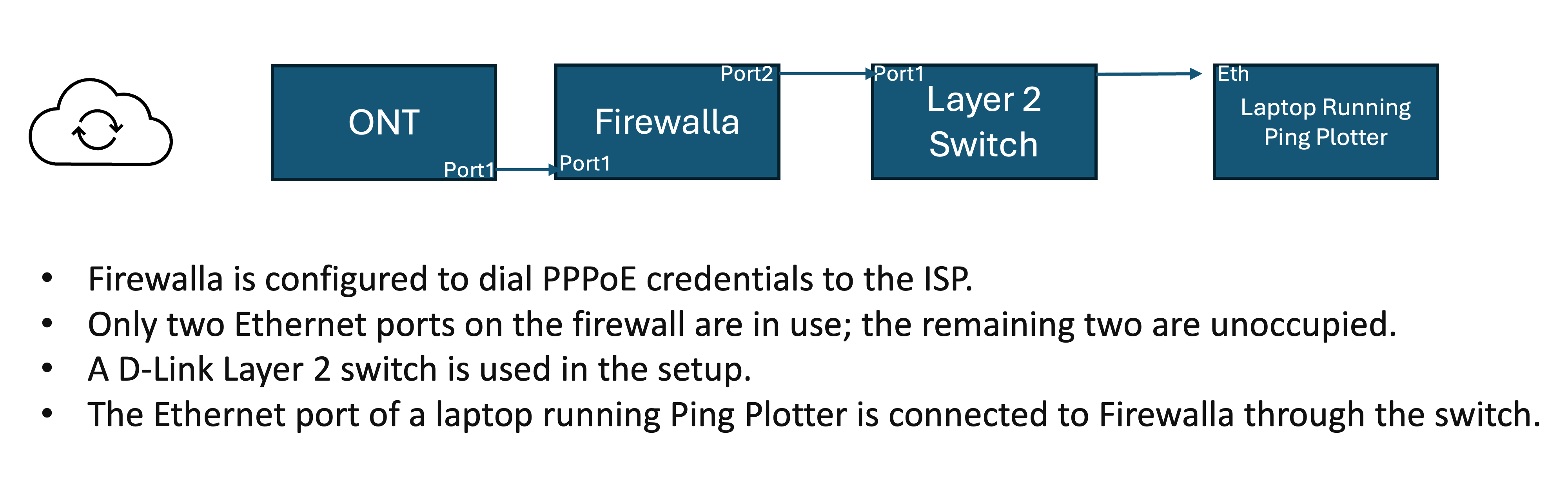
I thought the same. To avoid that, I also tried disconnecting the firewalla from any switch and only connecting my mac to the firewall's LAN port. Then I connected the WANT port to ONT directly from the internet service provider, which uses PPPOE to dial out.
-
Dear Team,
As requested, I have reviewed the network diagram and added a layer 2 switch as per your instructions. However, we are still encountering intermittent timeouts. I also request that you review the logs from PingPlotter for further analysis.
Please open a support ticket, and let me know if you need logs from the Firewalla device as well.
Please sign in to leave a comment.
Comments
7 comments