Firewalla did not work as expected...

So I got my Firewalla and set it up as a router DHCP.
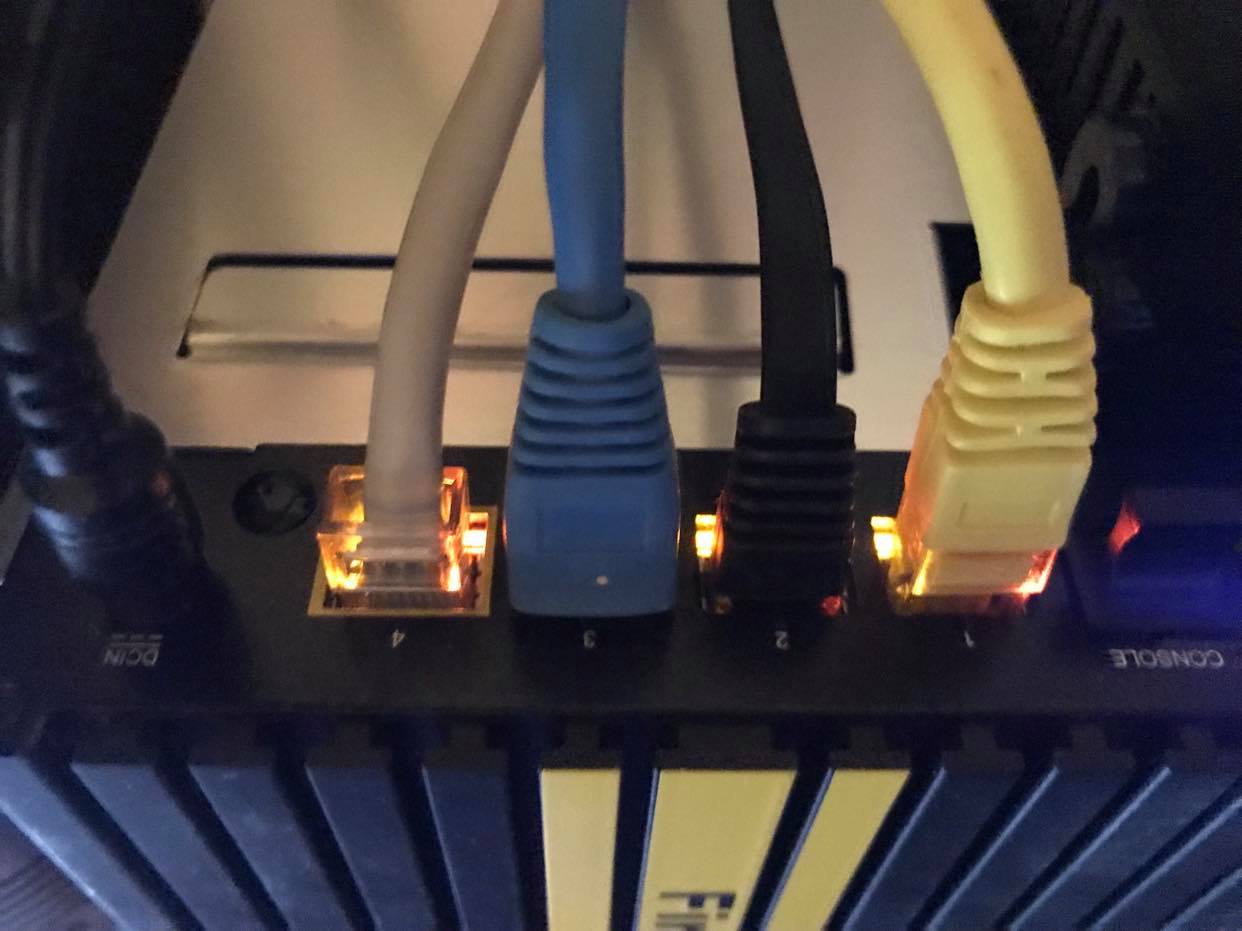
I then plugged my computer1 into 1, mesh into 2 and computer2 into 3.
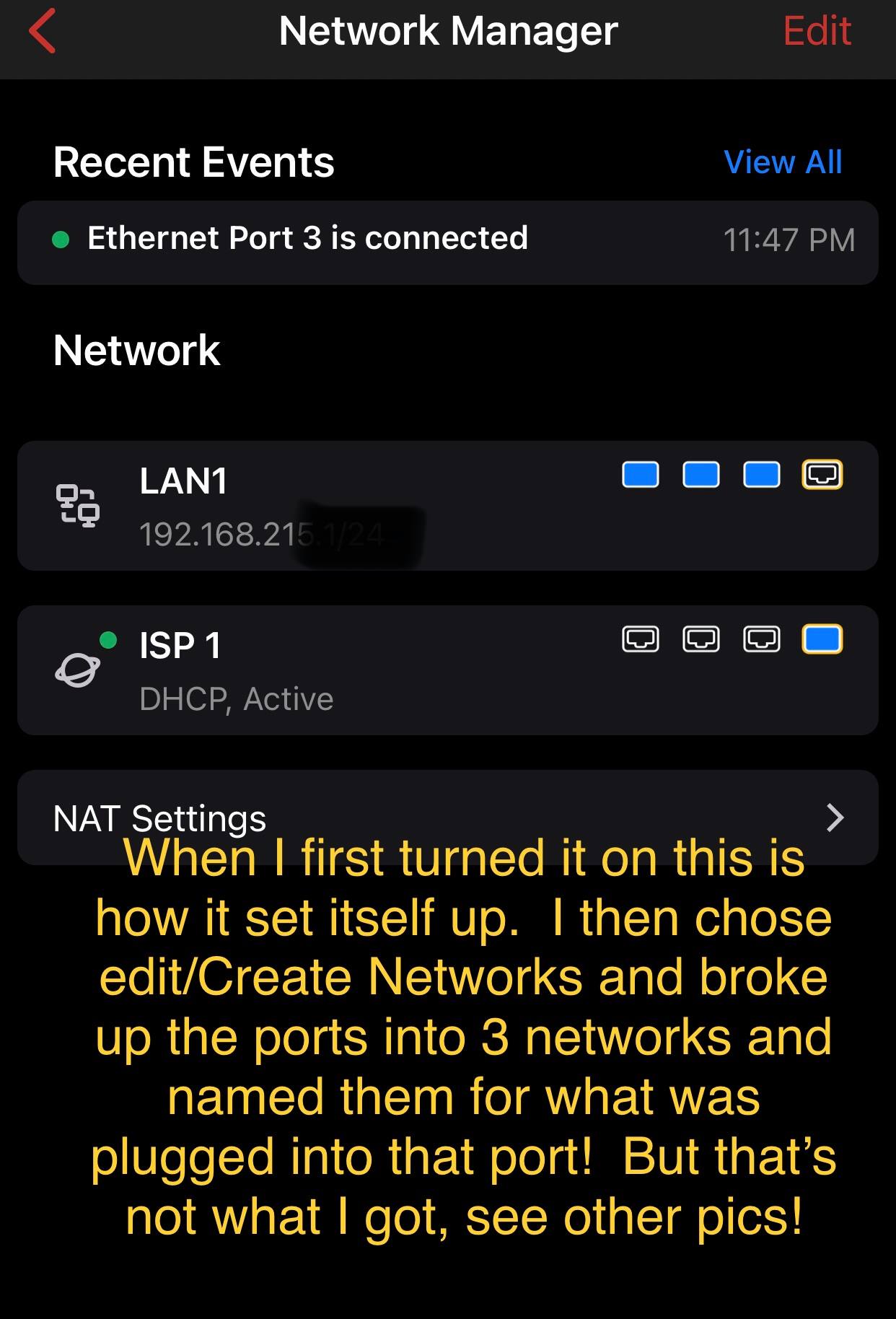
On Firewalla under Networks it showed LAN1 & ISP 1.
ISP 1 being the modem and everything else port 1, 2 & 3 being LAN1.
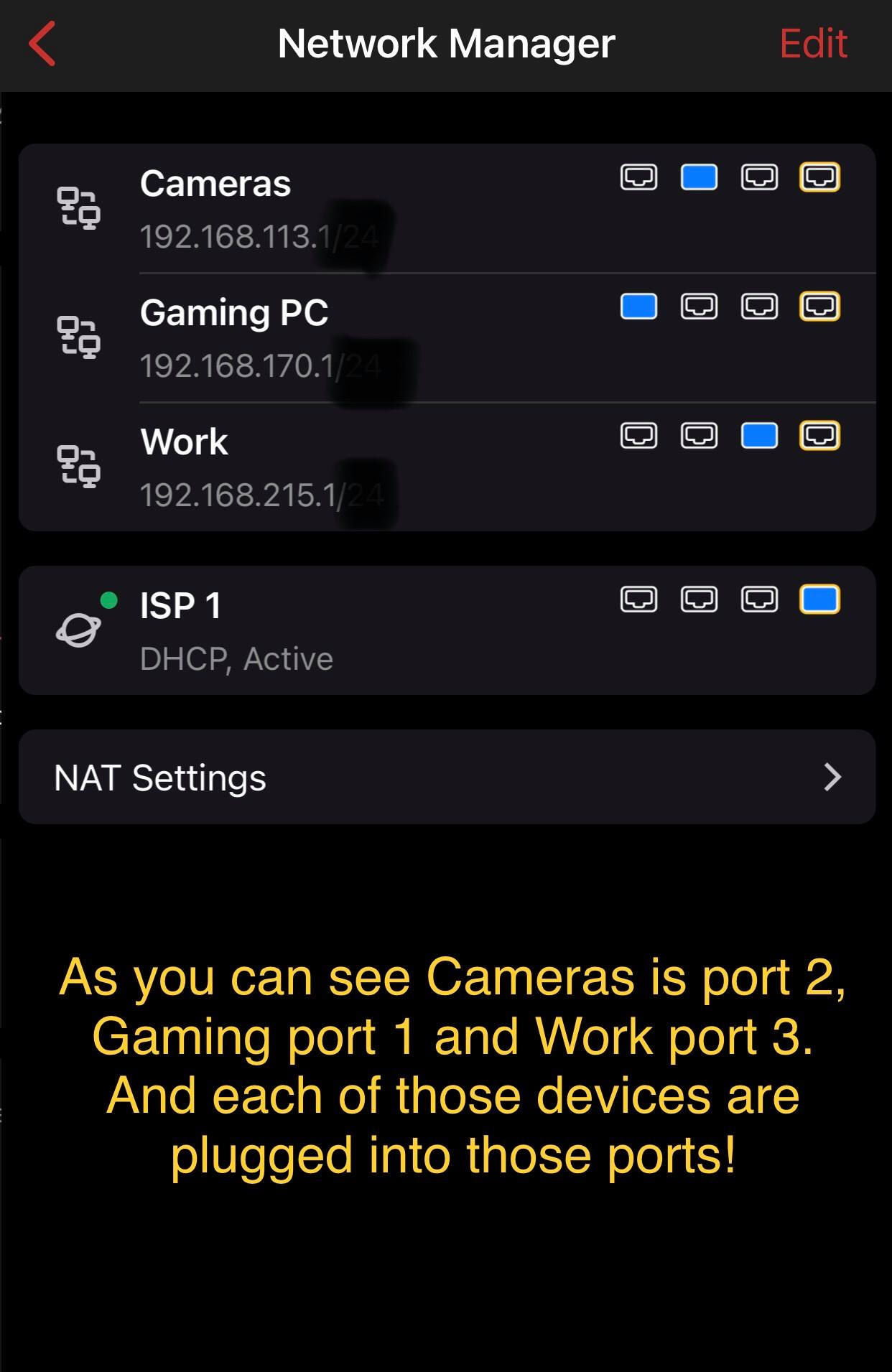
Using the Network Manager I wanted to break out each port.
So I setup a network called MAIN and assigned it port 1.
I setup a network called MESH and assigned it port 2.
And I renamed LAN1 to WORK and assigned it port 3.
My assumption was the devices on port 1 would be in and attached to Network MAIN, devices on port 2 would be in and attached to Network MESH and devices on port 3 would be in and attached to Network WORK.
However that's not what happened, everything was attached to WORK.
So can you tell me what I did wrong?
Thanks
-
Sadly, I'm beginning to feel like I purchased a $400 brick... I hope you can help me realize it's potential.
Attached are 5 photos.
1) Initial setup shows a network called LAN 1 with all 3 ports attached. In this form, everything works but I'd like a port breakdown for individual monitoring and lockdown.
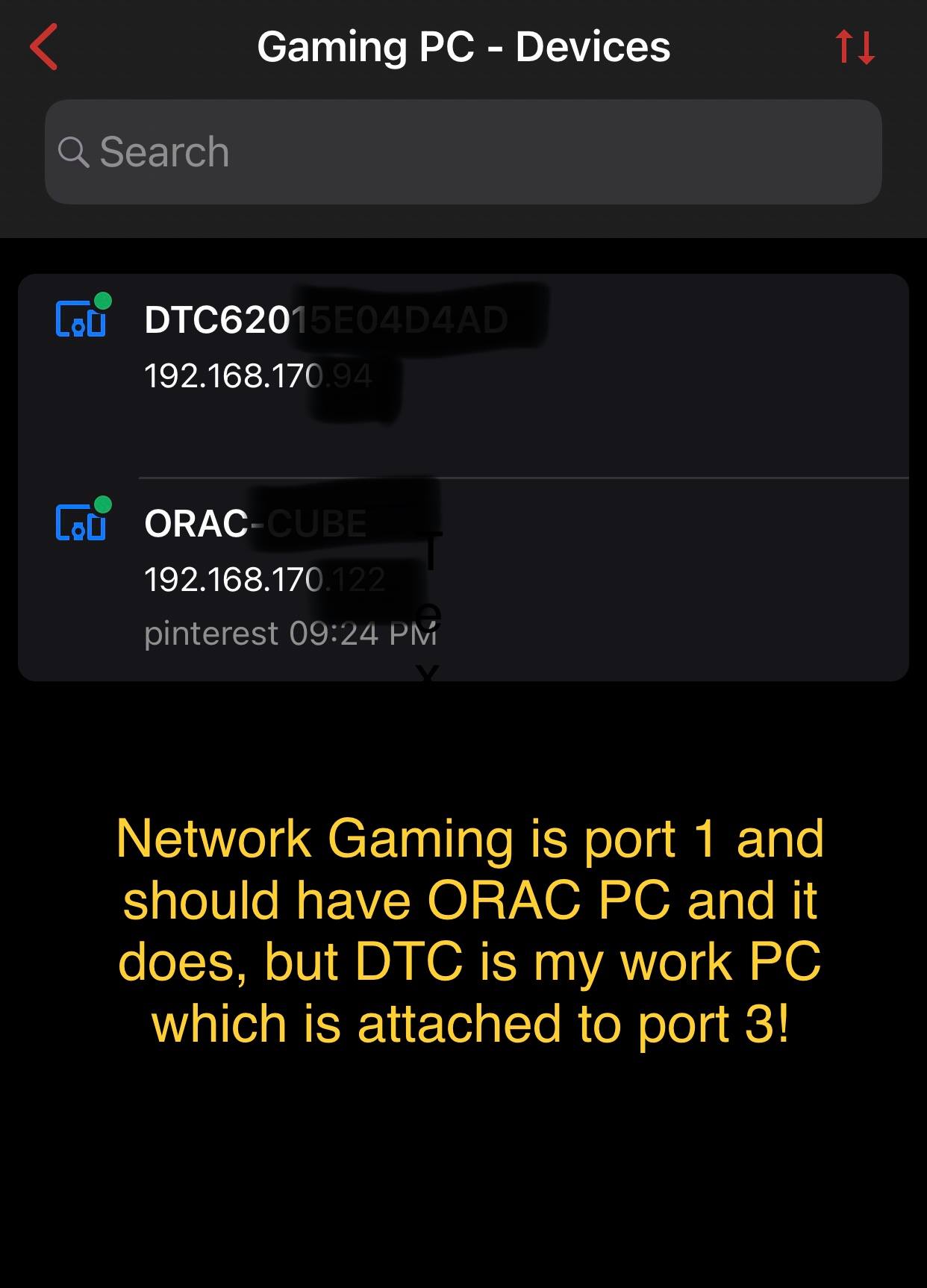
2) Shows my setup after breaking up ports 1, 2 & 3 into 3 different networks. Networks Gaming port 1, Cameras port 2 & Work port 3. Plugged into port 1 is my gaming PC, port 2 my camera, port 3 my work PC.
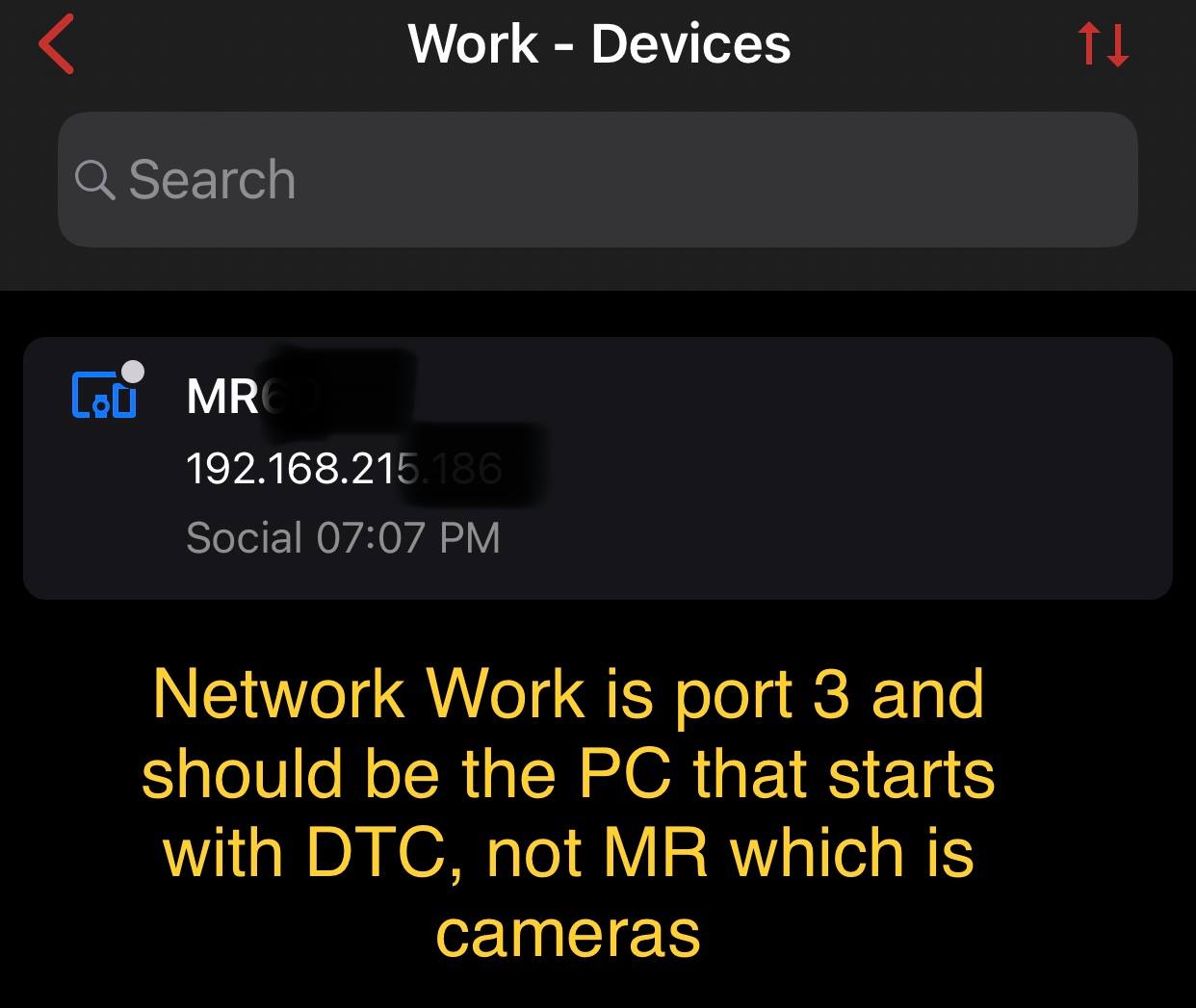
Devices are: DTC*** is my work PC, MR*** is my camera & ORAC*** is my Gaming PC
3) This photo shows what devices are in the Gaming network, expected to be there is ORAC*** because it's plugged into port 1. However what is in this network is DTC*** & ORAC***. DTC*** is plugged into port 3!
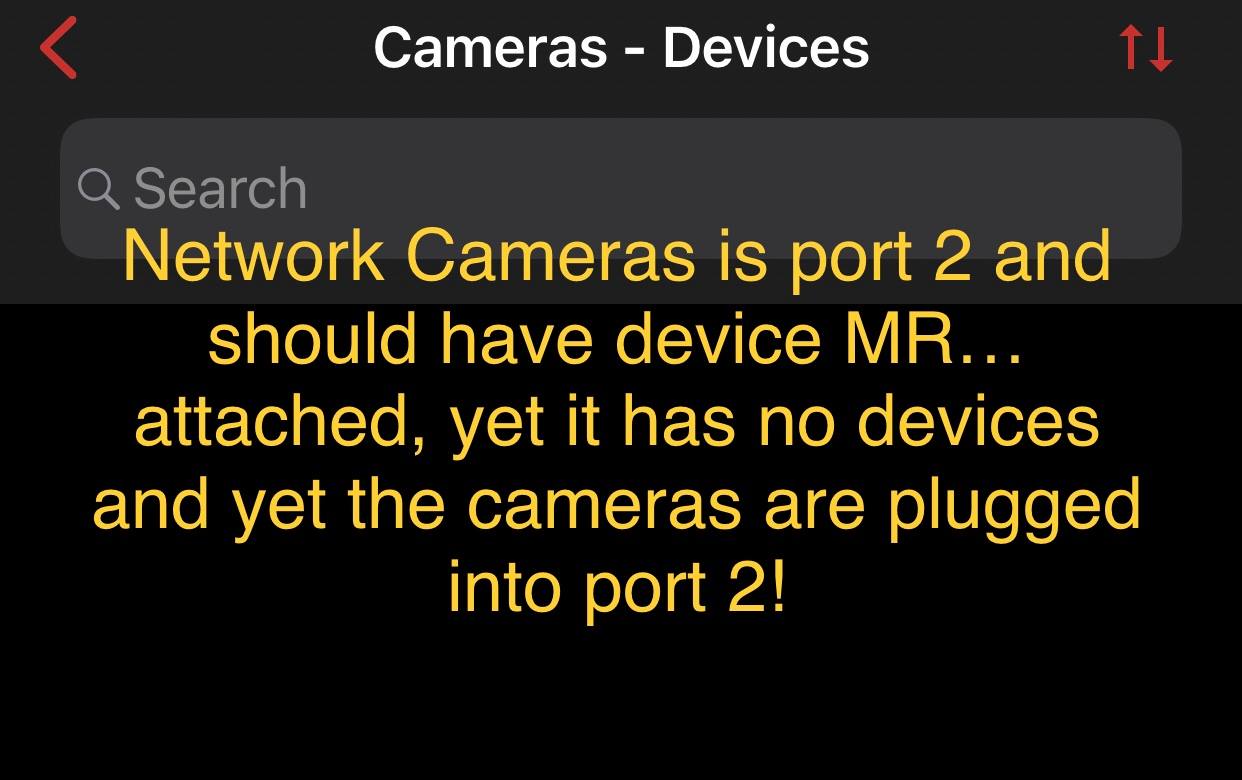
4) This photo shows what devices are in the Camera network port 2, I expected to see MR*** here because it's plugged into port 2. However there are no devices in this network even though the camera is plugged into port 2. Actually it's a mesh router, not a camera!
5) This photo shows what devices are in the Work network port 3, I expected to see DTC*** here because it's plugged into port 3. However I see the camera device MR*** instead and it's plugged into port 2!
Did you somehow miss-wire this device?
How do I see what I expect to see based on what port the devices are plugged into?
Thanks
-

By now, it is very likely that your devices on those ports already refreshed since we last replied to you. If they have not gotten the new IP address, and still works, something is really broken. You need to check the switch they are connected to and physically they are connected to the ports as you defined.
If the ports are separated, and you are sure the physical connects are as you described, then please send an email to help@firewalla.com and we need support access to see the inside.

Please sign in to leave a comment.
Comments
8 comments