Major issues with Firewalla Gold and support is completely useless!!!

So I have been "working" with Firewalla on this problem since Dec. 6th and they have been zero help (see here). I just noticed they marked that issue solved, but it is so not solved and their support has been utterly useless! I finally blew up this morning when the guy told me that my cables are bad again and that I need to disable two ports, and use the other two ports to start a new LAN. Three months and my case hasn't been escalated to someone who will offer real support and are not just reading from a script. I am hoping someone here can shed some light on this because I am at the end of my rope.
My network is very simple...
Port 1 - to my ISP
Port 2 - hardwired to my AppleTV 4K
Port 3 - hardwired to my Windows PC
Port 4 - hardwired to an Aruba AP25
No cable is longer than 50' and they are all brand new, Cable Matters, CAT6A cables.
When I power on any of my devices, and this includes a Macbook Pro that I sometimes hardwire, I have to wait 30 seconds to a minute (worst case scenario) for my devices to get an IP address. This is extremely inconvenient, especially with the AppleTV because if HBOMax is the last thing I was watching, I sleep the AppleTV, I start the AppleTV, HBOMax launches and freezes, and then I have to restart the AppleTV (because there is no way to just terminate and restart the HBOMax app that I'm aware of). The same thing happens with the PC, but nothing, except my VPN, is trying to connect at startup and I can just walk away and come back a bit later and the VPN will have connected.
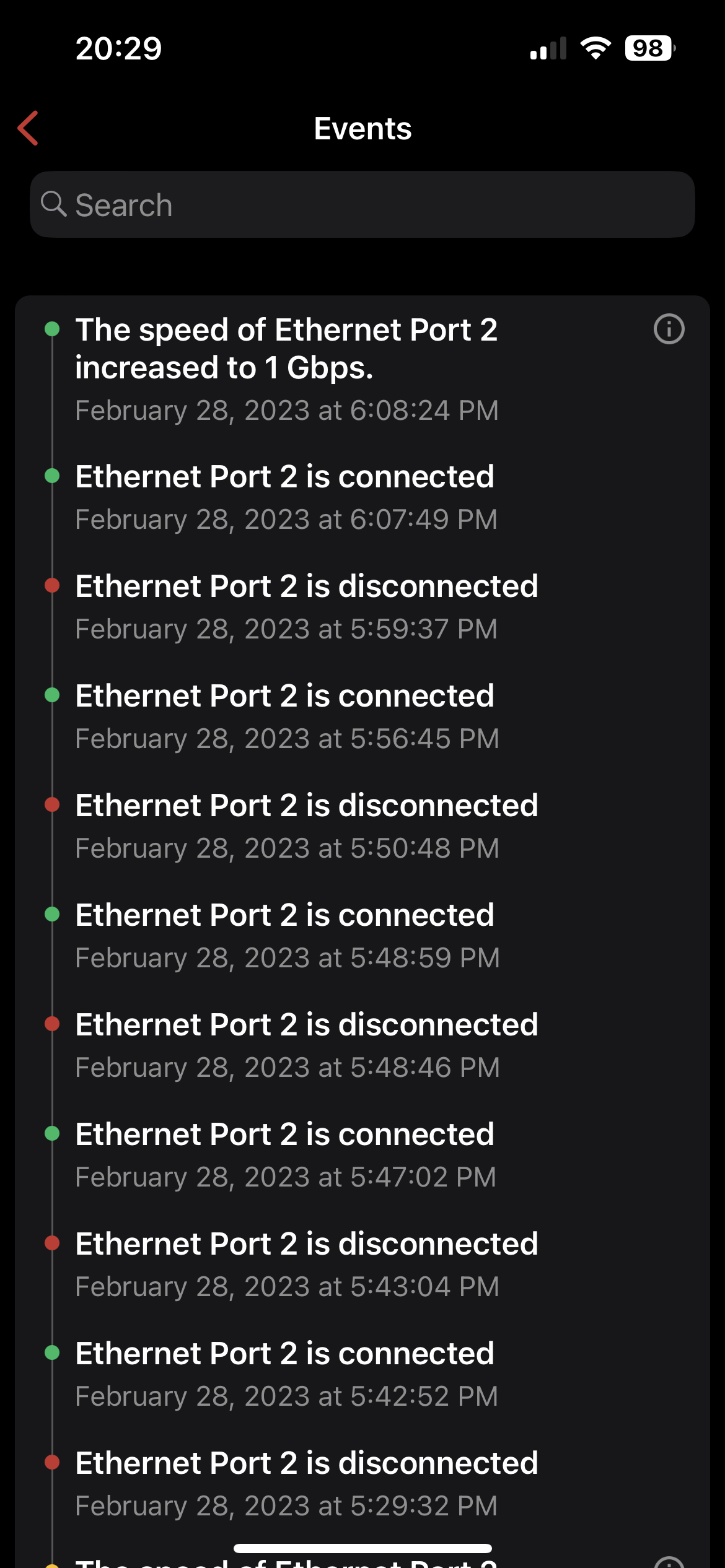
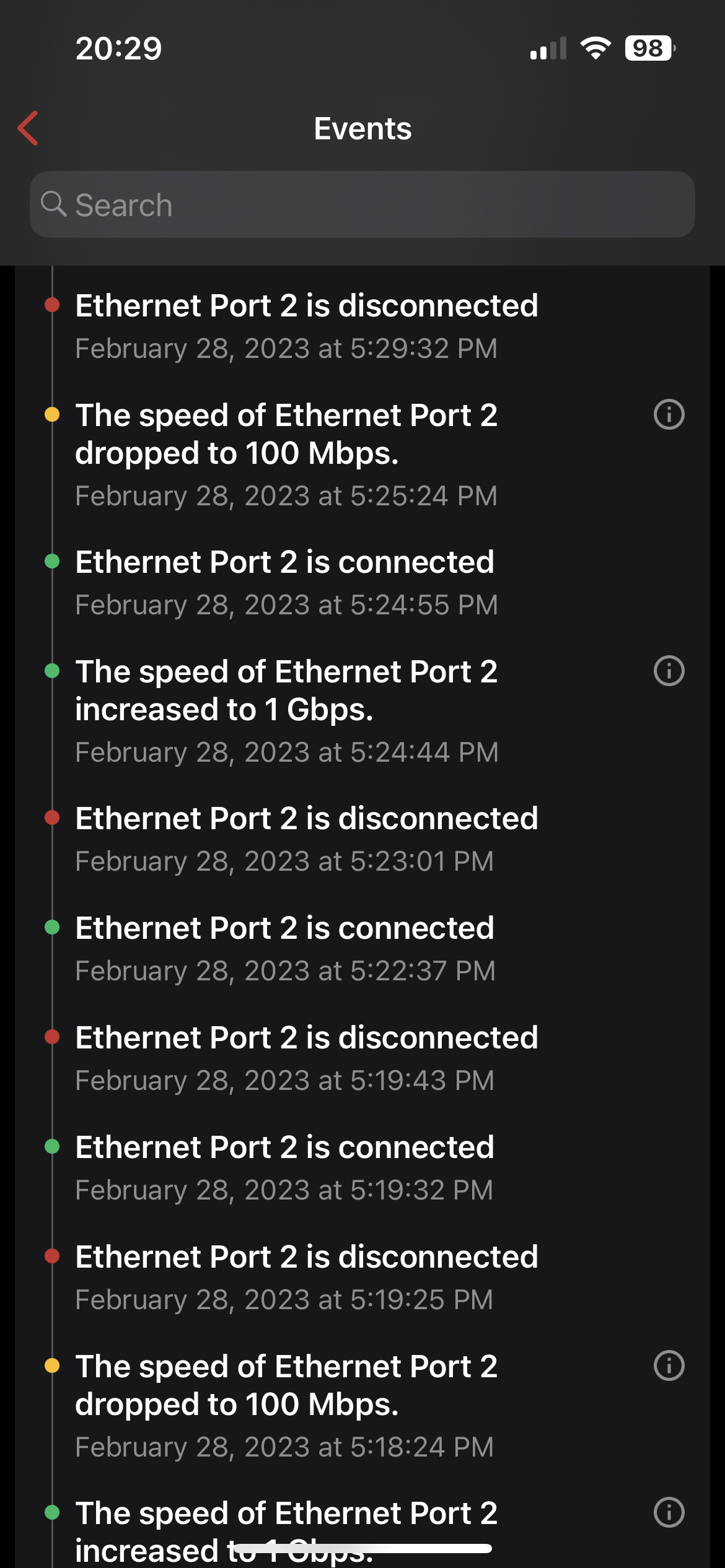
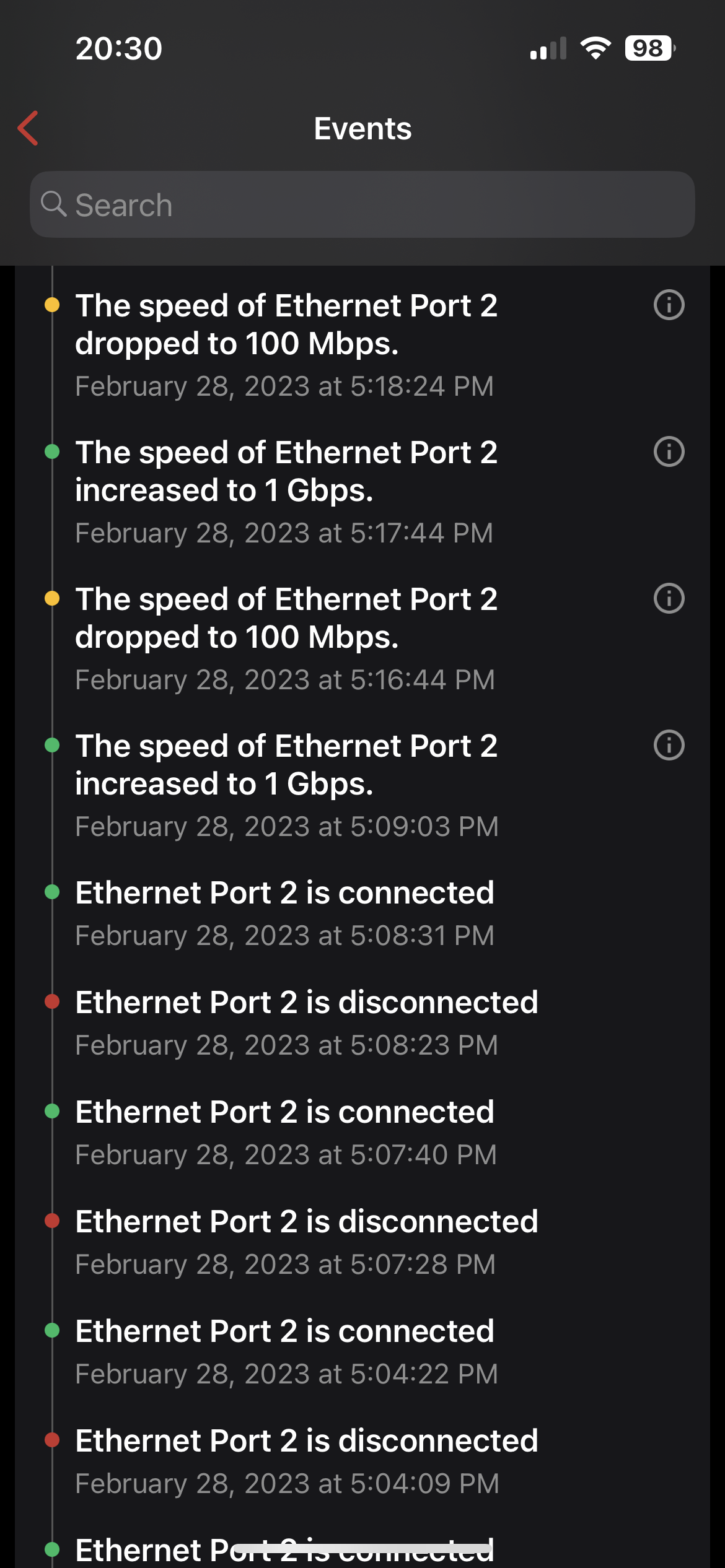
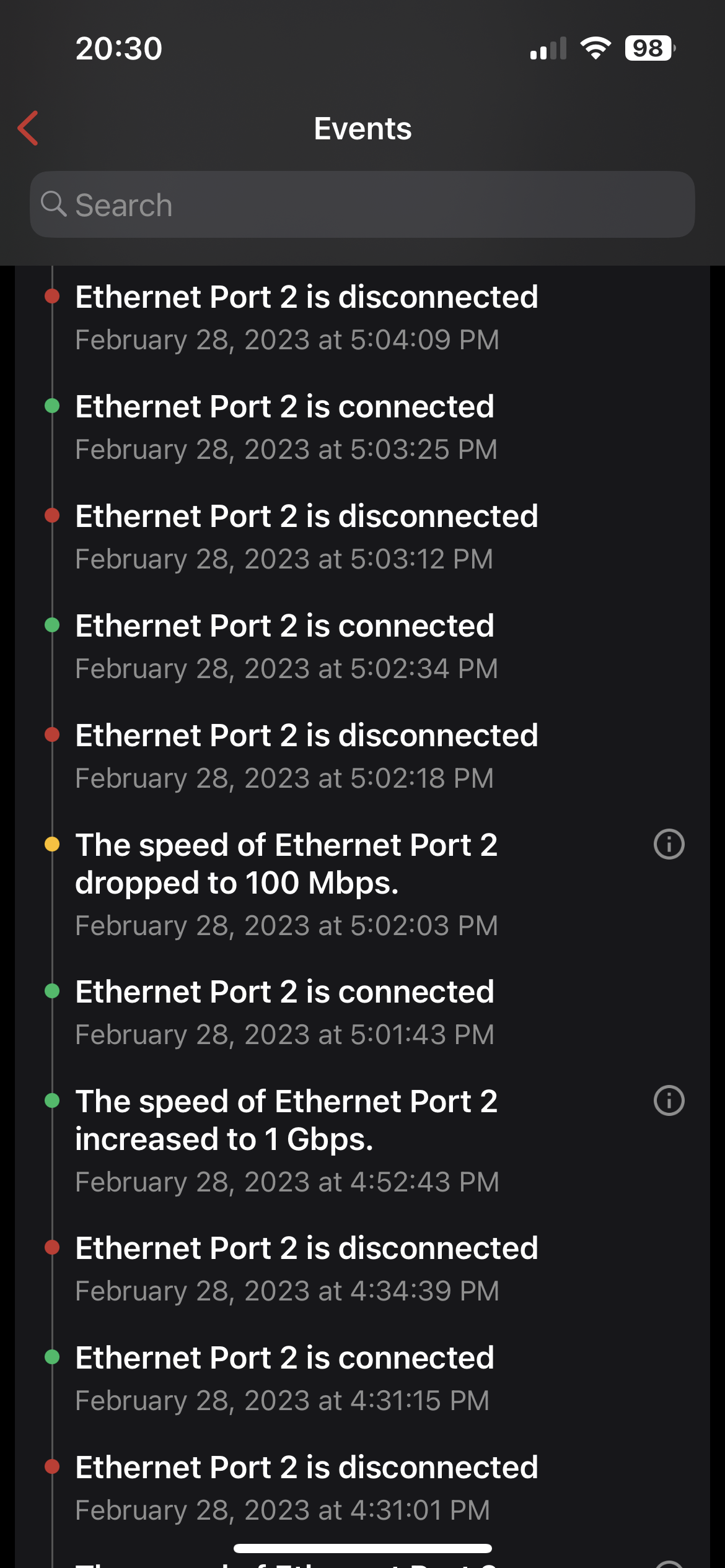
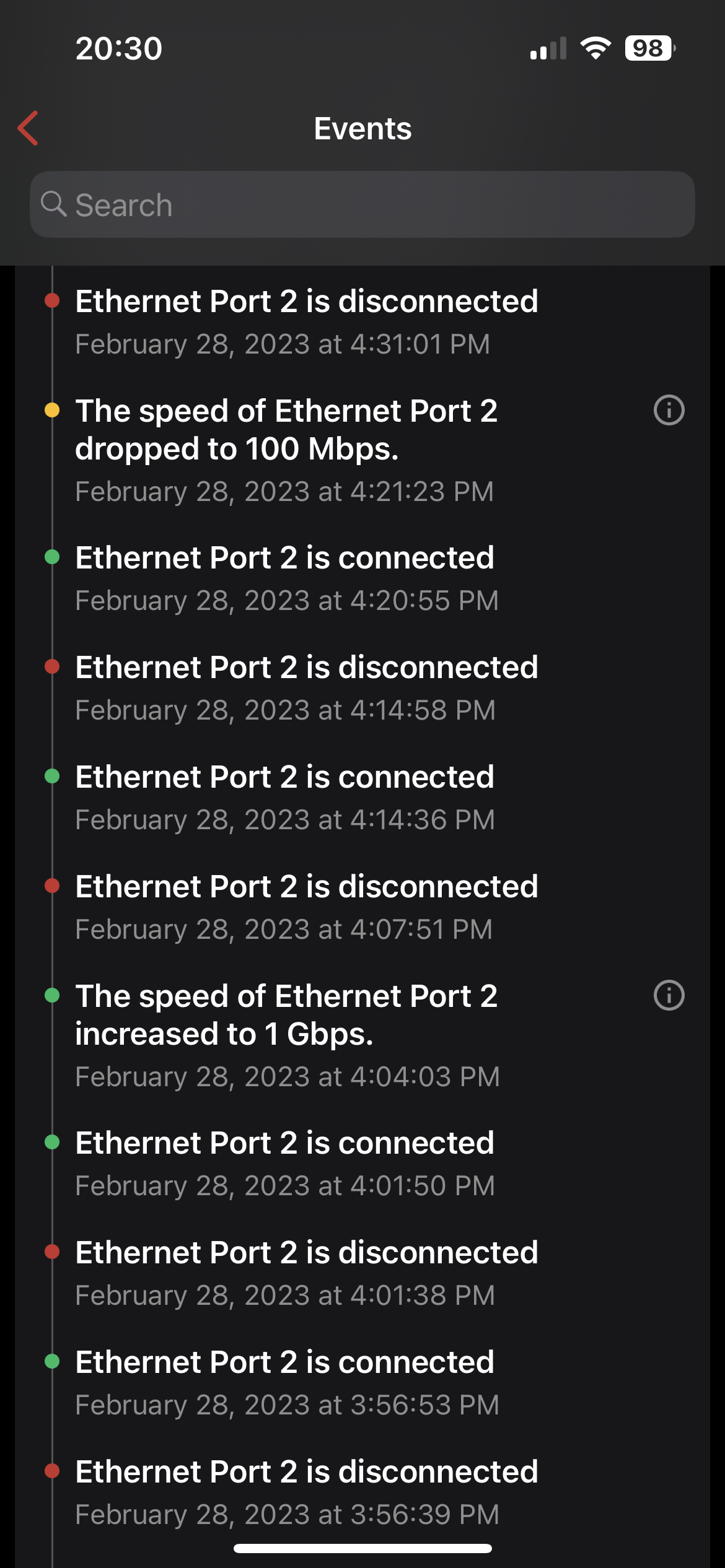
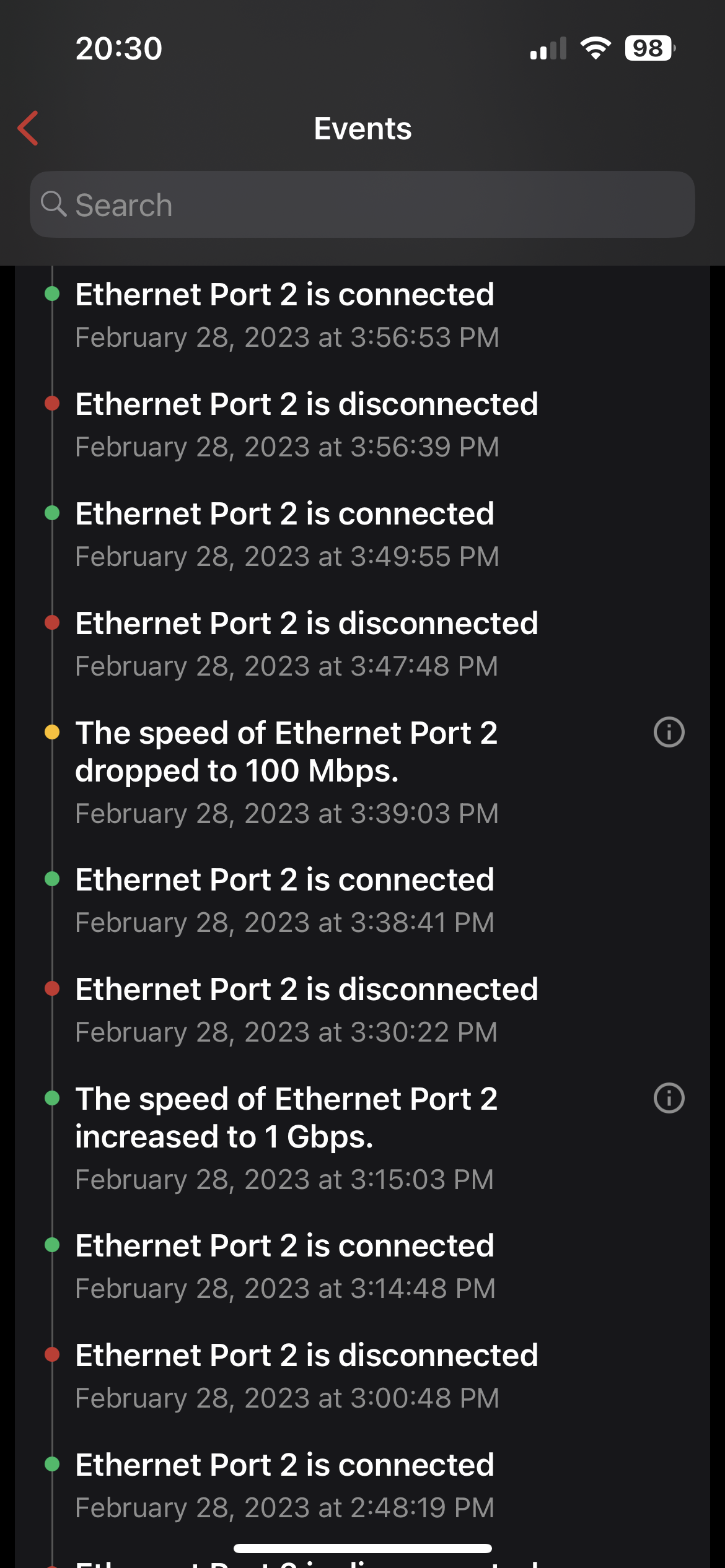
The other issue that is happening more and more regularly is all of my ports are being downgraded to 10Mbps and then upgraded, and this even happens when the devices aren't powered on.
I have also been dealing with whatever port the AppleTV is connected to constantly disconnecting and reconnecting, also when the unit is powered off. I can't believe that I'm the only person that has an AppleTV hooked to their FWG and is experiencing this. In the latest email, they said it is just the device resetting the connection to stay awake...even when it's sleeping and not being used, but they previously told me this was an issue...which is it, not an issue or an issue?
I have given them access to my FWG at least four times, have put every device in emergency access mode, as well as completely starting over, just to make sure that something isn't misconfigured and the problem still exists.
Now, when I remove the FWG from the network, all of my devices work perfectly, and retain their IP even after powering off. The "very helpful" (sarcasm) people at Firewalla support want me to buy new cables again, or are telling me that my devices are all bad.
I have attached a few screenshots from my event log and tonight when I get home I will post a video of what happens every time I turn on either the AppleTV or my PC. Remember, in the screenshots below, not one of my devices is powered on. I actually didn't even get home until a little after five and didn't turn the TV on until, maybe 6:30. Any suggestions any of you can make will be greatly appreciated...TIA.
-

Hi,
By now you should have gotten a direct response on your ticket. As I explained, this sometimes happens when there is a network loop but looking at your topology I don't see how that could be the case here.
It could be a bug on our side, but we need your help in finding it so we can fix it. We haven't seen an issue like this on complex networks much less a simple one like this. We look forward to working with you to resolve this issue. Thanks for your patience. 🙏 -

AppleTV does have this behavior when the TV is "sleeping"... Its been going on for years Apple Forum from 2018
My AppleTV is WiFi only, and my old one is only a 10/100 nic ..... I'll plug that back in and see if it does the same thing.
-

Post your port configs for the firewalla, also try changing (assume you already tried this) devices connected from auto to manual speed gig/full (just for fun).
I had an issue a few years back where my firewalla gold would not negitiation with my ISP switch (Bell), and had to great a transit isolate VLAN external to Firewalla to handle port speed negotiation.No longer an issue, since many firmware (firewalla) has been done.
If you have a small switch, I would actually try it off of the firewalla. (ideally a switch with some sort of logging/console) so you can see what is going on.
Personally, I would hope that firewalla adds the ability to change port config (auto/manual) duplex/speed - and sure, totally get that now a days everything auto negotiates...but as an old school cisco guy, I come from the day of static uplinks, etc...to prevent this kind of port negotiation. -
Thanks for your replies.
I finally got my issue escalated and Firewalla realized what was causing the issue was and is making changes to a future firmware update because of them.
Here was their reply...
Very sorry for being so long and slow on this ticket. This is our problem. Let me summarize the problems and what we are going to do:
Problem 1:
In order to prevent network loop, by default, stp feature is turned on to detect network loop when multiple ethernet ports are in the same local network. This will add extra delay to IP allocation when a device is directly connected to Gold's ethernet port or a device is powered on when direct connected to Gold.
Workaround is we can disable stp for your local network via remote support, or create a dedicate local network for the port that a device is directly connected. (stp is disabled when there is only one port in local network.)
Long term solution: Dead loop detection is essential, otherwise improper wiring may take down the entire network and it's difficult to debug this type of error. But we may be able to add features to detect "when a device is directly connected" and provide some suggestion for better experience.
Problem 2:
In recent releases, we have added more visibility in the app regarding to ethernet speed change, this may be helpful to detect the real speed downgrade, but it may also unexpectedly uncover some strange behaviors from devices. (again this only happens when device is directly connected to Gold)
Example of strange behaviors: Although Apple TV is not used, it may wake up periodically and run some background stuff, maybe by the Apple power nap feature. This will power on ethernet port and sometimes it will only negotiate speed at 100mbps (maybe for power saving, we see same behaviors on some laptops)
This will create lots of annoying events in the app, like what you have shared.
Clearly we have not done enough testing on use cases with directly connected devices, will work with test team on that. We'll also discuss with engineering team on how to reduce noises like this. We'll also update documents to highlight these issues.
Problem 3:
Our support team should escalate, identify the issue and provide the workaround much faster. I'm going to work with support team and engineering team to refine the process and also add better training.
Sorry again for the frustration, and let me know if I miss anything. Also please leave support on, I'll get more engineers to check if there are any other issues.And then this post also...
In short, you don't lose anything as long as there is no physical network loop. You don't have to buy an extra switch just for STP issue.
If STP is off, and if you connect two ports (in same LAN) from Gold to the same dumb switch or use one ethernet cable to connect two ports from Gold, basically a physical network loop, it will kill your local network. Most of time people won't do that, STP is just there to prevent people from making mistakes.
Especially if you just connect your Apple TV or PC directly to Gold Port, it won't create loop.
Thanks for the feedback. We are going to:-
Update documents to highlight this issue
-
Add a knob in the app that user can disable STP easily.
-
Add features to potentially auto detect single device on a LAN port and remind user in the app.
-
Please sign in to leave a comment.
Comments
4 comments