Newbe question about blocked/allowed streams

Hi all,
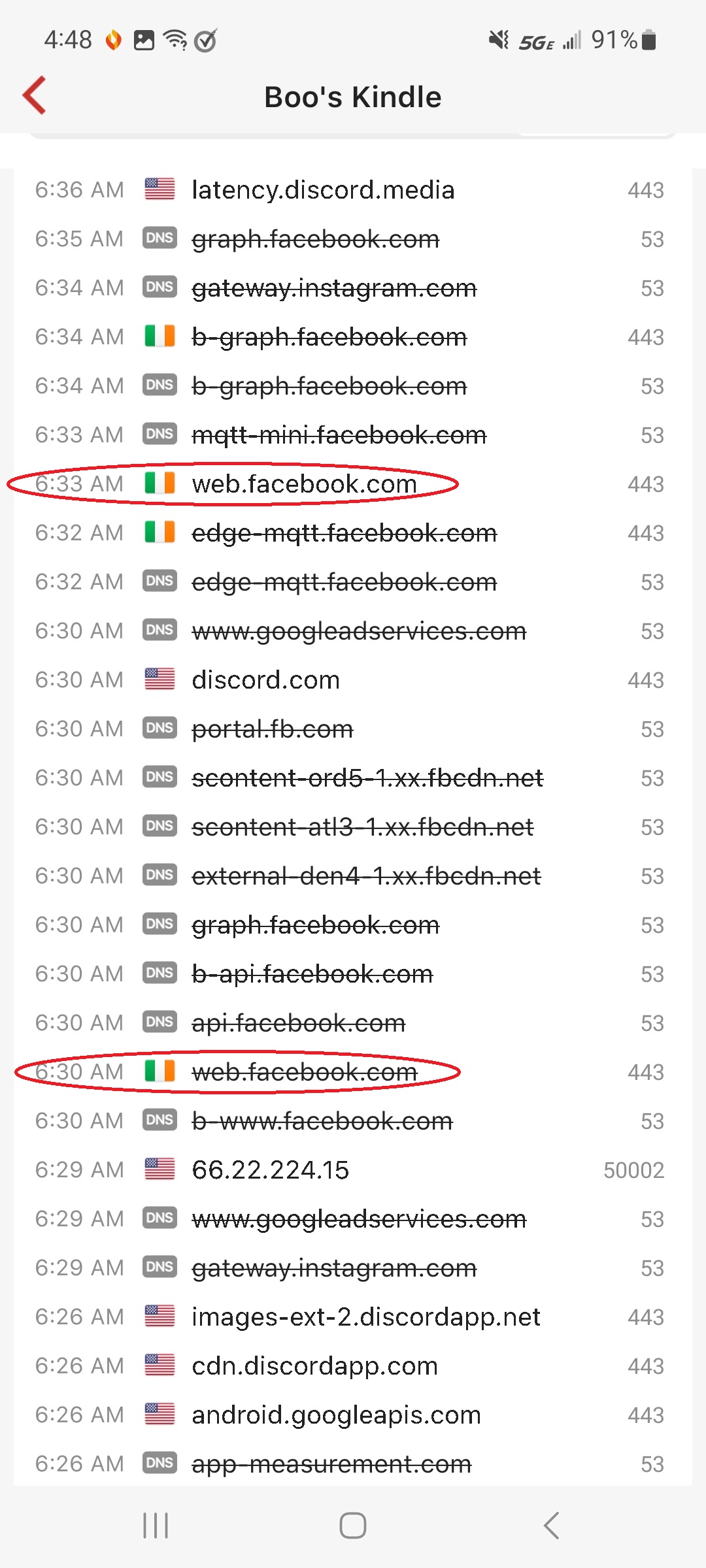
I am new to Firewalla (love it!), and have a couple of questions concerning the flow stats relative to what I have explicitly blocked. First, I noticed some inconsistencies in social media that I have blocked across the board. In the below screenshot, you can see that the domain "i.instagram.com" is blocked twice (which it should be), but is then allowed several lines later. Everything I can see is the same (between what is blocked and what is allowed): same IP, direction (outbound), port (443), and so forth. What am I missing?

The same is true of the domain "web.facebook.com," and both domains are listed under the Social block list.
Second, I have several geographic domains blocked, but when I see a blocked flow, I don't always see a corresponding bump in the hit number count under the rule. Am I comparing apples and oranges? Thanks for being patient with the newbe!
-
I have "Social Blocking" enabled for all devices across the board, so my understanding is that it should always be blocked. My daughter might be trying to access it on her Kindle (hence the blocked flows), but I am confused as to the one that is allowed. The screenshot I sent was just a sample (I wanted to get both the blocked and allowed on the same screen for posting). The DNS instances (like the one at 11:26 AM) are always blocked, and it's only the IP instances that are inconsistent. I am really not trying to be dense..... it just comes naturally....:)
-
Hi,
I have several other things blocked such as porn, gambling, family protect, etc (all global). I do have an explicit device-level rule allowing "Social," but that is specific to another device (my wife's Kindle, but she only uses Facebook). Below I took several additional screenshots of that rule as well as the "allowed" instagram. Most of the "allowed" instagram flows show a duration of 0s, but I found one that lasted 3 minutes (and I have seen one that lasted over 15 minutes, but I could not find that one).

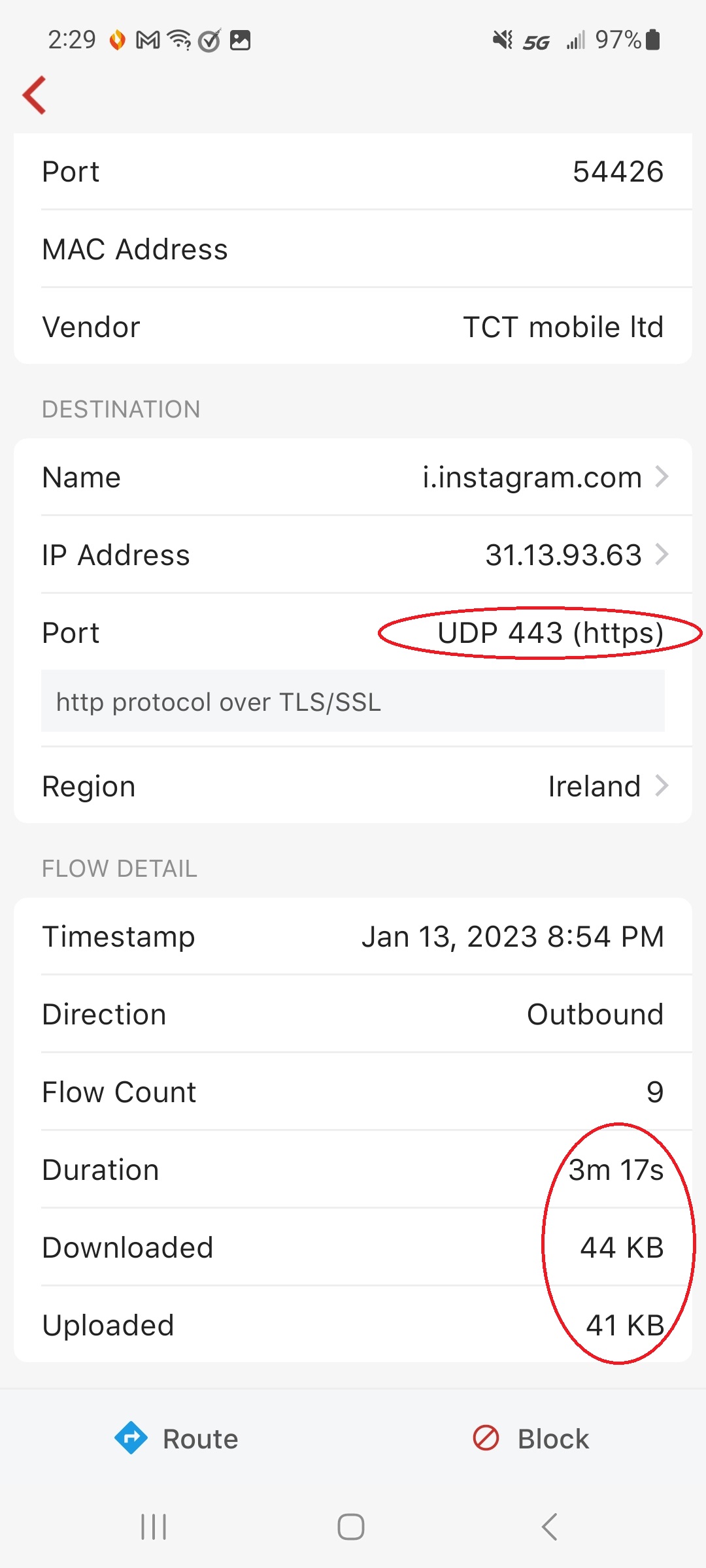
I'm also not sure what would be uploaded via UDP. Also, I found an instance for Facebook with the same thing (which makes sense, since Facebook owns Instagram). Finally, the last screenshot is of the domains listed under "All Social Sites," which shows both sites:
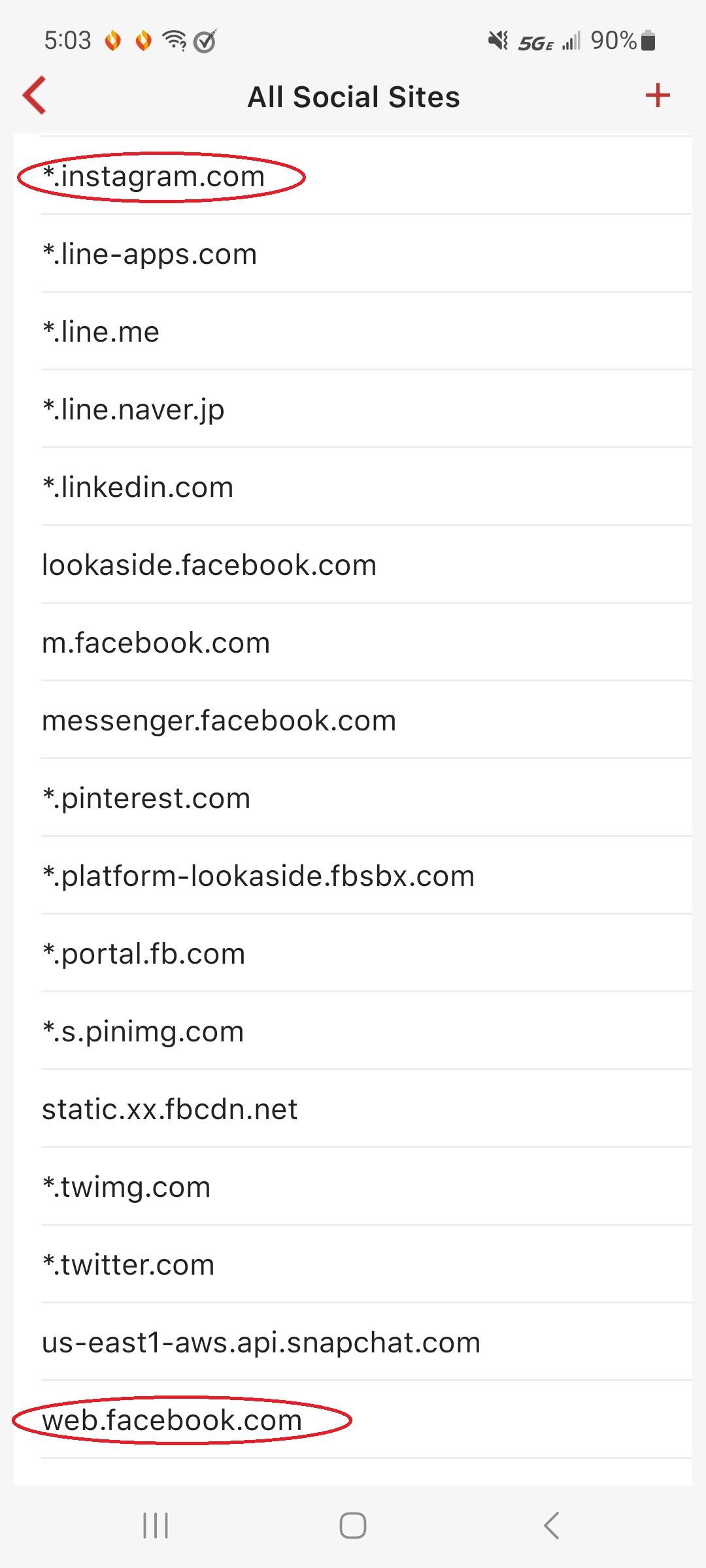
Please let me know what other screen shots I can provide, and thanks for looking into this!
-
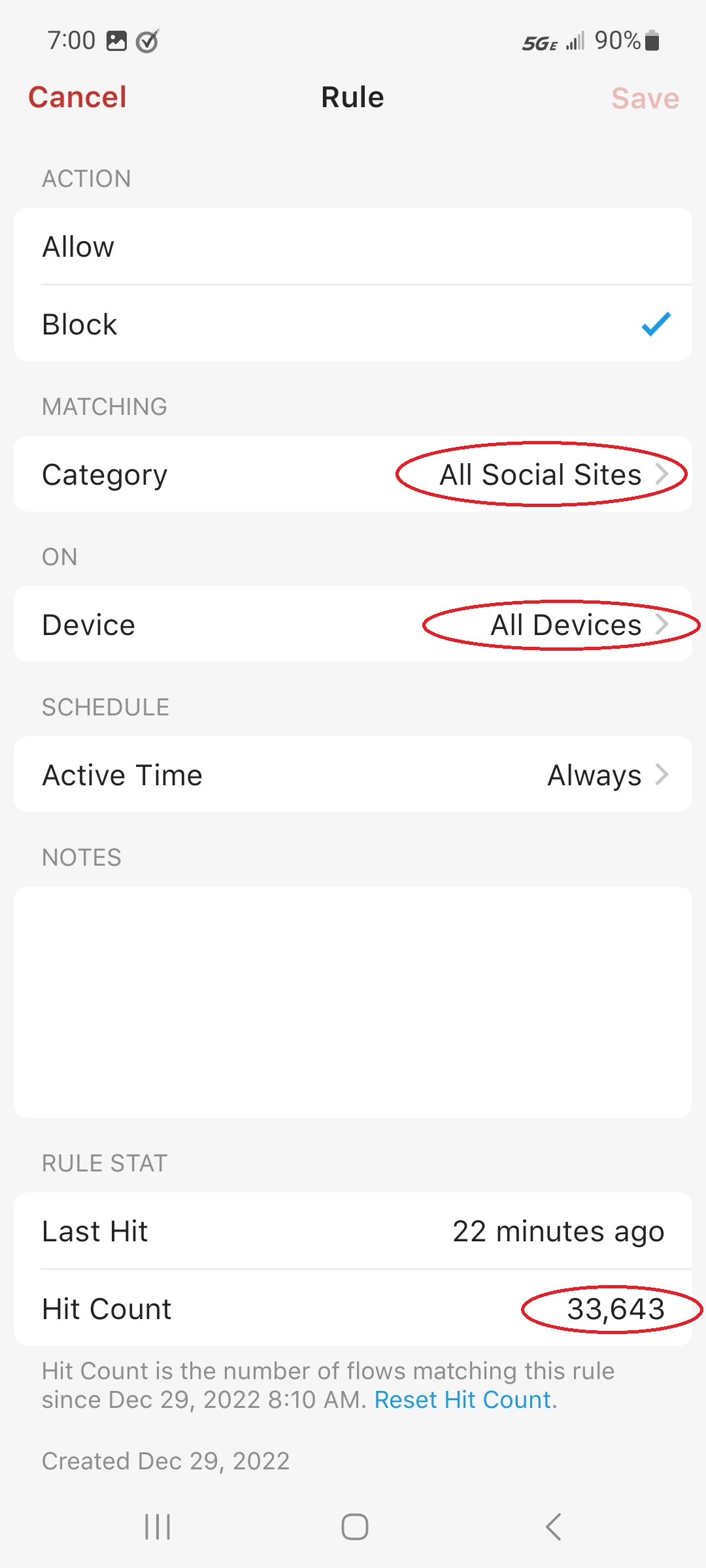
Well, for giggles and grins I applied a device-level app block for instagram (since that is what we are looking at), and the results were even more confusing (showing that I have no idea what I am looking at). The block was applied on the device page using the apps menu. After doing so, I can no longer find the "i.instgram.com" listing under flows (allowed or blocked). Even weirder is the fact that the flows blocked counter under the global social rule reads 33k, while the counter in the device-level block sows 44k….?!? Since the device-level block is specific to my daughter’s Kindle, and the global is over all devices (and is for all social sites, not just instagram), shouldn’t the global have a higher count? I have posed more screenshots below… Thanks again!
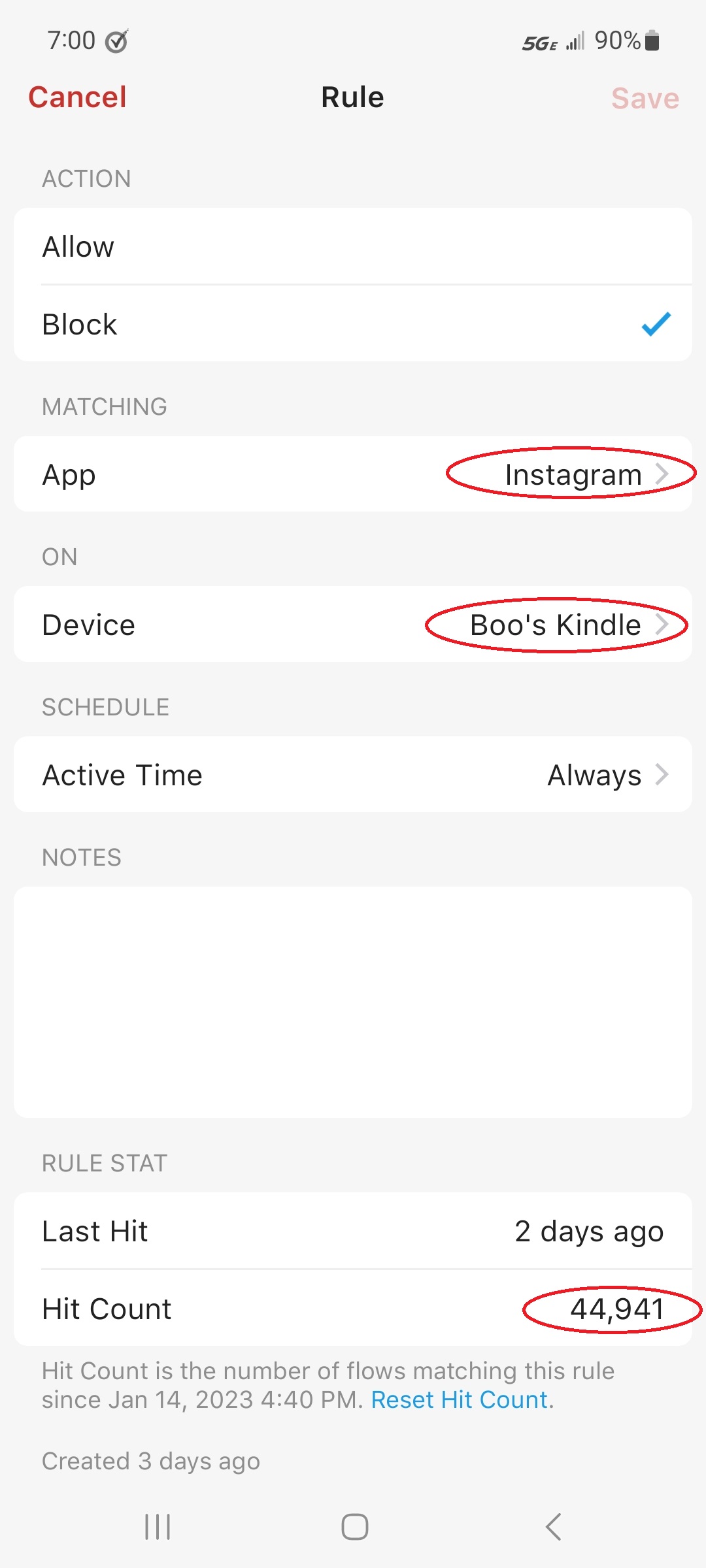
P.S. My device (Gold) is under a different account than the one I used here. The signin to Zendesk would not recognize the account I purchased the box through.
-

Hi Anakin,
There're a few things to note here:
- You saw i.instagram[.]com allowed and then being blocked because Firewalla needs a short period of time to learn what a domain/IP is, and if it matches any rule on box. The block/allow is not 100% strict but it should have very little impact, as modern app/website requires multiple connections to work. web.facebook[.]com is probably the same thing.
- You can't find certain domain in the flow history because some IPs are bond to multiple domains, and Firewalla only shows the latest domain that it sees.
- One network flow hits only one rule, either block or allow. Rules have different priorities, if a higher priority rule is hit, no other will.

Please sign in to leave a comment.
Comments
7 comments