Devices refuse to connect to internet; error: Gateway Ping failing

I have an Onkyo AV Receiver with a built-in NIC that supports various audio streaming services and a my daughter's Windows 10 laptop issued and managed by her school which cannot connect to the internet through a FWG. I've tried emergency access and turning off monitoring on both and they still cannot get out.
I have a 48 port Level 2 switch lagged to the FWG. Both devices (receiver and laptop) are connected via wired connections.
Both devices are in separate VLANs, there are other devices on the same VLANs which can connect to the internet. Specifically an iPad on the same VLAN as the laptop and Roku devices on the same VLAN as the Receiver.
The Receiver's network test utility reports 'can't ping gateway' however the DHCP settings all report the proper IP, DNS and Gateway addresses.
Using Window's network diagnostic tool on the laptop, I get a similar error message that is basically can't connect to the Gateway.
I'm confused as to why some devices are working and some are not. The Roku devices are wired like the receiver, the iPad is using WiFi but through an SSID associated back to the same VLAN as the laptop.
I'm not sure if this is a FWG issue or some sort of config issue in the Switch. If it were a config issue in the switch, what should I look for? If its a FWG issue, how else can I diagnose, or what can I do to all ICMP pings from the devices to the Gateway?
-
some further follow-up, I've determined that my wife's laptop (Win10) is also encountering 'default gateway is not available' when attempting to use WiFi, but wired works for her. On the other hand my Win11 machine has no issues connecting to the same SSID as my Wife's computer. I can't find any web hits on what type of network configuration issues might cause the gateway issue. Everything I can find talks about flushing the local DNS cache, reseting the NIC, etc. Which I've tried, but that does not seem to help. I feel like this has to be some type of configuration issue in my network....
sigh!
-
So from a Windows 11 laptop on the SSID/VLAN I can ping fire.walla.
From a Windows 10 laptop on the same SSID/VLAN it gets an IP that is in the correct subnet, but it can't ping fire.walla.
Given that one device works and one doesn't I'm un-clear as to what configuration in the Switch or WAP could be the issue. Network gear is all brand new, IPv6 is turned on, is there a possibility that Win10 WiFi would not play well with IPv6. I'm just really confused as to what the difference here is between the two computers, and for that matter the other devices that are also not resolving to the gateway.
-
So, none of the devices having issues have any type of VPN running. DoH is turned off on the FWG (as I write I need to check the Switch, but I don't believe DoH is turned on there).
I'm baffled by this behavior. For my iOS devices I did have to turn off Apple's Private WiFi Address for my home SSIDs in order for the Apple devices to work properly. But I can't find, nor am I aware of anything similar in Windows, or on my AV devices (Roku and AV receiver).
Here is a device by device break-down of the behavior I'm seeing (everything is DHCP with the exception of the server, using FWG I've reserved DHCP addresses to the IoT devices):
- Win11 laptop (MSFT Surface) - (Biz VLAN 20) works wired & wireless
- Win10 laptop (HP) - (20) owned & managed by a Corporate entity w/VPN works on wired (haven't tried wireless)
- Win10 laptop (Dell) - (Family 23) works wireless, I think its wired connection is flaky (old hardware)
- Ubuntu desktop (Lenovo) - (Primary LAN) wired works
- Ubuntu server hosting SDN controller, Hyper-V w/dedicated NIC - (Primary LAN) works wired
- Windows 2012 server (Dell) - (Core 1) wired works
- iPhone 12 & 13 (20) & iPad Mini (23) - work wireless w/Private IP turned Off
- Nest thermostat(s) - (IoT 60) works wireless
- Solar Inverter (Solar Edge) - (60) works wired
- TCL Roku TV - (Device 61) works wired
- Roku Ultra - (61) works wired
- Switch - (61) works wireless
Things that aren't working:
- Win10 laptop (Dell) - (20) works wired (Dell dock UBS-C) does not work wireless, 'appears' to get get IP but cannot ping gateway, cannot renew address
- Win10 laptop (Lenovo) - (23) owned and managed by school district does not work wireless or wired. No VPN, connected to ADFS, content filtering software for Federal Compliance
- TCL Roku TV (identical to other one) - (61) does not work wired/wireless
- Onkyo AV Receiver - (61) does not work wired/wireless
- TP-Link 8 port managed switch w/VLAN support - (Primary LAN) connected devices do not work
In all cases where the devices don't work, they effectively display a similar error, that is they cannot connect to or contact the Gateway/DHCP server. Each VLAN is set-up with its own DHCP running on the FWG. I have all the same VLANs set-up on the Switch.
All of the devices have at one point 'been visible' in the FWG Device list, so they are able to initially connect, and they all report a 'connection' at a basic level.
I'm so confused by the fact that some devices do work and some don't across different VLANs and connection types. I don't know where to look in my Switch/SDN or the FWG to determine what the root cause may be. I've tried 'emergency access' on the FWG and that has made no difference, which is not surprising, since I think the issue lies between the FWG and the devices.
-
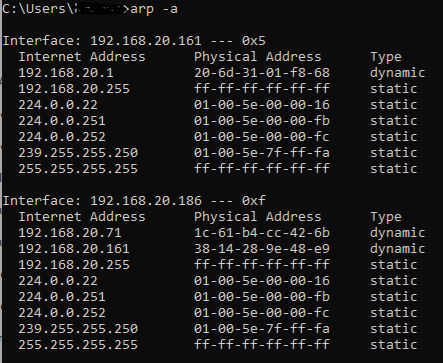
No idea, what this all means, but here are ARP results from the laptop that works on Wired, but fails on Wireless. The wired connection (20.161) matches what I get on a machine that is working fine. You can see the wireless (20.186) results are not right/different.
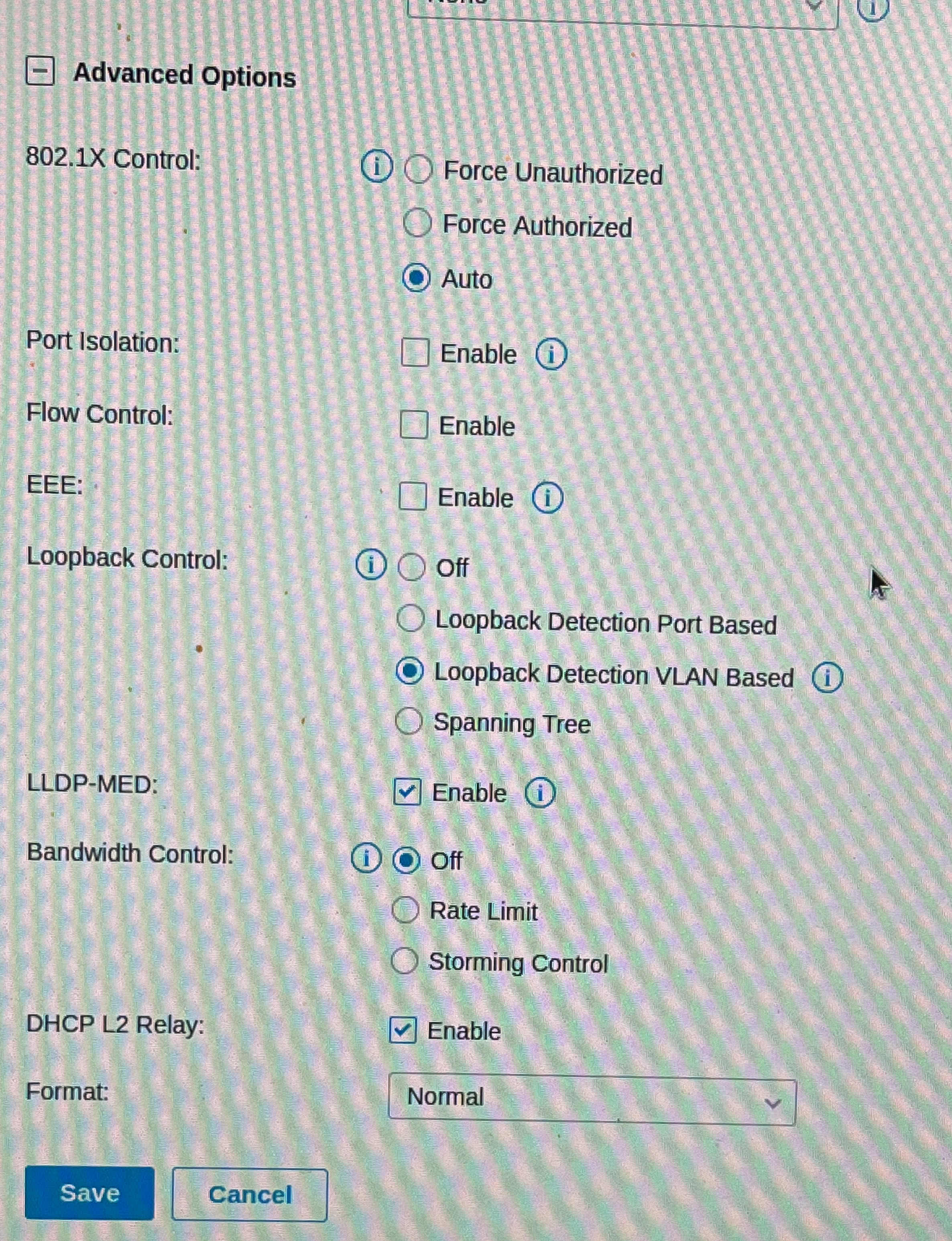
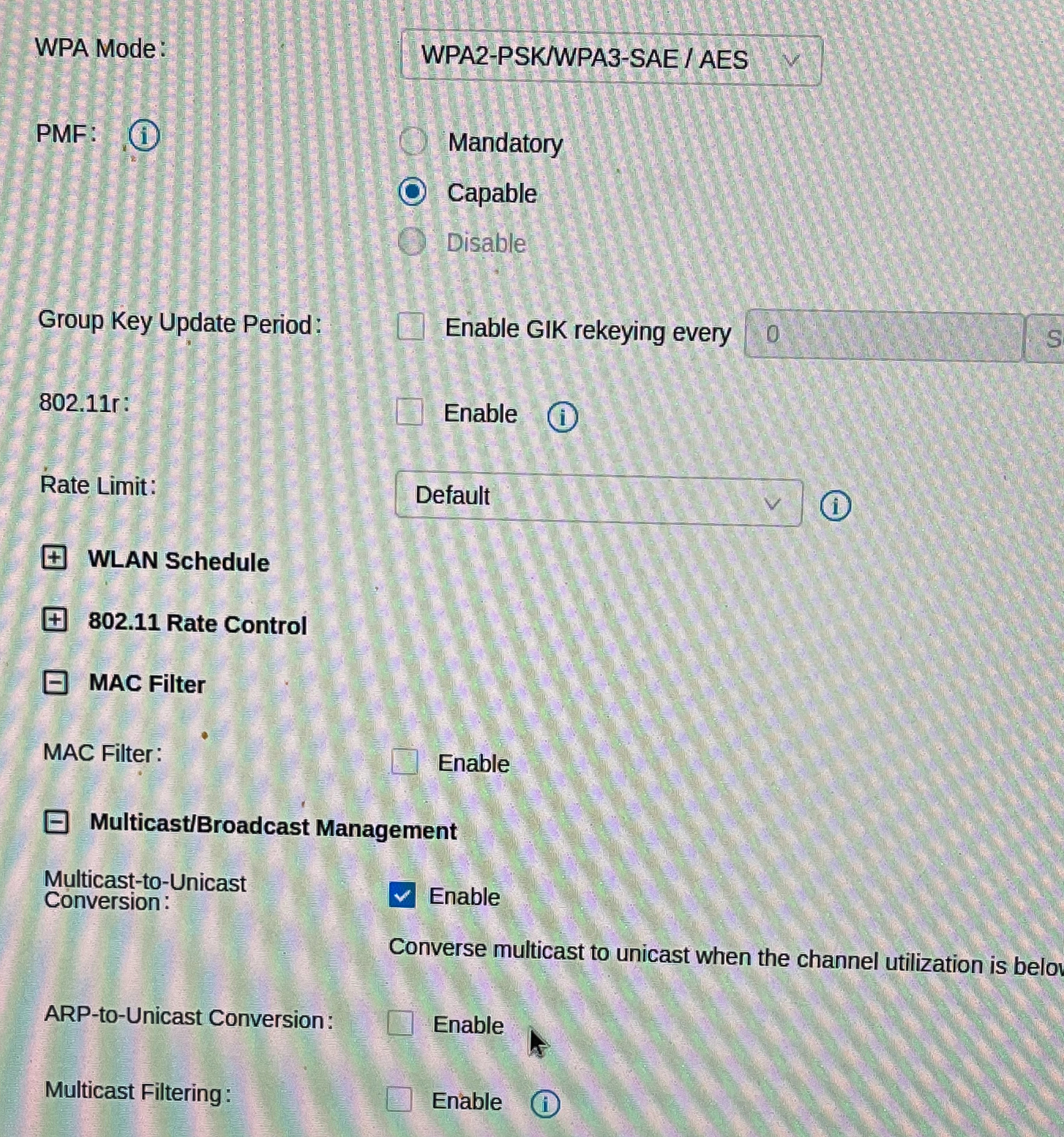
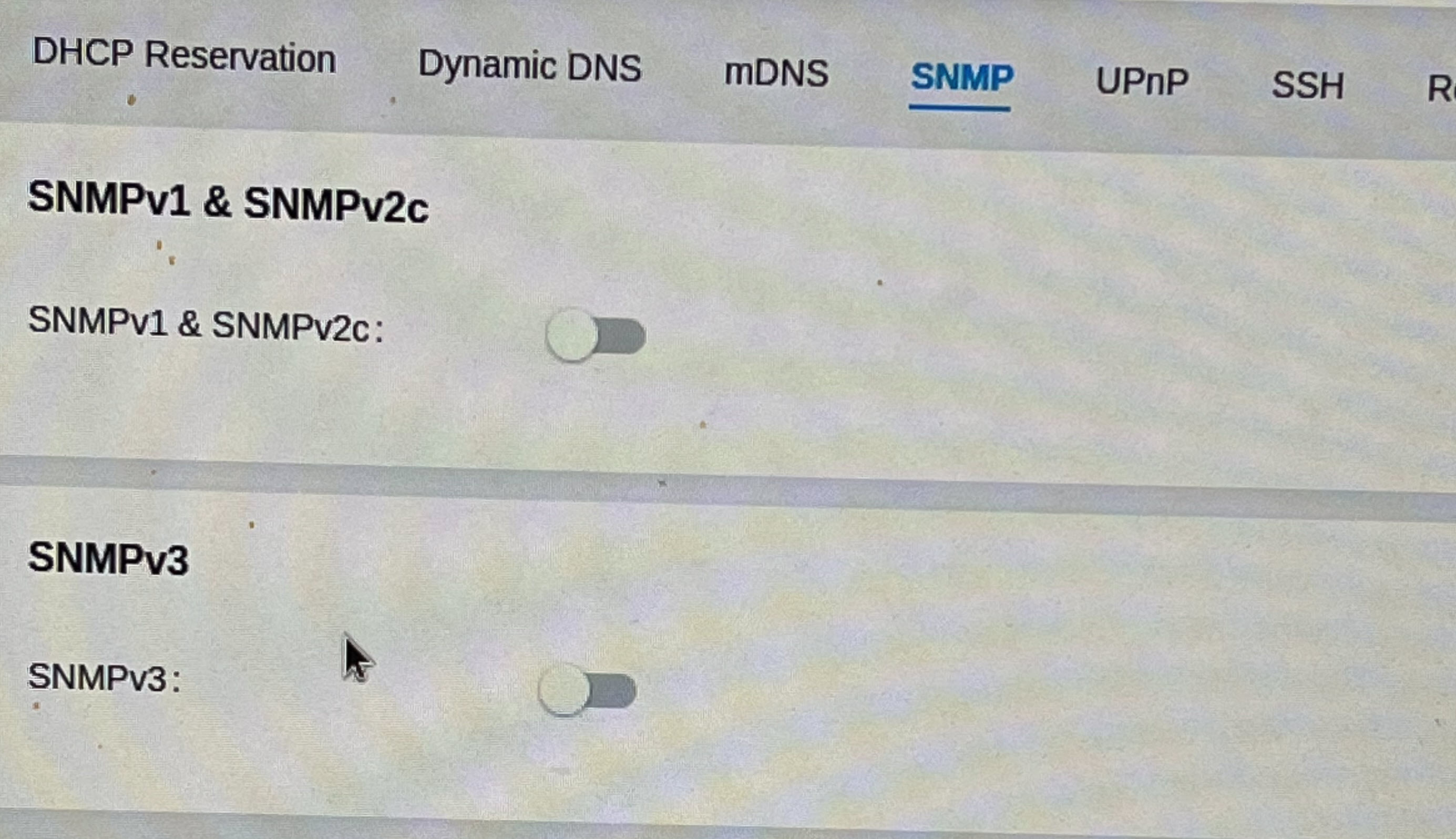
I took a deep look at my managed switch, and didn't see anything that would be filtering MAC addresses. However, here are some screen shots of various settings that might (?) have an impact. I have not modified any of these from their 'default' and I would think (hope) that the equipment's default settings are 'most permissible' or, at the very least less likely to cause connectivity issues.

-

If you do not see an arp entry on the devices not able to ping the gateway, it is highly likely your switch is blocking ... (I assume those devices also get its IP address from firewalla) It may also be the host firewall as well, check that too.
I am not familiar with your switch, and AP, so really can't comment.
-
@firewalla,
there are ARP entries on the interface that is not connecting, just not an entry for the gateway, IP. What is weird is the ethernet NIC shows up in the ARP table for the WiFi.
I realize that you're not familiar with my individual switch, I'm familiar enough with networking terms, that I don't think any of the settings shown in the pics are particularly unique to my switch. I just don't know the ramifications of most of them, and if they could cause the behavior I'm seeing. For instance, should I try disabling loop-back protection, could that be causing issues? Would that explain why the ARP is not getting properly populated on the host?
I did try disabling the Windows firewall on one of the devices that is not working and that did not help. Since the streaming devices that are also having issues would not have firewalls, I wasn't surprised by this
Please sign in to leave a comment.
Comments
9 comments